User Flow - Revision Template
A structured framework for documenting and comparing user journey improvements, enabling teams to visualize the evolution from an existing flow to an optimized version.
What is This Template
The User Flow - Revision template provides a side-by-side comparison structure for documenting process improvements. It contains three key sections:
Revised Flow - The improved user journey showing streamlined interactions and optimized decision paths
Old Flow - The previous version documenting the original user experience with its complexity and pain points
KEY - A legend of flowchart symbols used throughout both flows for consistent interpretation
Who Can Use It
UX Designers revising user journeys and interaction patterns
Product Managers documenting feature improvements and flow optimizations
Business Analysts comparing process versions and identifying efficiency gains
Development Teams understanding before-and-after user experiences
Stakeholders reviewing proposed changes and their impact on user experience
How to Fill It
Step 1: Document the Old Flow
Start by mapping your current user journey in the Old Flow section using these components:
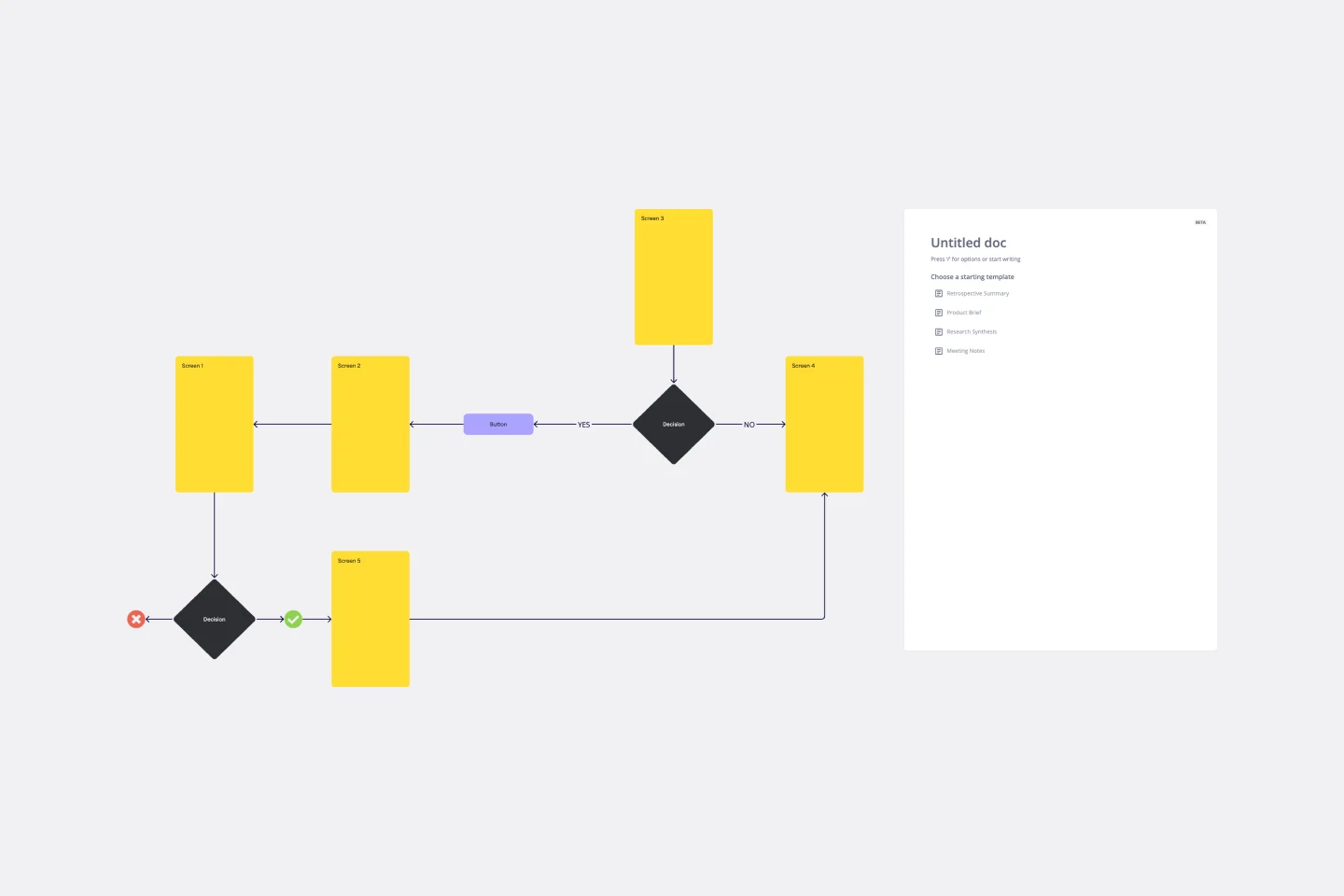
Entry Points - Mark where users begin the flow
Tasks - Define discrete user objectives
Actions - Detail specific steps users or systems take
Decisions - Show branching logic with diamond shapes
Failed Exit Points - Identify where users cannot complete their task
Completed Task - Mark successful endpoints
Step 2: Create the Revised Flow
Design your improved version in the Revised Flow section:
Streamline the path by removing unnecessary steps
Simplify decision points where possible
Reduce parallel branches that create complexity
Clarify entry and exit points
Step 3: Connect and Annotate
Use arrows to show progression between steps
Ensure all paths from decision points are clearly connected
Label critical decision criteria
Note failure conditions at exit points
Step 4: Review and Compare
Position both flows for easy comparison. The vertical layout allows stakeholders to quickly understand what changed, why the revision improves the experience, and how complexity was reduced.
Best Practices
Keep action descriptions concise and user-focused
Highlight major differences between old and revised flows
Use consistent naming conventions across both versions
Document the reasoning behind significant changes
Goodluck!
Khawaja Rizwan