What is the Swimlane Diagram Workshop?
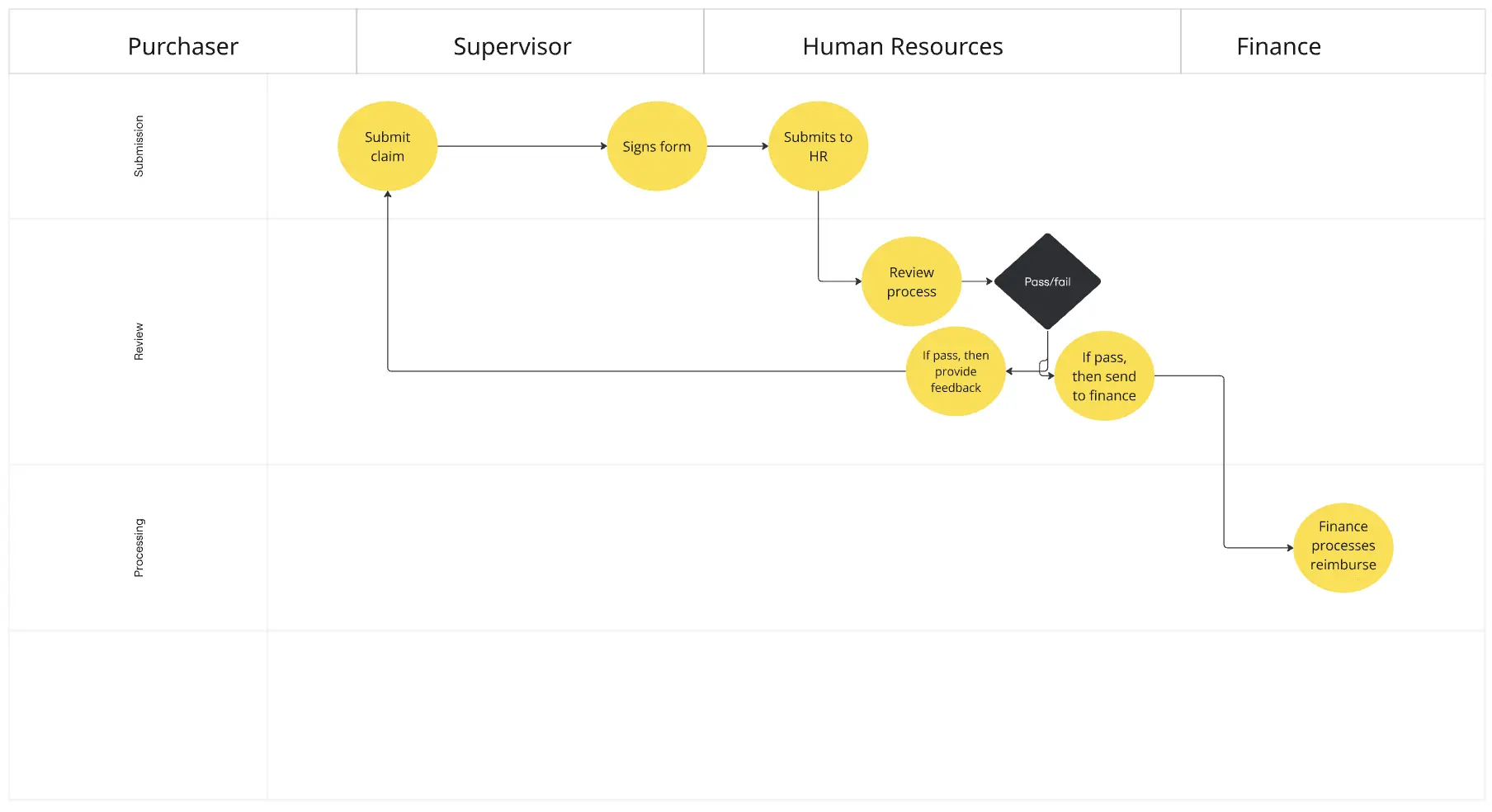
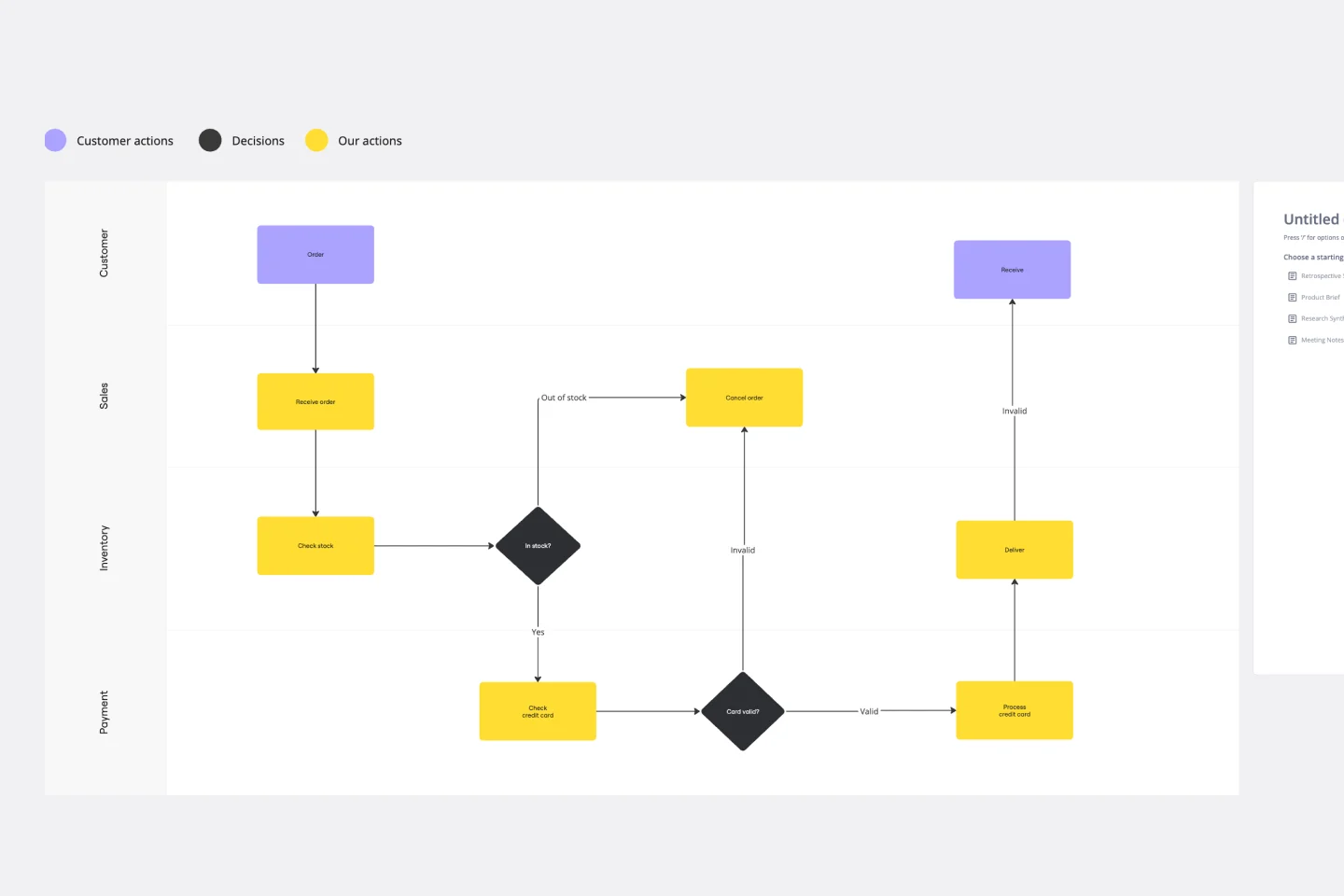
A 30–45 minute working session to map a process across teams or roles, showing who is responsible for each step and where work flows or gets stuck.
What problem does this solve?
Unclear ownership across teams
Confusion around handoffs and responsibilities
Bottlenecks in workflows
Duplicate or missed steps in a process
How to use
Define the process (5 min)
Write the start and end points of the workflow.
Example: “User signs up” then “User completes onboarding”
Create swimlanes (5 min)
Add one lane per role, team, or function.
Example: Product, Design, Engineering, Marketing
Map process steps (10–15 min)
Add each step in sequence under the responsible lane.
Keep steps short and action-based.
Connect the flow (5–10 min)
Draw arrows to show how work moves between lanes.
Highlight handoffs between teams.
Identify gaps and bottlenecks (10 min)
Mark delays, unclear ownership, or duplicate work.
Common pitfalls
Too many lanes for a small team
Steps that are too vague or too detailed
Missing handoffs between teams
No clear owner for key steps
Ways to avoid mistakes
Keep lanes focused on real roles, not departments only
Use clear action language for each step
Assign one owner per step
Review the flow from start to finish as a team
Miro Features You Can Use
Swimlane or grid templates to structure roles
Sticky notes for each step
Arrows/connectors for flow
Colors to show ownership or status
Tags to flag risks or delays
Comments for questions or unclear steps
FAQs
Q: Who can benefit from this template?
A: Product teams, operations teams, and startups mapping workflows or improving processes.
Q: Does it work for virtual and in-person sessions?
A: Yes—teams can collaborate in Miro remotely or use it live in a room.
Q: What do I leave with?
A: A clear process map, defined ownership for each step, and a list of gaps or improvements to act on.