Risk Matrix Chart Template
Overview
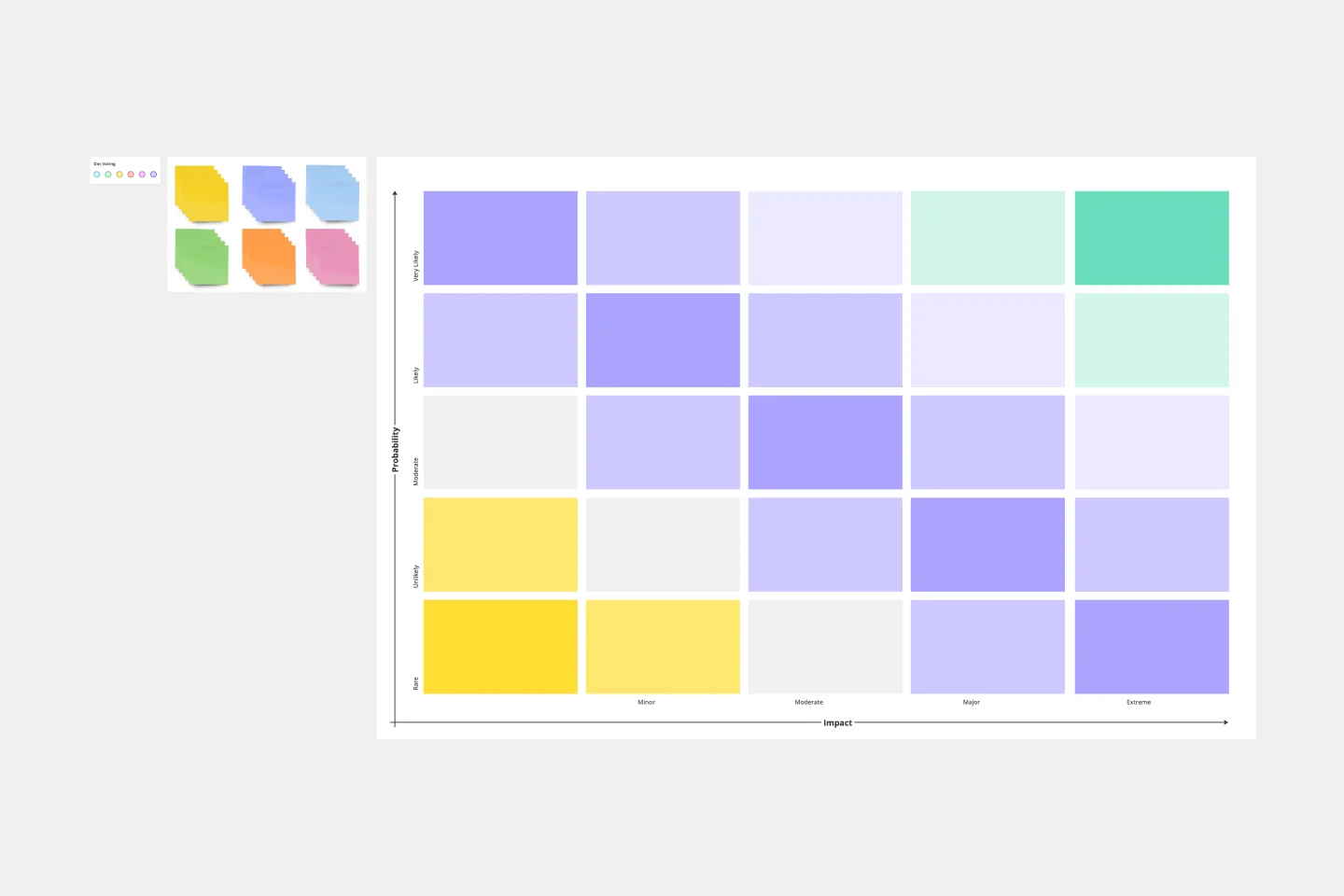
A Risk Matrix Chart is a visual risk assessment tool that helps teams systematically identify, evaluate, and prioritize potential risks by plotting them on a two-dimensional grid. The matrix evaluates risks across two critical dimensions: Likelihood (probability of occurrence) and Impact (severity of consequences). This visualization enables teams to quickly distinguish between high-priority risks requiring immediate action and lower-priority risks that need monitoring.
Who Can Use This Template
This template serves a wide range of professionals including:
Project managers conducting risk assessments
Team leaders planning strategic initiatives
Risk management professionals
Business analysts evaluating operational threats
Product managers assessing product development risks
Operations teams identifying process vulnerabilities
Cross-functional teams during project planning sessions
Organizations conducting strategic reviews and compliance assessments
Filling Instructions Using Sticky Notes
Conduct a brainstorming session with your team to identify all potential risks relevant to your project, product, or operations.
Assessment Process
Write each identified risk on a separate sticky note with a brief, clear description. Evaluate each risk across two dimensions:
Likelihood: How probable is this risk to occur? (Scale: Rare, Unlikely, Possible, Likely, Almost Certain)
Impact: What are the consequences if this risk materializes? (Scale: Insignificant, Minor, Moderate, Major, Catastrophic)
Placement
Position each sticky note in the cell where the risk's likelihood and impact intersect on the matrix. Consider using different colored sticky notes to categorize risks by type—technical, financial, operational, reputational, or regulatory.
Prioritization
Red zones (high/critical risks): Require immediate attention and detailed mitigation plans
Orange/Yellow zones (medium/moderate risks): Should be actively monitored with contingency plans ready
Green/Yellow zones (low risks): Document and review periodically
Collaboration
Encourage team discussion when placing sticky notes to build consensus on risk positioning. Different perspectives often reveal overlooked factors.
Maintenance
Review and update the matrix regularly as project conditions, external factors, or business priorities change. Move sticky notes as risk profiles evolve and add new risks as they emerge.
Cheers!
Khawaja Rizwan