






Presentations for financial advisors

Turn client reviews and portfolio briefings into live, interactive presentations. No rebuilding decks from scratch.

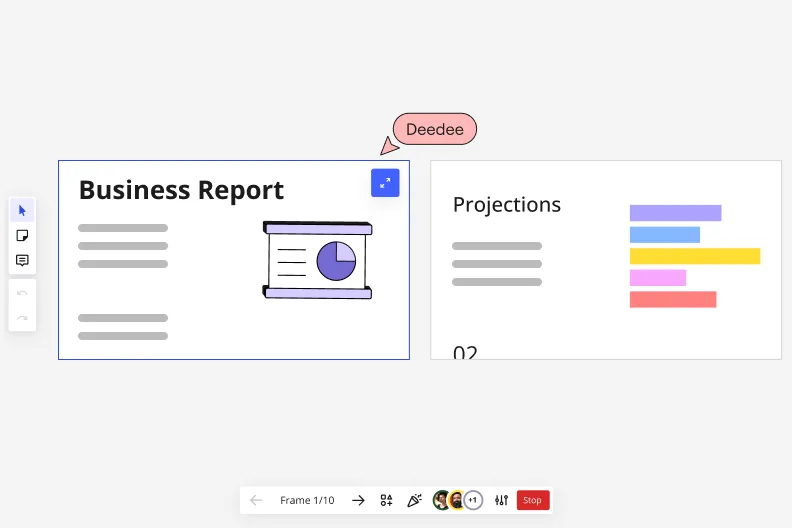
Miro's presentation mode showing Frame 1/10 with a 'Business Report' slide featuring a pie chart illustration on the left, and a 'Projections' slide with a horizontal bar chart on the right, with a collaborative cursor labeled 'Deedee' and playback navigation controls at the bottom.

What experts say

  • The way we present information and tell stories using slides has a massive impact on how well our ideas are understood and remembered.

    Nancy Duarte

    Speaker and CEO · Duarte

    Industry Expert
  • According to a study published in the Harvard Business Review, presentations that effectively communicate data can increase persuasiveness by up to 43%.

    SlideBazaar Team

    Presentation Experts · SlideBazaar

    Practitioner

The research on presentations and slides

  • 66%

    Visual presentations with graphs and diagrams increased audience conviction from 50% (verbal only) to over 66%, demonstrating the persuasive power of diagramming in consulting presentations

    Source: Cornell University / Wharton School of Business

  • 50%

    Interactive whiteboard conversations lead to 50% higher lead conversion rate compared to static presentations

    Source: Corporate Visions

See presentations and slides in action

Related templates for financial advisors

We have 22 templates in our library for Presentations and Slides.

Why financial advisors love creating presentations with Miro Slides

  • From portfolio data to client-ready deck in minutes

    Chasing numbers across Bloomberg, Excel, and a half-finished PowerPoint before a quarterly review is a familiar drain. Pull your portfolio analysis directly into Miro, use AI slide generation to draft the deck structure from your content, and walk into the client meeting with a polished presentation - without the rebuild step.
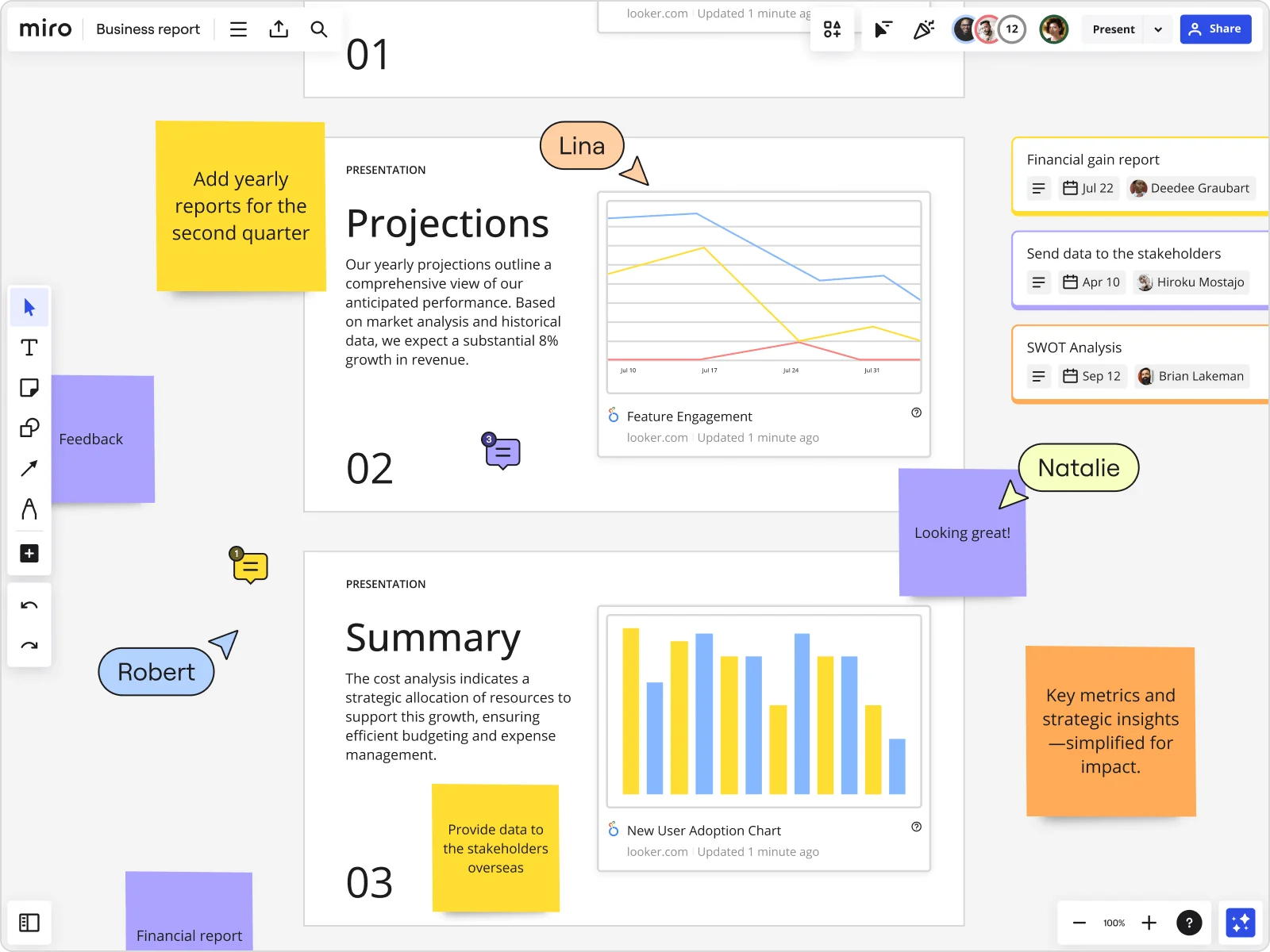
    Miro board showing a Business Report with two presentation slides (Projections and Summary) containing embedded Looker charts for Feature Engagement and New User Adoption, alongside sticky notes with tasks, three task cards for Financial gain report, Send data to stakeholders, and SWOT Analysis, and collaborative cursors from users named Lina, Natalie, and Robert.
  • Your compliance review, without the email chain

    Before a deck goes to clients, it needs eyes from compliance and legal. Reviewers leave threaded comments directly on the specific slide they're flagging - the fee disclosure, the risk summary, the allocation chart - so you're not mapping vague email replies back to slide numbers. Small advisory firms get faster sign-off. Larger wealth management teams get a full audit trail, all in one place.

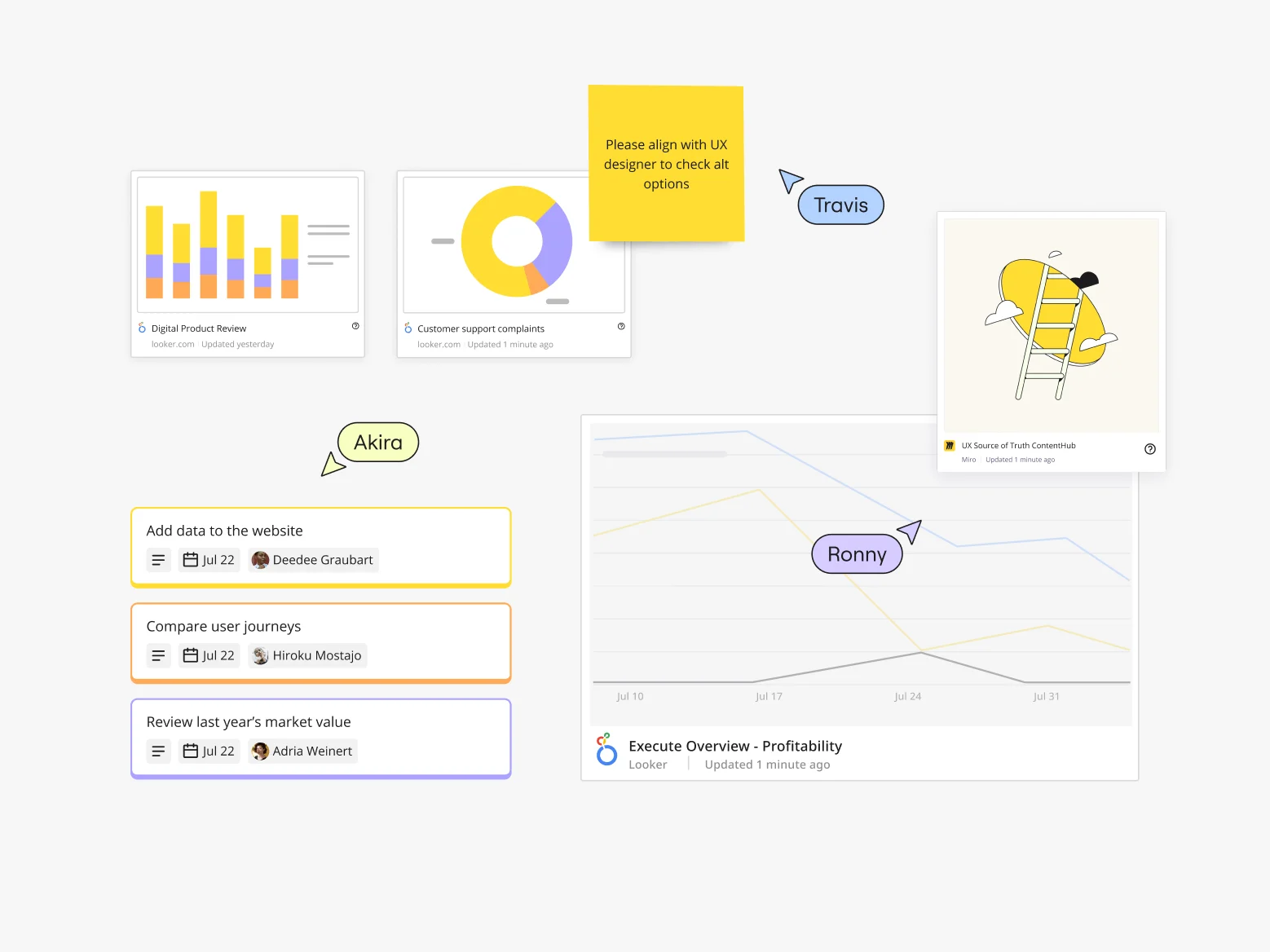
    Miro board showing a collaborative marketing workspace with embedded Looker data visualizations (bar chart for Digital Product Review, donut chart for Customer support complaints, line graph for Execute Overview Profitability), a sticky note with UX feedback, a UX Source of Truth ContentHub card from Miro, task cards with assignees and due dates (Add data to website, Compare user journeys, Review last year's market value), and multiple collaborator cursors (Travis, Akira, Ronny) visible.
  • When your HNW client in Tokyo can't join the call

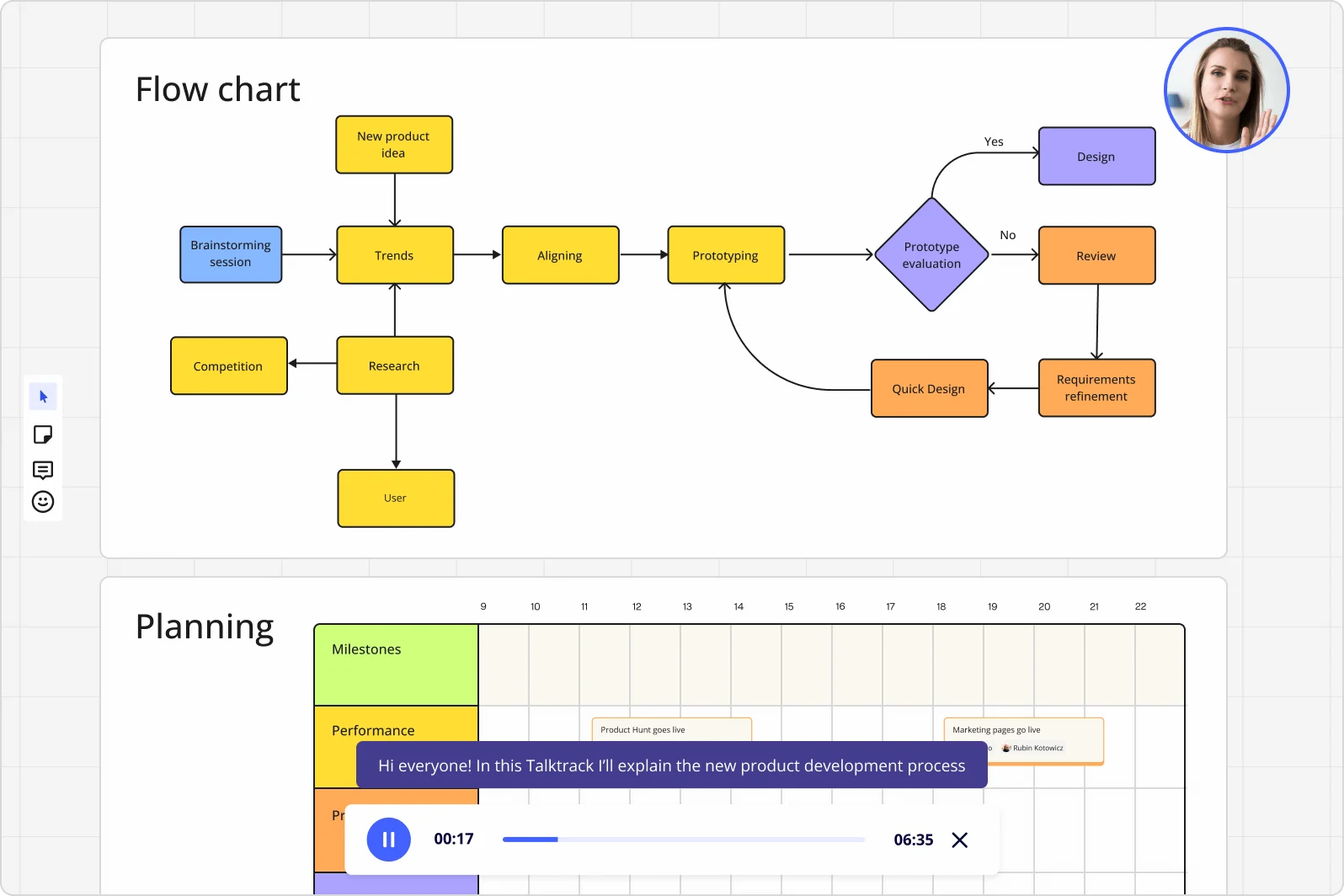
    Record a Talktrack walkthrough after you finalize the deck. Your narration stays synchronized with each slide, so the client replays the full briefing on their own schedule - context, emphasis, and all. No static PDF that strips away your explanation of why you shifted the fixed-income weighting.

    Miro board displaying a product development flowchart with color-coded nodes (yellow process steps, orange review/design steps, purple decision diamond) showing the full workflow from brainstorming to prototype evaluation, alongside a Talktrack audio narration feature playing at 00:17 of a 6:35 recording with a presenter visible in the top-right corner.
  • Stop rebuilding the same quarterly update

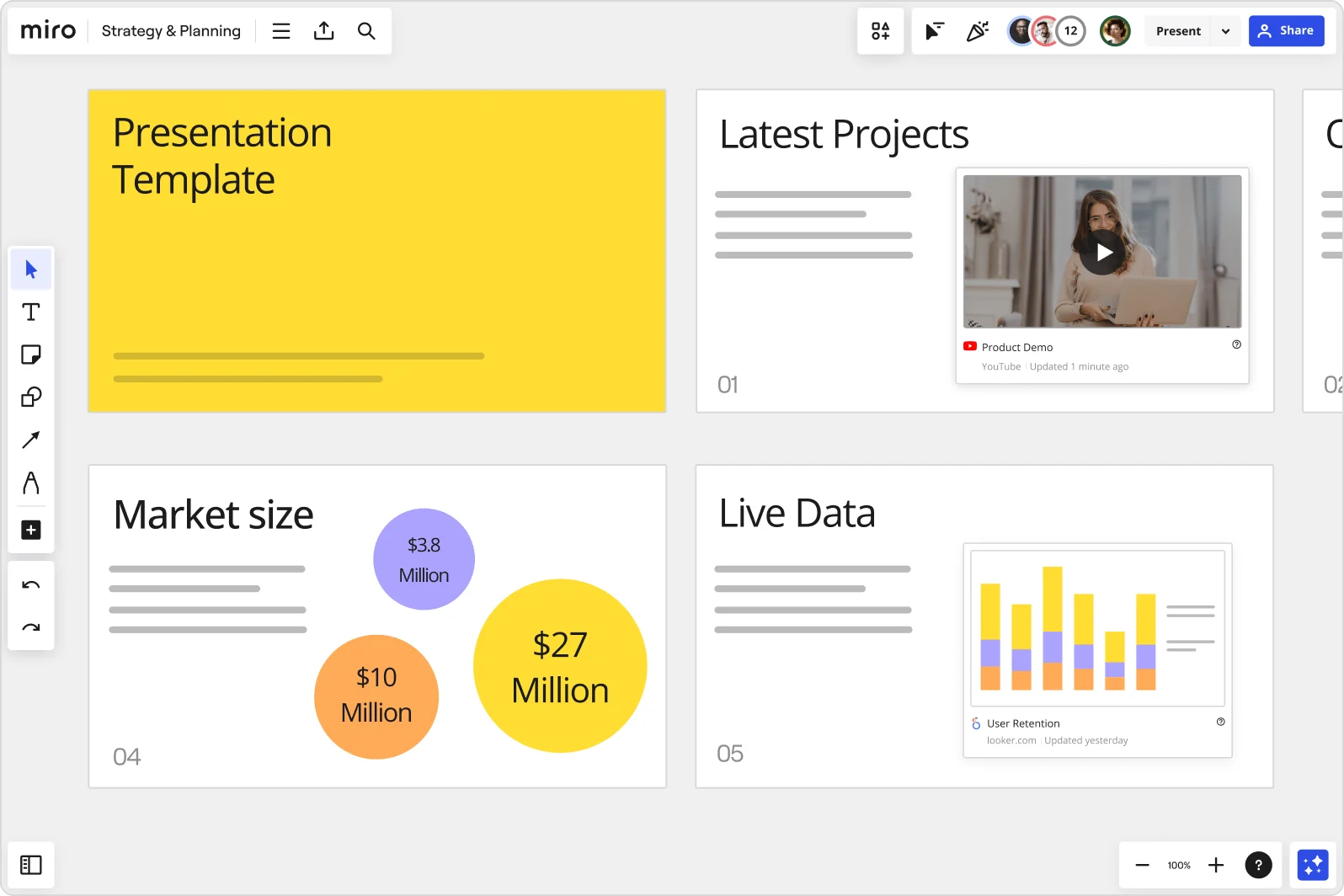
    Save your standard client reporting framework as a reusable template. Whether you're a solo RIA refreshing 20 client decks or an enterprise wealth management team standardizing reporting across 200 advisors, Synced Copies push updates from the master layout to every advisor's board in seconds.

    Miro board showing a Strategy & Planning presentation workspace with four slides visible: a yellow title slide labeled 'Presentation Template', a 'Latest Projects' slide with an embedded YouTube Product Demo video, a 'Market size' slide with bubble charts showing $3.8M, $10M, and $27M values, and a 'Live Data' slide featuring an embedded Looker.com User Retention bar chart.
  • Live Q&A that actually captures client sentiment

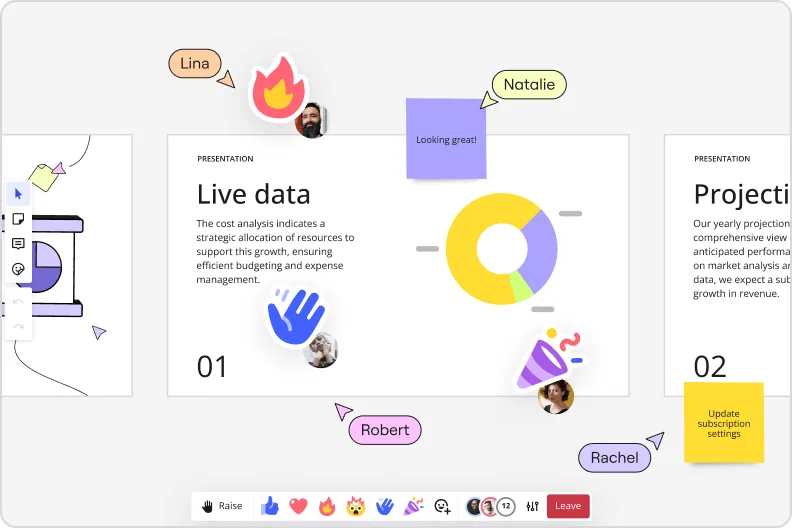
    During the presentation, run a Voting poll or Word Cloud so clients rank priorities or surface concerns in real time - no awkward silence, no misread body language. Responses export directly to sticky notes on your board, giving you a clear follow-up list the moment the meeting ends.

    Miro presentation mode showing live data slide with donut charts and collaborator reactions and emoji feedback

How financial advisors get started with presentations and slides in Miro

  • Pull your client data into one board

    Open a new Miro board and use External Embeds to pull in live charts from your portfolio management system or custodian reports, so your holdings data, benchmark comparisons, and allocation visuals live in one place before you touch a single slide.

  • Draft your quarterly review deck with AI

    Select your embedded data and charts, then use AI Generate Slides to turn them into a structured client-facing deck - specify the audience and tone in your prompt (e.g., "5-slide quarterly review for a conservative retiree, plain language, no jargon") so the output reads like an investment narrative, not a data dump.

  • Route the deck through compliance before it leaves

    Use Comments to share specific frames with your compliance officer for threaded, slide-by-slide sign-off, keeping every revision and approval in one auditable thread rather than a chain of tracked-changes Word docs.

  • Record a Talktrack for clients who can't make the meeting

    Narrate through each frame with Talktrack so clients who miss the live review can replay your full walk-through of their portfolio performance, rebalancing rationale, and next steps at their own pace, with captions included.

Slides tips for financial advisors

  • Before your next annual suitability review cycle, save your standard client review deck as a Custom Template so the compliance-approved structure, disclosures, and branding carry forward automatically and don't need to be rebuilt or re-cleared each quarter.

  • During live client meetings, use Presentation Mode's built-in facilitation tools to jump non-linearly between frames - if a client asks about their drawdown exposure mid-deck, you can go straight to that frame and come back without losing your place.

  • For RIA firms managing multiple advisors, use Synced Copies to maintain one master deck structure across advisor-specific client versions - when you update the disclosures or fee transparency slide in the master, every advisor's copy reflects it without a firm-wide email chain.

Understand how financial advisors transform their work

  • Currently, I'm working on a presentation. I was asked to put it in PowerPoint, but I insisted that I put it in Miro. PowerPoint only has so much room. With Miro, I can go on forever and all I have to do is zoom in and out to show the big picture and to show the details

    Dahlia Hamamcy

    G2
    G2
    G2 reviewer
    Read review
  • Not your mom's PowerPoint

    Vice-President in Product Management at Banking

    TrustRadius
    TrustRadius
    Verified user
    Read review

Presentations and Slides essential guide for financial advisors

CategoryKey insights
  • Common mistakes to avoid

    The biggest trap advisors fall into is cramming every holding, benchmark comparison, and footnote onto a single frame - a cluttered slide loses a client faster than a bad quarter does. For solo practitioners, skipping the Talktrack recording means a client who couldn't make the Zoom call misses your entire rebalancing rationale. At larger firms, always check sharing permissions before sending a presentation link: you don't want a compliance officer opening your full working board instead of the curated client deck.

  • Key integrations for financial advisors

    Microsoft PowerPoint and Google Slides connect directly to Miro so advisors can move a finished deck into the format their firm or custodian requires without rebuilding slides from scratch. Zoom and Microsoft Teams let advisors run Interactive Presentation Mode live with clients, keeping the review meeting interactive rather than a one-way screen share. For larger RIA practices running on Microsoft 365, the Teams integration means advisors can present, collect feedback, and record a Talktrack walkthrough without ever leaving their existing workflow.

  • When to use it

    Use this when quarterly review season hits and you need to translate portfolio data into a clear client narrative without rebuilding slides from scratch in a separate tool. If a client can't make the live review call, record a Talktrack walkthrough of the deck so they hear your rebalancing rationale and fee explanation in your own words, on their own schedule. It's also the right fit when you want to walk a client through multiple asset allocation scenarios in real time and capture their preference live, rather than following up with another email thread.

  • Security & Compliance

    For advisors at registered investment advisory firms or broker-dealers, Miro's SOC 2 Type II certification means the platform meets the security baseline most compliance officers will ask about when a new tool hits their desk. Private Mode keeps sensitive client holdings and rebalancing scenarios off the shared canvas during collaborative internal reviews, so draft work stays draft. Enterprise-level firms with strict data governance requirements can pair granular sharing permissions with data residency controls to make sure client information never leaves an approved geography.

Frequently asked questions for financial advisors

Last updated: Thursday, July 30, 2026