





Andrey
See collaborative AI in action — straight from the Canvas 26 keynote.
Jeff

Presentations and slides for team leads

Turn your sprint outputs into a stakeholder-ready deck. No rebuilding from scratch - your board becomes the presentation.

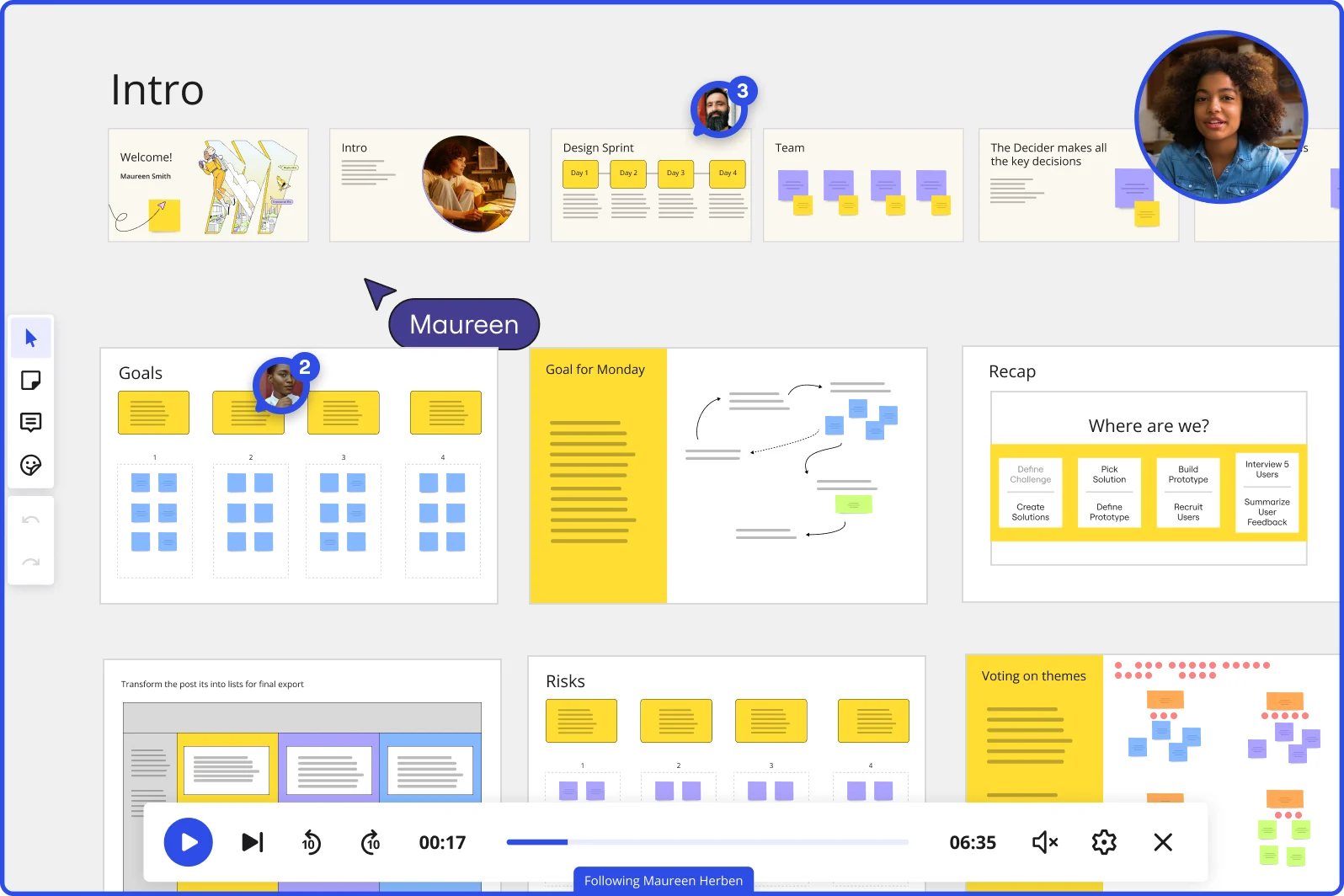
Miro board showing a Design Sprint presentation in facilitation mode, with slide thumbnails across the top (Welcome, Intro, Design Sprint days, Team, Decider), and active frames including Goals with yellow sticky notes, Goal for Monday with a flow diagram, Recap with a 'Where are we?' process tracker, Risks section, and Voting on themes — with a video player bar at the bottom showing 'Following Maureen Herben' and two visible participant avatars.

What experts say

  • The way we present information and tell stories using slides has a massive impact on how well our ideas are understood and remembered.

    Nancy Duarte

    Speaker and CEO · Duarte

    Industry Expert
  • Collaborative workshops during research briefing improve stakeholder buy-in and uncover hidden fears.

    Shipra Kayan

    Design Leadership · Miro

    Practitioner

The research on presentations and slides

  • 66%

    Visual presentations with graphs and diagrams increased audience conviction from 50% (verbal only) to over 66%, demonstrating the persuasive power of diagramming in consulting presentations

    Source: Cornell University / Wharton School of Business

  • 52%

    Visual action plans increased team alignment by 52% compared to text-based plans in a survey of 800+ C-suite leaders

    Source: McKinsey & Company

See presentations and slides in action

Related templates for team leads

We have 22 templates in our library for Presentations and Slides.

Why team leads love creating presentations with Miro Slides

  • Stop rebuilding decks after every sprint review

    Your sprint board already holds the story - user story maps, velocity charts, completed tickets. Instead of copy-pasting into PowerPoint, use Miro's Frames to turn that canvas directly into a slide sequence. A team of five ships the same polished sprint review as a 500-person org running quarterly business reviews.
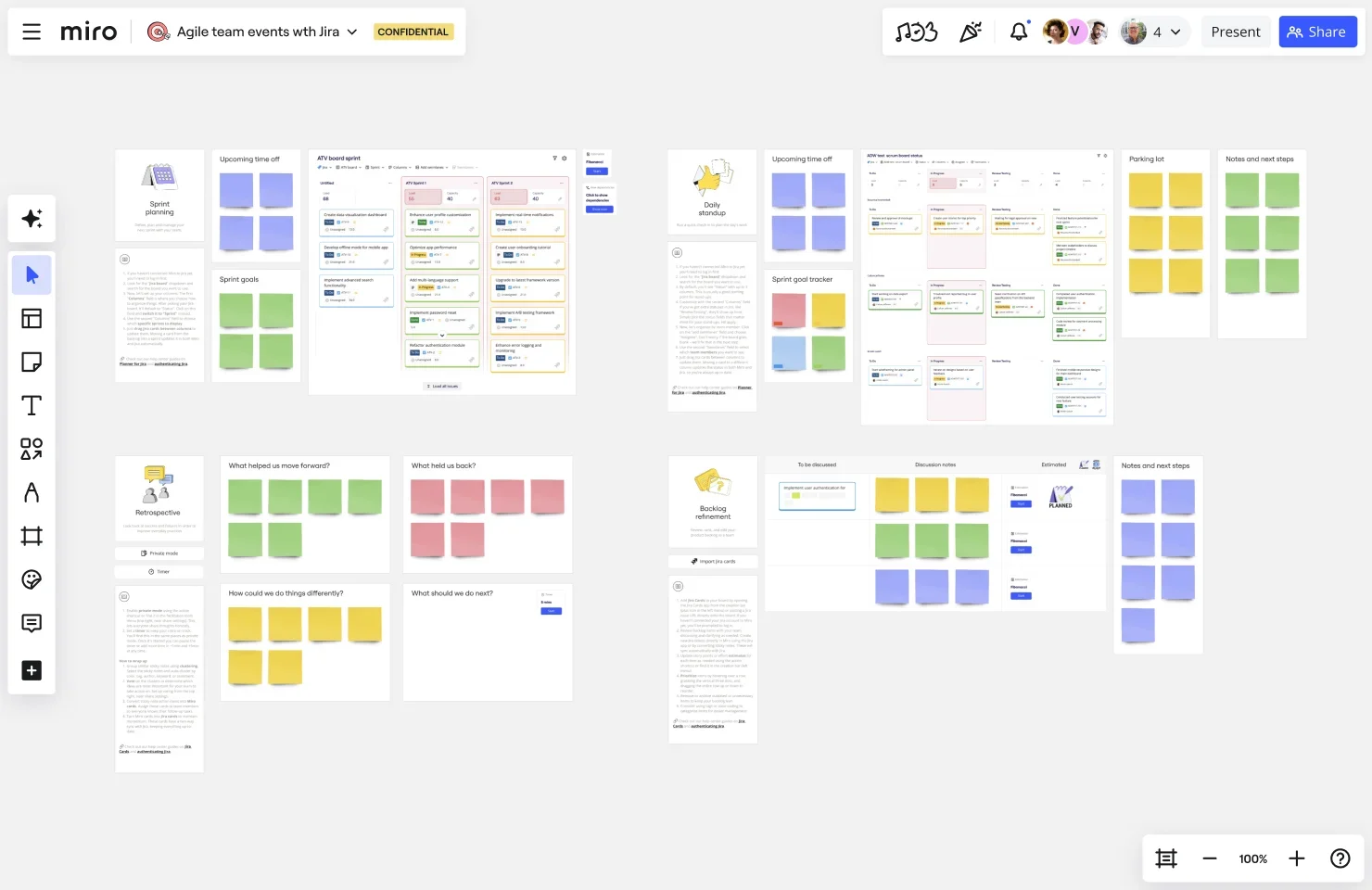
    Miro board showing a complete Agile team events workspace with Jira integration, featuring multiple ceremony frames including Sprint Planning, Daily Standup, Retrospective, and Backlog Refinement, each containing colored sticky notes (green, yellow, pink, purple) and embedded Jira board views in a zoomed-out overview.
  • From a text prompt to a structured deck in minutes

    You've got a leadership sync in two hours and a blank slide file. Describe your deck to Miro's AI slide generation - audience, tone, number of slides - and it drafts the structure from your board content or your prompt. Edit individual slides before committing, and Brand Center applies your org's palette automatically.

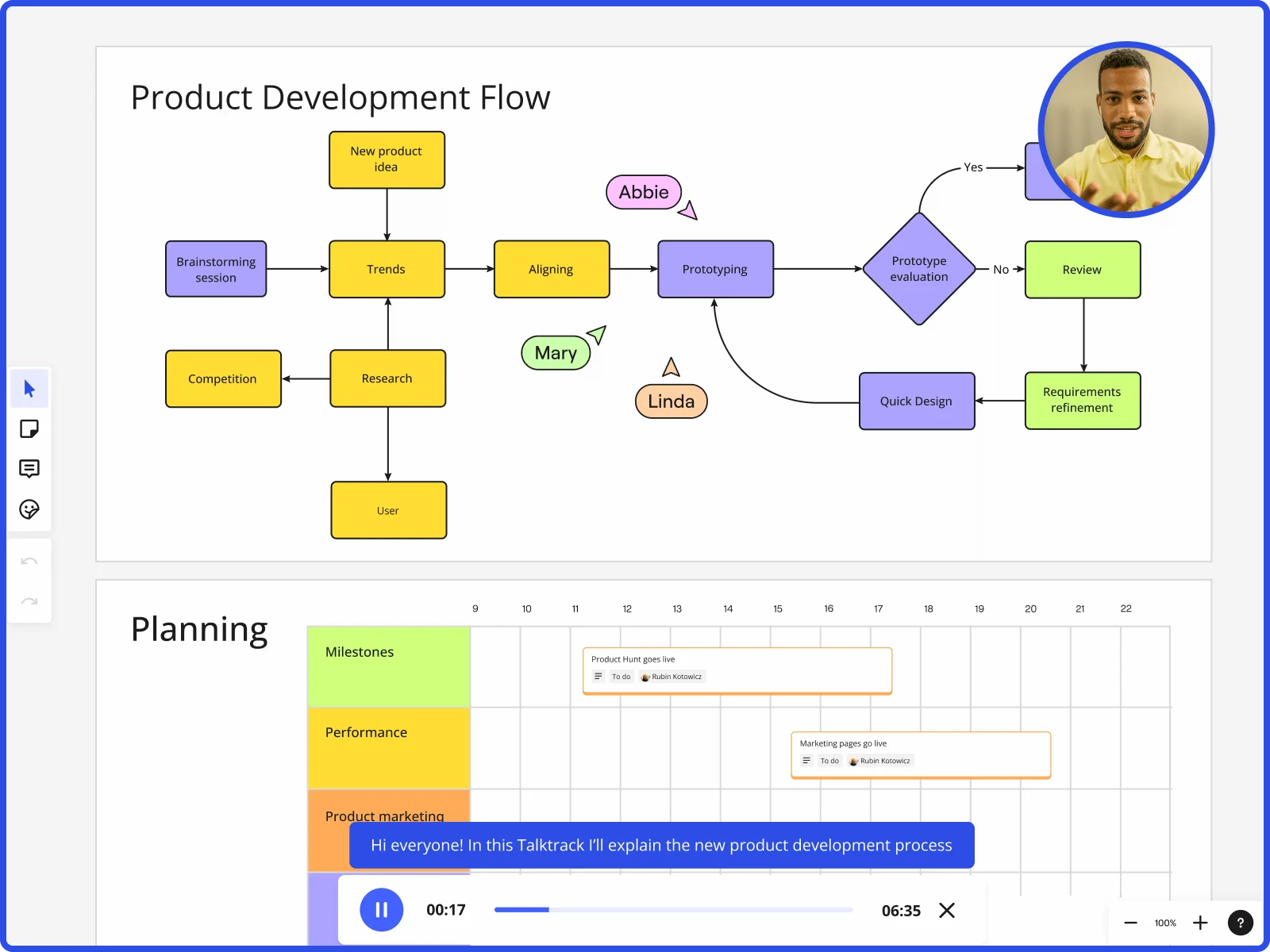
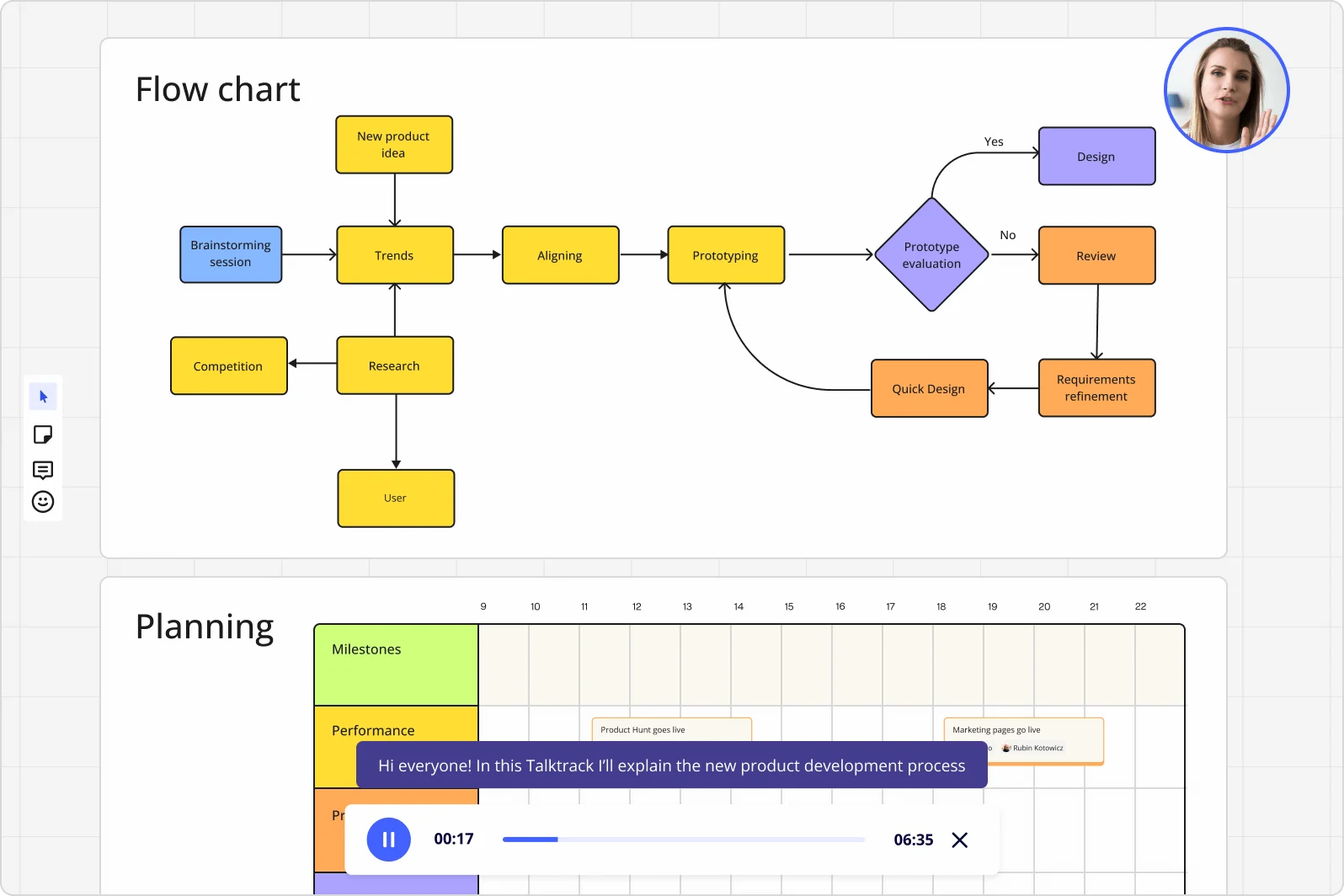
    Miro board displaying a product development flowchart with color-coded nodes (yellow process steps, orange review/design steps, purple decision diamond) showing the full workflow from brainstorming to prototype evaluation, alongside a Talktrack audio narration feature playing at 00:17 of a 6:35 recording with a presenter visible in the top-right corner.
  • Where cross-functional sign-off stops stalling

    Routing a deck through engineering leads, product owners, and execs via email threads means feedback arrives out of context and out of order. Miro's Comments let reviewers leave threaded notes directly on the frame they're questioning - no separate meeting required to map feedback back to slides.

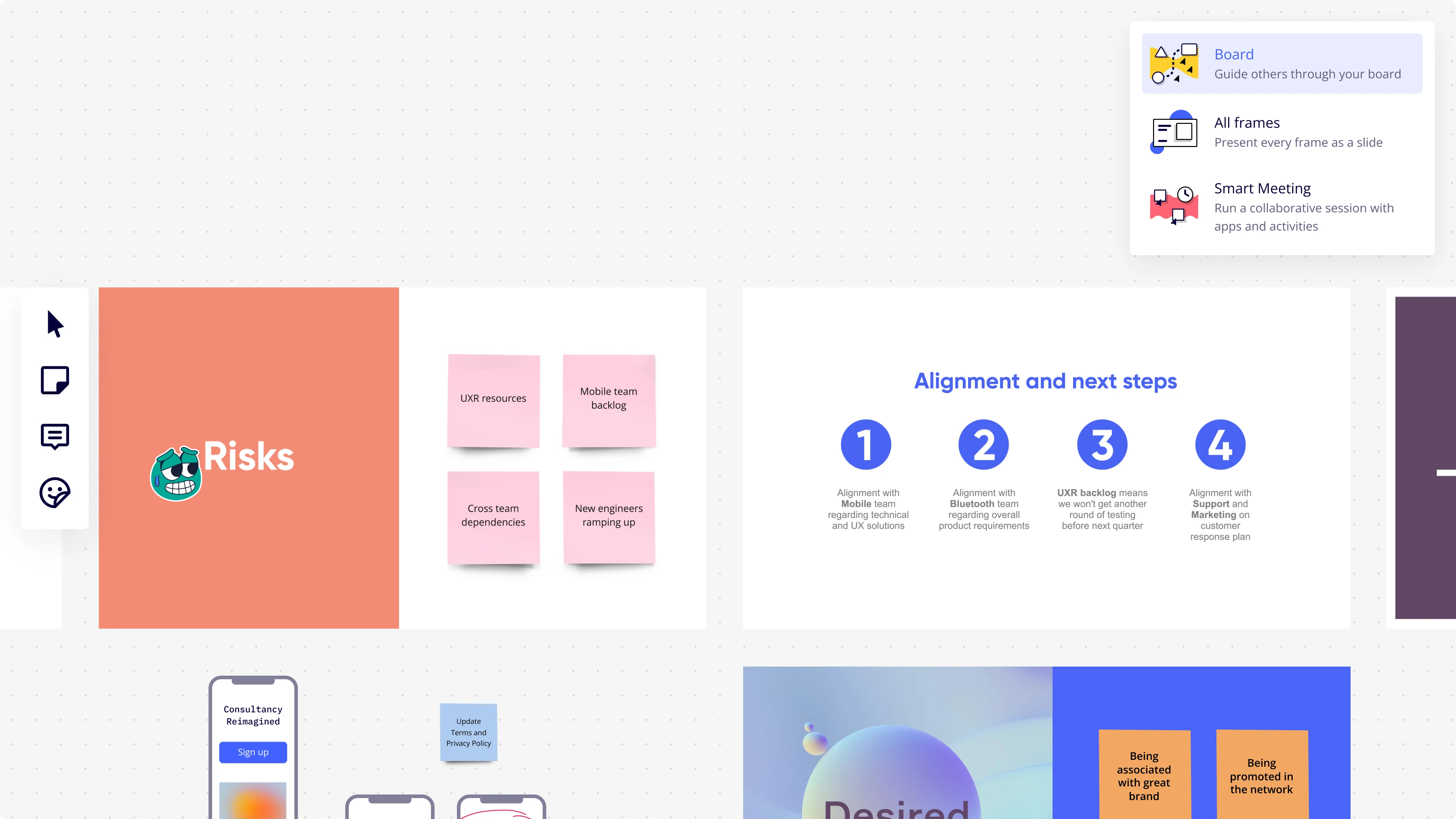
    Miro presentation mode interface showing a dropdown menu with three presentation options (Board, All Frames, Smart Meeting), alongside visible board frames including a 'Risks' slide with pink sticky notes (UXR resources, Mobile team backlog, Cross team dependencies, New engineers ramping up) and an 'Alignment and next steps' slide with four numbered circular icons detailing team alignment actions.
  • Your quarterly update, ready for every time zone

    Not every sprint lead or department head makes the live call. Record a Talktrack walkthrough with synchronized audio and frame navigation so anyone who missed it replays the exact presentation - complete with your emphasis and transitions - on their own schedule.

    Miro board showing product development flow with brainstorming, research, prototyping stages and planning timeline with Talktrack presentation
  • Run live polls without leaving the deck

    When you need executive input on Q3 priorities mid-presentation, Miro Engage lets you drop a Multiple Choice poll or Ranking activity directly into your slides. Attendees join via QR code on their phones - no Miro account needed - and responses export straight to sticky notes on your board for immediate follow-up.

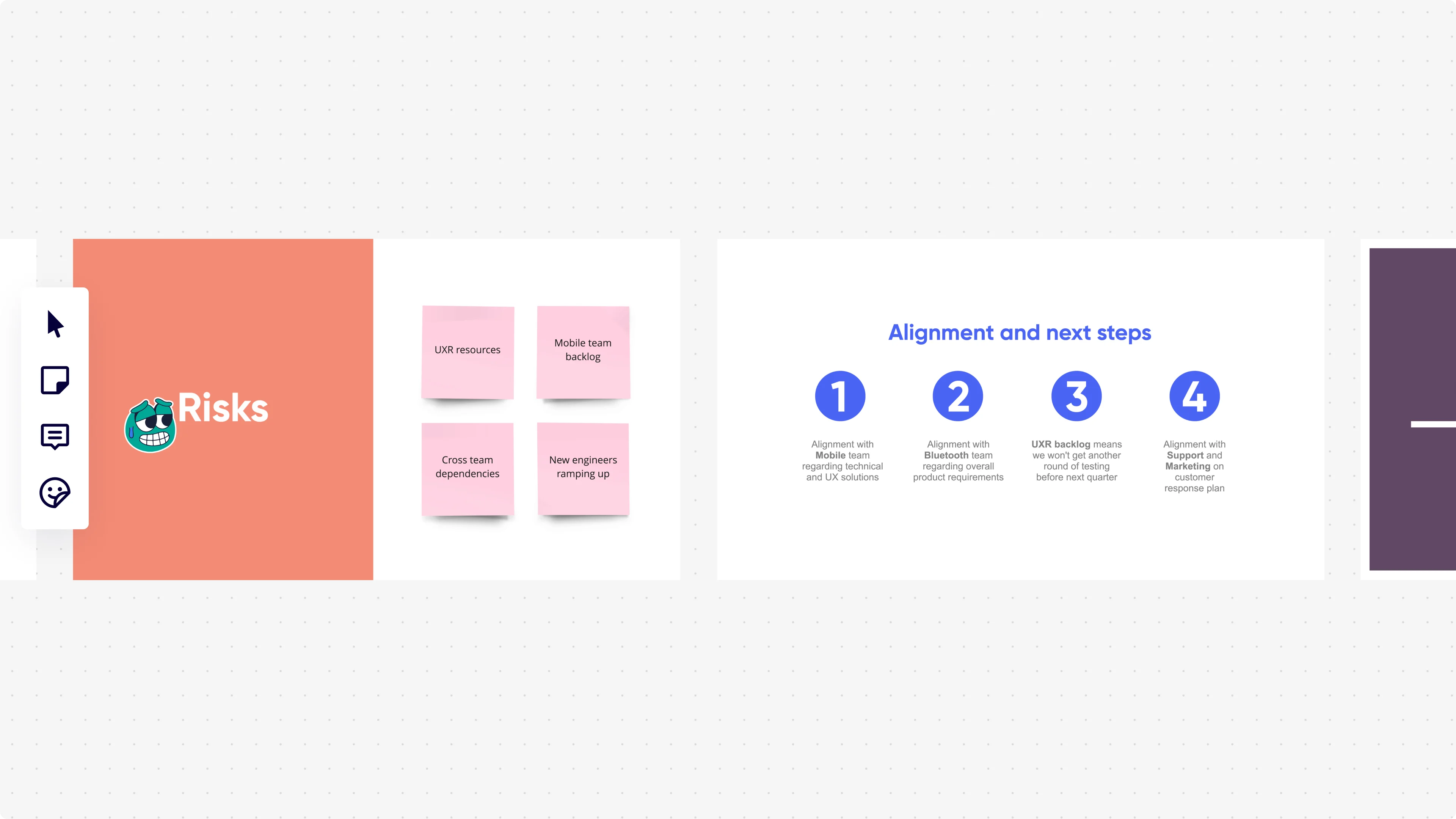
    Miro presentation mode displaying two slides side by side: a 'Risks' slide with an orange background showing four pink sticky notes (UXR resources, Mobile team backlog, Cross team dependencies, New engineers ramping up), and an 'Alignment and next steps' slide with four numbered blue circle icons listing team alignment actions with Mobile, Bluetooth, UXR backlog, and Support/Marketing teams.

How team leads get started with Presentations and Slides in Miro

  • Open a blueprint for your next team readout

    Pull up the Executive Presentation Blueprint on your first Miro board so your sprint review, status update, or retrospective readout has a ready-made frame structure waiting for you - agenda, content slides, and decision slots already in place.

  • Draft your narrative with AI Slides

    Select the Jira exports, retrospective sticky notes, or Confluence snippets already on your board, then use AI Generate Slides with a prompt like "6-slide sprint review for engineering leadership: velocity, blockers, decisions pending, next sprint scope" to turn raw team output into a credible, ordered narrative in minutes.

  • Collect reviewer feedback before the sync

    Share the board with your manager and cross-functional partners and use Comments on individual frames so reviewers flag the "your numbers don't match mine" problems before you're standing in front of leadership - not during.

  • Run live decisions inside the deck

    Trigger Voting or a Miro Engage scales activity directly from a frame mid-presentation so the room commits to priorities or unblocks a pending decision on the spot, then export responses to Sticky notes for the follow-up actions your team owns.

Presentations and Slides tips for team leads

  • For recurring cadences like weekly syncs or quarterly updates, set your board's Default View to the Slides format and toggle Lock default view so leads land on the deck, not a chaotic canvas full of last quarter's work.

  • Record a Talktrack after you finalize the deck - your manager's manager who missed the live sync gets the full context, your emphasis, and the reasoning behind decisions without you having to re-present.

  • Name each Frame after the decision or blocker it covers ("Q3 capacity risk" not "Slide 4") so the Frames sidebar becomes a navigable agenda that mixed audiences can follow without hand-holding.

Understand how team leads transform their work

  • Currently, I'm working on a presentation. I was asked to put it in PowerPoint, but I insisted that I put it in Miro. PowerPoint only has so much room. With Miro, I can go on forever and all I have to do is zoom in and out to show the big picture and to show the details

    Verified User

    G2
  • Presentations and meetings become dynamic and collaborative. It's a new way of including all types of profiles in a session.

    Verified User

    G2

Presentations and Slides essential guide for team leads

CategoryKey insights
  • Common mistakes to avoid

    The biggest trap for team leads is treating frames like document pages and cramming in every task status, blocker, and dependency detail at once. Your manager and cross-functional peers need the narrative, not the backlog. Also, don't skip reordering your frames before the session or you'll walk into your Monday leadership sync with a slide sequence that tells the story backwards.

  • Key integrations for team leads

    Jira and Confluence are the ones that matter most here. A lead pulling sprint outcomes into a presentation can embed live Jira data directly rather than copying numbers that go stale before the meeting starts. Zoom and Microsoft Teams keep the live session connected, while Google Slides and PowerPoint exports cover the cross-functional partners who still live in traditional slide tools.

  • When to use it

    Reach for Miro presentations when you've already tracked sprint outcomes or project progress on a board and need to turn that work into a leadership readout without rebuilding it somewhere else. For example, a team lead heading into a quarterly review can create Frames around existing content, use AI slide generation for an executive summary, then run Voting live to capture decisions on next-quarter priorities. If key stakeholders are in a different timezone and can't attend, Talktrack recordings let them get the full narrated walkthrough on their own schedule.

  • Security & Compliance

    For team leads at growing companies, SOC2 Type II certification means your sprint reviews and project readouts meet the security bar most IT and procurement teams require. At enterprise scale, data residency controls and granular sharing permissions matter more: a lead presenting to mixed audiences can share a curated slide sequence without accidentally exposing the full working board. Private Mode adds another layer when the content touches sensitive headcount or budget decisions.

Frequently asked questions for team leads

Last updated: Friday, July 17, 2026