




Andrey
See collaborative AI in action — straight from the Canvas 26 keynote.
Jeff

Presentations and slides for strategy consultants

Turn your consulting canvas into a client-ready deck. No rebuilding in PowerPoint.

A woman presents a Miro board titled 'New campaign' to colleagues in a modern conference room, with the board displayed on a large screen showing product positioning content, user personas, charts, a Gantt-style timeline, and integrations panels, while a laptop on the table mirrors the same board.

What experts say

  • The way we present information and tell stories using slides has a massive impact on how well our ideas are understood and remembered.

    Nancy Duarte

    Speaker and CEO · Duarte

    Industry Expert
  • The trick is to make it useful, not theoretical. We often do it live with clients, on a whiteboard or digitally, if necessary, then use that to anchor strategy recommendations. Not as the strategy itself, but as a way to ground it in reality.

    Kristin Hege

    CEO and Founder · Convey Communications, LLC

    Industry Expert

The research on presentations and slides

  • 66%

    Visual presentations with graphs and diagrams increased audience conviction from 50% (verbal only) to over 66%, demonstrating the persuasive power of diagramming in consulting presentations

    Source: Cornell University / Wharton School of Business

  • 25%

    Amanco case demonstrated 25% better strategy execution using strategy maps with cause-effect visualization compared to traditional strategic plans

    Source: Harvard Business School

See presentations and slides in action

Related templates for strategy consultants

We have 22 templates in our library for Presentations and Slides.

Why strategy consultants love collaborating on presentations and slides in Miro

  • Stop rebuilding the same client deliverable twice

    Your strategy work already lives on the Miro board - the market maps, the stakeholder analysis, the workshop outputs. Instead of spending hours recreating it in PowerPoint, use Miro's frame-to-slide workflow to turn that canvas directly into a structured deck. Whether you're a solo consultant or leading a 50-person practice, the rebuild step disappears.
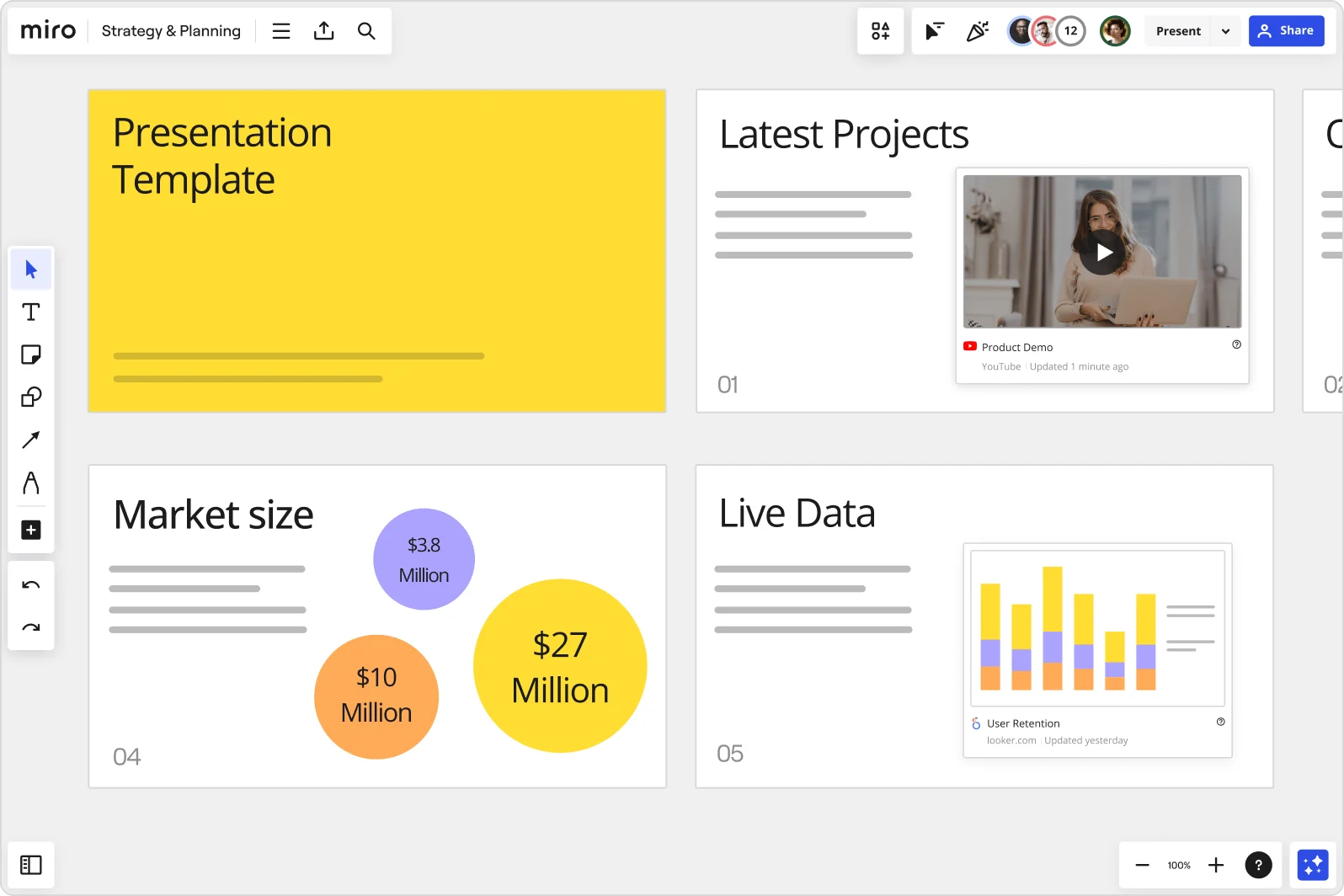
    Miro board showing a Strategy & Planning presentation workspace with four slides visible: a yellow title slide labeled 'Presentation Template', a 'Latest Projects' slide with an embedded YouTube Product Demo video, a 'Market size' slide with bubble charts showing $3.8M, $10M, and $27M values, and a 'Live Data' slide featuring an embedded Looker.com User Retention bar chart.
  • When your client meeting needs more than a talking head

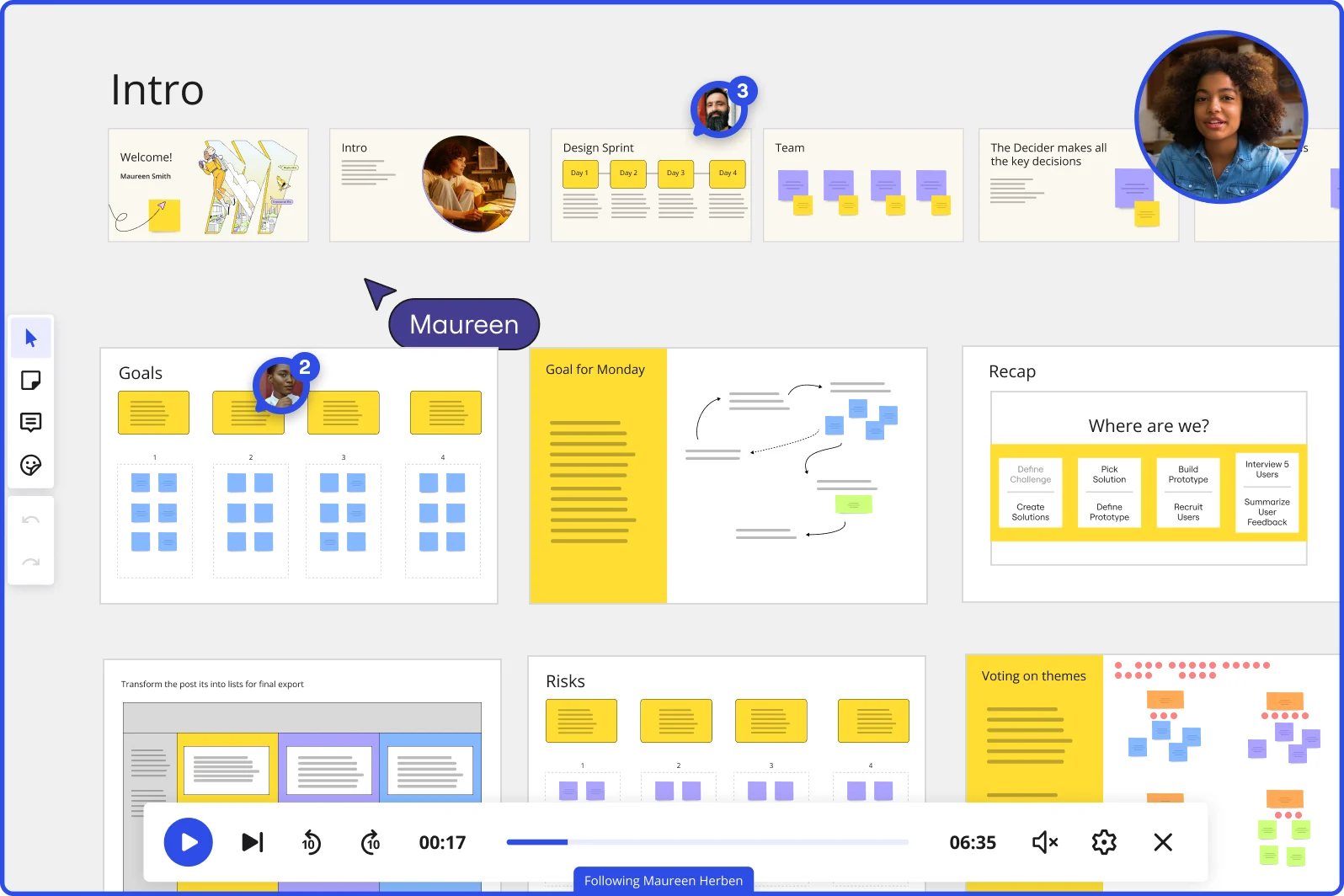
    Passive slide presentations lose the room, especially during a strategy review or exec alignment session. Miro's Interactive Presentation Mode lets you run live polls, open anonymous Q&A, and break executive sponsors into focused discussion groups - all without leaving the deck. Small consultancies get the facilitation muscle of a full workshop team. Large practices get a repeatable engagement format across every client.

    Miro board showing a Design Sprint presentation in facilitation mode, with slide thumbnails across the top (Welcome, Intro, Design Sprint days, Team, Decider), and active frames including Goals with yellow sticky notes, Goal for Monday with a flow diagram, Recap with a 'Where are we?' process tracker, Risks section, and Voting on themes — with a video player bar at the bottom showing 'Following Maureen Herben' and two visible participant avatars.
  • From scattered workshop outputs to a signed-off executive narrative

    After a discovery session, you're sitting on sticky notes, priority rankings, and half-finished frameworks across the board. Miro's AI slide generation reads your existing canvas content and drafts a structured deck - title slide, key findings, recommendation frames, and a next-steps close - in minutes. You review, refine, and route for human approval before anything goes to the client.

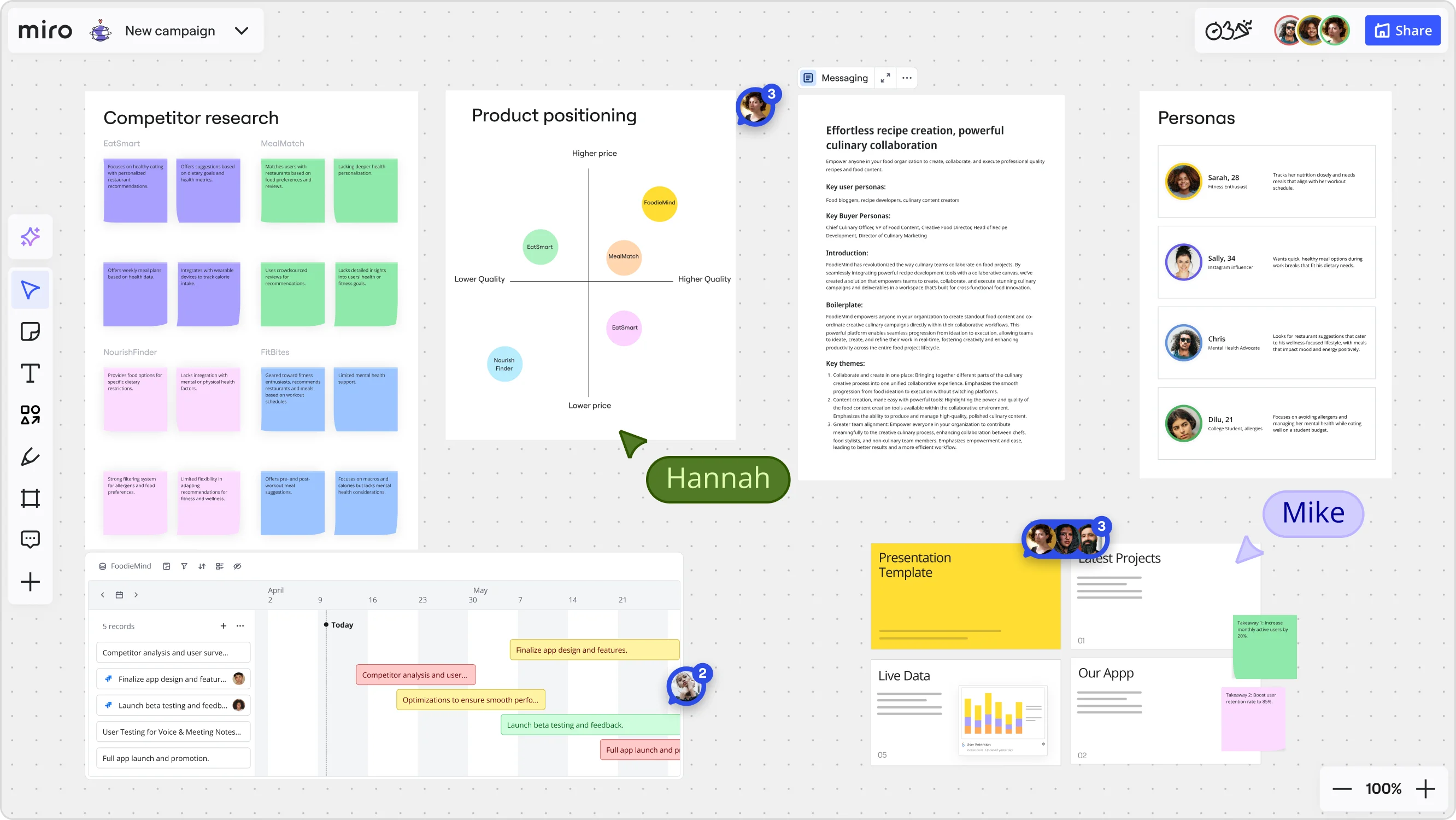
    Miro board for a 'FoodieMind' campaign featuring multiple frames including a competitor research grid with sticky notes, a product positioning matrix with competitor bubbles plotted on price/quality axes, a messaging document, a personas section with four user profiles, a Gantt-style timeline with project tasks, and a presentation template panel — with two collaborators (Hannah and Mike) visible via cursors.
  • Your client in Tokyo, your partner in London, one deck

    When live delivery isn't possible, Talktrack lets you record a narrated walkthrough anchored to each slide frame - the client replays your full presentation with synchronized audio and navigation, not a static PDF. For global engagements, Miro AI Translate converts slide text across 18 languages in a single action. Both capabilities run on the same board where the strategy work happened.

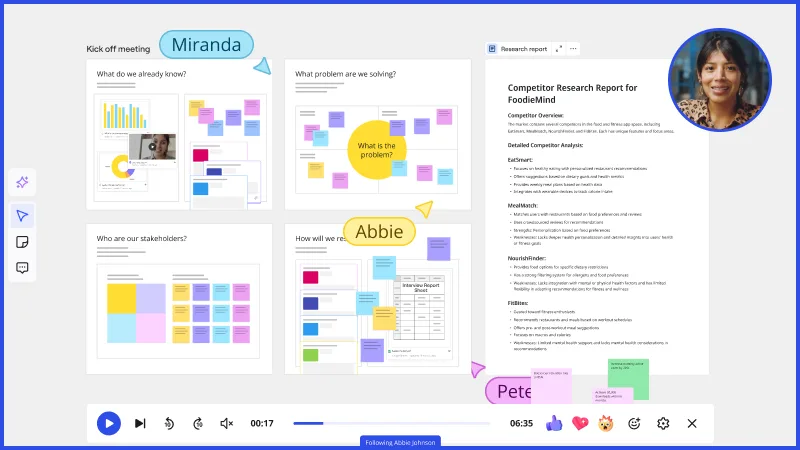
    Miro TalkTrack feature showing a collaborative kick-off meeting board with multiple sticky note clusters answering questions like 'What do we already know?' and 'What problem are we solving?', alongside an open Competitor Research Report document panel, with multiple named presenters (Miranda, Abbie, Pete) indicated by cursor labels and a video playback toolbar at the bottom.
  • Recurring pitch cadence, without the setup overhead

    Quarterly business reviews, monthly leadership updates, competitive briefings - consultants run the same deck structure on repeat. Miro's Presentation Blueprints package the full cycle (brief, draft, review, final delivery) as a reusable Space your consulting team resets each round. Boutique firms stop copying last quarter's board. Larger practices ship a standardized deck cadence across every engagement team.

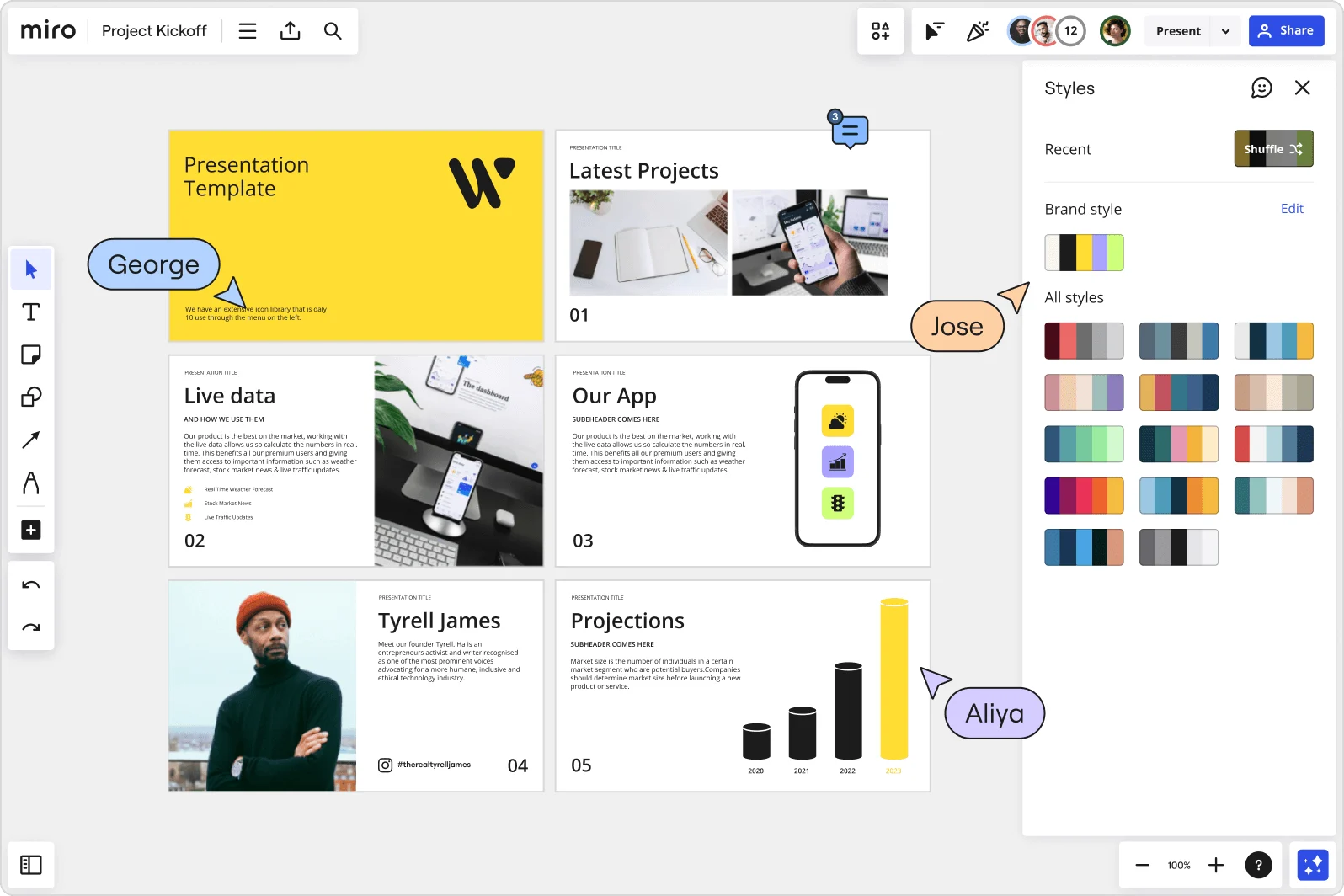
    Miro board showing a Project Kickoff presentation template with five slides including a title slide, Latest Projects, Live Data, Our App, a founder profile for Tyrell James, and Projections with bar charts. A Styles panel is open on the right showing brand color palettes and a Shuffle option, with three collaborator cursors visible (George, Jose, and Aliya).

How strategy consultants get started with Miro Slides

  • Draft your storyline from the working session

    Open the board where your workshop outputs, hypothesis maps, or sticky-note clusters already live, then use AI Generate Slides to turn that raw canvas content into a structured first draft - problem statement, so-what, recommendation - without rebuilding from scratch.

  • Shape the narrative with the right Sidekick

    Trigger the AI Sidekick via Action Shortcuts on individual frames to flag slides where the action title buries the insight, the pyramid structure breaks down, or a transition loses the thread - fixes land directly on the frame that needs work.

  • Lock your firm's deck structure in a Blueprint

    Set up an Executive Presentation Blueprint with your standard frame order (context, hypothesis, findings, recommendation, next steps) so the associate team opens a fully structured board every engagement cycle instead of duplicating last quarter's deliverable.

  • Run the read-out live and leave an async record

    Present to the steering committee using Interactive Presentation Mode with Hand Off Control for co-presenting engagements, then record a Talktrack so the client's internal champion can replay the full narrative - with your emphasis and transitions intact - before the executive committee meeting.

Presentations and Slides tips for strategy consultants

  • Build your speaker notes as a Miro Doc on the same board, drag the finalized frames in, and use AI Actions inline to tighten the narrative before partner review - it exports clean to Markdown or PDF for the DMS.

  • For client decks with live data, embed Looker or Power BI charts directly on slide frames via External Embeds and set Action Shortcuts to pull the latest numbers at present time, so the deck is never one version behind the model.

  • Use Synced Copies when you're tailoring the master deck for different audience tracks - a board-level read-out versus a workstream deep-dive - so edits to core slides propagate without each version drifting silently overnight.

Understand how strategy consultants transform their work

  • Currently, I'm working on a presentation. I was asked to put it in PowerPoint, but I insisted that I put it in Miro. PowerPoint only has so much room. With Miro, I can go on forever and all I have to do is zoom in and out to show the big picture and to show the details

    Verified User

    G2
  • The zoomability of all features is amazing. Zoom in, zoom out, repeat, it' s always clear. The tools are intuitive and flexible. I love utilizing templates and sticky notes, and making the end results "my own." I often convert my work into quick frames or presentations that can be shared with my clients in seconds.

    Verified User

    G2

Presentations essential guide for strategy consultants

CategoryKey insights
  • Common mistakes to avoid

    The biggest trap for consultants is rebuilding the Wednesday-night working session into a separate PowerPoint deck when you could present directly from the Miro board and keep every revision in one place. Watch your frame order before you go live: Miro sequences frames by creation date by default, and a storyline that jumps from recommendation back to problem statement will not survive a partner review. For async read-outs to clients in different time zones, record a Talktrack narration so the C-suite gets your so-what with the full context intact, not just a static PDF export.

  • Key integrations for strategy consultants

    Microsoft PowerPoint and Teams are the connective tissue here, letting consultants move polished artifacts into the client delivery workflow and run live read-outs without leaving the Microsoft stack their clients live in. Google Slides works the same way for firms running on Workspace, while Confluence keeps engagement documentation centralized for larger practices managing multiple workstreams. Zoom and Webex round out the toolkit for the steering committee calls where Interactive Presentation Mode and Facilitation Widgets need to run without a hitch.

  • When to use it

    Reach for Presentations and Slides in Miro when a Thursday partner review surfaces a new storyline and the associate team needs to restructure the narrative fast, without rebuilding slides from scratch in a separate tool. If the client's executive committee is spread across time zones and can't all attend the live read-out, Talktrack recordings let absent decision-makers hear the answer-first walkthrough on their own schedule. It's also the right call when the working session itself is the presentation: use Interactive Presentation Mode with Voting and Breakout Frames to capture real-time stakeholder input on strategic options, then walk straight out with documented client preferences rather than a follow-up action item.

  • Security & Compliance

    Client confidentiality is non-negotiable in consulting engagements, and Miro's SOC 2 Type II certification gives both boutique firms and Big Four practices the audit-ready assurance their clients and risk committees expect. For larger practices handling sensitive client data across geographies, data residency controls let IT and legal specify where information lives, which matters when an engagement spans regulated industries or cross-border jurisdictions. Private Mode keeps hypotheses and preliminary findings off the shared canvas during live sessions, so nothing premature reaches the client before the partner has signed off.

Frequently asked questions for strategy consultants

Last updated: Thursday, July 16, 2026