Brainstorming for HR and people operations teams

Turn hiring pipeline reviews and culture planning sessions into real decisions. Run the ideation, cluster the ideas, and walk out with actual next steps.

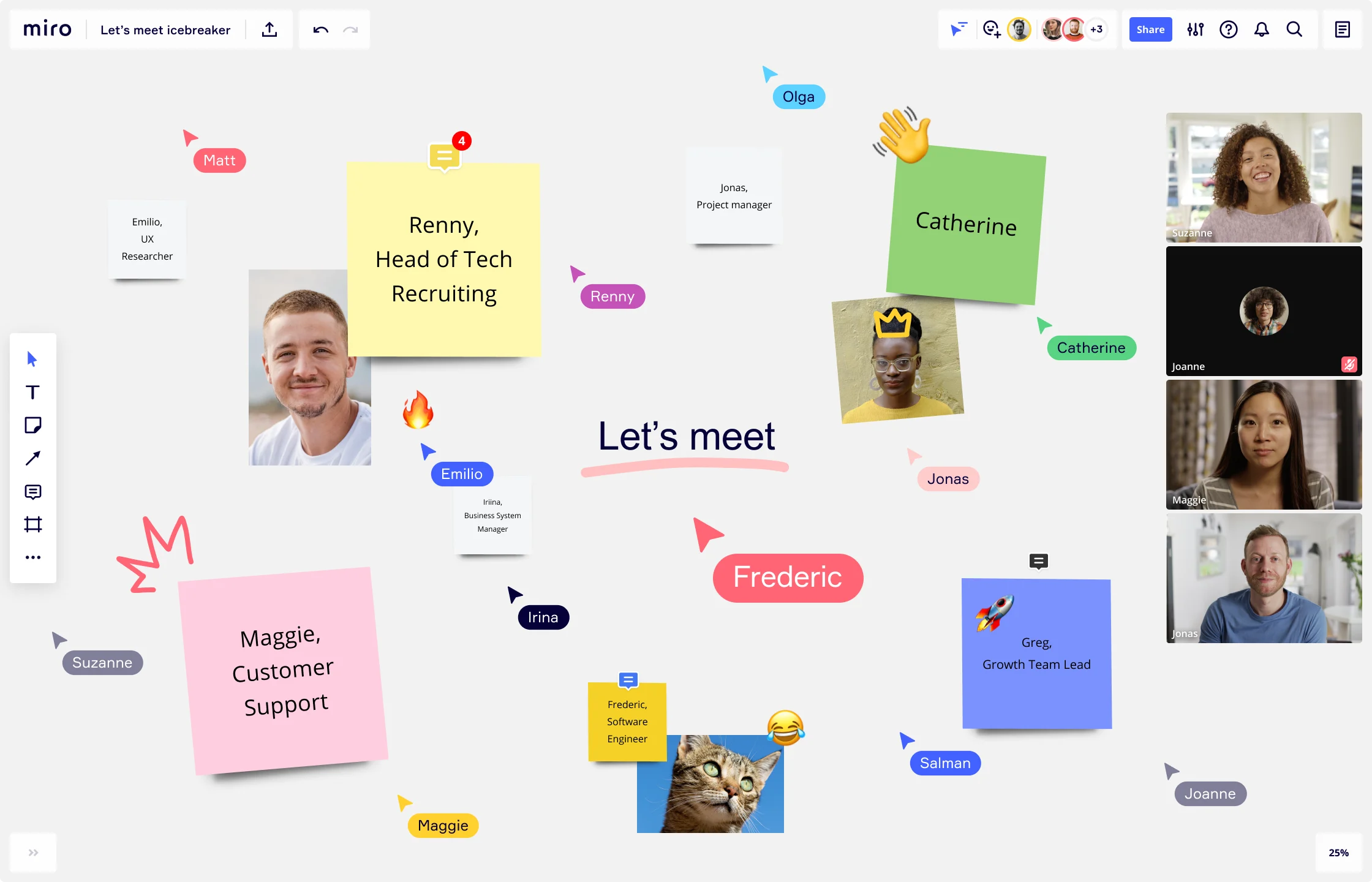
Miro 'Let's meet' icebreaker board featuring team member photos, colorful sticky notes with names and roles (including Renny Head of Tech Recruiting, Maggie Customer Support, Greg Growth Team Lead, Frederic Software Engineer), collaboration cursors, emoji reactions, and a live video call panel on the right showing four participants.

The research on brainstorming

  • 25%

    Virtual collaboration tools including digital whiteboards yield 25% productivity increase for HR teams and support team building and culture mapping without invasive oversight

    Source: Vorecol

  • 150

    A survey of 150 HR professionals across 109 organizations found organizational resources and HR competencies predicted design-thinking-related HR outcomes.

    Source: Western Michigan University

See brainstorming in action

Related templates for HR and people operations teams

We have 193 templates in our library for Brainstorming.

Why HR and people operations teams love brainstorming in Miro

  • From scattered input to a structured culture brief

    Performance review cycles and culture program planning generate dozens of competing ideas from recruiting, L&D, and HRBPs - all in different formats, across different tools. Miro's AI automatically groups those ideas into themes so your people ops team can move from raw input to a clear program brief without a single manual sort.

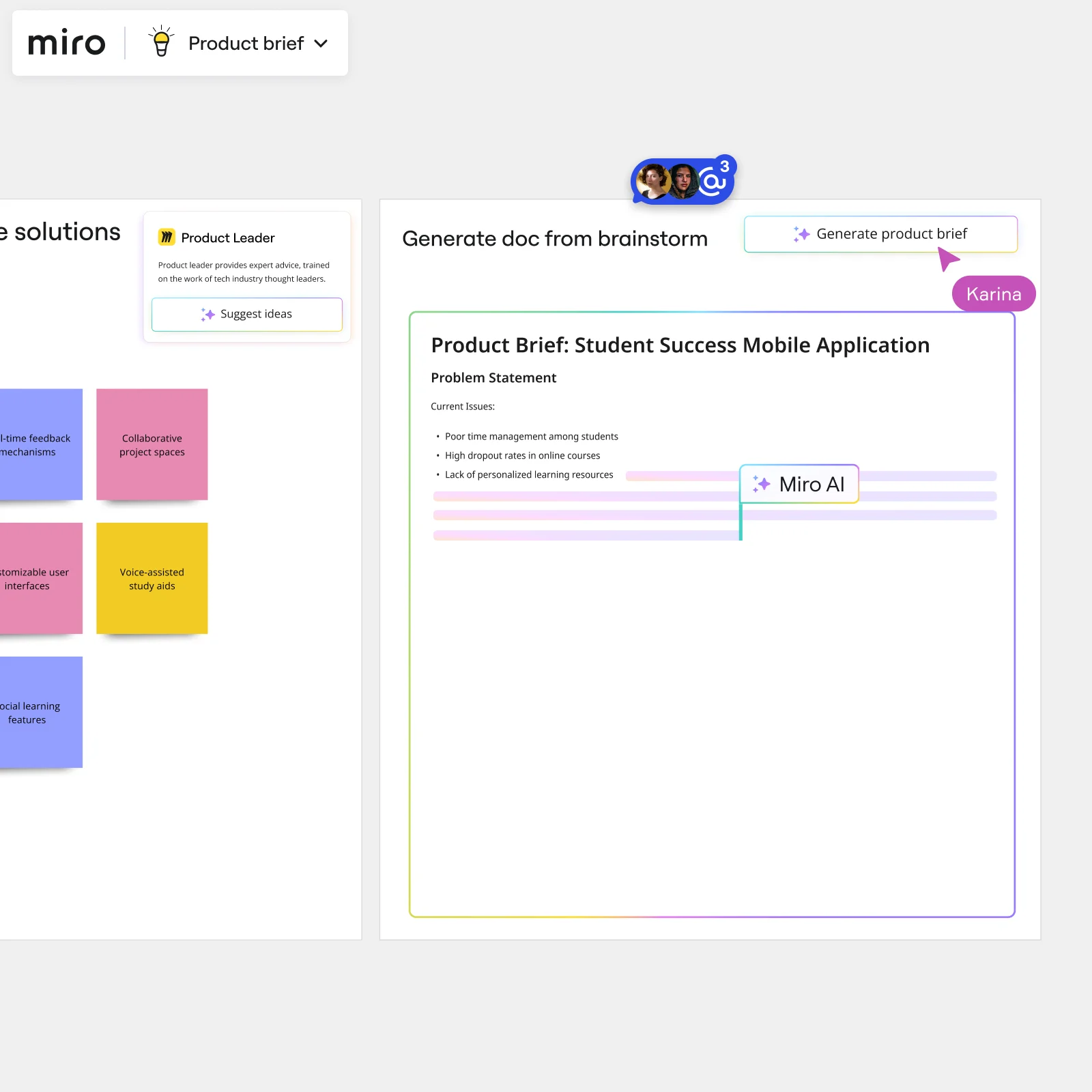
    Miro board showing AI-powered document generation from a brainstorming session, with a Product Leader AI sidekick panel on the left, colorful sticky notes listing solution ideas (collaborative project spaces, voice-assisted study aids, social learning features), and an AI-generated Product Brief document for a Student Success Mobile Application being created in real time by Miro AI.
  • When your headcount planning meeting runs out of steam

    You've got 45 minutes, three department heads, and no agreement on role priorities for Q3. Time-boxing ideation rounds with Miro's Timer keeps the energy up and the conversation focused, while anonymous voting surfaces genuine consensus - not just whoever spoke last.

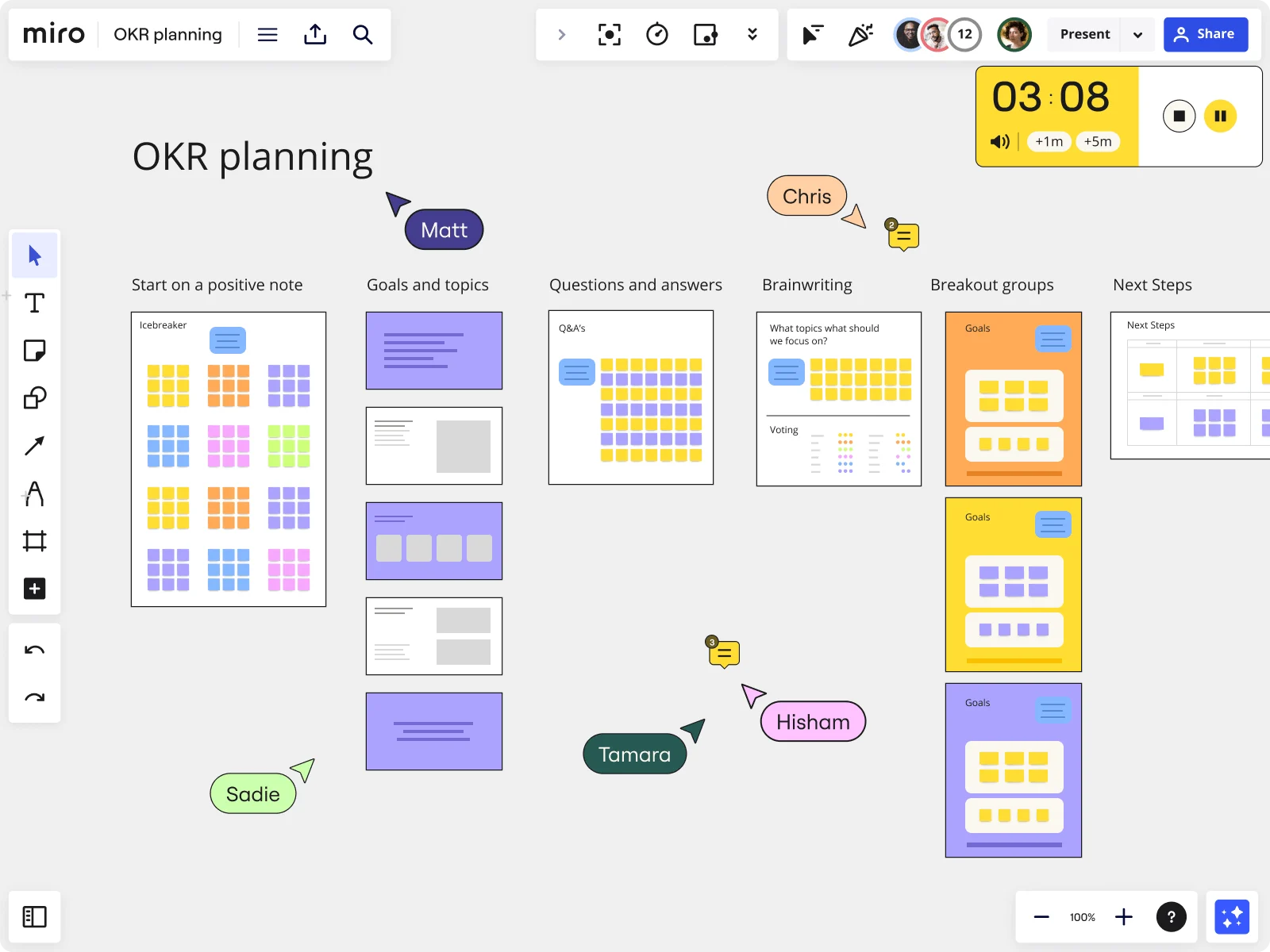
    Miro OKR planning board showing a structured workshop template with six columns — Start on a positive note (icebreaker with colorful sticky notes), Goals and topics, Questions and answers, Brainwriting, Breakout groups, and Next Steps — with an active countdown timer showing 3:08, and five named collaborators (Matt, Chris, Sadie, Tamara, Hisham) visible as cursors on the board.
  • Your onboarding flow, mapped before the hire starts

    Small HR teams of two or three can set up a structured onboarding brainstorm in minutes using Miro's template library - 193 templates ready to deploy. Larger people ops organizations run parallel Breakout Frames so recruiting, IT, and facilities can map their onboarding steps simultaneously, then merge into one shared flow.

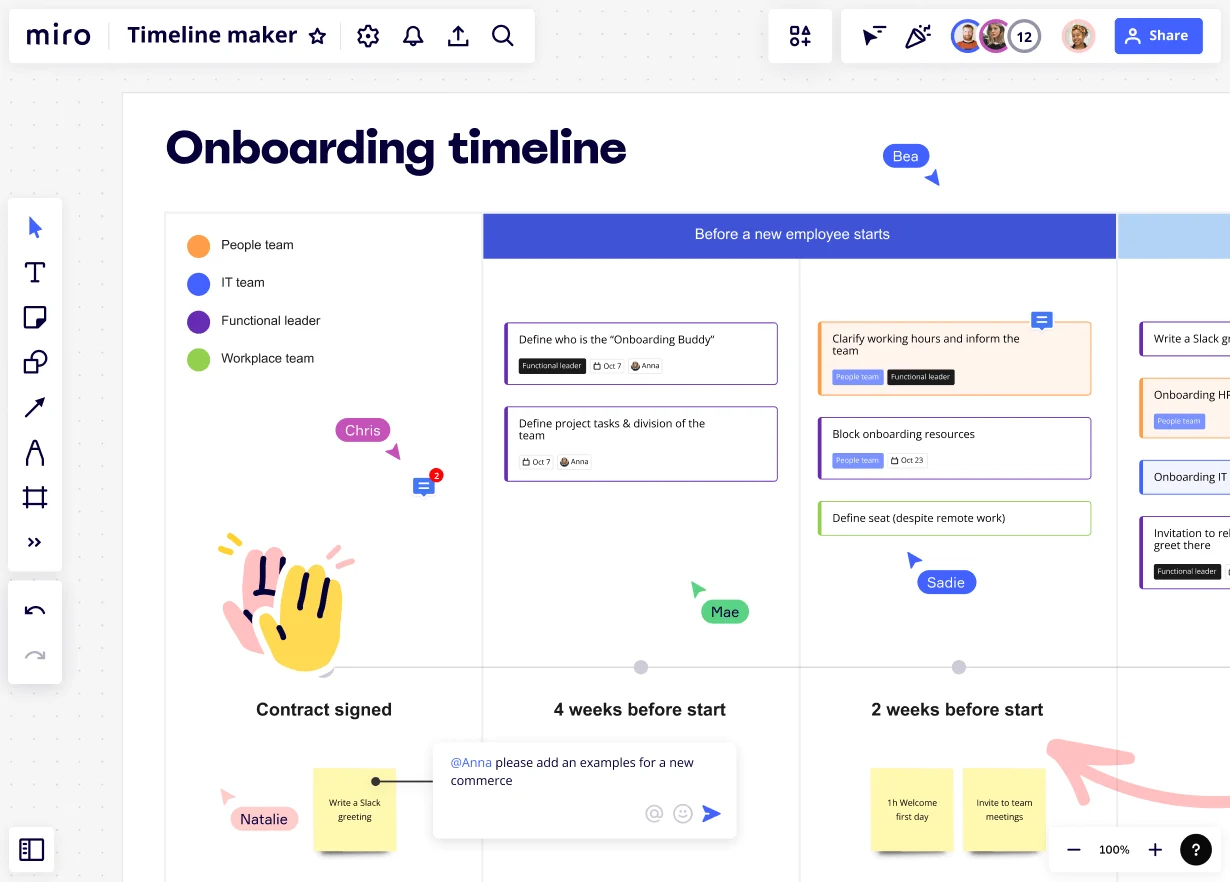
    Miro board displaying an onboarding timeline template with color-coded task cards organized by team roles (People team, IT team, Functional leader, Workplace team) across phases including Contract Signed, 4 Weeks Before Start, and 2 Weeks Before Start, with multiple collaborators visible (Bea, Chris, Mae, Sadie, Natalie) and an active comment thread asking Anna to add examples.
  • Stop rebuilding the same engagement survey debrief board

    Every quarter, your HR team restarts from scratch to plan the response to engagement data. Save your brainstorm layout as a reusable template so the next debrief starts where the last one ended - not at a blank canvas.

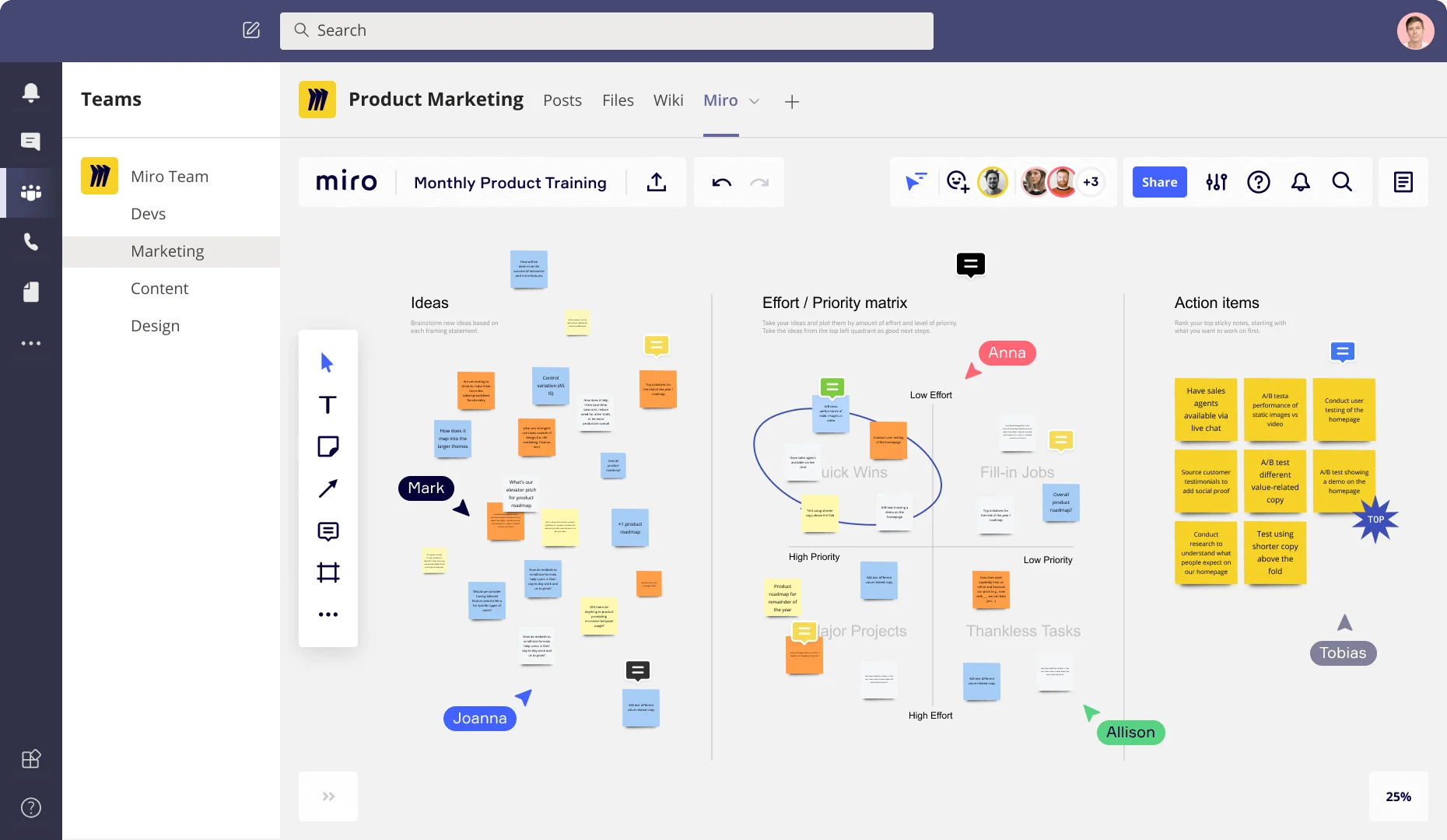
    Miro board embedded in Microsoft Teams showing a Product Marketing workspace with three frames: an Ideas section with colorful sticky notes, an Effort/Priority matrix with quadrants (Quick Wins, Fill-in Jobs, Major Projects, Thankless Tasks), and an Action Items frame listing prioritized tasks like A/B testing and user testing, with multiple collaborators (Anna, Mark, Joanna, Allison, Tobias) visible as cursors.
  • How to get every voice into the hiring retrospective

    In a five-person HR shop or a 500-person people operations function, some voices dominate post-interview debriefs. Miro's silent parallel ideation and anonymous voting let every recruiter and HRBP contribute ideas independently - before anyone argues for their preferred candidate or process change.

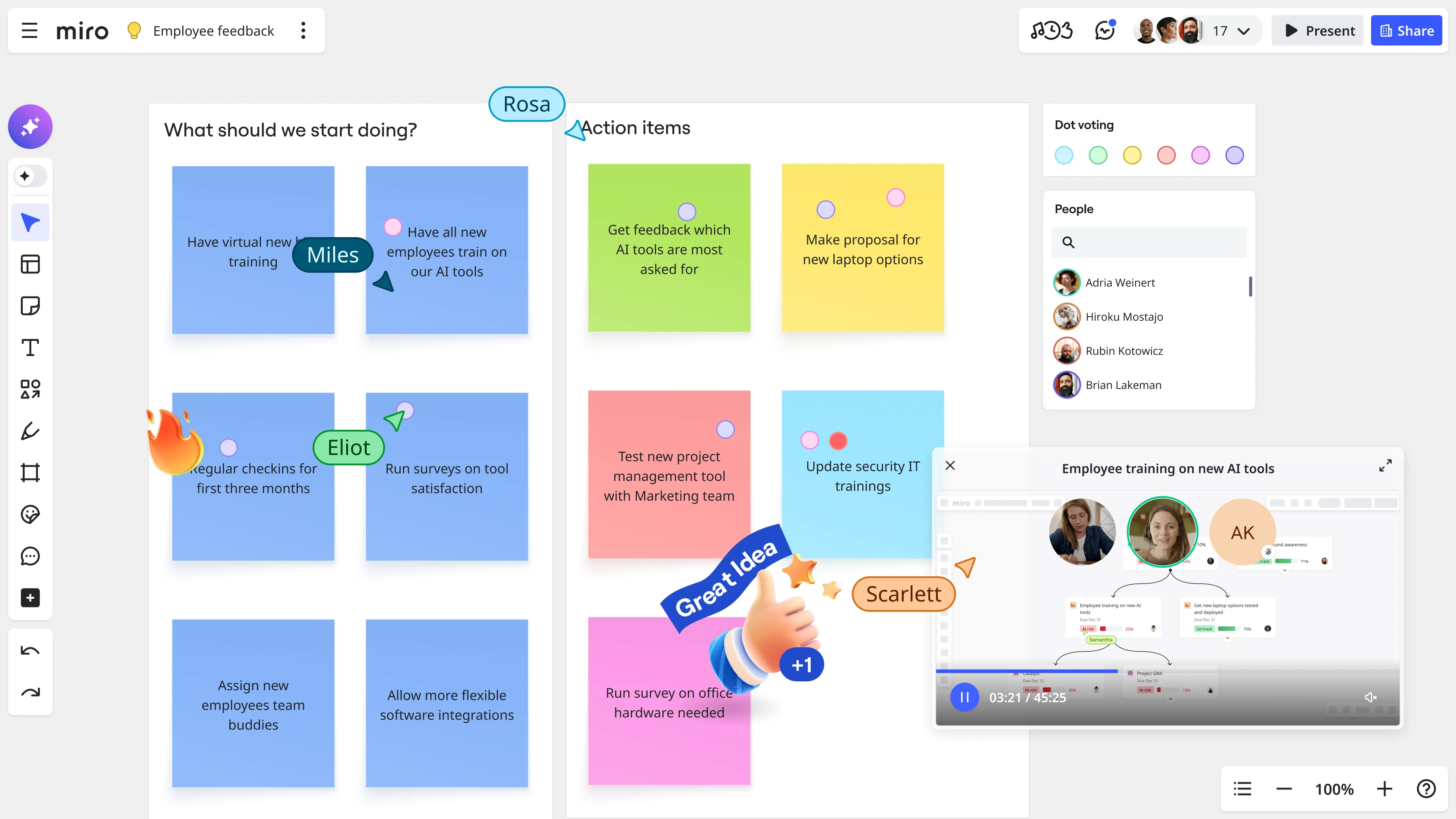
    Miro board showing an employee feedback session with sticky notes organized under 'What should we start doing?' and 'Action items' columns, featuring dot voting, named collaborator cursors (Miles, Eliot, Rosa, Scarlett), a people panel with participant list, and an embedded video call widget for 'Employee training on new AI tools'.

How HR and people operations teams get started with Brainstorming in Miro

  • Frame your people challenge first

    Open a brainstorming board from the Template Library, drop your engagement survey theme, exit interview pattern, or attrition spike into a dedicated problem-statement Frame at the top, so every HRBP joining from a different business unit starts with the same context before a single sticky note lands.

  • Run a structured ideation round

    Set the Timer to a focused 5-7 minute round and have HR business partners, department heads, and finance reps simultaneously add Sticky Notes in Bulk Mode - one idea per line - organized by color to separate solution types (onboarding fixes, manager enablement ideas, policy changes) before Clustering groups them automatically by theme.

  • Prioritize with your CPO's view in mind

    Use Dot Voting with a three-vote limit per person so your people team reaches genuine prioritization across competing initiatives - then drop the shortlisted clusters straight into a Miro Doc using the Brainstorm Summary format, and export it as a PDF leadership pack your Chief People Officer can read without ever opening the board.

  • Build your initiative roadmap together

    Use Breakout Frames to split HRBPs by business unit so each group designs their own slice of a revised onboarding journey or manager enablement program in parallel, then merge the outputs and run an Alignment Scale vote - with anonymous mode on - to pressure-test psychological safety before you commit the direction to your next QBR deck.

Brainstorming tips for HR and people operations teams

  • If pulse survey data from Lattice or Culture Amp is your starting point, paste the top three themes directly into AI Generate Sticky Notes with a prompt like "solutions for low manager effectiveness scores" to break the blank-canvas problem before geographically scattered HRBPs even join.

  • For large orgs with multiple HRBPs across regions, use Miro Engage with QR-code mobile join so field-based people partners can contribute to a Word Cloud or Ranking activity from any device without needing a Miro account.

  • Lock board objects before your session starts so less frequent Miro users - department heads pulled in for headcount constraint conversations - can only interact with sticky notes, keeping your carefully built onboarding-journey or policy-redesign structure intact.

Understand how HR and people operations teams transform their work

  • Collaborative brainstorming tool for research and development teams

    Verified User

    G2
  • The Intelligent and Visionary Brainstorming Software for Busiensses

    Verified User

    G2

Brainstorming essential guide for HR and people operations teams

CategoryKey insights
  • Common mistakes to avoid

    The biggest trap for people ops practitioners is skipping a warm-up and jumping straight into ideation - on an empty canvas, HRBPs and people partners hesitate, and you end up with five voices doing the heavy lifting instead of twenty. For larger orgs with scattered business unit partners, not locking board objects before a live session is a real problem: one accidental drag and your carefully structured engagement survey themes are scrambled mid-debrief. Whether you're a three-person HR team or a global people function, always assign owners and deadlines to your top sticky notes before you close the board - otherwise that retention risk brainstorm produces a lot of insight and zero initiative owners by the next QBR.

  • Key integrations for HR and people operations teams

    Slack and Microsoft Teams let people partners drop Miro boards directly into the channels where headcount conversations and policy discussions are already happening, so async input from geographically scattered HRBPs doesn't require a separate meeting. Zoom and Google Meet keep live brainstorming sessions running inside the video tools your people ops function already relies on for skip-levels and all-hands prep. Confluence rounds things out for larger organizations where session outputs need to live alongside policy documentation and manager enablement resources that leadership will actually reference.

  • When to use it

    Reach for Miro brainstorming when a dip in eNPS scores or a cluster of exit interview themes is demanding a structured response before your next leadership QBR - and the HRBPs who need to contribute are spread across time zones and business units. It's equally well-suited when a new headcount plan means you need to redesign an onboarding journey fast, and you need finance's input on constraints and legal's eye on policy guardrails before you can commit to any direction. A people ops lead might set up a board with a brainwriting template, run three silent ideation rounds using Timer, then use Clustering to surface the top themes from 100-plus sticky notes - walking into the Chief People Officer conversation with a structured rationale, not just a list of raw ideas.

  • Security & Compliance

    Miro is SOC 2 Type II certified, which covers the baseline data security expectations most people operations leaders will face from IT and legal before rolling out any new tool across the employee lifecycle. For enterprise people functions handling sensitive compensation data, performance documentation, or organizational design work, data residency controls and granular sharing permissions mean you decide exactly who can see what - useful when a board contains headcount scenarios you're not ready to share beyond the HR leadership team. Private Mode keeps individual contributions confidential during live sessions, which matters when you're brainstorming around psychologically sensitive topics like manager effectiveness scores or culture fit concerns and you need honest input, not performed agreement.
Frequently asked questions for hr and people operations teams

Last updated: Monday, September 14, 2026