

Brainstorming for consultants

Turn client discovery sessions into structured, decision-ready outputs. Run the workshop, cluster the ideas, and walk out with a brief.

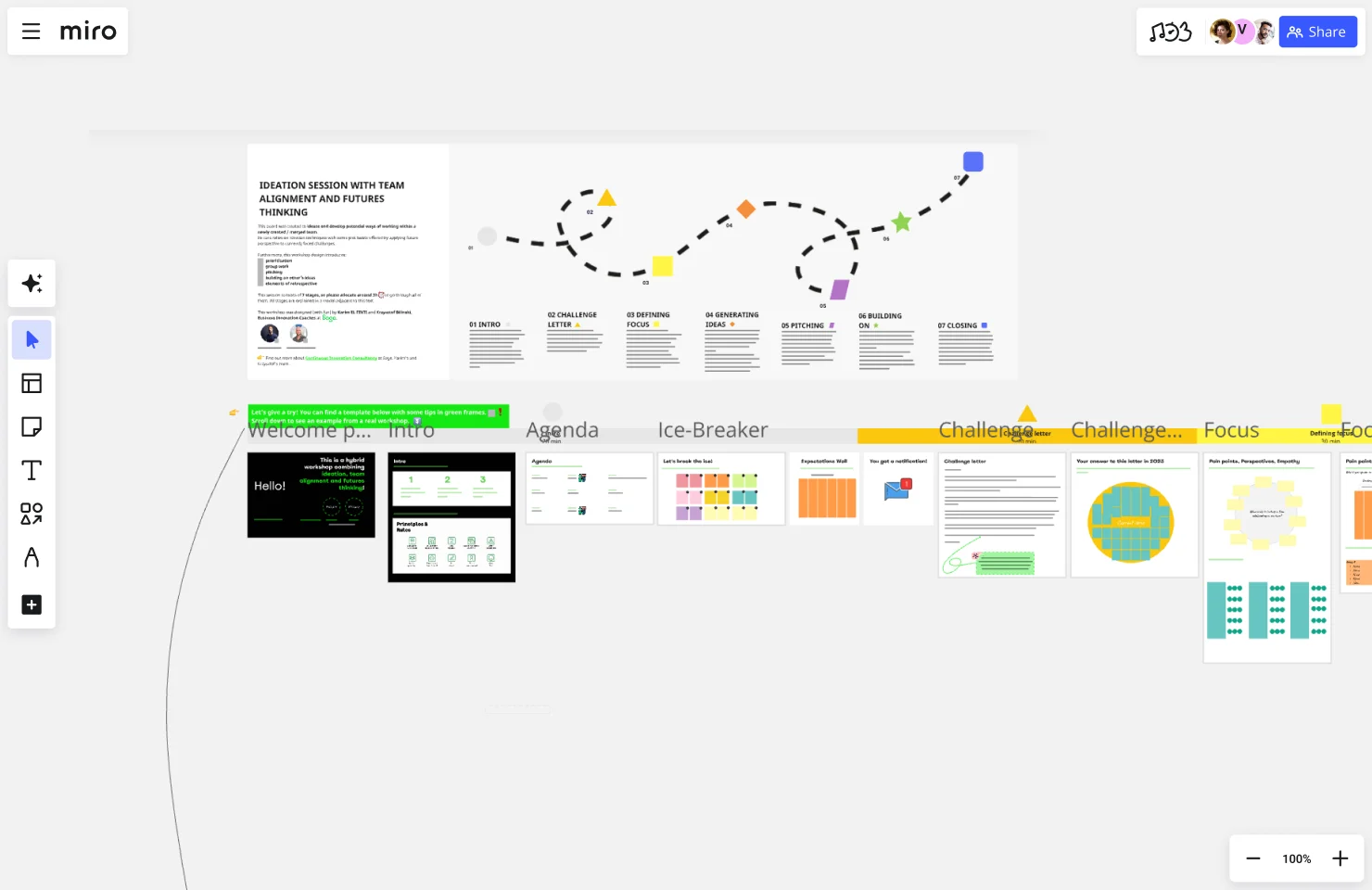
Miro board showing an 'Ideation Session with Team Alignment and Futures Thinking' workshop template, featuring a dashed journey path connecting 7 numbered stages (Intro, Challenge Letter, Defining Focus, Generating Ideas, Pitching, Building On, Closing) with corresponding section frames visible below including Agenda, Ice-Breaker, Challenge Letter, and Focus panels.

The research on brainstorming

  • 5x

    Facilitator-led brainstorming groups produced 5x more ideas than unfacilitated groups across nine procedure variants

    Source: Creative Problem Solving Group - Buffalo (Isaksen & Gaulin)

  • Brainstorming creativity improved when groups worked cooperatively and criticism was interpreted constructively toward a shared objective.

    Source: MIT Sloan School of Management

See brainstorming in action

Related templates for consultants

We have 193 templates in our library for Brainstorming.

Why consultants love brainstorming in Miro

  • From 200 client sticky notes to a signed-off concept brief

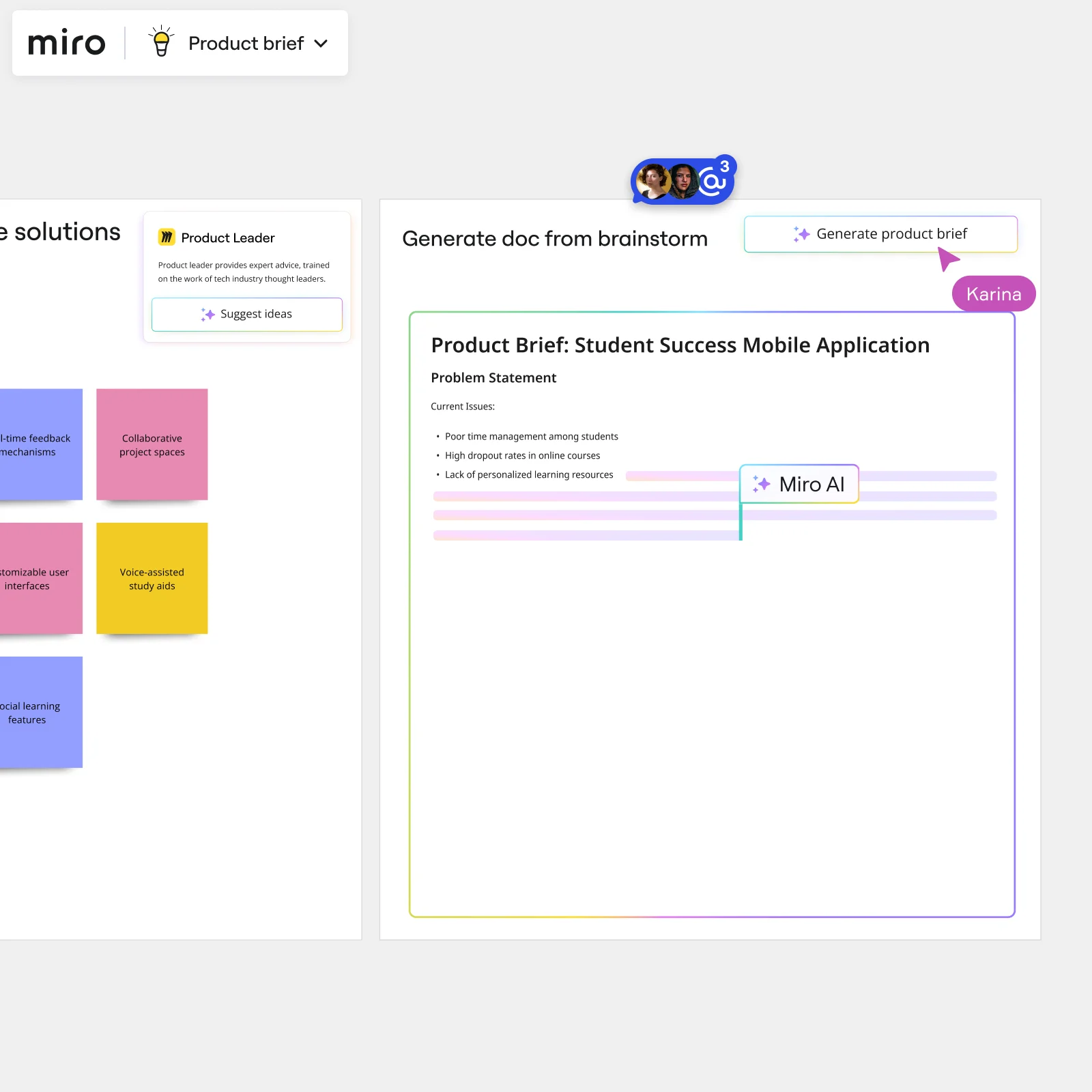
    Client discovery sessions generate mountains of raw input - competing priorities, half-formed hypotheses, and contradictory signals from different functional leads. Miro's AI automatically clusters those sticky notes by theme and sentiment, turning a wall of ideas into labeled groups you can walk the client through before the session ends.

    Miro board split view showing colorful brainstorming sticky notes on the left (blue, pink, yellow) alongside an AI-powered document generation panel on the right, with a 'Generate product brief' button and Miro AI label actively generating content from the brainstorm.
  • When your client roster spans five time zones

    A solo practice running a three-person engagement and a 200-consultant firm running a global transformation program face the same problem: key voices miss the live session. Participants join any brainstorming board from any device by scanning a QR code - no account needed - so remote clients and distributed delivery teams contribute on equal footing.

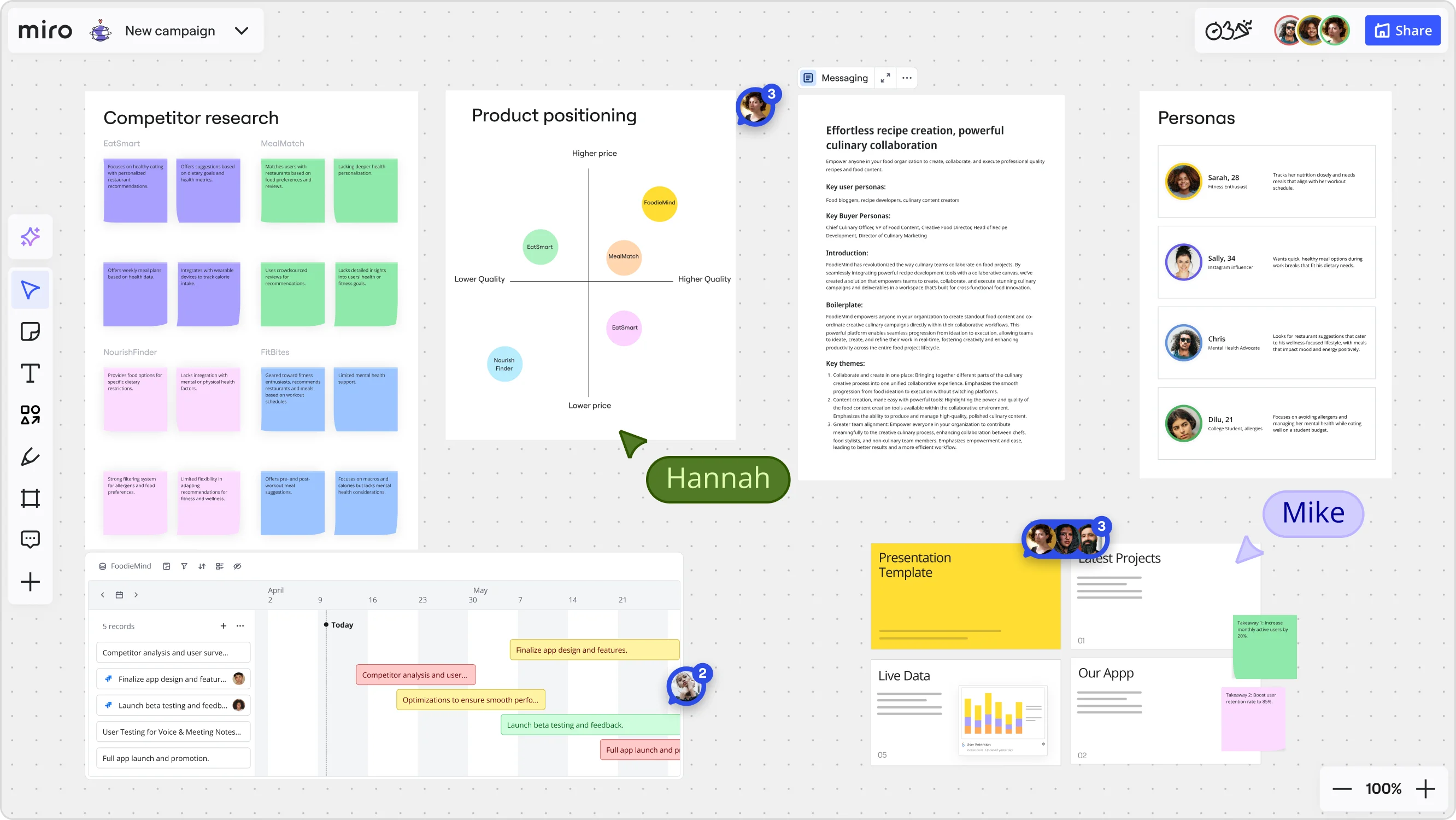
    Miro board for a 'FoodieMind' campaign featuring multiple frames including a competitor research grid with sticky notes, a product positioning matrix with competitor bubbles plotted on price/quality axes, a messaging document, a personas section with four user profiles, a Gantt-style timeline with project tasks, and a presentation template panel — with two collaborators (Hannah and Mike) visible via cursors.
  • Stop rebuilding your workshop facilitation kit every engagement

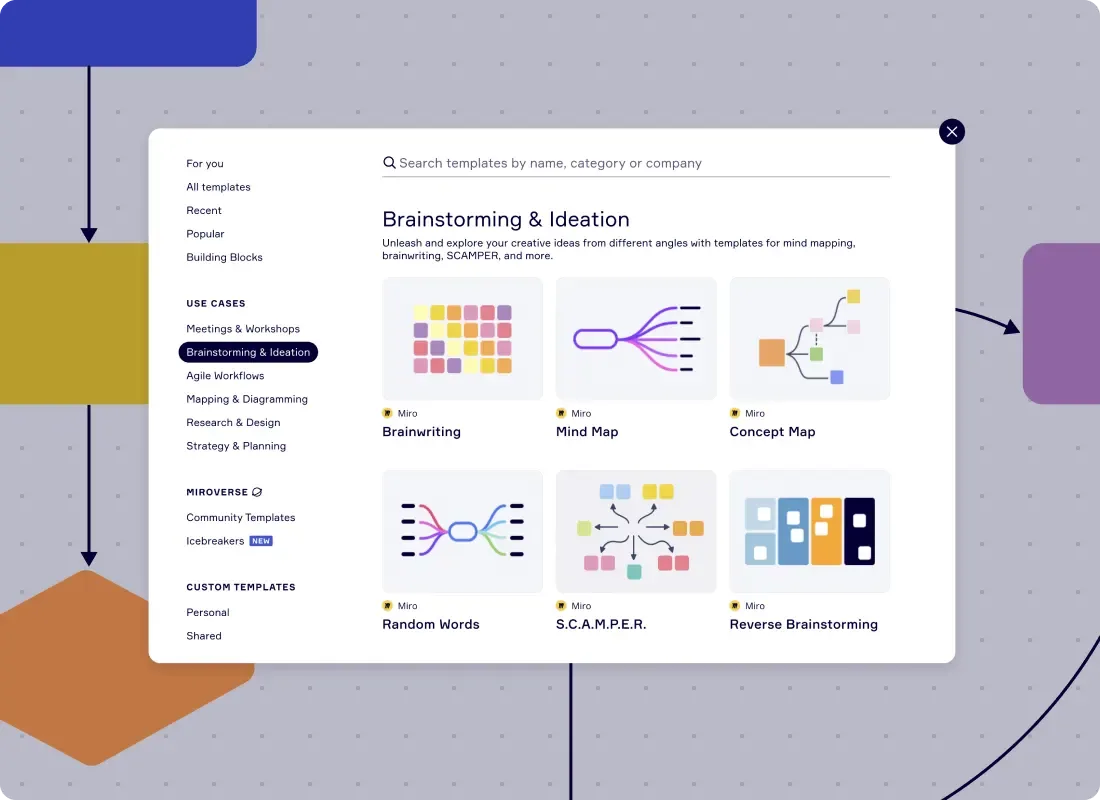
    Setting up brainwriting grids, SCAMPER frameworks, and voting rounds from scratch before every client kickoff eats billable hours. Miro's template library - with 193 brainstorming templates - lets facilitators deploy a proven structure in seconds, then save their own configuration as a reusable template for the next engagement.

    Miro template library showing Brainstorming & Ideation category with Brainwriting, Mind Map, Concept Map, Random Words, SCAMPER, and Reverse Brainstorming templates
  • Are your client readouts still just a screenshot of sticky notes?

    After clustering and voting, the raw board isn't a deliverable. AI Slides generates a leadership-ready deck directly from your finalized brainstorm frames - top themes, prioritized ideas, and recommended next steps - with your brand colors applied automatically. Small agencies get a polished readout without a dedicated designer. Large firms get consistency across every engagement team.

    Miro board showing AI-powered document generation from a brainstorming session, with a Product Leader AI sidekick panel on the left, colorful sticky notes listing solution ideas (collaborative project spaces, voice-assisted study aids, social learning features), and an AI-generated Product Brief document for a Student Success Mobile Application being created in real time by Miro AI.
  • Embed the brainstorm output where your clients actually work

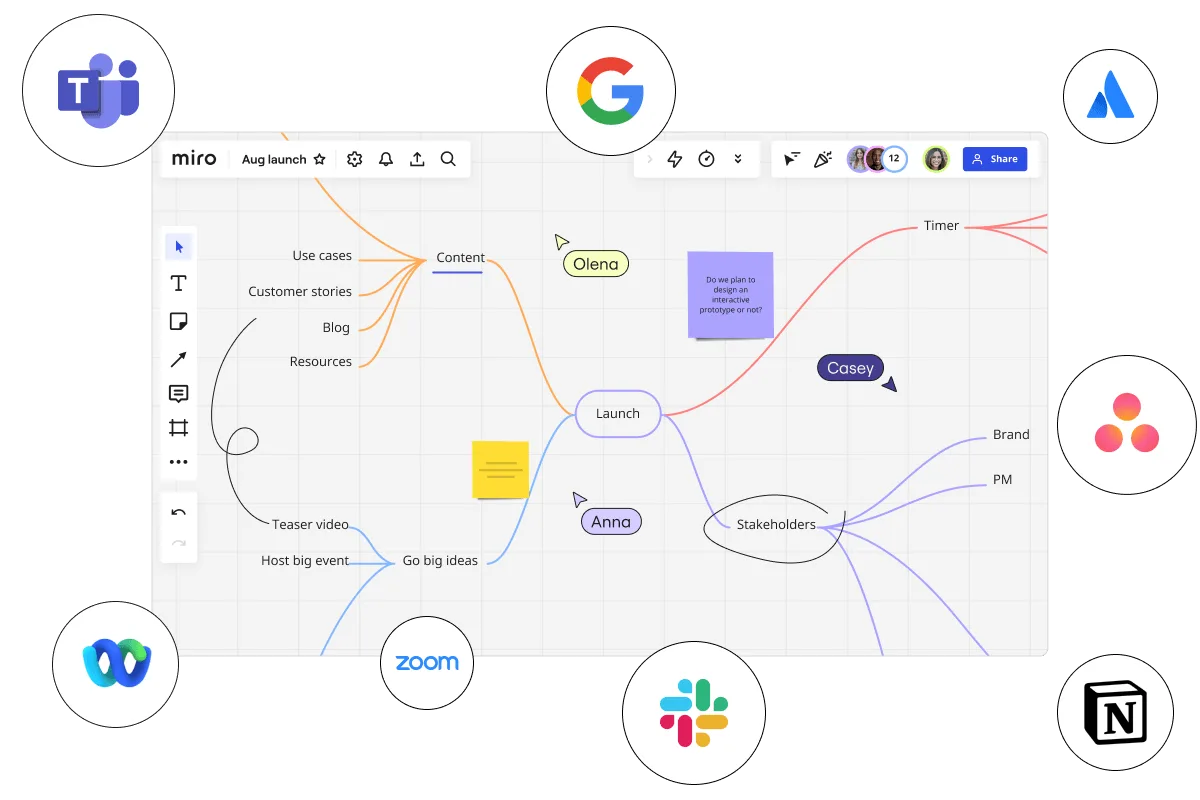
    Clients don't live in Miro. Type /miro in Confluence, Coda, or Notion to embed the brainstorm summary as a live, focus-mode Doc - so the project wiki, the steering committee pre-read, and the follow-up call all reference one source that updates in real time.

    Miro board displaying a mind map centered on 'Launch' with branches for Content (use cases, customer stories, blog, resources), Go big ideas (teaser video, host big event), Stakeholders (brand, PM), and Timer, with three collaborator cursors labeled Olena, Casey, and Anna, a sticky note asking about interactive prototypes, surrounded by integration logos for Microsoft Teams, Google, Atlassian, Asana, Webex, Zoom, Slack, and Notion.

How consultants get started with Brainstorming in Miro

  • Frame the client problem first

    Open a board from Miro's Template Library, drop a dedicated Frame at the top, and write your hypothesis or issue tree statement there before a single idea gets added - so every sticky maps to a real workstream, not a brainstorm graveyard.

  • Run the ideation round fast

    Set the Timer to a focused five-minute burst, activate Bulk Mode on Sticky Notes, and have every client stakeholder fire in raw ideas simultaneously - one thought per line, no discussion, so billable session time goes toward insight, not turn-taking.

  • Cluster, vote, and cut

    Use Clustering to group sticky notes by keyword or theme, then run Dot Voting with a hard cap of three votes per person so the room converges on a short list of prioritized recommendations instead of walking out with forty equally loved ideas.

  • Turn output into a deliverable

    Trigger the Workshop Planner Sidekick to draft a structured opportunity summary, then generate a leadership readout with AI Slides - prompt it "for C-suite, four slides: problem statement, top themes, prioritized recommendations, owners" - so the client's deck is roughed out before you leave the session.

Brainstorming tips for consultants

  • If your client's PMO lives in Asana or Smartsheet, assign owners directly in Comments on the board so action items don't get lost in the translation from Miro to their project tracker.

  • Use Private Mode during ideation when senior partner or C-suite client stakeholders are in the room - it prevents the room from anchoring on whoever speaks first, which is the fastest way to kill honest hypothesis testing.

  • Lock board objects before the working session starts so client participants can only add Sticky Notes, not accidentally drag your issue tree structure out of alignment mid-session.

Understand how consultants transform their work

  • The Intelligent and Visionary Brainstorming Software for Busiensses

    Verified User

    G2
  • Best tool for brainstorming and workshops across teams

    Verified User

    G2

Brainstorming essential guide for consultants

CategoryKey insights
  • Common mistakes to avoid

    Don't open a blank canvas and expect the room to take off. Consulting engagements run on billable time, so skipping a warm-up or letting ideation drift past 60 minutes without Timer-enforced rounds turns a working session into a margin problem fast. The other silent killer: leaving 200 sticky notes unclustered after the session ends. Without Clustering and a clear Voting round, you walk into your senior review with noise instead of a prioritized shortlist, and partners notice.

  • Key integrations for consultants

    Microsoft Teams and SharePoint sit at the center of most client environments, so Miro's Teams integration lets you pull a working session into the collaboration tools your clients already use without forcing a context switch. Confluence keeps your structured readouts and decision logs connected to the board so nothing gets lost between the facilitated session and the final deliverable. For smaller engagements running on Google Workspace or Slack, both integrate cleanly too.

  • When to use it

    Reach for Miro Brainstorming the moment a client engagement kicks off or a mid-project reframe forces you to rethink the problem statement with two days until the working session. It's especially valuable when you're managing a mixed room of client stakeholders and need every voice captured equally, not just the loudest one in the call. For example: set up Breakout Frames for workstream sub-teams, run silent ideation rounds with Timer, then use Clustering and Dot Voting to hand the partner a short, defensible list of prioritized recommendations by end of session.

  • Security & Compliance

    Client data often carries confidentiality obligations, and Miro's SOC 2 Type II certification and data residency controls give advisory firms a credible answer when a client's legal or procurement team asks. Private Mode keeps individual contributions hidden until you're ready to reveal them, which matters when senior stakeholders are in the room and groupthink is a real risk. For enterprise client engagements, granular sharing permissions mean you control exactly who sees the board and when, which is a non-trivial detail when a deliverable is still going through internal review.

Frequently asked questions for consultants

Last updated: Monday, August 31, 2026