





Brainstorming for remote teams

Turn scattered ideas into clear next steps, together. Run focused sessions from any time zone - no blank canvas, no dropped threads.

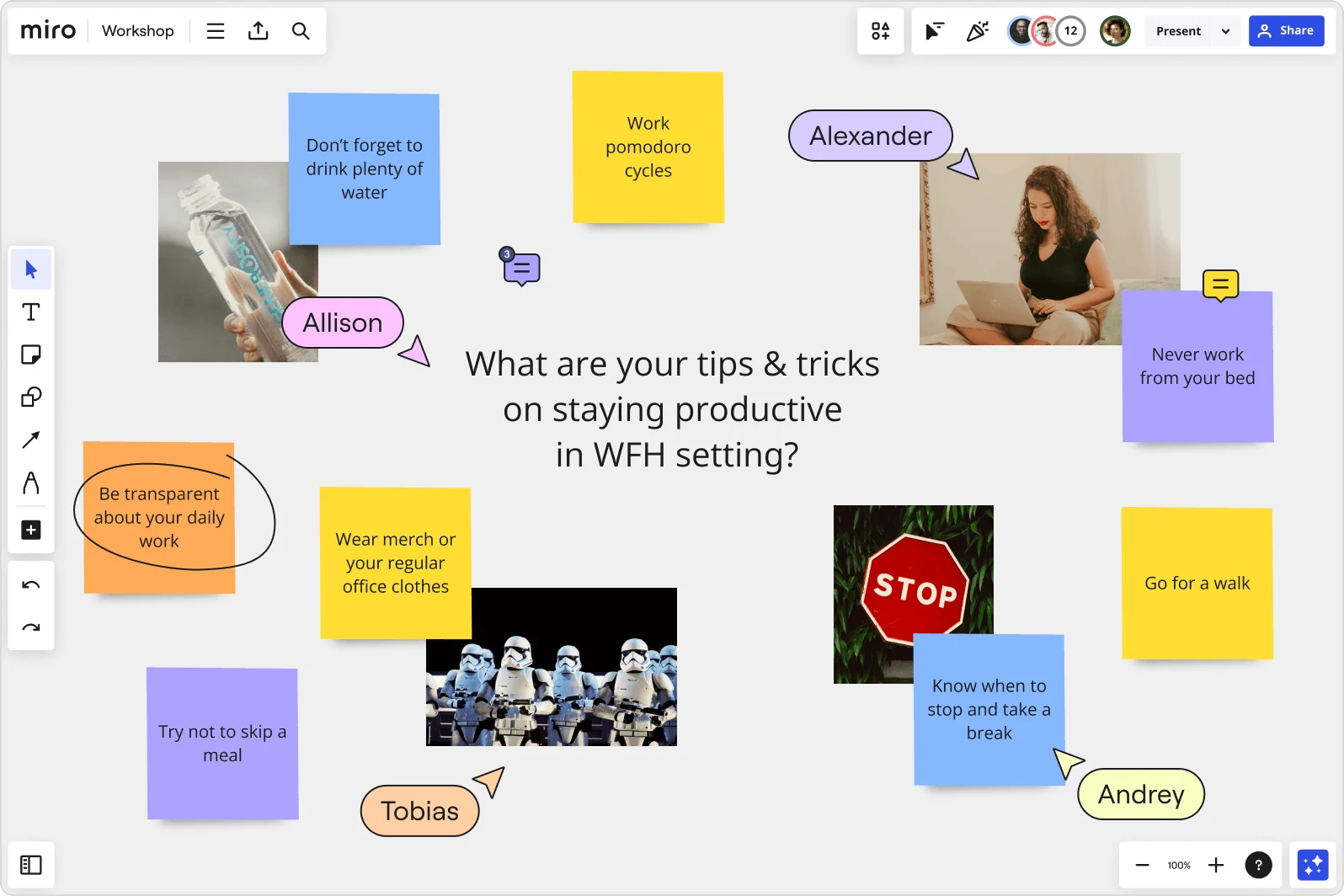
A Miro collaborative workshop board showing a brainstorming session titled 'What are your tips & tricks on staying productive in WFH setting?' with colorful sticky notes containing tips like 'Work pomodoro cycles,' 'Never work from your bed,' 'Go for a walk,' and 'Know when to stop and take a break,' along with named participant cursors (Alexander, Allison, Tobias, Andrey) and images.

What experts say

  • Well suited: brainstorming, visual discussions with colleagues in different locations and time zones. I think of it as a whiteboard in a room where people from different locations can come in and look, ask questions, and make their own contributions

    Stanley Wong

    Chief Engineer · Philips

    Miro Customer
  • The brainwriting technique involves the written generation of ideas by different individuals on separate sheets, which are then collated by the project manager in the same shared file.

    google_scholar

    Research source · google_scholar

    Industry Expert

The research on brainstorming

  • Remote agile teams used collaboration tools to facilitate remote work, including virtual whiteboard tools such as Miro.

    Source: RSI International (International Journal of Research and Innovation in Social Science)

  • 25-40%

    68% of teams reported 25-40% ideation speed gains when using digital whiteboards for remote brainstorming sessions

    Source: Harvard Business Review

See brainstorming in action

Related templates for remote teams

We have 193 templates in our library for Brainstorming.

Why remote teams love brainstorming in Miro

  • Stop losing your best ideas to timezone gaps

    Your morning standup captures twelve ideas. By the time APAC joins six hours later, half of them are buried in Slack threads. Miro's infinite canvas keeps every sticky note, vote, and comment live and accessible - whether your distributed crew joins in real time or catches up async.

    Miro board open inside a Zoom Meeting showing a 'Website launch' mind map with branches for Content (SEO, Use cases, Customer stories, Blog, Resources), Go big ideas (Host big event, Teaser video, PR campaign), and collaborative elements including named cursors (Terrence, Mark, Casey, Melissa, Brendan), a sticky note saying 'I love this idea!', a comment bubble tagging @Kim about GTM strategy, a sticky note about 'Potentially an external agency', and a countdown timer at 02:59 — with four…
  • From 150 sticky notes to three priorities in minutes

    After a full ideation sprint, you're staring at a wall of unorganized stickies and a meeting that's already running long. Miro automatically groups related notes by theme, keyword, and sentiment - so your team walks away with clear clusters and a prioritized shortlist, not a screenshot nobody revisits.

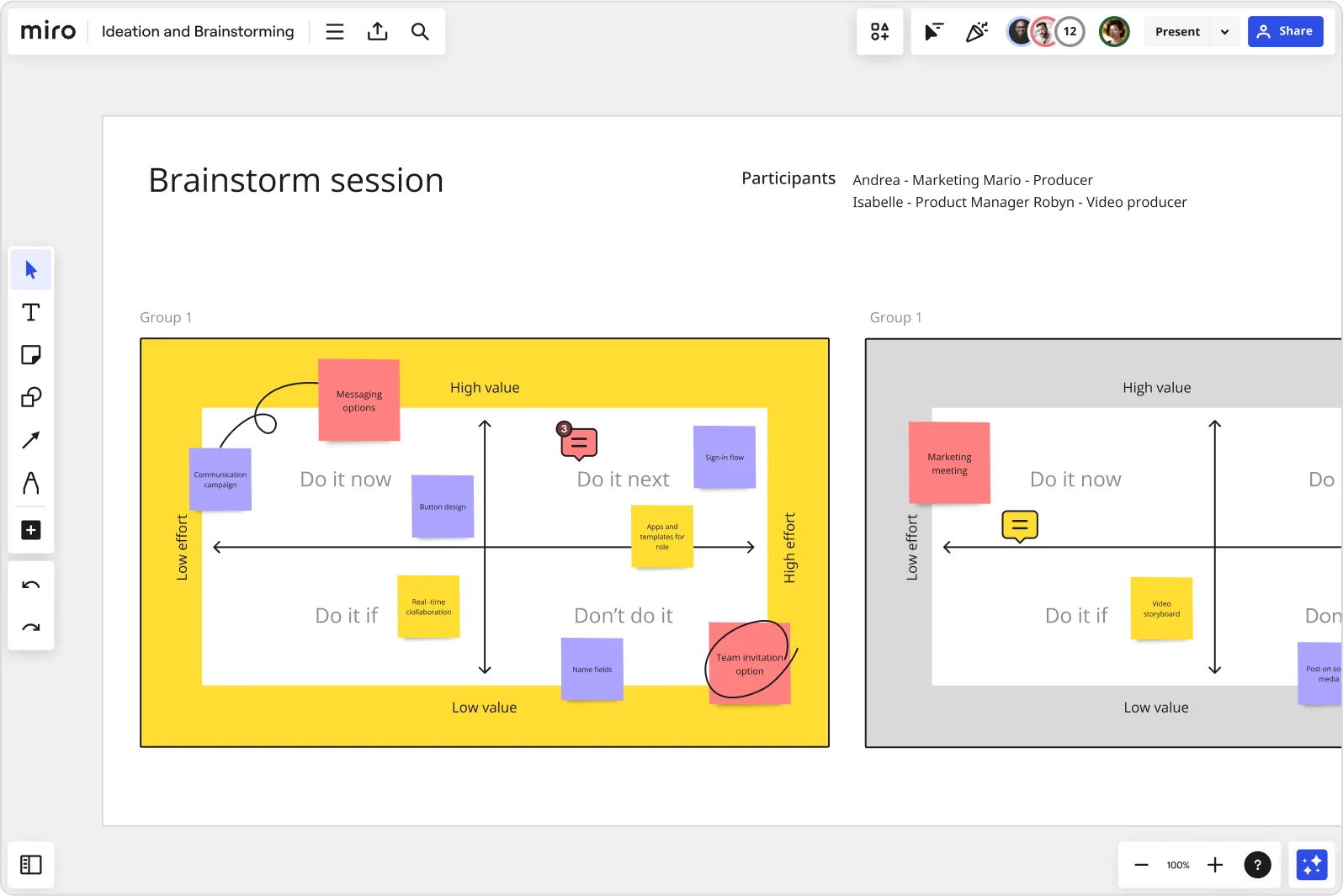
    Miro brainstorm session board displaying an impact-effort matrix divided into four quadrants (Do it now, Do it next, Do it if, Don't do it) populated with color-coded sticky notes for features like messaging options, sign-in flow, button design, and team invitation option, with two group views visible side by side.
  • When the quietest voices have the best ideas

    In a video call, the loudest voices win. Distributed contributors self-censor or lose the thread. Miro's anonymous voting and parallel silent ideation let every team member - from a 3-person startup to a 500-person org - add ideas independently before any discussion starts, removing seniority bias from the room.

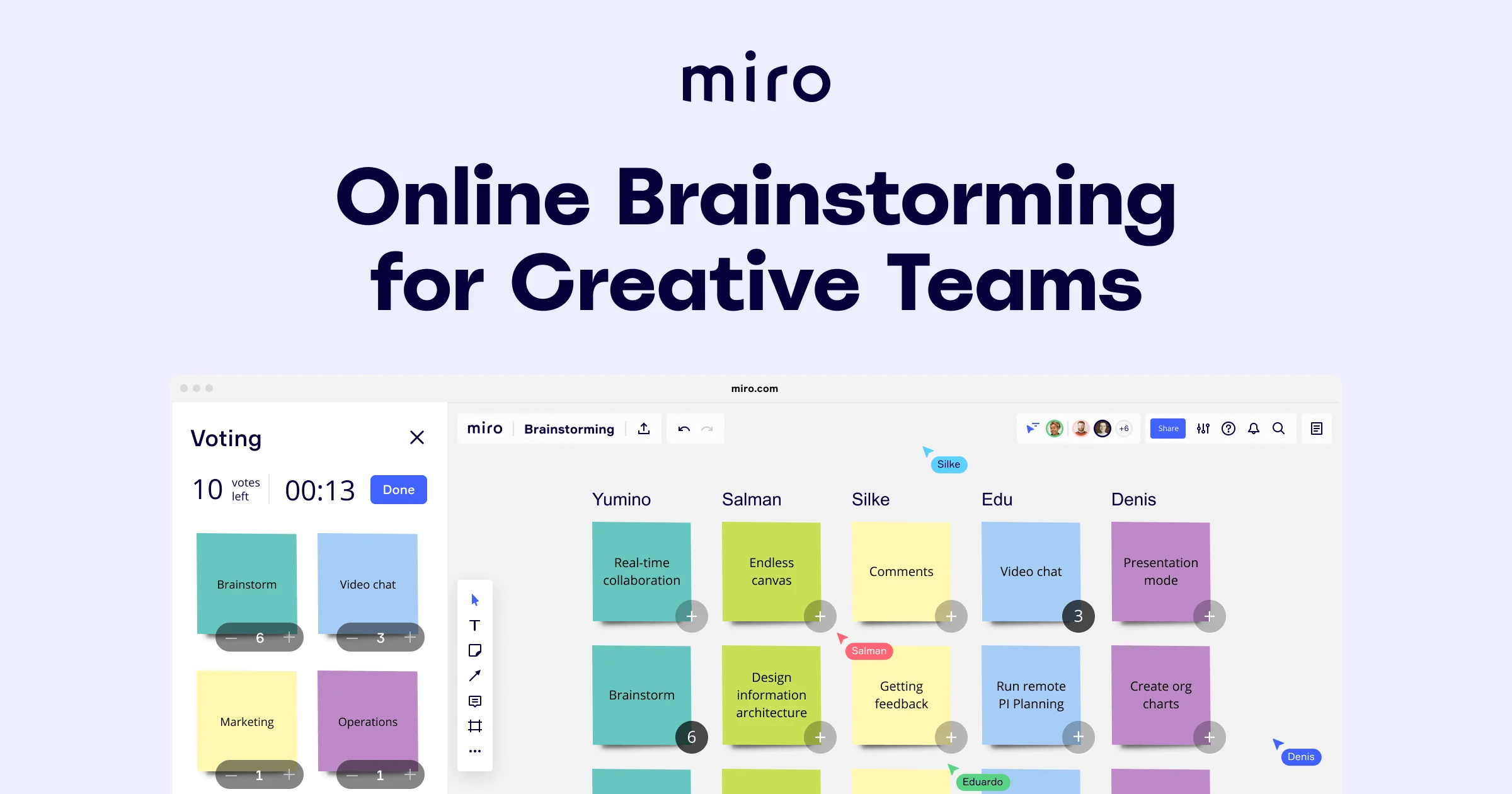
    Miro brainstorming board showing a multi-column layout with colored sticky notes organized by five team members (Yumino, Salman, Silke, Edu, Denis), featuring an active voting panel on the left with a countdown timer showing 00:13 and 10 votes remaining, with sticky notes covering features like real-time collaboration, endless canvas, video chat, and presentation mode.
  • Your brainstorm output, ready for the leadership deck

    After clustering and voting, someone still has to rebuild everything in slides. Miro generates the readout deck directly from your brainstorm frames - Brand Center colors applied automatically, structured for a leadership audience, editable slide by slide before you commit.

    Miro board split view showing colorful brainstorming sticky notes on the left (blue, pink, yellow) alongside an AI-powered document generation panel on the right, with a 'Generate product brief' button and Miro AI label actively generating content from the brainstorm.
  • Are async contributors always an afterthought?

    Small teams juggling time zones and enterprise orgs running cross-country workshops face the same problem: remote participants join late and miss context. With QR-code access from any device and no Miro account required, external contributors and distributed teammates join structured activities - Word Cloud, Ranking, Multiple Choice - on equal footing with everyone else.

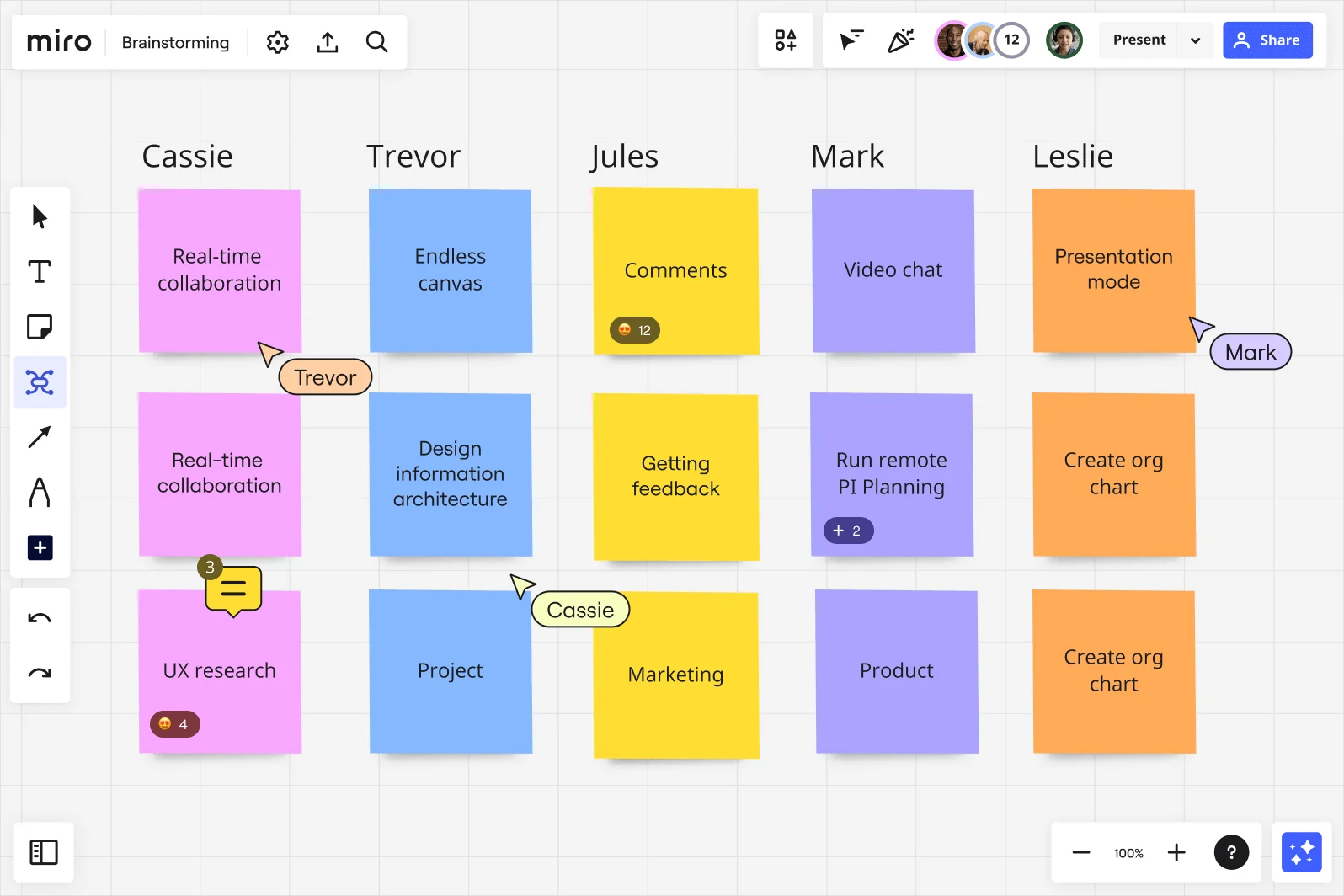
    Miro brainstorming board showing a multi-column layout with five named participant columns (Cassie, Trevor, Jules, Mark, Leslie), each containing colorful sticky notes in pink, blue, yellow, purple, and orange, with ideas including Real-time collaboration, Endless canvas, Comments, Video chat, and Presentation mode, along with visible collaboration features like emoji reactions, comment counts, and live cursors with participant names.

How remote teams get started with Brainstorming in Miro

  • Frame your discovery challenge

    Open a brainstorming template from the Template Library and dedicate the first Frame to your problem statement - the sprint friction point, the product brief, or the stakeholder question - so every distributed contributor starts from the same context, not five different Slack interpretations.

  • Run a silent ideation round

    Set the Timer to a focused 5-7 minute interval and have every remote contributor simultaneously drop ideas into Sticky Notes using Bulk Mode - one idea per line, all at once - so the quieter async voices get equal footing before anyone's talked over on Zoom.

  • Let AI do the clustering

    Use AI Generate Sticky Notes to fill any thin areas of the board, then trigger Clustering to automatically group the raw output into opportunity themes, giving your distributed team a shared map of the idea space without a facilitator having to herd cats across time zones.

  • Push decisions into the async record

    Run Dot Voting with three to five votes per person to converge on your strongest opportunity areas, then capture refinements in threaded Comments with @mentions and assigned owners - so the VP of Product can read a clear point of view on Friday without needing anyone in the room to narrate it.

Brainstorming tips for remote teams

  • If your brainstorming session splits across eight or more people, use Breakout Frames to run parallel ideation sub-groups before merging - it's the fastest way to raise signal-to-noise ratio when your team spans multiple time zones and two people always dominate the main canvas.

  • Lock board objects before the session opens so contributors write on Sticky Notes without accidentally moving Frames - especially important when onboarding a new remote collaborator who's never facilitated async before.

  • After voting, generate a structured summary with Miro AI from your selected sticky notes and embed it into Confluence, Notion, or Coda via /miro so the brainstorm output travels cleanly into your documentation workflow instead of dying in a screenshot.

Understand how remote teams transform their work

  • Miro: An ideal space for brainstorming new projects with a remote team

    Verified User

    G2
  • Collaborative brainstorming, even remotely

    Verified User

    G2

Brainstorming essential guide for remote teams

CategoryKey insights
  • Common mistakes to avoid

    The biggest trap for distributed product and design teams is diving straight into ideation on an empty canvas, which means the async contributors and quieter voices never get their ideas in the mix. Skip Clustering after the sticky note flood and you'll end up with 150 notes nobody reviews, which is exactly how a Thursday all-hands deck ends up blank. Lock your board objects before the live session and set a Timer for each round, or the conversation defaults to whoever's most comfortable on Zoom and the board stays empty.

  • Key integrations for remote teams

    Zoom and Google Meet keep the live session alive, while Slack and Microsoft Teams carry the async thread before and after so distributed contributors in different time zones don't get left out. Confluence and Notion give the brainstorm output somewhere to land once the session closes, so the concept deck or opportunity space actually travels into the documentation workflow instead of dying in a screenshot. Jira closes the loop by connecting the top-voted ideas directly to tickets, turning Friday's prioritized sticky notes into Monday's sprint backlog.

  • When to use it

    Use this when a product brief has just landed in Slack and you need concept options ready before the VP of Product's thirty-minute window on Friday, but half the team is async. It's also the right move when a sprint retrospective surfaces a recurring friction point and you want every voice in the mix, not just whoever's most comfortable talking on Zoom. A 12-person product team ran three timed rounds of silent ideation using Brainwriting and Timer, clustered 150 sticky notes into eight themes with Clustering, then used Dot Voting to surface the top three concepts. Two of them moved into the roadmap within a week.

  • Security & Compliance

    Miro is SOC 2 Type II certified, which covers the baseline trust check that IT and security reviewers at companies of any size will ask for before approving a new tool. For larger organizations running sensitive discovery sessions, data residency controls and granular sharing permissions mean the right people see the board and nobody else does. Private Mode keeps early-stage concept work confidential during live sessions, so stakeholders don't accidentally anchor on half-formed ideas before the team is ready to socialize them.

Frequently asked questions for remote teams

Last updated: Monday, August 31, 2026