





Brainstorming for government teams

Turn policy challenges into actionable plans, fast. Run structured sessions where every agency voice counts, from five-person units to department-wide working groups.

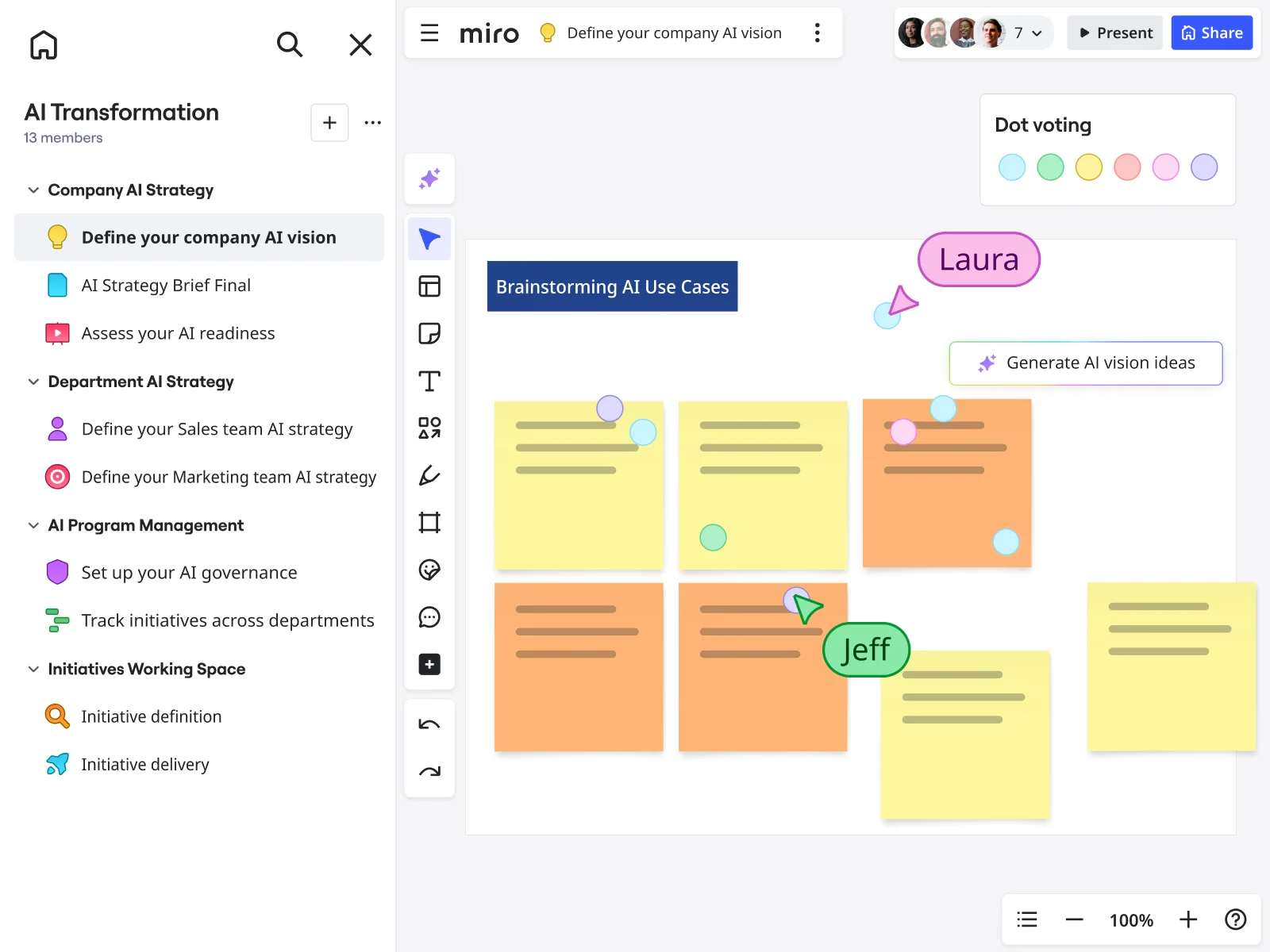
Miro board showing a 'Brainstorming AI Use Cases' session with multiple yellow and orange sticky notes arranged in a grid, featuring dot voting dots in various colors, two visible collaborator cursors (Laura and Jeff), and a 'Generate AI vision ideas' AI button, within an AI Transformation workspace that has a structured left-panel navigation covering Company AI Strategy, Department AI Strategy, AI Program Management, and Initiatives Working Space sections.

The research on brainstorming

  • 165 participants

    In a five-minute brainstorming task with 165 experienced participants, continued brainstorming led to more creative ideas.

    Source: Kellogg Insight (Northwestern University)

  • 3x

    Hybrid brainstorming-then-clustering group processes generated 3x more ideas per unit time compared to traditional group brainstorming, with significantly better quality of the best idea selected

    Source: INSEAD Faculty Research

See brainstorming in action

Related templates for government teams

We have 193 templates in our library for Brainstorming.

Why government teams love brainstorming in Miro

  • Stop losing good ideas after the meeting ends

    Policy working groups generate dozens of ideas across breakout sessions, then watch them evaporate when the room clears. Miro's AI automatically clusters your sticky notes by theme, so the patterns from your interagency session survive intact and land in the hands of decision-makers.

    Miro board split view showing colorful brainstorming sticky notes on the left (blue, pink, yellow) alongside an AI-powered document generation panel on the right, with a 'Generate product brief' button and Miro AI label actively generating content from the brainstorm.
  • When your team spans three time zones and two agencies

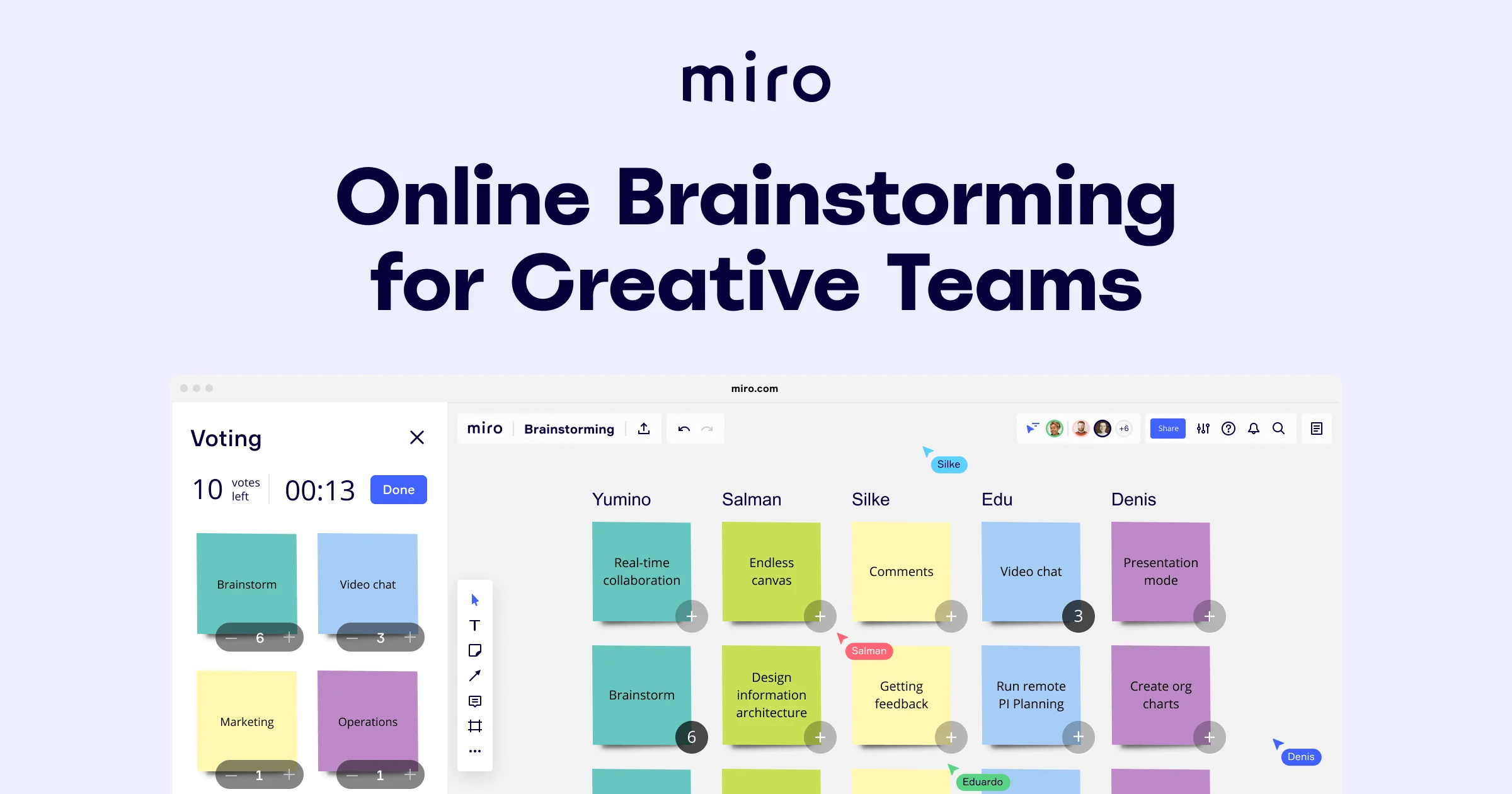
    Cross-agency collaboration rarely fits into a single calendar slot. Distributed contributors add sticky notes asynchronously, and Miro's Dot Voting surfaces the strongest proposals without requiring everyone online at the same time - whether you're a tight five-person policy unit or a 500-person department running parallel working groups.

    Miro brainstorming board showing a multi-column layout with colored sticky notes organized by five team members (Yumino, Salman, Silke, Edu, Denis), featuring an active voting panel on the left with a countdown timer showing 00:13 and 10 votes remaining, with sticky notes covering features like real-time collaboration, endless canvas, video chat, and presentation mode.
  • From scattered input to a briefing-ready summary

    After a public-consultation brainstorm, condensing hundreds of citizen inputs into a ministerial brief is a full day's work. Miro Docs pulls your prioritized sticky notes and ranking tables into a focus-mode summary you can export as a PDF for the leadership pack or embed directly into your Confluence knowledge base.

    Miro retrospective board showing the Miro AI context menu open with options including Turn into Doc (highlighted with a submenu showing Retrospective summary, Product brief, Research synthesis, Meeting Notes, and Custom prompt), Generate ideas, Get feedback & suggestions, Identify key themes, Cluster by keywords, and Cluster by sentiment, alongside a board with purple and yellow sticky notes and a dot voting panel with team member avatars.
  • Are senior voices drowning out field staff?

    In hierarchical organizations, anonymous participation isn't a nice-to-have - it's the only way to get honest input from frontline officers and junior analysts. Anonymous Dot Voting and Bulk Mode let every participant write independently before a single idea is discussed, giving you a true picture of where consensus actually sits.

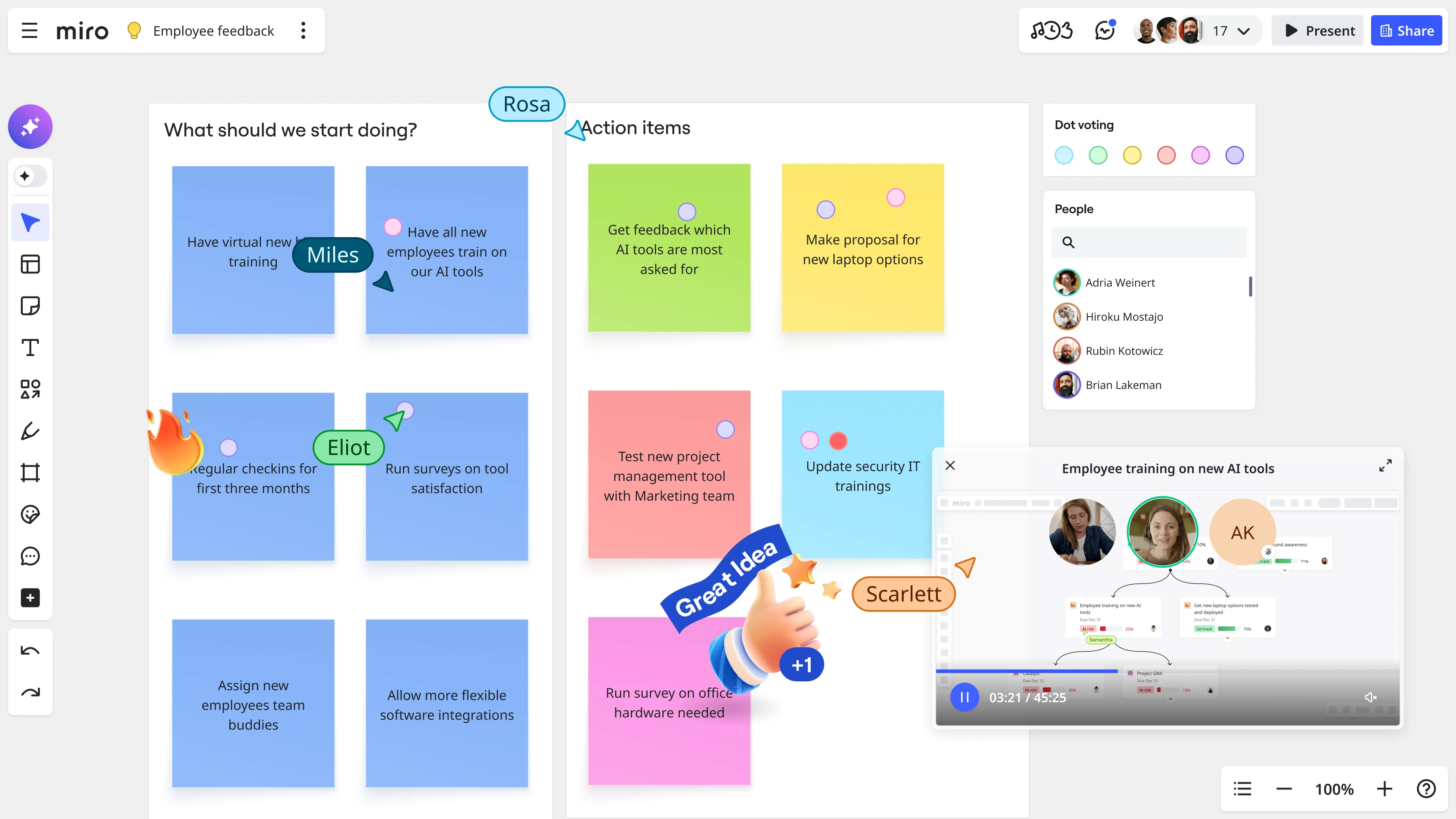
    Miro board showing an employee feedback session with sticky notes organized under 'What should we start doing?' and 'Action items' columns, featuring dot voting, named collaborator cursors (Miles, Eliot, Rosa, Scarlett), a people panel with participant list, and an embedded video call widget for 'Employee training on new AI tools'.
  • Your readout deck, built from the brainstorm itself

    Building a leadership presentation from raw whiteboard output burns hours that policy teams don't have before a cabinet submission deadline. Miro's AI Slides generates a structured readout directly from your finalized brainstorm frames, with your department's brand colors applied automatically and slide-by-slide editing before you commit.

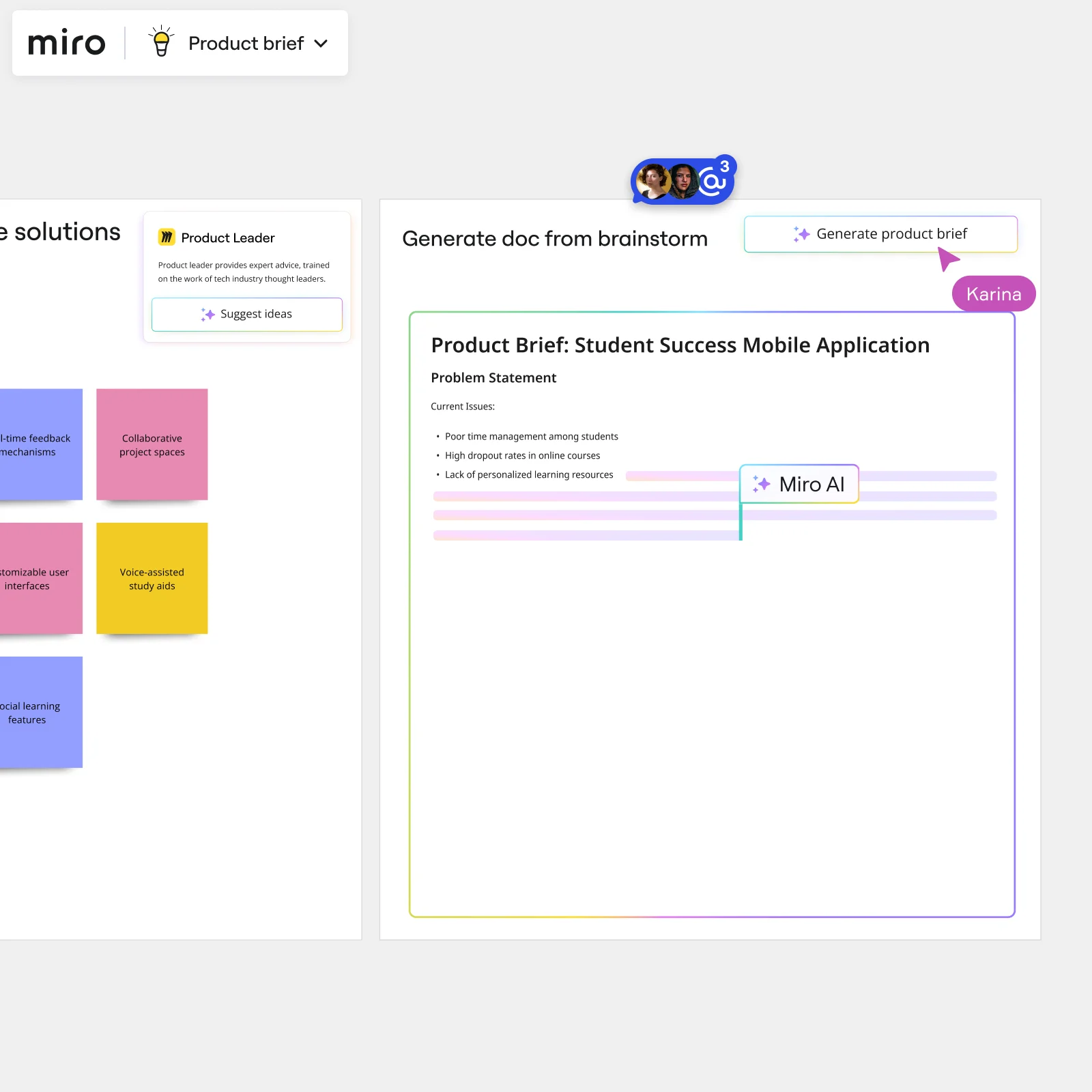
    Miro board showing AI-powered document generation from a brainstorming session, with a Product Leader AI sidekick panel on the left, colorful sticky notes listing solution ideas (collaborative project spaces, voice-assisted study aids, social learning features), and an AI-generated Product Brief document for a Student Success Mobile Application being created in real time by Miro AI.

How government teams get started with brainstorming in Miro

  • Frame your policy challenge

    Open a brainstorming board using a Template Library structure - a brainwriting grid works well - and dedicate the first Frame to your problem statement, the relevant mandate or grant deadline, and any equity considerations or compliance guardrails the session must respect.

  • Run a structured ideation round

    Set the Timer to a focused 5-7 minute interval and have policy analysts, budget staff, legal, and communications leads add Sticky Notes simultaneously using Bulk Mode - one idea per line - so every department's perspective lands on the board before anyone influences anyone else's thinking.

  • Surface consensus without rank pulling

    Use Anonymous Mode in Voting (Dot Voting, limited to three to five votes per person) so program staff and senior officials weigh ideas on merit rather than seniority, then run an Alignment Scale to confirm which clusters the group actually stands behind before drafting any recommendations.

  • Turn session output into a defensible record

    Drag your prioritized stickies into a Miro Doc, use Doc-level AI actions to rewrite top ideas in formal policy language, then export to PDF for the recommendation memo or Markdown for SharePoint - giving you a documented record that holds up to a FOIA request, a deputy director's review, or an appropriations committee justification.

Brainstorming tips for government teams

  • If your session includes contractors or advisory board members with formal participation boundaries, use Breakout Frames to keep siloed groups in separate canvas areas, then merge outputs at the synthesis stage so the participation record is clean.

  • Color-code Sticky Notes by department - legal in one color, budget in another, communications in a third - before the session starts, so Clustering can sort contributions by both theme and agency origin, which matters when an interagency review needs to show whose input shaped the outcome.

  • Embed the final Miro Doc into Microsoft Teams via the /miro integration and lock the Default View to the summary frame, so every follow-up meeting reads from one live source rather than a screenshot that drifts from the actual board.

Understand how government teams transform their work

  • Collaborative brainstorming tool for research and development teams

    Verified User

    G2
  • A great brainstorming tool for cross-functional teams!

    Verified User

    G2

Brainstorming essential guide for government teams

CategoryKey insights
  • Common mistakes to avoid

    Diving straight into ideation without a warm-up is a common misstep for policy teams, especially when legal, budget, and program staff are all in the room with different chains of command - a quick warm-up activity levels the field before the first sticky note lands. Not locking board objects before a facilitated session is another costly one: when deputy directors and contractor staff are in the same Miro board for the first time, accidentally deleted sticky notes disrupt the session and the documented record your team needs for defensibility. And don't skip clustering after ideation. A hundred ungrouped sticky notes won't survive a FOIA request or a briefing to a program office.

  • Key integrations for government teams

    Microsoft Teams is the coordination hub most agency and municipal staff already live in, so connecting it to Miro keeps brainstorming sessions visible where interagency conversations are already happening. Confluence is the right place to push documented outputs, turning raw sticky notes into a retrievable record that can travel up to a deputy director or city council without losing context. For teams that work across contractor-managed systems, Zoom and Google Meet keep remote participants in the session, while Jira can translate approved ideas directly into trackable work items.

  • When to use it

    Reach for Miro's brainstorming tools when a policy initiative or grant cycle drops on the calendar and your team needs to get program staff, legal, and communications into the same ideation session before a public comment deadline closes. It's the right fit when your session spans siloed departments, because Breakout Frames let sub-teams work in parallel while Timer keeps rounds structured and on the record. It's also ideal when your team has just wrapped a whiteboard session in a conference room: Sticky Note Capture digitizes physical notes so the output is shareable, searchable, and ready for the formal recommendation memo that follows.

  • Security & Compliance

    Miro is SOC 2 Type II certified, which covers the baseline compliance bar most government procurement teams will check first, whether you're a small municipal office or a large federal agency. For sessions involving sensitive policy deliberations or pre-decisional content, Private Mode lets participants contribute without their ideas being visible to others until the facilitator is ready, supporting the kind of controlled participation that advisory board rules or union representation guidelines often require. Enterprise agencies with strict data handling requirements can also apply data residency controls and granular sharing permissions, so access to brainstorming boards stays within the right organizational boundaries and holds up under an audit.

Frequently asked questions for government teams

Last updated: Monday, August 31, 2026