



Brainstorming for innovation managers

Turn raw ideas into concept briefs your leadership will actually act on. Run structured sessions, cluster themes instantly, and walk out with a prioritized shortlist.

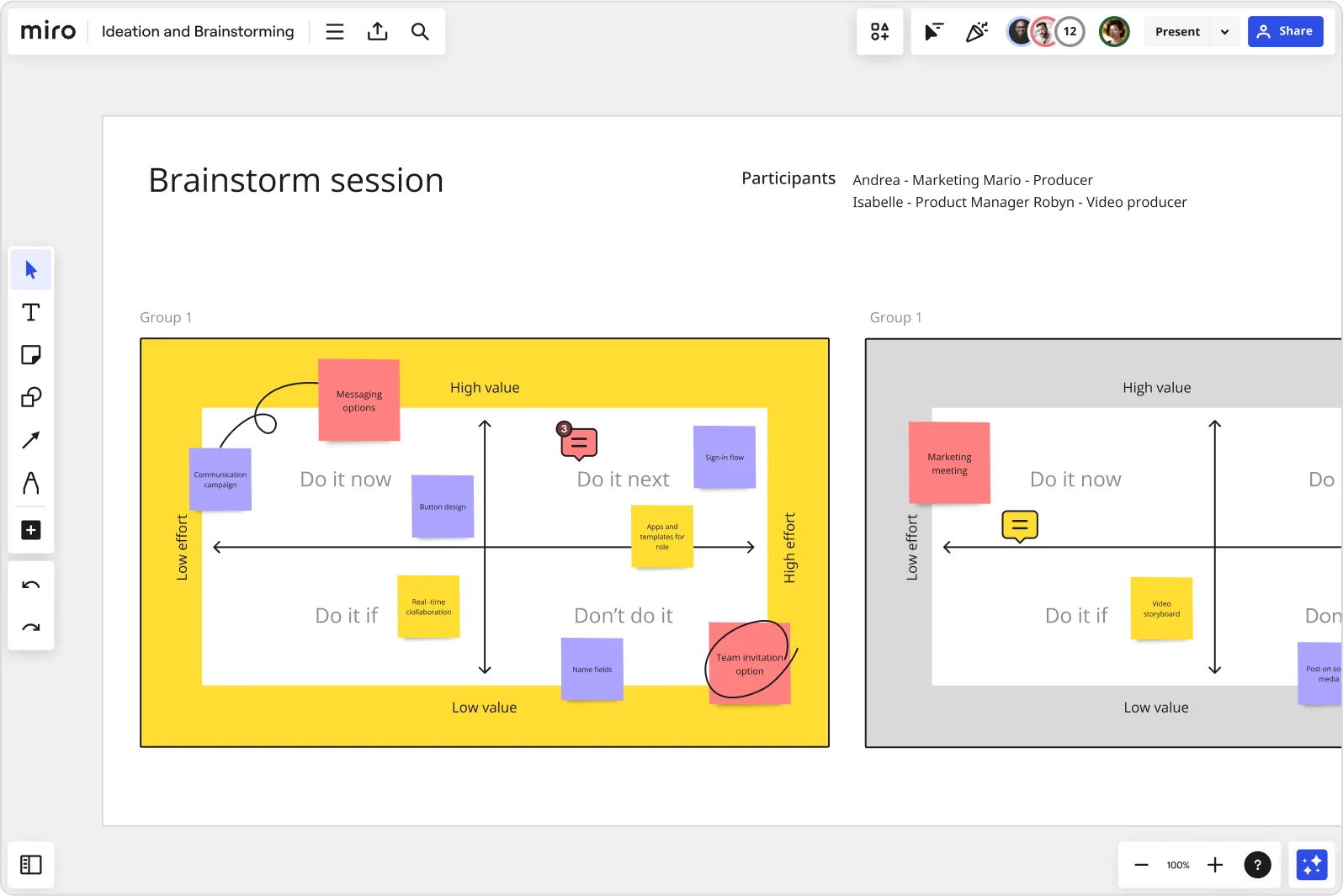
Miro brainstorm session board displaying an impact-effort matrix divided into four quadrants (Do it now, Do it next, Do it if, Don't do it) populated with color-coded sticky notes for features like messaging options, sign-in flow, button design, and team invitation option, with two group views visible side by side.

The research on brainstorming

  • Brainstorming can broaden exploration of possible solutions, increase idea quantity, and help participants build on each other's ideas.

    Source: University of Michigan

  • 165 participants

    In a five-minute brainstorming task with 165 experienced participants, continued brainstorming led to more creative ideas.

    Source: Kellogg Insight (Northwestern University)

See brainstorming in action

Related templates for innovation managers

We have 193 templates in our library for Brainstorming.

Why innovation managers love brainstorming in Miro

  • From scattered sticky notes to a concept brief

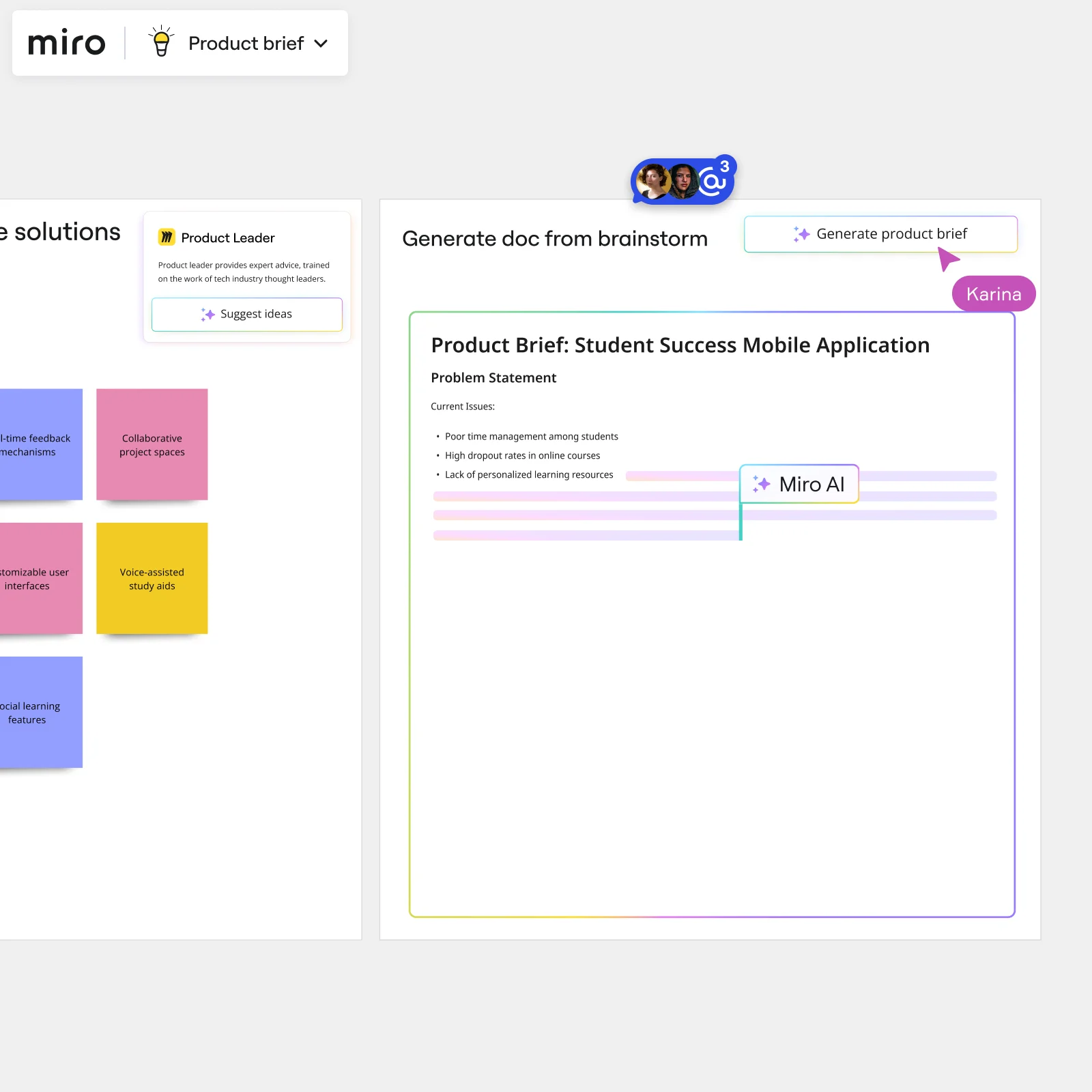
    After a full ideation session, you're staring at 200 sticky notes with no clear path to an opportunity brief. Miro's AI automatically groups related ideas by theme and sentiment, then a Brainstorm-to-Deliverable Flow turns the top clusters into a structured concept brief - with a human-in-the-loop review gate before anything goes to stakeholders.

    Miro board split view showing colorful brainstorming sticky notes on the left (blue, pink, yellow) alongside an AI-powered document generation panel on the right, with a 'Generate product brief' button and Miro AI label actively generating content from the brainstorm.
  • When your innovation team spans four time zones

    Getting your R&D leads, product owners, and business unit heads into the same room is rarely possible. Remote participants join your Miro board from any device by scanning a QR code - no account needed - and contribute ideas in parallel using anonymous voting so every voice carries equal weight, not just the loudest one in the room.

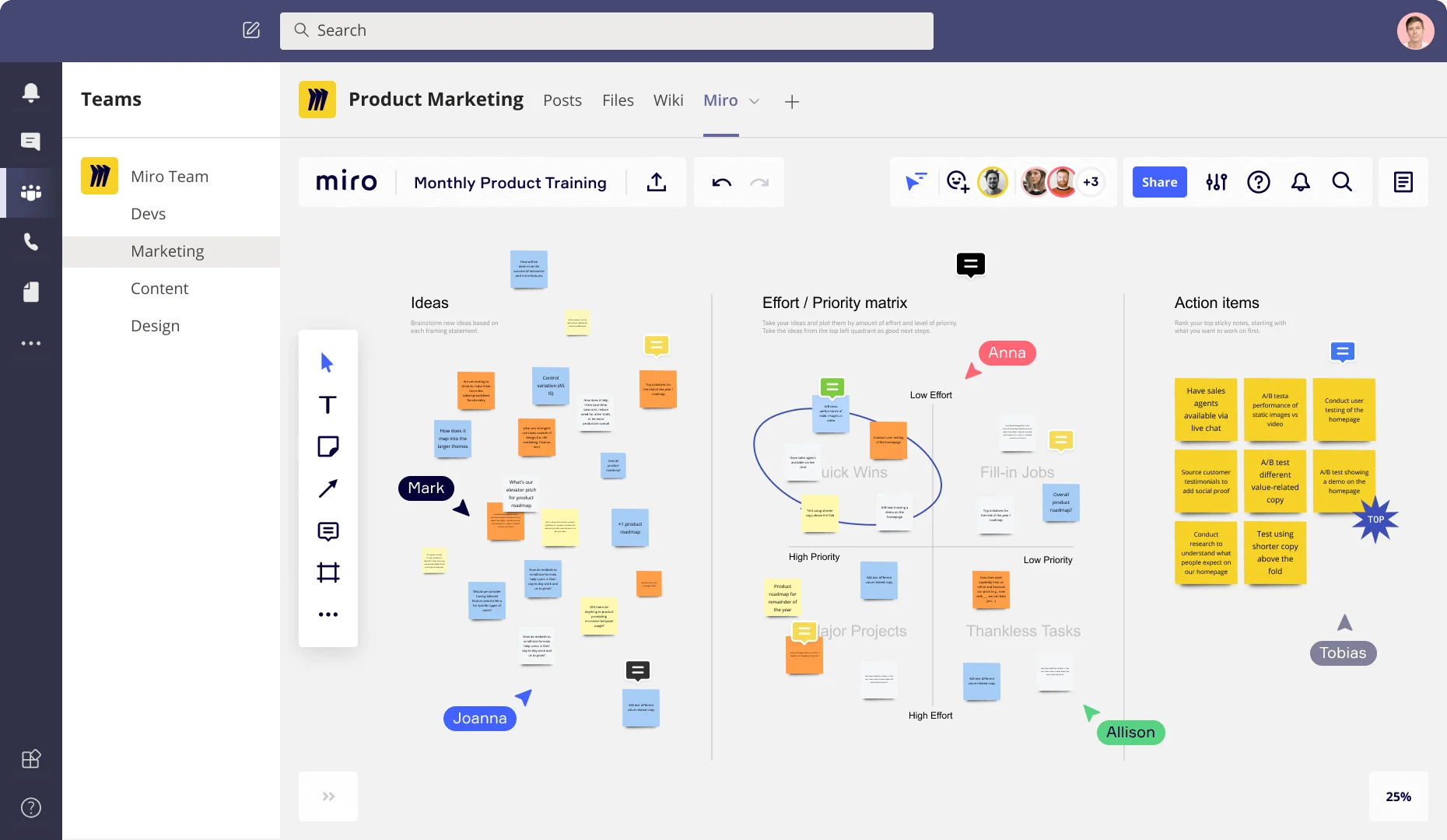
    Miro board embedded in Microsoft Teams showing a Product Marketing workspace with three frames: an Ideas section with colorful sticky notes, an Effort/Priority matrix with quadrants (Quick Wins, Fill-in Jobs, Major Projects, Thankless Tasks), and an Action Items frame listing prioritized tasks like A/B testing and user testing, with multiple collaborators (Anna, Mark, Joanna, Allison, Tobias) visible as cursors.
  • Stop rebuilding your ideation outputs from scratch

    Every quarter, innovation leads lose hours rebuilding the same session structures for brainwriting, SCAMPER, and reverse brainstorming. Miro's Workshop Planner Sidekick analyzes your session topic, recommends the right technique, and generates the full agenda - whether you're a 5-person skunkworks team or a 500-person innovation function running sessions across business units.

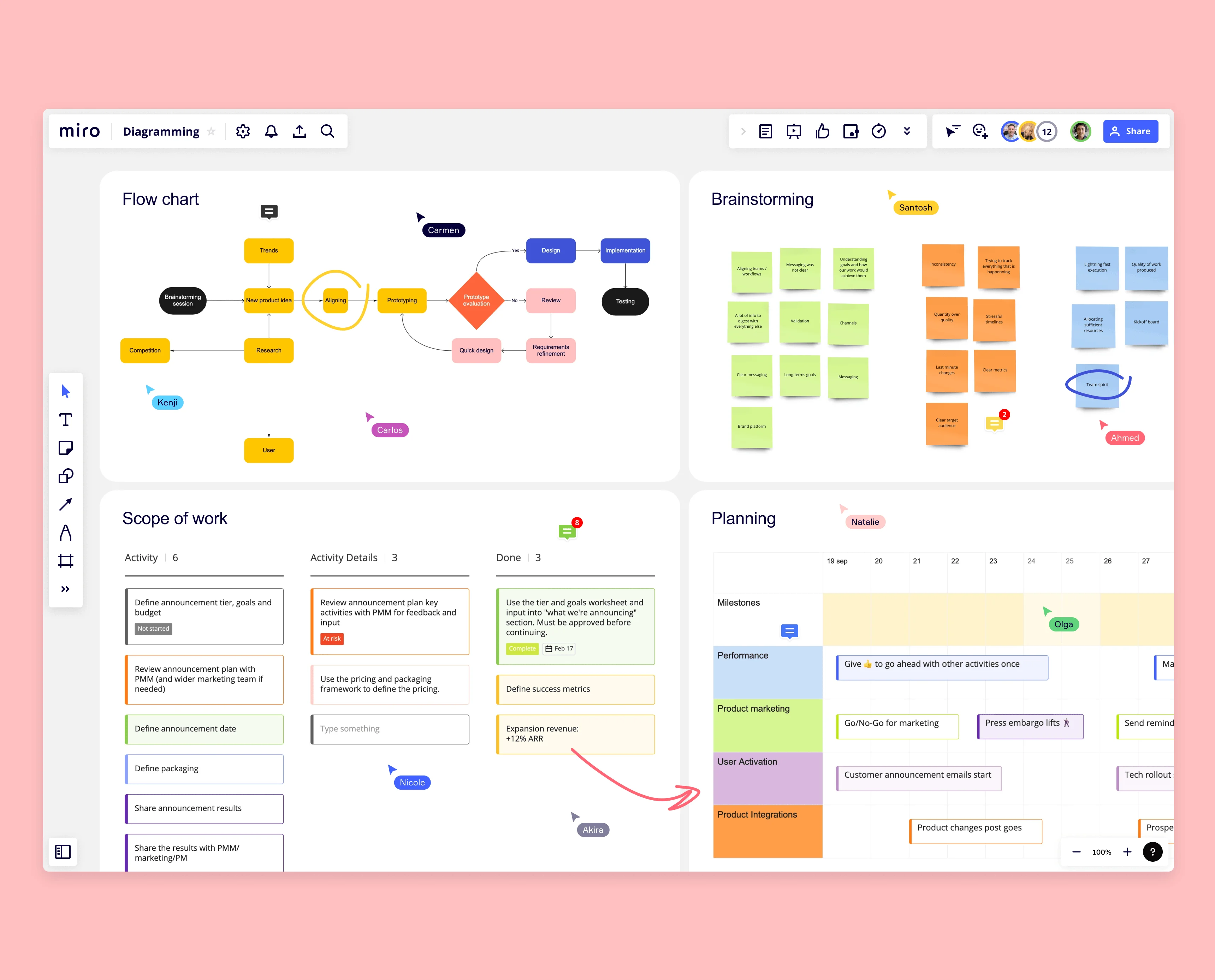
    Miro board with four quadrants showing Flow chart, Brainstorming sticky notes, Scope of work table, and Planning timeline with collaborator cursors
  • Your leadership readout, ready before the QBR

    Presenting raw sticky notes to the C-suite isn't a strategy. Miro generates a leadership deck directly from your finalized brainstorm frames - Brand Center colors auto-applied, structured as four slides: prompt, top themes, prioritized ideas, next steps - so your QBR readout reflects the actual session output, not a copy-paste reconstruction.

    Miro board showing AI-powered document generation from a brainstorming session, with a Product Leader AI sidekick panel on the left, colorful sticky notes listing solution ideas (collaborative project spaces, voice-assisted study aids, social learning features), and an AI-generated Product Brief document for a Student Success Mobile Application being created in real time by Miro AI.
  • Are your best concepts getting lost between ideation and execution?

    Great ideas die when they live only on a whiteboard. Embed your brainstorm summary into Confluence, Notion, or Coda via /miro so your innovation pipeline, follow-up meetings, and team wiki all read from one live source - not last week's screenshot.

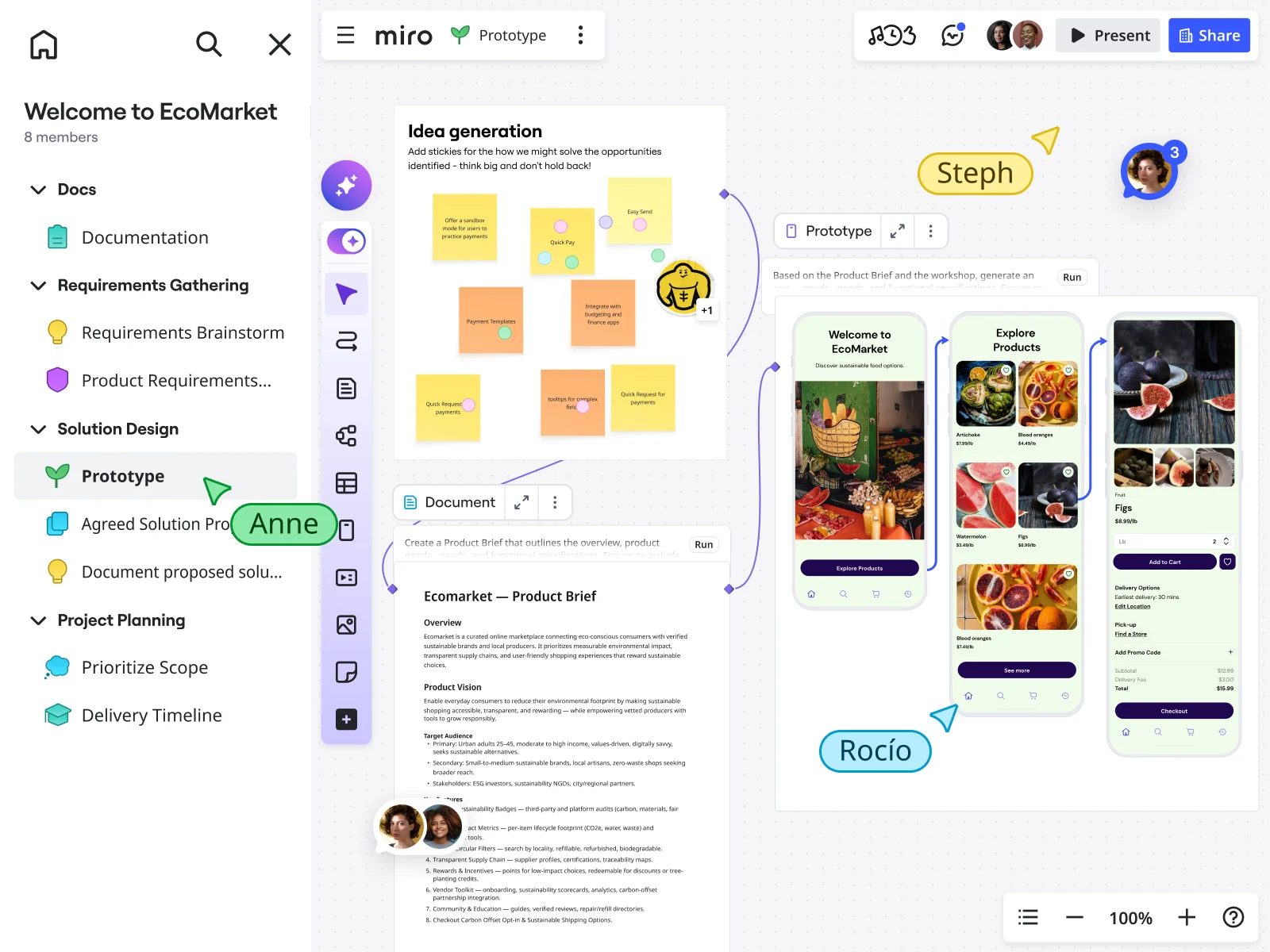
    Miro board showing an EcoMarket product design workflow with a sticky note idea generation session, an AI-generated product brief document, and an AI-powered prototype showing mobile app screens for a sustainable food marketplace, with multiple collaborators (Anne, Steph, RocĂ­o) visible on the canvas.

How innovation leaders get started with brainstorming in Miro

  • Frame your innovation challenge statement

    Open a Brainstorming template from the Template Library, then dedicate the top Frame to your C-suite challenge brief - problem statement, strategic themes, and kill criteria visible before a single idea lands.

  • Run anonymous ideation rounds

    Set a Timer for 5-minute parallel ideation bursts where every subject-matter expert and skeptical BU lead drops ideas via Sticky Notes with Bulk Mode - then use Private Mode so HIPPO opinions can't flatten divergent thinking before it starts.

  • Surface themes, then prioritize

    Use Clustering by Keywords (AI) to group raw output into opportunity areas, then run a Miro Engage Word Cloud to surface dominant themes before switching to Voting with Dot Voting so your concept pipeline reflects genuine signal, not the loudest voice in the room.

  • Generate your concept portfolio readout

    Trigger AI Flows to route your prioritized clusters through the Workshop Planner Sidekick, add a human-in-the-loop facilitator approval gate, then generate a leadership deck via AI Slides - four slides: challenge brief, top themes, ranked concepts, stage-gate next steps.

Brainstorming tips for innovation managers

  • Use Sticky Stack with pre-tagged prompt categories (Strategic Fit, Customer Need, Tech Bet, Wild Idea) to pre-seed divergent thinking before the session opens - it helps mixed rooms of SMEs and external partners show up ready to generate, not just react.

  • After Clustering, drop an Alignment Scale with anonymous voting toggled on before discussion begins - this gives you a temperature check on opportunity areas without triggering premature feasibility debates that thin the concept pipeline.

  • Lock your concept scorecards and facilitation frames before inviting business unit leads into the board - keeping their edits confined to Sticky Notes protects the session structure and keeps your ideation velocity data clean for the stage-gate report.

Understand how innovation managers transform their work

  • Great collaboration tool for innovation departments

    Program Manager in Research & Development at Civil Engineering

    TrustRadius
    TrustRadius
    Verified user
    Read review
  • A great brainstorming tool for cross-functional teams!

    Professional in Research & Development at Automotive

    TrustRadius
    TrustRadius
    Verified user
    Read review

Brainstorming essential guide for innovation teams

CategoryKey insights
  • Common mistakes to avoid

    The biggest session killer for innovation managers isn't a bad brief - it's skipping the warm-up and letting the loudest business unit lead anchor the room before anyone's had a chance to think independently. Lock your board objects before the session starts, run silent ideation rounds with Timer, and cap votes during prioritization so your dot-voting actually surfaces a clear top tier instead of a sea of tied concepts. At large orgs especially, the concept pipeline dies not in ideation but in the handoff: if you don't assign owners and deadlines to your top ideas before the board closes, even a 150-sticky-note session produces nothing your stage-gate review can act on.

  • Key integrations for innovation managers

    Slack and Microsoft Teams keep your pre-session brief and post-session concept summaries in the channels where subject-matter experts already live, which matters when you're corralling contributors across business units. Confluence stores the formal session record - voting outputs, concept scorecards, facilitation notes - so your innovation board has an audit trail that feeds the stage-gate review. Jira closes the loop between ideation and execution, letting you push the concepts that survive kill criteria directly into the project portfolio system without a manual transcription step.

  • When to use it

    Reach for Miro's brainstorming tools when a C-suite challenge statement lands and you need to run a structured ideation sprint that produces a rankable concept portfolio, not just a wall of raw ideas. It's the right fit when your session room is mixed - think skeptical business unit leads sitting alongside external partners - and you need Private Mode and timed brainwriting rounds to protect psychological safety before convergence begins. It also works well when your divergent session happened offline: use Sticky Note Capture to digitize physical outputs, then run Clustering and Dot Voting to move straight into scoring without losing momentum on the way to your next stage-gate checkpoint.

  • Security & Compliance

    For innovation managers shepherding proprietary concept portfolios and unreleased opportunity landscapes, Miro's SOC2 Type II certification gives your security team a credible baseline to work from whether you're at a 20-person startup or a global enterprise. If you're running sessions that include external partners or customers, granular sharing permissions and Private Mode let you control exactly what's visible and when, so confidential kill criteria and scoring rationale stay internal. Large organizations with strict data governance requirements can lean on Miro's data residency controls and admin configuration options to meet regional compliance requirements without pulling innovation work back into siloed local tools.

Frequently asked questions for innovation managers

Last updated: Monday, August 31, 2026