




Brainstorming for game designers

Turn concept sessions into design briefs your art and narrative leads can act on. Run the ideation, cluster the ideas, ship the brief.

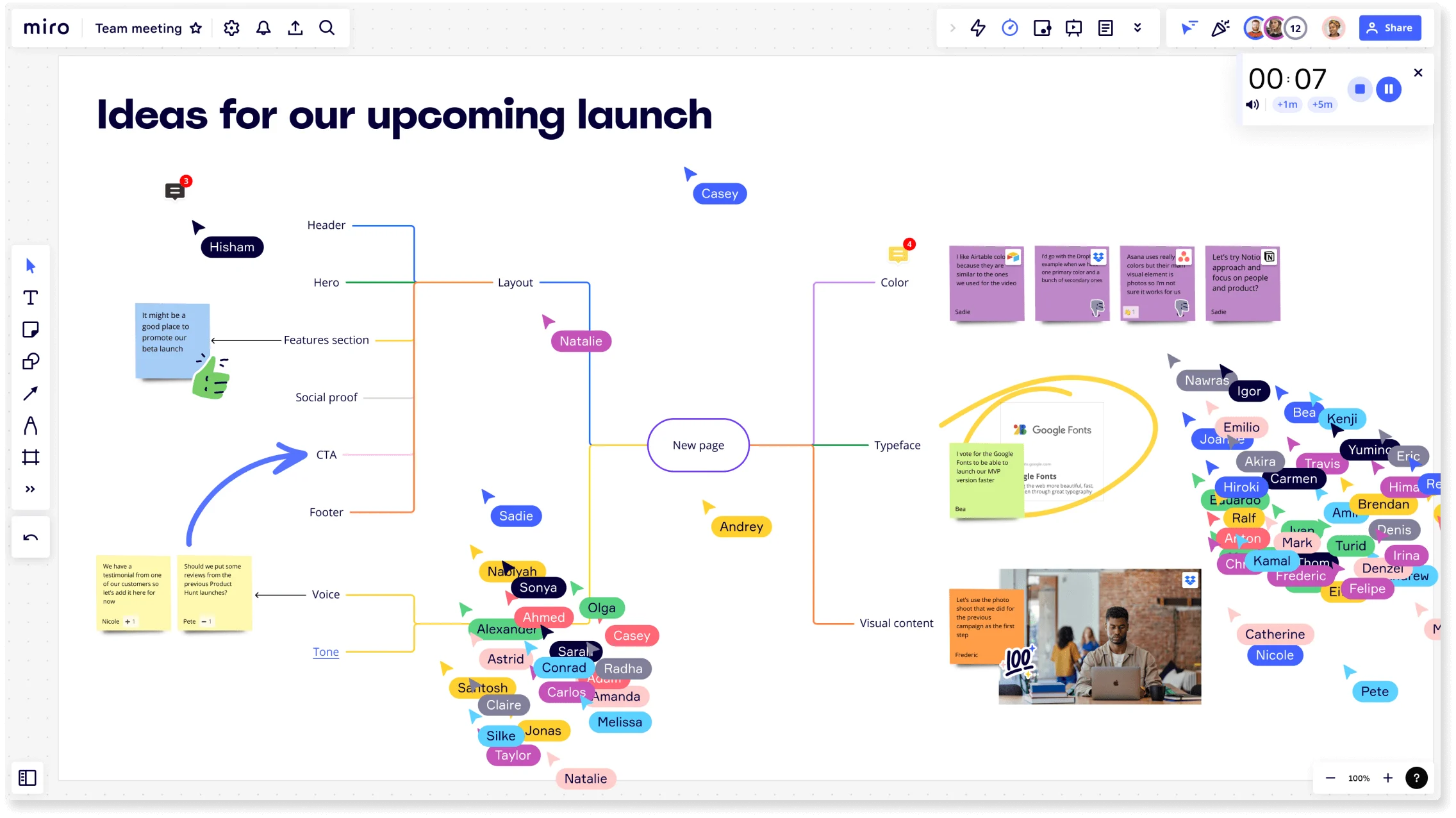
Miro board titled Ideas for our upcoming launch showing mind map with header, hero, features section, CTA, and footer nodes plus team member avatars and sticky notes for brainstorming

What experts say

  • Great workshops don't happen by accident. In the connected, collaborative enterprise, workshop design and facilitation grows beyond skills held by an intrinsically motivated few to a core collaboration capability cultivated intentionally at scale .

    Forrester

    Research source · Forrester

    Industry Expert
  • Meetings were organized to reshape the pilot game and brainwriting techniques were used to collect ideas and pass them on to stakeholders.

    google_scholar

    Research source · google_scholar

    Industry Expert

The research on brainstorming

  • 3x

    Hybrid brainstorming-then-clustering group processes generated 3x more ideas per unit time compared to traditional group brainstorming, with significantly better quality of the best idea selected

    Source: INSEAD Faculty Research

  • 165 participants

    In a five-minute brainstorming task with 165 experienced participants, continued brainstorming led to more creative ideas.

    Source: Kellogg Insight (Northwestern University)

See brainstorming in action

Related templates for game designers

We have 193 templates in our library for Brainstorming.

Why game designers love brainstorming in Miro

  • From blank canvas to your first game concept brief

    Every game design kickoff starts the same way: a half-empty room, a vague creative prompt, and the pressure to produce something worth pitching to your creative director by Friday. Miro's AI seeds your board with starter concepts from a single prompt, so your first round of ideas is up before anyone's had time to freeze. Then Clustering automatically groups related mechanics, narrative threads, and art direction ideas into themes - no manual sorting.
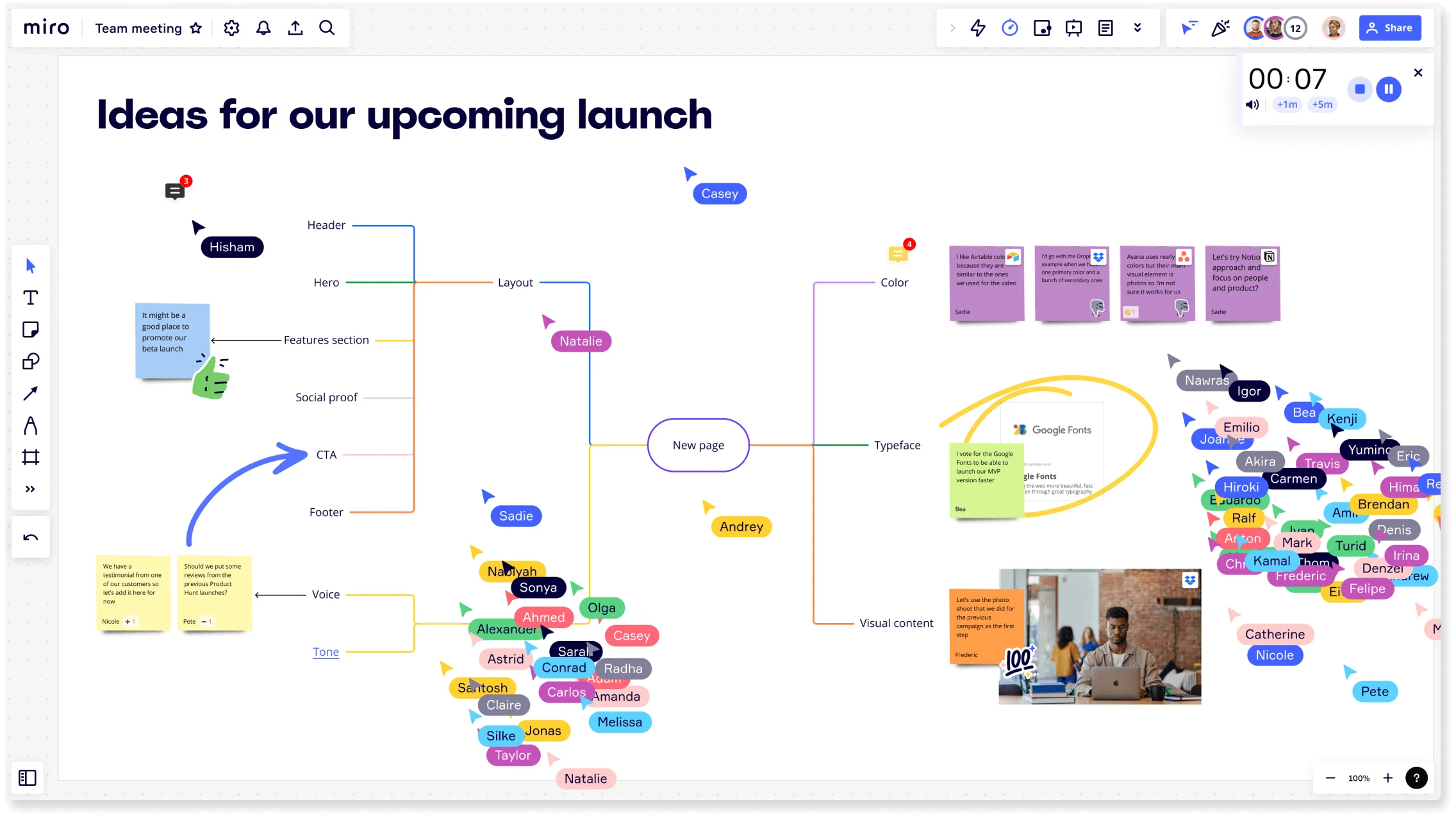
    Miro board titled 'Ideas for our upcoming launch' showing a collaborative brainstorming session with a central mind map branching into Layout, Color, Typeface, Visual Content, Voice, and Tone nodes, multiple colored collaborator cursors with name tags, sticky notes, an embedded Google Fonts card, a photo, a timer widget, and a crowd of participant avatars on the right side.
  • When your level design review produces 80 conflicting sticky notes

    After a full ideation session, your board looks like a game jam gone wrong: mechanics next to lore notes next to monetization ideas. Anonymous Dot Voting lets every designer and producer cast votes simultaneously, so the strongest concepts surface on merit - not on who argued loudest in the room. A 5-person indie studio and a 50-person AAA team both walk away with a clear priority stack.

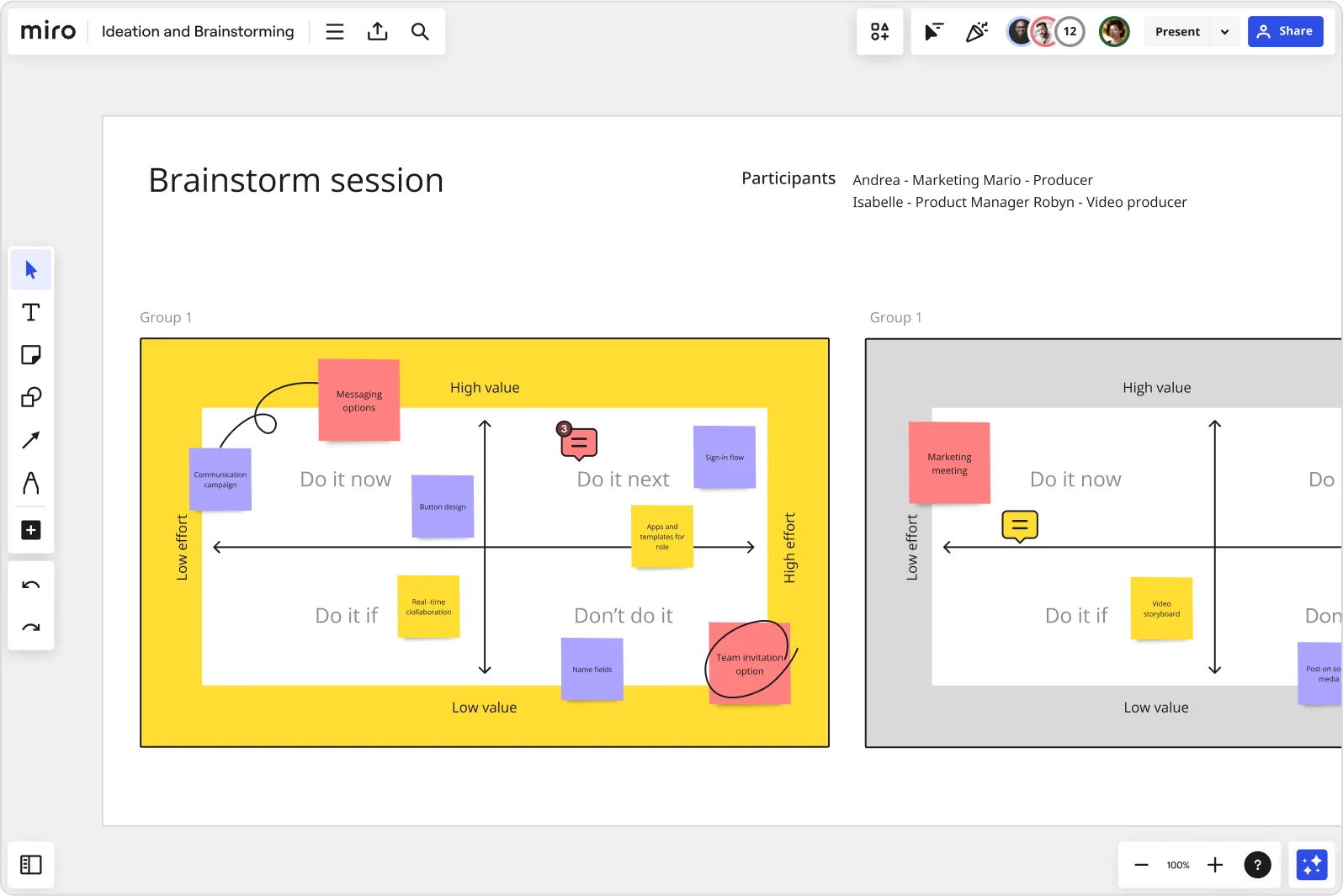
    Miro brainstorm session board displaying an impact-effort matrix divided into four quadrants (Do it now, Do it next, Do it if, Don't do it) populated with color-coded sticky notes for features like messaging options, sign-in flow, button design, and team invitation option, with two group views visible side by side.
  • Run parallel ideation across art, narrative, and systems design

    When your art direction, systems design, and narrative teams need to brainstorm in the same session without stepping on each other, one shared canvas gets chaotic fast. Breakout Frames split the group into dedicated working areas so each discipline ideates in parallel, then merges results back into one board. Whether you're coordinating three people or thirty across three time zones, everyone contributes equally.

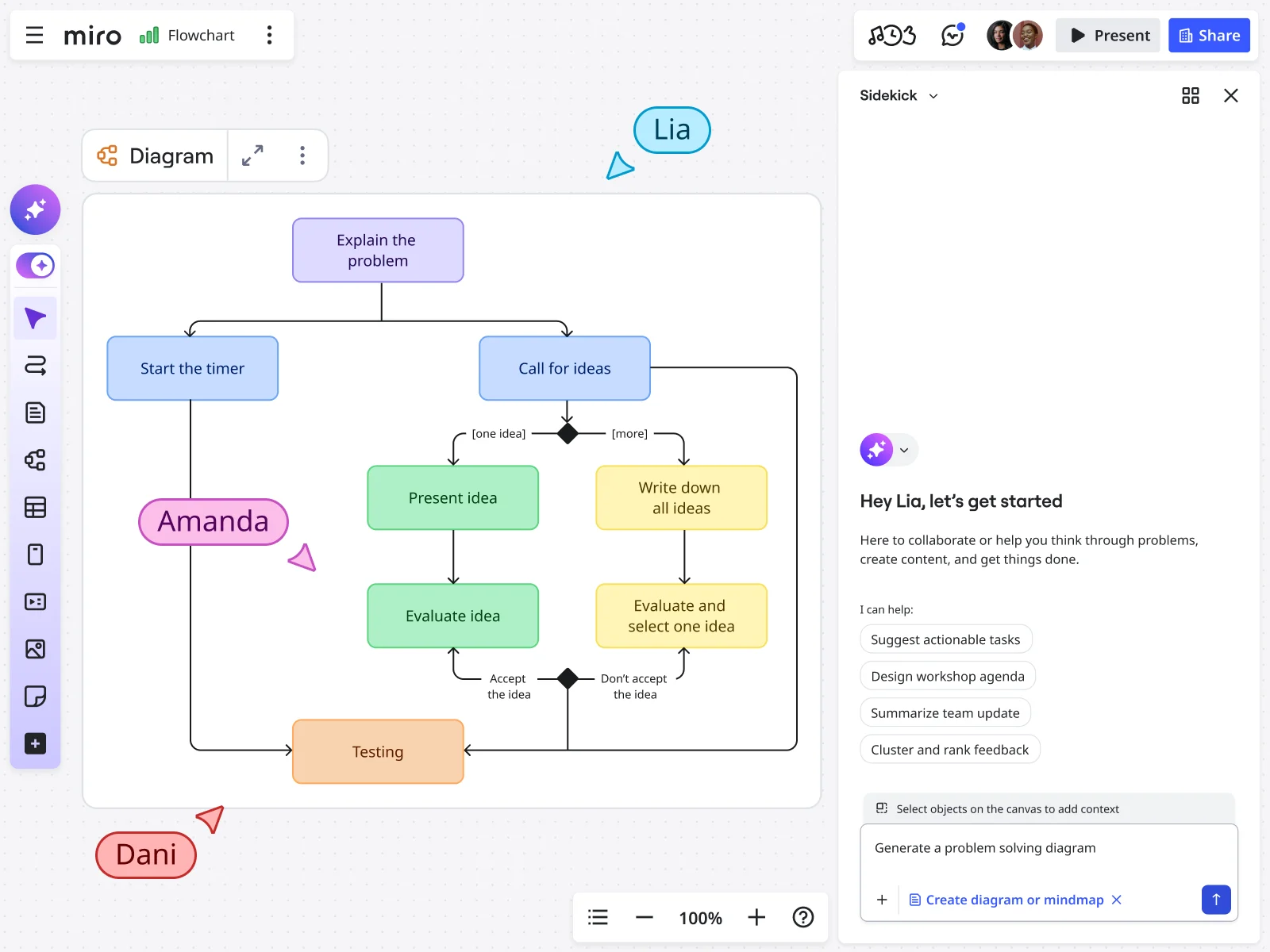
    Miro board showing a collaborative problem-solving flowchart with colored decision nodes, process steps (including 'Explain the problem', 'Call for ideas', 'Present idea', 'Evaluate idea', and 'Testing'), alongside the AI Sidekick panel on the right with a 'Generate a problem solving diagram' prompt and three collaborators (Lia, Amanda, Dani) visible on the canvas.
  • Your pitch deck, ready before the publisher meeting

    After clustering and voting, most design leads still face the same manual grind: rebuilding brainstorm output into a presentable pitch document from scratch. Miro's AI Flows take your raw ideation output, run it through theme clustering and quality scoring, and generate a structured concept brief - with a human-review gate before anything gets shared. Connect your pitch board to Confluence or Notion via /miro so your game design wiki stays live.

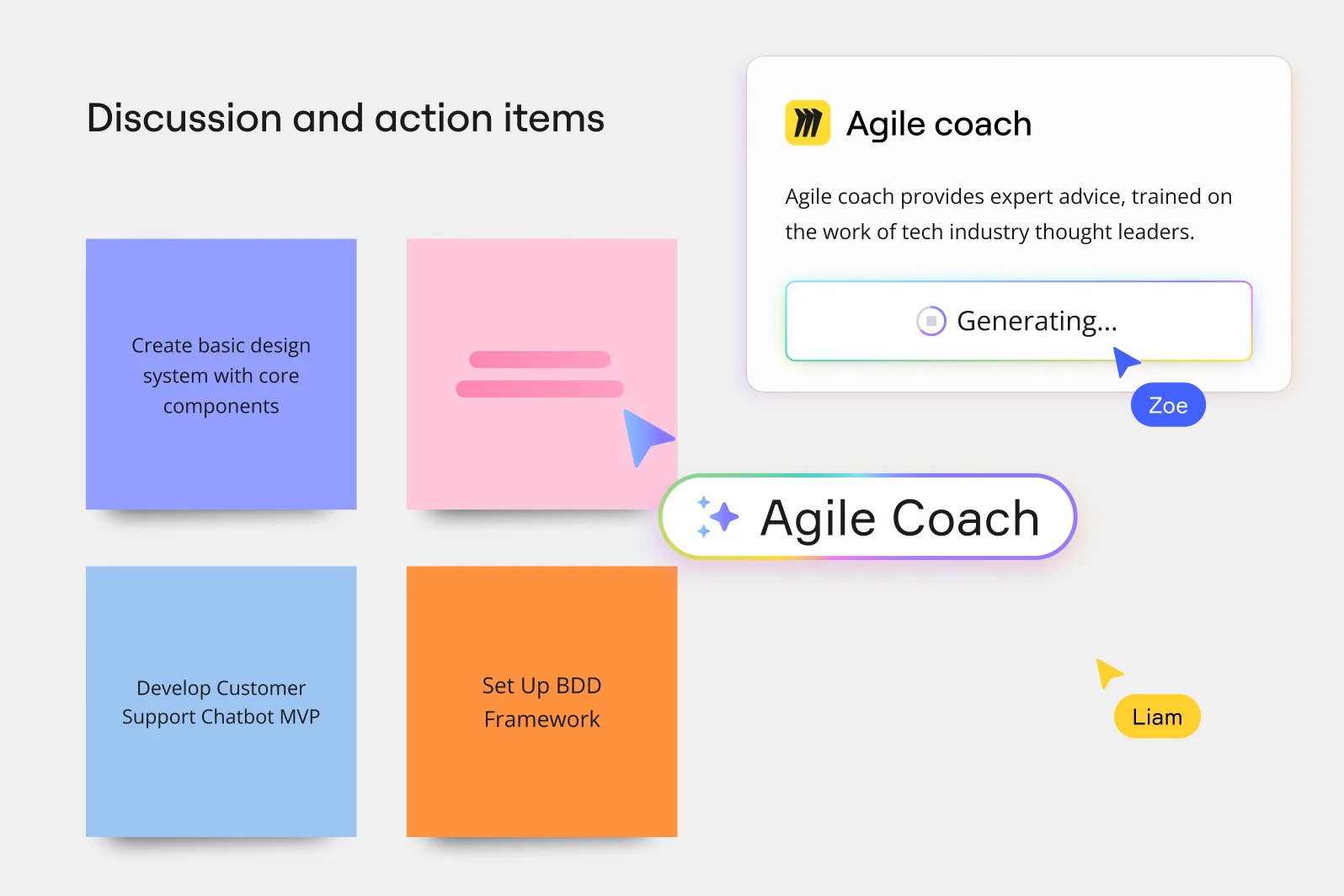
    Miro board showing a 'Discussion and action items' section with four colored sticky notes (Create basic design system with core components, Develop Customer Support Chatbot MVP, Set Up BDD Framework, and one blank pink note), alongside an AI-powered Agile Coach popup panel that is generating advice, with two collaborator cursors labeled Zoe and Liam visible.
  • Stop rebuilding your ideation board before every sprint

    A solo game designer prepping a weekly sprint and a studio running quarterly concept reviews both hit the same wall: starting from scratch every session. The Template Library ships ready-to-use structures for brainwriting, reverse brainstorming, and SCAMPER - drop one in, click the Workshop Planner Sidekick shortcut, and your agenda is generated before the team joins. Custom Templates let you save your best session layouts and reuse them across projects.

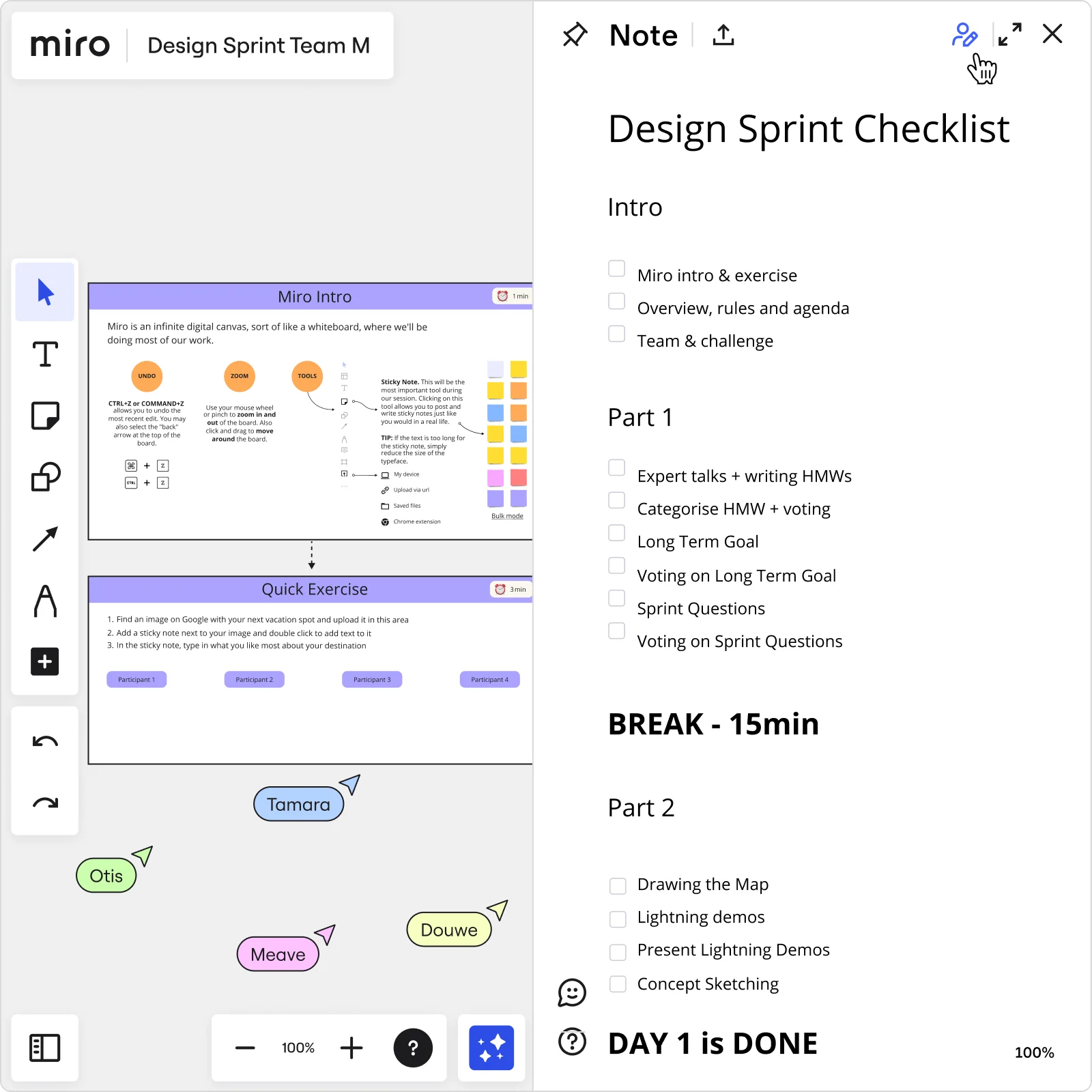
    Miro board showing a Design Sprint workspace with a 'Miro Intro' tutorial slide and 'Quick Exercise' panel on the left, alongside a structured Day 1 checklist note panel on the right listing tasks including HMW exercises, voting, long-term goal setting, sprint questions, lightning demos, and concept sketching, with four participant cursors visible on the board.

How game designers get started with Brainstorming in Miro

  • Frame the design challenge first

    Open a brainstorm board from the Template Library and pin your problem statement in a dedicated Frame at the top - whether it's "this core loop feels flat in playtesting" or "this mechanic needs a stronger retention hook before the GDD review."

  • Generate and capture mechanic ideas fast

    Set a Timer for a focused 5–7 minute ideation round, use Bulk Mode on Sticky Notes to pour out mechanic candidates one per line, then fire AI Generate Sticky Notes with a prompt like "retention hooks for a progression system" to seed ideas your designers might not reach on their own.

  • Cluster ideas by mechanic theme

    Run Clustering to automatically group stickies around shared concepts - player agency, difficulty curves, feedback loops - so the messy wall of raw ideas becomes a ranked shortlist your creative director can actually respond to.

  • Lock in owners before you leave the board

    Use Dot Voting to pressure-test which mechanic candidates survive (limit to 3–5 votes so the team commits, not hedges), then assign owners directly on the board so every idea that made the cut immediately maps to animation, audio, or engineering scope.

Brainstorming tips for game designers

  • Color-code your stickies by discipline before the session - mechanics in one color, UX/onboarding friction in another, monetization hooks in a third - so Clustering sorts them into crisp groups instead of one undifferentiated pile your lead programmer will ignore.

  • Use Breakout Frames when your cross-discipline group exceeds eight people: split design, engineering, and narrative into parallel rooms, let each generate mechanic candidates independently, then merge for a combined Dot Voting round - you'll get more ideas per person and fewer dominant voices flattening the shortlist.

  • After voting, run AI Generate Mind Map on your top-ranked mechanic to map moment-to-moment versus session-level engagement branches - it's the fastest way to spot depth gaps before anyone commits to grayboxing.

Understand how game designers transform their work

  • A great collaborative brainstorming tool

    Verified User

    G2
  • Collaborative brainstorming tool for research and development teams

    Verified User

    G2

Brainstorming essential guide for game designers

CategoryKey insights
  • Common mistakes to avoid

    Jumping straight into mechanic ideation without a warm-up is a fast track to a room where only the loudest designers speak and introverts stay quiet - use a short icebreaker to get everyone writing before the real concepts hit the canvas. Lock your board objects before the session starts, and use time-boxed rounds with Timer so your brainstorm doesn't bleed past the 60-minute mark right before a milestone review. On larger teams, cap votes during Dot Voting so your shortlist actually looks like a shortlist and not a popularity contest with no clear winners.

  • Key integrations for game designers

    Confluence and Jira are the backbone here: Confluence keeps the GDD alive and connected to your brainstorm output, while Jira turns your top-ranked mechanic candidates into sprint tasks before the creative director changes their mind. Slack and Zoom let distributed designers jump in asynchronously or live, which matters when your team spans time zones and has a ship date that won't negotiate.

  • When to use it

    Reach for Miro Brainstorming when a core loop feels flat after playtesting and you need to move fast: a structured session with Brainwriting templates, Breakout Frames, and Clustering can take a team from blank canvas to a ranked mechanic shortlist in under two hours. It's also the right call when your design crew is split across locations and you need async contribution windows so remote designers can add ideas before the live prioritization round. If your studio ran a physical card-sorting session for rapid mechanic prototyping, use Sticky Note Capture to digitize and share the output with leads who weren't in the room.

  • Security & Compliance

    Game studios handling pre-release IP and unreleased mechanic concepts need real access control. Miro's SOC2 Type II certification and granular sharing permissions mean sensitive GDD material and mechanic pitches stay inside the right walls, whether you're an indie team or publishing under a major label. Enterprise studios can add data residency controls and admin-level governance, so even when a publisher or executive producer needs to review a board, you decide exactly what they can see and touch.

Frequently asked questions for game designers

Last updated: Monday, September 14, 2026