




Brainstorming for UX designers

Turn your next design sprint into real decisions. Run structured ideation, cluster themes, and walk away with a concept brief - not a board full of orphaned stickies.

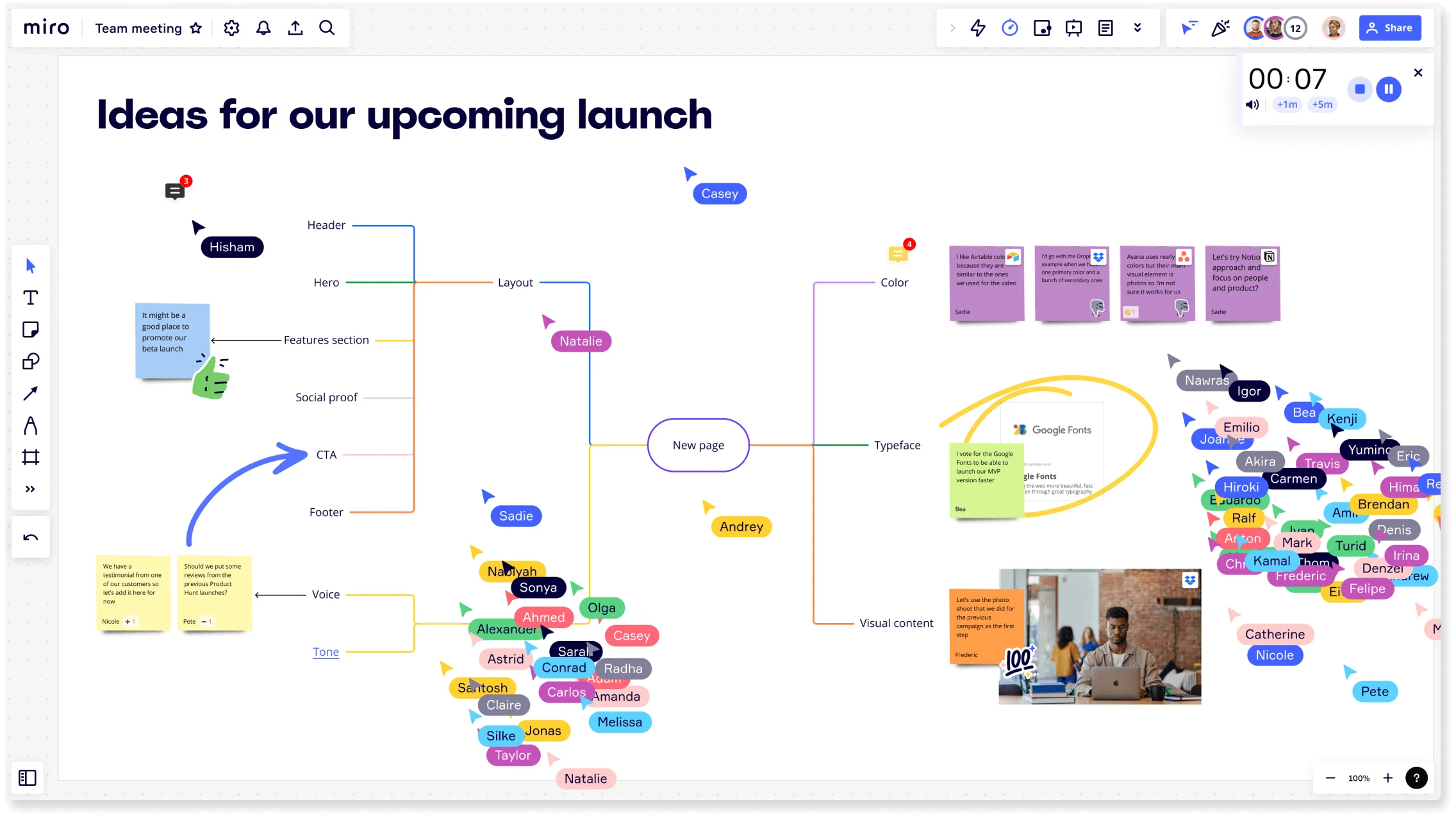
Miro board titled 'Ideas for our upcoming launch' showing a collaborative brainstorming session with a central mind map branching into Layout, Color, Typeface, Visual Content, Voice, and Tone nodes, multiple colored collaborator cursors with name tags, sticky notes, an embedded Google Fonts card, a photo, a timer widget, and a crowd of participant avatars on the right side.

What experts say

  • Need a bunch of ideas? Build some prototypes and mess around – ideation doesn’t only happen on sticky notes.

    Belina Raffy

    Service Designer · This is Service Design Doing (TISDD)

    Practitioner
  • Thanks to personas, designers are able to work in a more mindful way by keeping the real user at the heart of everything they do.

    Adobe UX Team.

    UX Design Experts · Adobe.

    Practitioner

The research on brainstorming

  • 55%

    Digital mood boards boosted collaborative ideation fluency by 55% via augmented reality overlays in early-stage design (n=24 designers)

    Source: Aalto University

  • 80%

    Meta-analysis of 20+ papers found that 80% of studies reported user personas reduced feature debates within design and product teams

    Source: UX Planet

See brainstorming in action

Related templates for UX designers

We have 193 templates in our library for Brainstorming.

Why UX designers love brainstorming in Miro

  • From scattered hmw notes to a structured concept brief

    You've run the design sprint, filled the board with How-Might-We prompts, and now you're staring at 200 sticky notes with no clear path forward. Miro's AI automatically groups related notes into labeled, movable clusters - surfacing themes across your wireframe assumptions, user pain points, and interaction ideas without a single manual sort. Small studios finish in one session. Larger research and design operations teams do it across three time zones.

    Miro board split view showing colorful brainstorming sticky notes on the left (blue, pink, yellow) alongside an AI-powered document generation panel on the right, with a 'Generate product brief' button and Miro AI label actively generating content from the brainstorm.
  • Stop starting your design crit from a blank board

    Every facilitator knows the dread of opening a fresh board five minutes before a crit. Miro seeds your session with AI-generated starter concepts from a single prompt - give it your design challenge, and it populates the canvas with ideas your team can react to, challenge, or build on immediately. Whether you're a solo consultant or running a design system program across a 400-person product org, you're not staring at nothing.

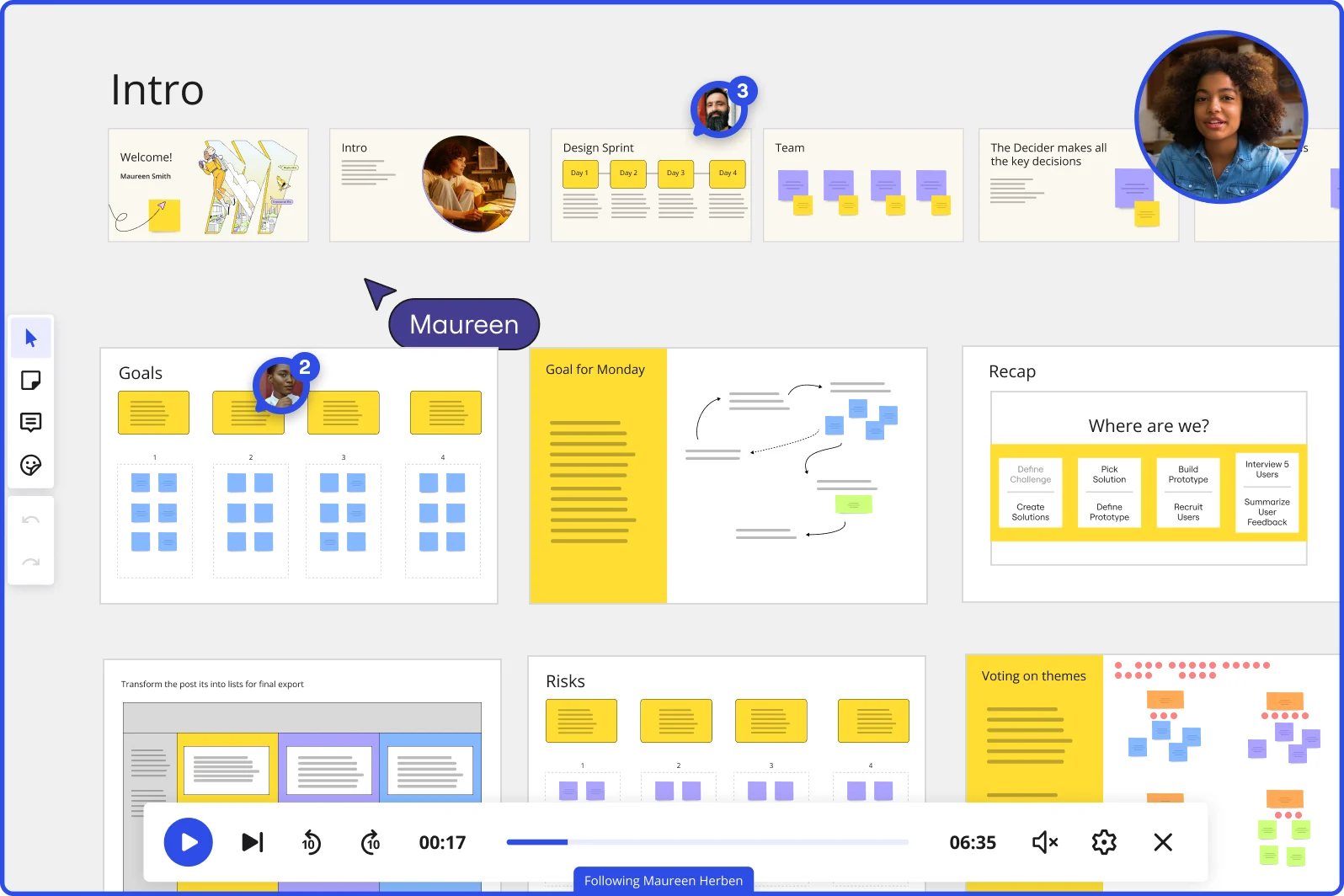
    Miro board showing a Design Sprint presentation in facilitation mode, with slide thumbnails across the top (Welcome, Intro, Design Sprint days, Team, Decider), and active frames including Goals with yellow sticky notes, Goal for Monday with a flow diagram, Recap with a 'Where are we?' process tracker, Risks section, and Voting on themes — with a video player bar at the bottom showing 'Following Maureen Herben' and two visible participant avatars.
  • When your Figma handoff produces more questions than answers

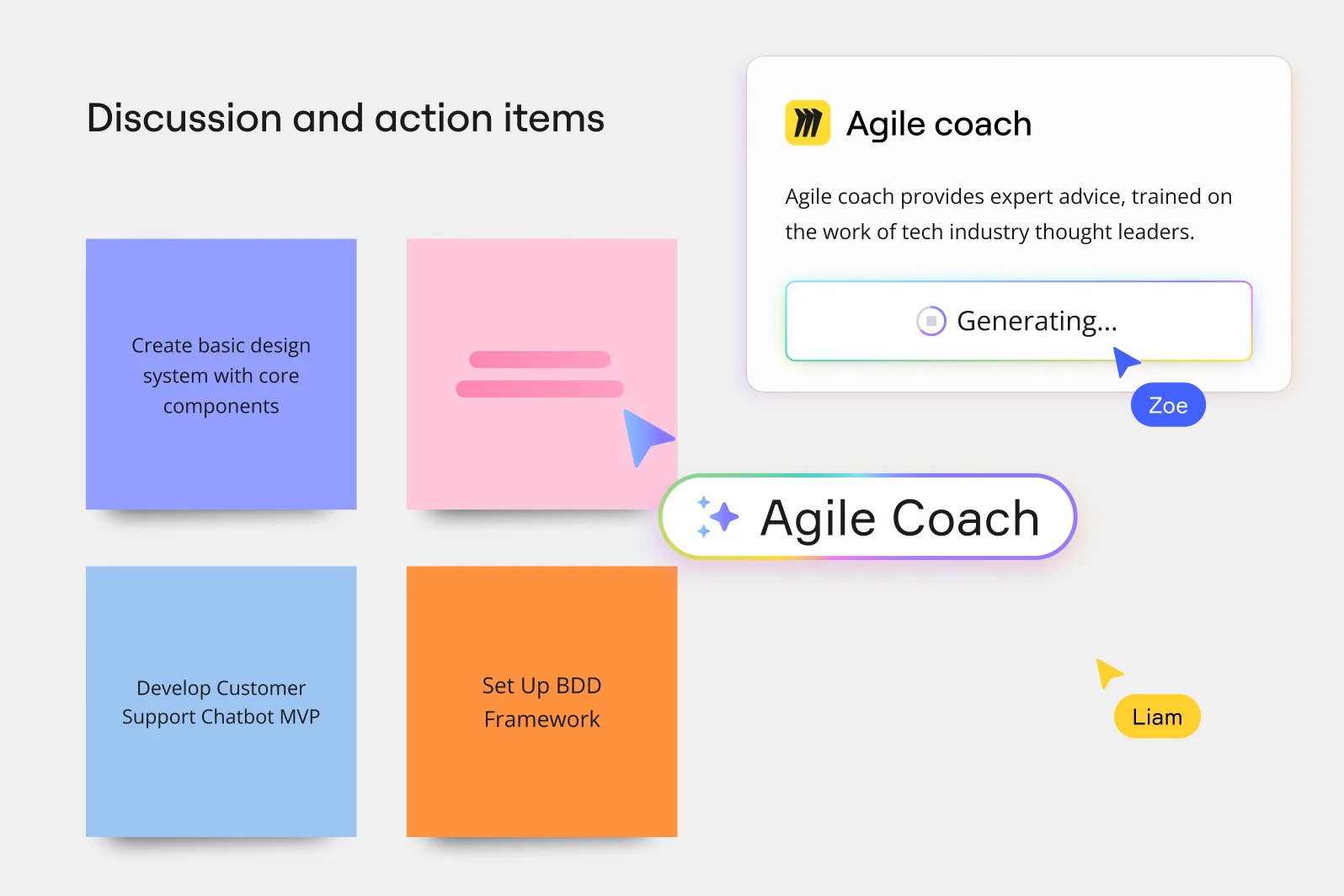
    Design-to-dev handoffs generate feedback loops that live in scattered Slack threads, comment chains in Figma, and half-finished Confluence docs. Use Breakout Frames to split your design leads, front-end engineers, and product managers into focused working groups - each with their own canvas area - then merge the results before the standup ends. One board, no email chains.

    Miro board showing a 'Discussion and action items' section with four colored sticky notes (Create basic design system with core components, Develop Customer Support Chatbot MVP, Set Up BDD Framework, and one blank pink note), alongside an AI-powered Agile Coach popup panel that is generating advice, with two collaborator cursors labeled Zoe and Liam visible.
  • Your research synthesis, ready before the readout

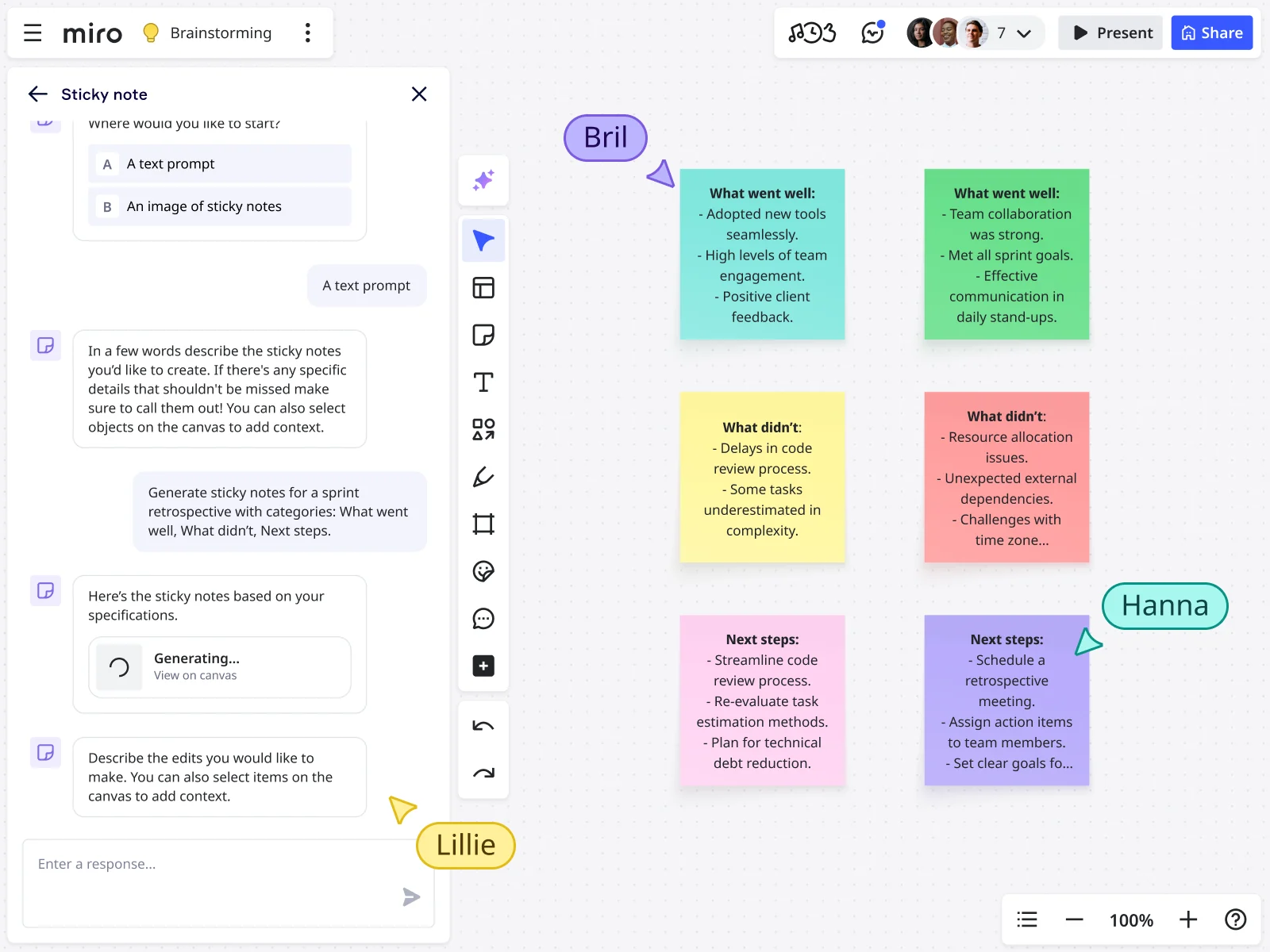
    After a discovery sprint, the gap between raw interview notes and a clean Research Synthesis doc kills momentum. Drop your clustered sticky notes and prioritized idea shortlist directly into a Miro Doc, use inline AI actions to rewrite a top insight for a leadership audience, then export to Markdown for the team wiki or PDF for the exec pack. Solo practitioners get a polished artifact in minutes. Enterprise design operations teams get a repeatable, templatized output every sprint.

    Miro board displaying an AI-generated sprint retrospective with six color-coded sticky notes organized in a 2x3 grid covering 'What went well,' 'What didn't,' and 'Next steps' categories, alongside an open AI chat panel on the left where a user prompted the generation using a text description, with three collaborator cursors (Bril, Hanna, Lillie) visible on the canvas.
  • Are design votes still going to the loudest voice in the room?

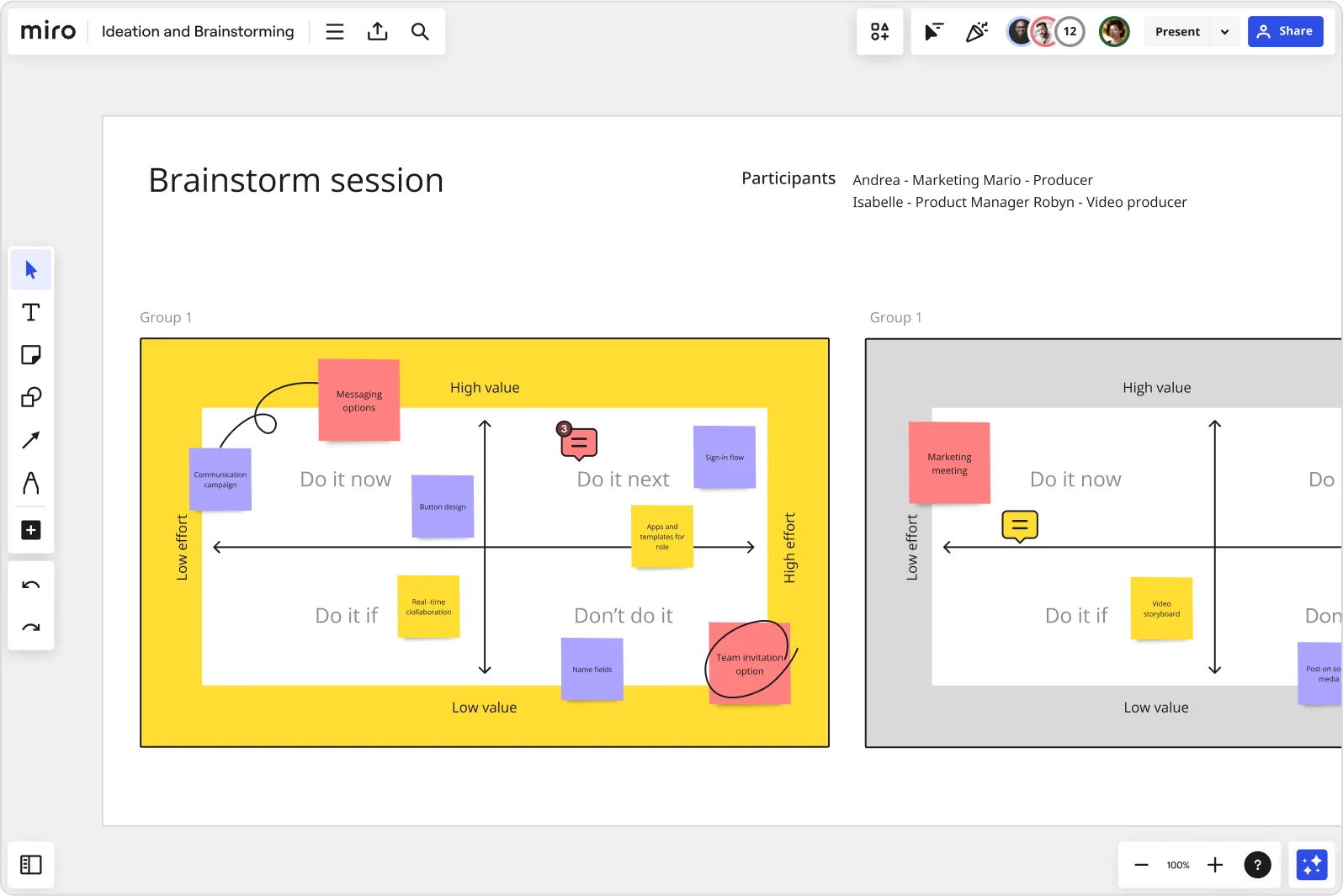
    When senior stakeholders or vocal leads anchor the discussion, quieter designers and junior researchers self-censor - and your concept selection reflects hierarchy, not quality. Miro's anonymous voting lets every contributor cast their picks simultaneously, while the Alignment Scale captures preference intensity across your full design team. Run it async for distributed squads, or live during a design crit.

    Miro brainstorm session board displaying an impact-effort matrix divided into four quadrants (Do it now, Do it next, Do it if, Don't do it) populated with color-coded sticky notes for features like messaging options, sign-in flow, button design, and team invitation option, with two group views visible side by side.

How UX designers get started with Brainstorming in Miro

  • Frame your discovery problem on the board

    Open the Product Brief Brainstorm Intelligent Template and drop your research synthesis artifacts - interview themes, affinity map snapshots, the conflicting user needs from your last discovery sprint - into a dedicated Frame at the top so every collaborator (PM, engineering lead, or fellow designer) enters the session anchored to the actual design problem, not a paraphrased version of it.

  • Run parallel ideation across interaction directions

    Use Bulk Mode with color-coded Sticky Notes (one color per interaction direction you're exploring) and set a Timer for six-minute focused rounds, so you and your cross-functional collaborators are generating flows, patterns, and edge-case considerations simultaneously rather than watching one person think out loud.

  • Cluster ideas into concept territories

    Once the board fills up, trigger AI Clustering to automatically group sticky notes by theme, revealing which mental models and interaction patterns are genuinely distinct directions versus variations on the same concept - so you go into your design review with three meaningfully different wireframe territories, not three flavors of your first instinct.

  • Lock in direction with a bias-free vote

    Run Dot Voting with anonymous mode on so engineering constraints and PM anchoring don't collapse the vote before it happens, then use an Alignment Scale widget to get a temperature check on creative confidence across each direction before you commit to opening that new Figma file.

Brainstorming tips for UX designers

  • If engineers start flagging technical constraints mid-session, drop a Breakout Frame for design-only ideation first, then merge back - it protects divergence time before convergence pressure sets in.

  • After voting, use Miro AI to generate a structured summary from your top-voted sticky notes and export it as a Miro Doc, so your concept exploration deck writes itself rather than becoming a separate two-hour task before the design review.

  • Use AI Generate Mind Map from your clustered opportunity areas to stress-test information architecture assumptions - expanding a branch with "Expand with Questions" surfaces edge cases and gaps your discovery sprint may have missed before you commit to low-fidelity wireframe directions.

Understand how UX designers transform their work

  • Best templates for workshops and brainstorming sessions within UX/product teams

    Manager in Other at Gambling & Casinos

    TrustRadius
    TrustRadius
    Verified user
    Read review
  • Great ideation and brainstorming tool

    Team Lead in Professional Services at Information Technology & Services

    TrustRadius
    TrustRadius
    Verified user
    Read review

Brainstorming essential guide for UX designers

CategoryKey insights
  • Common mistakes to avoid

    Jumping straight into ideation without a warm-up is the fastest way to get a half-empty canvas and radio silence from the designers on your team who do their best thinking when they're not put on the spot. Lock your board objects before the session starts so nobody accidentally drags your carefully prepped frames into chaos, and use time-boxed rounds with Timer to keep energy high rather than letting the session drift past the point where good ideas are still flowing. For small teams and large orgs alike, always close with Clustering and Dot Voting so you walk away with three real directions to sketch, not a graveyard of sticky notes that no one reviews before the next sprint.

  • Key integrations for UX designers

    Jira and Confluence are the ones that matter most here: Jira keeps your brainstorm output connected to the sprint backlog so concepts don't die in a document, while Confluence lets you embed your Miro board directly into the research artifact where your interview notes and affinity maps already live. Zoom and Slack round out the live session and async handoff, so whether you're running a cross-functional critique with engineering and PM or sharing a read-only board for async feedback, the context travels with you.

  • When to use it

    Use this when discovery has surfaced competing user needs and you need to show stakeholders that you genuinely explored more than one interaction direction before converging on a solution. It's the right move when you're mid-sprint, the roadmap deadline is already set, and you need to get from research synthesis to three low-fidelity concept directions fast enough to open a new Figma file the same afternoon. It also works well when engineers and PMs are in the room and you need structure, think brainwriting rounds with Timer and Breakout Frames, to manage divergence before anyone anchors too early on a single concept.

  • Security & compliance

    Miro is SOC 2 Type II certified and supports data residency controls, which matters when your design work involves unreleased product concepts or sensitive user research that can't live on a public board. Private Mode keeps individual ideas confidential during ideation so your team can contribute honestly before the group sees results, which is especially useful in cross-functional sessions where PMs and engineers are in the room. Larger organizations get granular sharing permissions and admin controls so design leads can govern who accesses boards across the org without locking down the creative process.

Frequently asked questions for UX designers

Last updated: Friday, September 04, 2026