





Brainstorming for event planners

Turn chaotic venue kick-offs into structured event concepts. Capture every idea, cluster by theme, and walk away with a real brief.

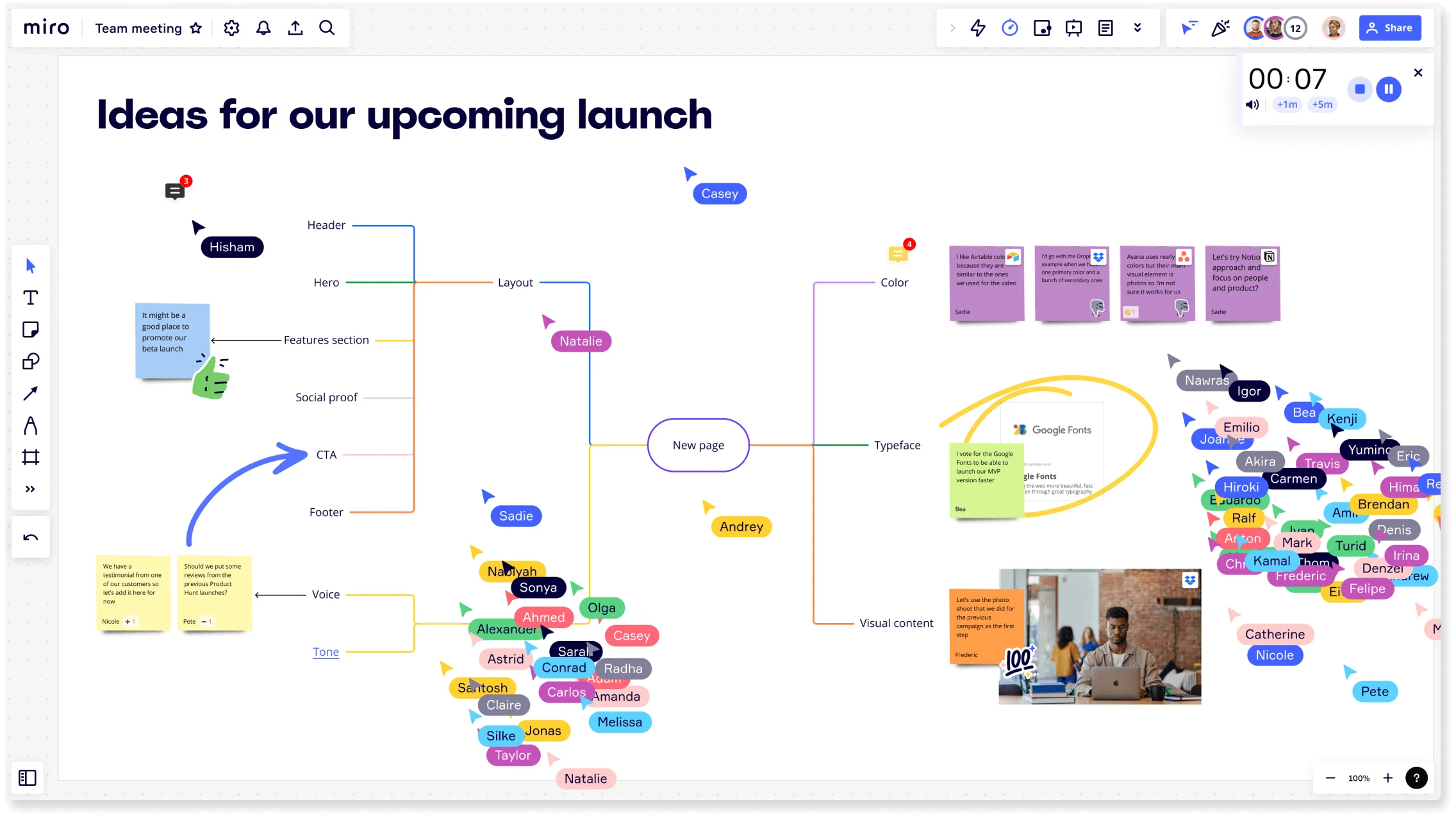
Miro board titled 'Ideas for our upcoming launch' showing a collaborative brainstorming session with a central mind map branching into Layout, Color, Typeface, Visual Content, Voice, and Tone nodes, multiple colored collaborator cursors with name tags, sticky notes, an embedded Google Fonts card, a photo, a timer widget, and a crowd of participant avatars on the right side.

The research on brainstorming

  • 37%

    In one study at a tech company, teams using a brainwriting approach generated 37% more ideas than those who first worked alone, and an asynchronous brainwriting variant produced 71% higher idea rate than a traditional group session.

    Source: Leadership IQ (citing Yale study and meta-analysis by Paulus et al.)

  • 165 participants

    In a five-minute brainstorming task with 165 experienced participants, continued brainstorming led to more creative ideas.

    Source: Kellogg Insight (Northwestern University)

See brainstorming in action

Related templates for event planners

We have 193 templates in our library for Brainstorming.

Why event planners love brainstorming in Miro

  • From blank canvas to event brief in one session

    You've got a new client, a budget, and a deadline - but the kick-off call produces 40 different ideas with no clear direction. Drop everyone's concepts onto Miro's infinite canvas using sticky notes, then let AI automatically group them into themes like venue type, audience experience, and production requirements. Whether your planning team is three people or thirty, you walk out with a structured brief, not a mess of notes.
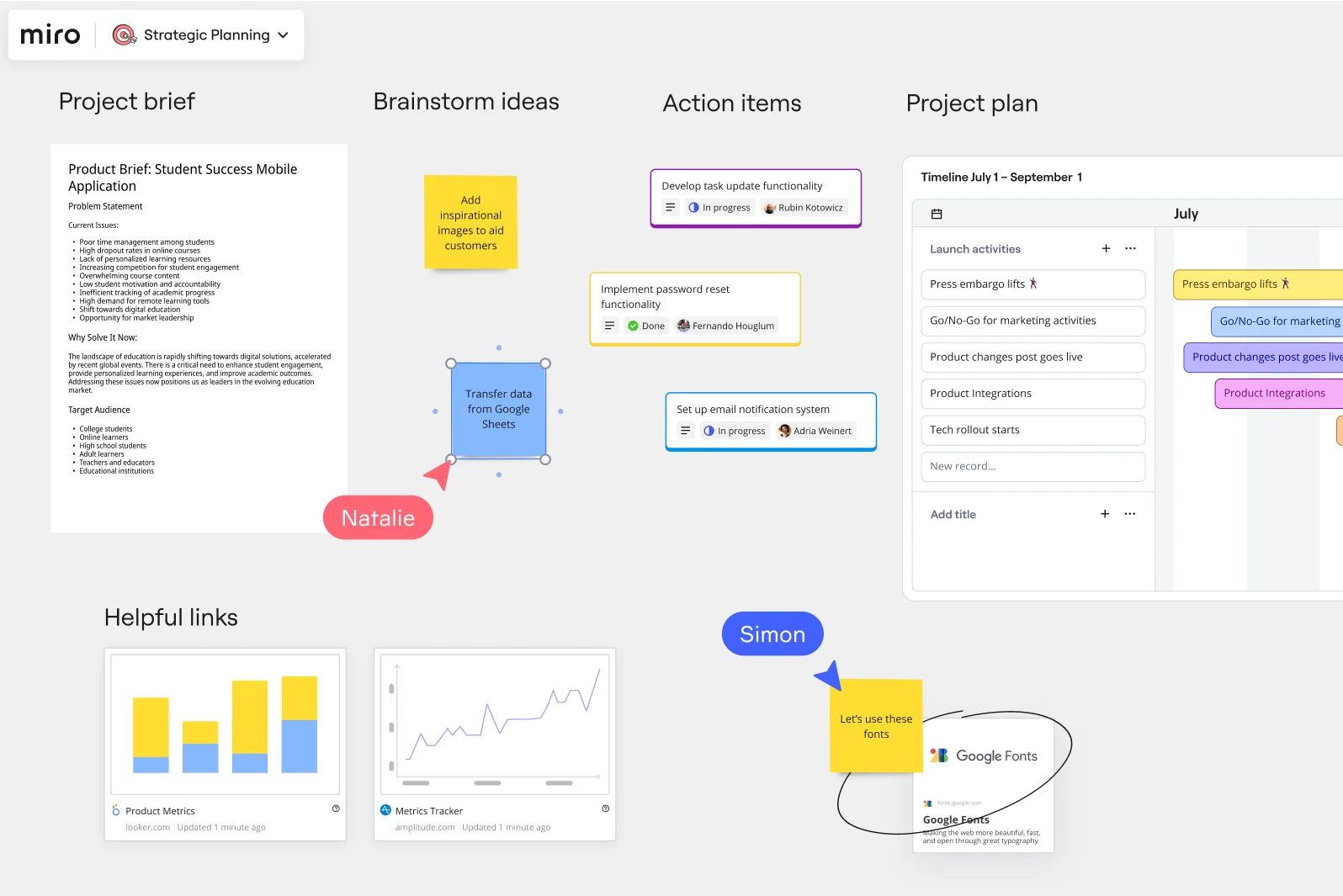
    Miro Strategic Planning board showing four sections: a Product Brief document for a Student Success Mobile Application, a Brainstorm ideas area with sticky notes and a collaborator cursor (Natalie), an Action Items list with task statuses (in progress/done) assigned to team members, and a Project Plan Gantt-style timeline from July 1–September 1 with launch activities.
  • Stop losing momentum between the ideation call and vendor outreach

    After a creative brainstorm, the real work usually stalls because nobody's sure which ideas actually made the cut. Use Miro's voting tools to let your vendors, internal coordinators, and client contacts prioritize concepts anonymously - no HiPPO effect, no hours of follow-up emails. Your shortlist is ready before the next call.

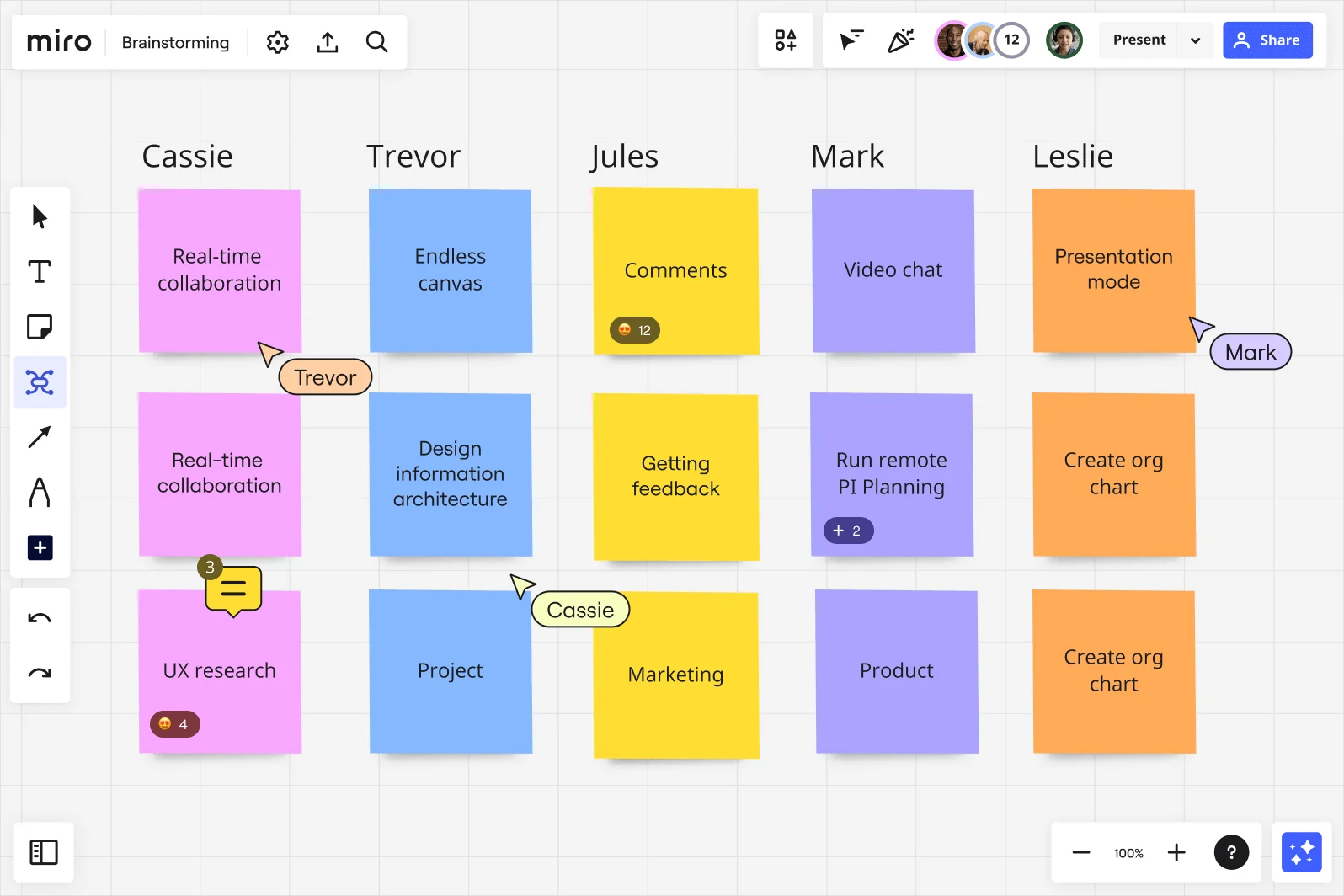
    Miro brainstorming board showing a multi-column layout with five named participant columns (Cassie, Trevor, Jules, Mark, Leslie), each containing colorful sticky notes in pink, blue, yellow, purple, and orange, with ideas including Real-time collaboration, Endless canvas, Comments, Video chat, and Presentation mode, along with visible collaboration features like emoji reactions, comment counts, and live cursors with participant names.
  • Run-of-show planning across AV, catering, and production without the thread

    Building a production schedule across AV suppliers, catering leads, and on-site coordinators usually means a chain of emails and a shared doc nobody trusts. Map each workstream in parallel using Breakout Frames, then merge into one consolidated run-of-show canvas that every supplier accesses live. Small boutique planners get speed. Large corporate event teams get one source of truth.

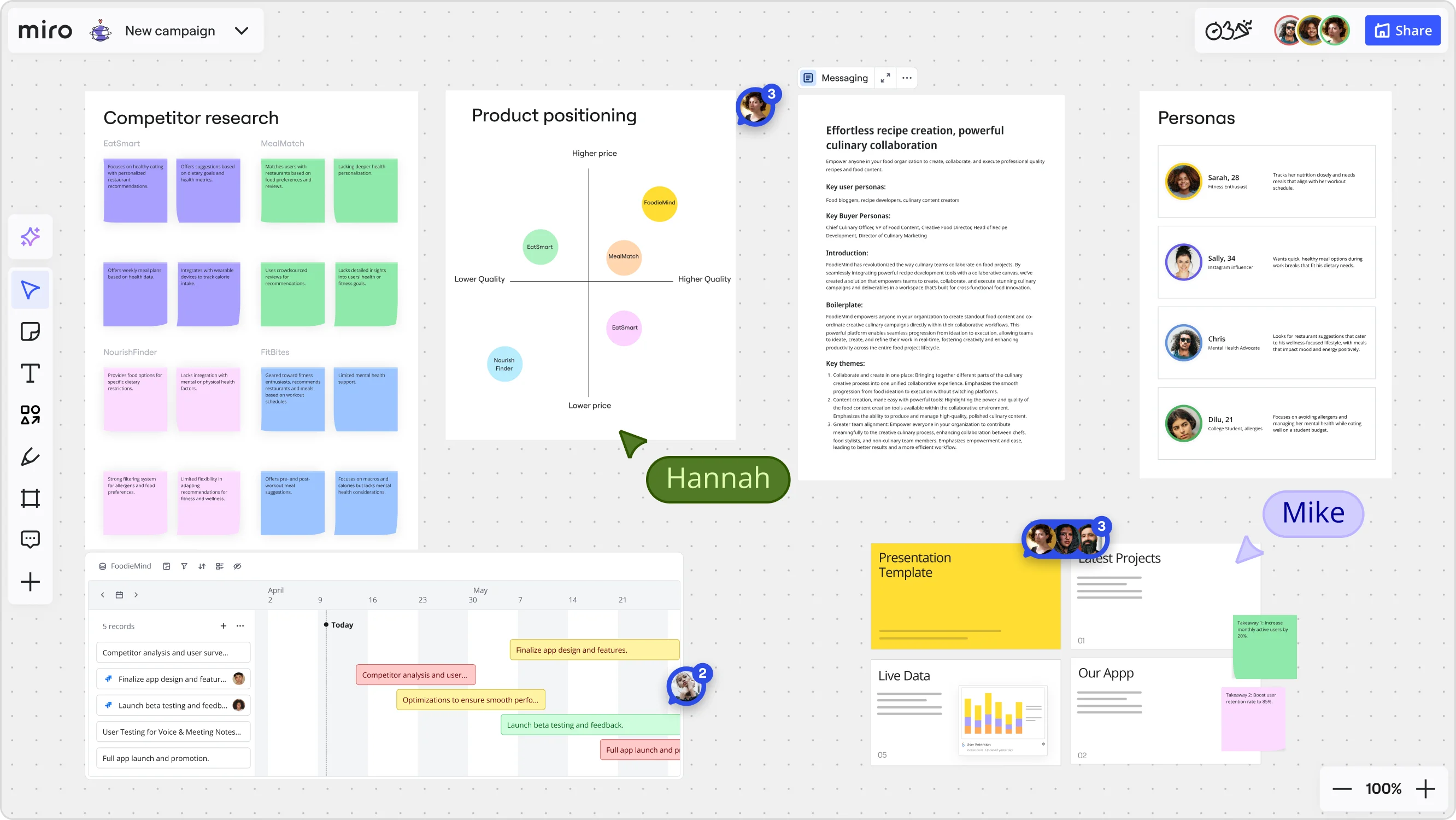
    Miro board for a 'FoodieMind' campaign featuring multiple frames including a competitor research grid with sticky notes, a product positioning matrix with competitor bubbles plotted on price/quality axes, a messaging document, a personas section with four user profiles, a Gantt-style timeline with project tasks, and a presentation template panel — with two collaborators (Hannah and Mike) visible via cursors.
  • When your client approval takes longer than the venue deposit deadline

    Clients who weren't in the brainstorm always have late-stage feedback. Share the Miro board directly - they join from any device via QR code, add comments on specific concepts, and respond on their timeline. No account needed, no follow-up calls just to collect a thumbs-up.

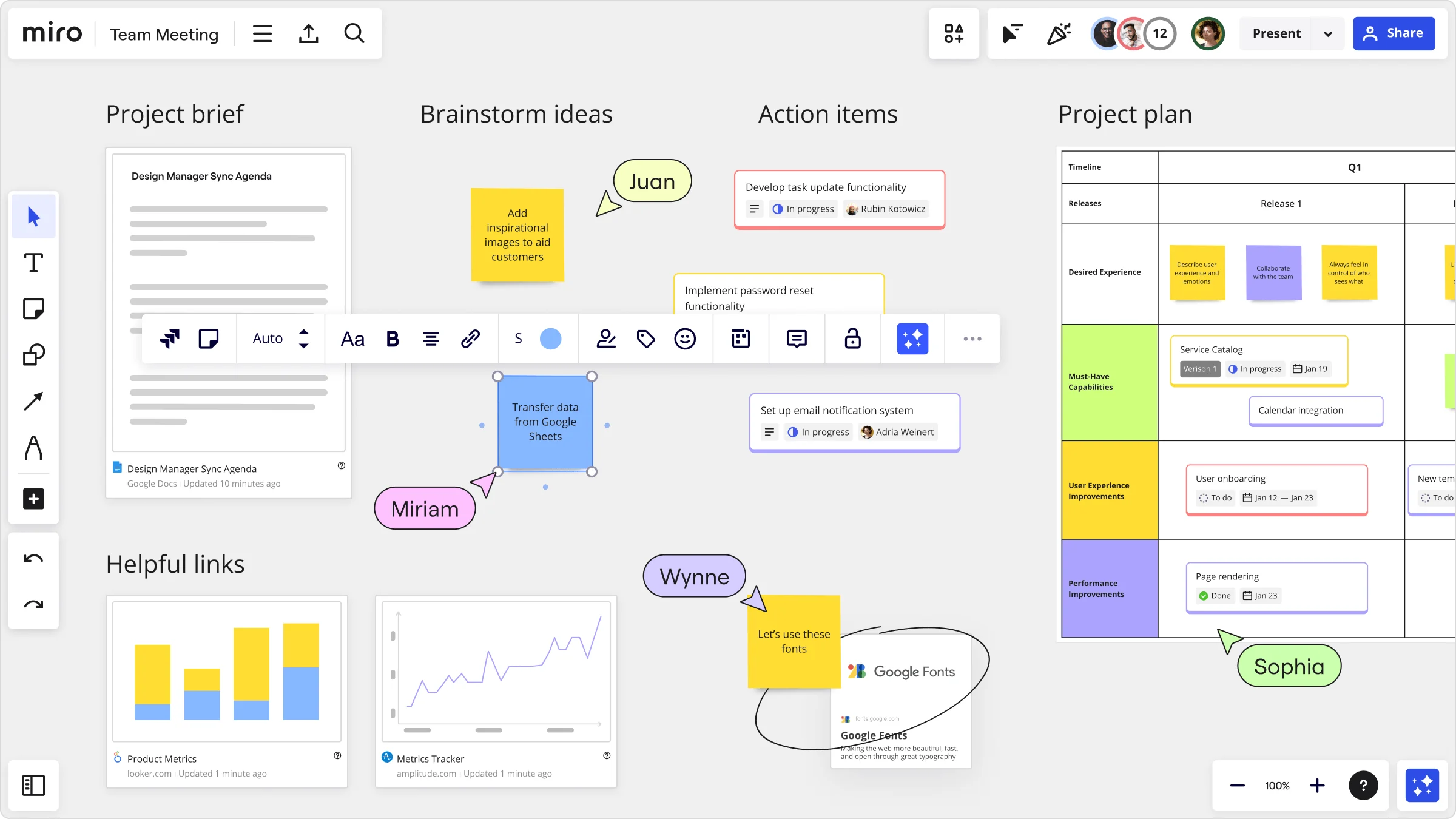
    Miro team meeting board showing four sections: a Project Brief with a Google Docs embed, a Brainstorm Ideas area with sticky notes and collaborator cursors (Juan, Miriam, Wynne, Sophia), an Action Items list with task cards showing assignees and in-progress statuses, and a Project Plan timeline grid with categorized capability rows and task cards.
  • Your post-event debrief, ready before the wrap dinner ends

    Capture real-time feedback from on-site staff and sponsor contacts using structured Miro Engage activities - ranking what worked, open-ended prompts for what didn't. AI clusters the responses into themes automatically. Whether you're a solo planner or running a 10-event annual program, the debrief summary exports to PDF or drops into Confluence before the caterers pack up.

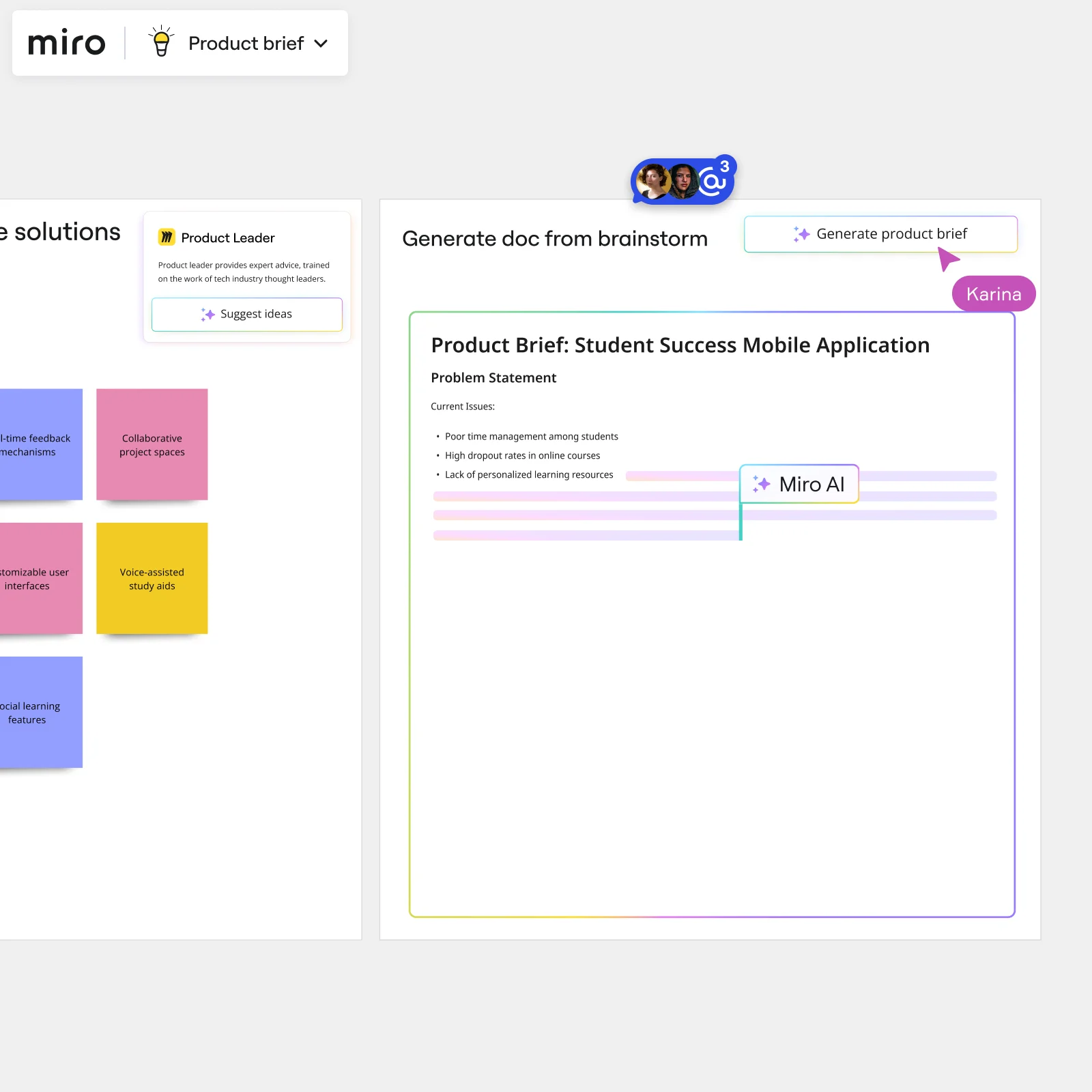
    Miro board showing AI-powered document generation from a brainstorming session, with a Product Leader AI sidekick panel on the left, colorful sticky notes listing solution ideas (collaborative project spaces, voice-assisted study aids, social learning features), and an AI-generated Product Brief document for a Student Success Mobile Application being created in real time by Miro AI.

How event planners get started with Brainstorming in Miro

  • Frame your concept board around the event brief

    Open a brainstorming template from the Template Library and set up dedicated Frames for each creative pillar - theme, attendee journey, activations, and F&B - so your internal team and client-side stakeholders are all orienting around the same brief structure from minute one.

  • Run a timed ideation sprint on the event concept

    Set the Timer to a 5-minute round and have creative leads, ops leads, and client stakeholders simultaneously drop ideas into Sticky Notes using Bulk Mode - one activation idea, one F&B moment, one sponsor touchpoint per line - so you capture every angle before opinions start to collapse around the loudest voice in the room.

  • Prioritize vendor and activation ideas before the deadline hits

    Use Dot Voting with a strict three-vote limit to force genuine choices on which activations, vendors, and guest-experience moments make the cut, then run a Word Cloud via Miro Engage (joinable by QR from any device) so remote client contacts weigh in on theme direction without needing a follow-up call.

  • Turn the brainstorm into a client-ready concept deck

    Drag your prioritized stickies and shortlisted ideas into a Miro Doc, use Doc-level AI actions to rewrite rough concepts in client-facing language, then export to PDF - or generate an AI Slides readout directly from your finalized Frames - so the concept deck goes to the client this week, not next.

Brainstorming tips for event planners

  • Before any session with client stakeholders, lock all board objects except sticky note areas so a marketing director who's never used Miro can't accidentally move your run-of-show frame mid-session.

  • Use Color Coding on sticky notes from the start: one color per event pillar (theme, F&B, AV/tech, guest journey) so when Clustering groups related ideas, you can instantly see which areas have creative depth and which are thin going into vendor lock-in week.

  • For large conferences with multiple sub-event tracks, use Breakout Frames to run simultaneous ideation on each track, then merge the strongest activation ideas into one master concept board before the client presentation.

Understand how event planners transform their work

  • Best tool for brainstorming and workshops across teams

    Verified User

    G2
  • The right tool to optimize every brainstorming meeting

    Verified User

    G2

Brainstorming essential guide for event planners

CategoryKey insights
  • Common mistakes to avoid

    Don't drop your creative and operations leads onto a blank canvas and expect ideas to flow. A quick warm-up and time-boxed ideation rounds keep the session tight, which matters when your client-side stakeholders have 45 minutes between calls and zero patience for meandering. The other big one: don't skip Clustering after ideation. A session that ends with 200 scattered sticky notes and no clear theme direction is a session that stalls your event concept deck before it even starts.

  • Key integrations for event planners

    Slack and Microsoft Teams connect directly to Miro, so the brief that landed in a chaotic thread can become a structured brainstorm without a separate tool-switching sprint. Zoom and Google Meet keep remote clients and executive assistants in the room for live sessions, while Confluence lets planners archive the final concept and run-of-show decisions somewhere the whole vendor team can find them.

  • When to use it

    Reach for Miro Brainstorming the moment a new client brief hits your inbox or a venue cancellation forces a concept rebuild under a hard deadline. It's built for exactly the mix you're managing: your internal creative and ops leads working alongside a marketing director who can give you one hour, tops. Set up Breakout Frames for parallel workstreams, run silent ideation rounds with Timer, then use Clustering and Dot Voting to surface your top theme direction before anyone's calendar blocks expire.

  • Security & Compliance

    Miro is SOC 2 Type II certified, which covers the baseline that most corporate clients and enterprise sponsors will ask about before sharing guest data or proprietary brand assets on a shared board. For larger organizations running confidential client pitches or sponsor negotiation sessions, Private Mode keeps ideas off-screen until the facilitator is ready, and granular sharing permissions mean a catering vendor only ever sees what you want them to see. Data residency controls are available for enterprise event teams operating across multiple regions or working with clients who have strict data-handling requirements.

Frequently asked questions for event planners

Last updated: Tuesday, September 29, 2026