





Brainstorming for corporate strategy offices

Turn your next strategic planning session into actual decisions. Run structured ideation, surface the strongest bets, and walk away with a clear direction.

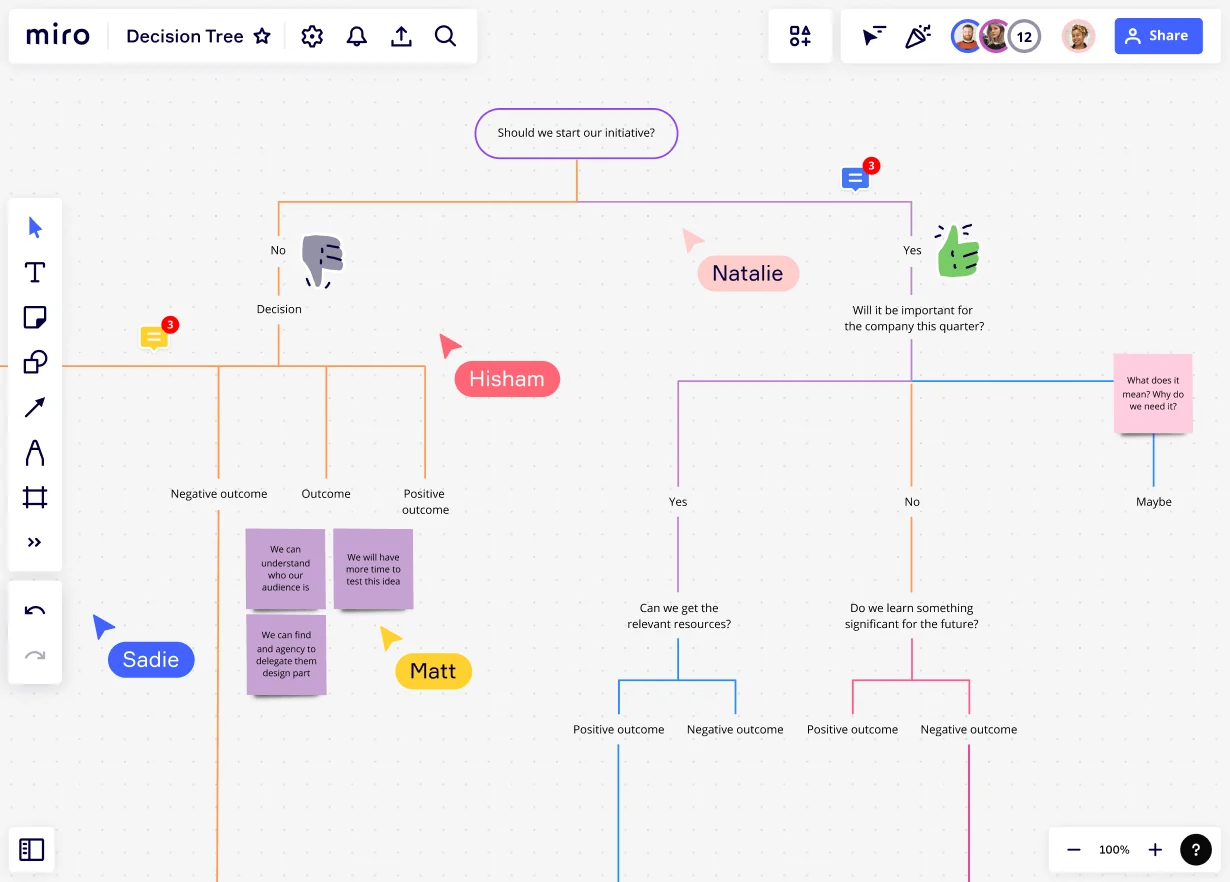
Miro board displaying a decision tree flowchart starting with 'Should we start our initiative?' branching into Yes/No paths exploring outcomes like 'Will it be important for the company this quarter?' and 'Can we get the relevant resources?', with multiple collaborator cursors (Natalie, Hisham, Sadie, Matt) and sticky notes showing reasoning like 'We can understand who our audience is' and 'We will have more time to test this idea'.

The research on brainstorming

  • Brainstorming creativity improved when groups worked cooperatively and criticism was interpreted constructively toward a shared objective.

    Source: MIT Sloan School of Management

  • Brainstorming can broaden exploration of possible solutions, increase idea quantity, and help participants build on each other's ideas.

    Source: University of Michigan

See brainstorming in action

Related templates for corporate strategy offices

We have 193 templates in our library for Brainstorming.

Why corporate strategy offices love brainstorming in Miro

  • From competing strategic priorities to one ranked shortlist

    Every QBR surfaces a dozen directions worth pursuing - and zero consensus on which ones to chase first. Run anonymous voting directly on your brainstorm board to let every voice in the room count, from the two-person strategy team at a startup to the fifteen-person corporate development group at a global enterprise. Miro's Alignment Scale and Dot Voting cut through the noise and surface your actual top three bets.
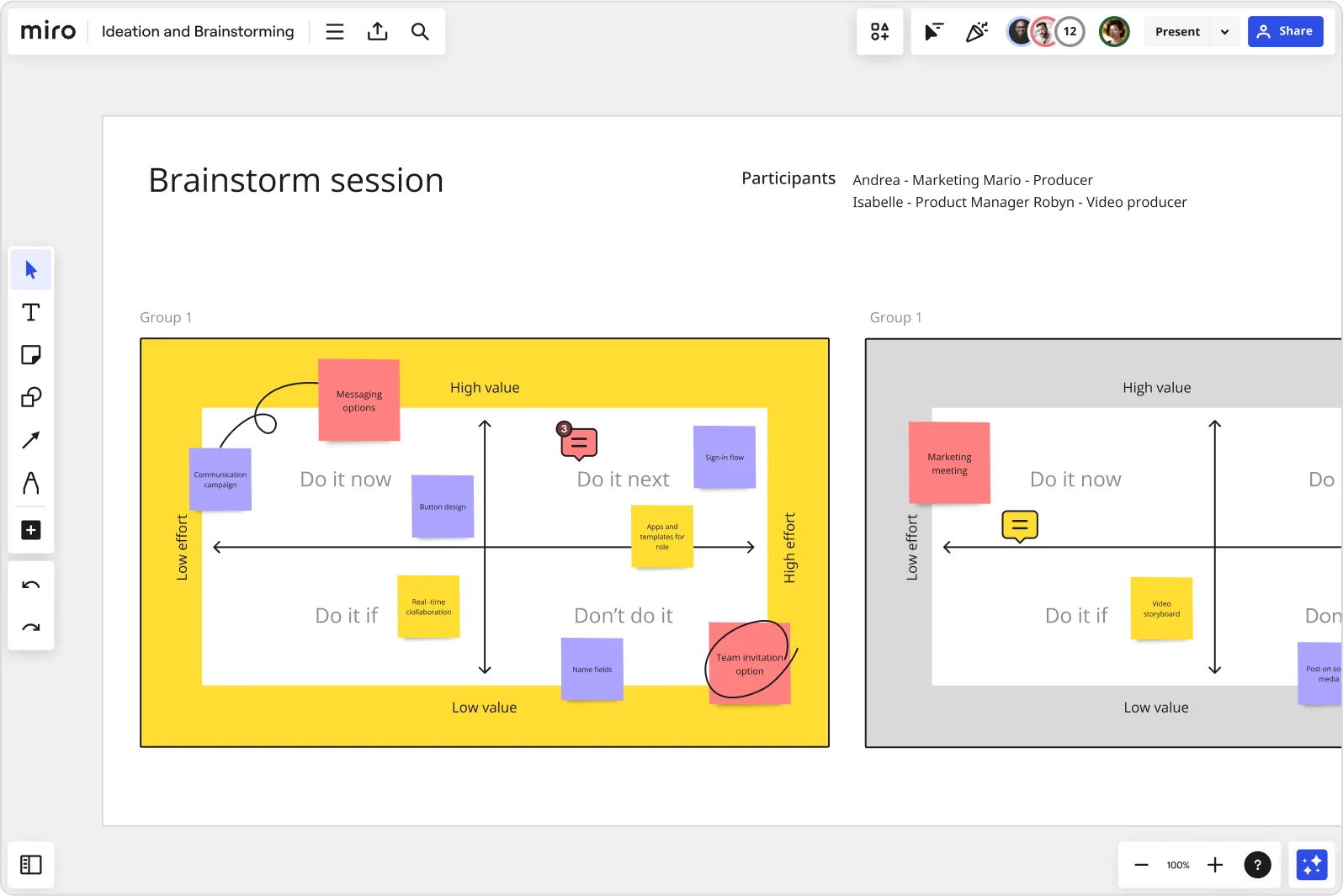
    Miro brainstorm session board displaying an impact-effort matrix divided into four quadrants (Do it now, Do it next, Do it if, Don't do it) populated with color-coded sticky notes for features like messaging options, sign-in flow, button design, and team invitation option, with two group views visible side by side.
  • When your executive readout needs to look like a strategy deck, not sticky notes

    After a full ideation session, you're sitting on 80 raw ideas that need to become a coherent narrative for the CFO or the board. Miro's AI automatically organizes your sticky notes into themed clusters, then generates a polished leadership deck directly from your brainstorm frames - Brand Center colors included, no manual rebuilding required.

    Miro board split view showing colorful brainstorming sticky notes on the left (blue, pink, yellow) alongside an AI-powered document generation panel on the right, with a 'Generate product brief' button and Miro AI label actively generating content from the brainstorm.
  • Stop losing last quarter's strategic bets to a forgotten board

    Strategy offices run the annual planning cycle, the M&A diligence review, and the growth initiative sprint - and each one generates a board nobody can find six weeks later. Use Miro's natural-language search to pull up last quarter's session instantly, then embed the live summary into your Confluence strategy playbook or Google Meet agenda so every follow-up reads from one source.

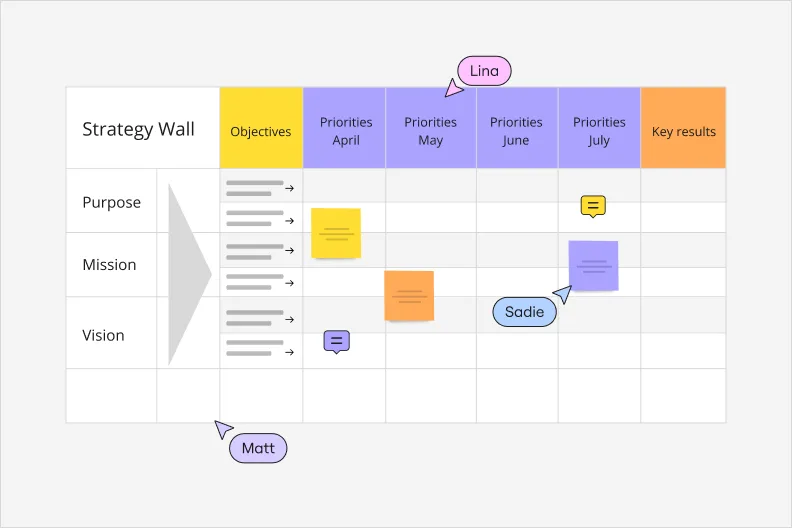
    Miro Strategy Wall board featuring a grid layout with Objectives column and monthly Priorities columns (April through July) plus Key results, organized across Purpose, Mission, and Vision rows, with sticky notes in yellow, orange, and purple, and three collaborator cursors labeled Lina, Sadie, and Matt.
  • Where c-suite input doesn't bottleneck the whole ideation round

    Waiting for the CEO or division heads to weigh in before the team can move forward is a planning tax every strategy function knows well. Set up Breakout Frames so functional leads across corporate development, FP&A, and market intelligence brainstorm in parallel - then merge results back into one prioritized view before the full-group readout.

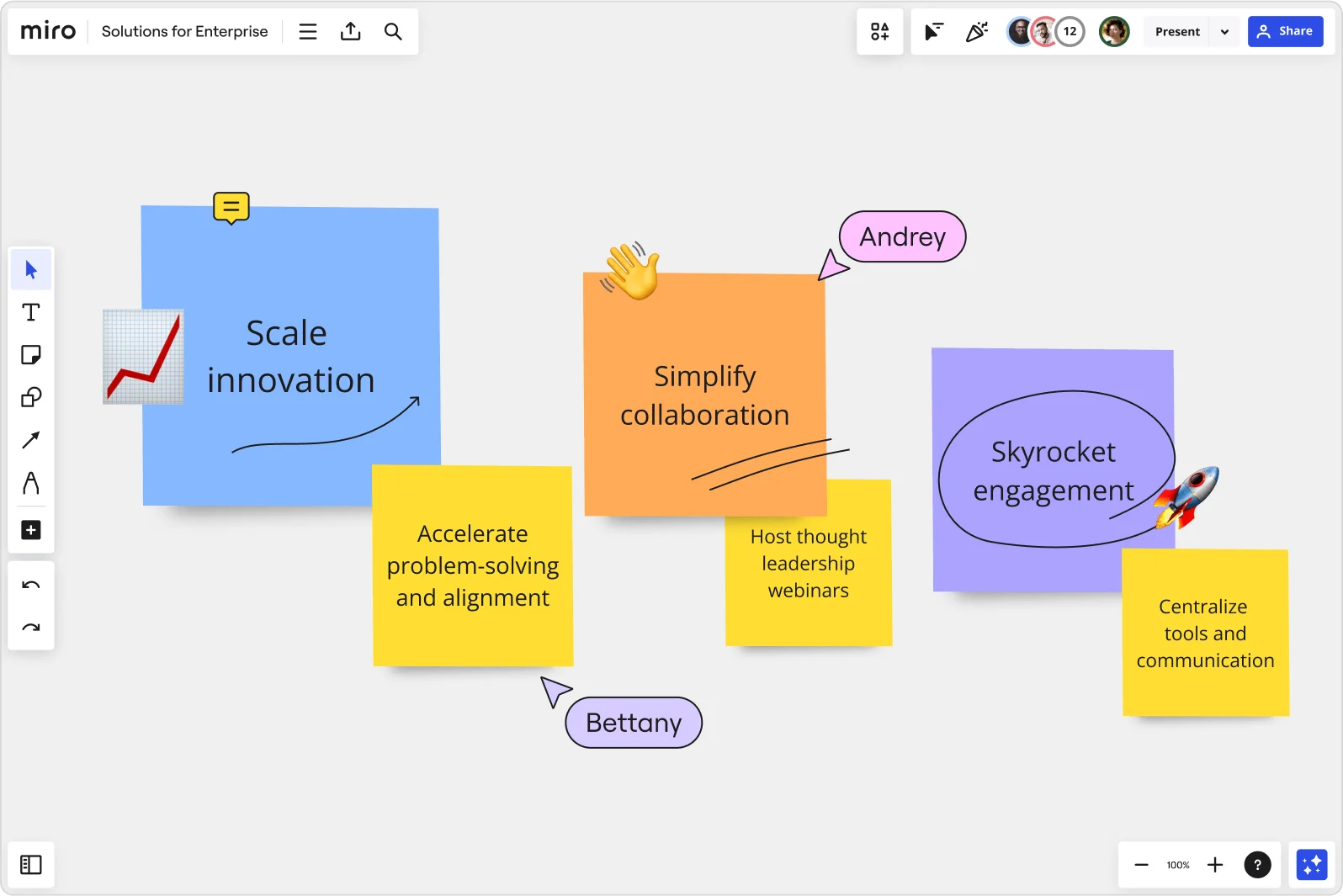
    Miro board displaying a collaborative session with three large sticky notes labeled 'Scale innovation' (blue), 'Simplify collaboration' (orange), and 'Skyrocket engagement' (purple), each accompanied by smaller yellow sticky notes with supporting action items like 'Accelerate problem-solving and alignment', 'Host thought leadership webinars', and 'Centralize tools and communication', with two named user cursors (Andrey and Bettany) visible on the board.
  • Turn your strategic brief from a meeting output into a working document

    Small strategy teams can't afford to spend two hours reformatting brainstorm outputs into a usable brief. Large enterprises can't afford that brief living in twelve different inboxes. Add a Miro Doc directly to your board, drag in your clustered ideas and prioritized shortlist, then export to Markdown for the internal wiki or PDF for the leadership pack - in one step.

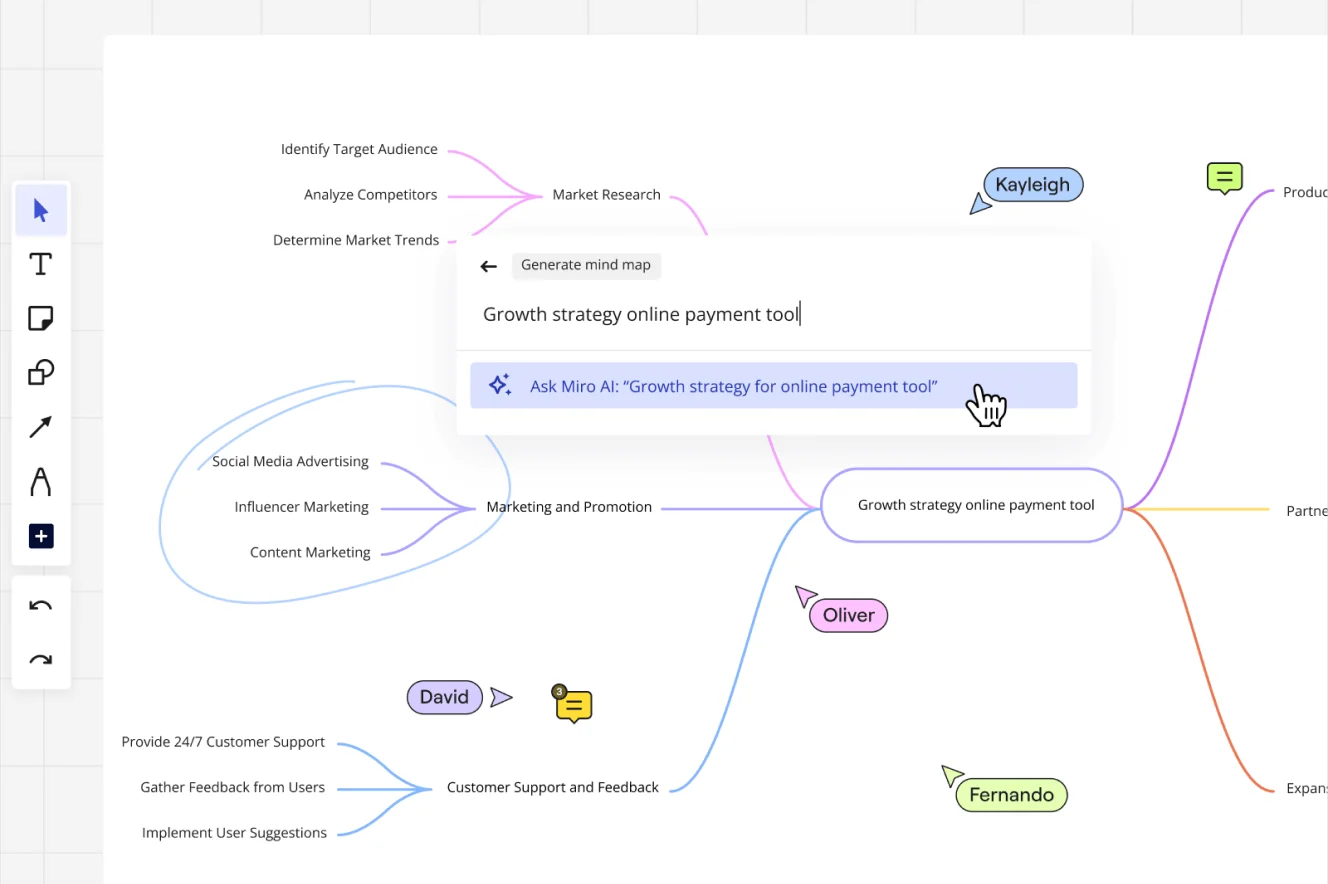
    Miro board showing an AI-generated mind map for 'Growth strategy online payment tool' with branches for Market Research, Marketing and Promotion, and Customer Support and Feedback, alongside an active AI prompt dialog suggesting 'Ask Miro AI: Growth strategy for online payment tool', with multiple collaborator cursors (Kayleigh, Oliver, David, Fernando) visible on the canvas.

How corporate strategy offices get started with Brainstorming in Miro

  • Frame your strategic options challenge

    Open Miro's Template Library, select an intelligent brainstorming template, and customize your opening Frame with the board-level mandate, relevant competitive context, and the decision deadline your C-suite is working toward.

  • Run your options generation session

    Use AI Generate Sticky Notes seeded with your strategic thesis to kick off the ideation round, then have strategy leads add adjacency plays, whitespace opportunities, and transformational bets simultaneously before Clustering by Keywords surfaces the option categories automatically.

  • Pressure-test and prioritize the shortlist

    Run Dot Voting with a tight vote limit so each contributor makes deliberate trade-offs between core, adjacent, and transformational plays, then capture rationale, rough revenue impact notes, and designated owners directly in Comments so every surviving option is board-ready, not just interesting.

  • Package the output for the C-suite

    Use AI Slides to generate a leadership readout from your finalized brainstorm Frames (prompt it: "for CEO and CFO, 4 slides: strategic challenge, option clusters, prioritized bets, recommended next steps"), then export the full session summary from a Miro Doc as a PDF for the board pack.

Brainstorming tips for corporate strategy offices

  • Before the session, lock all board objects except sticky note zones so senior leaders stay focused on ideating rather than accidentally rearranging the canvas structure.

  • If your options generation session involves more than eight strategy leads and business unit heads, split into Breakout Frames by strategic theme (core growth, adjacencies, new markets) and reconvene to cross-pollinate before voting.

  • Use AI Search on your Home dashboard to pull last cycle's strategic ideation board with a natural-language query, so your starting context reflects prior decisions rather than rediscovering ground you've already covered.

Understand how corporate strategy offices transform their work

  • Collaborative brainstorming tool for research and development teams

    Verified User

    G2
  • The Intelligent and Visionary Brainstorming Software for Busiensses

    Verified User

    G2

Brainstorming essential guide for corporate strategy offices

CategoryKey insights
  • Common mistakes to avoid

    The biggest trap in strategic ideation workshops isn't a lack of ideas - it's skipping structure and then drowning in output. Strategy offices at any size often let sessions run long without time-boxed rounds, then leave 200 sticky notes ungrouped and unreviewed, which means the sharpest options never surface before the CFO review. Lock your board objects before the session starts, use Clustering to turn raw ideation into a prioritized shortlist, and assign clear owners to the top bets before anyone closes the tab.

  • Key integrations for corporate strategy offices

    Connect Miro to Microsoft Teams or Slack so options generation sessions can kick off without switching contexts, and embed boards directly in Confluence to keep strategy artifacts alongside the SharePoint repositories and prior-cycle documents your office already relies on. For larger organizations running SSO-managed environments, Miro's enterprise controls sit cleanly alongside Jira if any strategic bets feed downstream into portfolio or program tracking.

  • When to use it

    Use this when a board-level mandate or fiscal year kickoff requires your office to generate and filter a credible set of strategic options fast - before the narrative gets locked into PowerPoint and the window for real divergent thinking closes. A practical example: a strategy team preparing for a CEO growth review could run a structured brainwriting session using Breakout Frames and Timer to produce a first-pass options landscape, then use Dot Voting and Clustering to cut to a defensible shortlist of adjacencies and transformational plays, all in under two hours.

  • Security & Compliance

    For strategy offices handling sensitive competitive analysis, M&A pipeline documentation, or board-level materials, Miro's SOC 2 Type II certification and data residency controls mean your most confidential strategic content stays where governance requires it. Private Mode keeps individual contributions hidden during ideation so no option gets killed by political pressure before it's been fairly assessed. Larger organizations can layer on granular sharing permissions and admin controls to ensure only the right people ever see pre-decisional board materials.

Frequently asked questions for corporate strategy offices

Last updated: Monday, September 14, 2026