





Brainstorming for data science teams

Turn raw hypotheses into prioritized research directions. Run your next ideation sprint on one shared canvas.

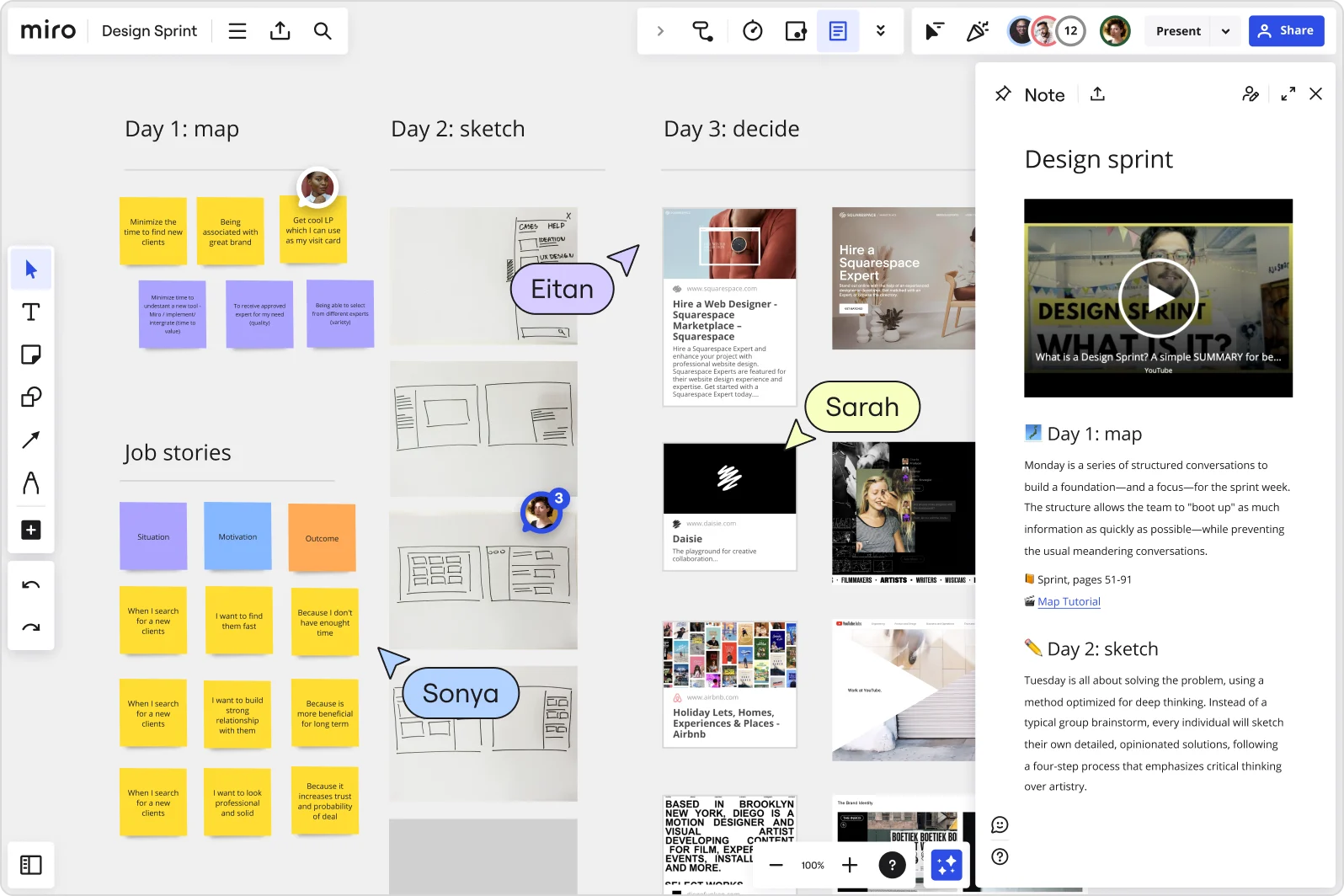
Miro board displaying a Design Sprint workflow organized into three columns (Day 1: map, Day 2: sketch, Day 3: decide) with yellow and purple sticky notes, job stories framework, hand-drawn wireframe sketches, competitor website screenshots, collaborative user cursors labeled Eitan, Sarah, and Sonya, and an open Note panel on the right explaining the sprint methodology with a YouTube video embed.

The research on brainstorming

  • Design thinking methodology for data science projects enables co-creation with stakeholders, structured prototyping, and objective scoring via monetary impact for prioritizing metrics and segments, improving alignment between data solutions and business value

    Source: International Institute for Analytics (IIA)

  • Brainstorming can broaden exploration of possible solutions, increase idea quantity, and help participants build on each other's ideas.

    Source: University of Michigan

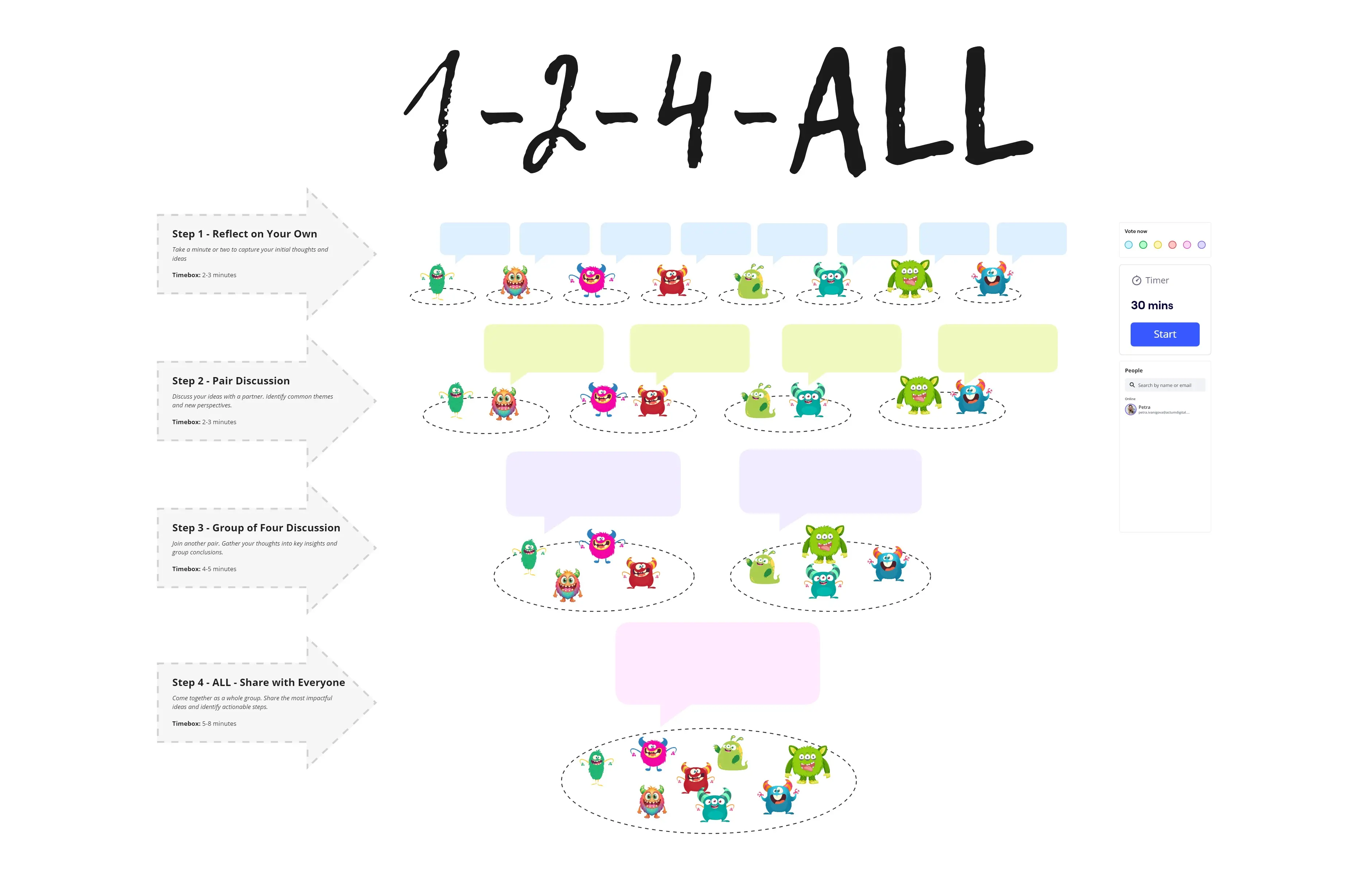
See brainstorming in action

Related templates for data science teams

We have 193 templates in our library for Brainstorming.

Why data science teams love brainstorming in Miro

  • From scattered hypotheses to a ranked experiment backlog

    Data scientists often finish a whiteboard session with dozens of competing model ideas and no clear next experiment to run. Miro's Clustering automatically groups related ideas by theme or keyword, so your feature engineering hunches, model architecture debates, and data quality concerns sort themselves into actionable clusters - no manual spreadsheet needed.
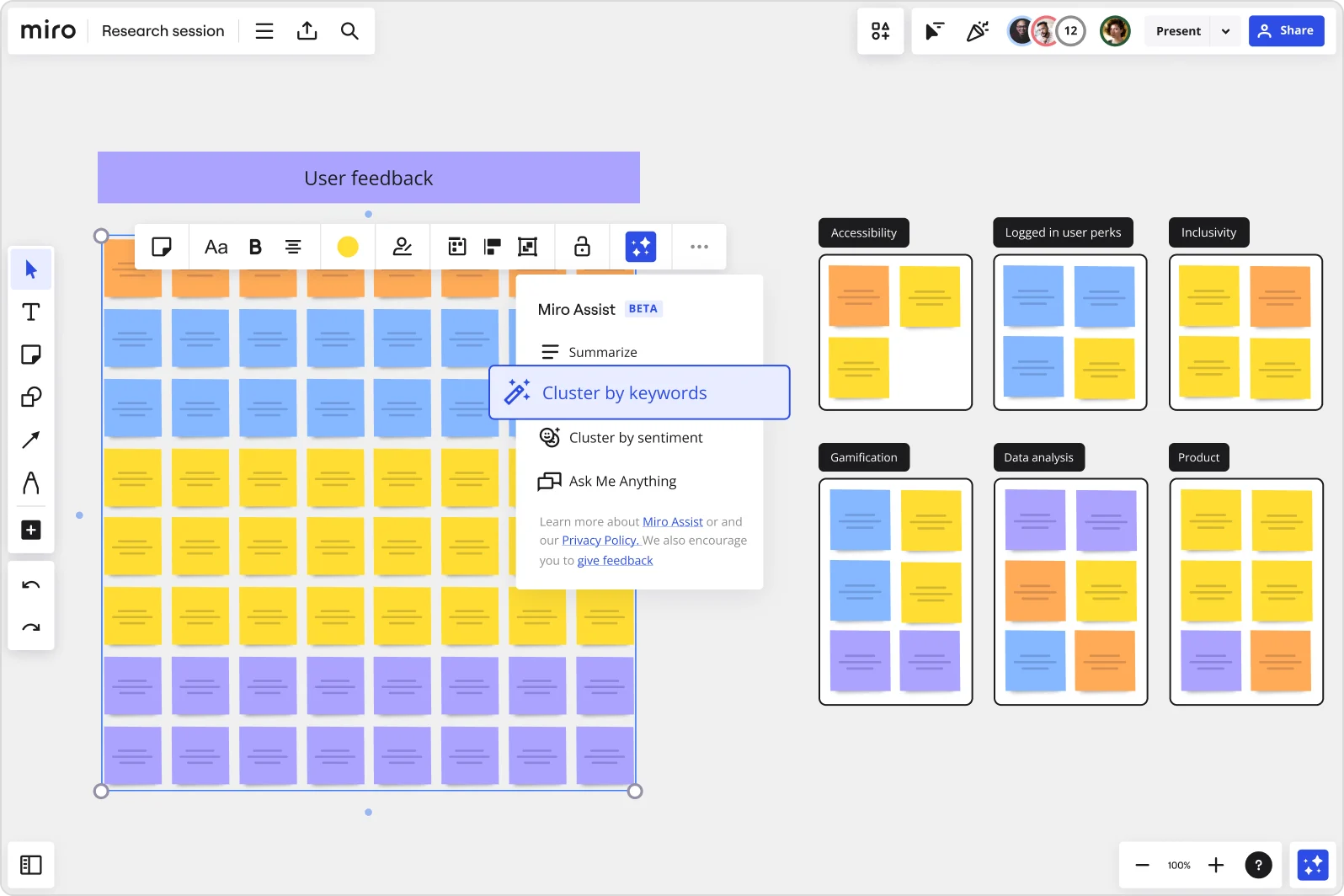
    Miro board showing a 'User feedback' research session with a large grid of color-coded sticky notes (orange, blue, yellow, purple) and an open Miro Assist AI menu highlighting 'Cluster by keywords', alongside pre-clustered keyword groups on the right labeled Accessibility, Logged in user perks, Inclusivity, Gamification, Data analysis, and Product.
  • When your jupyter notebooks hold ideas nobody else can find

    Insights buried in notebooks don't make it into planning conversations. Drop your findings onto a shared canvas, tag sticky notes by dataset or hypothesis type, and let analysts, ML engineers, and product owners react in real time or async - whether your team is three people or thirty.

    Miro board split view showing colorful brainstorming sticky notes on the left (blue, pink, yellow) alongside an AI-powered document generation panel on the right, with a 'Generate product brief' button and Miro AI label actively generating content from the brainstorm.
  • Stop rebuilding your experiment-planning board every sprint

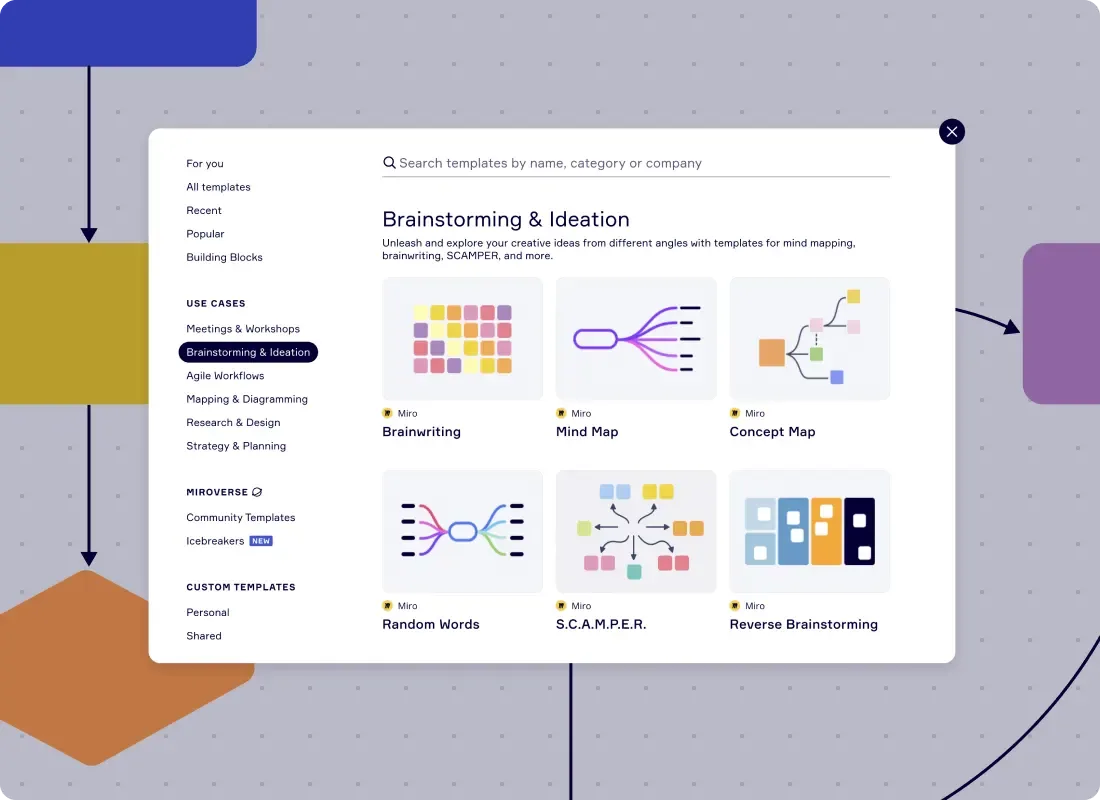
    Small data science squads lose hours recreating the same ideation setup before each sprint cycle. Miro's Template Library includes ready-to-use brainstorming structures - brainwriting grids, mind maps, reverse brainstorm formats - that you save once and reuse every quarter.

    Miro template library showing Brainstorming & Ideation category with Brainwriting, Mind Map, Concept Map, Random Words, SCAMPER, and Reverse Brainstorming templates
  • Your model review readout, ready before the stakeholder meeting

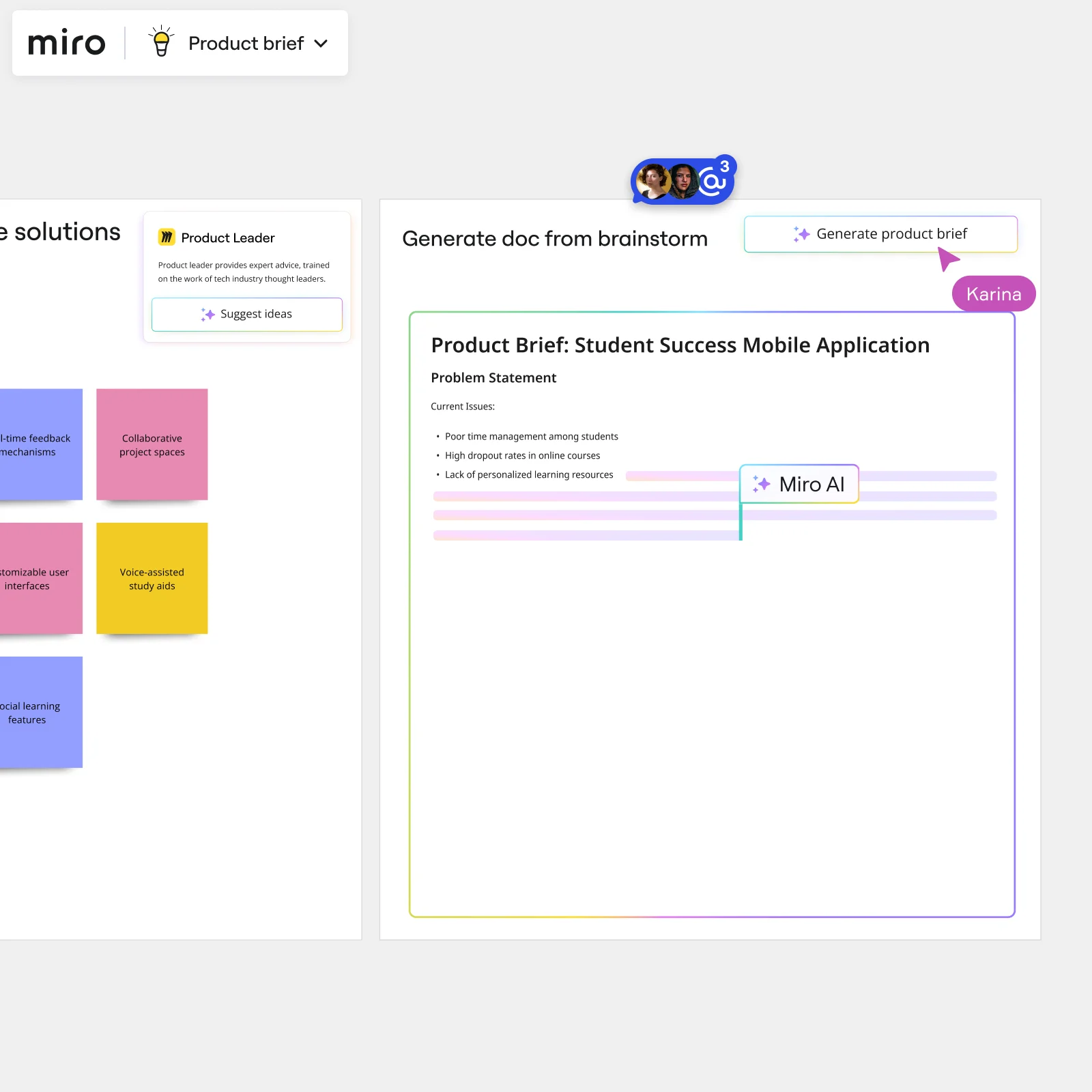
    After clustering and voting, Miro generates a structured summary doc directly from your brainstorm frames. Export to Markdown for your team wiki, or embed it in Confluence via /miro so data leads and business stakeholders read from the same live source - no copy-pasting screenshots into slide decks.

    Miro board showing AI-powered document generation from a brainstorming session, with a Product Leader AI sidekick panel on the left, colorful sticky notes listing solution ideas (collaborative project spaces, voice-assisted study aids, social learning features), and an AI-generated Product Brief document for a Student Success Mobile Application being created in real time by Miro AI.
  • Are senior data scientists anchoring every model direction vote?

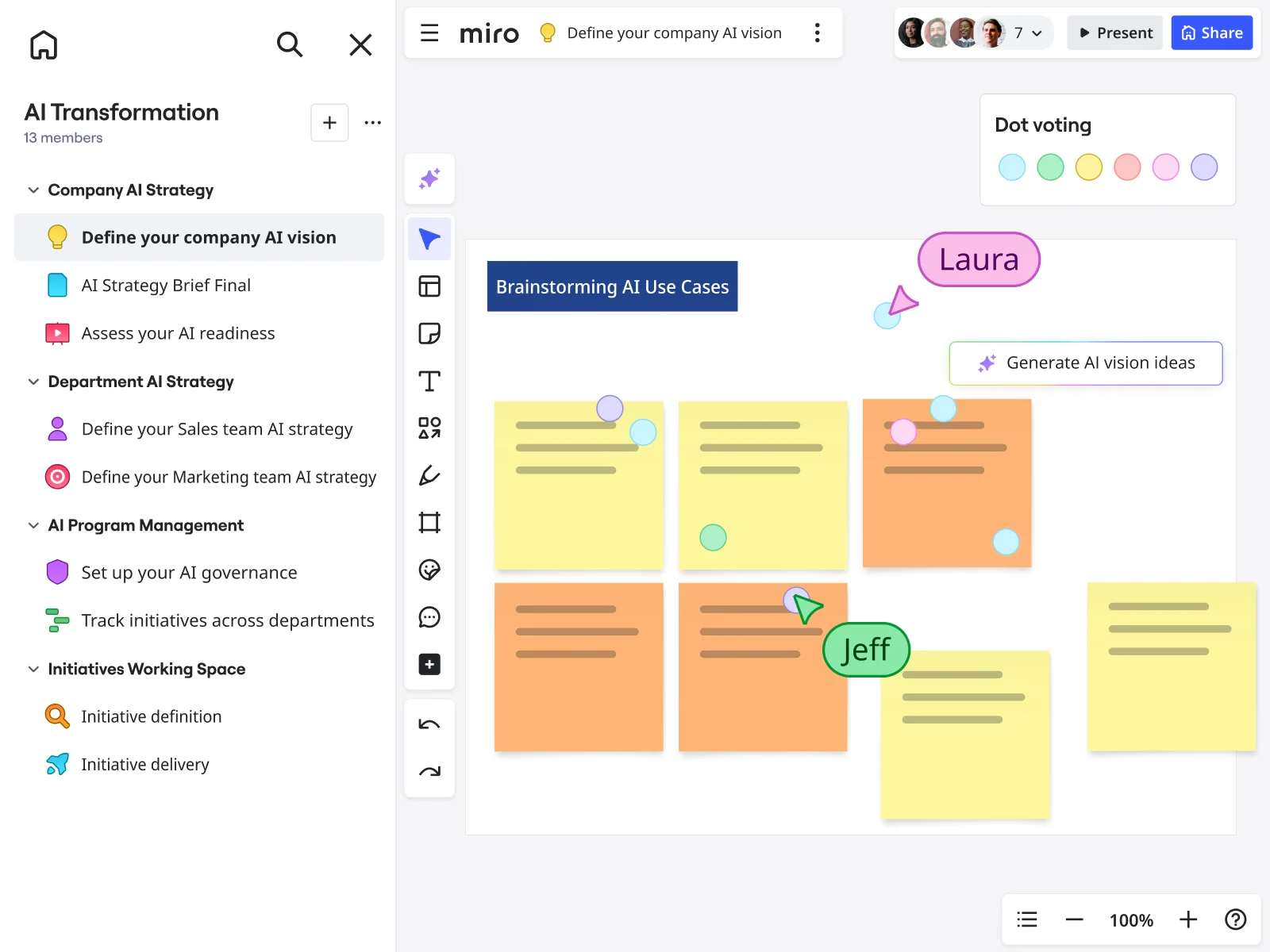
    When the loudest voice in the room picks the next experiment, quieter researchers self-censor and your hypothesis space narrows. Anonymous Dot Voting and Bulk Mode let every scientist submit ideas and cast votes in parallel, so prioritization reflects the team's actual thinking - not just the principal engineer's instinct.

    Miro board showing a 'Brainstorming AI Use Cases' session with multiple yellow and orange sticky notes arranged in a grid, featuring dot voting dots in various colors, two visible collaborator cursors (Laura and Jeff), and a 'Generate AI vision ideas' AI button, within an AI Transformation workspace that has a structured left-panel navigation covering Company AI Strategy, Department AI Strategy, AI Program Management, and Initiatives Working Space sections.

How data science teams get started with Brainstorming in Miro

  • Frame your model degradation hypothesis board

    Open a brainstorming board and use Sticky Stack pre-tagged with labels like "Data Drift," "Pipeline Failure," "Feature Engineering," and "Labeling Error" so your ML engineers and analysts can drop hypotheses into the right bucket the moment the session starts.

  • Run a parallel hypothesis sprint

    Set a Timer for 7 minutes and have every data scientist simultaneously add sticky notes in Bulk Mode, one hypothesis per line, capturing precision-recall concerns, training-serving skew suspects, and class imbalance observations before anyone anchors the group to a single theory.

  • Cluster and rank by impact and feasibility

    Use AI Clustering by Keywords to surface patterns across raw hypotheses, then run Dot Voting with three votes per person so your team produces a prioritized shortlist ranked by expected impact and experimental feasibility, ready to hand off to an experiment tracker like MLflow.

  • Turn your ranked shortlist into a reproducible experiment brief

    Drag the prioritized sticky notes into a Miro Doc using the Brainstorm Summary format, run Doc-Level AI Actions to rewrite top hypotheses into structured experiment designs, then export to Markdown for your team wiki or PDF for the stakeholder root cause memo due by end of week.

Brainstorming tips for data science teams

  • Tag sticky notes by confidence level ("statistically significant" vs. "noise candidate") using Color Coding before clustering so the AI groups hypotheses by evidential weight, not just keyword similarity.

  • If your Slack thread already contains an analyst's anomaly flag, paste the relevant context into AI Generate Sticky Notes as the prompt so the board seeds itself from the actual signal, not abstract guesses.

  • For larger data orgs with multiple squads reviewing the same model, use Anonymous Voting in Dot Voting so senior ML leads don't anchor junior analysts toward the politically safe hypothesis over the statistically stronger one.

Understand how data science teams transform their work

  • Collaborative brainstorming tool for research and development teams

    Verified User

    G2
  • A Must Have Tool for Brainstorming and Distributed Teams!

    Verified User

    G2

Brainstorming essential guide for data science teams

CategoryKey insights
  • Common mistakes to avoid

    Jumping straight into hypothesis generation without a warm-up is the fastest way to get silence from the data scientists who think before they speak - and anchoring bias from the ones who don't. For smaller teams, skipping Clustering after ideation is especially costly: when your whole sprint's direction hinges on diagnosing whether it's data drift or a labeling problem, leaving 80 sticky notes ungrouped means your best root-cause hypotheses get buried. Larger orgs compound this by giving every ML engineer unlimited votes during prioritization, which scatters the signal so thin that nobody can agree on which experiment to run first.

  • Key integrations for data science teams

    Slack is where your anomaly alert already lives before the brainstorm even starts, so connecting it to Miro means analysts can pull flagged dashboard threads directly into the session without losing context. Jira closes the loop on the other end, turning your prioritized hypothesis list into sprint tickets the moment the session wraps. For distributed data science orgs running live diagnosis calls, Zoom and Google Meet keep the video layer inside the board so nobody's toggling between a model retrain discussion and a separate conferencing window.

  • When to use it

    Reach for Miro brainstorming the moment a production model starts misbehaving and your team needs to generate and rank competing hypotheses - data drift, training-serving skew, class imbalance, pipeline failure - before committing to a retrain cycle. It's also the right call when data scientists, analysts, and engineers across time zones each need to contribute asynchronously to a root-cause investigation without waiting for a single scheduled call. Picture a data science team whose churn-prediction model just dropped three points in AUC: the facilitator sets up Breakout Frames by hypothesis category, runs timed silent ideation rounds with Timer, then uses Clustering and Dot Voting to surface the top experiments to hand off to MLflow.

  • Security & Compliance

    Data science teams handling sensitive training data or regulated pipelines can rely on Miro's SOC 2 Type II certification and HIPAA compliance as a baseline, which covers most enterprise security reviews without extra legwork. When hypotheses or experiment designs touch proprietary model architectures or customer-level data, Private Mode keeps ideation confidential and granular sharing permissions control exactly who can view or edit a board after the session. Large organizations with strict data governance requirements can also use data residency controls to keep board content within approved geographic boundaries, which matters when model training data is subject to regional compliance rules.

Frequently asked questions for data science teams

Last updated: Monday, September 14, 2026