35likes
93uses
Explore Operating Model templates and examples from Miro. Free editable templates ready to use for teams, online and collaborative.
4 templates
An Operating Model template is an enterprise-grade visual workspace designed for operations leaders, executives, and business architects to map out how a company configures its resources, processes, and technologies to execute its daily strategy. While a strategy defines where a business wants to go, the operating model bridges the gap by showing exactly how the company functions to deliver value. By utilizing a standardized Miro template, leadership teams can break down corporate silos, identify operational execution gaps, map organizational data flows, and align multiple departments on a unified blueprint for business delivery.
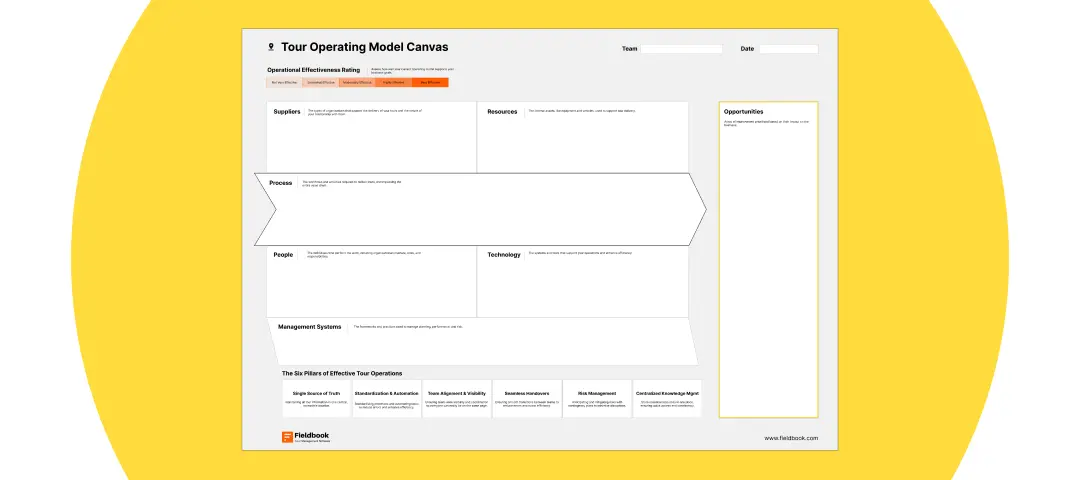
A professional operating model workspace maps out an entire business architecture, moving away from simple departmental org charts to focus heavily on value streams. Every high-performance Miro operating model template features these six foundational architectural frames:
The Strategy Alignment Anchor: A high-level header zone that documents the corporate mission, core value drivers, and strategic objectives ($OKRs$) that the operational infrastructure must support.
Value Stream & Process Architecture Tracks: Horizontal swimlanes that map out end-to-end operational processes, showcasing how raw inputs transform into customer value across the organization.
Organization & Governance Pods: A flexible mapping arena to detail team structures, cross-functional squad ownership, steering committees, and decision-making authority boundaries.
Data & Technology Infrastructure Layers: A bottom-line technical lane to map out core enterprise software systems, data flow loops, hardware infrastructure, and tool integrations.
Performance & Metric Dashboards: A structured scorecard framework to identify Key Performance Indicators ($KPIs$), service level agreements ($SLAs$), and operational health metrics for each department.
The Culture & Capability Ledger: A human-centric zone dedicated to outlining mandatory employee skill sets, behavioral norms, and change management guardrails required for execution.
1. Set the Strategic Parameters and Corporate Bounds Open your Operating Model template in Miro. Before pulling departmental data onto the board, document your high-level business goals in the Strategy Alignment Anchor block (e.g., “Shift from regional physical retail models to an omni-channel global digital model by 2027”). Lock this structural asset to keep the design workspace securely focused on this north star.
2. Map the Current Operational State Gather your operational leads, HR managers, enterprise architects, and technology owners on the board. Give the team 15 minutes to use digital sticky notes to map out how the business currently functions today across your process, organizational, and tool layers. Use a distinct color (like gray) for this baseline discovery phase.
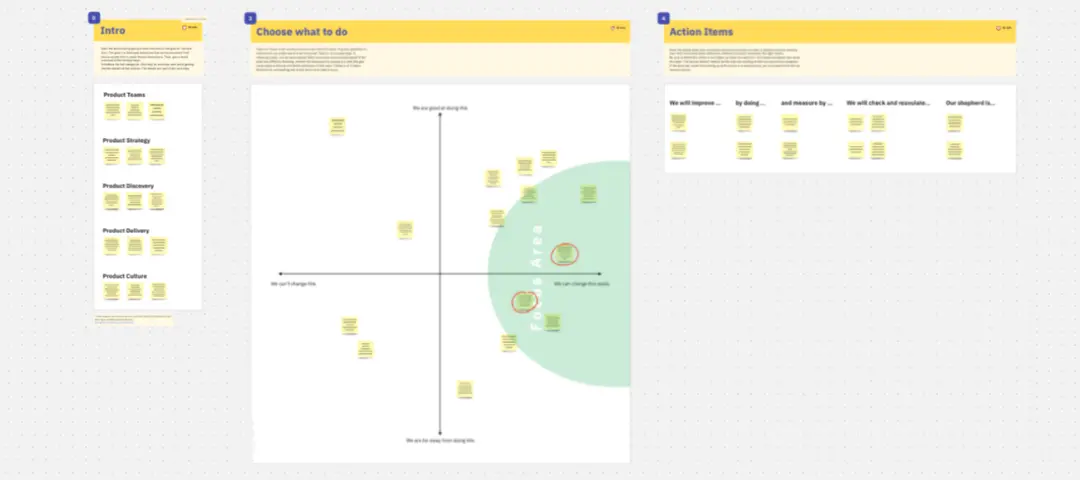
3. Conduct a Structural Gap and Friction Audit Review the map together as a room. Have team members place bright red warning tags over active operational leaks, severe communication silos, outdated legacy software blocks, or systemic team bottlenecks. Use connection arrows to trace how a failure in your data layer might be causing delivery delays in your customer process tracks.
4. Design the Optimized State Move to a clean frame container on the template to draft your updated Operating Model. Keeping your strategic goals in mind, rearrange the visual blocks to eliminate the friction points identified in Step 3. Redraw your Value Stream Tracks to compress workflows, consolidate duplicate software systems in your Technology Layer, and build cross-functional teams inside your Organization Pods.
5. Define Your Departmental KPIs and Guardrails Navigate to the Performance & Metric Dashboards zone. For each newly designed operational capability, write explicit, measurable success criteria on the canvas. Clearly specify the target delivery timelines, budget boundaries, and quality metrics required to ensure the updated model maintains high execution velocity.
6. Build the Operational Roadmap and Accountability Steps Convert the gaps between your old model and your newly optimized operating model into concrete, actionable milestones. Map these transformation initiatives across a chronological timeline, assigning explicit point persons and deadline thresholds to lead the transition for each business capability block.
7. Freeze the Blueprint and Publish Across the Enterprise Review the completed operating model blueprint across your executive leadership team and major corporate stakeholders. Once global alignment is achieved, clean up the board styling and lock all structural elements. Export the comprehensive map view as a high-resolution image asset or PDF template to link inside your primary corporate strategy portals, steering committee documentation kits, and change management playbooks.