Annual Resource Planning Template
A structured tool for tracking and visualizing resource requirements across different roles throughout the year. This template helps teams plan workforce allocation, identify capacity gaps, and optimize project staffing.
Template Structure
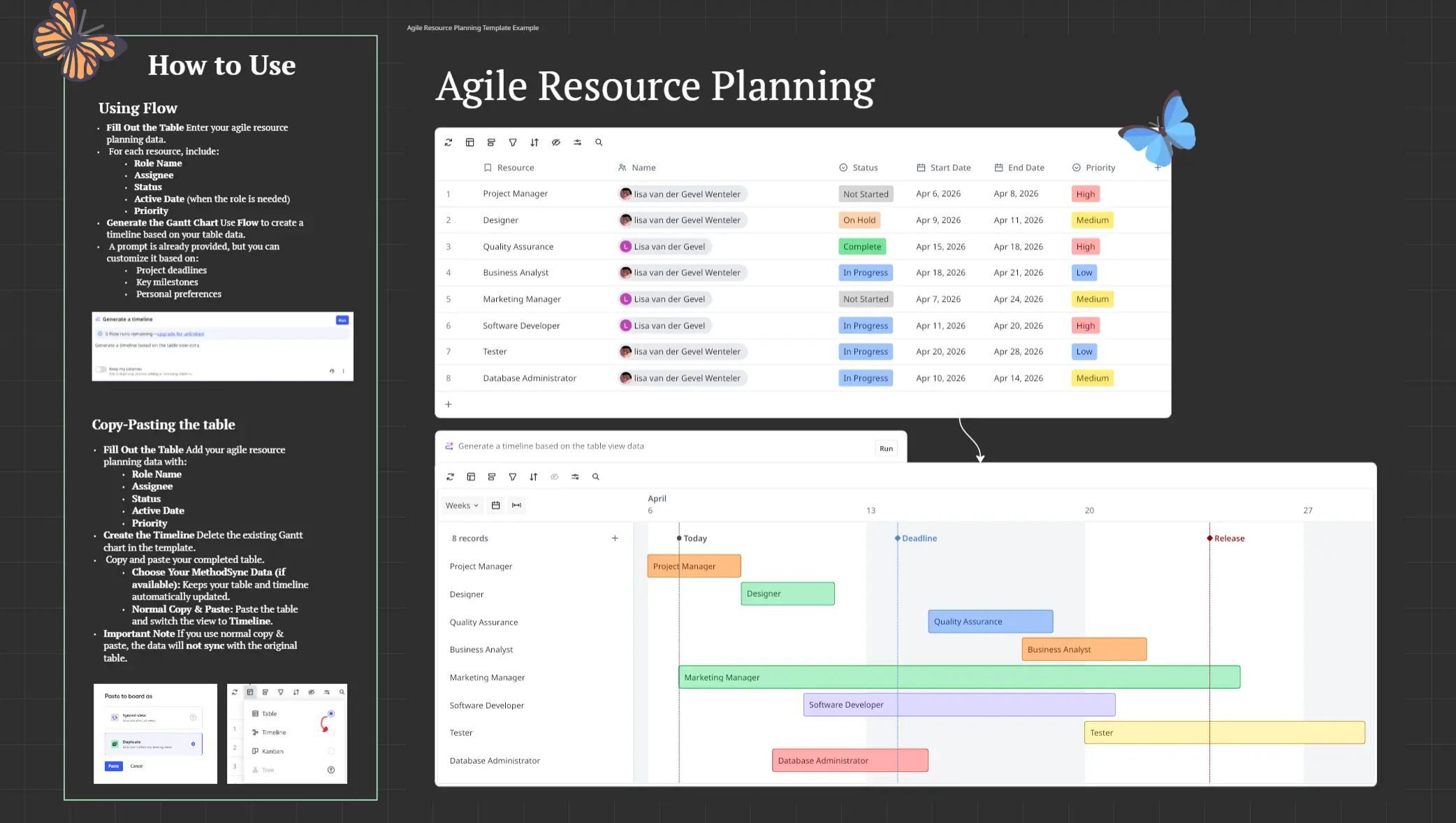
The template is organized as a table with:
Rows: Resource types (Product Manager, UX Designer, Frontend Developer, Backend Developer, Business Analyst, QA Engineer, DevOps Engineer, Data Analyst)
Columns: 12 monthly columns (Jan through Dec) plus a Total Days column
Cells: Number of workdays required for each resource per month
How to Fill the Template
Step 1: Define Resource Types
List all roles needed for your projects in the first column. Include both full-time and specialized resources.
Step 2: Estimate Monthly Requirements
For each resource type, enter the number of workdays needed per month:
Consider project phases and deliverables
Account for resource availability
Typical range: 6-22 days per month
Factor in holidays and planned time off
Step 3: Review and Adjust
Balance workload distribution across months to avoid overallocation and identify periods requiring additional capacity.
Generating Bar Charts with Flow Prompts
Use flow prompts to create visualizations directly from your template data:
Example Prompt: "Create a bar chart showing total annual days for each resource type from the resource planning table"
The flow will:
Sum monthly values for each resource type
Generate a bar chart with resource types on the X-axis
Display total days on the Y-axis
Enable quick comparison of resource allocation across roles
Additional Visualizations: Request monthly trends, quarterly breakdowns, or comparative charts between different resource categories.
Other Use Cases
Financial Planning: Convert day allocations to cost estimates by applying resource rates
Capacity Management: Identify underutilized or overallocated resources to optimize team efficiency
Hiring Strategy: Forecast when additional headcount is needed based on projected workload
Project Scheduling: Align project timelines with resource availability across multiple initiatives
Quarterly Reviews: Group months into quarters for executive reporting and strategic planning
Skills Analysis: Track specialized resource needs to identify training requirements or contractor needs
Department Planning: Adapt the template for multiple teams to coordinate cross-functional resources
Variance Tracking: Compare planned allocations against actual usage for process improvement
Cheers!
Khawaja Rizwan