Presentations for procurement teams

Turn your vendor evaluations and sourcing reviews into polished decks. No rebuilding, no tool-switching.

A woman presents a Miro board titled 'New campaign' to colleagues in a modern conference room, with the board displayed on a large screen showing product positioning content, user personas, charts, a Gantt-style timeline, and integrations panels, while a laptop on the table mirrors the same board.

What experts say

  • The way we present information and tell stories using slides has a massive impact on how well our ideas are understood and remembered.

    Nancy Duarte

    Speaker and CEO · Duarte

  • According to a study published in the Harvard Business Review, presentations that effectively communicate data can increase persuasiveness by up to 43%.

    SlideBazaar Team

    Presentation Experts · SlideBazaar

The research on presentations and slides

  • 66%

    Visual presentations with graphs and diagrams increased audience conviction from 50% (verbal only) to over 66%, demonstrating the persuasive power of diagramming in consulting presentations

    Source: Cornell University / Wharton School of Business

  • Iteratively improving slide design through practice helps presenters deliver the intended message within the intended time.

    Source: PLOS Computational Biology

See presentations and slides in action

Related templates for procurement officers

We have 22 templates in our library for Presentations and Slides.

Why procurement teams love creating presentations with Miro Slides

  • From RFP analysis to boardroom-ready briefing

    You've spent days consolidating supplier responses, cost comparisons, and risk flags across spreadsheets and email threads. Pulling that into a coherent executive briefing shouldn't take another half-day in PowerPoint. Miro's AI slide generation creates a structured deck from your existing board content in minutes, inheriting your Brand Center colors automatically.

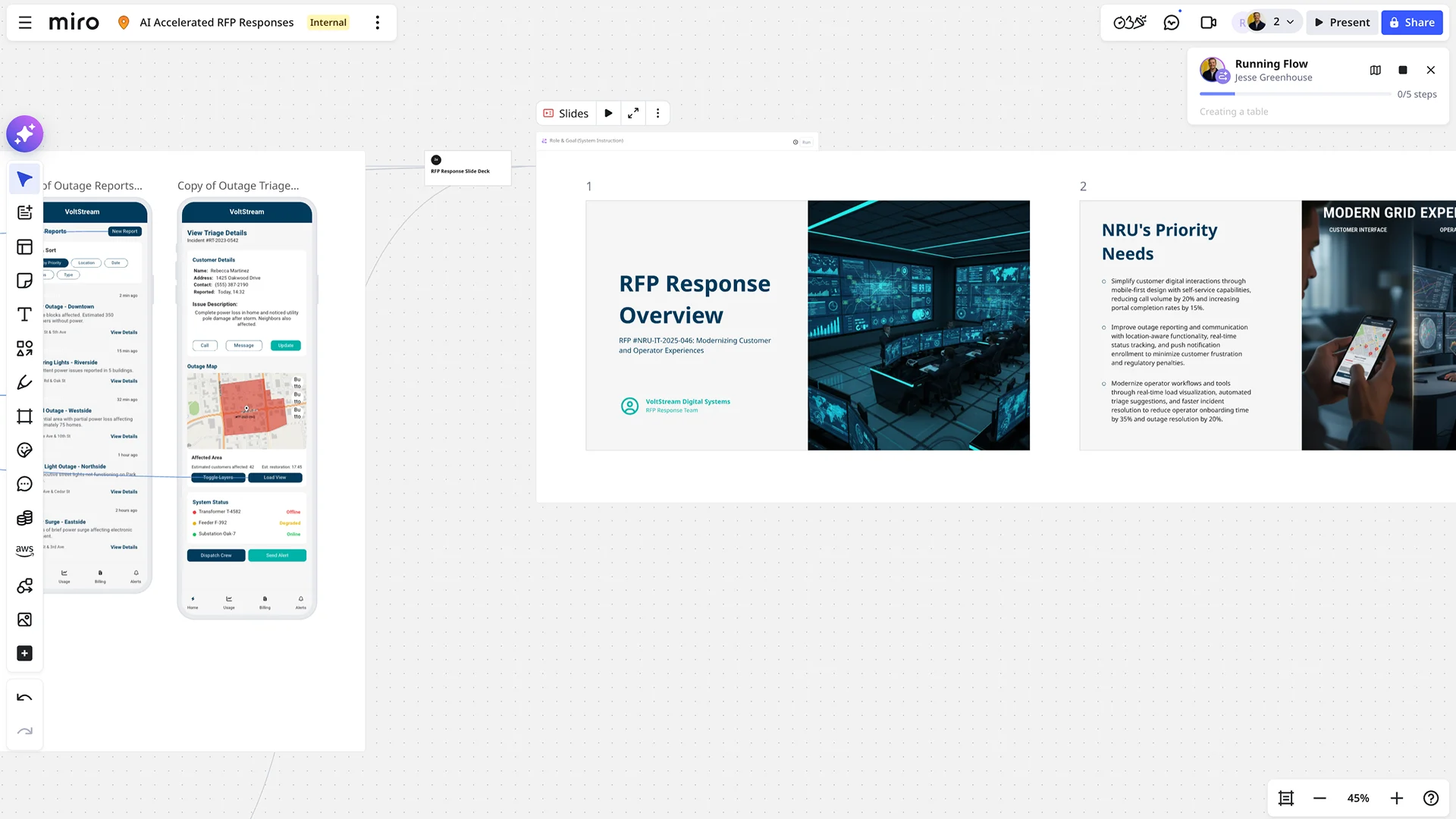
    Miro board showing an AI Accelerated RFP Responses project with a 'Running Flow' AI panel active (0/5 steps, creating a table), alongside mobile app prototypes for a VoltStream outage triage system and a slide deck with 'RFP Response Overview' and 'NRU's Priority Needs' slides.
  • When the CFO needs a 5-slide view and legal needs 15

    The same sourcing decision lands differently for finance leadership than for the legal review team. Use Miro's AI Sidekicks to restructure the same deck into an executive summary and a detailed contract-review version, without duplicating your work or managing two separate files.

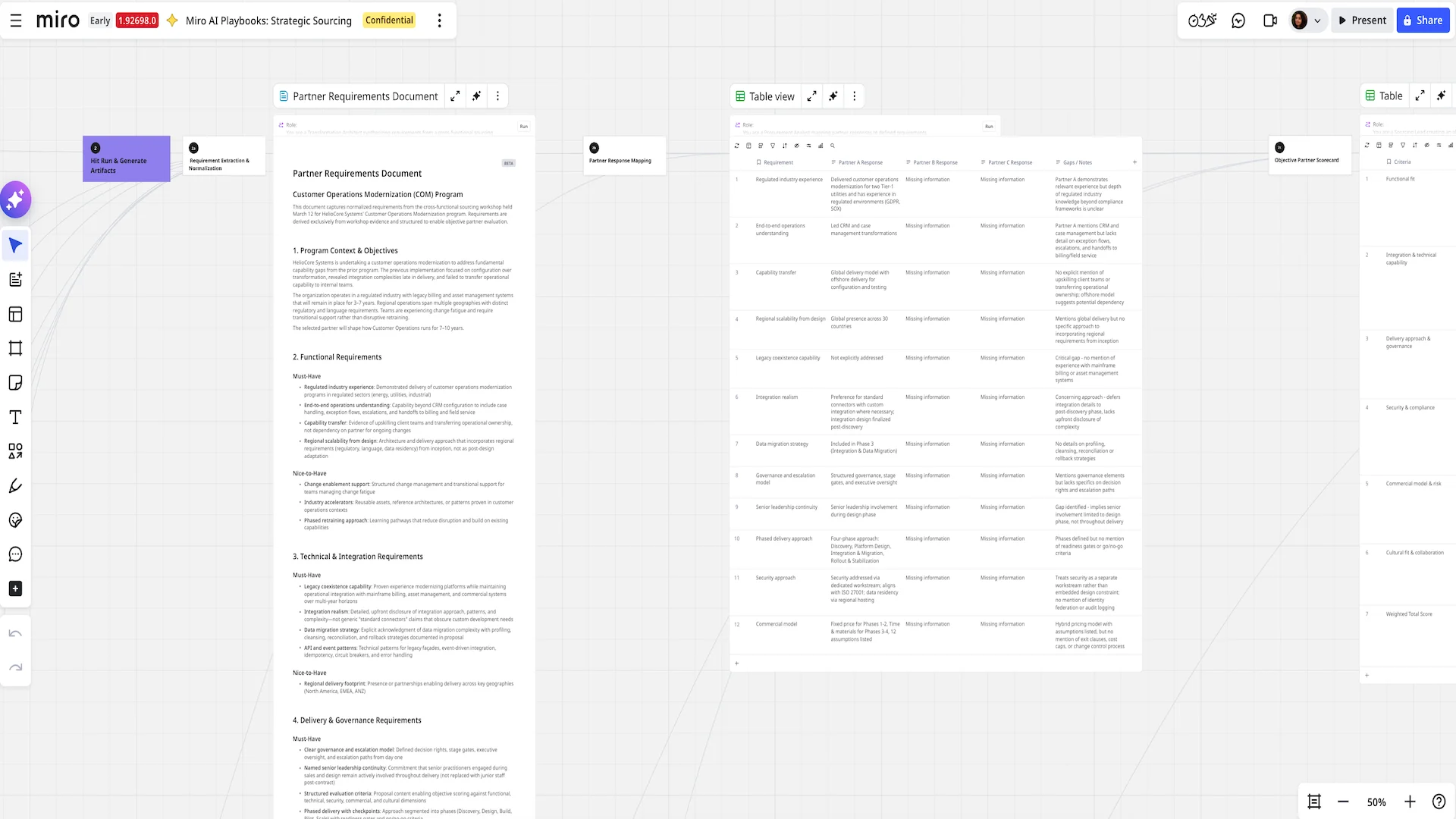
    Miro AI Playbooks board for Strategic Sourcing showing three panels: an AI-generated Partner Requirements Document with structured sections on functional, technical, and delivery requirements; a Partner Response Mapping table comparing Partner A, B, and C responses against 12 requirements with gap analysis notes; and a partially visible Objective Partner Scorecard table on the right.
  • Stop chasing reviewers before a vendor sign-off

    Pre-approval feedback on supplier decks usually arrives in scattered email replies, missing context and tied to no specific slide. Comments in Miro thread directly onto the frame they reference, so your category managers, legal leads, and finance controllers all mark up the same deck in one place.

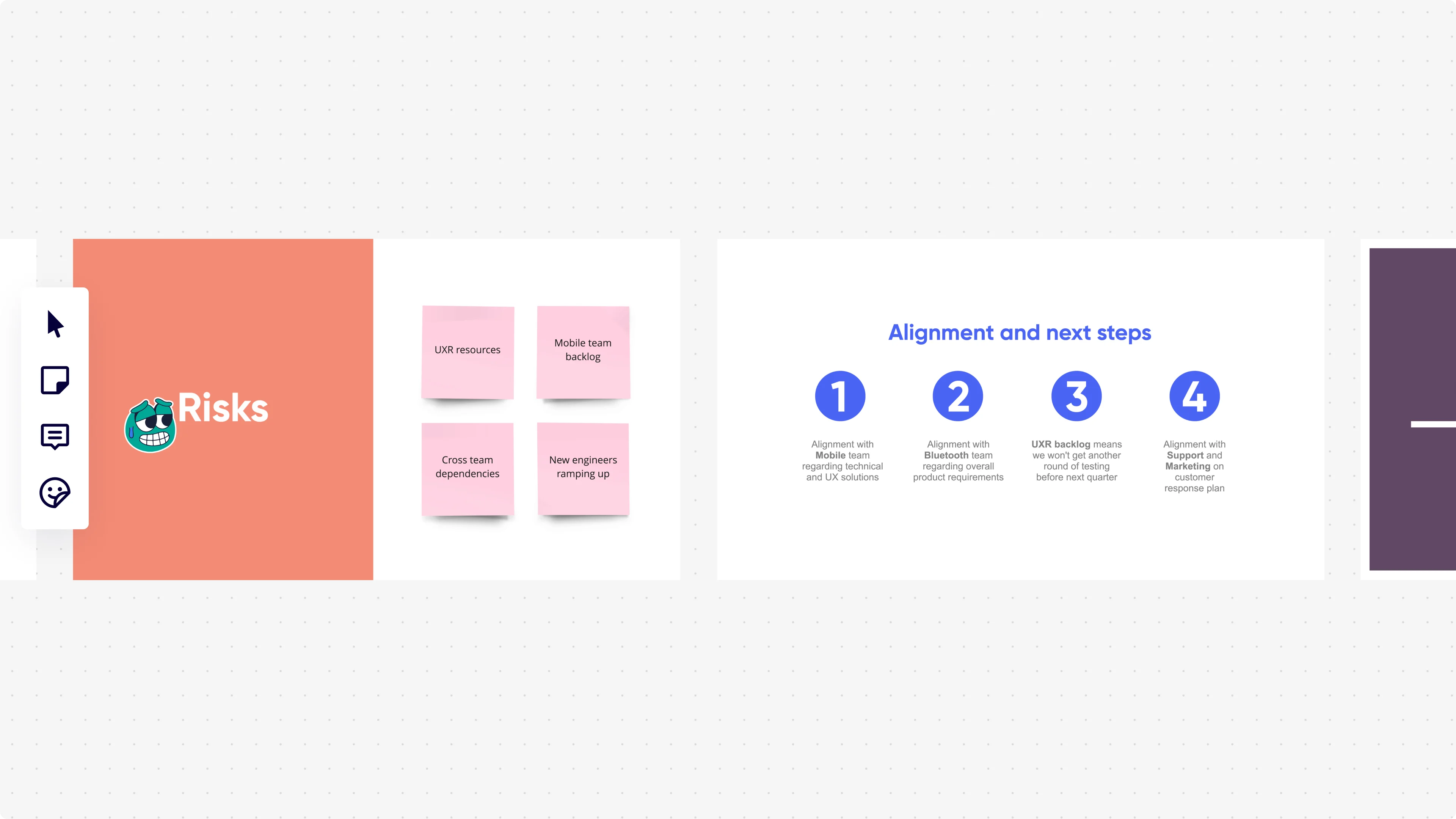
    Miro presentation mode displaying two slides side by side: a 'Risks' slide with an orange background showing four pink sticky notes (UXR resources, Mobile team backlog, Cross team dependencies, New engineers ramping up), and an 'Alignment and next steps' slide with four numbered blue circle icons listing team alignment actions with Mobile, Bluetooth, UXR backlog, and Support/Marketing teams.
  • Your recurring procurement cadence, without the rebuild tax

    Quarterly category reviews, annual supplier scorecards, and monthly cost-variance updates all follow the same structure. Whether you're a solo procurement lead or running a 50-person sourcing function across multiple categories, Miro's Presentation Blueprints carry your standardized frame structure, embedded review stages, and approval gates into every new cycle.

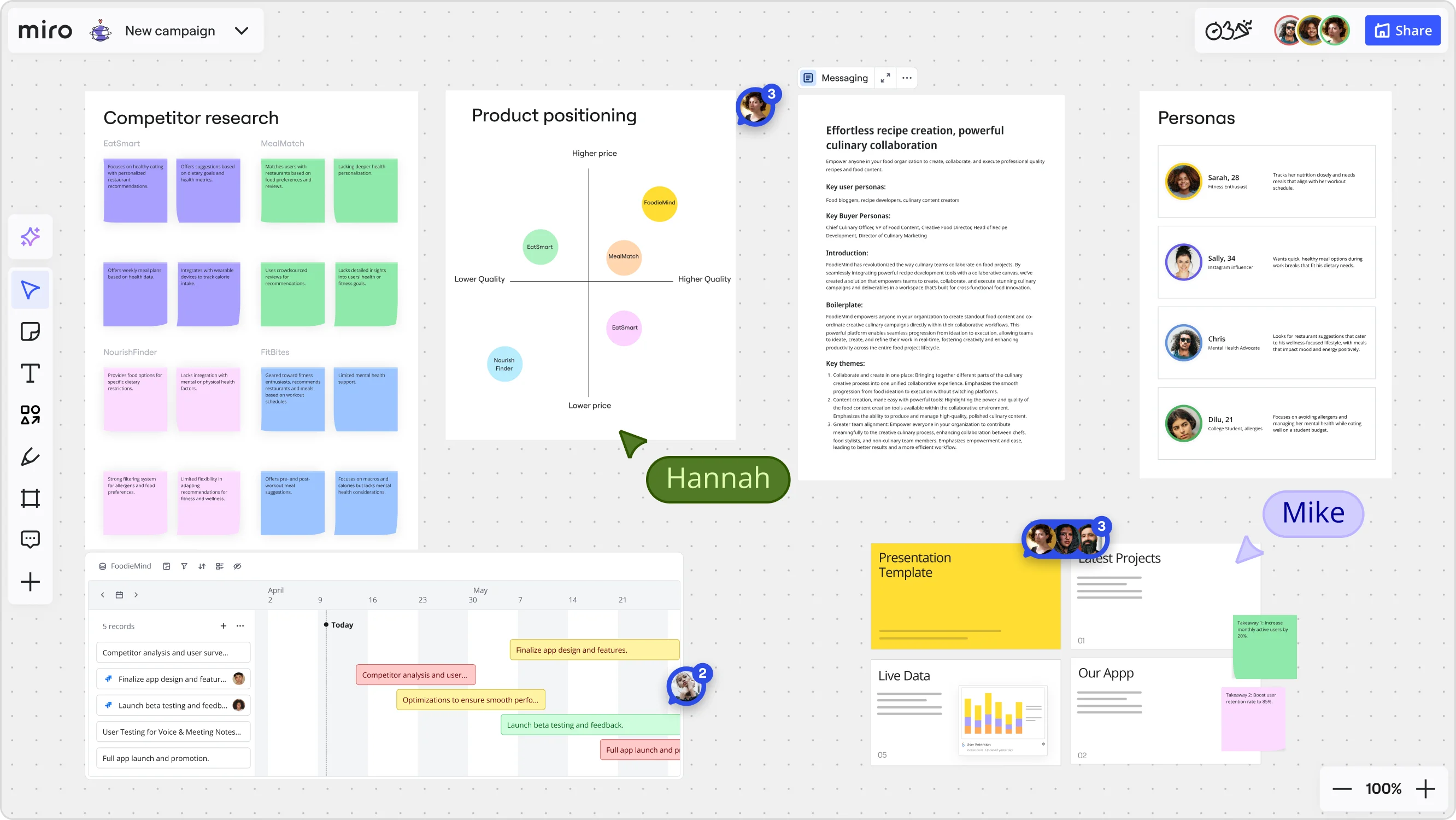
    Miro board for a 'FoodieMind' campaign featuring multiple frames including a competitor research grid with sticky notes, a product positioning matrix with competitor bubbles plotted on price/quality axes, a messaging document, a personas section with four user profiles, a Gantt-style timeline with project tasks, and a presentation template panel — with two collaborators (Hannah and Mike) visible via cursors.
  • Present live to leadership, then share async with regional buyers

    Not every stakeholder joins the live session. Record a narrated Talktrack walkthrough after your presentation locks, so regional procurement leads and absent finance partners can replay it with synchronized audio and board navigation on their own schedule.

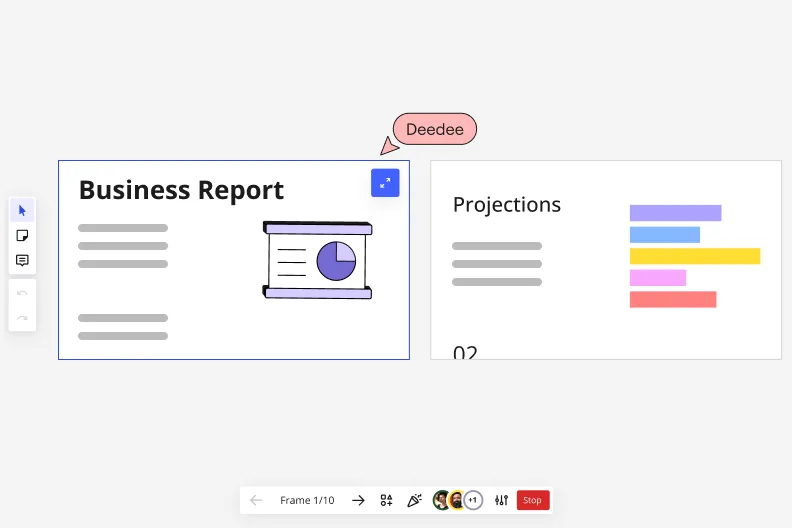
    Miro's presentation mode showing Frame 1/10 with a 'Business Report' slide featuring a pie chart illustration on the left, and a 'Projections' slide with a horizontal bar chart on the right, with a collaborative cursor labeled 'Deedee' and playback navigation controls at the bottom.

How procurement professionals get started with presentations and slides in Miro

  • Pull your bid data into a sourcing decision board

    Open a new Miro board and use External Embeds to pull in live spend data from Coupa, Jaggaer, or Power BI so your supplier scorecards and bid tabulation tables are on the same canvas as your award recommendation deck from the start.

  • Build your committee deck with AI Generate Slides

    Prompt AI Generate Slides with your sourcing narrative ("5-slide supplier selection deck: spend baseline, bid comparison, risk assessment, savings realization, recommendation") and let Miro draft the structure so you spend your time defending the numbers, not formatting the frames.

  • Lock down your slide content before it goes to legal

    Share the board with your CFO, legal, and category owner using Comments so each reviewer threads feedback directly on the frame they're questioning - no more consolidating contradictory redlines from three separate email chains before a steering committee deadline.

  • Record your rationale for the audit trail

    Use Talktrack to narrate through your award recommendation frames so the full decision rationale - why this supplier, what the negotiated terms are, how the savings align to category targets - is on record for anyone who couldn't attend the committee meeting and for any future compliance review.

Slides tips for procurement officers

  • Tag your CFO and legal reviewer with @mentions in Comments on the specific spend-variance or risk-flag frame so they respond in context, not in a reply-all email that buries the actual objection.

  • Save your award recommendation structure (spend baseline, bid comparison, risk summary, savings realization, recommendation) as a Custom Template so every sourcing cycle starts from the same committee-approved format, not a blank canvas.

  • Before the steering committee meeting, use Export to PDF to circulate a static version through your contract management system for formal sign-off, then present live from Presentation Mode so you can jump non-linearly to the supplier scorecard or savings table the moment a committee member pushes back on the recommendation.

Understand how procurement officers transform their work

  • I use Miro as a substitute for PowerPoint slides when I want a more interactive discussion.

    Verified User

    TrustRadius
  • The ability to present complex topics in an organized, clear, and easy-to-read manner is impressive and makes the experience enjoyable. It's very easy to learn haow to use it.

    Verified User

    G2

Presentations and slides essential guide for procurement officers

CategoryKey insights
  • Common mistakes to avoid

    Procurement officers often pack too much into each frame, turning what should be a tight award recommendation into a wall of spend data and supplier scorecards that loses the committee before you reach the vendor selection rationale. Another common slip is sharing the presentation link without checking access settings first, which can expose your full working board, including draft negotiation notes and contract terms, to stakeholders who should only see the curated slide sequence. For larger organizations running formal category reviews, skipping a Talktrack recording is a real risk: legal and finance business partners in different time zones need to review the business case on their own schedule, and a narrated walkthrough keeps the sign-off process moving without requiring another live session.

  • Key integrations for procurement officers

    Microsoft PowerPoint and Google Slides connect directly so officers can export finalized award decks into the formats their steering committees and CFO expect, without losing the work built in Miro. Microsoft Teams and Zoom keep live supplier review sessions and internal bid evaluation calls running from the same board, while Confluence gives category teams a single place to archive sourcing decisions and link to the supporting presentation for audit trails. For enterprise procurement functions managing complex approval workflows, the Iframe Embed Widget lets officers pull in live spend data views or supplier scorecards directly into the deck, so the numbers in front of the committee are always current.

  • When to use it

    Use this when a sourcing cycle closes and you need to walk a steering committee or category council through your vendor selection rationale, negotiated terms, and savings realized versus baseline, all without rebuilding the work you've already done in a separate slide tool. For example, a category manager who has mapped competing bids and supplier risk across a Miro board can create Frames for each decision section, pull in bid tabulation data, and use AI slide generation to draft the executive summary, turning weeks of sourcing work into a presentation-ready package in one session. It's also the right choice when absent stakeholders, like a legal reviewer or finance business partner in another region, need to review the recommendation asynchronously: a Talktrack recording lets them hear the full narrative behind the numbers on their own schedule.


  • Security & Compliance

    Miro is SOC 2 Type II certified, which matters when procurement decks contain negotiated contract terms, supplier pricing, or spend data that can't travel outside approved systems. Enterprise procurement functions with data residency requirements can control where board data is stored, and granular sharing permissions mean officers can circulate a curated presentation to the committee without exposing the full working board to every viewer. Private Mode adds another layer for sensitive sessions like sole-source justification reviews or contract renewal negotiations where draft positions need to stay confidential until the recommendation is finalized.

Frequently asked questions for procurement officers

Last updated: Thursday, July 30, 2026