100 likes
1.8K uses
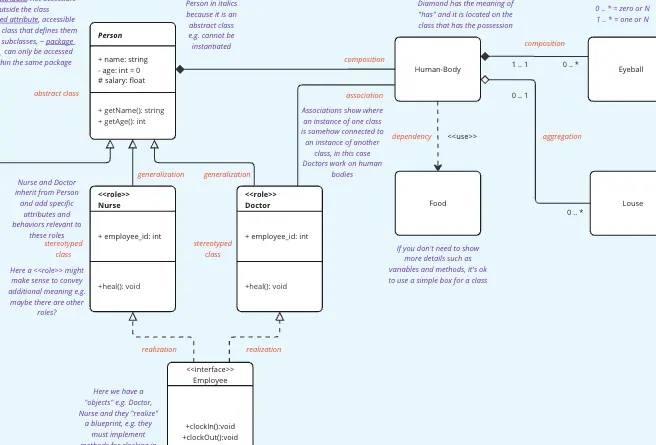
Uncover the power of our UML diagram templates, crafted to simplify complex software architectures. Infused with insights from our vibrant community, these UML diagram examples are your go-to resource for precise planning and effective communication.
22 templates
UML Class Diagram
A UML (Unified Modeling Language) Class diagram is a visual representation that shows the structure and relationships of classes in a system or software application.
Use Case Diagram Template
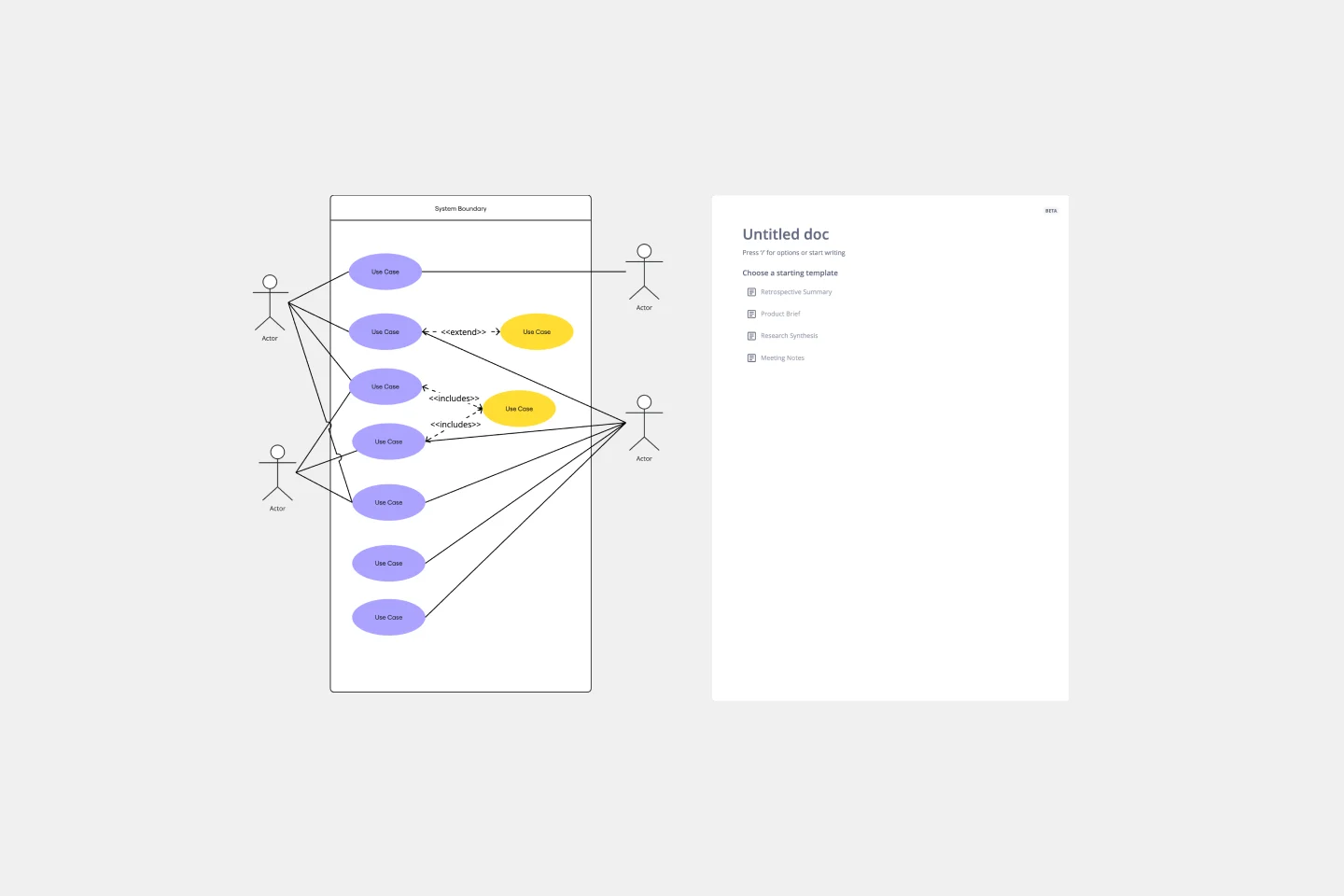
A use case diagram is a visual tool that helps you analyze the relationships between personas and use cases. Use case diagrams typically depict the expected behavior of the system: what will happen and when. A use case diagram is helpful because it allows you to design a system from the perspective of the end user. It’s a valuable tool for communicating your desired system behavior in the language of the user, by specifying all externally visible system behavior.
UML Sequence Diagram Template
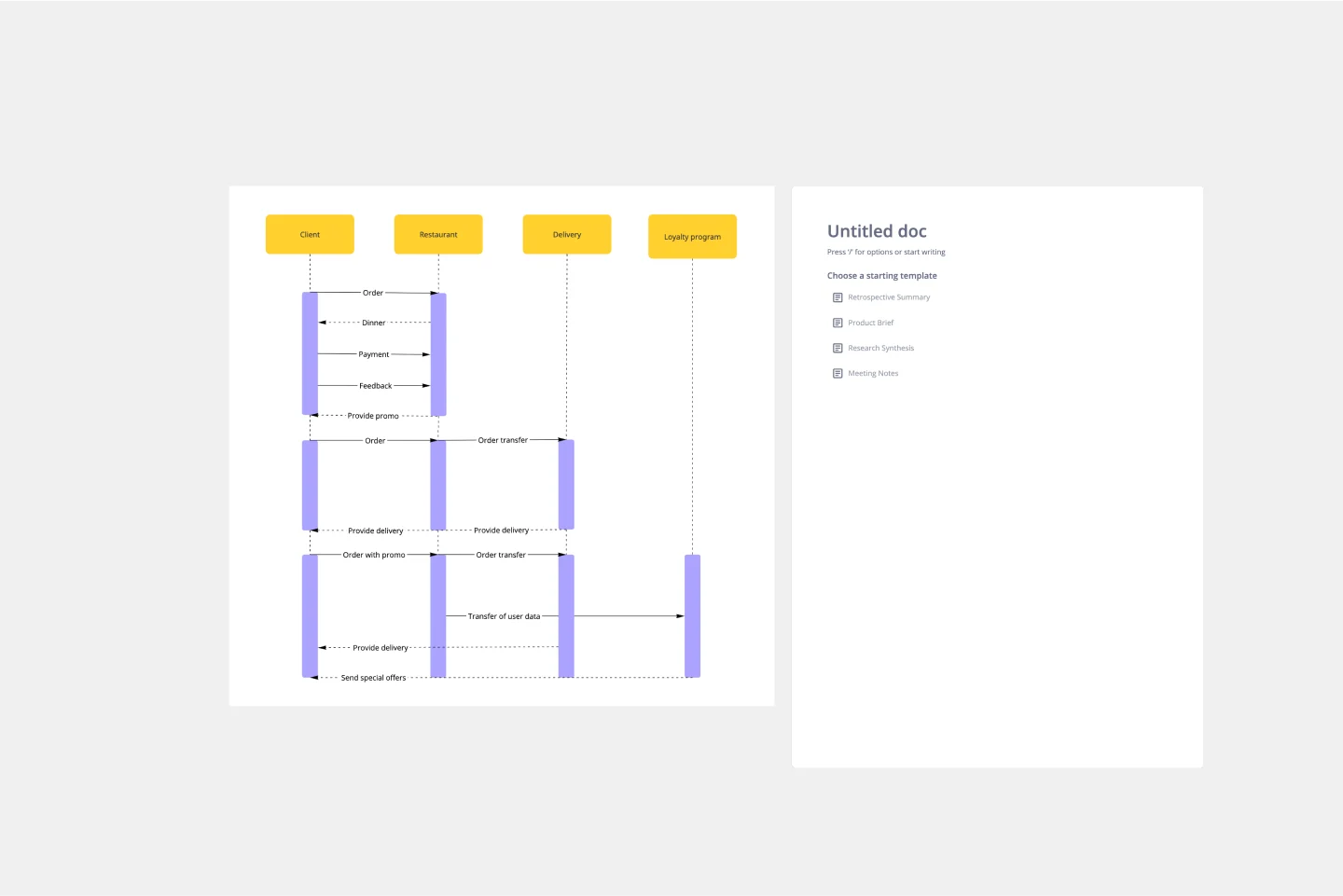
Analyze and showcase how external entities interact with your system using a sequence diagram. Get a bird’s-eye view of your work processes, business functions, and customer interactions using this diagram. Also, identify any potential problems early and solve them before implementation.
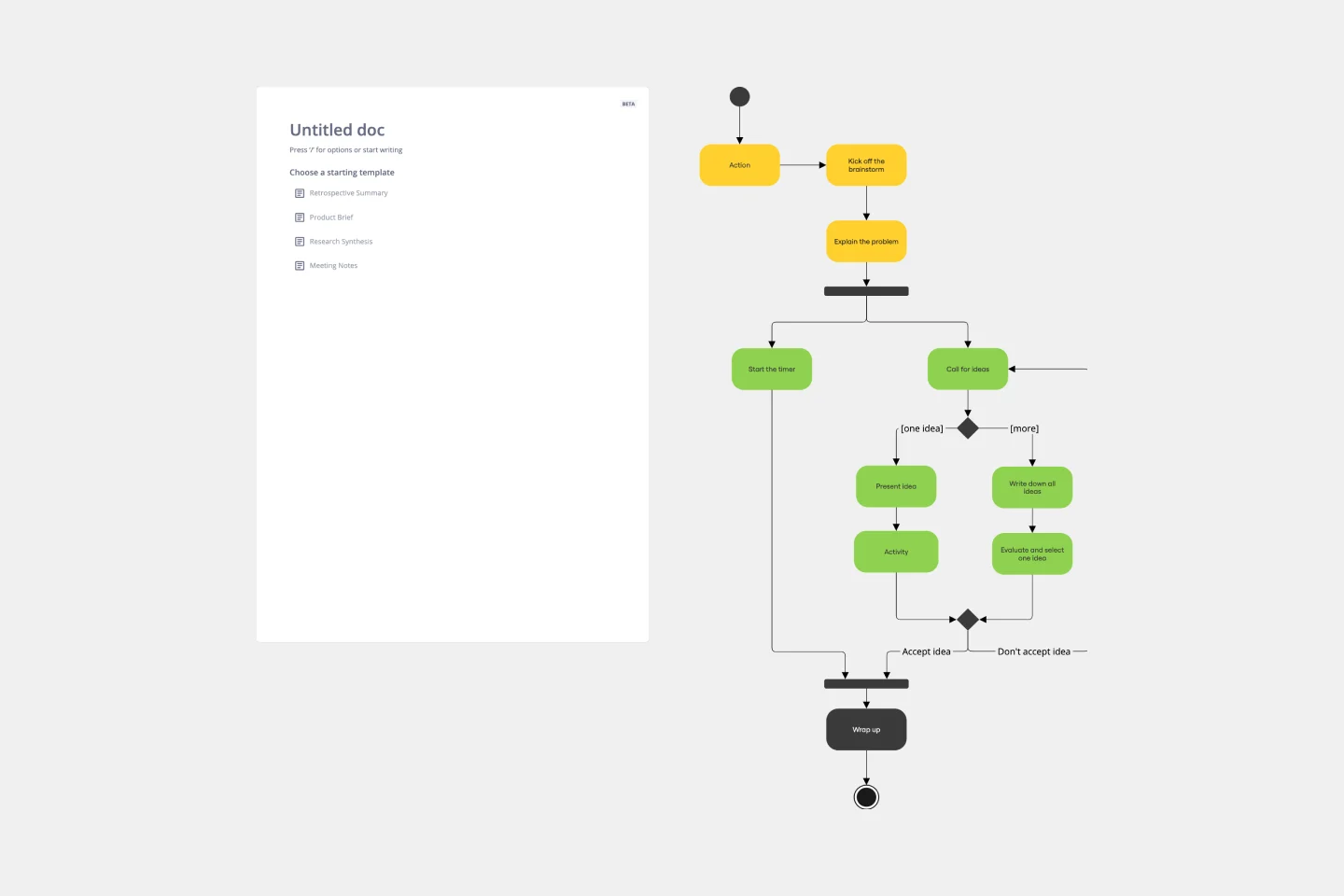
UML Activity Diagram Template
Use our Activity Diagram template to break down activities into smaller decisions and subprocesses. Improve and optimize systems and processes in I.T., business management, and more.
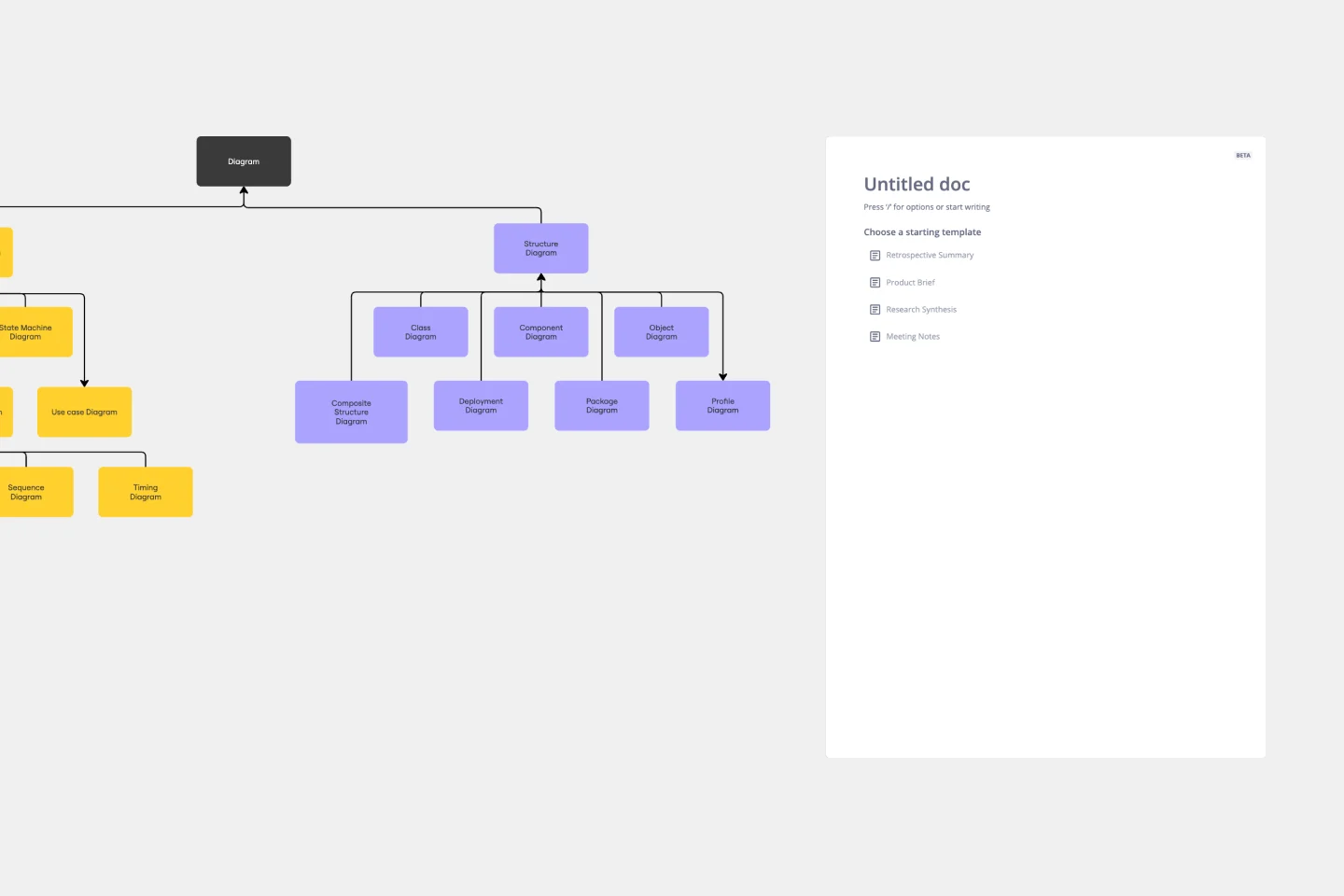
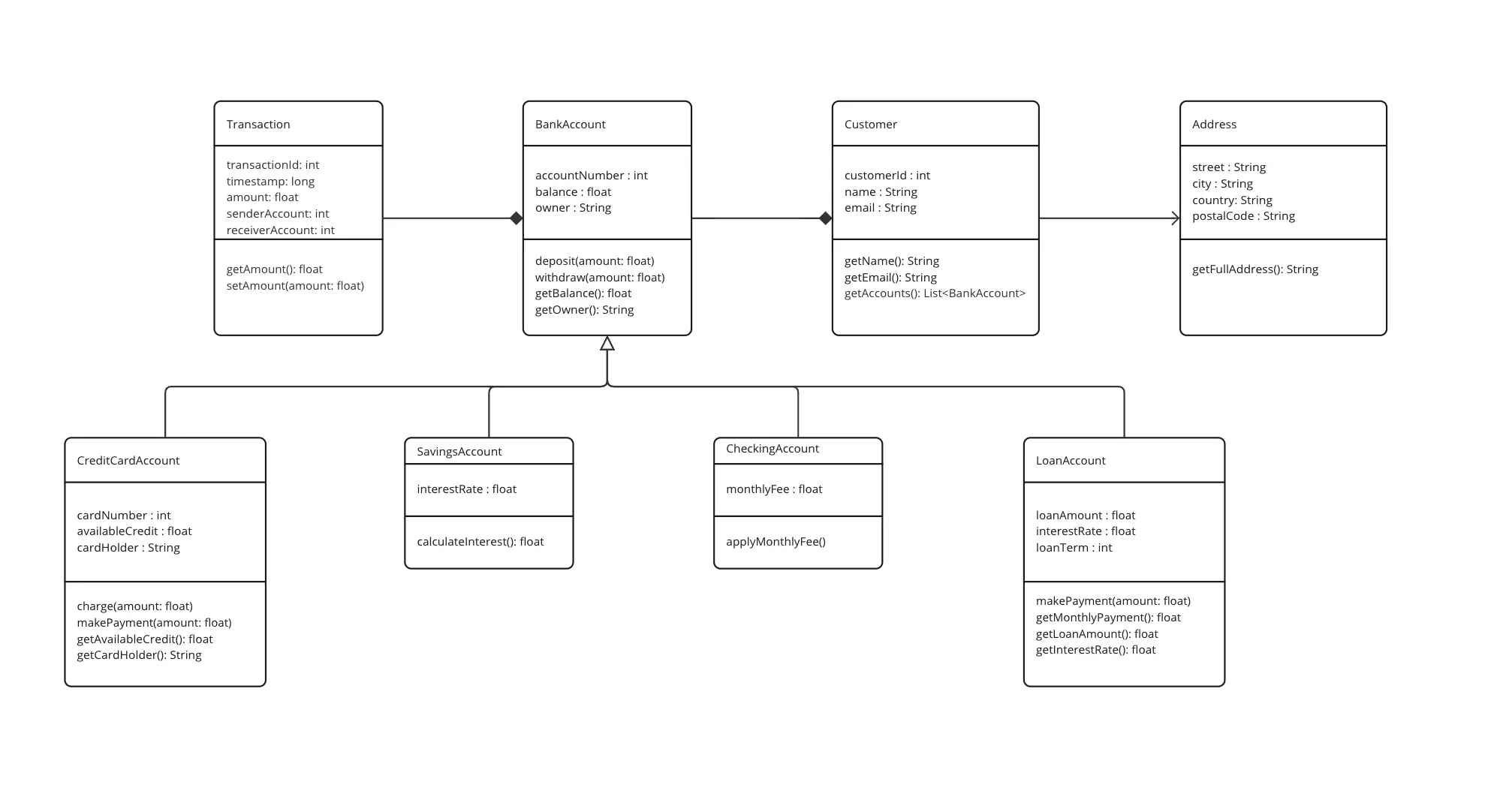
UML Class Diagram Template
Get a template for quickly building UML class diagrams in a collaborative environment. Use the UML class diagram template to design and refine conceptual systems, then let the same diagram guide your engineers as they write the code.
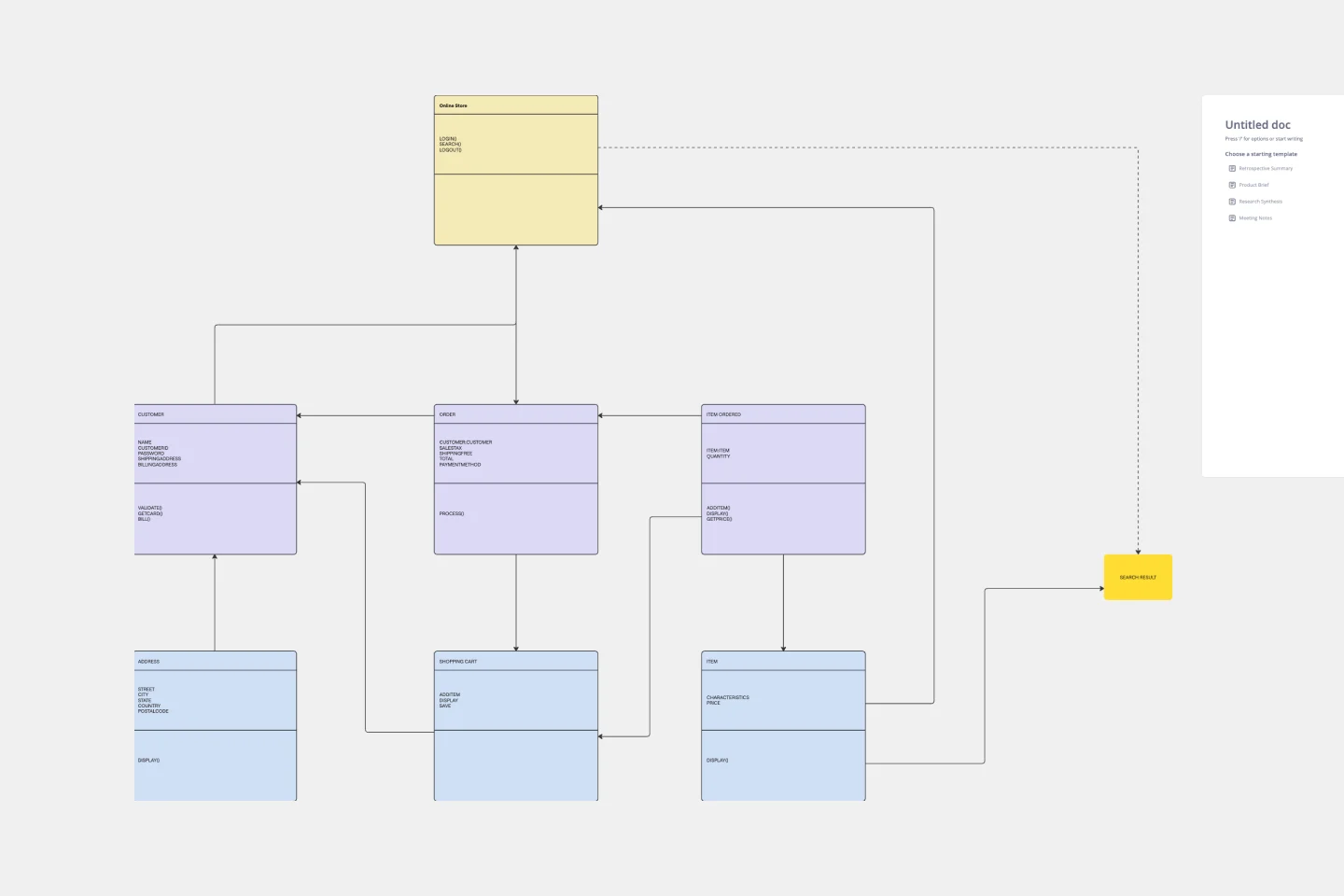
UML Diagram Template
Originally used as a modeling language in software engineering, UML has become a popular approach to application structures and documenting software. UML stands for Unified Modeling Language, and you can use it to model business processes and workflows. Like flowcharts, UML diagrams can provide your organization with a standardized method of mapping out step-by-step processes. They allow your team to easily view the relationships between systems and tasks. UML diagrams are an effective tool that can help you bring new employees up to speed, create documentation, organize your workplace and team, and streamline your projects.
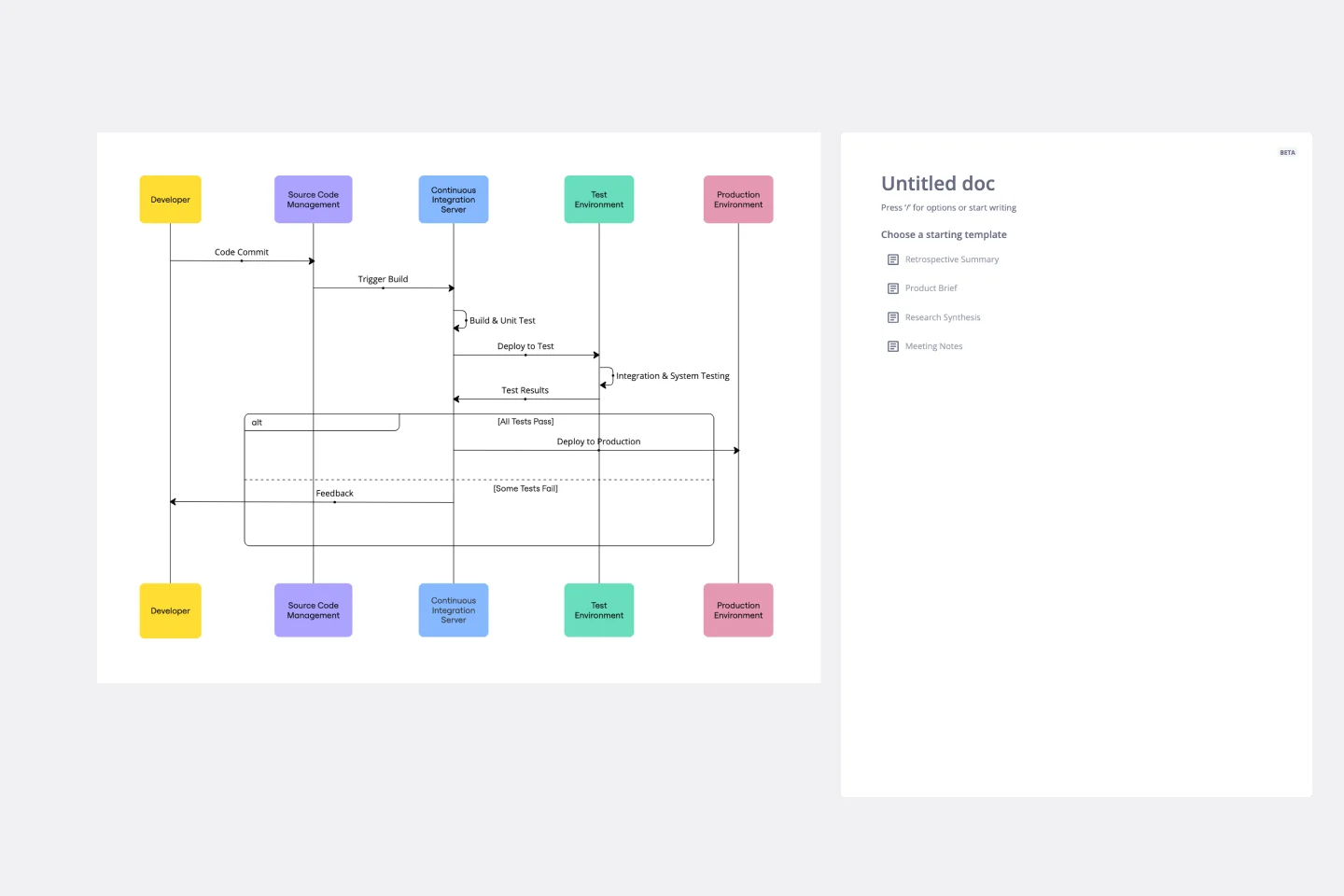
UML Sequence Deployment Pipeline Template
The UML Sequence Deployment Pipeline Template in Miro visually maps the sequence of steps in an automated deployment pipeline, helping teams in software development and deployment. It helps identify bottlenecks, standardizes the deployment process, and facilitates new member onboarding for continuous improvement.
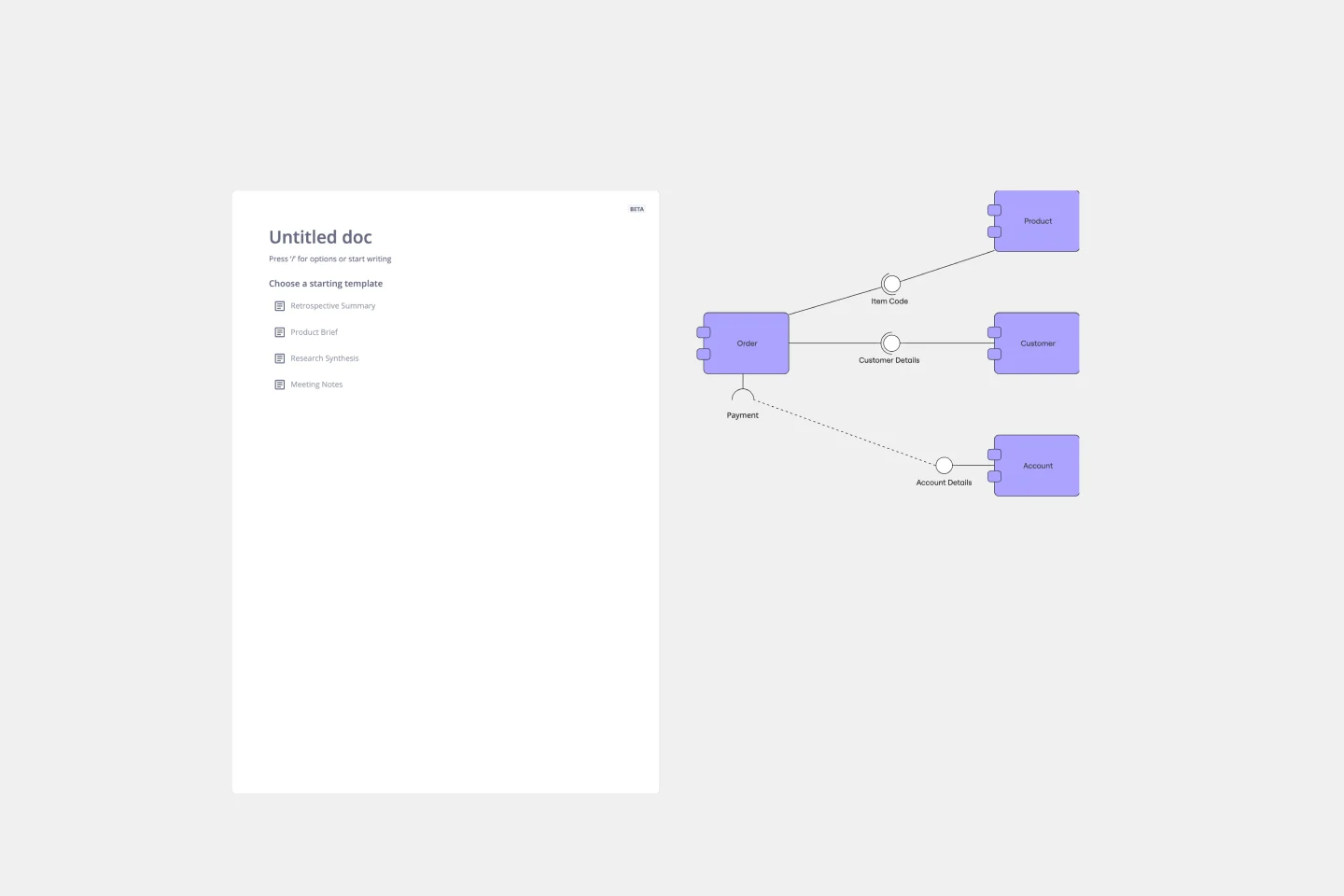
UML Component Diagram Template
Use our Component Diagram template to show how a system’s physical components are organized and wired together. Visualize implementation details, make sure planned development matches system needs, and more — all in a collaborative environment.
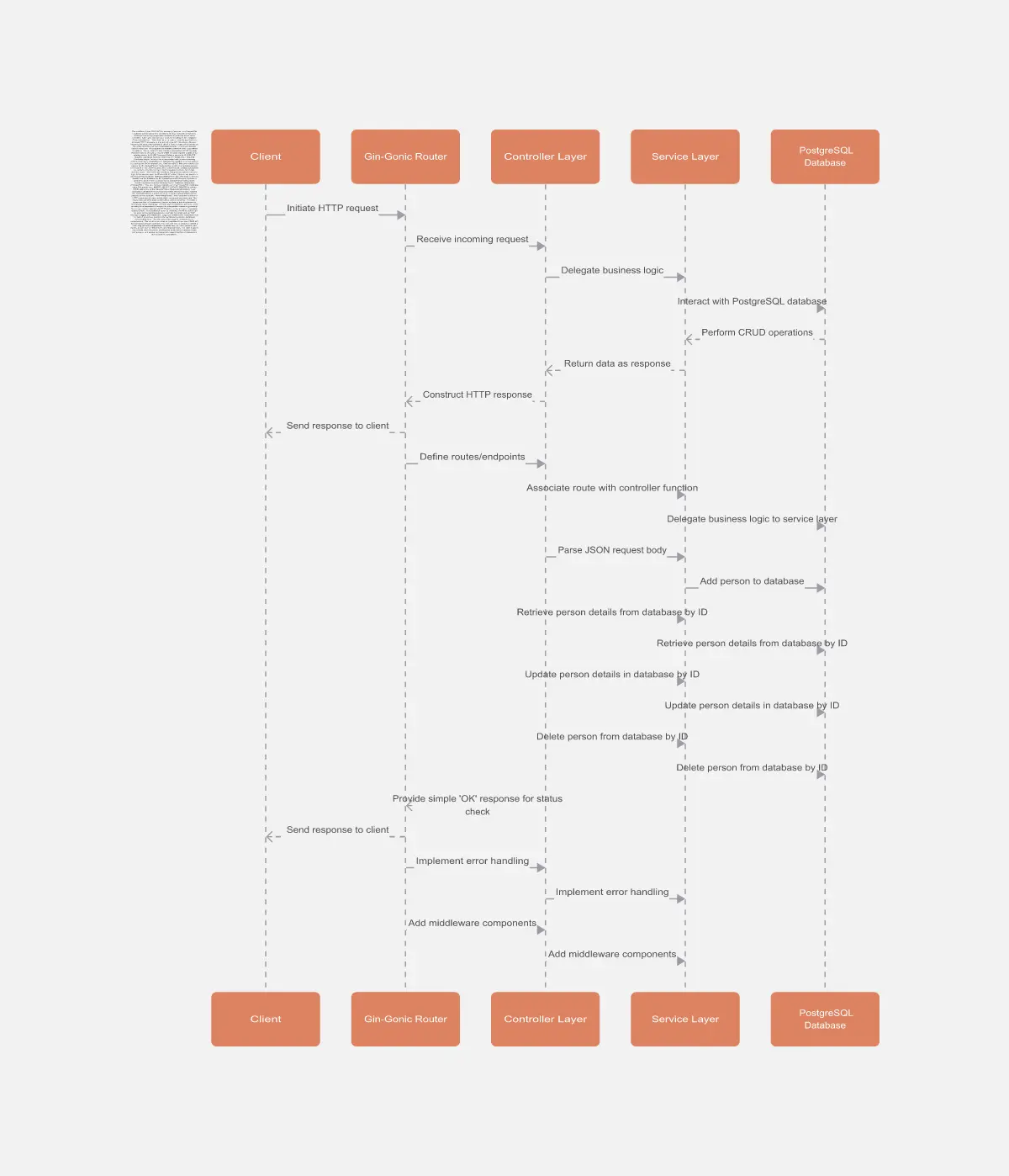
Person Api Uml
The Person Api Uml template offers a visual framework for designing and modeling Person API structures and interactions. It provides elements for defining entities, attributes, and relationships within a Person API system. This template enables teams to visualize and communicate the structure and behavior of Person APIs, facilitating collaboration and alignment among stakeholders. By promoting clarity and consistency in API design, the Person Api Uml template empowers teams to build robust and interoperable Person API solutions.
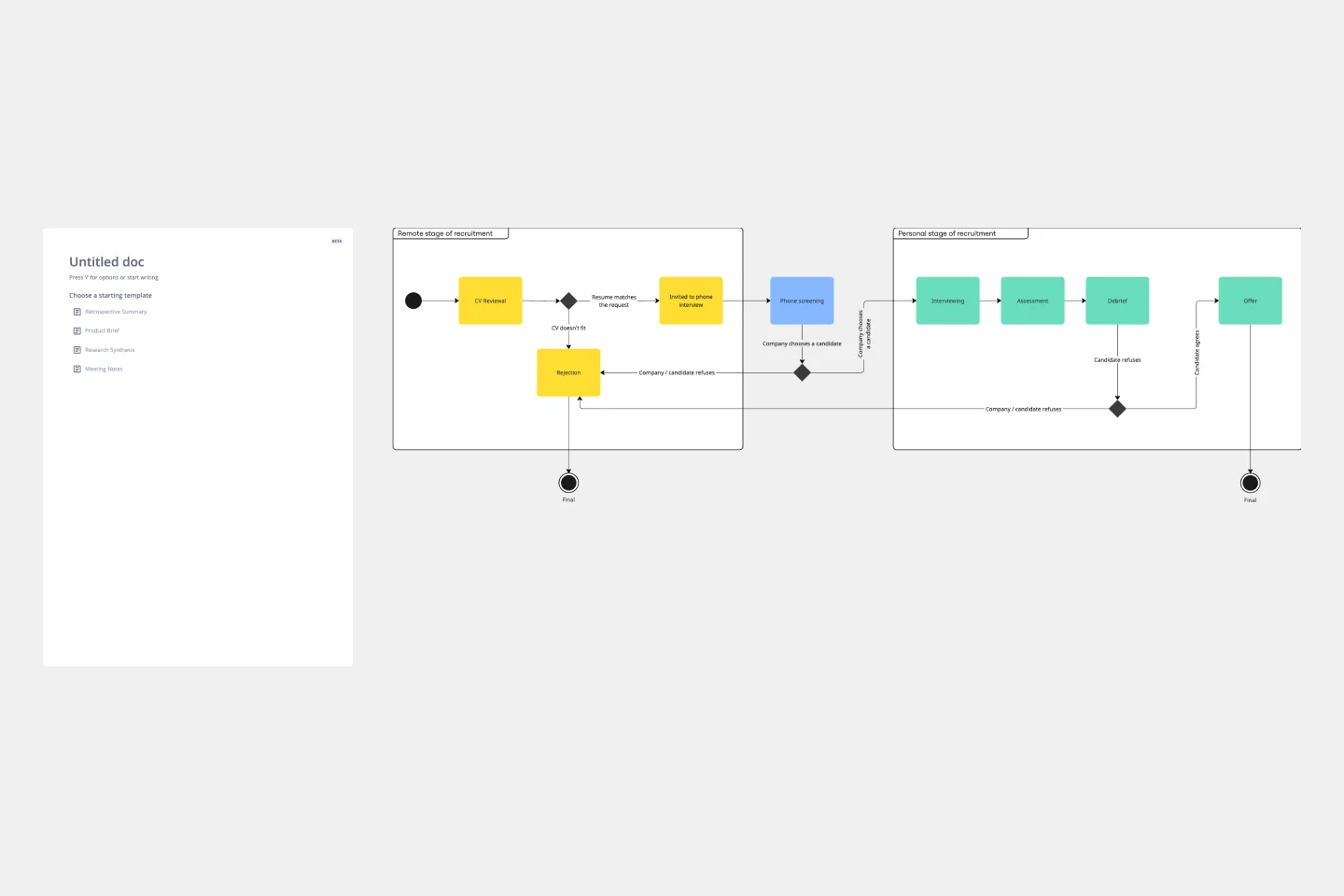
UML State Machine Diagram Template
Visualize the workflow of a process and how objects perform actions based on different stimuli. State machine diagrams are valuable for understanding how an object responds to events at the different stages of its life cycle. They are also helpful for visualizing event sequences in a system.
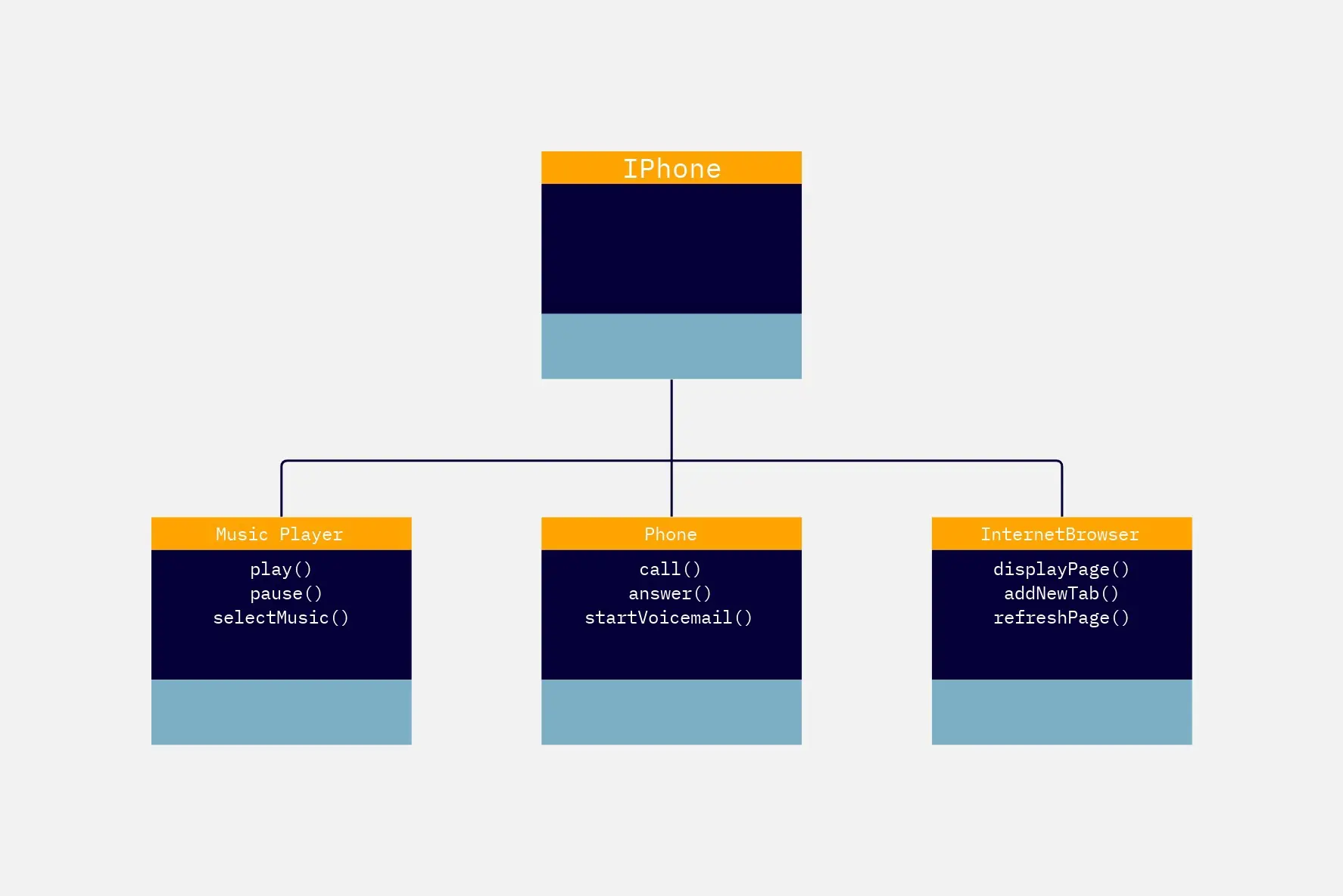
Challenge - UML Iphone
The Challenge UML Iphone template offers a visual framework for designing and modeling iPhone app challenges and solutions using UML (Unified Modeling Language). It provides elements for defining app functionalities, user interactions, and system architecture. This template enables teams to brainstorm ideas, document requirements, and visualize app designs, facilitating collaboration and innovation. By promoting clarity and alignment, the Challenge - UML Iphone template empowers teams to design iPhone apps that meet user needs and deliver exceptional user experiences.
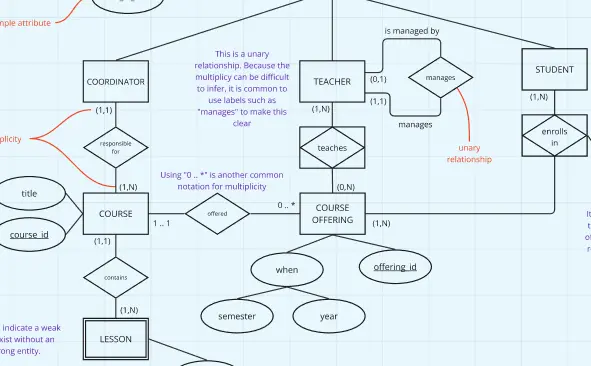
UML ERD Diagram
This template contains a few Entity-Relationship diagrams that you can re-use for your own work.
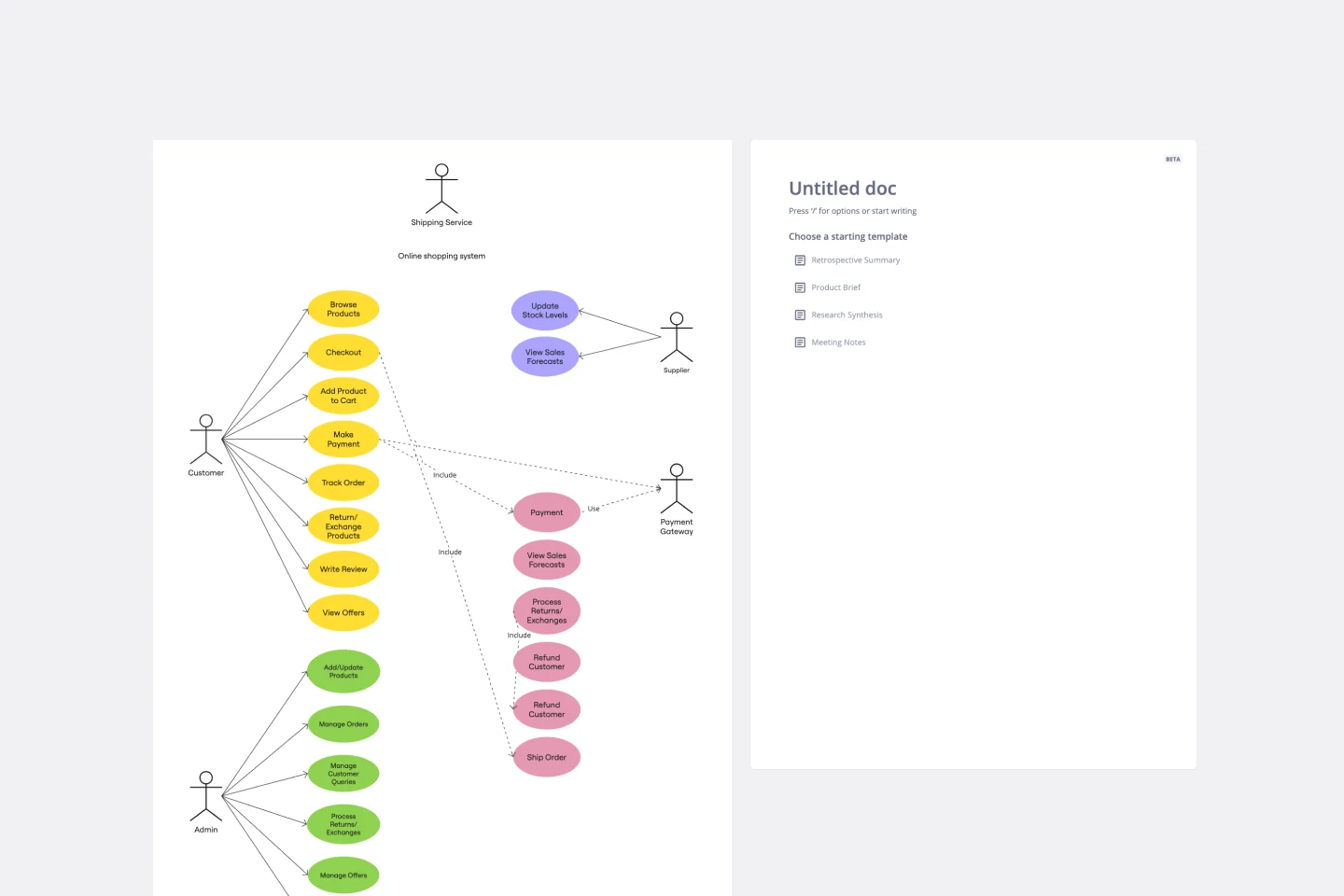
UML Use Case Online Shopping System Template
The Online Shopping System Template simplifies the process of documenting and visualizing how users interact with an online shopping system. It provides a standard way to map out user interactions, such as product listings, inventory management, shopping carts, order processing, payments, and shipping details. By using this template, teams can collaborate effectively in real-time or at different times, adjusting the diagram to meet their project's specific needs. This not only improves clarity and efficiency but also fosters better communication among team members and stakeholders, ensuring a thorough understanding of the system's design and requirements.
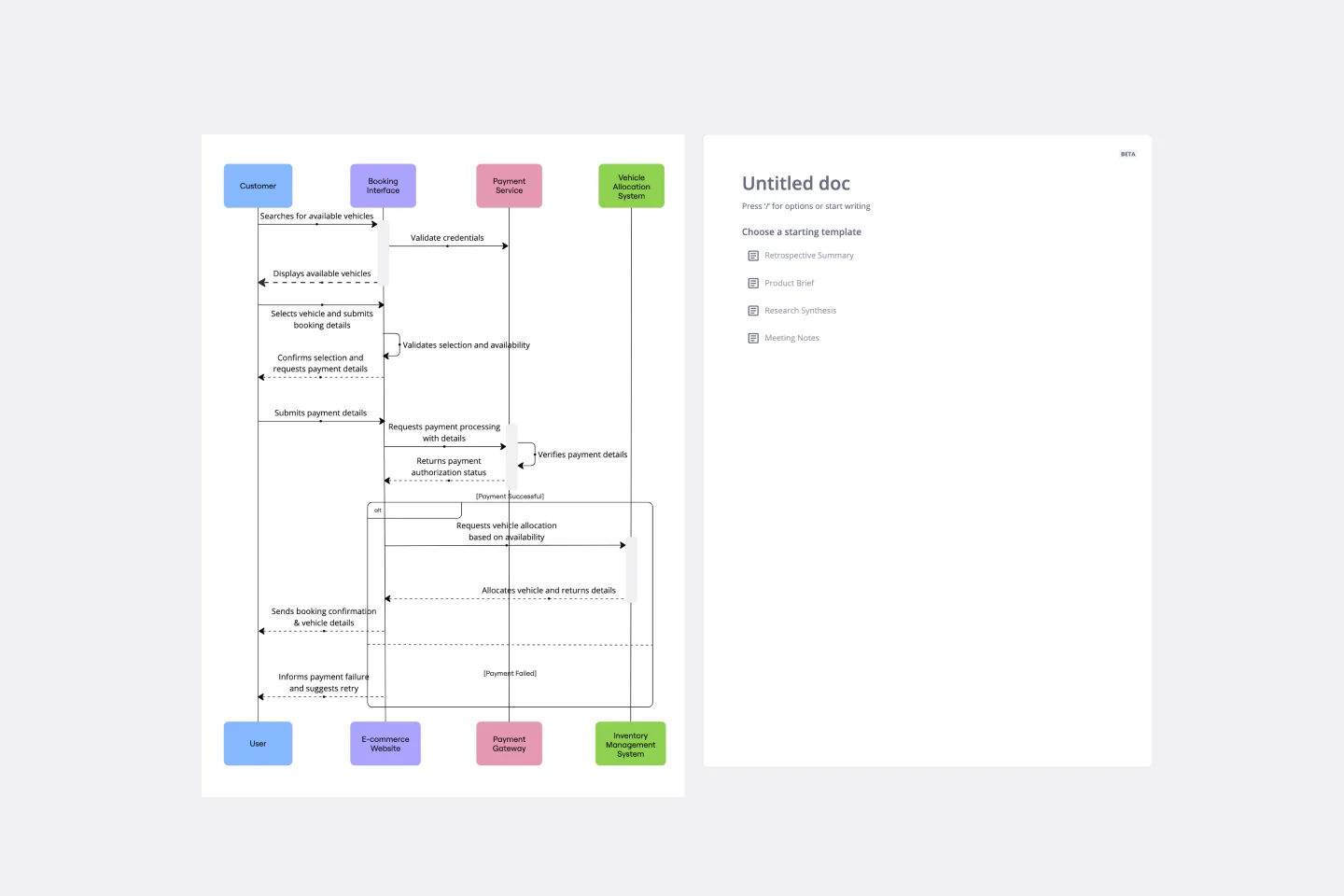
UML Sequence Rental Booking System Template
The UML Sequence Rental Booking System Template streamlines the process of documenting and visualizing the interactions within a car rental booking system. This template maps out the communication flow between the customer, user interface, payment service, and vehicle allocation system, ensuring a smooth and efficient workflow. By providing a clear visual representation of these interactions, the template helps in improving understanding among team members and stakeholders, promoting efficient design and collaboration.
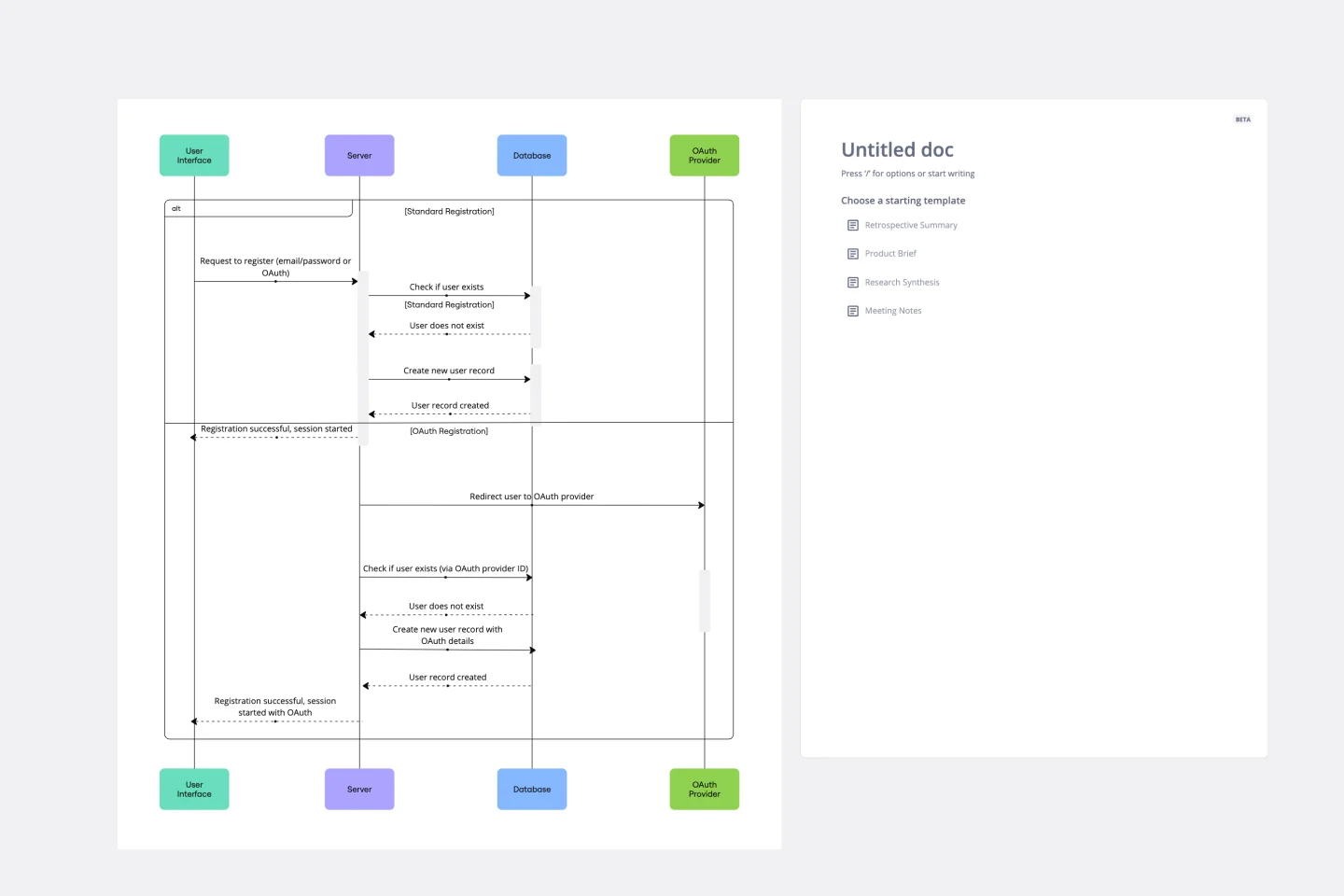
UML Sequence Registration Process Template
The UML Sequence Registration Process Template helps visualize and document user registration processes. It enables the rapid creation of sequence diagrams, which are crucial for enhancing clarity and identifying potential issues early in the design phase. This template not only supports collaborative efforts through Miro's platform, facilitating real-time teamwork, but also ensures a comprehensive system design. Being part of a broader collection of UML diagram templates, it stands as a valuable asset for projects involving registration workflows, contributing to streamlined project execution and effective communication among team members.
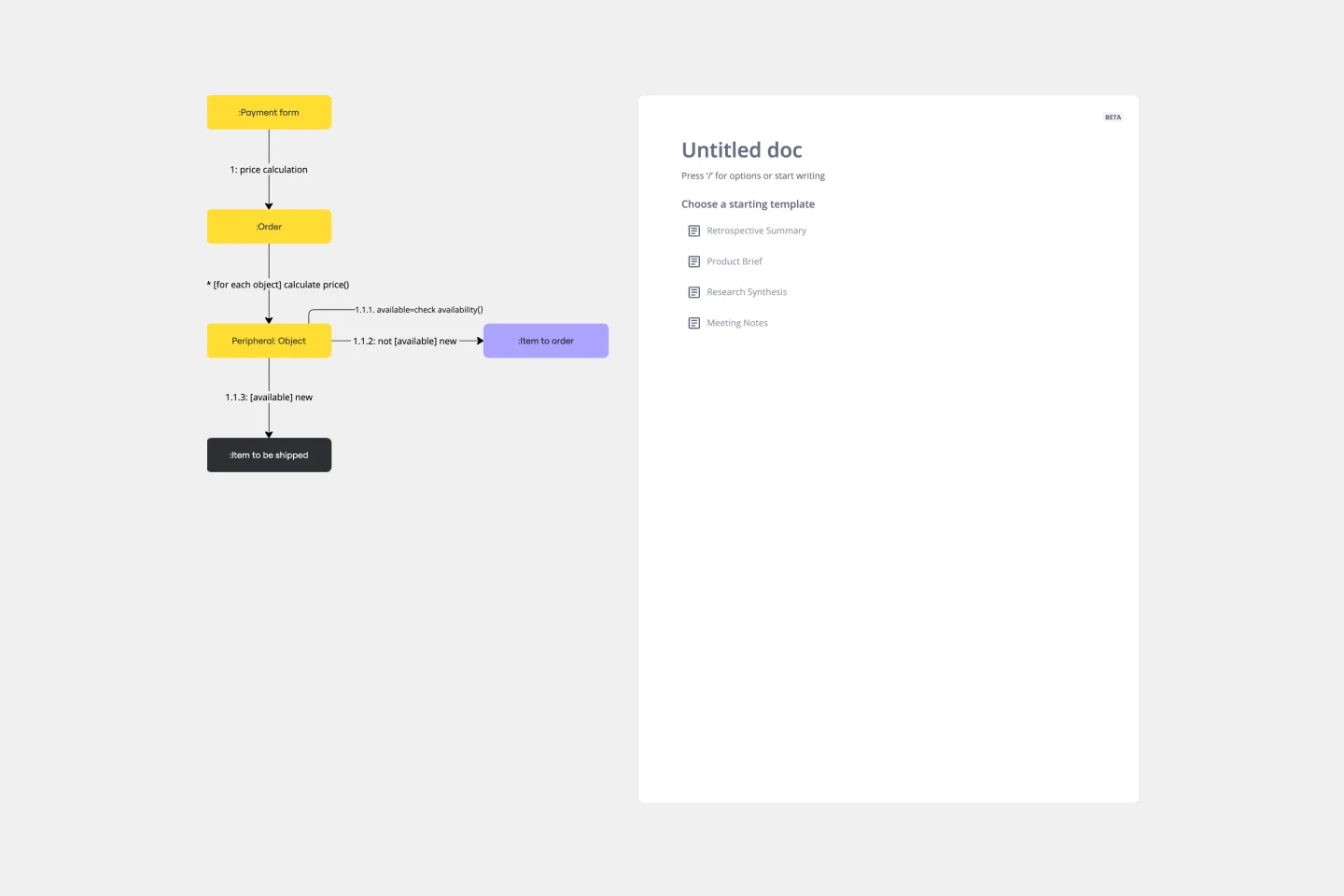
UML Communication Diagram Template
Most modern programs consist of many moving parts working to a precise set of instructions. With a communication diagram, you can visualize exactly how those parts work together, giving you a clearer understanding of your program as a whole. What’s more, the diagram leaves spaces for expanding the network of relationships as your product grows and evolves. A communication diagram is a vital tool in any software designer’s arsenal.
AI Accelerated
UML Sequence Diagram AI Template
Analyze and showcase how external entities interact with your system using a sequence diagram. Get a bird’s-eye view of your work processes, business functions, and customer interactions using this diagram. Also, identify any potential problems early and solve them before implementation.
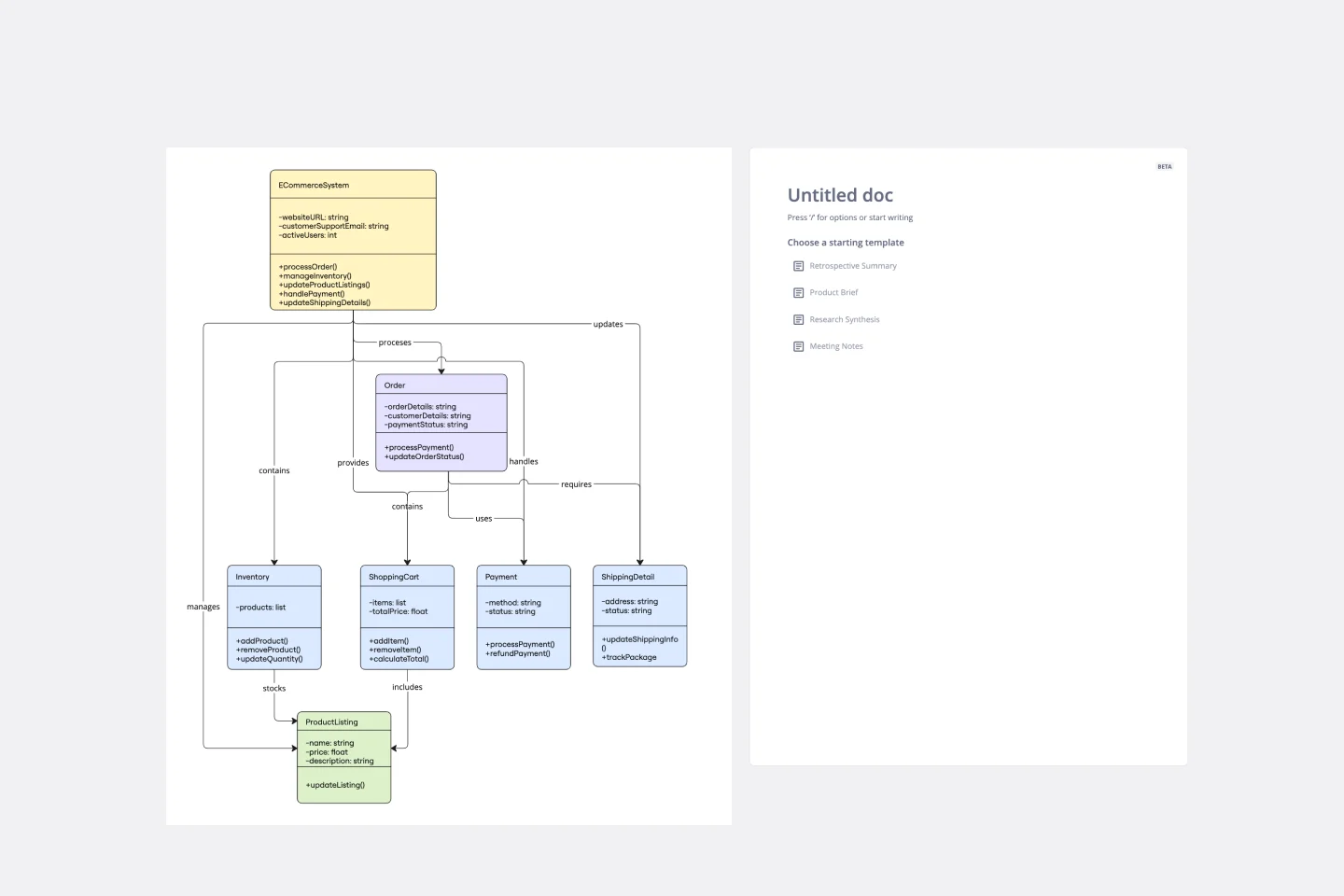
UML Class E-Commerce System Template
The UML Class E-Commerce System Template streamlines the process of creating and visualizing the class structure of an e-commerce system. It provides a comprehensive framework that includes typical online shop features such as product listings, inventory management, shopping carts, orders, payments, and shipping details. This template facilitates a clear understanding of how these elements interact during an online sales transaction, making it an invaluable tool for teams working on e-commerce projects. By using this template, teams can save time, enhance collaboration, and ensure that their system architecture is robust and efficient, ready to adapt to their business's evolving needs.
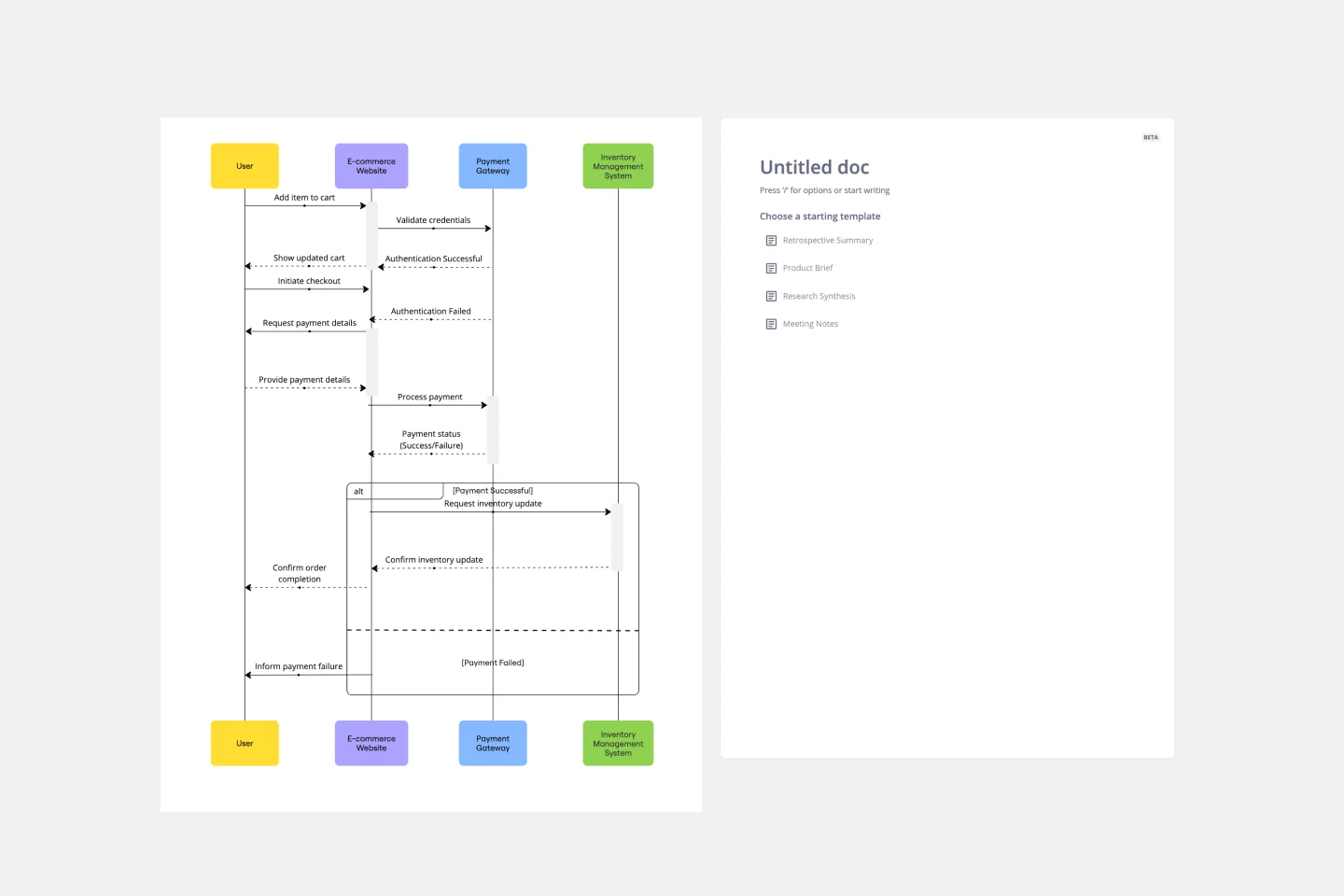
UML Sequence E-commerce Checkout Template
The UML Sequence E-commerce Checkout Template in Miro is a versatile tool for visualizing and analyzing e-commerce checkout processes. It provides a step-by-step visual representation of system interactions, is highly customizable, supports real-time collaboration, and is suitable for various e-commerce platforms. It serves as an efficient documentation tool, fosters team collaboration, and contributes to a more streamlined checkout experience for customers.
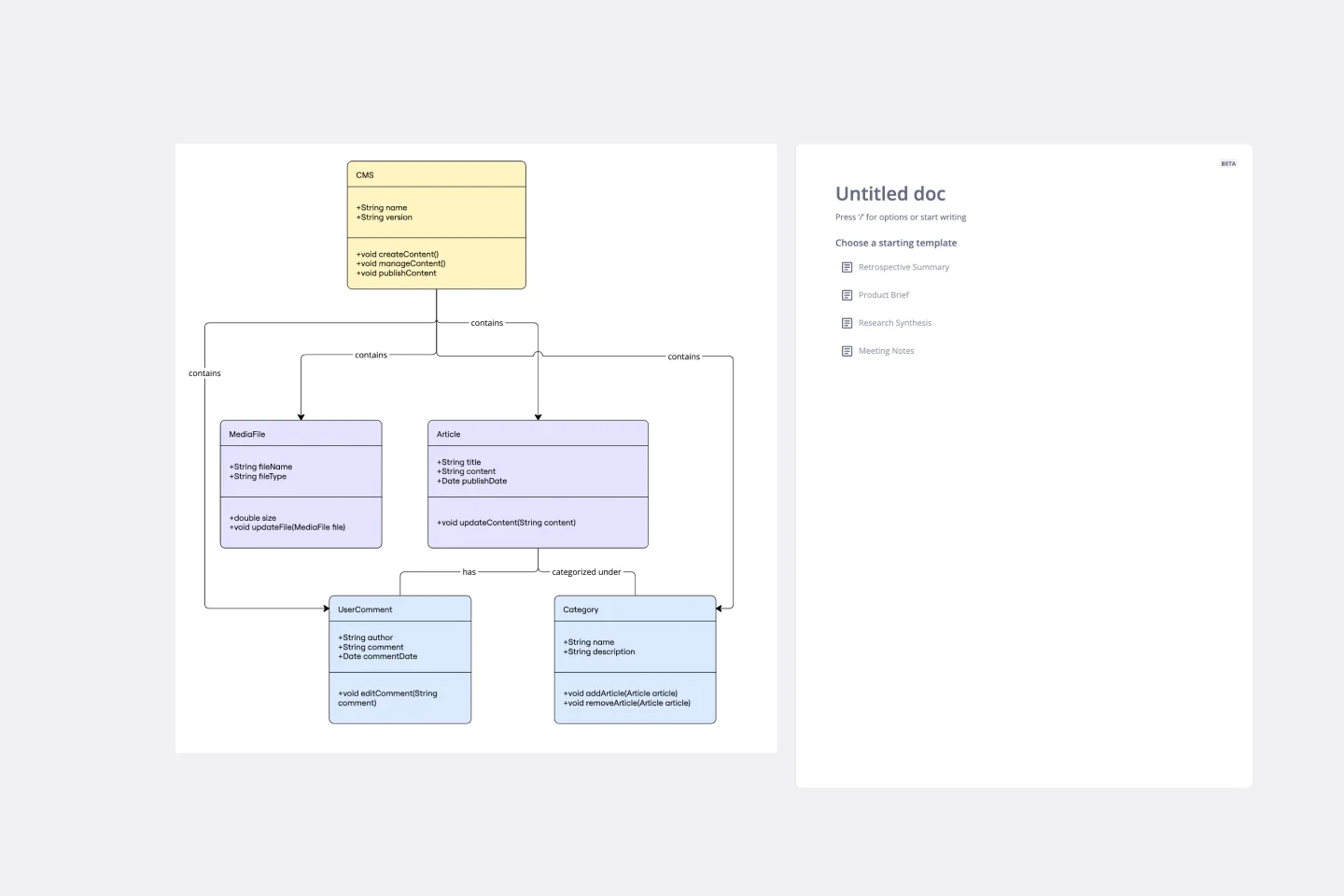
UML Class Content Management System (CMS) Template
The UML Class Content Management System CMS Template simplifies documenting and designing the architecture of a Content Management System. It allows for the creation of UML class diagrams to visualize the structure of a CMS. Teams can efficiently map out key classes and their interactions, such as how users create, manage, and publish digital content. The template's integration into Miro's collaborative platform allows for real-time teamwork, customization, and easy sharing of feedback. This streamlines the documentation process and is valuable for software development projects aiming to develop or refine a CMS.
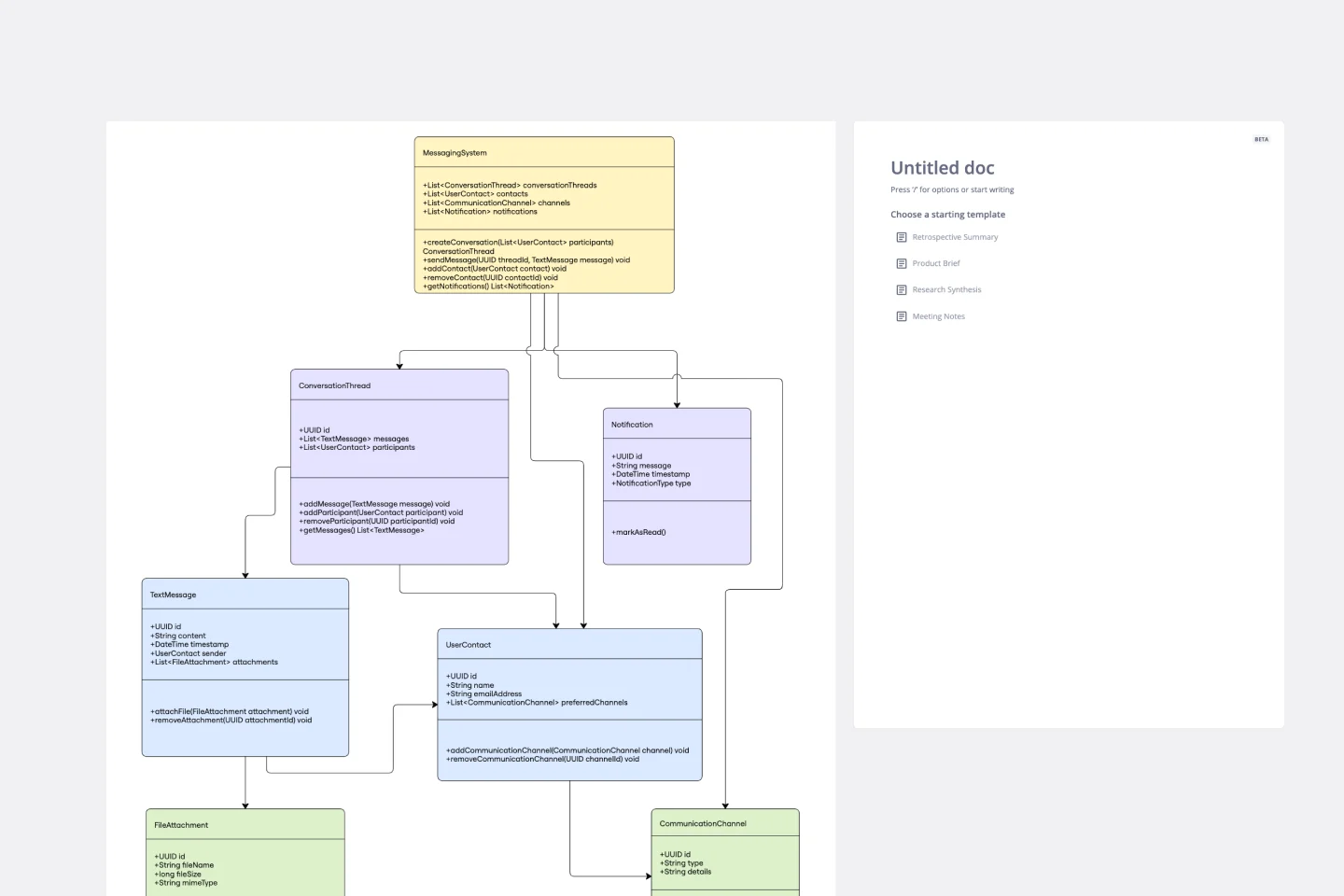
UML Class Messaging System Template
The UML Class Messaging System Template streamlines the process of designing and analyzing messaging systems. It allows users to visually map out the structure of a system by detailing classes, their attributes, operations, and the relationships among objects. This template is particularly useful for illustrating the functionality of a messaging system, including the management of text messages, conversation threads, user contacts, notifications, and channels. It offers a clear visual representation of how all these elements interact within the system, making it an invaluable resource for developers, designers, and stakeholders aiming to enhance communication and reduce errors in the development phase.

Our UML Diagram Templates Collection is designed to simplify the process of creating and sharing UML diagrams by leveraging the knowledge of our active community. Whether you're an experienced architect or new to system design, our collection provides a variety of ready-made templates for different types of UML diagrams. With Miro, you can easily visualize complex systems, collaborate with your team in real-time, and make direct edits to your diagrams on the board.
Our UML diagram examples serve as your compass for software and system design. They empower you to visualize and analyze structures with clarity, ensuring coherence and consistency across your projects. Here are some of the benefits of using our UML diagrams:
Streamlined collaboration: Share your UML diagrams with teammates and stakeholders to discuss and iterate in real time, ensuring everyone is aligned.
Diverse template selection: Access a wide array of UML diagram templates, from use case diagrams to class and sequence diagrams, tailored to your project needs.
Intuitive design tools: Miro's user-friendly interface allows you to drag and drop elements, making the creation of UML diagrams straightforward and efficient.
Seamless integration: Enhance your workflow by integrating with tools like Jira, Asana, and Azure, importing tasks and issues as interactive cards on your board.
Customization and scalability: Customize templates to fit your specific requirements and scale your diagrams as your system grows.
Real time updates: Keep your diagrams up-to-date with live embed features, ensuring your documentation reflects the latest changes.
Choose your template: Navigate to Miro's Template Library and select the UML diagram template that best fits your project's needs.
Customize your diagram: Drag and drop shapes and elements from the UML shape pack to add classes, interfaces, or other components to your diagram.
Collaborate and refine: Invite team members to view and edit the diagram collaboratively. Use Miro's commenting and real-time editing features to refine your UML diagram.
Integrate and link: Connect your diagram with other tools and services through Miro's integrations to streamline your workflow.
Export and share: Once your UML diagram is complete, export it in various formats like image, PDF, or .RTB file to share with colleagues or clients.
Keep it updated: Use Miro's live embed feature to ensure that your UML diagrams remain current across all platforms and tools.
By following these steps, you can leverage the full potential of Miro's UML Diagram