About the Stakeholder Engagement Templates Collection
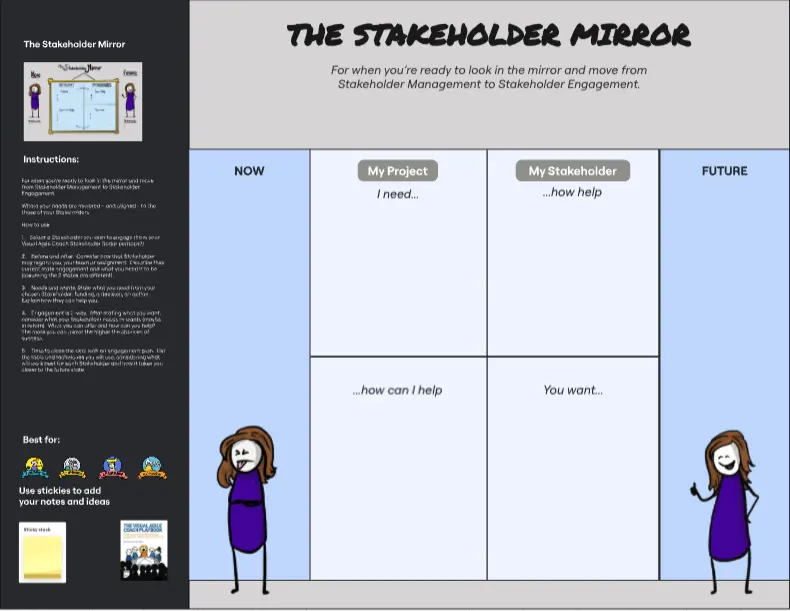
A Stakeholder Engagement template is a strategic visual workspace designed to help product managers, project leads, and change managers identify, analyze, and manage the expectations of anyone impacted by an initiative. Rather than managing stakeholders through chaotic, ad-hoc emails, this collection acts as a communication master plan. By utilizing a standardized Miro template, teams can map out power dynamics, track sentiment shifts, align on tailored communication frequencies, and ensure key decision-makers remain supportive from kickoff to launch.
Key Components of a Stakeholder Engagement Template
A robust stakeholder engagement workspace prevents project delays by turning unpredictable human dynamics into a manageable roadmap. Every actionable Miro template should include these five core elements:
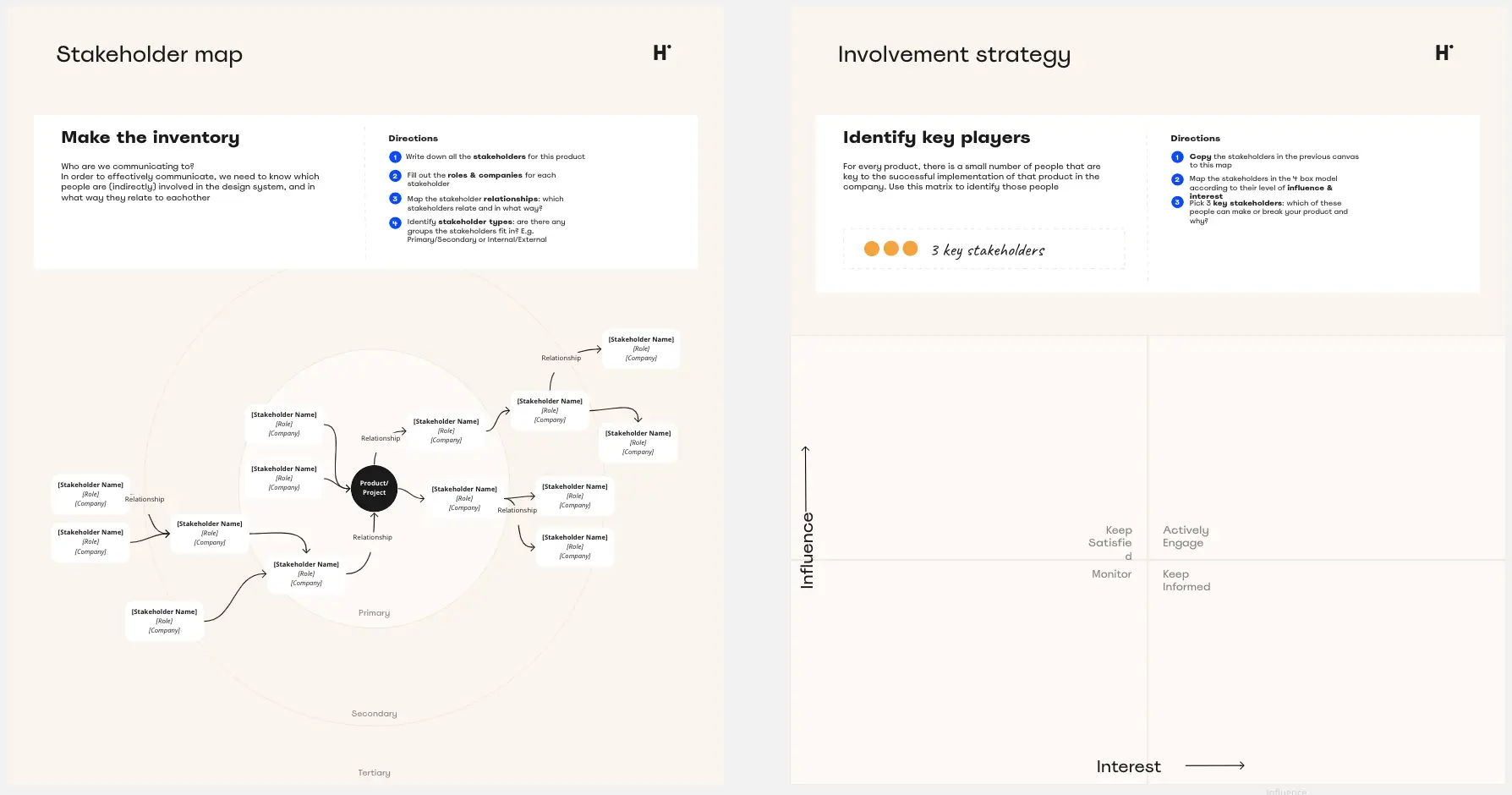
The Stakeholder Identification Grid: A wide-open brainstorming area structured to capture internal and external individuals, groups, or compliance bodies affected by the project.
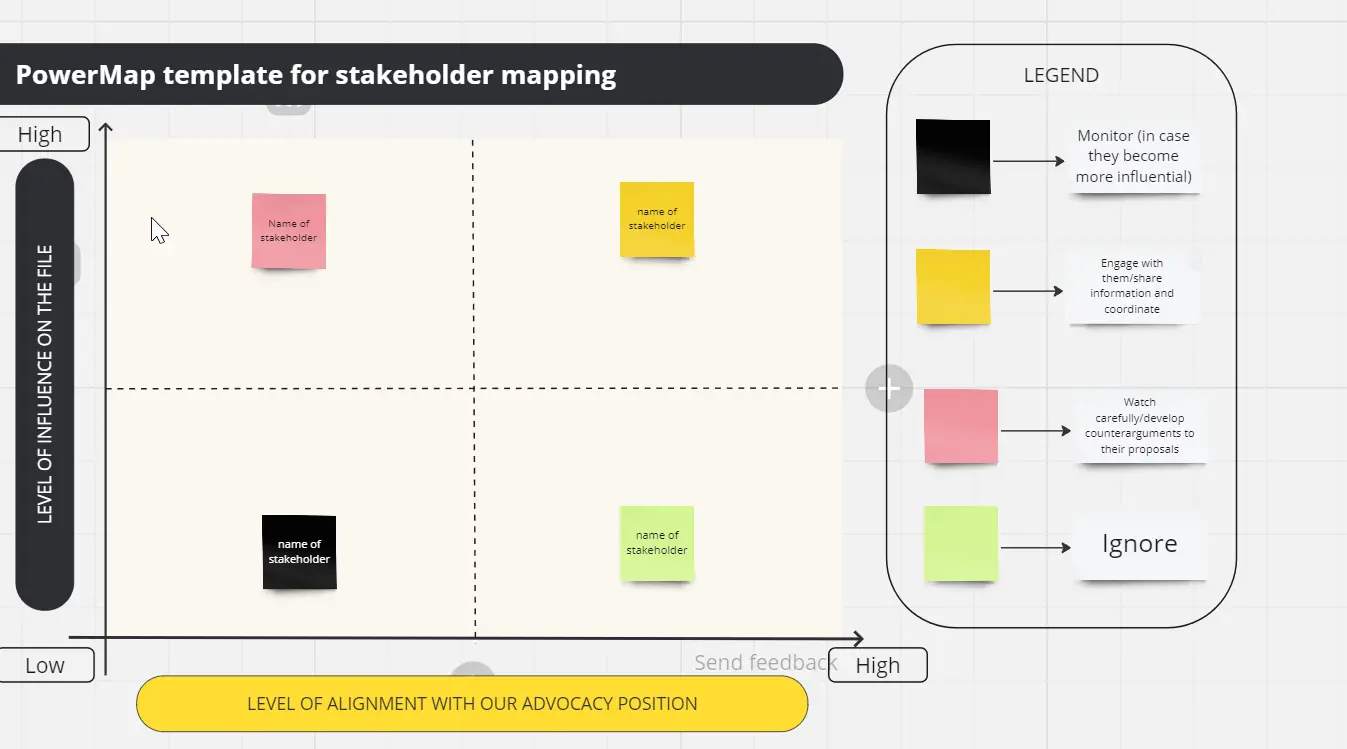
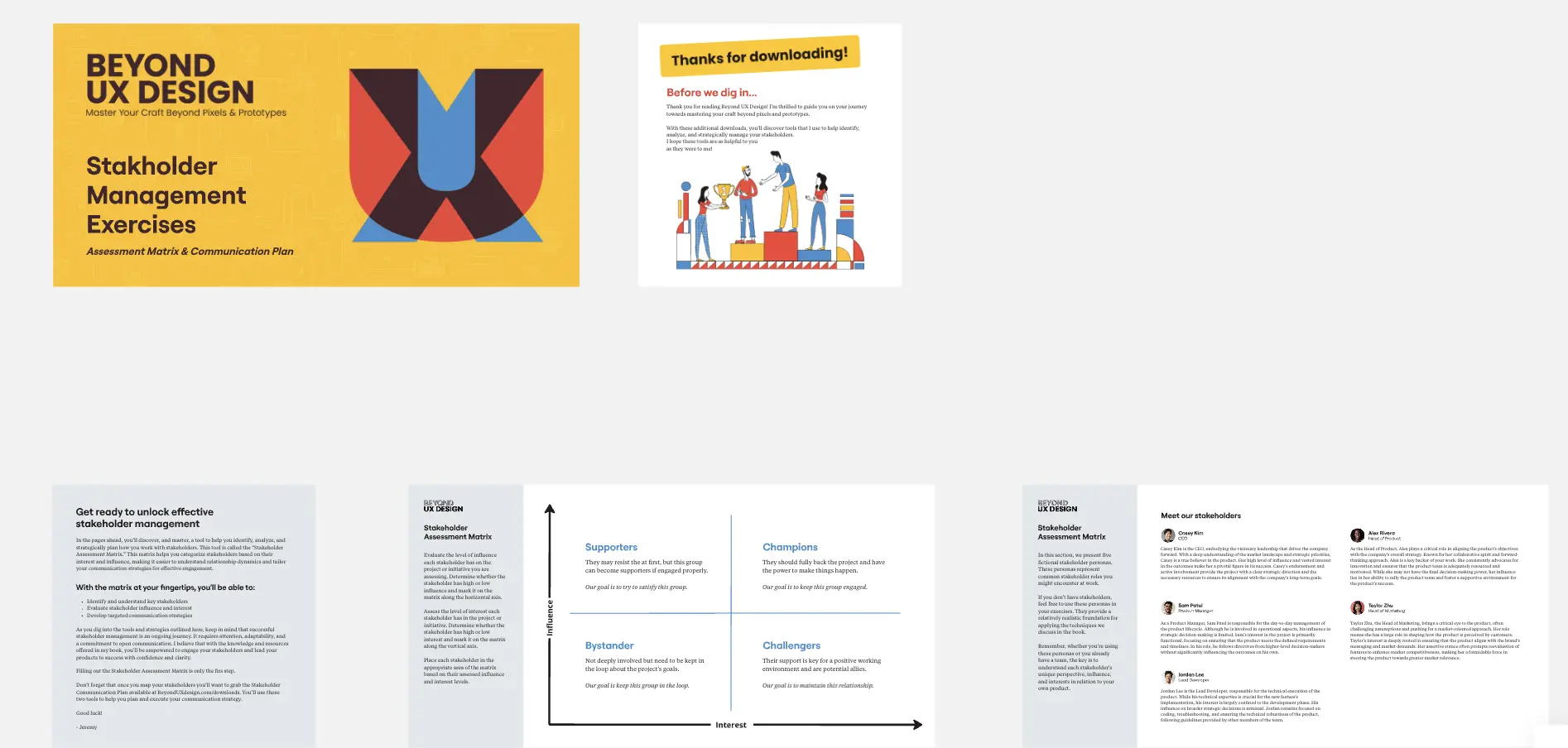
The Power vs. Interest Matrix: A central 2x2 prioritization canvas used to visually map stakeholders based on their organizational influence and their depth of care regarding project outcomes.
The Sentiment Tracker: A visual health dashboard featuring status tags (e.g., Advocate, Neutral, Critic, Blocker) to monitor changing alignment levels over time.
The Communication Cadence Ledger: A structured table defining the exact touchpoints, distribution channels, and messaging depth required for each target audience.
The Risk Mitigation Playbook: A dedicated action zone designed to address critics or resistant stakeholders, outlining exact conversational protocols to shift their alignment.
How to Use Stakeholder Engagement Templates in Miro
1. Brainstorm Your Stakeholder Universe Gather your core project team on the Miro board. Give everyone 5 minutes of quiet time to use digital sticky notes to list every individual, department, vendor, or regulatory agency that could touch or be impacted by your project.
2. Plot and Prioritize on the Matrix Drag the brainstormed sticky notes onto the Power vs. Interest Grid. Have a candid team conversation about where people actually sit. Use Miro's color-coding to group categories (e.g., blue for engineering leads, green for executive staff, yellow for external partners).
3. Assess Current Sentiment and Flag Blockers Evaluate each stakeholder's current attitude toward your initiative. Attach visual tags or badges to indicate who is a passionate advocate and who is a potential blocker.
The Red Flag Rule: If a stakeholder lands in the High Power, High Interest quadrant but is marked as a Critic, highlight their sticky note in bright red. This visual cue tells your leadership team exactly where immediate, relationship-building conversations are required.
4. Design the Customized Communication Plan Move to the Communication Cadence Ledger. Link your prioritized stakeholder clusters to explicit communication channels. Define who gets a weekly synchronous Miro demo, who receives a bi-weekly Slack update, and who simply gets an automated end-of-month email report.
5. Script Your Risk Mitigation Steps For your high-risk stakeholders, use the Risk Mitigation Playbook area to brainstorm how to address their objections. Outline their primary anxieties (e.g., budget loss, timeline disruptions) and write down the exact data points or product alternatives you will present to ease their concerns.
6. Lock and Reference Weekly Lock the background architecture of your Miro board to preserve your strategic mapping. Bookmark the board link within your project management hub or meeting invites, and use it as a rolling checklist during weekly team health checks to update stakeholder sentiments as relationships evolve.