36likes
416uses
Stop firefighting and start leading with this high-visibility Eisenhower Matrix! 🚀 Designed for Product Managers, Business Leaders, and Project Managers, this template helps you categorize tasks by urgency and importance. Whether you’re managing a complex product roadmap, leading a global team, or trying to reclaim your focus, this framework guides you to Do, Schedule, Delegate, or Delete your way to peak productivity.
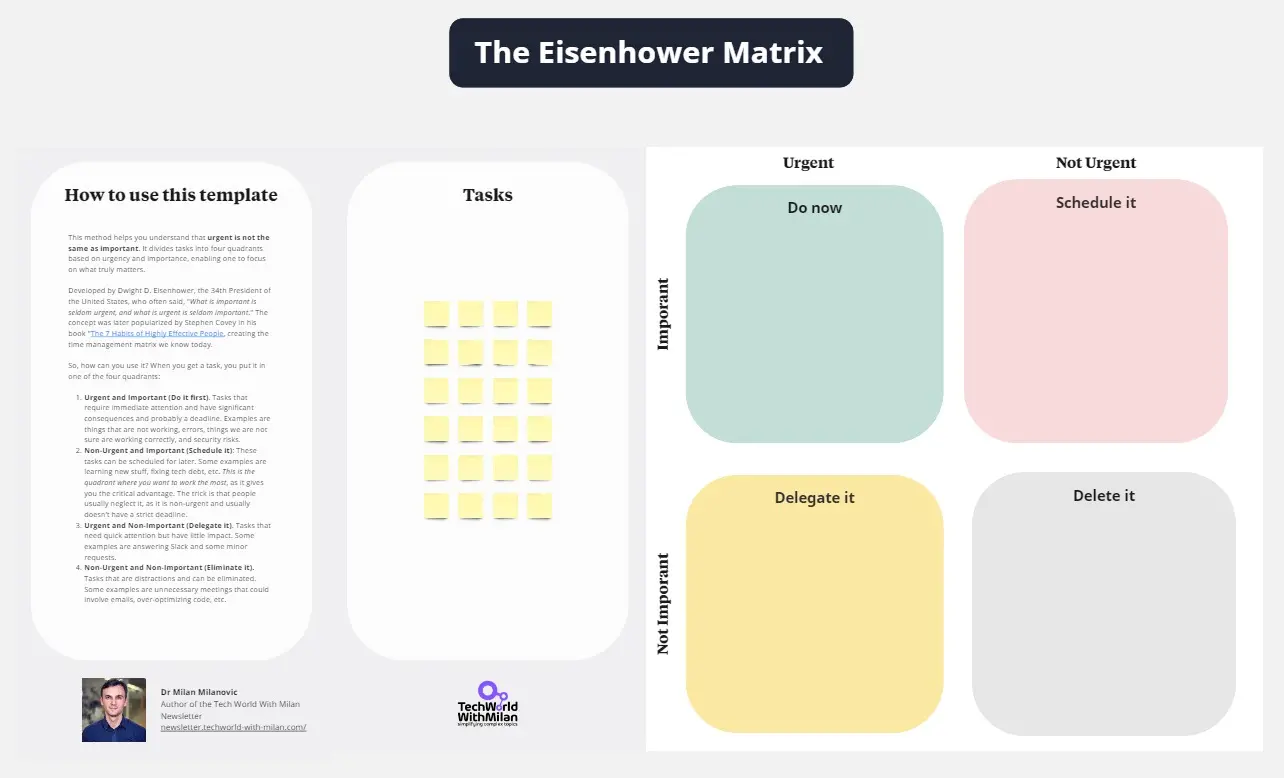
The Eisenhower Matrix (also known as the Urgent-Important Matrix) is a time-management framework that helps professionals prioritize tasks by evaluating them against two criteria: Urgency and Importance. 📊 This colorful, interactive version transforms a static 4-quadrant model into a dynamic workspace for teams. It allows you to visualize your entire "To-Do" list across four distinct zones to ensure you are spending time on high-leverage strategic work rather than just reacting to "noisy" tasks.
Many leaders suffer from "The Urgency Trap", spending all day answering emails and "putting out fires" while strategic goals sit untouched. 😫 Common challenges include:
Decision fatigue: Feeling overwhelmed by a never-ending list of tasks.
Misaligned priorities: Spending too much time on "Urgent but Not Important" tasks (like unnecessary meetings).
Burnout: Staying in "Crisis Mode" (Quadrant 1) for too long without breaks.
Lack of delegation: Struggling to identify which tasks can be handled by the team.
Procrastination on strategy: Delaying "Important but Not Urgent" work like professional development or long-term planning.
This template solves these problems by providing: ✅ Visual Clarity: Color-coded quadrants for instant recognition of priorities. ✅ Action-Oriented Framework: Clear labels (Do, Schedule, Delegate, Delete) to trigger immediate action. ✅ Team Alignment: A shared space to negotiate priorities with stakeholders or direct reports. ✅ Productivity Hygiene: A structured way to "Delete" low-value tasks that clutter your calendar.
Brainstorm Your Tasks: 💭 Dump all your current projects, meetings, and to-dos into the "sticky note" bank next to the matrix.
Evaluate Importance vs. Urgency: 🎯 Drag each sticky note into the appropriate quadrant:
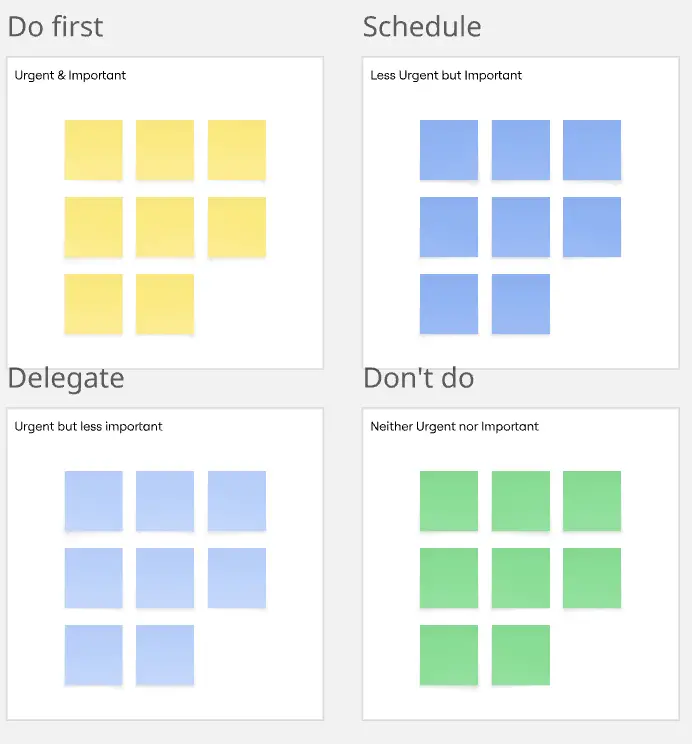
Quadrant 1 (Green - Do it): Urgent & Important. Do these immediately.
Quadrant 2 (Blue - Schedule it): Not Urgent & Important. Set a date to do these; this is where "Deep Work" happens.
Quadrant 3 (Purple - Delegate): Urgent & Not Important. Find someone else to take the lead on these.
Quadrant 4 (Orange - Delete it): Not Urgent & Not Important. Remove these from your list to stay focused.
Audit & Execute: 📋 Look at the distribution. If your "Green" quadrant is overflowing, you’re in crisis. If your "Blue" is empty, you aren't planning enough for the future.
Iterate Weekly: 🚀 Use this template during your Monday morning planning or Friday reflection to stay on top of your workload.
❌ Everything is "Urgent": Be honest. If everything is a priority, nothing is.
❌ Confusing "Urgent" with "Important": A ringing phone is urgent; a 3-year product strategy is important. Know the difference.
❌ Over-filling Quadrant 2: Don't just "schedule" things forever—make sure they eventually move to "Do."
❌ Fear of Deleting: If a task has been in the "Orange" quadrant for two weeks, delete it. It’s not going to happen, and that’s okay.
Q: Who can benefit from this template? 👥
A: It’s ideal for Product Managers balancing feature requests 🛠️, Business Leaders managing team bandwidth 🏢, Project Managers tracking milestones 📉, and Entrepreneurs trying to scale their focus while wearing multiple hats.
Q: Can this be used for team collaboration? 🤝
A: Absolutely! It’s a powerful tool for Sprints or Weekly Syncs. Teams can use it to collectively decide which bugs to fix (Urgent) versus which features to build (Important).
Q: Why use colors instead of a standard black-and-white grid? 🎨
A: Visual hierarchy is key to fast decision-making. The distinct colors help reduce the cognitive load, allowing your brain to quickly associate a task with a specific "action mode."

Rodolfo Pernambuco
Group Product Manager @ BEES | AB-InBev
Developing digital products since 2019. A creative product leader who loves teamwork and collaboration.