About the A/B Testing Planner & Templates Collection
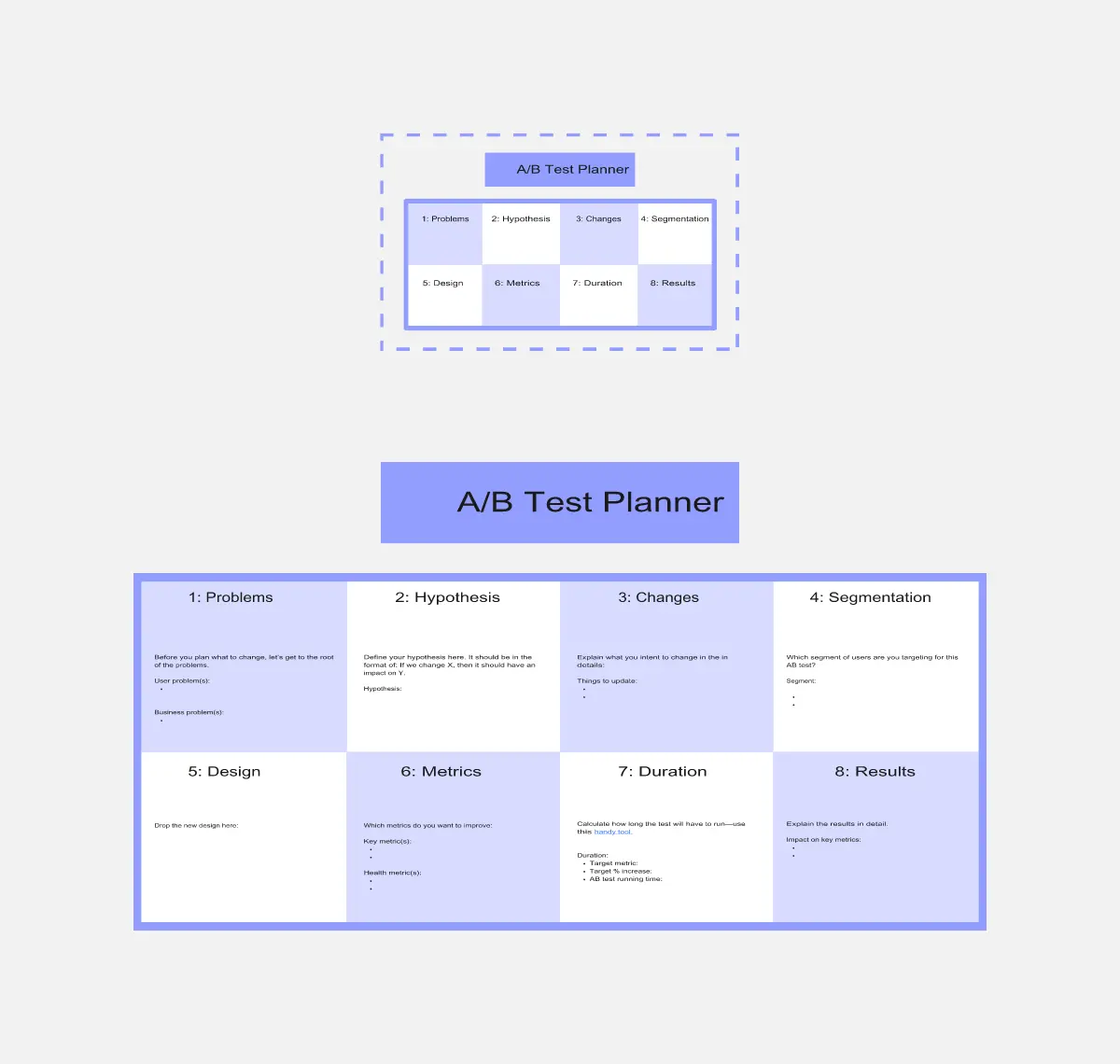
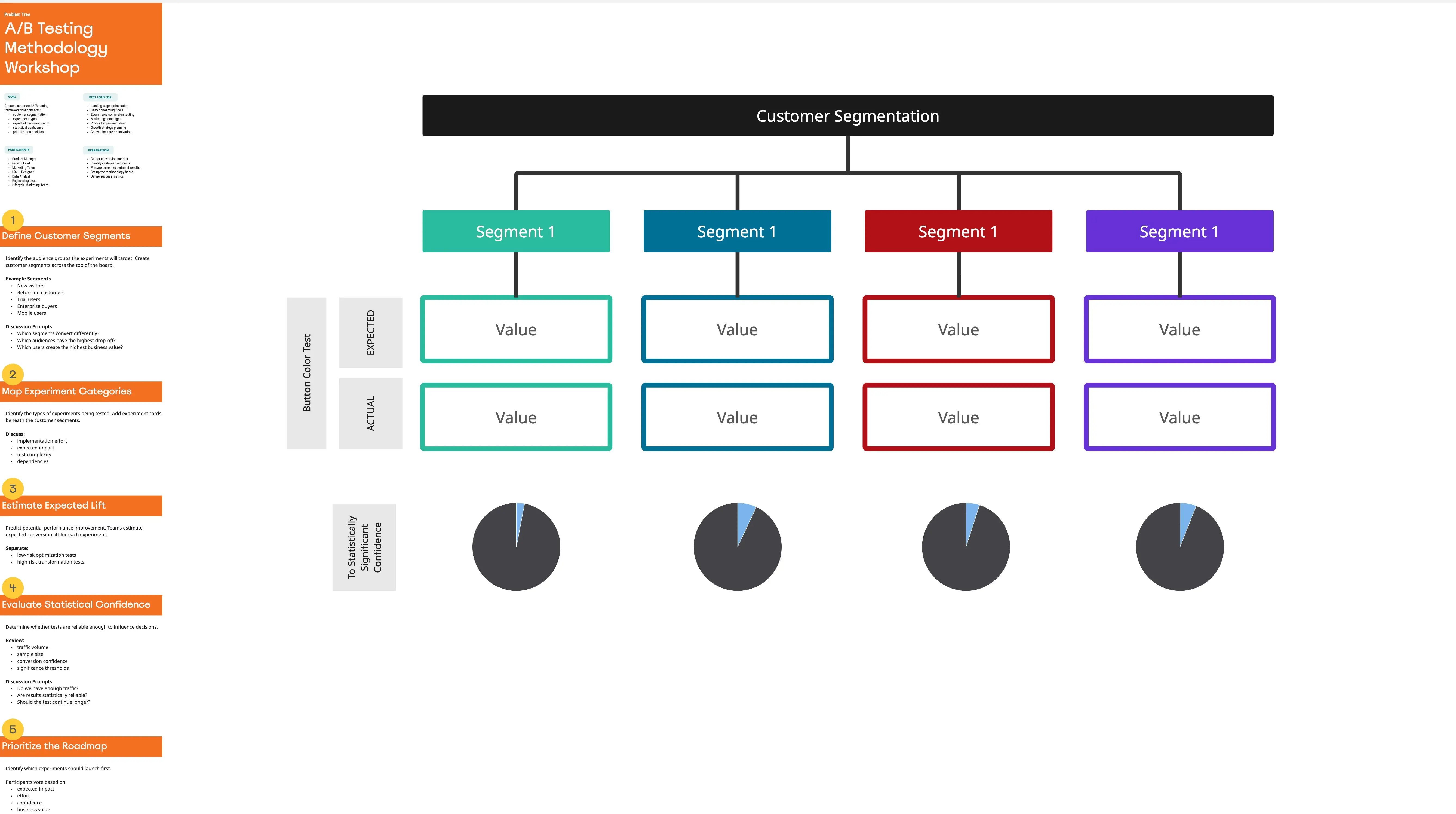
An A/B Test Planner template is a structured, data-driven visual workspace designed to help product managers, growth marketers, and data analysts design, track, and execute conversion rate optimization (CRO) experiments. Instead of running chaotic, unguided tests, this template acts as the central "Lab Notebook" for your optimization pipeline. By utilizing a standardized Miro template, cross-functional teams can align on hypothesis formulation, track experiment parameters, prioritize testing backlogs, and document shared learnings to build an institutional knowledge base.
Key Components of an A/B Test Planner Template
A rigorous A/B testing workflow requires meticulous documentation to prevent false positives and wasted engineering effort. Every actionable Miro experiment board should include these five core elements:
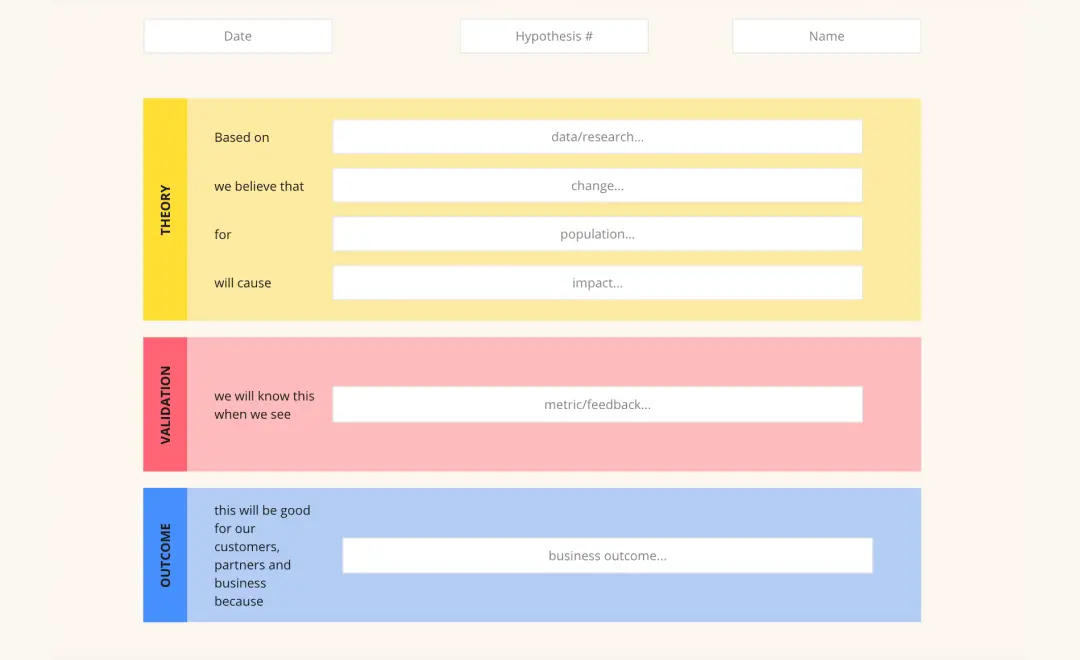
The Hypothesis Constructor: A structured area to map out the psychological or data-driven rationale behind the change, transforming gut feelings into testable statements.
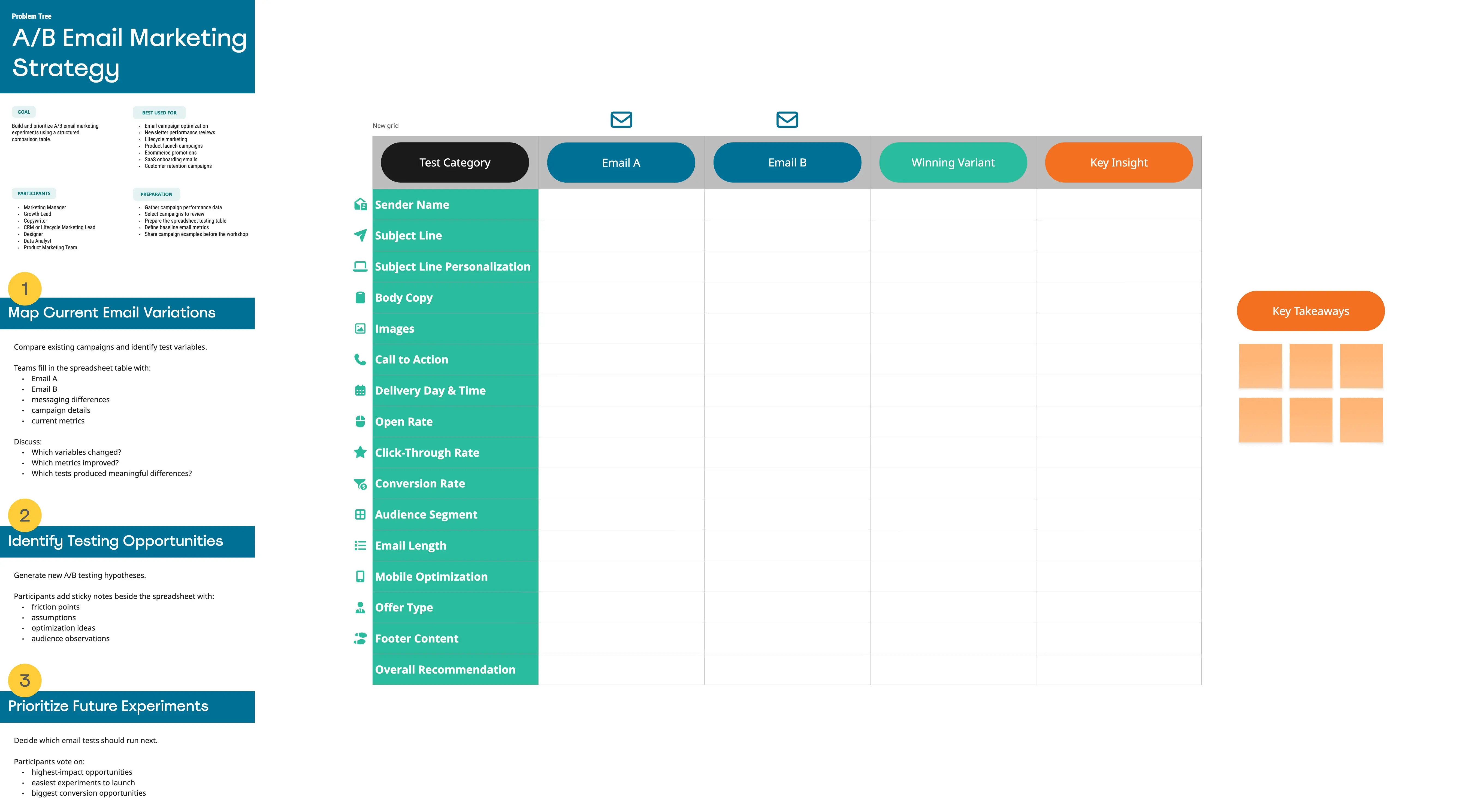
Variant Comparison Canvas: Side-by-side visual frames to place screenshots or mockups of the Control (A) and the Variation (B) for immediate visual clarity.
Experiment Parameter Log: A technical metadata block tracking target sample sizes, minimum detectable effect (MDE), runtime duration, target traffic allocation, and primary/secondary metrics.
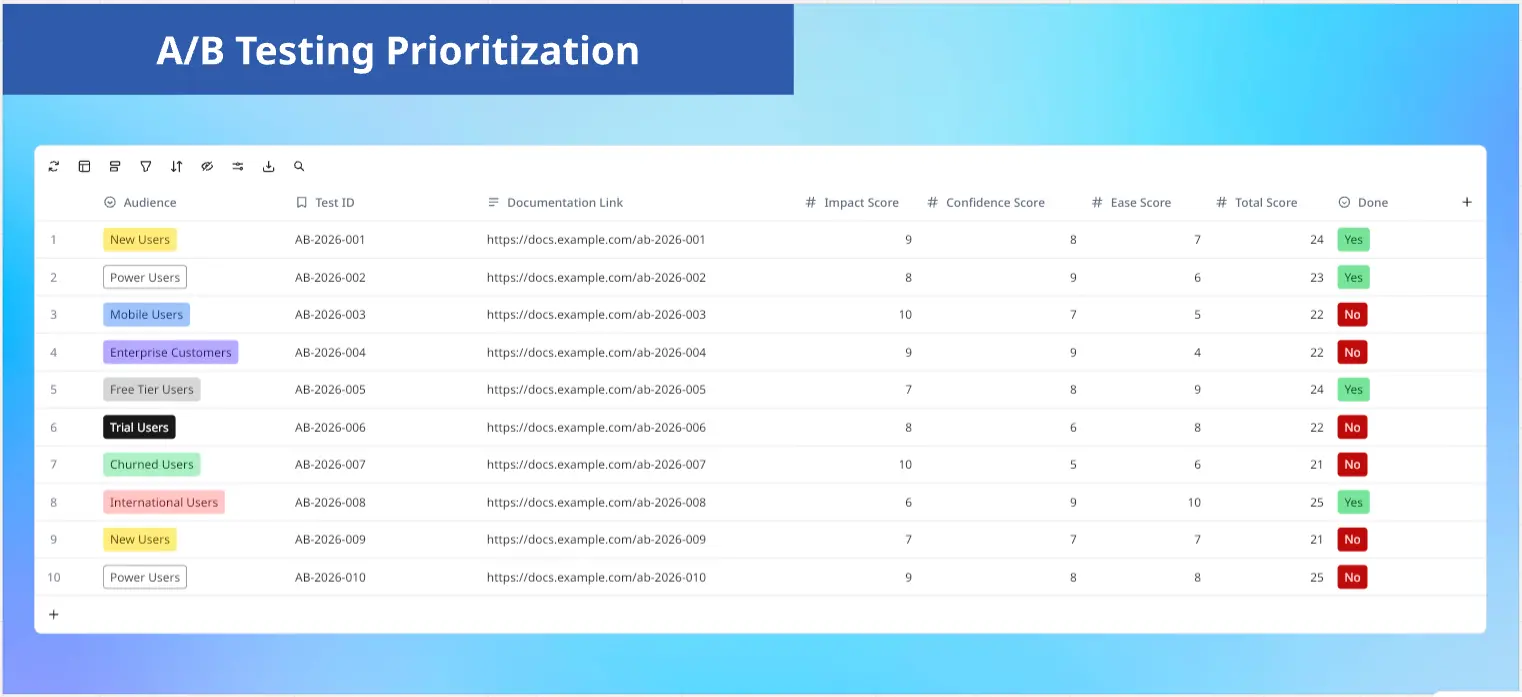
Prioritization Matrix: A scoring zone (such as ICE or RICE) to evaluate competing test ideas based on potential impact and implementation effort.
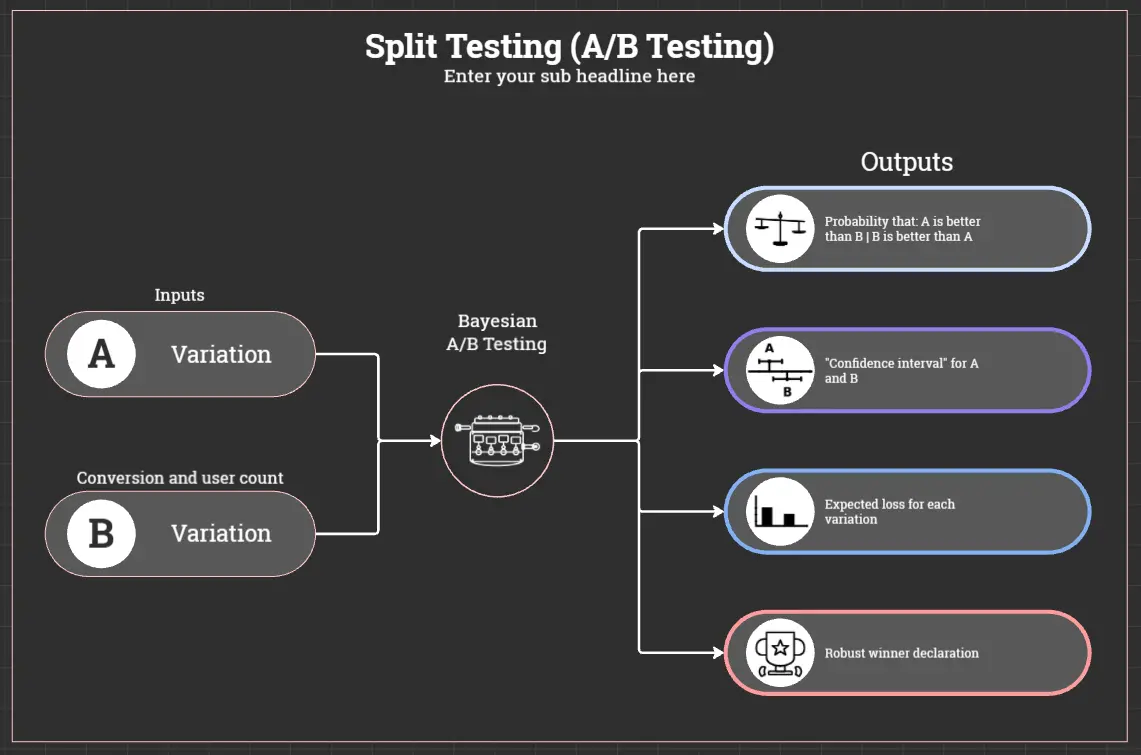
The Post-Mortem & Insights Archive: A dedicated section to capture final statistical results (p-values, confidence intervals) and, more importantly, the qualitative why behind user behavior, whether the test won, tied, or lost.
How to Use A/B Testing Planner Templates in Miro
1. Centralize the Testing Pipeline
Set up your A/B Test Planner template as a continuous Kanban board in Miro, tracking ideas from Backlog, to In Design, Currently Running, Data Analysis, and finally Archived Learnings.
2. Run a Collaborative Brainstorming Session
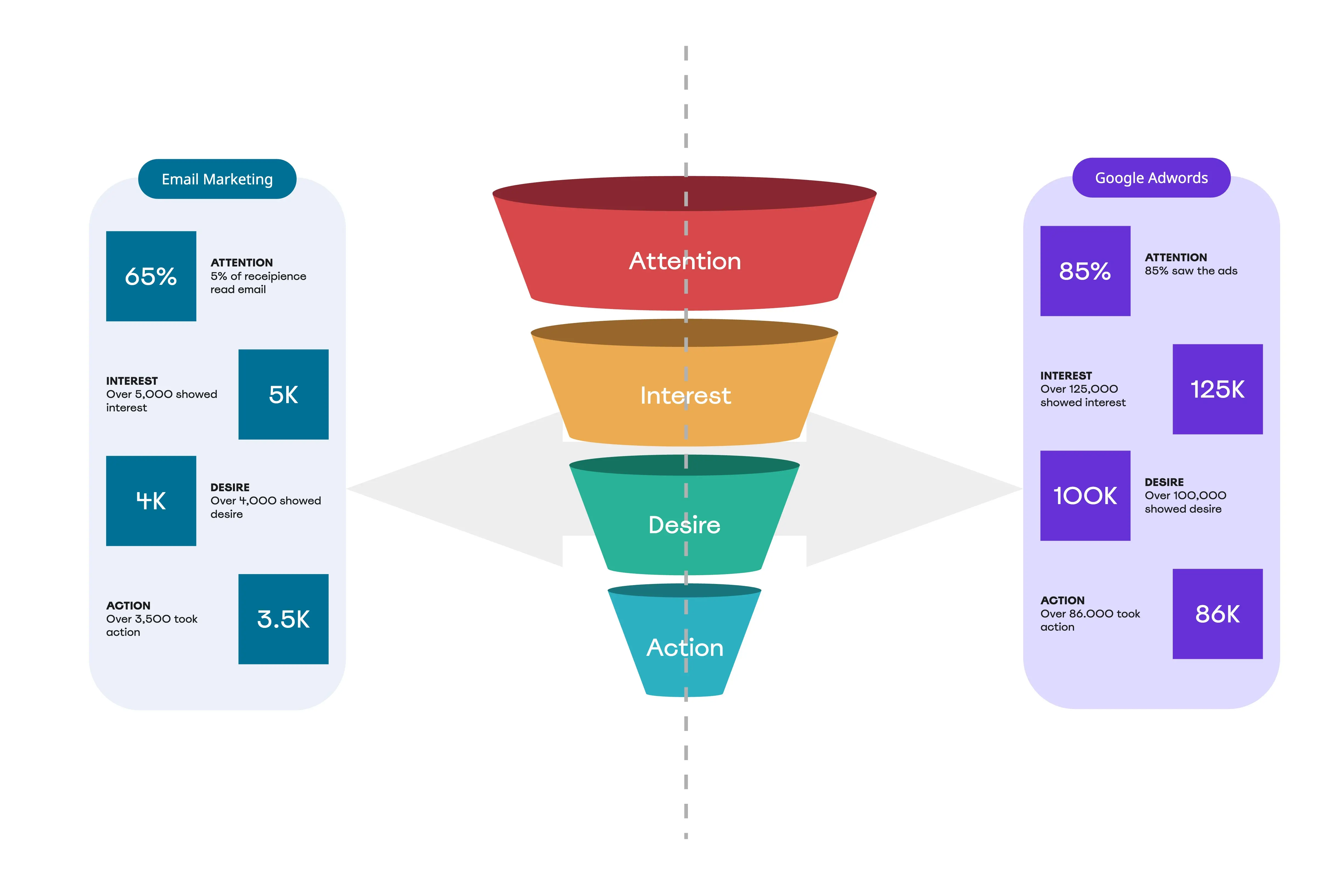
Gather your UX designers, copywriters, and data analysts on the board. Review heatmaps, drop-off funnels, or user session recordings, and have everyone drop sticky notes onto areas of user friction that are ripe for experimentation.
3. Score and Filter the Backlog
Move the brainstormed ideas into the ICE prioritization matrix. Have the data analyst weigh in on the Confidence score, while engineering determines the Ease of implementation. Sort the high-scoring notes to the front of the queue.
4. Wireframe and Document the Variants
For the top-priority test, paste the visual UI changes directly onto the board. Clearly tag the screenshots with Control (A) and Variant (B). Right next to the graphics, fill out the technical parameters: identify your primary success metric (e.g., Clicks on CTA) and guardrail metrics (e.g., ensuring page load speed doesn't drop).
5. Launch and Track Progress
While the test runs in your experimentation platform (such as Optimizely, VWO, or LaunchDarkly), move the Miro card to the "Currently Running" column, noting the launch date and calculated end date to prevent premature tampering.
6. Document and Institutionalize Learnings
Once the test wraps up, paste the data dashboards, statistical significance results, and revenue impact directly into the Post-Mortem section.
The Gold Standard: Celebrate failed tests just as much as winners. Documenting why a variation failed prevents the company from making the same UI or marketing mistakes in future product cycles.