

Presentations for digital transformation teams

Turn your transformation roadmap into a boardroom-ready deck. Build, present, and iterate without leaving the canvas.

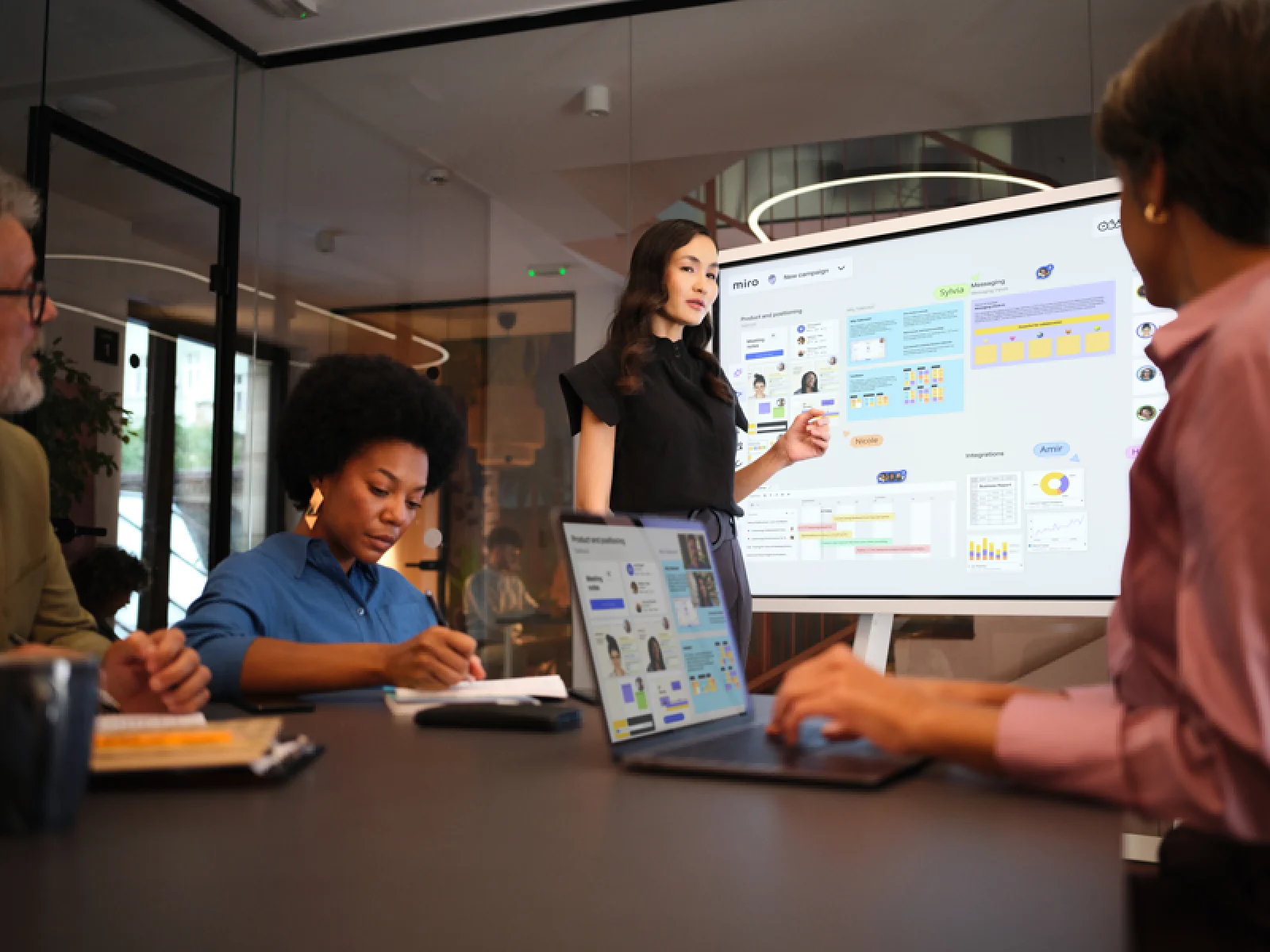
A woman presents a Miro board titled 'New campaign' to colleagues in a modern conference room, with the board displayed on a large screen showing product positioning content, user personas, charts, a Gantt-style timeline, and integrations panels, while a laptop on the table mirrors the same board.

What experts say

  • The way we present information and tell stories using slides has a massive impact on how well our ideas are understood and remembered.

    Nancy Duarte

    Speaker and CEO · Duarte

    Industry Expert
  • Do we need armies of business analysts creating PowerPoints? No, the technology could do that. Is that a bad thing? No, that is a great thing.

    Kate Smaje

    Global Leader of Technology and AI · McKinsey & Co.

    Industry Expert

The research on presentations and slides

  • 70%

    Nearly 70% of global respondents agree digital transformation is the single most important investment for enterprise value

    Source: Deloitte

  • Business strategies presented with visual diagrams received higher attention, agreement, and recall compared to text-based presentations, benefiting consulting deliverables

    Source: University of Lugano / SIOP-SHRM

See presentations and slides in action

Related templates for digital transformation officers

We have 22 templates in our library for Presentations and Slides.

Why digital transformation teams love creating presentations with Miro Slides

  • From change initiative brief to executive deck, without the rebuild

    You've mapped the digital transformation program on a Miro board: current-state architecture, initiative phasing, dependency mapping, risk flags. Rebuilding all of that into a separate slide tool just to present to the C-suite costs hours you don't have. Select your board content, trigger AI slide generation, and watch Miro turn your canvas into a structured executive deck - Brand Center colors applied automatically, no reformatting required.
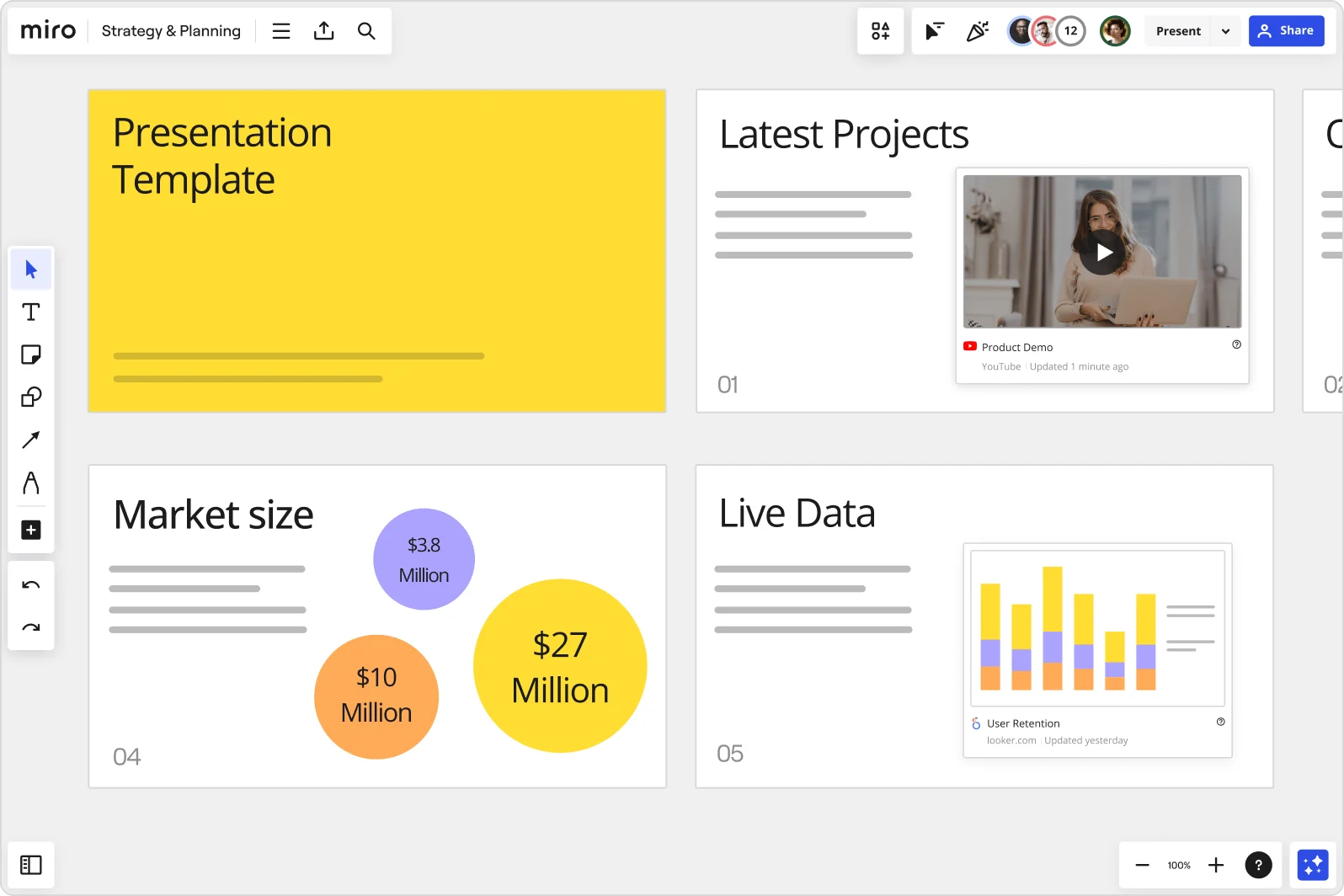
    Miro board showing a Strategy & Planning presentation workspace with four slides visible: a yellow title slide labeled 'Presentation Template', a 'Latest Projects' slide with an embedded YouTube Product Demo video, a 'Market size' slide with bubble charts showing $3.8M, $10M, and $27M values, and a 'Live Data' slide featuring an embedded Looker.com User Retention bar chart.
  • When your change management roadmap spans six business units

    Coordinating a transformation narrative across IT, operations, finance, customer experience, and HR means every stakeholder group needs a slightly different version of the same deck. Use Synced Copies to push your master slide content to each audience-specific board in seconds - update the master once, and every version reflects the change. Small transformation teams get speed; large program offices get governance without version drift.

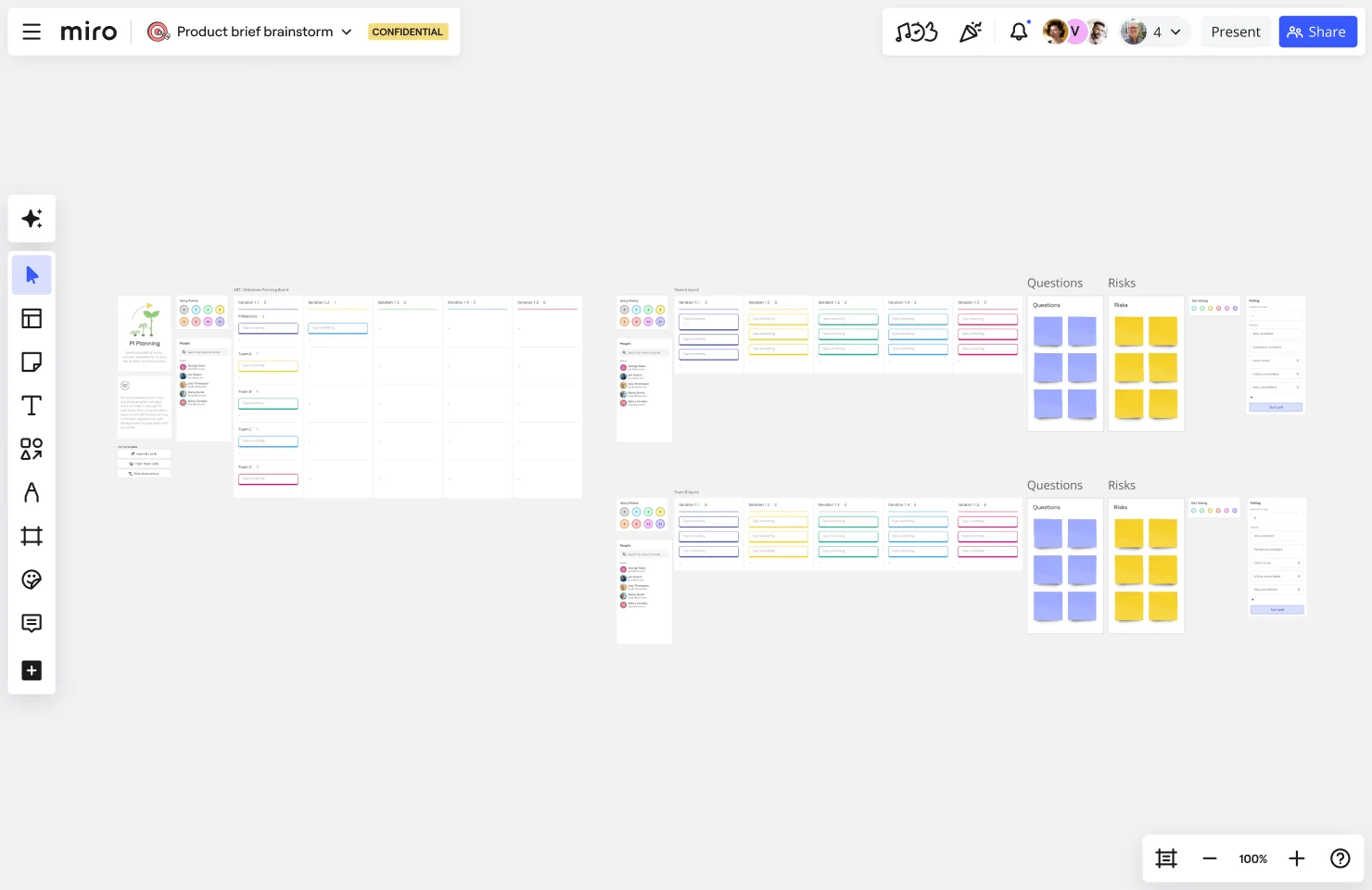
    Miro board showing a PI (Program Increment) Planning layout with multiple team boards displaying sprint iterations/variations, people sections with avatar icons, and separate Questions and Risks sections populated with purple and yellow sticky notes arranged in a grid format.
  • Stop hunting for last quarter's initiative status deck

    Before the next steering committee, you shouldn't need to scroll through dozens of boards to find the right file. Miro's AI Search finds your last program update deck using plain language - "Q3 transformation status for the exec committee" returns it instantly. Whether you're a solo change lead or running a center of excellence, you spend your prep time refining the story, not finding the file.

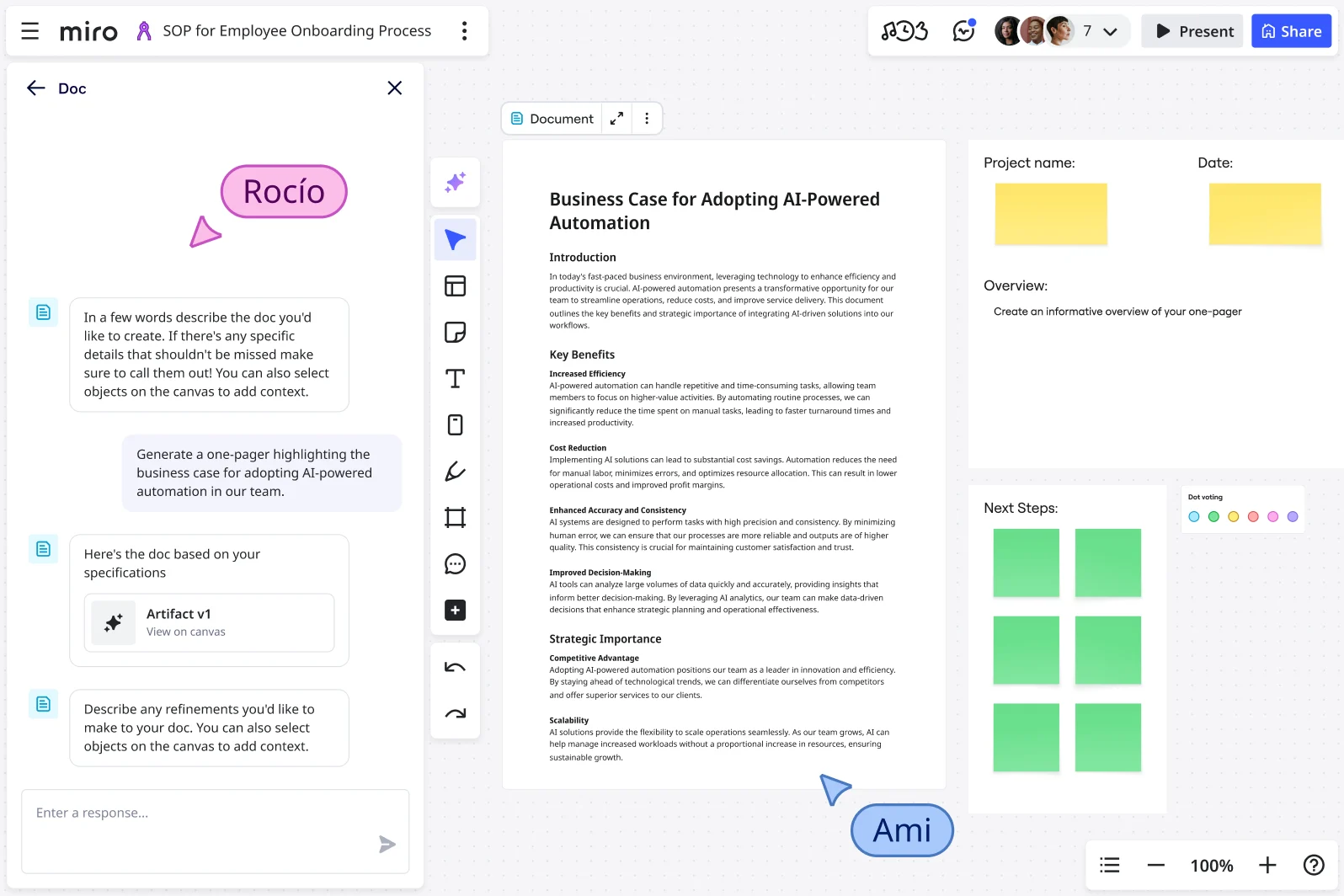
    Miro board showing the AI Doc feature generating a 'Business Case for Adopting AI-Powered Automation' one-pager, with a chat panel on the left where a user prompted the AI, and the resulting structured document visible on the canvas with sections for Introduction, Key Benefits, and Strategic Importance, alongside a project template with yellow sticky notes and green voting squares.
  • Your live steering committee, built for two-way decisions

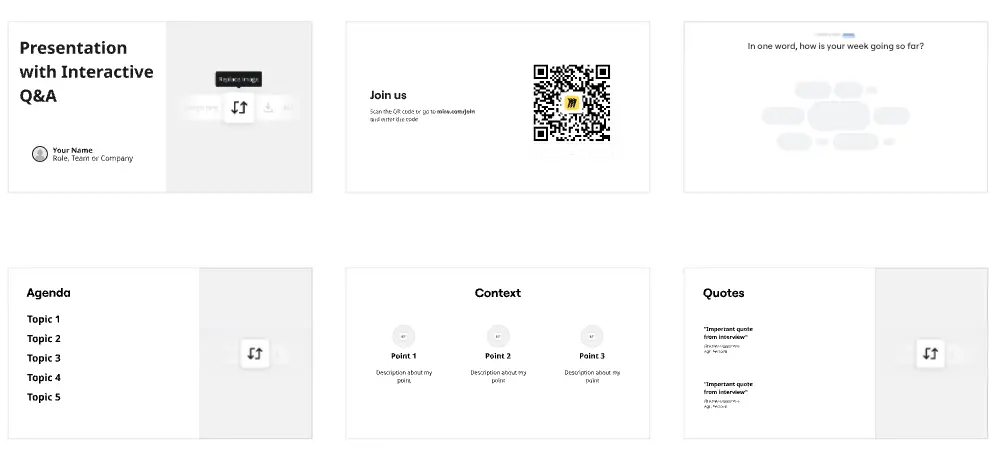
    Passive presentations lose executive rooms fast, especially when the agenda is prioritizing which transformation workstreams get funded next quarter. Miro's built-in audience tools - live polls, ranking activities, and anonymous Q&A - let steering committee members vote on initiative priorities directly inside the deck. Participants join via QR code on their phones, no Miro account needed, and responses export straight to sticky notes for your follow-up action log.

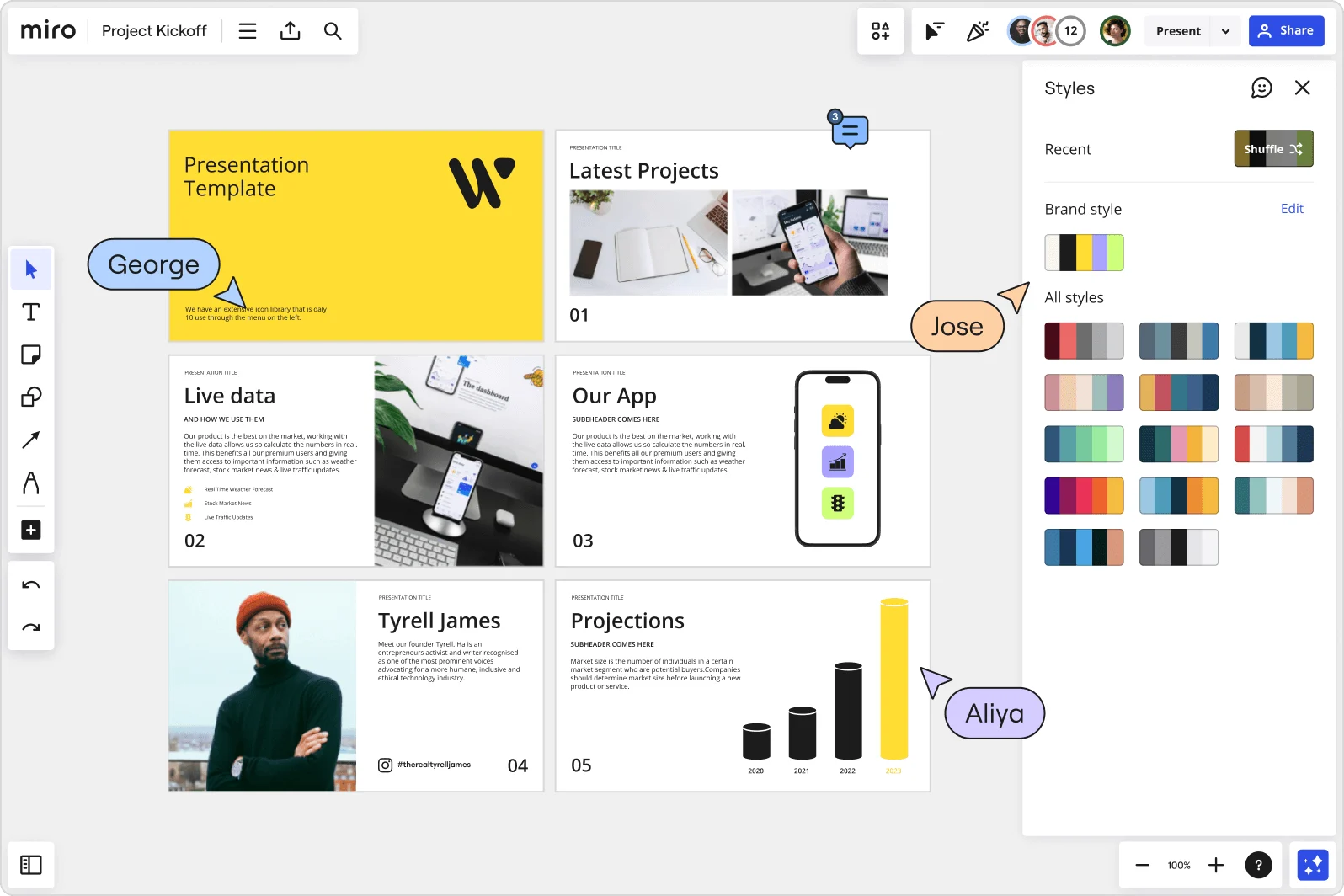
    Miro board showing a Project Kickoff presentation template with five slides including a title slide, Latest Projects, Live Data, Our App, a founder profile for Tyrell James, and Projections with bar charts. A Styles panel is open on the right showing brand color palettes and a Shuffle option, with three collaborator cursors visible (George, Jose, and Aliya).
  • Async delivery for global transformation programs

    A transformation program running across North America, EMEA, and APAC can't rely on one live session to land the message. Record a Talktrack walkthrough - your narration, cursor movement, and slide transitions captured together - so regional leads in different time zones replay the full presentation on their own schedule. Run Miro AI Translate on your slide text and speaker notes to cover 18 languages, and every regional stakeholder gets the deck in their language.

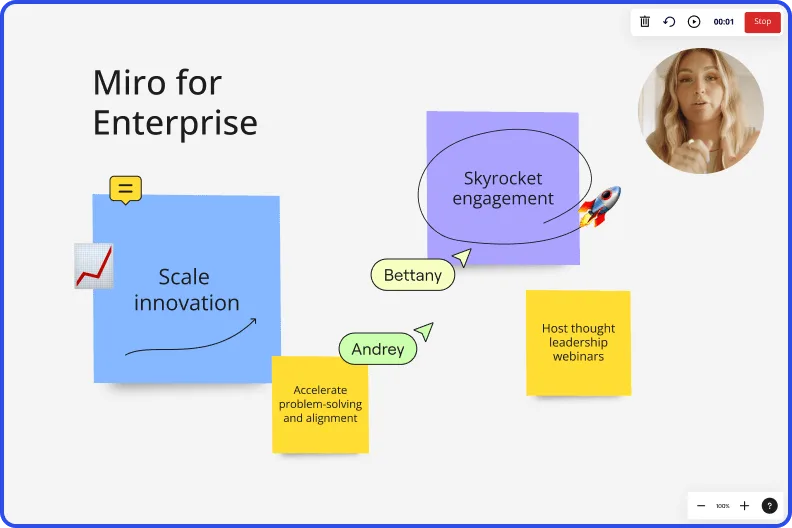
    Miro board recording showing Miro for Enterprise presentation with sticky notes about scaling innovation and skyrocketing engagement

How digital transformation officers get started with presentations and slides in Miro

  • Turn your governance forum into a live board

    Open a new Miro board from the Executive Presentation Blueprint and pull in your transformation portfolio status directly - initiative tracking data, KPI dashboards from Power BI or Tableau via Live Embed, and workstream updates from Confluence - so your steering committee deck starts with real program data, not a blank slide.

  • Draft your executive narrative with AI

    Select your board content (status maps, initiative trackers, change readiness outputs) and use AI Generate Slides with a prompt like "8-slide steering committee update: transformation portfolio status, capability maturity progress, adoption rates, cost-to-serve reduction, and next-phase funding ask for a CFO audience" so the deck translates program complexity into the business-value language executives act on.

  • Lock the flow before the forum

    Build a Flows sequence with a Generate Slides block, a Product Leader Sidekick review step to flag overloaded frames or off-narrative copy, and a human-in-the-loop approval gate so no slide ships to the board room with conflicting workstream status still baked in.

  • Run live sentiment checks during the presentation

    Embed Miro Engage Scales and Multiple Choice activities directly into your slides so steering committee members can register their confidence in each capability investment via QR on their phones - responses visualize live, export to Sticky notes, and give you documented evidence of executive alignment that survives the meeting.

Slides tips for digital transformation officers

  • Tag each Frame with the workstream name and maturity stage (pilot, scale, embed) in the frame title so your Frames sidebar becomes a navigable transformation portfolio view and not just a slide counter.

  • Use Synced Copies for the master version of recurring governance slides - run-change-grow budget splits, hypercare period status, transformation backlog - so workstream leads update one source and audience-specific decks stay current without a late-night reconciliation pass.

  • Record a Talktrack after each steering committee deck is finalized so business unit leaders who weren't in the room get the full narrative context, not just the slides - which removes the opening for misinterpretation that gets transformation workstreams deprioritized.

Understand how digital transformation officers transform their work

  • Miro gives me infinite possibilities and tools to conduct quality meetings, where visual management is making a total difference in the digital transformation movement we are going through

    Verified User

    G2
  • Miro assist the digital transformation - make digital meetings interactive

    Verified User

    TrustRadius

Presentations essential guide for digital transformation leaders

CategoryKey insights
  • Common mistakes to avoid

    The biggest trap for transformation officers is cramming a full governance status report onto a single frame - every workstream, every RAG rating, every dependency. Your CFO doesn't read slides, they scan them, so treat each frame like a billboard, not a briefing document. At the enterprise scale where you're often consolidating content from five or six workstream leads the night before a steering committee, also check your sharing permissions before you send the link: the last thing you want is a board member accidentally landing on the full working canvas instead of the curated slide sequence.

  • Key integrations for digital transformation officers

    Jira and ServiceNow keep your transformation backlog honest, so embedding live initiative status into your governance decks means no more manually reconciling conflicting workstream updates the night before a forum. Power BI and Tableau data surfaces directly in your Miro board via External Embeds, so your KPI story and your slide narrative live in the same place rather than across three browser tabs. For distribution, Teams and Webex handle your live steering sessions while Talktrack covers the time-zone-shifted stakeholders who couldn't attend but still need to follow the funding rationale.

  • When to use it

    Reach for Miro's Presentations and Slides when a governance forum date hits the calendar and you're pulling capability maturity updates, change readiness scores, and run-change-grow budget splits from across multiple workstream leads into one coherent executive narrative. Instead of exporting everything into PowerPoint and losing the context of where decisions were actually made, present directly from the board where the program work lives, using Frames to structure the story and Voting to capture real-time executive preferences on next-phase priorities. For steering committee members who dial in from different time zones or get pulled into competing calls, record a Talktrack narration so they experience the full funding argument on their own schedule, not a stripped-down summary from someone else.

  • Security & Compliance

    For transformation officers operating under enterprise governance, Miro's SOC 2 Type II certification and data residency controls mean sensitive program financials, capability assessments, and change readiness data don't leave the regions your compliance team has approved. Private Mode keeps working sessions confidential when you're stress-testing transformation narratives before they reach the board, and granular sharing permissions let you expose only the curated slide sequence to executive audiences rather than the full working canvas. If your organization operates in regulated industries where the transformation portfolio touches patient data or financial records, Miro's HIPAA compliance and enterprise admin controls give your security team the oversight they'll ask for before signing off on a new platform.

Frequently asked questions for digital transformation officers

Last updated: Thursday, July 30, 2026