





Presentations for customer success teams

Turn QBR prep and renewal decks into a single-canvas workflow. No more rebuilding the same slides from scratch every quarter.

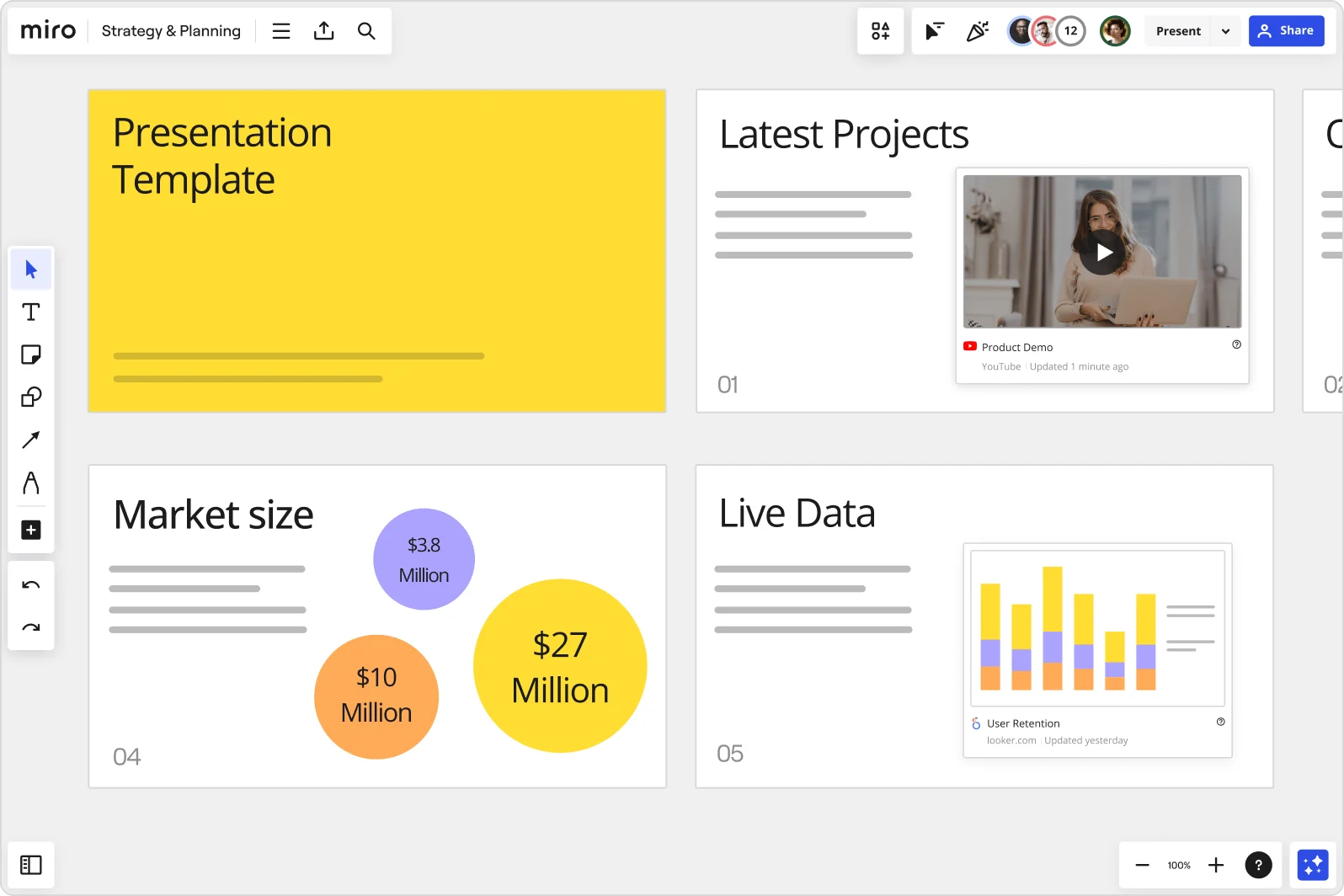
Miro board showing a Strategy & Planning presentation workspace with four slides visible: a yellow title slide labeled 'Presentation Template', a 'Latest Projects' slide with an embedded YouTube Product Demo video, a 'Market size' slide with bubble charts showing $3.8M, $10M, and $27M values, and a 'Live Data' slide featuring an embedded Looker.com User Retention bar chart.

What experts say

  • The way we present information and tell stories using slides has a massive impact on how well our ideas are understood and remembered.

    Nancy Duarte

    Speaker and CEO · Duarte

    Industry Expert
  • We've won work based on how we've collaborated on Miro with our clients in the pitch process

    Tyler Hilker

    VP of Strategy · Crema

    Miro Customer

The research on presentations and slides

  • 66%

    Visual presentations with graphs and diagrams increased audience conviction from 50% (verbal only) to over 66%, demonstrating the persuasive power of diagramming in consulting presentations

    Source: Cornell University / Wharton School of Business

  • 50%

    Interactive whiteboard conversations lead to 50% higher lead conversion rate compared to static presentations

    Source: Corporate Visions

See presentations and slides in action

Related templates for client success managers

We have 22 templates in our library for Presentations and Slides.

Why customer success teams love creating presentations with Miro Slides

  • Stop rebuilding your QBR deck from scratch every quarter

    QBR season hits the same way every time: you're pulling health scores from Salesforce, usage data from your analytics stack, and renewal talking points from last quarter's doc - then manually stitching them into slides. Miro's Frames turn your existing board content directly into a presentation, so the work you already did becomes the deck. Pair that with a reusable Blueprint and your next QBR starts with structure, not a blank page.
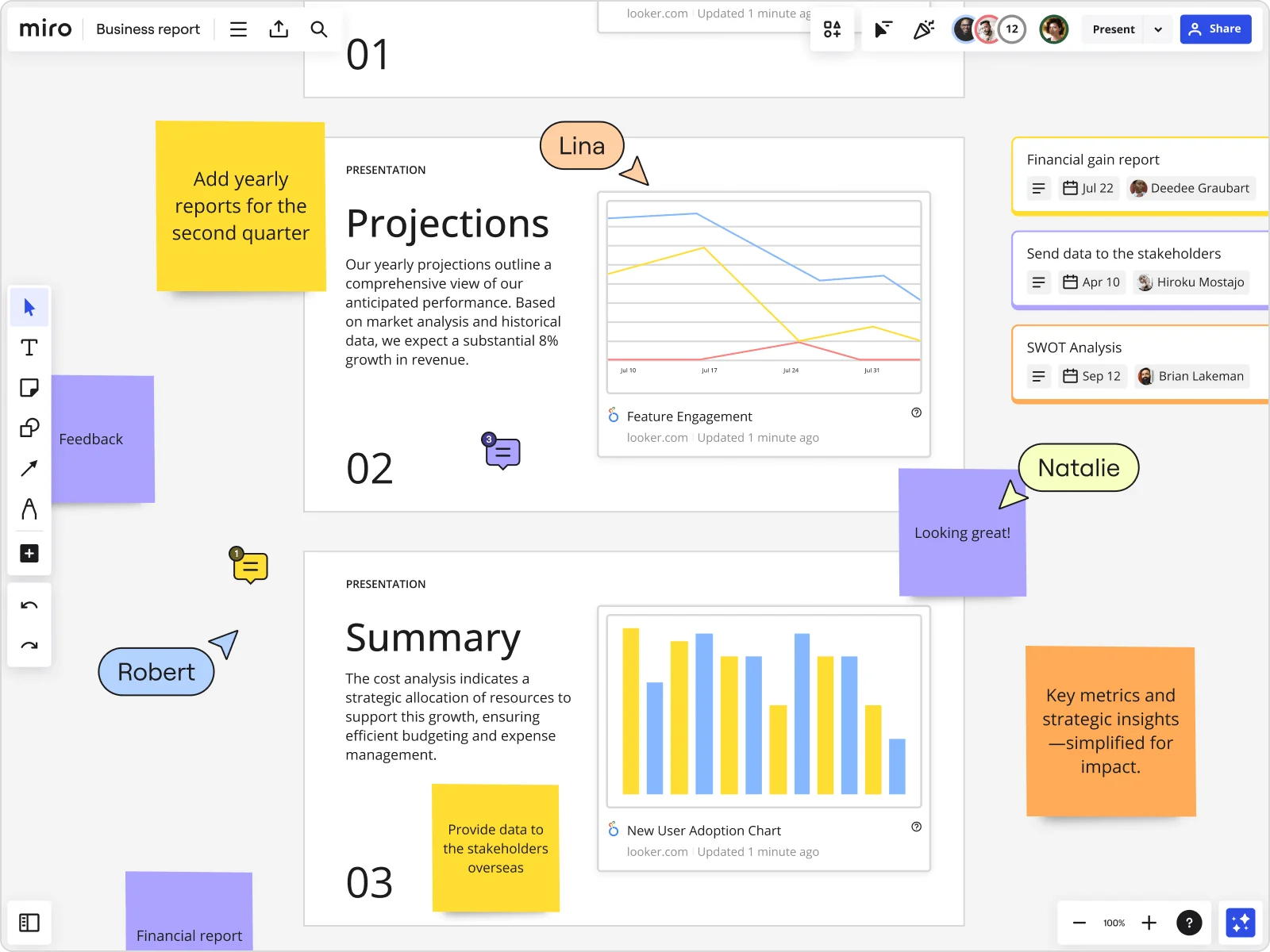
    Miro board showing a Business Report with two presentation slides (Projections and Summary) containing embedded Looker charts for Feature Engagement and New User Adoption, alongside sticky notes with tasks, three task cards for Financial gain report, Send data to stakeholders, and SWOT Analysis, and collaborative cursors from users named Lina, Natalie, and Robert.
  • When your renewal narrative needs to land with the C-suite and the day-to-day team

    The exec sponsor wants a five-slide summary. The product champion wants the full account health breakdown. Instead of maintaining two separate decks, Miro's AI slide generation lets you produce audience-specific versions from the same canvas - adjusting depth and tone without starting over. Whether you're a solo CSM juggling 40 accounts or a team of 15 managing enterprise portfolios, one source of truth feeds every version.

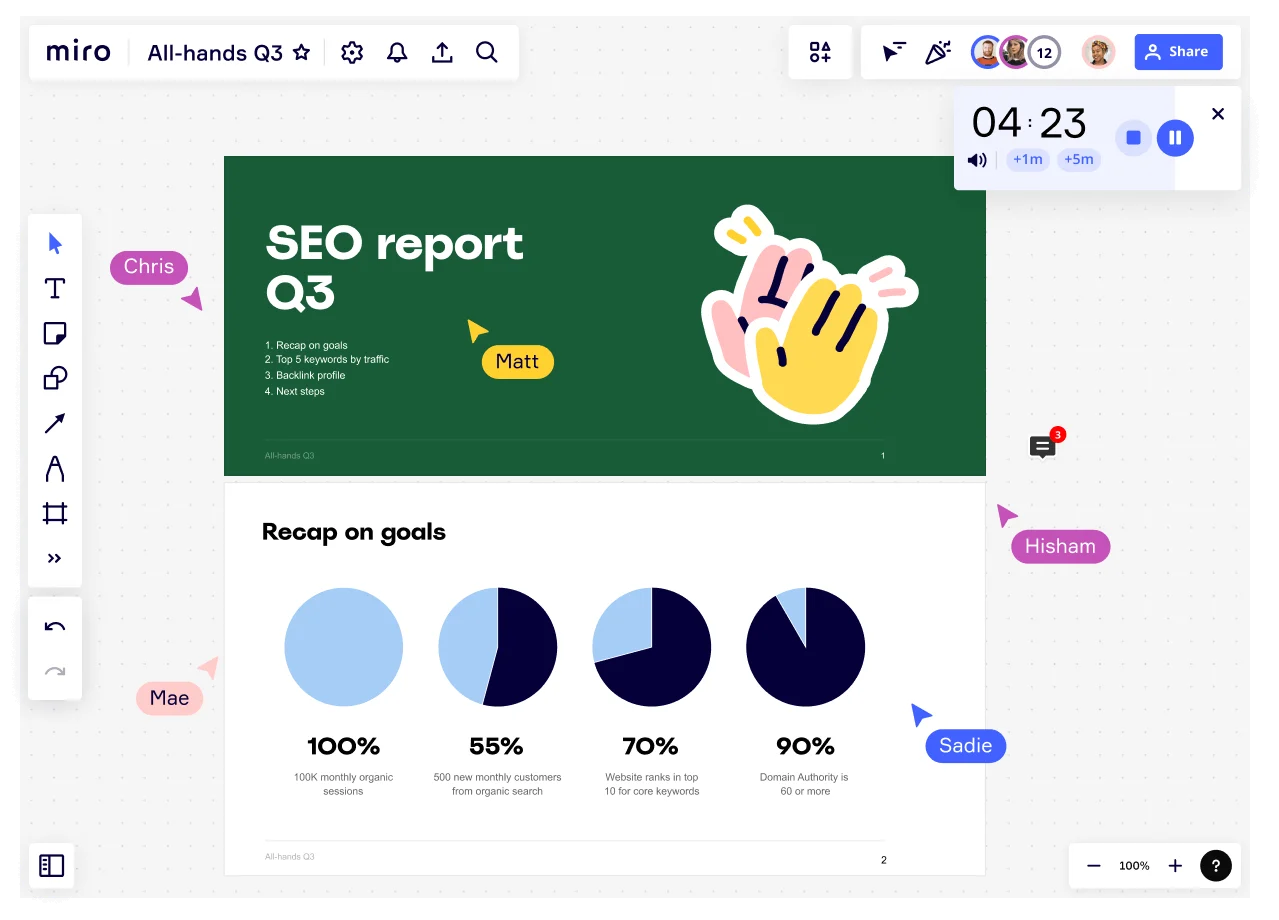
    Miro board showing an All-Hands Q3 presentation in progress with multiple collaborators (Chris, Matt, Mae, Hisham, Sadie) visible via cursor labels, featuring an SEO Report Q3 title slide and a 'Recap on goals' slide with four pie charts showing KPIs: 100% monthly organic sessions, 55% new customers, 70% keyword rankings, and 90% domain authority, with a countdown timer showing 4:23.
  • From scattered account notes to a polished customer presentation

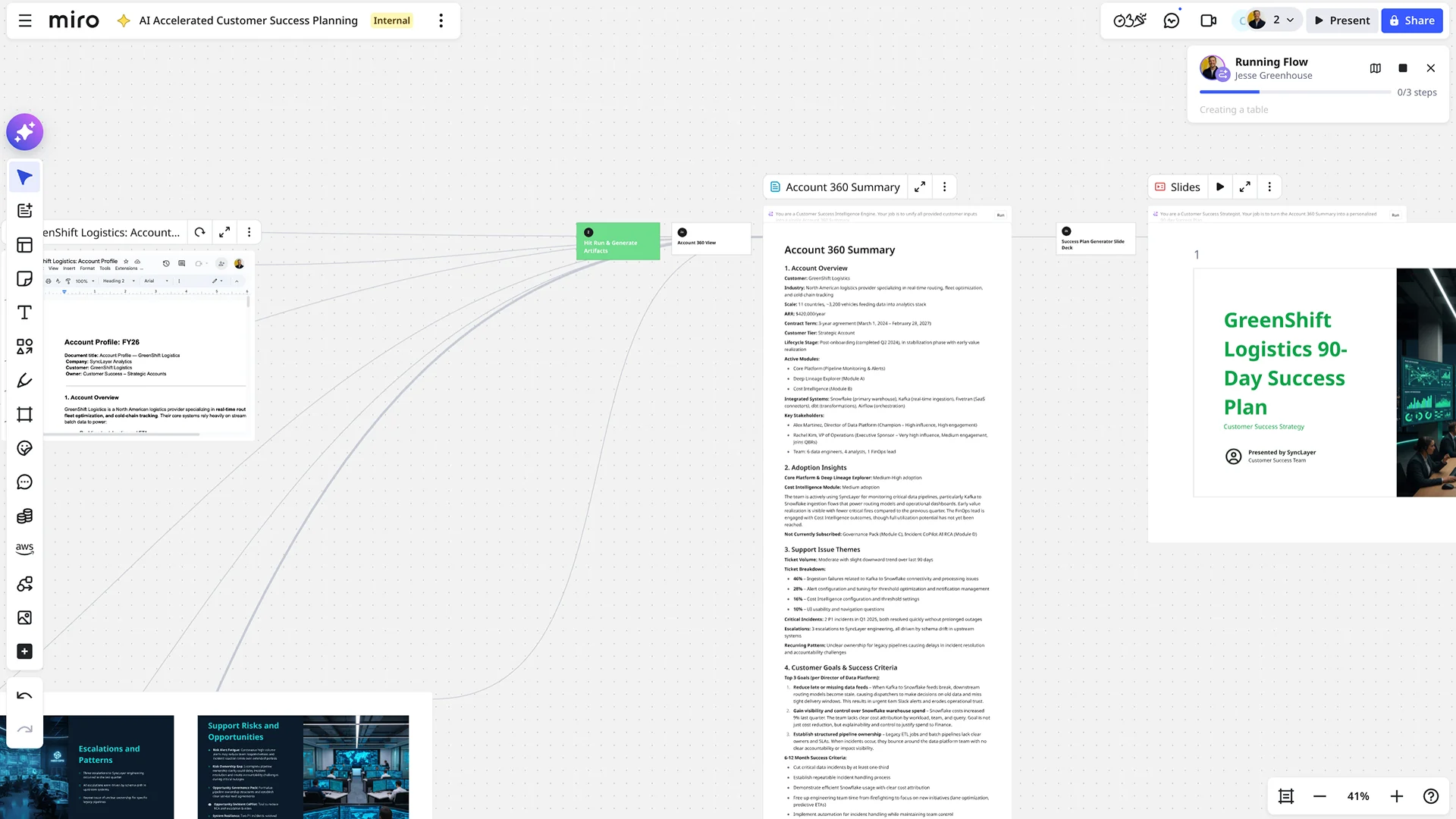
    You've collected onboarding feedback, success milestones, and open risks across sticky notes, comments, and Salesforce fields. Miro's "Turn into slides" takes that board content and generates a structured narrative - success summary, risk flags, next steps - ready to present to your account sponsor within minutes, not hours.

    Miro board showing an AI-accelerated customer success planning workflow, featuring an Account 360 Summary document for GreenShift Logistics with sections on adoption insights, support issues, and customer goals, alongside an AI-generated slide deck titled 'GreenShift Logistics 90-Day Success Plan' and a running AI flow panel showing automated document generation steps.
  • Your async client update, with the full context intact

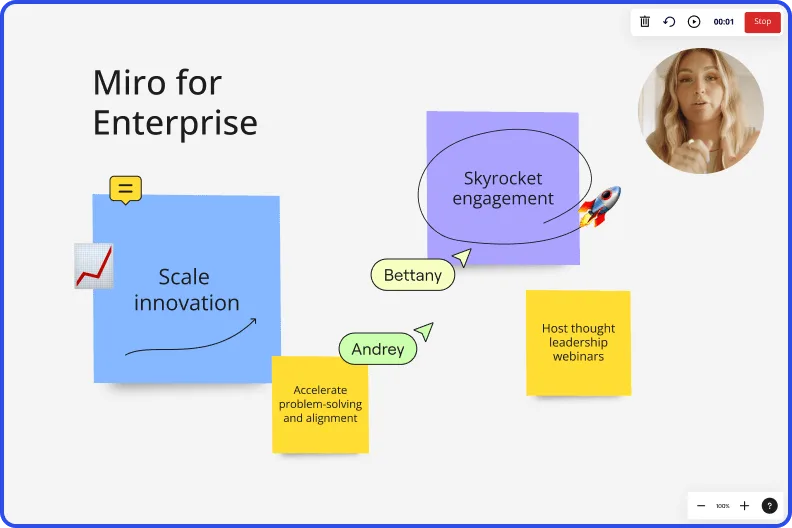
    Clients miss live calls. A PDF recap strips out your reasoning and buries the nuance. Record a Talktrack walkthrough tied to your slide frames - your audio, your cursor, your context - so the decision-maker who skipped the call gets the full story on their own schedule. It's the closest thing to being in the room.

    Miro board recording showing Miro for Enterprise presentation with sticky notes about scaling innovation and skyrocketing engagement
  • Engage your client in the room, not just after it

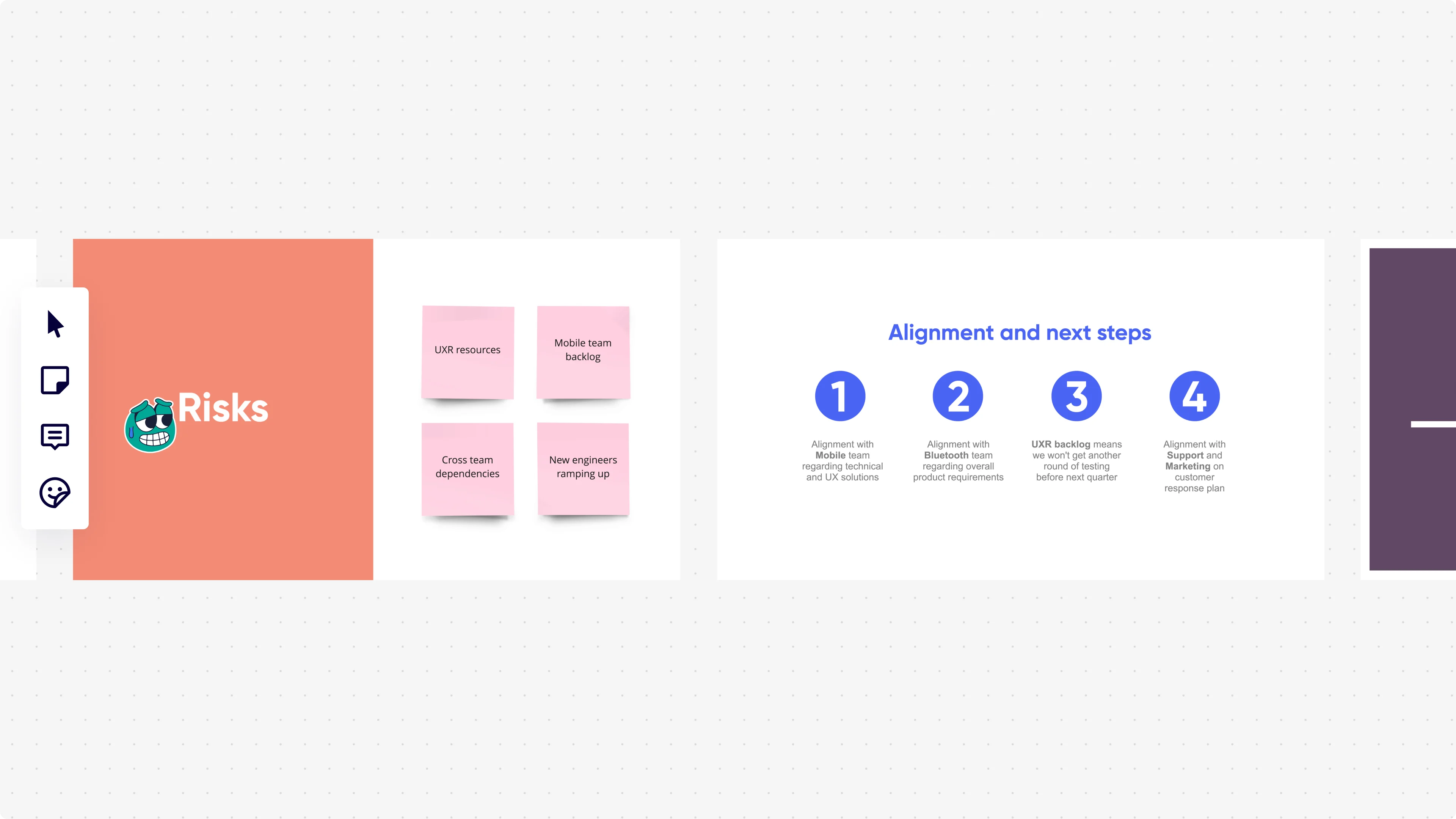
    Voting during the presentation lets clients rank expansion priorities or weigh in on roadmap options live - capturing honest input instead of post-meeting email threads. Participants join from their phones via QR code, no Miro account needed. A small CSM team gets real-time signal. A large enterprise account team exports those responses directly to sticky notes for follow-up action.

    Miro presentation mode displaying two slides side by side: a 'Risks' slide with an orange background showing four pink sticky notes (UXR resources, Mobile team backlog, Cross team dependencies, New engineers ramping up), and an 'Alignment and next steps' slide with four numbered blue circle icons listing team alignment actions with Mobile, Bluetooth, UXR backlog, and Support/Marketing teams.

How customer success managers get started with presentations and slides in Miro

  • Build your QBR board from a Blueprint

    Open a Presentation Blueprint preloaded with your standard QBR frame structure (value delivered, adoption metrics, risk flags, next steps) so you're editing content on day one, not rebuilding slide architecture the night before a renewal.

  • Pull your data, then let AI draft the deck

    With your health scores, seat utilization, and CRM data in front of you, use AI Generate Slides to turn that raw narrative into a structured deck - specify audience and tone in the prompt (e.g., "8-slide QBR for an executive sponsor seeing results for the first time") and let Brand Center auto-apply your org's colors before you touch a single frame.

  • Run a pre-call slide review via Comments

    Share the board with your CSM team lead the day before the QBR and collect frame-by-frame feedback using Comments - threaded reactions land directly on the slide that needs work, so you're resolving "the adoption chart needs context" inline, not decoding a Slack thread at midnight.

  • Record a Talktrack for the economic buyer who missed the call

    After the live QBR, narrate through the deck with Talktrack so the executive sponsor who couldn't join gets your full value story, not just a static PDF - captions and transcription included, no follow-up meeting required.

Slides tips for customer success managers

  • If you're presenting to a mixed room (day-one champion plus a first-time economic buyer), use Miro Engage Scales embedded directly in your renewal slide to capture anonymous sentiment in real time - quiet stakeholders vote on their phones via QR, and you see where the room actually stands before you make the ask.

  • Use Synced Copies for your core value-delivered slides so the master content (ROI summary, product adoption benchmarks) stays consistent across every client deck, and you're only swapping in account-specific data, not redesigning from scratch each cycle.

  • After the QBR, drop your finalized slide frames into a Miro Doc using the Meeting Notes template to build your follow-up summary - drag the "next steps" frame in, refine with AI Actions inline, and export to PDF for the client recap email without leaving the board.

Understand how client success managers transform their work

  • I appreciate how seamlessly I can collaborate with both my team and clients. The platform offers a high level of interactivity during presentations, which enhances engagement. Additionally, the variety of templates available helps me organise my thoughts more efficiently.

    Verified User

    G2
  • Clients Are Always Impressed when we Present with Miro!

    Verified User

    TrustRadius

Presentations essential guide for customer success managers

CategoryKey insights
  • Common mistakes to avoid

    The most common QBR deck mistake is packing every health score, adoption metric, and support trend into a single frame - your economic buyer doesn't need the full data dump, they need the story. Always reorder your Frames before you go live, because Miro's default creation order will scramble your narrative right when renewal stakes are highest. If your champion can't make the live session, skip the "they'll catch up later" assumption and record a Talktrack so they hear your voice walking through the value story, not just the slides.

  • Key integrations for client success managers

    Salesforce and Gainsight data doesn't paste cleanly into slides, but embedding your health score exports and account snapshots directly into Miro via the Iframe Embed Widget keeps your QBR board and your source of truth in sync. Google Slides and Microsoft PowerPoint integrations matter when a client's procurement team insists on a file they can circulate internally, and Zoom and Microsoft Teams connect your board straight to the meeting room where the renewal conversation happens. For larger CS organizations rolling out QBR templates at scale, Synced Copies let a team lead push a standardized structure to every CSM's board without rebuilding from scratch.

  • When to use it

    Reach for Miro Presentations when a renewal is 30 to 60 days out and you're stitching together a QBR deck from a mix of product analytics, health scores, and success plan milestones that currently live on five different tabs. Instead of rebuilding all of that in a separate slide tool, create Frames directly on the board where you've already mapped the account, use AI slide generation to turn your working content into a polished executive summary, then record a Talktrack for the economic buyer who can't make the live call. When the meeting does go live, Interactive Presentation Mode lets you run a Voting exercise to capture executive priorities in real time rather than waiting for a follow-up email that may never come.

  • Security & Compliance

    For CSMs at smaller companies, Miro's SOC2 Type II certification is usually enough to get a deck approved for sharing client data in a presentation context. Larger enterprise accounts, especially in financial services or insurance, will want to know about data residency controls and granular sharing permissions, since a board shared without the right access settings can expose more account information than you intended. If you're walking through sensitive renewal terms or a confidential expansion proposal, Private Mode keeps that content locked down until you're ready to present it.

Frequently asked questions for client success managers

Last updated: Thursday, July 30, 2026