All templates

Flowchart AI Template

Miro

1.6K Views
293 uses
6 likes

Report

About the AI Accelerated Flowchart template

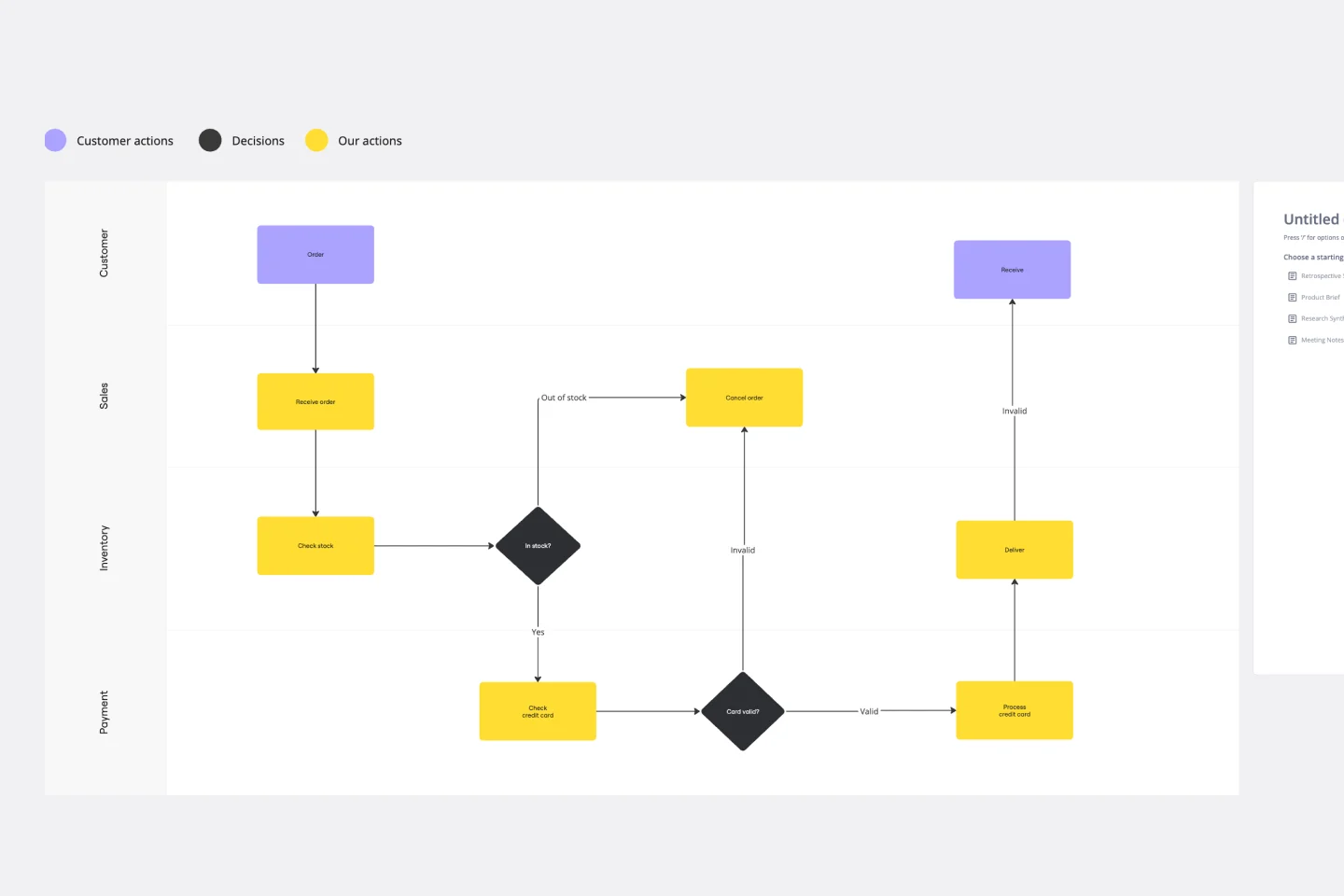
The AI accelerated Flowchart template helps you turn those text-based procedures into clear, visual diagrams on Miro's innovation workspace, making complex workflows easy for anyone on your team to understand at a glance.

How to use the AI Accelerated Flowchart template

  1. Bring in your process. Start by pasting your documented process, procedure, or list of steps directly into a Miro Doc on the board.

  2. Generate with AI. Use the AI-powered prompt to automatically create a flowchart from your text. Describe any other details you want in the prompt box and hit run. The AI will map out the steps, decisions, and outcomes for you.

  3. Refine and style. Adjust the generated diagram as needed. You can easily add, move, or edit shapes and connectors. Add colors to categorize steps and keep your flowchart organized. For best results, you can also adjust the prompt and regenerate.

  4. Collaborate with your team. Invite your team to the board to review the flowchart, leave feedback with comments, and refine the process together in real-time or async.

Try Miro's AI Flowchart generator now!

Miro

The AI Innovation Workspace

Miro brings teams and AI together to plan, co-create, and build the next big thing, faster. Miro empowers 100M+ users to flow from early discovery through final delivery on a shared, AI-first canvas. By embedding AI where teamwork happens, Miro breaks down silos, improves alignment, and accelerates innovation. With the canvas as the prompt, Miro’s AI capabilities keep teams in the flow of work, scale shifts in ways of working, and, ultimately, drive organization-wide transformation


Categories

Similar templates