151likes
460uses
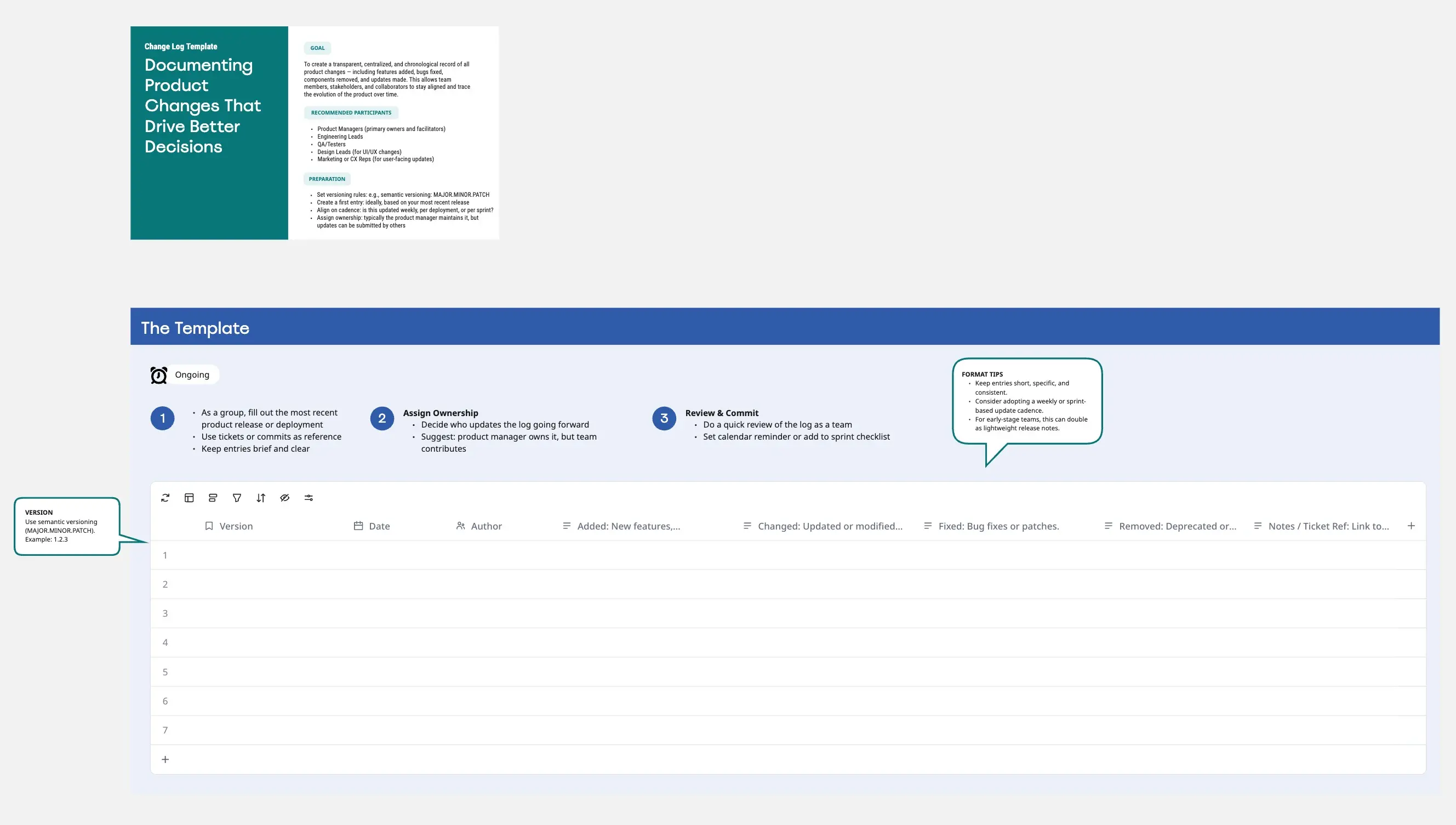
Streamline your product operations and maintain total visibility over project iterations with this structured Change Management Log Template! 🚀 Designed for Product Managers, Operations Leads, and Program Managers, this grid based framework helps you track, document, and approve every modification in your product lifecycle. Whether you are managing a complex global rollout or a small feature pivot, this template ensures your team stays aligned on the status, impact, and reasoning behind every change.
A Change Management Log is a centralized tracking system that captures the "who, what, when, and why" of project adjustments. 📊 Built for clarity and accountability, this template provides a comprehensive header for project metadata (Project Manager, Org, Versioning) and a detailed data grid to monitor individual change requests. From initial request dates to final implementation leads, this framework guides you through the essential governance required to maintain product stability and stakeholder trust.
Many Product Managers struggle with "scope creep" and fragmented communication when projects evolve. 😫 Common challenges include:
Lack of accountability: Not knowing who requested or approved a specific technical change
Poor impact visibility: Failing to assess how a small change affects other areas or associated risks
Audit trail gaps: Struggling to reconstruct the history of a project during retrospectives
Inconsistent status tracking: Using scattered messages or emails to follow up on implementation
Coordination friction: Difficulty managing dependencies between requesters and implementation leads
This template solves these problems by providing:
✅ A unified source of truth: One central place for all project modifications ✅ Risk awareness: Dedicated columns to identify impact levels and associated risks ✅ Governance tracking: Clear fields for Approver/CAB details and rejection dates ✅ Operational efficiency: Strategic columns for planned vs. actual implementation dates ✅ Professional documentation: A clean, board ready format that simplifies stakeholder reporting
1. Setup Project Context: 💭 Start by filling in the yellow header section with your Project Name, Org, and Project Description. This sets the foundation for what is being managed.
2. Log a Change Request: 🎯 When a new requirement emerges, assign a Change ID and Title. Document the Requester, the Request Date, and a clear Description of the shift.
3. Analyze Reason and Impact: 📋 Detail the "Reason/Justification" to ensure every change adds value. Use the "Impacted Areas" and "Impact Level" columns to assess the ripple effect on the product.
4. Manage Approvals: ⚖️ Route the request to the correct Approver or Change Advisory Board. Record the Approval or Rejection Date and update the Status to keep the team informed.
5. Track Implementation: 🚀 Once approved, assign an Implementation Lead and set a Planned Implementation Date. Record the Actual Completion Date and Priority to ensure high impact tasks move first.
❌ Incomplete justifications: Always explain the "why" to avoid unnecessary technical debt
❌ Ignoring risk levels: Be honest about high impact changes to trigger necessary testing
❌ Skipping the approver: Ensure every change is validated by a stakeholder to maintain governance
❌ Outdated logs: Update the Status and Last Updated fields regularly to prevent misinformation
❌ Missing dependencies: Use the Impacted Areas field to notify other teams of upcoming shifts
Q: Who can benefit from this template? 👥 A: This template is ideal for Product Managers overseeing complex roadmaps 🗺️, Project Managers handling cross functional stakeholders 🏢, Engineering Leads tracking infrastructure shifts 💻, and Operations Teams focused on maintaining system reliability 🛠️.
Q: Can this be used for agile software development? 🏪 A: Yes! While many teams use tickets for daily tasks, this log serves as a high level strategic record for significant scope changes that require stakeholder sign off and long term auditability.
Q: How often should the log be reviewed? ⏱️ A: Typically, this log should be reviewed during weekly syncs or at Change Advisory Board meetings. For fast moving products, a quick daily scan of the Status column ensures that no "in progress" changes are stalled.

Rodolfo Pernambuco
Group Product Manager @ BEES | AB-InBev
Developing digital products since 2019. A creative product leader who loves teamwork and collaboration.