196 likes
565 uses
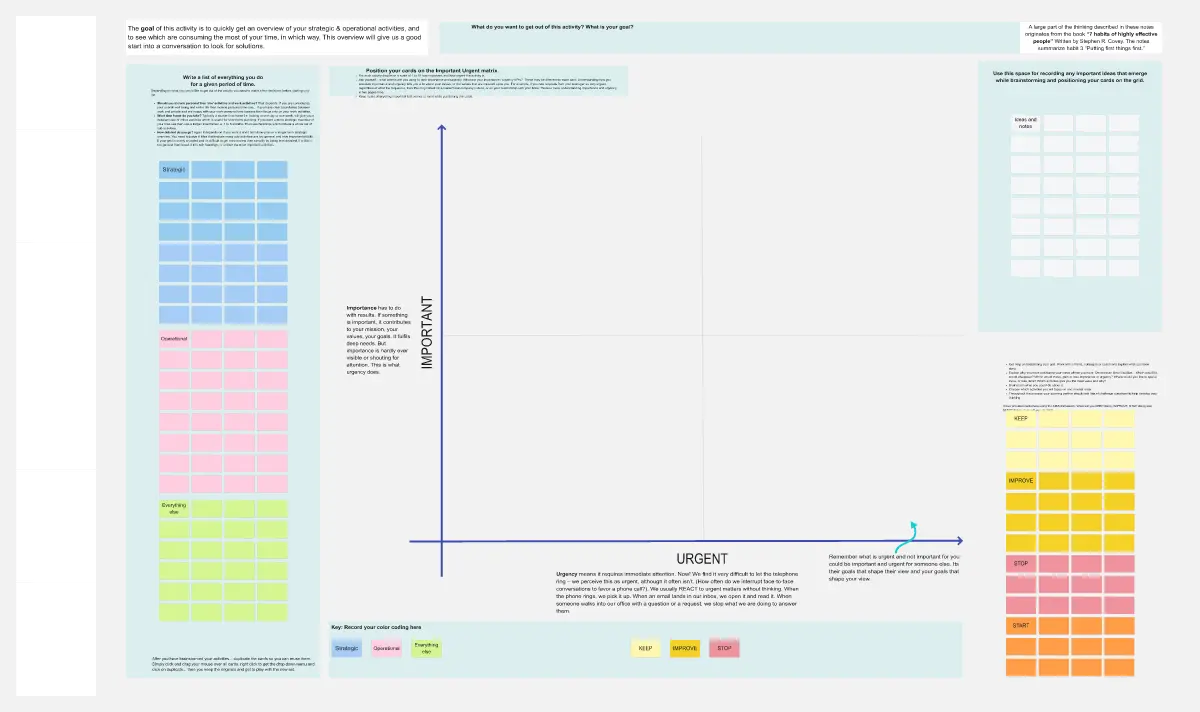
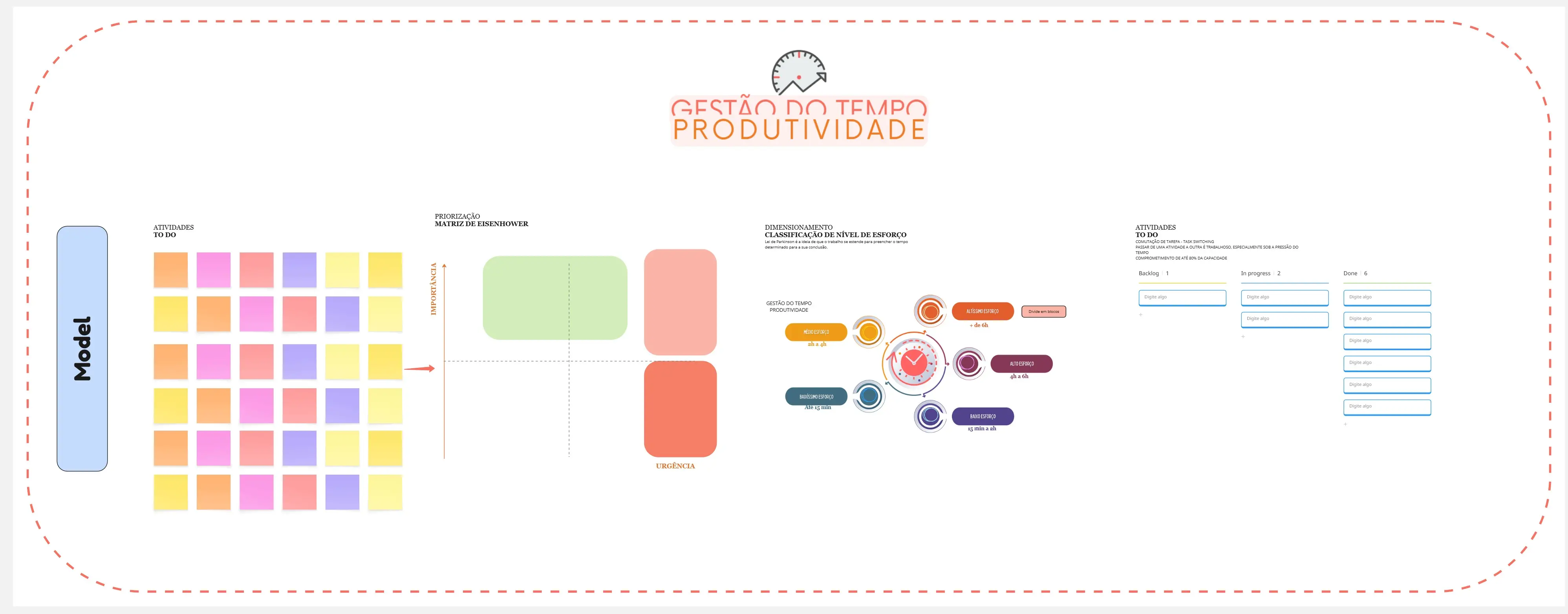
Reclaim your focus and own your calendar. The Time Management template helps you audit your current habits, prioritize high-leverage tasks, and build a sustainable workflow that eliminates burnout.
3 templates

A time management template is a structured framework used to audit, plan, and execute tasks based on their impact and urgency. It moves a professional from being "Reactive" (answering every notification) to being "Intentional" (focusing on high-leverage goals). Unlike a standard to-do list, these templates include constraints, such as time-blocks or energy ratings, to prevent over-commitment and burnout.
Time management is not about doing more; it is about doing what matters. Before filling out your next weekly planner on Miro or Notion, apply these three expert "health checks":
1. The "High-Leverage" Audit
The Audit: Is your day filled with "Administrative Shallow Work" (emails, Slack, minor updates)? The Fix: Audit for Deep Work Blocks. A professional time management template must protect 2–4 hours of uninterrupted focus for your most difficult task. If your template allows meetings to be scattered throughout the day, it is designing for "Context Switching," which reduces IQ by up to 10 points.
2. The "Energy Mapping" Test
The Audit: Are you scheduling your hardest creative tasks for 4:00 PM when your brain is tired? The Fix: Audit for Biological Prime Time. Use your template to match task difficulty with your energy levels.
High Energy (Morning): Strategic planning, complex coding, or writing.
Low Energy (Post-Lunch): Admin, expenses, or routine emails.
Social Energy (Afternoon): 1-on-1s and collaborative workshops.
3. The "Automated No" Guardrail
The Audit: Do you accept every meeting invitation that has an "open slot" on your calendar? The Fix: Audit for Opportunity Cost. Every "Yes" to a low-value meeting is a "No" to a high-value project. A high-level template includes a "Buffer Zone" (e.g., 15 minutes between calls) and a "No-Meeting Day" to ensure that your schedule has room for actual execution.
Select the framework that matches your current "Organizational Friction":
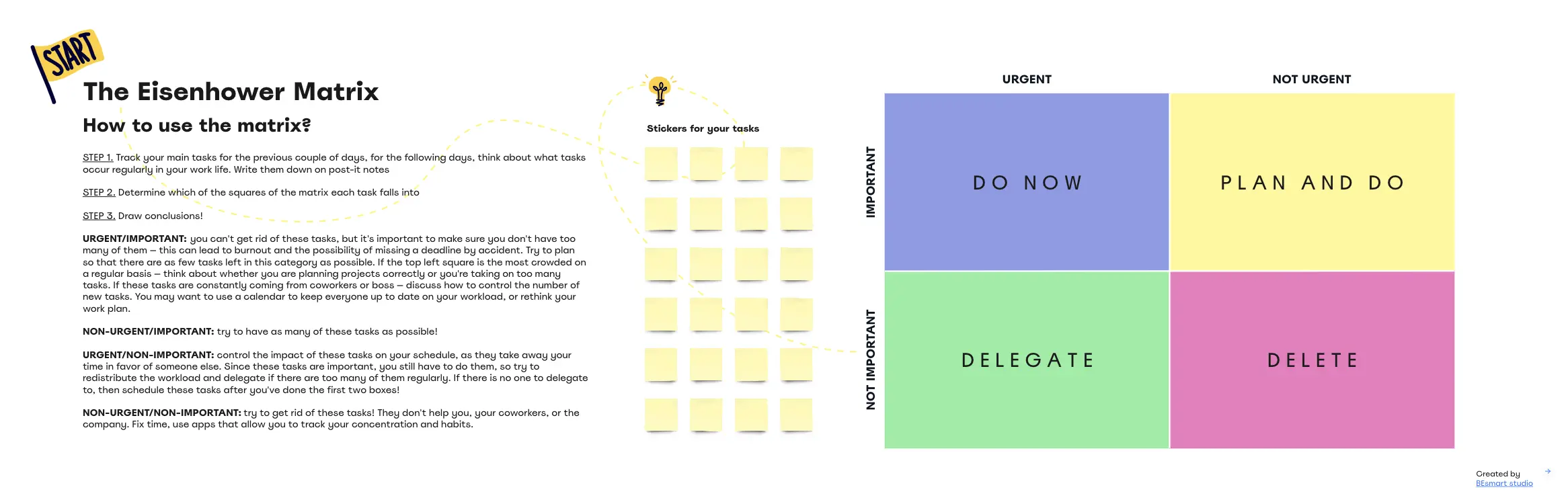
The Eisenhower Matrix (Urgent/Important):
Best For: Leaders struggling with "Firefighting."
The Goal: To Do (Urgent/Important), Schedule (Important/Not Urgent), Delegate (Urgent/Not Important), or Delete (Neither).
The Time Boxing Template:
Best For: Individuals who struggle with "Parkinson’s Law" (work expanding to fill the time available).
The Goal: To give every task a "Fixed Box" of time on the calendar to prevent perfectionism.
The Pomodoro/Sprint Tracker:
Best For: Deep execution and avoiding burnout.
The Goal: 25 or 50-minute "Sprints" followed by mandatory 5-10 minute breaks to maintain cognitive stamina.
The Pareto (80/20) Audit:
Best For: Strategic Review.
The Goal: To identify the 20% of tasks that produce 80% of your results and ruthlessly eliminate the rest.
A high-performance Management Board requires these five core elements:
The Top 3 Wins: A dedicated space at the top for the three tasks that must be done today to feel successful.
The "Brain Dump" (Inbox): A section to capture random ideas and distractions so they don't clutter your working memory.
Time Blocks: A chronological view of the day with pre-assigned "Focus" and "Admin" zones.
The Interruption Log: A place to track how often you are distracted and by whom (essential for a Friday "Process Audit").
The Shutdown Ritual: A 10-minute checklist at the end of the day to clear the decks and plan for tomorrow.
The "Optimism Bias": Thinking a task will take 30 minutes when it always takes 90.
The Fix: Use Multiplier Estimation. If you are new to a task, multiply your estimated time by 1.5x. It’s better to have extra time than to be constantly "Behind."
Reacting to the "Ping": Letting Slack or Email dictate your priority for the hour.
The Fix: Use Batching. Only check communication tools 3 times a day (e.g., 9 AM, 1 PM, 4 PM). Treat your focus like a limited resource.