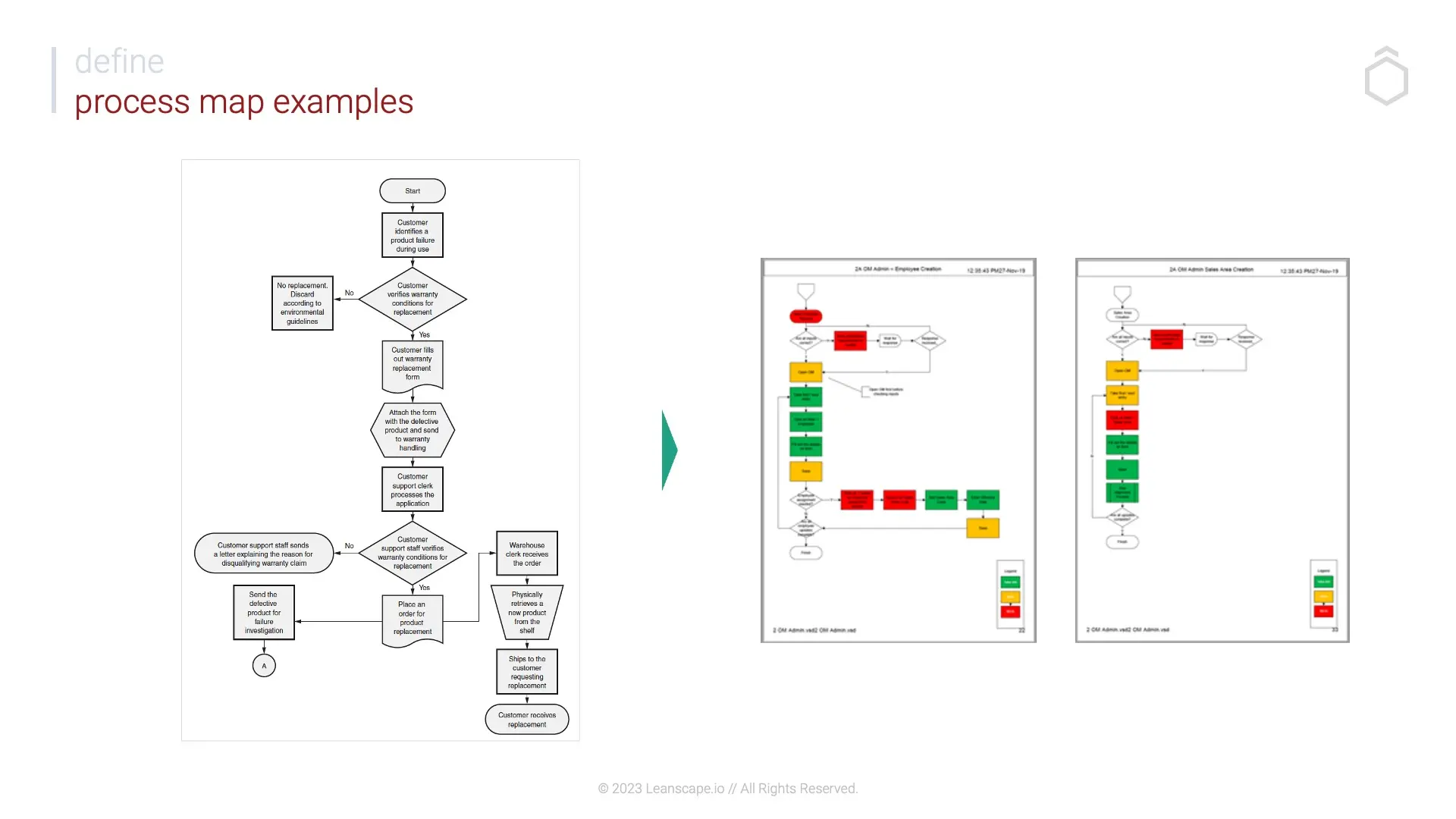
Build a Detailed Process Map in Miro helps teams document a complete, decision-based workflow with start/end states, steps, decisions, inputs/outputs, handoffs, loops, and exception paths. It creates operational clarity, exposes bottlenecks, and provides a foundation for optimization or automation.
What is it?
A structured workshop template that guides teams through mapping a real process visually using standard flowchart symbols, swimlanes, and ownership tags.
What problem does it solve?
Hidden decision complexity
Redundant steps and rework loops
Unclear handoffs between teams
Documentation that doesn’t reflect reality
How to use
Define start and end boundaries
Add 3–6 major phases
Map the “happy path” step by step
Insert decision diamonds with Yes/No branches
Add inputs, outputs, and document dependencies
Draw loops, rework, and exception paths
Assign ownership by role or swimlane
Common pitfalls
Mapping opinions instead of reality, skipping exception paths, forgetting system dependencies.
Ways to avoid mistakes
Involve people who execute the work, map the happy path first, use explicit Yes/No labels, color-code exception arrows.
Miro Features Used
Flowchart shapes (Start/End, Process, Decision, Input/Output, Document), Connectors for directional flow, Tags for ownership, Comments for open issues, Color coding for exceptions, Frames for phase grouping.
FAQ: Build a Detailed Process Map in Miro
Q: Who can benefit from this template?
A: Process owners, operations leads, project managers, systems owners, and cross-functional teams documenting workflows.
Q: What do I leave with?
A: A fully mapped, decision-based process with ownership, dependencies, and visible risk points.
Q: Is this suitable for automation planning?
A: Yes, it surfaces decision logic and data dependencies needed before automation or system changes.