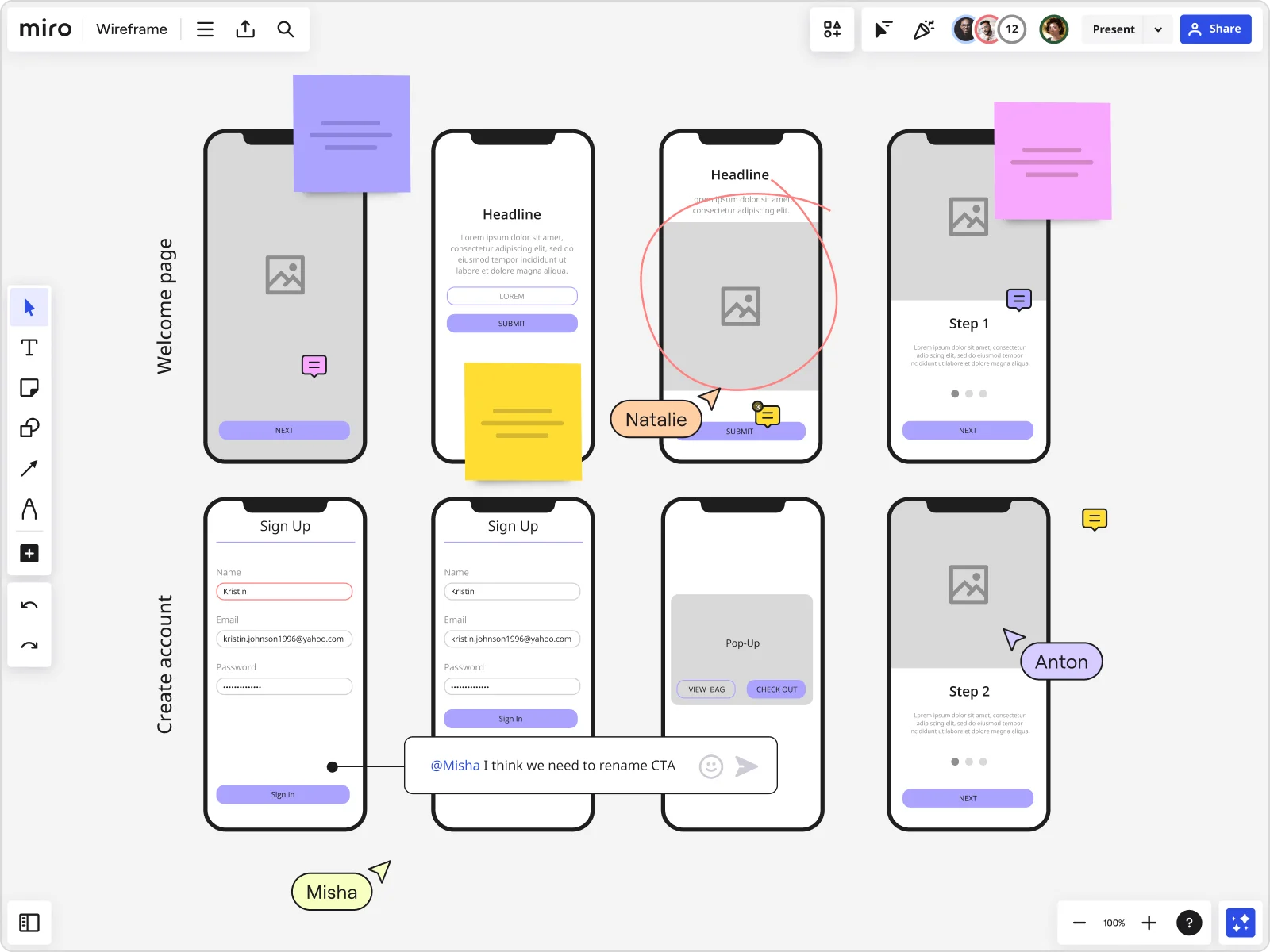
Table of contents
Table of contents
What is a wireframe?
Summary
In this guide, you will learn:
- What a wireframe is: a blueprint for website/app structure and functionality.
- How wireframes align teams by clarifying layout, user flow, and interface early.
- The different fidelity levels of wireframes, from low-fidelity sketches to high-fidelity mockups.
- How Miro’s wireframing tools enable quick creation using templates, UI libraries, and integrations.
- The benefits of real-time and asynchronous collaboration on wireframes in Miro.
- How Miro’s AI-powered features transform static wireframes into interactive prototypes for testing.
Ever tried explaining a big idea without a visual? It's tough, right? That's where wireframes come in. They're a powerful tool for anyone working on digital projects like websites or apps. Think of them as the backbone of your project's structure – helping you and your team map out the layout and functionality before diving into design or development.
Wireframes are essential because they let you focus on the "what goes where" part of the process, giving everyone clarity on how the final product will look and function. By keeping things simple, you can align your team and stakeholders on the vision, ensuring everyone's on the same page. Using wireframe templates can make this process even more efficient, providing a ready-made structure that speeds up initial planning while maintaining consistency across projects.
In this article, you'll learn what a wireframe is, why they're crucial for any digital project, and how you can use them to streamline your workflow. Let's dive in!
Collaborative AI Workflows
Join thousands of teams using Miro to build the right thing, faster.
Definition of a wireframe
A wireframe is a visual diagram that outlines the skeletal framework of a website, app, or other digital product. Sometimes known as a page schematic or screen blueprint, it shows how elements relate to each other and how they’re structured. By using a wireframe tool to build a blueprint, designers can create consistent layouts that meet user needs. Wireframing is a top-level process. User experience (UX) designers often use it to map out the design and layout of their work without going into too much detail. It’s the first stage of the design process before it is fleshed out to add more detail. As such, a wireframe primarily focuses on functionalities and intended behaviors, but not color schemes or final stylistic choices. On top of the overall layout, wireframes outline the following information:
Page structure
A wireframe outlines the structure of your page or mobile app. It helps designers figure out where certain elements should live and how the overall design will look.
Information architecture
Within the structure, designers also need to plan where the page elements will sit — this is known as information architecture. Designers can organize where these elements should go within the page structure.
User flow
UX designers need to consider how users will navigate the page. This is where creating a wireframe can help. Creating a wireframe forces designers to consider the body content from the user’s perspective. As a result, they’re more likely to create a page or app that’s user-friendly.
Functionality
Developers use a wireframe to visualize an app's functionality before heading to the technical design phases. They can see how they want it to work and what resources they need to make that happen.
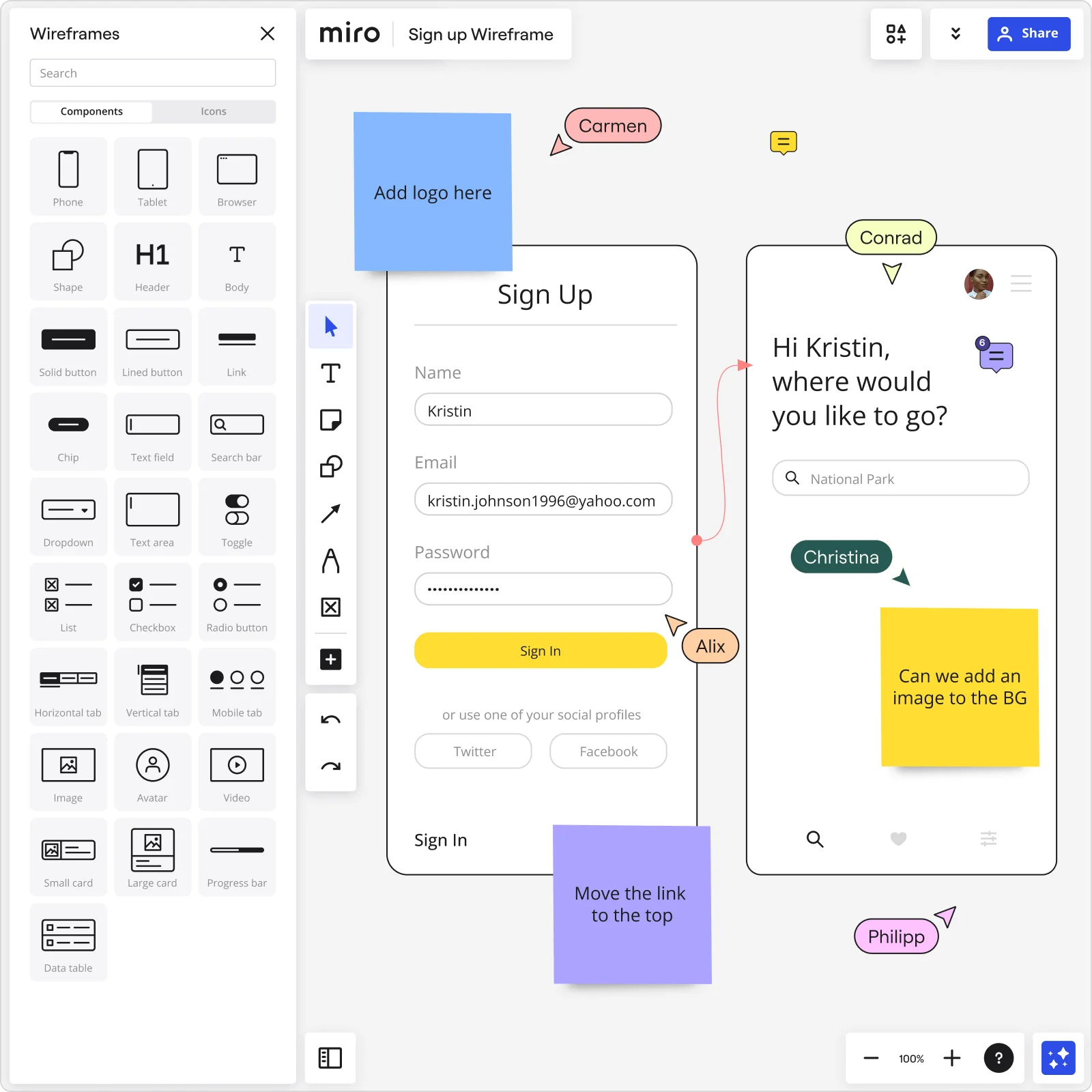
How are wireframes used?
Although most wireframes are used to outline technology and software, they do have other purposes that include project management and product development. To show you how different wireframes are used, here are some of the most common wireframe examples (plus some free templates for you to use):
What is wireframing in UX?
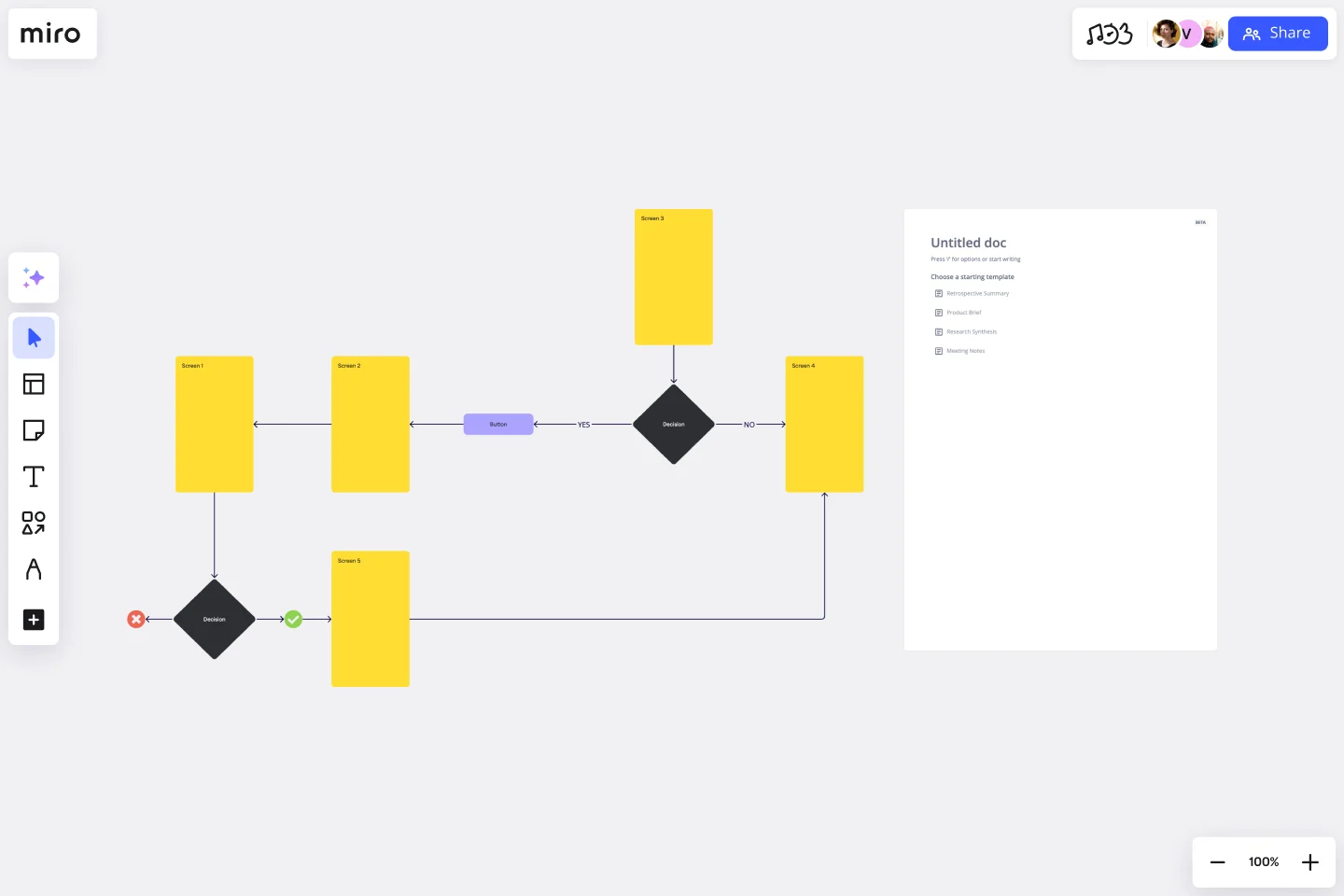
A user experience design wireframe (also called a user flow diagram) focuses on how a user moves through a particular product or service. The diagram shows the pathways they take and how they interact with your product or service when trying to complete a certain task.
What are low-fidelity wireframes?
Low-fidelity wireframes are common in app creation. They allow app creators and web designers to quickly outline their wireframe designs, helping them visualize how things work from a top-level perspective.
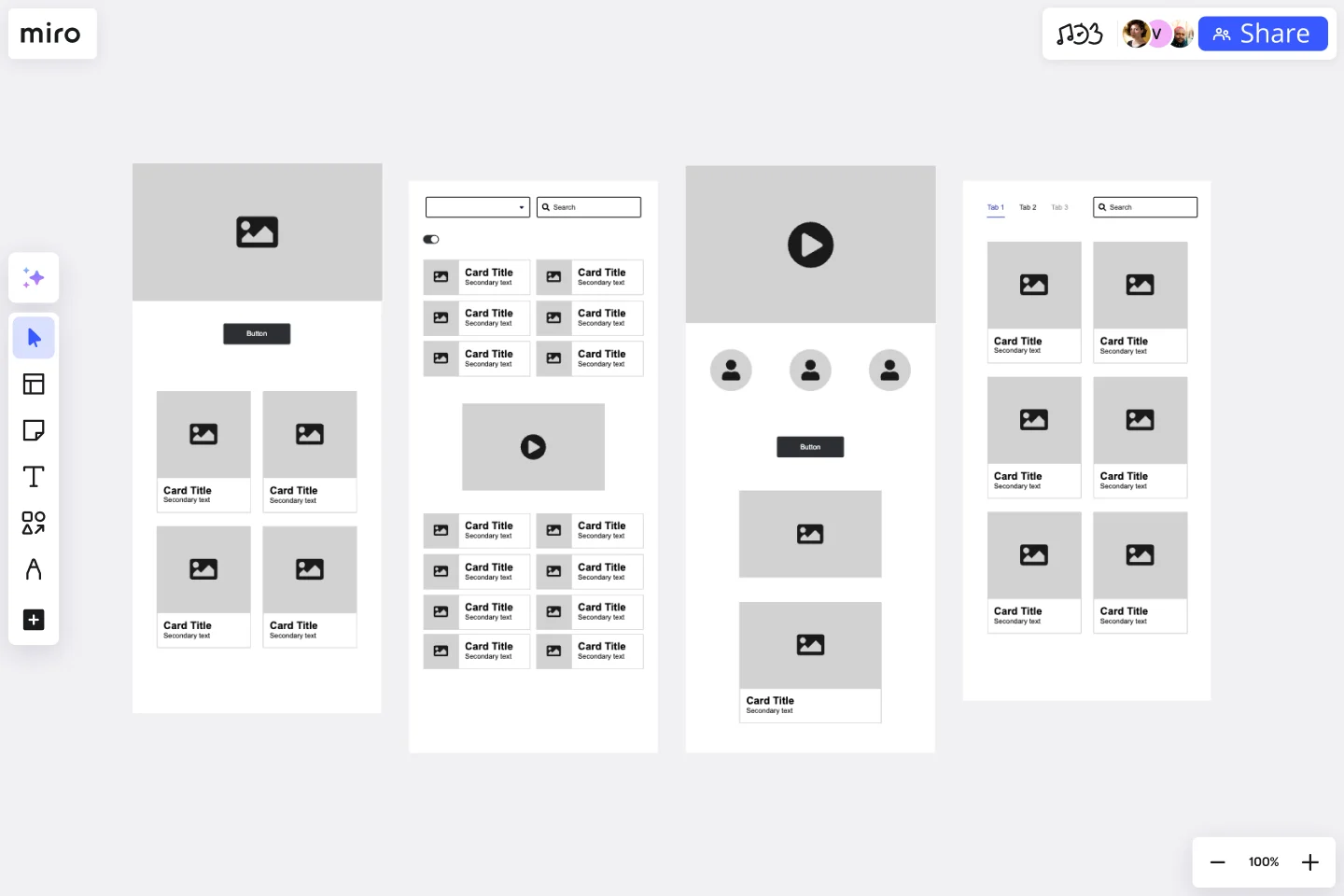
These diagrams act as a blueprint, so they don’t include great levels of detail. If you want to create a diagram with more detail, consider using a high-fidelity wireframe. A high-fidelity wireframe is a complete visual representation of a framework. It has more technical detail and is usually clickable and responsive to user actions. This gives designers a feel for how the final design will work for real users, making it helpful for user testing. Typically speaking, a low-fi wireframe is the first step in the design process. Designers move to a high-fi wireframe when this is signed off to flesh out the details.
What is an app wireframe?
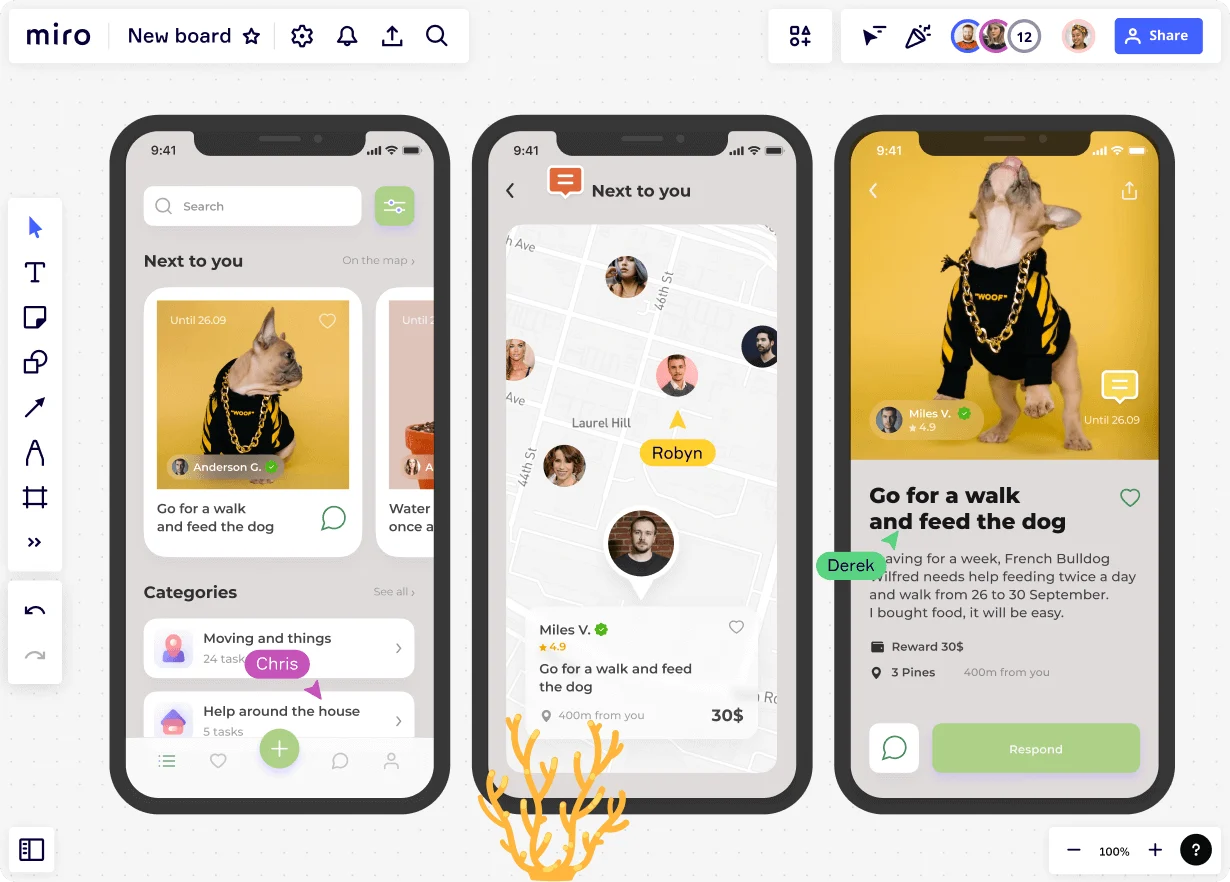
An app wireframe displays all the interface elements of your mobile app. Teams use it during the early phases of app development to determine the software's flow, functionality, and design.
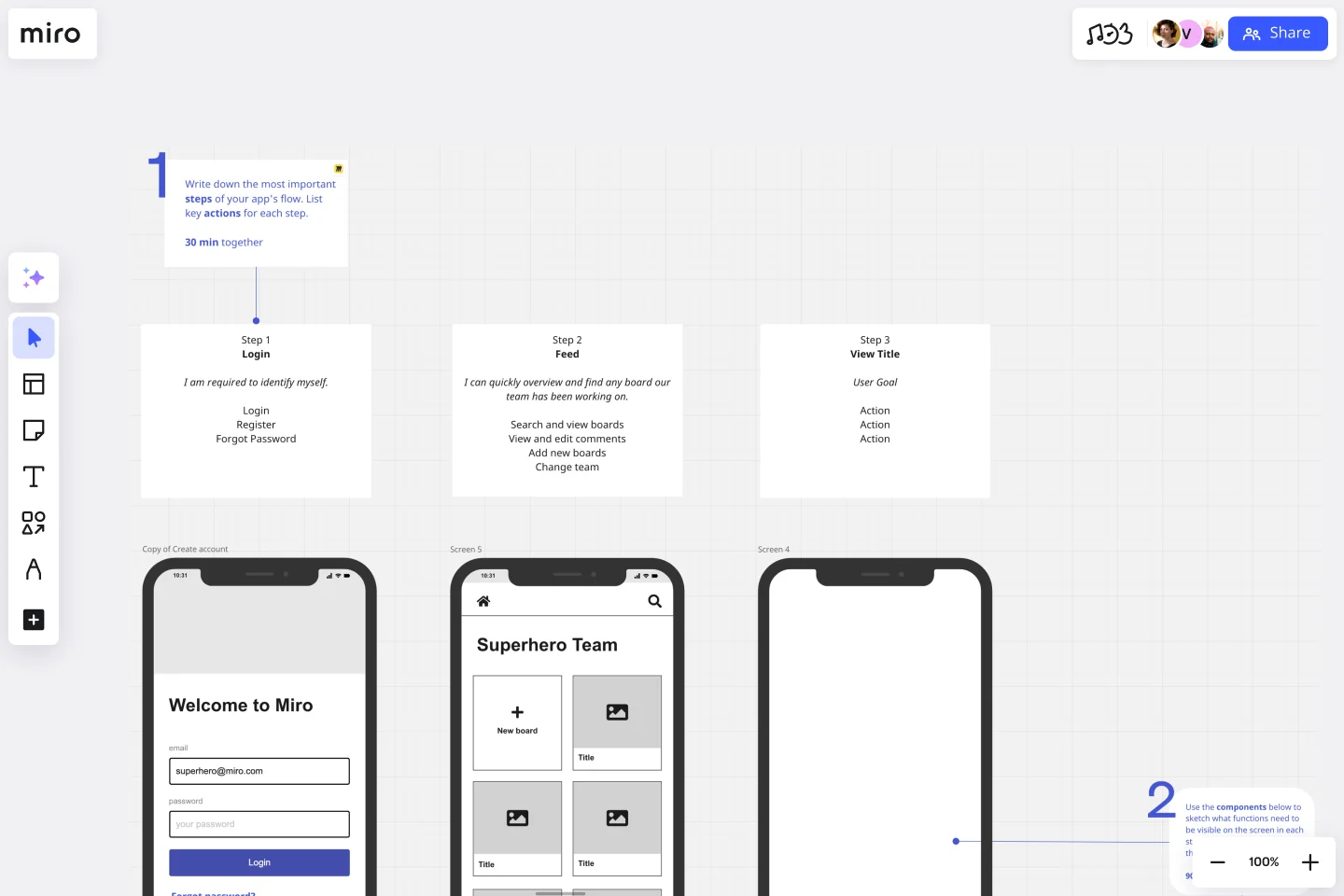
An app wireframe usually has interactive features, making it a great way to visualize how users will interact with the app itself. Like a UX wireframe, designers analyze key elements from the user's perspective. If anything is missing or there are areas for improvement, the designers can make changes before going live.

What is a website wireframe?
A website wireframe arranges the visual elements on each page of a website. It adds more detail than a low-fi wireframe, acting as more of a prototype for the final design. It gives designers the chance to see exactly how the user interface will look and how users will interact with it.
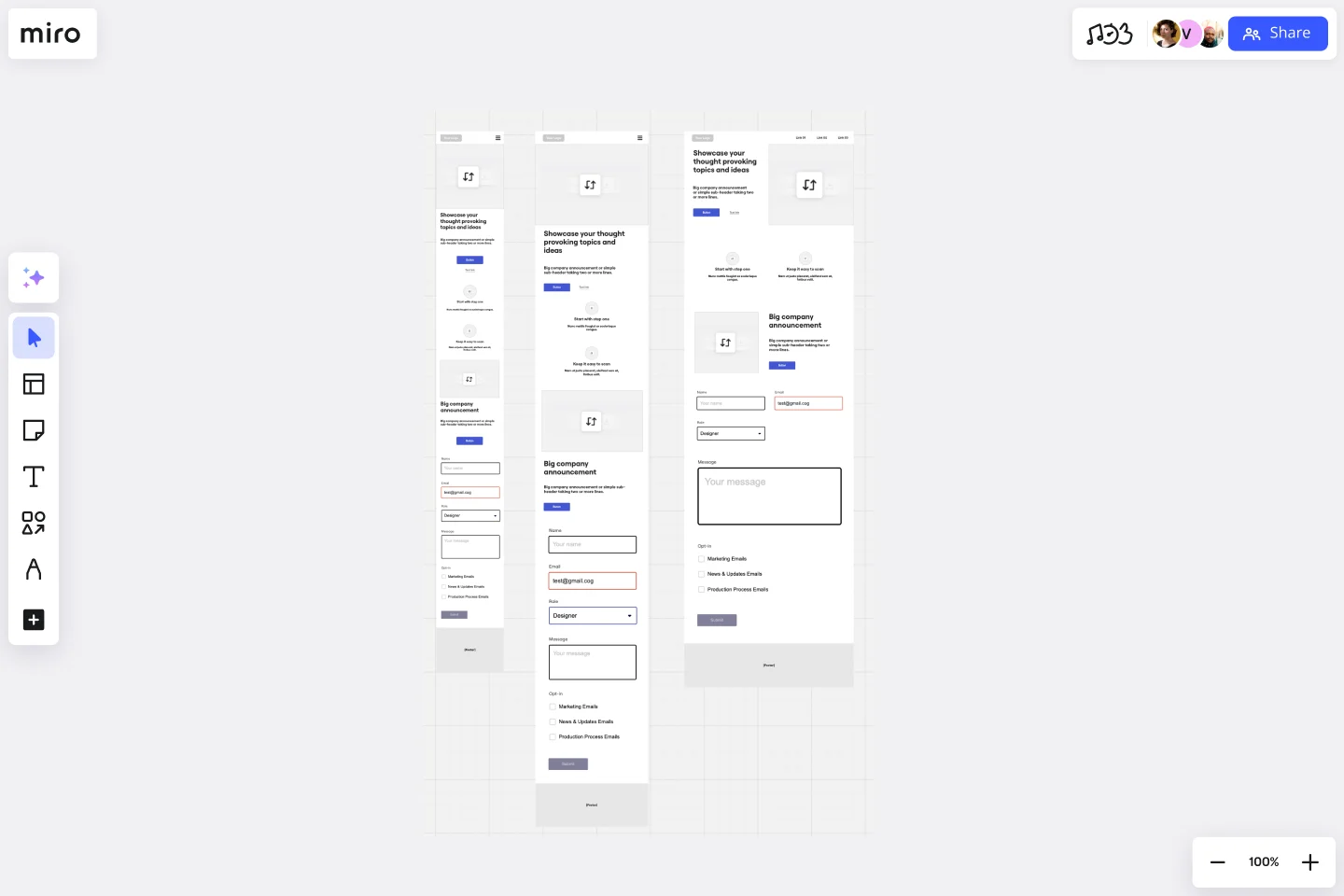
It’s also a helpful tool for spotting areas of improvement. Designers can see the website from the perspective of a real visitor, allowing them to pinpoint any technical errors or glitches that could impact the user experience. Designers may also find gaps in the existing website that need to be filled with new elements — for example, a missing call-to-action button or supporting image. By finding these gaps in the diagram, the designers can add any missing information before the site goes live.
What is a product development wireframe?
Although wireframes are typically used to map software and technology, product managers can also use them to improve their products. Product managers use wireframes to outline their vision for product development. This includes their logic, technical requirements, resources, and new features. The Prune the Product Tree Template is a good example of this.
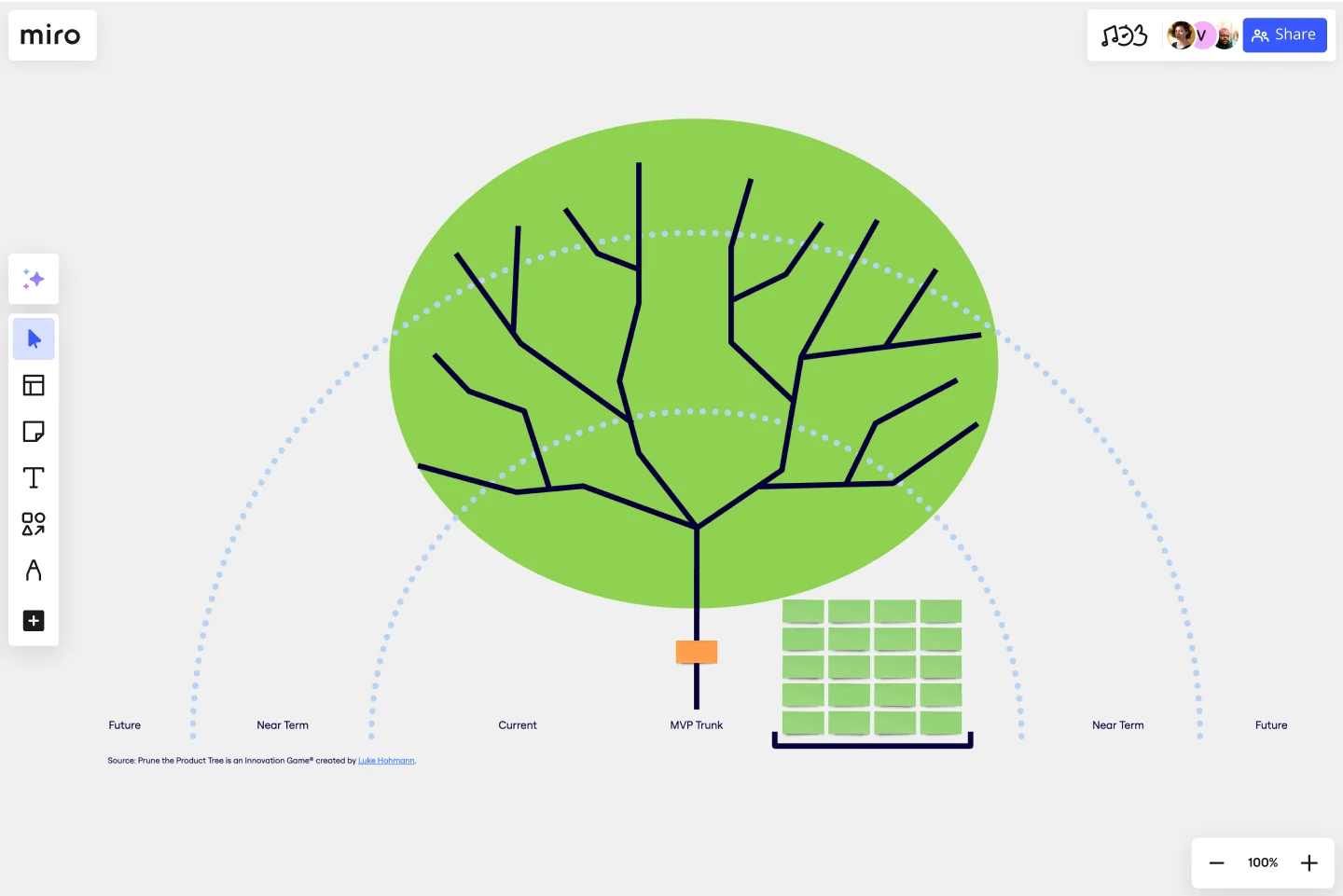
This methodology, created by Luke Hohmann, helps product managers and developers organize and prioritize feature requests. This is another format of a product roadmap templates, which helps product teams think about how to grow and shape a new or existing product.
What is a wireframe in project management?
In project management, a wireframe maps out the details of an upcoming project. It serves as a bridge between the project's conceptual aspects and its final product, ensuring that all stakeholders are on the same page about the following information:
What’s the project's purpose?
It’s important for the project manager (and the project team) to understand why the project is happening in the first place. Is it to reach a wider audience? To launch a new product? To improve an internal process? Whatever the purpose is, it should be included in the wireframe.
What’s the goal?
In addition to the project’s purpose, project managers must have a goal during this project planning stage. That way, the project managers can ensure all the tasks and activities align with the project goal.
Will there be a tangible outcome from the project?
If so, the project managers need to note this in the wireframe. This will allow the project team to know what to expect at the end of the project.
After sharing the wireframe with the relevant people for sign-off, the project manager will put the project details into a format with more detail and structure, such as a product roadmap or product canvas.
Wireframe vs. mockup: What’s the difference?
Wireframes and mockups are often used interchangeably, but they don’t mean the same thing.
Feature | Wireframe | Mockup |
Main Goal | • To outline the basic structure, layout, and content hierarchy | • To showcase the visual design, look, and feel of the final product |
Visual Fidelity | • Low – think basic shapes, lines, and placeholders | • High – aims for a pixel-perfect representation of the visual elements |
Color & Styling | • Minimal, often grayscale. No specific colors, fonts, or imagery. | • Full color, specific typography, actual or representative imagery, branding. |
Content Detail | • Often uses placeholder text (like lorem ipsum) and generic boxes for images. | • Includes more realistic text and images to represent the final content. |
Interactivity | • None. Purely structural and static. | • None. It's a static visual representation, not interactive. |
Focus of Feedback | • Usability of layout, content organization, information architecture, user flow logic. | • Visual appeal, color choices, typography, imagery, branding consistency. |
Stage in Process | • Early in the design process, often the first visual step after research/ideation. | • After wireframes are approved, before building interactive prototypes. |
A wireframe is a top-level blueprint that illustrates the structure of your website, app, or project. It doesn’t include any designs or a great deal of detail. It simply maps the structure and the key elements. A mockup is a high-fidelity wireframe. It’s a visual diagram with much more detail than a low-fi wireframe. For example, it’ll have all the design elements, and it’ll be interactive. When mapping a new piece of software or launching a new product, a low-fi wireframe will be your first port of call. This is a good starting place to find your feet and a great way to collaborate with team members about what works and what doesn’t. But if you go straight in and create a mockup, you could be wasting your time — especially if there are elements you need to change. It makes sense to start small and build up from there. After the initial wireframe has been signed off, you can start to think about adding more detail and visual design elements to create a mockup. You can jump in with the mockup if you’re updating an existing platform. After all, it’s already live, so you can use the existing design as your baseline to pinpoint areas for improvement.
How to make a wireframe
Whether you’re mapping a complex project or a simple website, using wireframing tools (like Miro) makes the creation process easier. Our collaborative platform is intuitive, easy to use, and provides you with the flexibility you need to see what works and what doesn't. Follow these simple steps to create a successful wireframe with Miro:
1. Choose your wireframe
There are different types of wireframes for you to choose from, so start by choosing the right one for what you need. We’ve already covered some of the most common formats, but it’s up to you to find the structure that works best for you and your team. Here are a couple of things to consider when narrowing this decision down:
- What are you trying to create? Do you want to outline a UI wireframe? A mobile app? A website? A product? Be clear about what it is you’re trying to map so that you can choose a template that’s right for what you need.
- Do you need top-level information or lots of detail? If you’re looking for something with a lot of detail, you need a high-fidelity wireframe. If you want something simple to get you started, a low-fi wireframe will do the trick.
When you know what type of wireframe you want, head to our Wireframe Templates. All of these templates are free, easy to use, and ready to go. Simply choose the one that you want, and you can start immediately.
2. Customize the layout
All of Miro’s templates are ready-made so that you can instantly start creating your wireframe diagram. But sometimes, you might want to edit our structure or customize it to suit your business. In that case, our customizable features come in handy. With Miro, you can add new shapes, colors, fonts, charts — whatever you need to create a wireframe structure that perfectly represents your plans.
3. Add supporting documents or links
If you’re using a wireframe diagram for the first time, it helps to provide context for how you envision the final design. This is where supporting documents and links can come in handy. For example, you might want to link to a website that has a similar structure to what you’re going for or a mobile app from a top competitor. When it comes to sharing your diagram with your design team, all this information gives them deeper insights into how you envision the final product. You can also add internal and external links to provide additional context, and you can manually upload supporting files and images.
4. Share your wireframe with stakeholders
When the wireframe is complete, share it with the relevant stakeholders to get feedback and keep everyone in the loop. You might want to host a brainstorming session to discuss their feedback in a collaborative setting or jump on a call to talk things through in real-time. After reviewing their feedback and making any relevant changes, you can do one of two things:
- Launch your new project or platform
- Create a more detailed high-fidelity wireframe
The choice is up to you, depending on what you’re trying to create and how much detail you need before going live.
Rapid wireframing in 2026: Is low-fi still the fastest way to launch?
Once you know how to make a wireframe, the next question is: what kind should you make? The low-fidelity-first approach has been the default for years, and for good reason. Starting rough keeps things flexible, signals to stakeholders that nothing is set in stone yet, and focuses everyone on structure and flow before any branding debates can take over.
That still holds true. But in 2026, it's no longer the only fast option.
Choosing the right fidelity for your project
Low-fidelity wireframes shine when you're deep in the discovery phase. If the problem is still fuzzy, if your team is still aligning on what you're building, or if you want to invite candid feedback without anyone fixating on visual details, a rough sketch is exactly right. The simplicity is the point. In fact, there's a real risk that polished visuals can work against you: when a prototype looks finished, reviewers tend to respond to the pixels rather than the concept underneath them. This is known as prototyping bias, and it's one of the most common reasons teams end up spending 20 minutes debating button colors while the bigger strategic questions go unasked.
Where things get interesting is when you already have a clear direction and need to move quickly. If you know you need a homepage, a checkout flow, or an onboarding screen, going low-fi first can actually slow you down. That's where AI comes in.
How AI fits into the wireframing process
Miro AI can now generate a wireframe from a single prompt. In the Create with AI panel, you can type something like "create a wireframe for a website homepage with a hero banner and call-to-action button," and get a complete, editable wireframe in seconds. It's a solid starting point you can customize, share with your team, and iterate on right away.
From there, Miro Prototypes lets you take things further without switching tools. Add clickable hotspots, preview user flows, explore AI-generated variations, and collect feedback, all on the same canvas where your team is already working.
Which approach is right for you?
Think of low-fi and AI-generated wireframes as complementary rather than competing. Start rough when the problem needs more thinking. Reach for AI when the direction is clear and speed matters. Either way, the goal is the same: get something in front of people fast enough to learn from it, and keep iterating from there.
Wireframes: The blueprint for turning ideas into reality
Wireframes are like the architectural blueprint of your digital project. Just as architects use blueprints to plan buildings before construction, wireframes help you plan and visualize the structure of your website or app before diving into design. They give your team a clear sense of direction, ensuring that everyone is aligned on functionality and flow from the get-go.
And when it comes to making wireframing easy and collaborative, Miro’s innovation workspace is your go-to tool. With a vast wireframe library, ready-made wireframe templates, and seamless collaboration options, Miro empowers your team to transform rough ideas into structured, functional products—whether you’re working together in real time or asynchronously.
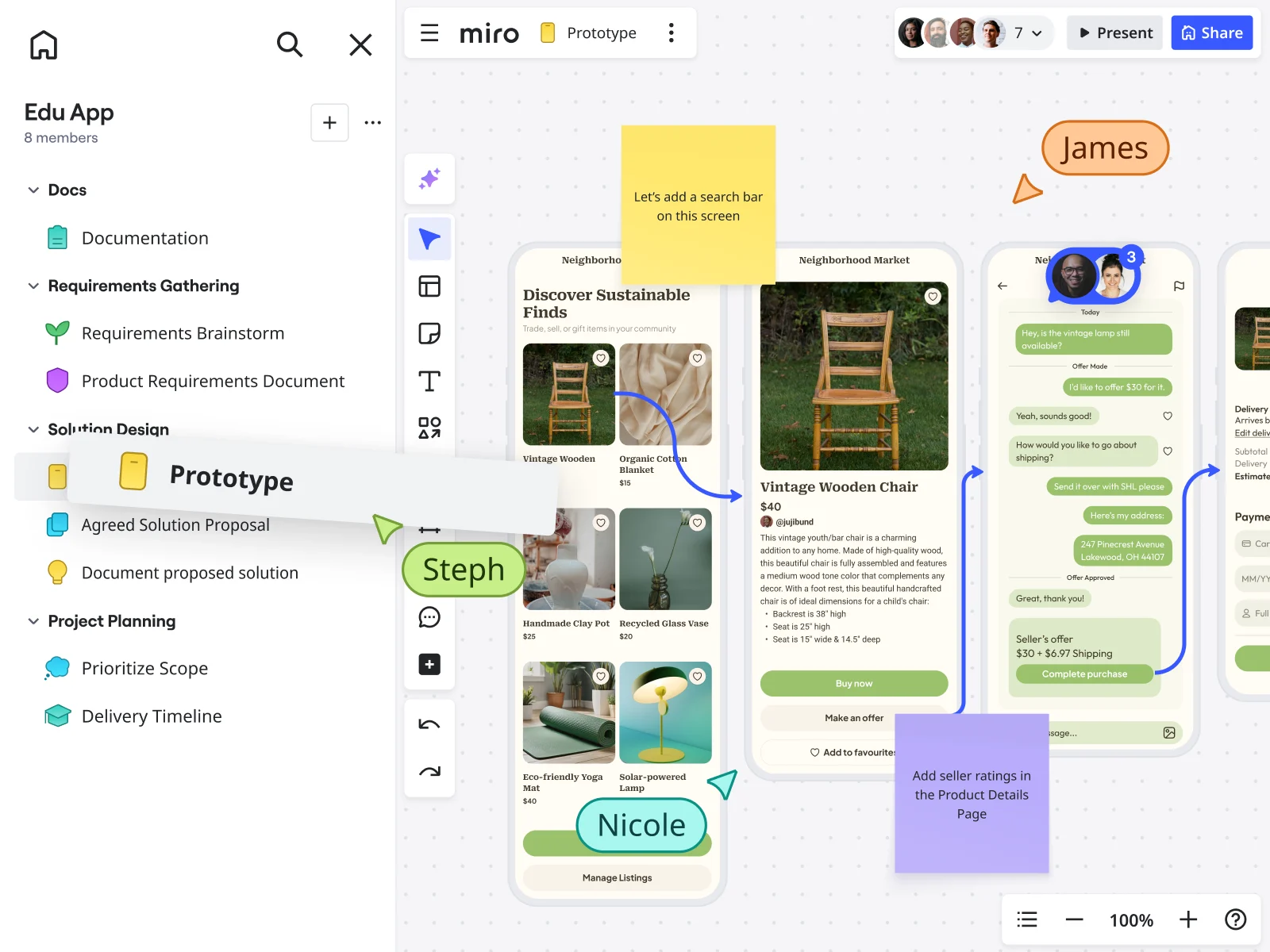
Ready to start building your next project? With Miro, wireframing is just the beginning. And to take you beyond those initial blueprints, Miro's new AI-powered prototyping capabilities allow you to instantly elevate those static plans. Imagine effortlessly transforming your layouts into dynamic, clickable prototypes. This allows your team to quickly build and test user flows, validate design concepts, and gather crucial feedback with an interactive version of your site, moving your project forward faster than ever.
Wireframe FAQs
What is the purpose of a wireframe?
A wireframe outlines the structure, layout, and functionality of a website, app, or digital product before any visual design work begins. It helps teams align on what goes where, how users will navigate the product, and what elements need to be built, without getting distracted by colors, fonts, or branding decisions too early in the process. With Miro's wireframe templates, you can skip the blank canvas and start mapping your product structure in minutes.
What's the difference between a low-fidelity and high-fidelity wireframe?
A low-fidelity wireframe is a rough, simplified sketch that maps out the basic structure and user flow of a product. It's intentionally bare-bones, making it easy to change and ideal for early-stage exploration. A high-fidelity wireframe is much more detailed, often clickable and responsive, and closely resembles the final product. Teams typically start with low-fi to validate the concept, then move to high-fi to flesh out the details before development begins. Miro supports both, so your team can move from rough sketches to interactive prototypes without ever switching tools.
What are the most common wireframe use cases?
Wireframes are used across a wide range of disciplines and project types. UX designers use them to map user flows and test navigation logic. Product managers use them to communicate feature requirements and align stakeholders before development begins. Engineers use them to visualize functionality and plan technical requirements. Marketers and strategists use them to plan landing pages, campaign assets, and content structures. Whatever your role, Miro's wireframing tools and template library give you a flexible starting point that fits your workflow.
Do I need design experience to create a wireframe?
Not at all. Wireframes are intentionally simple, which means anyone on a product, engineering, marketing, or strategy team can make one. Miro's drag-and-drop UI components and ready-made templates make it easy to get started without any design background. If you're not sure where to begin, Miro AI can generate a wireframe from a text prompt, giving you a solid structure to build on in seconds. And if you're looking for inspiration, the Miro Community and Miroverse are full of real-world wireframe examples created by teams just like yours.
How do I choose between starting with a low-fi wireframe or using AI to generate one?
It depends on how clear your direction is. If you're still figuring out the problem or how users should move through the product, starting with a low-fi wireframe is the better choice. The roughness signals that feedback is welcome on the concept, not just the details. If you already know what you need to build and speed is the priority, using Miro AI to generate a wireframe from a prompt can get you to a working starting point faster than sketching from scratch. For a deeper look at why fidelity choices matter, see our article on prototyping bias.
Can I collaborate with my team on wireframes in Miro?
Yes, and that's one of the biggest advantages of wireframing in Miro. Your whole team can work on the same board at the same time, whether they're in the same room or across different time zones. Teammates can leave comments, co-edit components, and give feedback directly on the wireframe without needing a separate review tool. For async teams, Miro's TalkTrack feature lets you record a narrated walkthrough of your wireframe so stakeholders can review it in their own time.
Is Miro secure enough for enterprise wireframing projects?
Yes. Miro is built with enterprise-grade security, including SOC 2 Type II and ISO/IEC 27001 certifications, data residency options across the EU, US, and Australia, and granular admin controls that let you manage exactly who can access, share, and edit your boards. For teams handling sensitive product information, Miro Enterprise Guard adds an extra layer of protection with automated data classification, intelligent guardrails, and encryption key management. You can find the full details in Miro's Trust Center.
Is Miro accessible for users with disabilities?
Yes. Miro is committed to building an accessible product and publishes an Accessibility Conformance Report (ACR) based on VPAT guidelines. The platform supports keyboard navigation, screen reader compatibility, and sufficient color contrast across its interface. If accessibility is a key consideration for your team, you can review Miro's full accessibility guidelines on the Miro Trust Center to assess fit for your organization's needs.
Author: Miro Team
Last update: April 8, 2025
Read more
Join our 100M+ users today


