By signing up, you agree to Miro's Terms of Service and Privacy Policy.
MCP for product managers: How to shorten your product development lifecycle
Key takeaway: MCP (Model Context Protocol) lets product managers connect their Miro boards directly to AI coding agents like Claude and Cursor. Instead of waiting on engineering to explain a legacy feature or build a prototype, a PM can put PRDs, user stories, and diagrams on a board and have an agent read that context to generate diagrams, working prototypes, and even code. We asked Horea Porutiu, Developer Advocate at Miro, to walk us through exactly how product teams are putting this into practice, and why the approach works.
Watch it in action: Horea walked through this entire workflow live in a recent Miro product webinar, including a real-time demo of turning a Miro board into a working prototype. Watch the full webinar below:
The gap between what you plan and what gets built
You've been there: you ask engineering to move a button, and you're told it's not that simple. You nod, but you don't really know why. Is it a real technical constraint, or is it just easier to say no? Without a way to see what's actually happening in the code, you're stuck taking someone else's word for it.
The same gap shows up earlier too. You spend weeks writing a PRD, running discovery interviews, and sketching user flows, and then all of that thinking gets rebuilt from scratch once it lands with engineering. Context gets lost in the handoff. Requirements get reinterpreted. And by the time you see a working version of your idea, weeks have passed and the thing in front of you barely resembles what you had in mind.
Horea Porutiu, Developer Advocate at Miro, has watched this pattern play out across dozens of product teams. In a recent Miro product webinar, he put it plainly: teams are using single-player AI tools to move fast on their own, but "they're all running in different directions." Product managers get AI-generated PRDs. Designers get AI-generated prototypes. Engineers get AI-generated code. None of it is talking to each other, and the PDLC doesn't actually get shorter, it just gets more fragmented.
What if your board could talk directly to your coding tools?
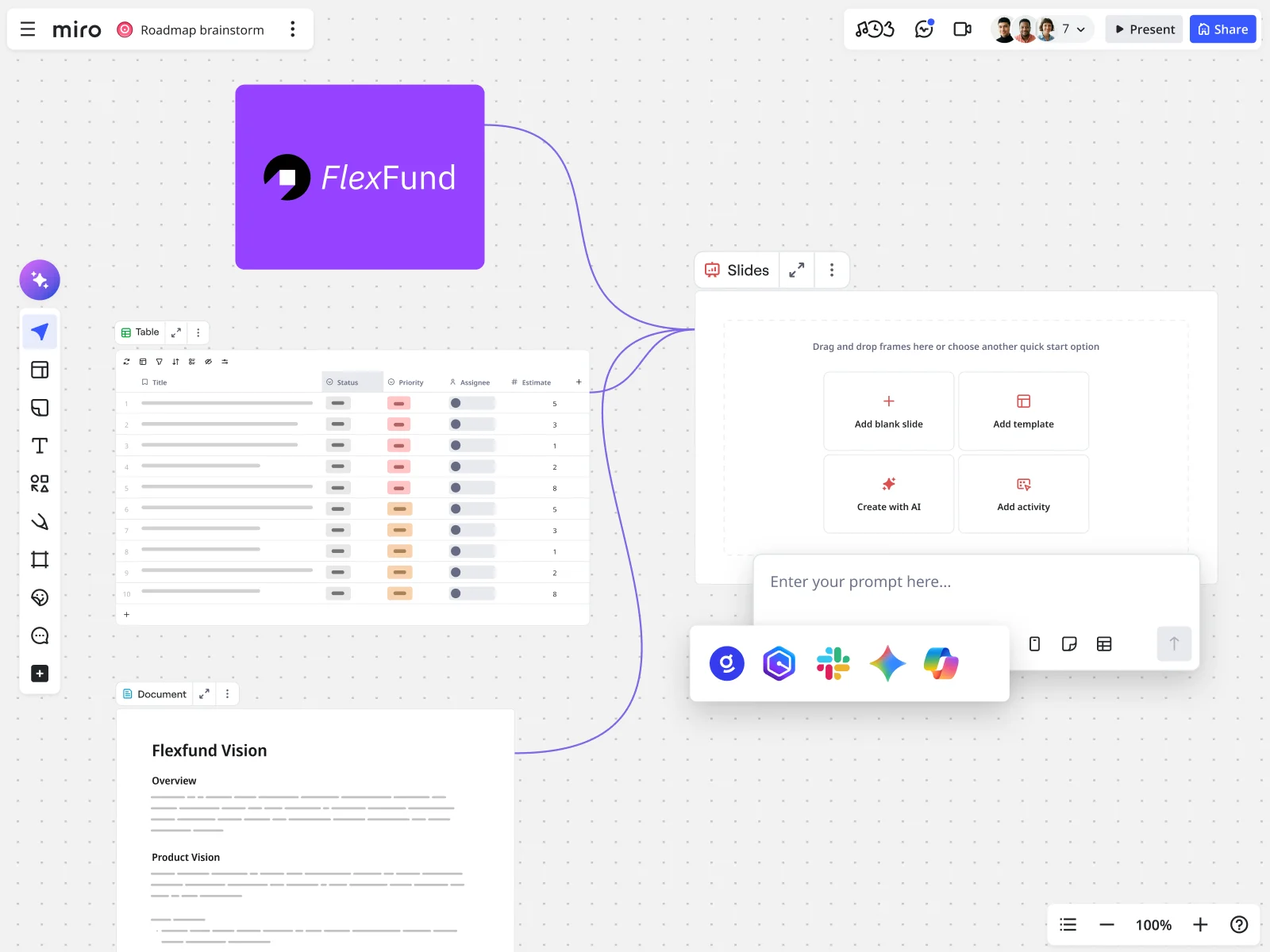
Picture a workflow where the thinking you've already done, the PRD, the user stories, the sequence diagrams, becomes the actual input an AI agent uses to build something. No re-explaining. No waiting for someone else to translate your intent into a prompt. The context you already organized does the heavy lifting.
That's the promise behind connecting a visual workspace to coding agents through MCP: your board isn't just documentation anymore, it's the shared source of truth that both your team and your AI tools can read from directly.
How Miro's MCP server actually works
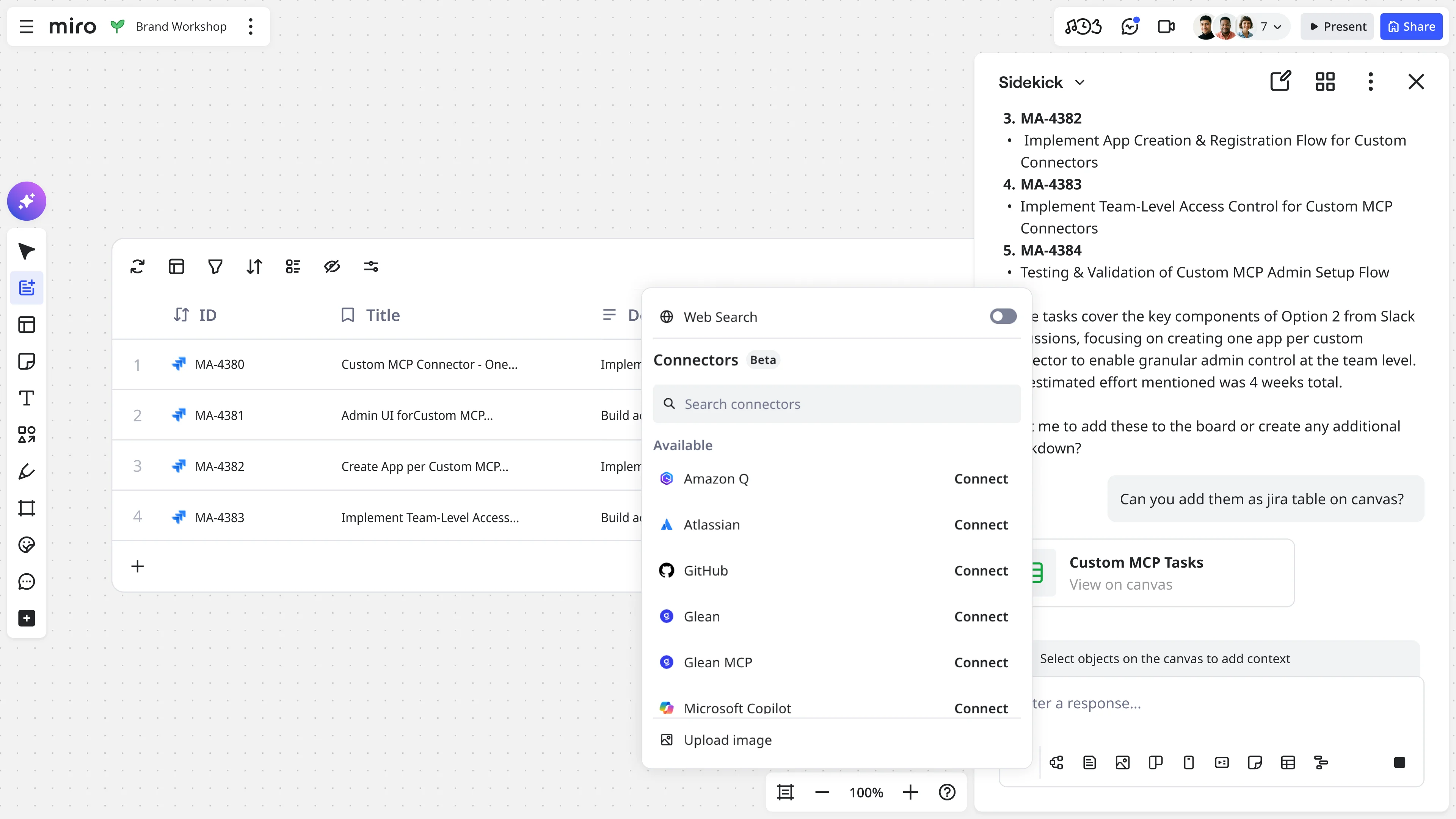
Miro's Model Context Protocol (MCP) server acts as a bridge between your product thinking and technical execution. It connects Miro boards directly to AI agents like Claude, Cursor, and GitHub Copilot, and it was built specifically with engineering and product design workflows in mind.
Horea Porutiu breaks down what this looks like in practice, drawing on his own demos and the questions PMs ask him most.
Make sense of code you didn't write
If engineering tells you a change isn't simple, you can ask the agent connected to your board to explain the code "like I'm five." The agent reads the codebase and generates a diagram, table, or doc directly on your Miro board, so you can see the actual structure behind the constraint instead of taking it on faith.
Horea has shown this working on a real legacy codebase, generating a flowchart of how data moves through the repo alongside a data table breaking down each main component and a doc summarizing security considerations, all in a few minutes, all sitting on the board next to whatever else the team is already working from. That's the specific value: instead of a one-line explanation from an engineer who's busy, the whole team gets a visual reference they can point back to in the next planning conversation.
He's careful to draw a line here, though, and it's worth taking seriously precisely because it comes from someone building the tool. A simplified diagram is a starting point for a conversation, not the final word. It helps you understand a constraint, but it doesn't replace the judgment of the engineers who live in that codebase every day. Use it to walk into the next conversation informed, not to walk in assuming you already have the full picture.
Turn your planning into a working prototype
This is where MCP shortens the PDLC the most directly. Put your technical specs, PRD, user stories, and user flow diagrams on a board, then point a coding tool like Claude Code or Cursor at that board as its context. The agent reads everything you've organized and can generate a working prototype or app that reflects what you actually asked for.
Horea demoed exactly this live, building a working banking app, prototype, PRD, and sequence maps included, in a matter of minutes. For that demo, he used Miro's AI Playground template, which generates a PRD document, a slide deck, a prototype, and product images in one pass, giving him a full starting kit on the board before he wrote a single prompt.
But he's quick to point out that the quality of what comes back depends entirely on what you put in.
"The more specific your request is the better," Horea told us. "If you have sample code, sample UX, anything else to make the context more rich and useful for AI, the better."
He's also candid about where this can go wrong. A vague or incomplete PRD doesn't get flagged and fixed automatically; the agent fills gaps with its best guess, and the more ambiguity you leave, the less predictable your output becomes. That said, he noted you're not entirely on your own here: you can ask the agent directly whether your PRD is missing anything, or ask it to help supplement the context before it starts building.
Two other factors shape how close you'll land to a finished prototype on the first try, according to Horea. One is the agent and model you're using, since different tools offer different "modes," like instant versus max, and higher-effort modes tend to produce higher-quality output. The other is how novel your idea actually is. If you're building something similar to what's already been built thousands of times, the AI has a strong pattern to work from. If you're asking it to solve something genuinely new, with no precedent on the internet, that's a much harder task, and you should expect to do more of the shaping yourself.
So what can you actually ship from this? According to Horea, it depends on how technical you are. A PM comfortable deploying code might ship internal automations, dashboards, reports, or internal apps directly, as long as they don't carry meaningful security risk. His one firm caveat: anything with a higher risk of security vulnerabilities, or anything that touches customer data or PII, even for an internal tool, is worth getting approved by your security team before it goes live.
For most PMs, though, the real value isn't shipping the prototype itself. It's what a higher-fidelity prototype does for everyone downstream. It shortens how long engineering needs to weigh in, since they're reacting to something concrete instead of a written spec. And it gets design on the same page faster too, which, in Horea's experience, is often what actually speeds up the decision on whether an idea is worth building at all.
Skip the back-and-forth that burns time and budget
Anyone who's iterated on a prompt inside a coding tool knows the drill: you refine, you re-prompt, you refine again, and every round costs time and money. Doing your thinking and planning in Miro first changes that math. A well-organized board gives the agent a cleaner, richer context window from the start, so you spend less on refining after the fact.
Horea draws a distinction here that's easy to miss: if your Miro board is just the same PRD text you'd otherwise paste straight into a prompt, there's no real advantage. The savings come from everything that already lives around that document once your team plans in Miro, not from moving the document itself.
"If you already have all of your teammates in Miro, align in Miro, have artifacts like PRDs, diagrams, tables, docs and more in Miro, then that becomes a lot more valuable to an AI," he explains.
That's because MCP doesn't just read your PRD text. It can read the comment threads your teammates left on that PRD, the feedback from a design review, the diagrams that came out of a planning session, and factor all of it into what it builds next. In Horea's words, Miro becomes your team's feedback and alignment layer, so the AI is working from the version of the plan your whole team has actually weighed in on, not just your first draft of it. That's the piece that compounds over time: every board you build up with comments, revisions, and linked artifacts becomes a richer context window for every prompt that follows, without you having to re-explain any of it.
He also flagged a caution worth taking seriously: bigger isn't always better. A board cluttered with archived decisions or outdated notes eats into the context window and can lower output quality, and it costs you more for the privilege, since a fuller context window is also a more expensive one to process. His advice is to keep only what's actually relevant to your next decision before you point an agent at the board, and to treat that trim as part of the workflow rather than a one-time cleanup.
Let AI handle the meeting follow-up
MCP isn't limited to code and prototypes. This wasn't even part of the original design intent for the server, according to Horea, but PMs started using it anyway: point an agent at a workshop or retro board and ask it to pull out action items automatically, turning a meeting that used to end in a scramble for notes into a board that already has next steps attached. It's a small use case compared to prototyping, but it's the one that costs a PM nothing to try, since the board already exists the moment the meeting ends.
How to try this yourself
If you're still on the fence, Horea's advice is to start small and social, not technical.
"I suggest to use the Miro Claude Connector and tell Claude to create a workshop on a Miro board for your team to participate in," he told us. "Then once you've done the workshop, have Claude analyze the board and create action items for your team. Next you can use the Atlassian connector, or other connectors in Claude to automatically create tickets for your team to track your progress. It makes this whole process a lot smoother and more effective."
A few other places Horea suggested starting:
- Summarize a messy Slack thread into next steps on a board
- Visualize an unfamiliar codebase before your next sprint planning session
- Lay out competing priorities with pros and cons for a team decision
- Map a customer journey or business process before your next planning cycle
None of these require you to write a line of code. They just require you to have your thinking somewhere the AI can read it.
Ready to shorten your own PDLC?
Horea's own workshop-to-tickets workflow is the clearest proof of what changes: a team goes from a live session to tracked engineering tickets without a single status meeting in between. That's the actual shape of a shorter PDLC. Not one big leap, but a string of small handoffs, code explained, prototypes reacted to, action items assigned, that used to each cost a day and now cost a prompt.
The teams pulling ahead right now are the ones where product, design, and engineering are all working from the same board, so nobody's starting from zero when the baton passes. Miro's MCP server is built to be that shared layer.
Get started with Miro's MCP server and connect your first board to an AI agent today.
Frequently asked questions
What is MCP (Model Context Protocol), in plain terms?
MCP is an open standard that lets AI agents connect to outside tools and data instead of just answering questions from what they already know. Think of it as giving an AI agent the ability to actually go do something in another tool, like Miro, rather than only being able to describe how you might do it yourself.
Do I need to know how to code to use Miro's MCP server?
No. Every workflow in this article, from visualizing a codebase to summarizing a retro, can be run by a PM who has never written a line of code. The technical work happens on the AI agent's side; your job is organizing the board it reads from.
Which AI tools work with Miro's MCP server?
Miro's MCP server connects to Claude and Claude Desktop, Cursor, GitHub Copilot, Windsurf, and other MCP-compatible coding tools. Once connected, any of these agents can read from and write to your Miro boards.
Is it safe to connect sensitive product data through MCP?
Admins can control which AI features are enabled at the organization or team level, and Miro's data governance tools can flag or restrict sensitive board content before AI touches it. If your board includes customer data, PII, or anything with real security exposure, treat that the same way you would any other AI workflow: loop in your security team before you connect it.
How is this different from just pasting my PRD into ChatGPT?
A single prompt only has whatever you paste into it. A Miro board that your whole team has been working in already carries the comments, revisions, diagrams, and feedback that shaped the PRD, and MCP can read all of that context at once. The difference isn't the tool, it's how much real context is already sitting there waiting to be used.
Will this replace my engineers or make PMs redundant to the build process?
No. Every workflow here is meant to speed up alignment between product, design, and engineering, not replace any of them. A generated prototype or code explanation is a starting point for a better conversation with your team, not a final decision.
Last updated: July 17, 2026
Read more
Join our 100M+ users today


