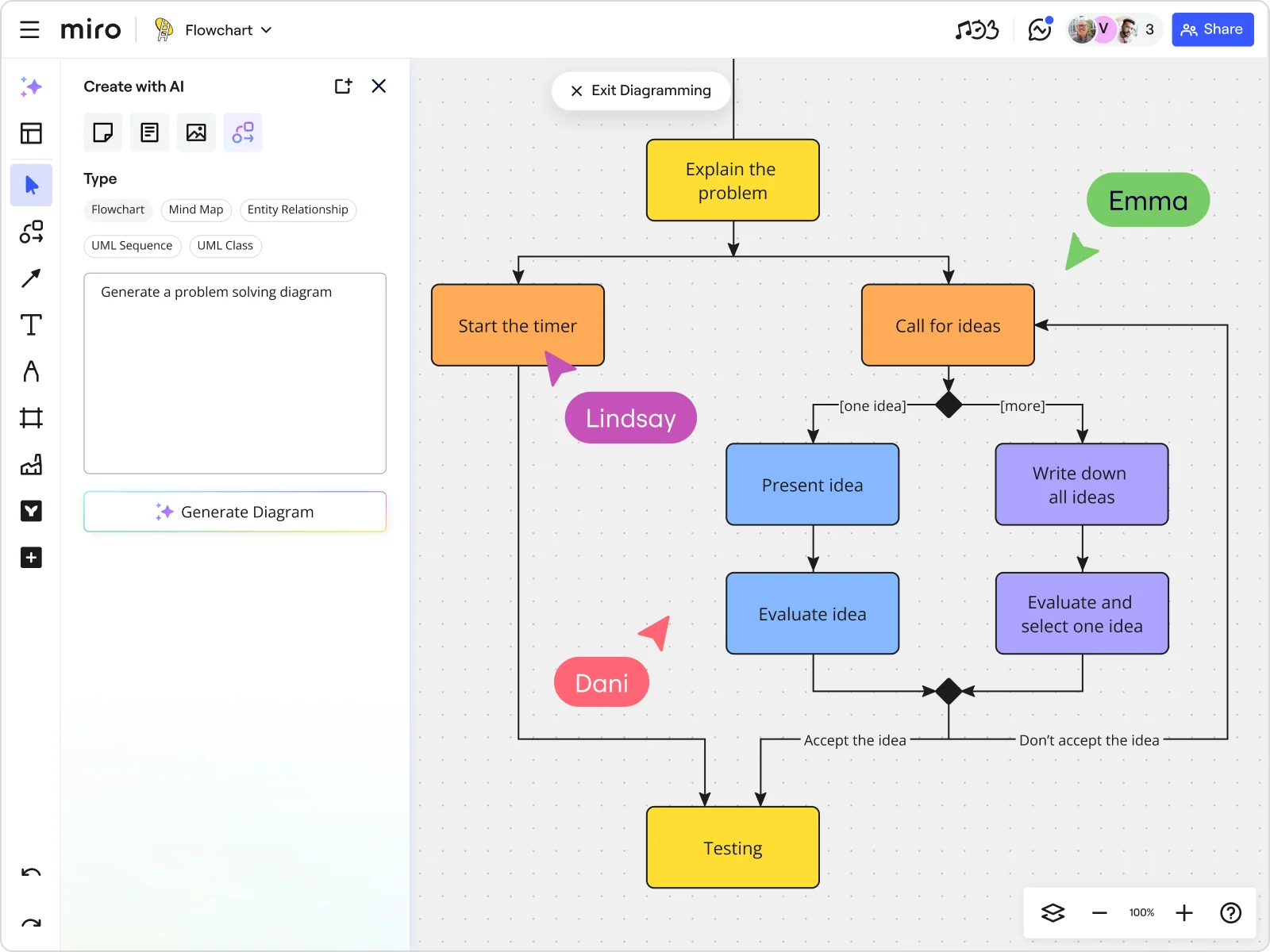
Collaborate with AI Flowcharts
Miro’s AI flowcharts make it easy for teams to turn ideas into clear, connected diagrams - together. Whether you’re in the same room or across time zones, our flowchart AI helps you align faster, uncover insights, and move from planning to action in minutes.
Miro’s AI Flowchart features that enhance collaboration
Every feature in Miro’s flowchart collaboration software toolkit has been purpose-built to help teams work together more effectively, wherever they are. From live workshops to async reviews, every feature makes it easier to share ideas, align on decisions, and keep projects moving.
Centralize all your flowchart context in one place
Making meaningful decisions is that much easier when you have all the data you need at your fingertips. Drop files, diagrams, and live data right into your AI flowchart generator for an instantly relevant view of what matters. Or embed Jira issues, Looker dashboards, or any cloud document for even greater context. Seamless integrations with popular tools like Slack, Trello, or Google Workspace mean your information is always connected where you need it. Your flowchart becomes the single source of truth—no more digging through tabs or switching apps to find the right information.
Co-create in real time with built-in facilitation tools
With Miro, you can run live workshops right on the board - no app-switching, no lost focus. Use built-in video calls, timers, voting, and breakout frames for system mapping, decision flows, and more. Everyone contributes in real time, so decisions happen faster and alignment sticks.
Collaborate asynchronously with context-rich feedback
Give your team the flexibility to contribute on their own time. Leave comments, tag colleagues, or record a Talktrack walkthrough so that nothing slips through the cracks. With powerful async collaboration tools, everyone can review updates, share input, and stay aligned - all without adding more meetings to the calendar.
Turn flowcharts into interactive presentations
Skip the slides and let your Miro board tell the story. Use frames to guide your audience through topics, then collect feedback instantly through comments, reactions, or even live markups on the chart. Present ideas, capture input, and make improvements in the moment so progress happens fast.
Build and share custom templates for repeatable success
Save any flowchart AI layout as a template so you can use it again and again. Share it across your teams or even the whole organization. It’s the fastest way to scale best practices, help new teammates get up to speed, and avoid time-consuming rework.
Keep flowcharts synced Across teams and boards
Use synced widgets to paste live, view-only flowchart components on multiple boards. Update the original once, and every copy refreshes in real time. Avoid the headache of version mix-ups and outdated information.
Polish flowcharts instantly with smart styling
Apply brand palettes, shape styles, and label themes in just a few clicks, so your flowcharts look sharp and on-brand without the need for a designer. With our AI flowchart maker, you can be sure that your diagrams are always presentation-ready.
Empower cross-functional teams to align faster
Miro’s AI collaboration tools bring everyone from engineers to designers, product managers, and operations specialists into one shared space. Together, they have the freedom to map, refine, and align.
With everyone adding context and seeing changes in real time, silos disappear and decisions come faster. All built around a flowchart your Agile team can act on.
Let AI handle the structure — you focus on strategy
Start with an AI-generated scaffold and start mapping in minutes.. Miro’s smart flowchart generator lays out the basic steps, so you can build from there. Your team is then freed to refine the logic, add details, and iterate, whether in a shared meeting or in their own time. You save hours on setup and spend that time on meaningful conversations and essential feedback.
Bring your tools into the flowchart conversation
Miro doesn’t replace your stack - it connects to it. Pull in Jira tickets, Confluence pages, GitHub pull requests, or Figma prototypes right into a powerful flowchart tool for teams. Every discussion happens right there where your work lives.
With Miro’s flowchart AI and real-time diagram collaboration, your team can turn scattered ideas into aligned action faster than ever. Say goodbye to tool-hopping and hello to a unified, visual workspace that keeps everyone on the same page.
FAQs
What are AI Flowcharts in Miro?
AI Flowcharts in Miro are smart, auto-generated diagrams that help your users to visualize complex processes, systems or decisions with the help of symbols. They use natural language to create flowcharts instantly. So whether the next step is real-time review with everyone together, or async collaboration, everything is together.
Can teams collaborate on AI flowcharts in real time?
Yes. When it comes to how to collaborate on flowcharts, Miro enables real-time co-creation with powerful tools like built-in video chat, voting, timers, and breakout frames. That makes Miro the perfect tool for workshops and planning sessions.
How does asynchronous collaboration work with flowcharts?
If your team is working out of sync, you can leave comments, @mention teammates, or record a Talktrack—an interactive video walkthrough of your flowchart. So no matter when or where your teammates are working, they’ve always got context.
Can I integrate tools like Jira or Confluence with my flowcharts?
Absolutely. Miro supports 160+ integrations—including Jira, Confluence, Looker, and more so, you can embed live project data easily and directly into your flowchart workspace.
How do synced flowchart components work?
Miro lets you create live, view-only copies of flowchart elements and sync them across different boards. Any updates made to the original are reflected in real time everywhere it's being used.
Can I use templates to standardize our flowcharting process?
Yes. You can save any flowchart as a custom template and share it with your team or even the whole organization.
Is there a way to make my flowcharts visually polished without a designer?
Yes. Use Miro’s built-in styles to apply professional color schemes and layouts to your flowchart with one click—no design skills needed.
Do AI flowcharts work for agile teams?
Definitely. Agile teams can use Miro’s AI flowcharts to visualize workflows, retrospectives, or sprint planning sessions.
Discover more
You can also be interested in:
Read more
Join our 100M+ users today


