By signing up, you agree to Miro's Terms of Service and Privacy Policy.
What AI workflows do that a good prompt never will
In this article
- Why prompting a single AI tool speeds up individuals but not teams
- What actually separates an AI workflow from a one-off prompt
- How Miro’s AI Workflows (Flows, Sidekicks, and Connectors) turn scattered AI use into a repeatable, team-wide process
- Real results from teams who made the switch, including a 50% cut in project time and up to 40% faster delivery cycles
- Where to start if your team is still prompting one tool at a time
Your team is probably faster than it was a year ago, at least if you look at individuals. People are drafting briefs in minutes, generating first-pass designs before lunch, and turning meeting notes into summaries without lifting a finger. And yet the team as a whole doesn't feel any faster. Projects stall in the same spots they always did. Handoffs still lose context along the way. The Monday status update still takes someone an hour to piece together by hand.
That gap between individual speed and team speed is the real AI story right now, and closing it takes an AI workflow, not a better prompt. We sat down with Kosta Bolgov, who leads integrations and ecosystem at Miro, to talk through why that gap exists and how teams are closing it. His take shows up throughout this piece.
Collaborative AI Workflows
Join thousands of teams using Miro to build the right thing, faster.
People are using AI. They’re just using it by themselves.
Most AI tools are built for one person, one task, one output. You type a prompt, get a draft, and move on. That’s genuinely useful, right up until the work needs more than one person’s context.
Research from Forrester Consulting, commissioned by Miro, surveyed 518 product, IT, and business leaders and found that 75% say most AI tools focus too much on individual productivity and not enough on teams. Almost half, 43%, say it’s worse than unhelpful: their current technology actively works against cross-functional collaboration. Meanwhile, 82% of the same leaders say they want AI that drives team productivity, not just personal output. The demand is there. The tools most people are using just weren’t built to meet it.
Kosta Bolgov, who leads integrations and ecosystem at Miro, has watched this pattern up close. In one case he described, someone spent serious time solo-prompting a direction proposal. On the surface, it read well. But it was missing context that only lived with the team: what was already available, which partners and capabilities the plan needed to integrate with, and what the real limitations were. By the time the team saw the document, the author had already started aligning senior leadership around it, so the group was left reconciling a long AI-generated plan almost line by line. “That reconciliation cost far more than collaborating from the start would have,” Bolgov said.
He’s more concerned about the pattern that doesn’t get caught. “The scarier pattern is what I see across organizations: people just run with their AI agent, never consulting or aligning with the broader team,” he said. “The output looks polished, but the quality is lower because it never went through friction. Pressure is what turns the work into a diamond. Solo prompting skips the pressure.”
As Bolgov put it, “Prompting solves ‘make me faster.’ It doesn’t solve ‘make us faster, together.’ That needs a shared place where context, output, and iteration live for the whole team.”
Multiply that across five teams working on the same initiative, marketing, product, legal, ops, and customer support, each tracking progress in its own tool with its own format, and you get what’s happening in most organizations right now: plenty of individual speed, pointed in five different directions.
What changes when a process replaces a prompt
Picture that same Monday running differently. The updates from five Slack channels and three project docs are already synthesized and sitting on a shared board before anyone has to ask for them. Every function reports status in the same format, with risks and dependencies already flagged. And when someone needs to send the team an update, it goes straight to the channel where people actually work, rather than sitting as a draft in a separate chat window waiting to be copied over.
That shift changes how the work runs. AI operates as a repeatable, multi-step process instead of a one-off request, and the output lands directly in the tools a team already uses instead of sitting in a chat window waiting to be copied over.
That shift, from prompting to workflow, is what AI workflow automation actually means for a team: building a process once so the whole team can run it the same way every time, with AI handling the repetitive synthesis and people spending their time on the judgment calls instead of rewriting instructions from scratch.
What an AI workflow looks like in practice
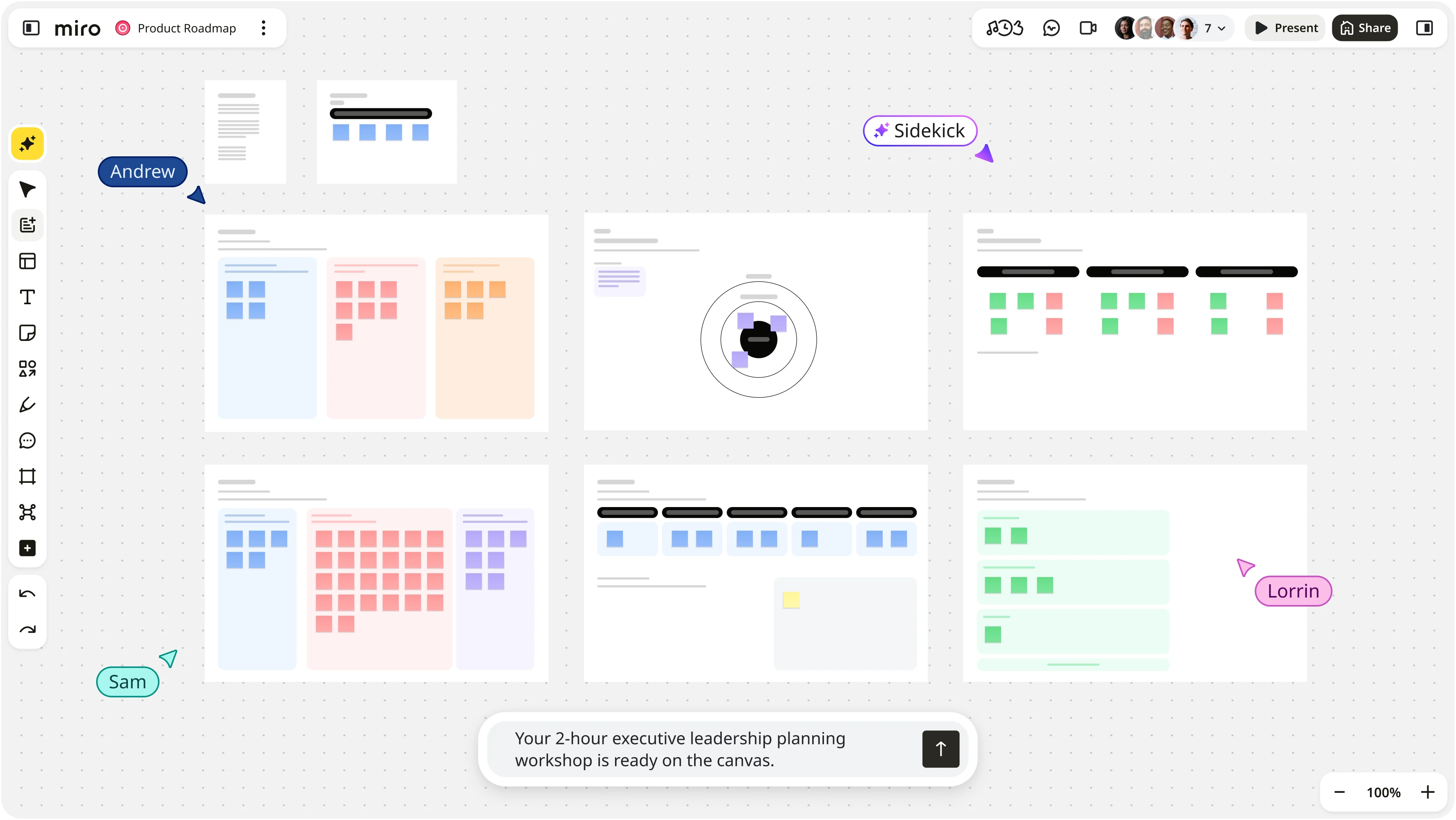
On Miro, this comes together through three connected pieces: Flows, Sidekicks, and Connectors.
Flows are multi-step AI workflows you build once and run visually on the canvas. Instead of prompting an AI tool for a product brief, then separately prompting it for a roadmap, then again for a summary, a Flow chains those steps together and produces the full set of outputs in minutes. Every step stays visible to the whole team, and because it’s built on the canvas, the way one person solves a problem becomes something the entire team can run the same way.
Sidekicks are AI agents built around a specific team’s context: its terminology, its processes, its history. That kind of institutional knowledge usually lives in one experienced person’s head today. A Sidekick keeps it available to the whole team to build on, even after the person who built it moves on to something else.
Connectors link Flows and Sidekicks to the tools a team already uses, like Jira, Slack, GitHub, and Google Drive, pulling context in and pushing updates back out, whether that’s updating a ticket, posting a summary, or drafting a message for a specific channel. This embeds AI into how work actually moves, instead of leaving it to answer questions off to the side.
Together, these three pieces are what separates an AI workflow from a prompt: repeatability, shared visibility, and a direct connection to the tools where decisions actually get made and tracked.
Take the kind of weekly project update most teams already dread. The sequence looks like this:
- Connect your tools once. Link the places your team already tracks work, like Slack, Confluence, Jira, or Google Drive, so a Flow or Sidekick can pull from them directly instead of someone copying updates over by hand.
- Let AI pull in the raw context. The workflow gathers the last week of Slack conversations, status pages, and project docs, all in one pass, instead of one person hunting through five sources.
- AI structures it into something usable. Scattered updates turn into a single view: what’s on track, what’s at risk, and where the numbers don’t line up, like a marketing launch date that no longer matches the engineering timeline.
- The team reviews it together, on the same board. Everyone sees the same structured view at the same time, adds concerns, votes on what matters most, and decides what to tackle that week, instead of piecing together five separate reports on their own.
- Decisions flow back into the tools people work in. A Sidekick drafts the update, the team refines the tone in a couple of exchanges, and the final message posts straight to the Slack channel the team already uses, no copying, no pasting, no separate step to remember.
Once that sequence is built, it doesn’t need to be rebuilt. The same Flow runs the following Monday, and the Monday after that, with the team spending its time on the decisions instead of the busywork of getting to them.
From the field: Miro’s Kosta Bolgov on why teams, not individuals, are the real AI opportunity
At Miro’s Canvas 26 event, Kosta Bolgov, who leads integrations and ecosystem at Miro, walked through this exact shift live, building a weekly launch-readiness workflow that pulled updates from Slack and Confluence, surfaced a scheduling conflict five teams had missed, and turned the resulting discussion into a Slack update in real time. It’s a clear demonstration of what a workflow can catch that a single prompt would miss. As Kosta put it, closing out the session: “Canvas isn’t where work just gets documented after the fact, it’s where work actually happens.” His full session is worth watching if you want to see the shift from prompting to workflows unfold in real time, and his own take on where this is headed shows up later in this piece.
The proof: two teams that traded prompting for workflows
Outside of any demo, two teams that moved from individual AI use to team-wide AI workflows show what this actually looks like.
Smart System Guild cut a nine-month project to under five, and the results held up. When Swiss bag designer FREITAG needed to replace its enterprise resource planning system, transformation partner Smart System Guild ran the entire project through Miro, using AI Workflows to handle the repetitive parts: pulling requirements out of workshop transcripts, building business object diagrams from meeting notes, and drafting product briefs and project plans from the same source material instead of building each one separately. The team fed raw inputs, including photos of physical whiteboards, straight into the workflow without extra prompting or coding.
The results: a 50% reduction in project time, 80% faster data analysis, and 50% cost savings against the original budget, all while expanding beyond the project’s original scope. AI hit 80% accuracy on requirements right out of the gate, which let the team spend its time refining the final 20% instead of starting from zero. As Rainer Grau, Partner at Smart System Guild, put it, using AI directly in a collaborative workspace saved time, reduced project risk, and left FREITAG with living documentation it could keep building on for the next phase.
Endava built its entire AI delivery methodology around getting context right first, then let workflows take over. Endava, a global technology and consulting company with over 11,000 people, built a proprietary AI engagement methodology called Dava.Flow, run almost entirely on the Miro canvas. Their insight mirrors what’s driving the broader shift away from one-off prompting: the scarce resource in AI-assisted delivery was never the AI’s technical output, it was having a structured, shared understanding of the problem before any AI agent started working. Miro Sidekicks now support the early phases of that methodology, helping distributed teams turn client conversations into the structured context that makes everything downstream more reliable.
At Miro’s Canvas event, Kosta cited Endava’s results directly: every consultant now works from the same codified workflow, and the team is seeing cycle times up to 40% faster. In Regional CTO Joe Dunleavy’s telling, bringing thousands of people along on the shift from individual AI habits to shared, repeatable ones took far more work than the technology itself.
The industries were different and so were the problems, but the lesson holds across both: solving it once and turning it into something the whole team could run mattered far more than any individual writing sharper prompts.
Where to start, and where this is headed
Bolgov has a clear rule for when a task earns a workflow in the first place: it needs to repeat on a cadence, depend on more than one person, and require consistent quality every time. “Frequency alone isn’t enough,” he said.
His own first workflow was one most product leaders will recognize: the weekly team update. “Previously this was a highly manual exercise, communicating up, down, and across on progress across every initiative I’m responsible for,” Bolgov said. “I wasn’t just synthesizing what my directs handed me. I was hunting across Slack, Miro boards, and project trackers for nuggets to incorporate. And if one link in the chain broke, someone downstream didn’t share their update, the digging got even harder.”
Now it runs as an AI workflow every week, anchored to strategy context he keeps documented in Miro. The update does more work than it used to, too. “These updates aren’t just for humans anymore,” he said. “Every synthesized update builds context for the agents people across the organization are working with. It roots those agents in the strategy: how leaders are thinking about priorities, how work ladders up, what progress looks like.” The update now reaches further than it ever did as a manual document, because AI agents downstream are synthesizing it onward as well.
If you’re choosing your own team’s first workflow, Bolgov’s advice is to pick something low-risk on purpose. “Status synthesis, the weekly update. I know it sounds obvious, and that’s exactly why it’s the right first one,” he said, since everyone already feels the pain, it runs on a cadence people already expect, and the output is easy to check against what actually happened that week. That last part is what protects the habit early on. “First workflows die when teams pick something high-stakes or ambiguous, the output is wrong once, and trust never recovers,” Bolgov said. “Status synthesis is forgiving. Errors are cheap to catch and correct, and every run makes the team better at validating agent output.”
Once that trust is built, Bolgov points teams toward signal synthesis next: pulling feedback from Slack, customer call transcripts, research findings, and competitor moves into one place to surface what should actually be shaping strategy.
He doesn’t think prompting disappears as workflows take over, either. “Prompting doesn’t fade, you’ll always need to express intent to an agent,” he said. What changes, in his view, is what surrounds the prompt. He points to two questions worth asking about any AI use on a team. First: are you prompting as an individual, or is the team’s context part of the prompt? At Miro, he’s watched more of that context move onto the canvas itself. “We’re seeing fast growth in people using the Miro canvas itself as the prompt, because it carries the team’s thinking, the research, the decisions, the priorities, not just one person’s framing,” he said. Second: where does the output go? Does it stay hidden in a one-on-one chat, or does it surface somewhere the whole team can see it, react to it, and iterate on it together? “The goal is people and agents in the same feedback loop, with fewer handoffs and less alignment friction,” Bolgov said.
His bet for the next couple of years: “Prompting stays, but it shifts from the individual to the team, and the output shifts from the private chat to the shared surface. Teams that make that shift get the speed of AI without the misalignment tax.”
Ready to see what a repeatable AI workflow looks like for your team? Explore Miro AI Workflows.
FAQ
What is an AI workflow, and how is it different from prompting an AI tool? An AI workflow is a multi-step, repeatable process that chains AI tasks together and connects them to the tools a team already uses, so the process runs the same way every time. Prompting is a single, one-off request to an AI tool that produces one output for one person. A workflow turns that one-off request into a shared, standing process the whole team can rely on.
What is AI workflow automation used for? AI workflow automation is most useful for repetitive, cross-functional processes where context is currently scattered across tools and people, things like weekly status synthesis, requirements gathering from meeting transcripts, or turning raw project updates into a shared report. It replaces manual synthesis and re-prompting with a process that runs on its own and stays connected to the team’s existing tools.
Do AI workflows replace prompting entirely? No. Prompting still has a place for quick, one-off tasks. The shift happens when a task becomes repeatable or needs to involve more than one person’s context. At that point, a workflow does what a single prompt can’t: it runs consistently, stays visible to the team, and pushes its output into the tools where decisions actually get tracked.
How do Flows, Sidekicks, and Connectors work together in Miro’s AI Workflows? Flows chain multi-step AI tasks together on the canvas so a process can run repeatedly instead of being rebuilt each time. Sidekicks are AI agents built around a team’s specific context and terminology, so institutional knowledge doesn’t disappear when one person is unavailable. Connectors link both to external tools like Jira, Slack, GitHub, and Google Drive, pulling in context and pushing updates back out, so AI output doesn’t stay stuck in a chat window.
Last updated: July 16, 2026
Read more
Join our 100M+ users today


