Building a Work Breakdown Structure for Agile Requirements helps teams turn a feature into sprint-ready work by mapping scope, functional areas, subcomponents, stories, acceptance criteria, ownership, and dependencies in one visual WBS.
What is it?
A 75–90 minute workshop to translate an epic into buildable, testable backlog work
A shared map of UX, logic, states, integrations, analytics, and edge cases
A handoff-ready structure that reduces ambiguity before refinement
What problem does it solve?
Vague requirements that become risky tickets
Hidden complexity that surfaces late (states, dependencies, compliance, tracking)
Misalignment between product intent, design details, and engineering expectations
How to use
Define goal, success criteria, and scope boundaries
Break work into functional areas (flows, logic, states, integrations, analytics)
Decompose each area into subcomponents and work items
Convert key items into stories with acceptance criteria and test cases
Visualize WBS levels and tag ownership, dependencies, and blockers
Common pitfalls
Jumping to tickets before agreeing on scope and success
Forgetting non-happy paths (errors, empty states, permissions, loading)
No ownership labels, so items stall after the workshop
Ways to avoid mistakes
Lock “in/out of scope” in writing before decomposition
Use a required checklist per area: states, validation, copy, analytics, accessibility
Assign a single DRI per work item; tag blockers and next steps immediately
FAQ
Q: Who can benefit from this template? A: Product managers, designers, engineers, QA, and cross-functional teams prepping epics for refinement and sprint planning.
Q: What’s the right level of detail? A: Enough that an engineer can estimate and QA can test without guessing key behaviors.
Q: When should we run this workshop? A: Before refinement for a new epic, after discovery, or when a feature is blocked by unclear scope.
Miro Features Used
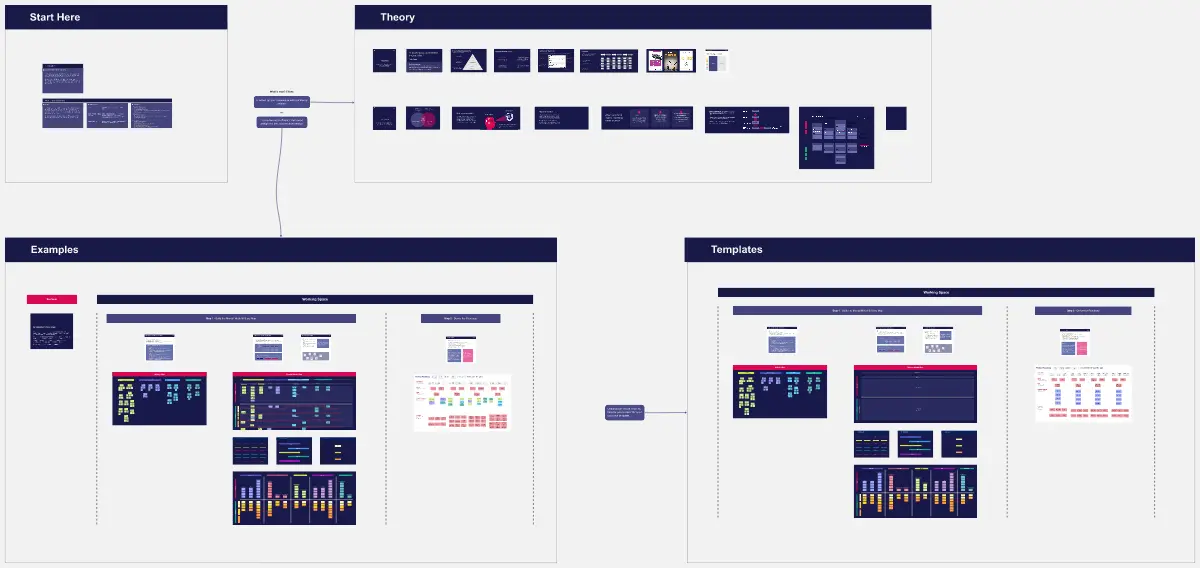
Frames for each workshop step, Sticky notes for functional areas and subcomponents, Sections for WBS levels (deliverable → area → component → work item), Voting to prioritize, and Tags or color labels for owner, dependency, and blocker status.