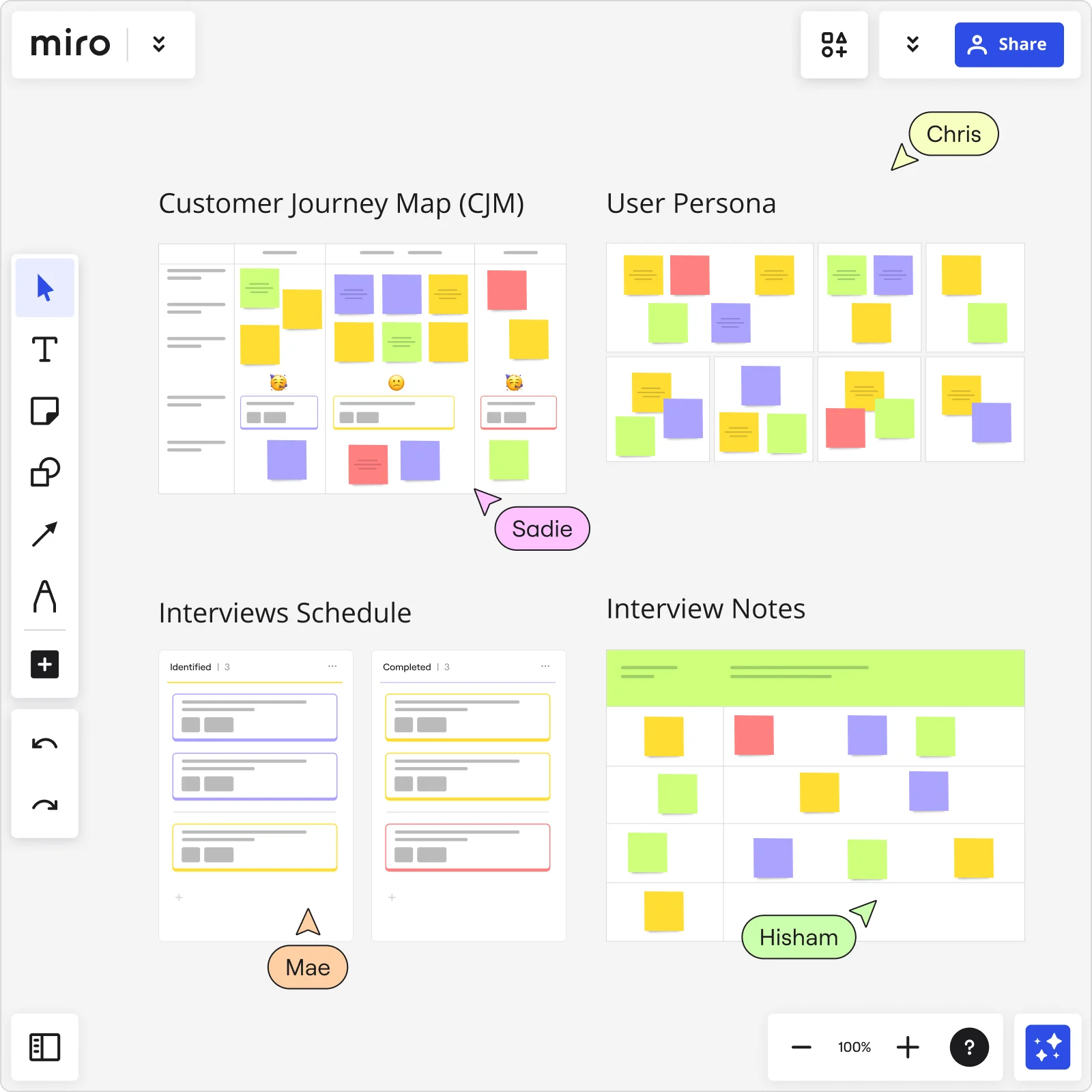
Collaboration features for Customer Journey Mapping
Need a better way to map your customer journey together? Miro makes it easy to bring in voices from sales, product, support, leadership, and anyone else who knows your customer. With the option to collaborate live and async, your team can build customer journey maps that stay clear, current, and ready to drive action.
Why collaboration matters in Customer Journey Mapping
Creating accurate journey maps for customers isn’t the work of a single team. It’s a collaborative process that draws insights from across the entire business. Getting it right means you can:
Always align around the customer
Shared insights from across the business mean everyone sees and follows the same story, helping teams stay focused on what the customer actually needs.
Accelerate decision-making
Making real-time edits and gathering reactions speeds up how fast you can make meaningful change for your customers, without waiting on handoffs or rework.
Break down silos
No more hunting through email chains or digging for scattered files from another department. When teams collaborate in one space, nothing slips through the cracks, and everyone has the full picture.
Keep maps current
When new data gets added, your customer journey map evolves along with it, and everyone keeps up. This means your teams are always working from the latest insights, not yesterday’s assumptions.
Build shared ownership
Contributors feel invested in the process, which means your maps don’t just sit in a folder - they drive action, alignment, and better outcomes for your business and your customers.
Miro’s collaboration features that power journey mapping
Whether you’re brainstorming live or gathering feedback asynchronously, Miro helps you bring it all together. Our collaboration toolkit keeps ideas, inputs, and progress in one shared space - so your teams stay aligned and focused on the customer.l.
Centralise all resources in one place
To build a customer journey map that really works, you need interviews, surveys, analytics, and more. And you need them all in one spot.
With Miro, you can bring in documents, research, or live data from across 160+ integrations (Jira, Confluence, Amplitude, and beyond) to build a context-rich environment that helps you make better decisions. No more digging for files - your board becomes the single source of truth.
Real-time collaboration & workshops
Bring teams together in one space to solve problems, shape ideas, and move fast. With Miro, you can host live sessions directly on the board - complete with video calls, timers, voting, and breakout frames.
This means your workshops stay structured and everyone stays engaged. No context lost, no tools to juggle.
Guided asynchronous collaboration
Not every collaboration needs a meeting. With comments, @mentions, and Talktrack, teams can leave feedback, share context, and update journey maps on their own time. This keeps work moving forward, even when calendars don’t line up.
Interactive presentations & feedback
Your board becomes more than just your single information source; it’s a space to share thinking, highlight key insights, and get feedback in real time. Use frames to guide the story, then gather input through comments, reactions, or votes - all without leaving your board.
Custom & collaborative templates
Consistency is key to scaling processes seamlessly. With Miro, you can turn any journey map into a custom template with defined phases, lanes and touchpoints. Then, share it across teams for a framework that’s effective and scalable. Bring consistency to your process so that your team can collaborate effortlessly and remain Agile.
Sync content across boards
With Synced Copies, there’s no need to make the same updates over and over - you can simply reuse great diagrams or important KPIs across boards. Wherever journeys overlap, you simply modify the original, and every copy updates along with it to keep changes consistent.
Create polished designs with styles
Use styles in Miro to bring clarity and consistency to your journey maps. With Miro, it’s easy to color-code phases, spotlight pain points, and highlight key moments. This ensures insights stand out and your teams stay focused on your goals.
How these features make journey mapping easier
Imagine a global team working across offices in New York, Berlin, and Tokyo. With Miro, they can all work together or switch to async to dive into the map at the time that suits them best. With all the tools they need for annotating, reviewing and locking in the next steps, it’s customer journey mapping collaboration at its best.
Start collaborating on your customer journey map today
Ready to boost your customer journey mapping collaboration? Try Miro’s customer journey map features for free. Explore our templates, plug in your favorite integrations via Miro Marketplace, and learn best practices at Miro Academy.
Whether you’re mapping new flows or refining existing ones, Miro’s collaboration tools make working on your customer journeys more effective, engaging, and scalable, wherever your teams work.
Get started now and turn every customer interaction into a strategic advantage.
FAQs
How do Miro’s collaboration features improve customer journey mapping?
Miro’s collaboration tools let teams co-create on an infinite canvas. So whether they’re working together in real time or asynchronously, they’ve got access to all the resources they need.
From documents to research and analytics dashboards, everything’s there directly on the board. Plus, teams can use features like interactive workshops, Talktrack video walkthroughs, and Synced Copies to make adjustments easy and quick.
Can I collaborate on a customer journey map with remote team members?
Yes, Miro makes it easy to collaborate with remote team members on a customer journey map. No matter where your users are in the world, you can host fully contained virtual workshops with built-in video conferencing, use comments and @mentions for instant feedback, and record Talktrack walkthroughs.
So whether everyone is collaborating in the same meeting or reviewing on their own time, they’ve always got context-rich guidance and access to all the information they need.
What integrations support collaboration in Miro?
Miro integrates with over 160 apps, including Jira, Confluence, Looker, Amplitude, and many more, so you can embed live data widgets, charts, and work items directly into your journey map. The result is a single source of truth that always shows the latest metrics.
How can I ensure everyone sees the latest version of my journey map?
Use Synced Copies in Miro to keep everything current. When you update the original widget or frame, all linked copies across every board update instantly. This real-time synchronization keeps your entire team working from the same, up-to-date journey map without the need for manual version control.
Can I customize templates for my team’s journey mapping process?
Definitely. Miro lets you create, share, and edit custom templates that come complete with predefined phases, swimlanes, and touchpoints. You can share them with specific teams or company-wide. It’s an easy way to save setup time and maintain consistency across your projects.
Discover more
Read more
Join our 100M+ users today


