Table of contents
Table of contents
By signing up, you agree to Miro's Terms of Service and Privacy Policy.
I built an AI copilot that catches my product's blind spots before my users do
TL;DR:
- I'm a solo founder building Epilog, an app for people managing epilepsy, and I don't have a team to catch the gaps between my code, my legal docs, and my roadmap.
- I built a repeatable process on one Miro canvas: connect my repo, then run three checks (legal docs vs. code, data model audit, feature idea vs. feasibility) using Miro AI Flows.
- I call it my AI product copilot, and I published the whole setup as a free template on Miroverse so other solo founders can copy it.
- If you're building alone and want to stop guessing what needs fixing, use the Solo Founder's AI Product Copilot template and connect it to your own repo.
Collaborative AI Workflows
Join thousands of teams using Miro to build the right thing, faster.
The problem with being a team of one
I'm originally from Brazil, based in the Netherlands now, and I build iOS apps for health, mostly by myself. My main app is Epilog, and it exists because of my son. He has epilepsy, and I watched how much my family had to track by hand just to have a useful conversation with a doctor. So I built the tool I wished we'd had. It's close to 1,000 users now, and I'm working on giving doctors a way to see the bigger picture too.
Nobody warns you about this part of going solo: every feature you ship pulls your product a little further from what you promised in writing. Your privacy policy says one thing. Your code does another. Nobody catches it because there's no second engineer, no legal reviewer, no PM asking "wait, does this match what we told users?" You're the founder, the developer, and the auditor, and you're stretched too thin to be good at all three at once.
I don't think I'm alone in this. If you're running a SaaS startup or an app on your own, you've probably felt the same thing: you're moving fast, you're the only one checking your own work, and you know something's probably slipping through.
What is an AI product copilot for solo founders?
Here's how I think about it: an AI product copilot is a canvas that pulls in your product's real artifacts (your code, your legal docs, your UX) and uses AI to find the gaps between what you've built, what you've published, and what you could build next.
It's not a chatbot that answers generic questions. It's grounded in your actual repository and your actual documents, so the output is specific to your product, not a guess based on best practices in general. That grounding answers the bigger question too: how can a solo founder actually use AI to audit their own product? You give it the same context a second engineer, a legal reviewer, and a designer would each bring to the table, then ask it the questions they'd ask. Vague AI advice is easy to get anywhere. An honest read on your own product's blind spots isn't, especially when you're building alone.
I built mine as a four-step process on one board. This is how it works, end to end.
Step one: get your repo onto the canvas
Every check downstream depends on this step, so it's where I'd tell any founder to start. A gap analysis only works if the AI actually knows your product, which means it needs your code, not just your description of your code.
So what tools actually help a solo founder run a product and code gap analysis? For me, the answer is Miro AI Flows connected to my repository. I originally set this up by connecting my repo (I use GitHub) through MCP, the Model Context Protocol, working with Cursor to pull information out and add it to my Miro board. That worked, but it was still an extra step between my repo and my canvas.
Since then, Miro added a GitHub connector directly, which cuts that step out entirely. Now I connect my repository straight to the board, and Miro AI Flows reads it directly. Less setup, same result: my actual code, sitting on the same canvas as my documents and my UX, ready for AI to reason across all of it. Whether you set this up through MCP connectors or Miro's native connector, the goal is the same: one canvas, real context, no guessing.
Step two: catch where your legal docs and your code disagree
This was my first check, and honestly the most nerve-wracking one. As I add features to Epilog, it's easy for the app to outgrow what my privacy policy and terms of service actually say, without me noticing. Because Epilog handles health data, that's not a small thing to get wrong.
So, how do you check if your privacy policy actually matches what your code does? My setup: I put my privacy policy and my terms of service on one frame of the board, and a separate document I call my "app overview for AI agents" on another. That overview captures what the app actually does, straight from the code. Then I run a Miro AI Flow that cross-checks the two: what my documents promise against what my code actually does.
And yes, AI can actually compare your legal documents to your repository automatically. The Flow doesn't just flag mismatches. It generates a gap analysis showing exactly where my published documents and my real functionality have drifted apart, then a second prompt ranks those gaps by how complex and urgent they are, and lays out next steps.
That matters because this isn't a one-time cleanup. If I let users do something my privacy policy doesn't cover, or I'm collecting data I never disclosed, that's a legal problem waiting to surface, not just a documentation nitpick. Running this check regularly, instead of hoping I remember to update my policy every time I ship, is the difference between staying compliant and finding out the hard way.
Step three: audit your data models before they turn into a mess
The second check looks at my data models, and I'll be honest, this is the one I'd skip if I had a second engineer to lean on. As a solo founder, I add fields and tables under deadline pressure, and I don't always go back to see if they still make sense together. So I asked Miro AI Flows to pull every data model straight from my repository and lay them out on the canvas.
Zoomed out, I can see the whole structure in one view: duplications, fields that depend on each other in ways they shouldn't, models that are missing a clear parent. It's the kind of review a second engineer would normally catch in a code review, and alone, I just didn't have that second set of eyes. Now I run this as a Flow, get the visual layout in one pass, and follow up with a prompt that turns the findings into a prioritized list of what to fix first.
It's one of the more practical AI tools for SaaS startups I've found, because it turns "something feels off about my data model" into an actual, ranked to-do list, the same list a technical co-founder would hand you after a Friday afternoon of digging through your schema.
Step four: turn one idea into a feasibility-tested prototype
This is the step I enjoy the most, because it's where the copilot stops auditing and starts helping me build. I drop a single idea onto the board, and a Flow multiplies it. One idea turned into 12 variations the first time I tried it.
But more ideas isn't the hard part. Knowing which ones actually fit what I've already built is. To validate a new feature idea against my current UX and UI, the next step in the Flow connects back to my repository and asks, given my actual screens and interactions, which of these ideas are realistic, and what would each one require?
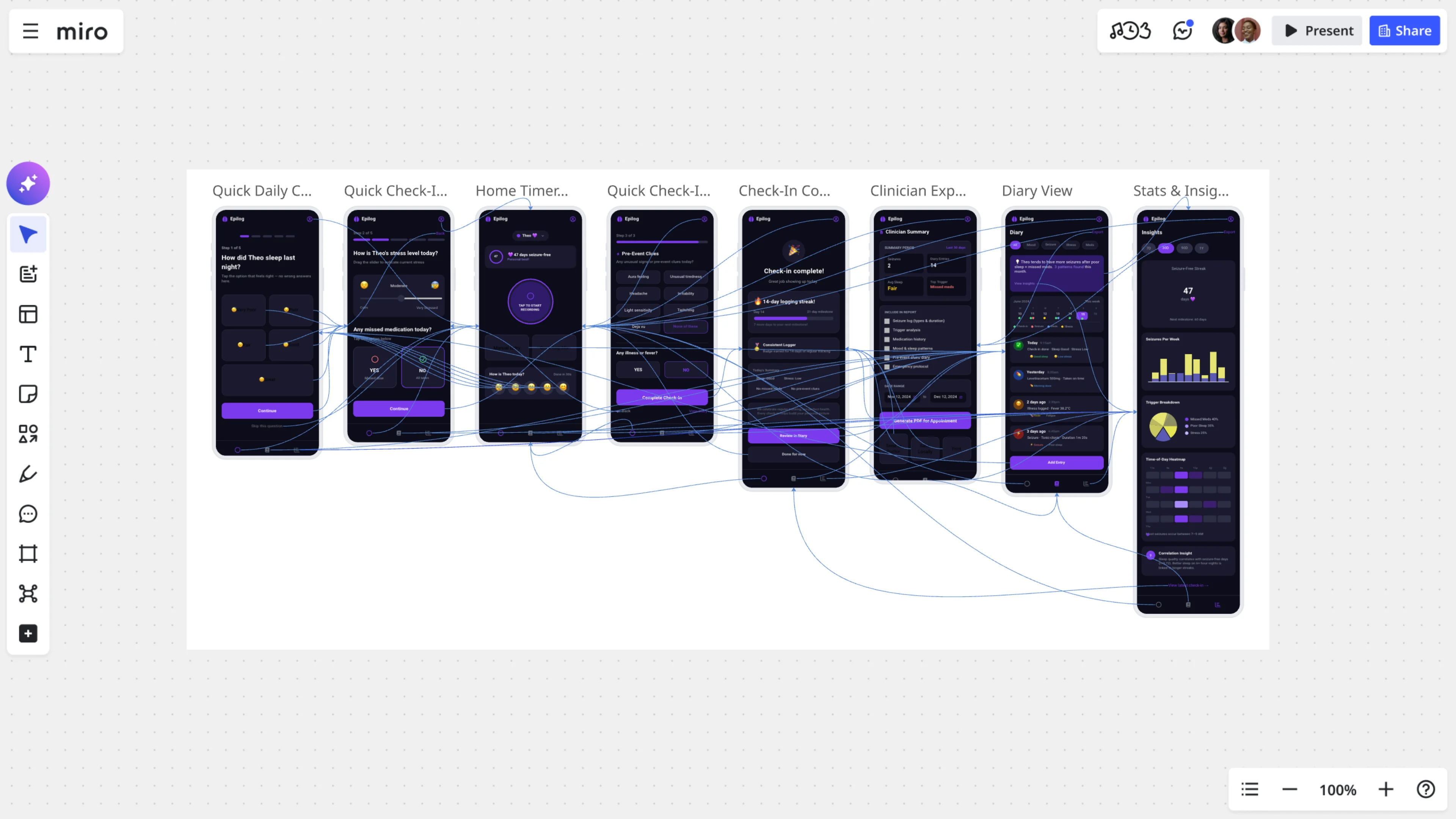
That question is really an idea feasibility check, and it's worth being specific about what that means and how AI helps run one. A feasibility check is AI answering one thing honestly: could this idea actually work inside what I've already shipped, or would it need me to rebuild half the app? The Flow doesn't stop at a yes or no. It builds an interactive prototype using my real UX and UI, so I can click through the idea and see it working before I write a line of code. One idea it generated, letting caregivers switch between patient profiles, isn't in Epilog yet, but I'm building it now because I could see it live and immediately understood why it mattered.
What makes this genuinely useful, and not just AI throwing out ideas, is that it explains its reasoning behind each proposed change. It's not a random suggestion. It tells me why the idea fits my product and what building it would actually take. That reasoning step is what turns brainstorming into something I can act on.
Why one canvas beats switching between five tools
Walk back through those four steps and you'll notice a pattern: every check runs better because everything lives in the same place. That's not an accident.
The biggest thing I've learned running AI this way is that the quality of the output depends entirely on the quality of the context. Feed an LLM a narrow slice of your product, and you get narrow, sometimes hallucinated answers. Give it your code, your documents, and your UX together, and it starts reasoning like someone who actually understands your product, because it does.
This is why I think of Miro as more than a whiteboard AI tool. It's an AI innovation workspace where the canvas itself becomes the context layer. For any solo founder or small team looking at AI tools for startups, my advice is to stop evaluating tools one feature at a time and start asking whether the tool can hold your whole product's context in one place. That's what actually makes AI outputs useful instead of generic.
Try it yourself
I published this whole process as a free template on Miroverse: The Solo Founder's AI Product Copilot. It includes all three checks: the privacy policy and terms gap analysis, the data model audit, and the idea multiplier with feasibility testing.
You can connect your own repository using MCP connectors or Miro's built-in GitHub connector, drop in your legal documents, and run the same Flows I did. It's built for apps like mine, but the process works for any SaaS product with a repository and a set of published documents behind it.
If you're building alone and tired of finding gaps the hard way, after a user complaint or a legal scare, grab the template and connect your own repo. You don't need a team to catch what a team would catch. You need the right context in one place.
Read more
Join our 100M+ users today


