




Andrey
See collaborative AI in action — straight from the Canvas 26 keynote.
Jeff

Process mapping for HR teams

Document every hiring, onboarding, and performance review flow in one shared canvas. No more chasing process owners for the "real" version.

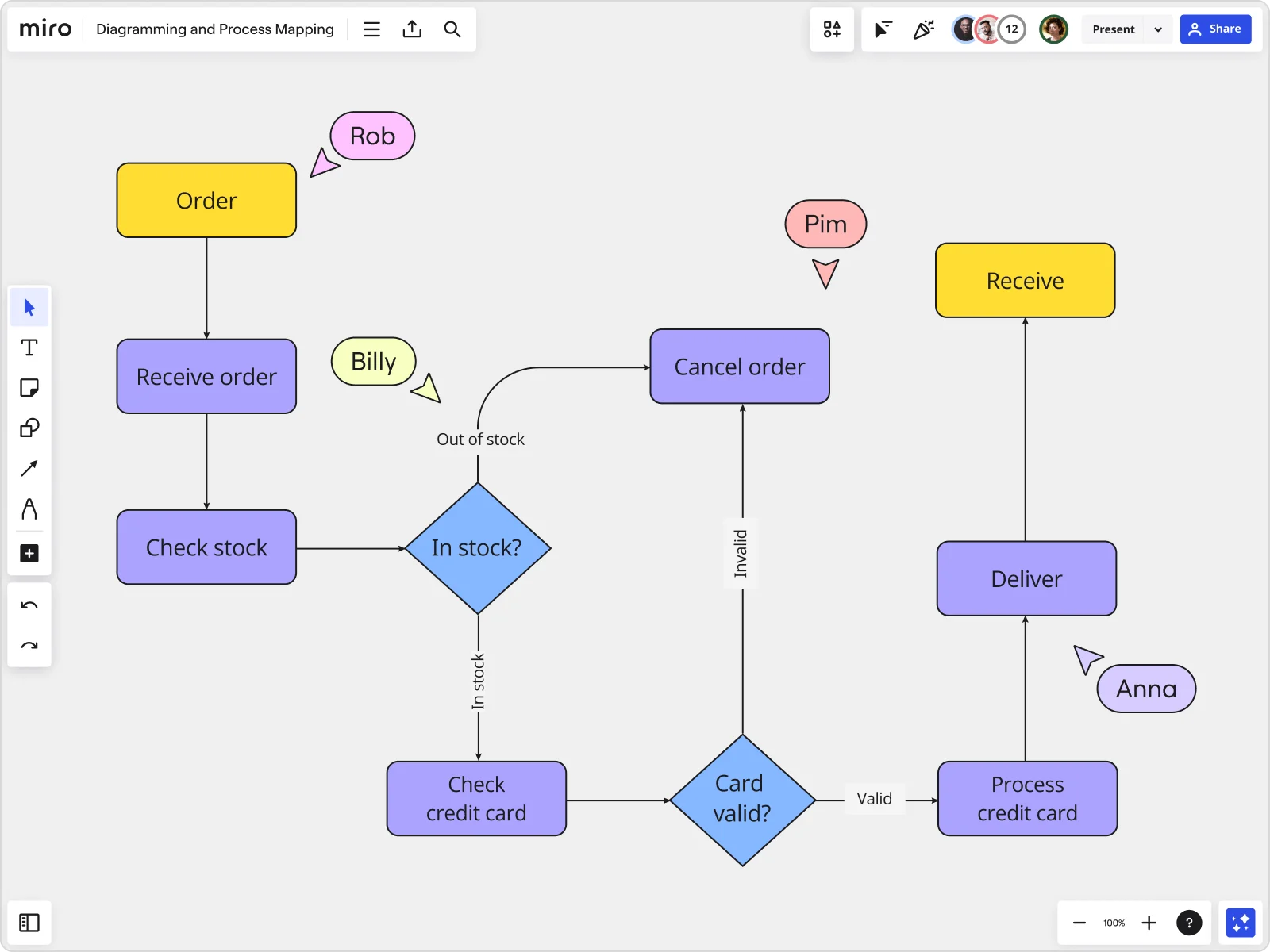
Miro board showing a swimlane process diagram with Customer Sales and Inventory lanes containing flowchart shapes and decision diamonds

Expert Insights

  • A good process map outlines inputs, core processes, interactions, outputs and support processes. Though similar in some respects, the process map is not a flowchart and needs to be significantly less detailed. Be sure to include workers involved in the processes being mapped when developing a process map.

    Miriam Boudreaux

    author · Mireaux Management Solutions

  • Process mapping ensures that all team members, regardless of their role, have a shared perspective on how a process should work.

    ABBYY Content Team

    Marketing and Product Specialists · ABBYY

The research on process mapping

  • 35%

    Diagrams sped up employee onboarding by 35% and improved process understanding accuracy by 29% (n=900 managers)

    Source: Harvard Business Review

  • 50%

    Process mapping reduced employee onboarding from 10 to 5 days, a 50% reduction

    Source: Systems and Teams

See process mapping in action

Related templates for HR teams

We have 88 templates in our library for Process Mapping.

Why HR teams love mapping processes in Miro

  • From scattered onboarding steps to one accountable flow

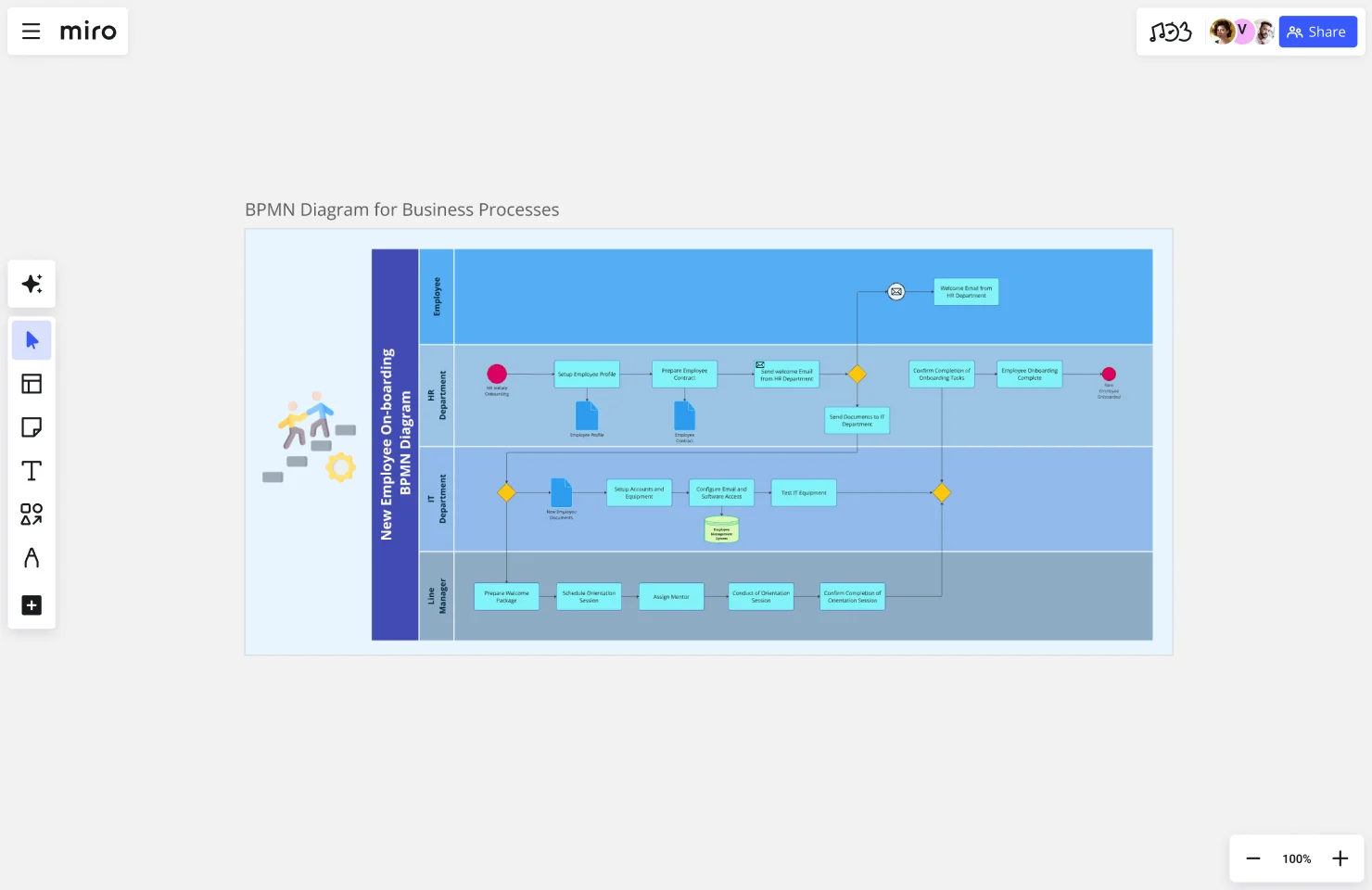
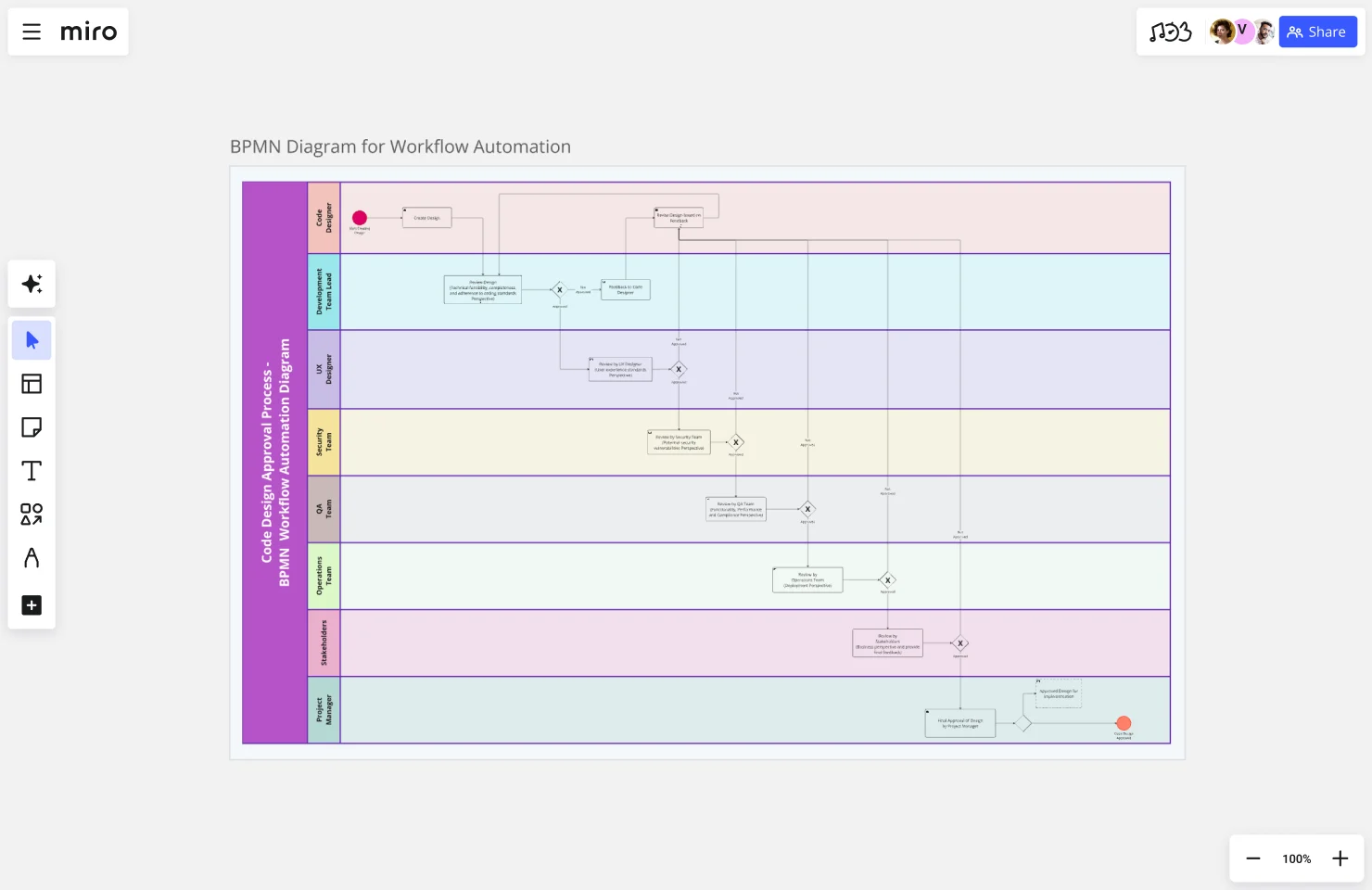
    New hire onboarding touches recruiting, IT, payroll, and hiring managers - and at most companies, each function runs their own checklist in a different tool. Map the full sequence in Miro using swimlanes to separate each function's responsibilities, so application approved, offer letter signed, equipment provisioned, and Day 1 briefing scheduled is visible in a single view rather than buried in five separate docs.
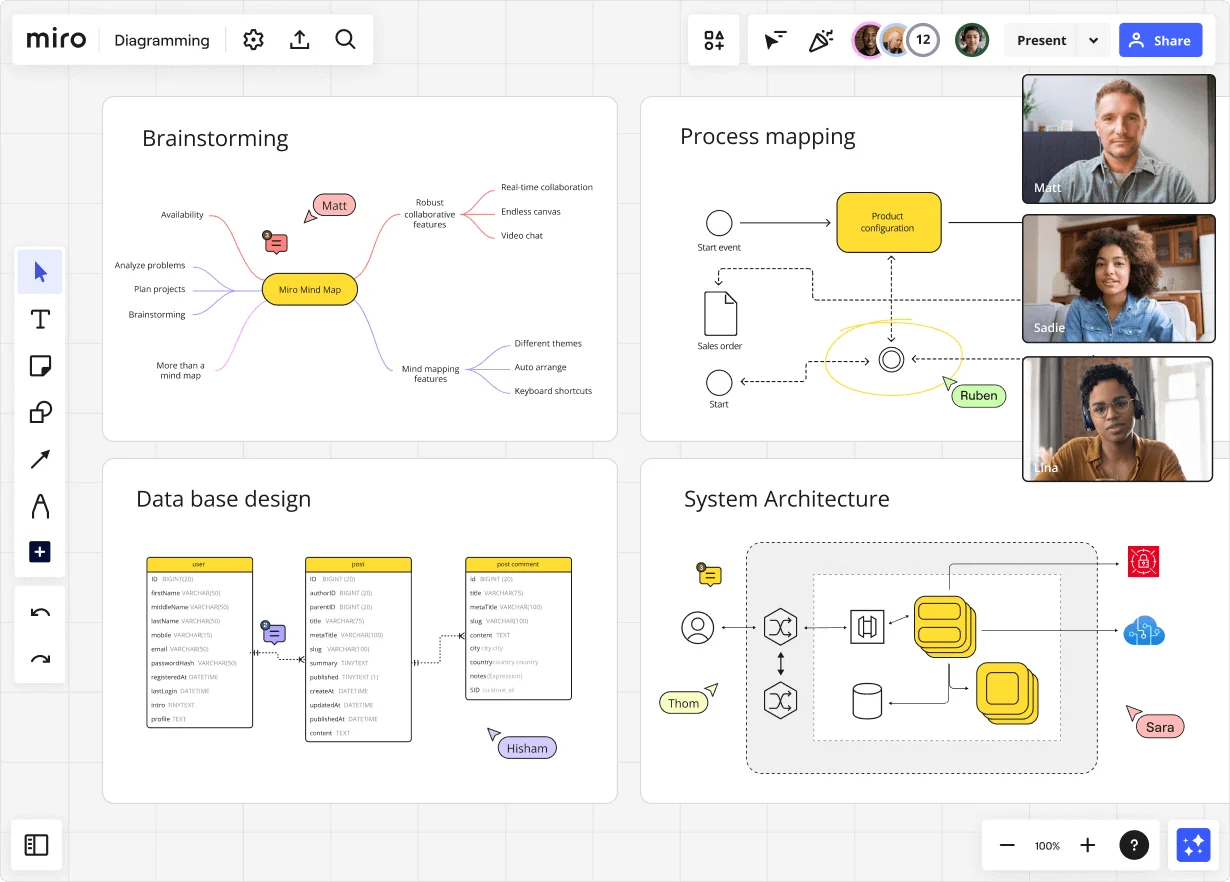
    Miro diagramming board showing four active workspaces: a mind map centered on 'Miro Mind Map' with feature branches, a BPMN-style process mapping flowchart with 'Product configuration' decision node, a database ER diagram with three related tables (user, post, post comment), and a system architecture diagram with interconnected components — all with visible collaborator cursors (Matt, Sadie, Ruben, Lina in video panel, plus Hisham, Thom, Sara as cursor labels).
  • When headcount planning becomes a cross-team negotiation

    Headcount reviews pull in finance, department heads, and senior HR business partners - and aligning everyone before the quarterly business review usually means three rounds of spreadsheet ping-pong. Use Miro's AI to generate a first-draft process map from a plain-language description, then refine it collaboratively with all stakeholders on the same canvas before the QBR.

    Miro board displaying a BPMN process mapping diagram with two swimlanes (Customer and Online Shop), showing decision gateways, message events, and task boxes for an order/offer workflow including 'Send offer', 'Accept offer', 'Decline offer', 'Send Payment', 'Receive Confirmation', and 'Receive Decline' steps, with the BPMN shapes panel open on the left.
  • Your performance review cycle, without the missing handoff

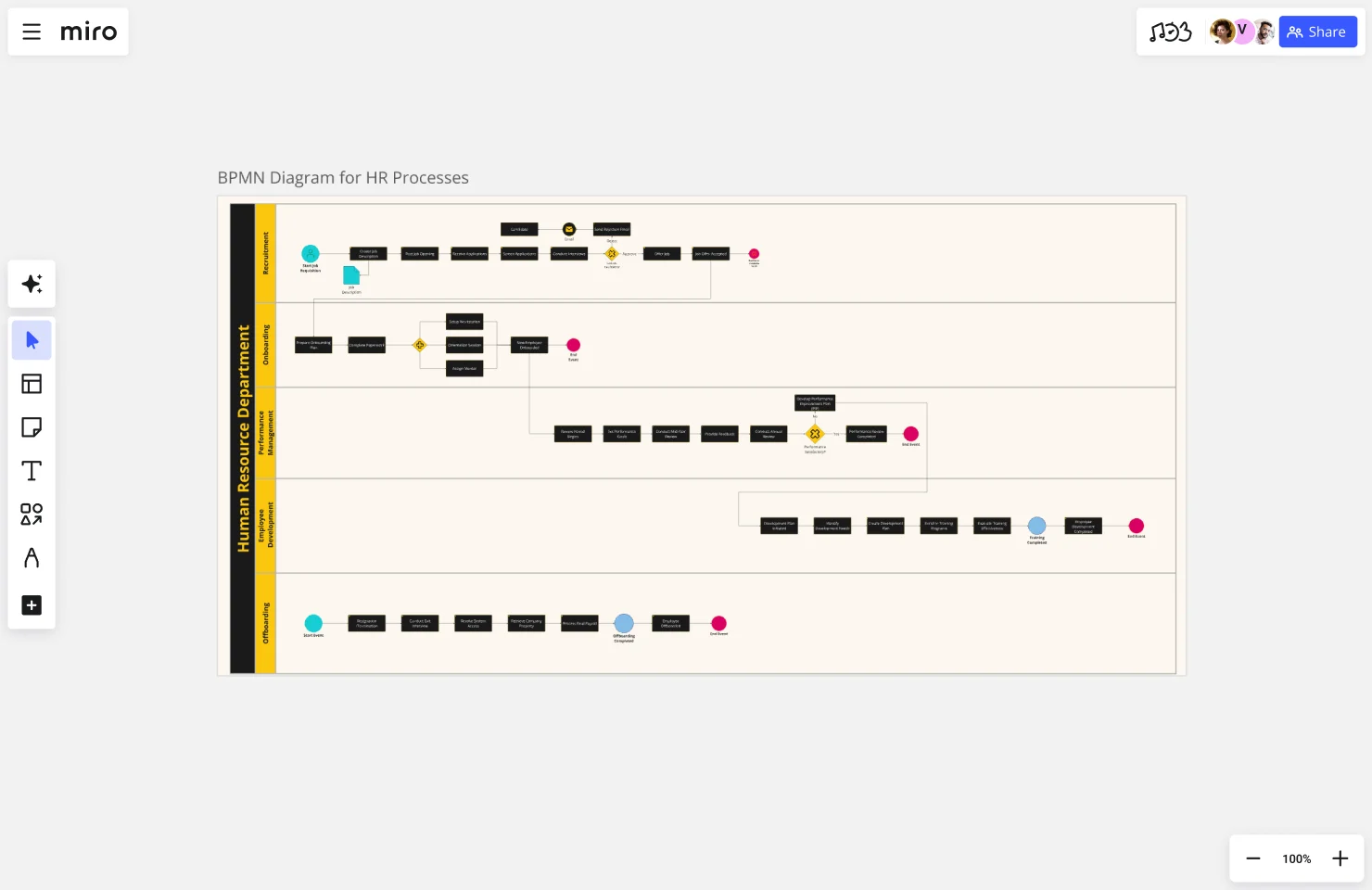
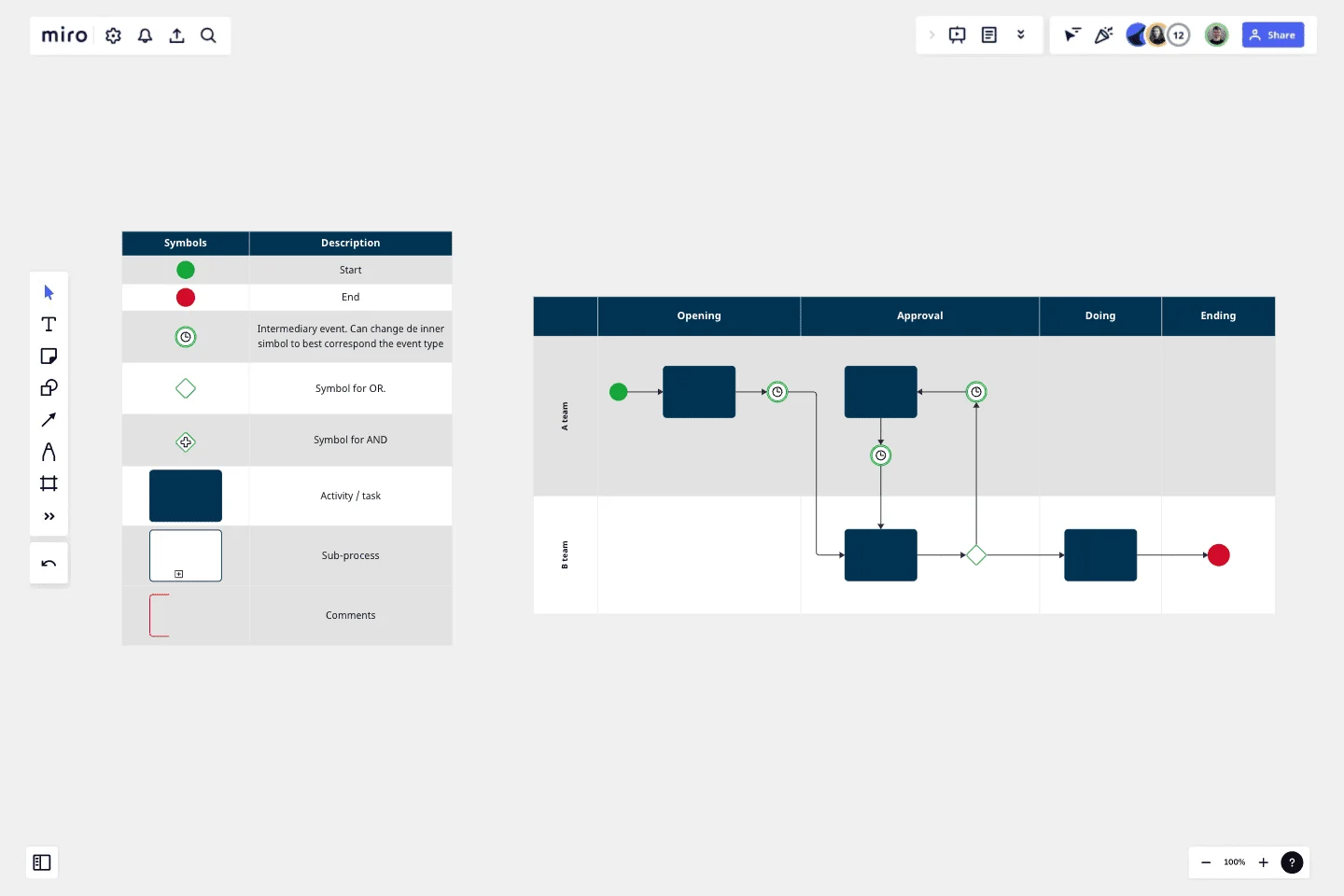
    The gap between HR's designed process and what managers actually do during review season is where calibration errors hide. Drop your review cycle steps - self-assessment open, manager rating due, calibration session, and compensation letter sent - into a BPMN diagram so every HR business partner runs the same sequence, whether you're a 10-person people ops team or a 500-person HR function.

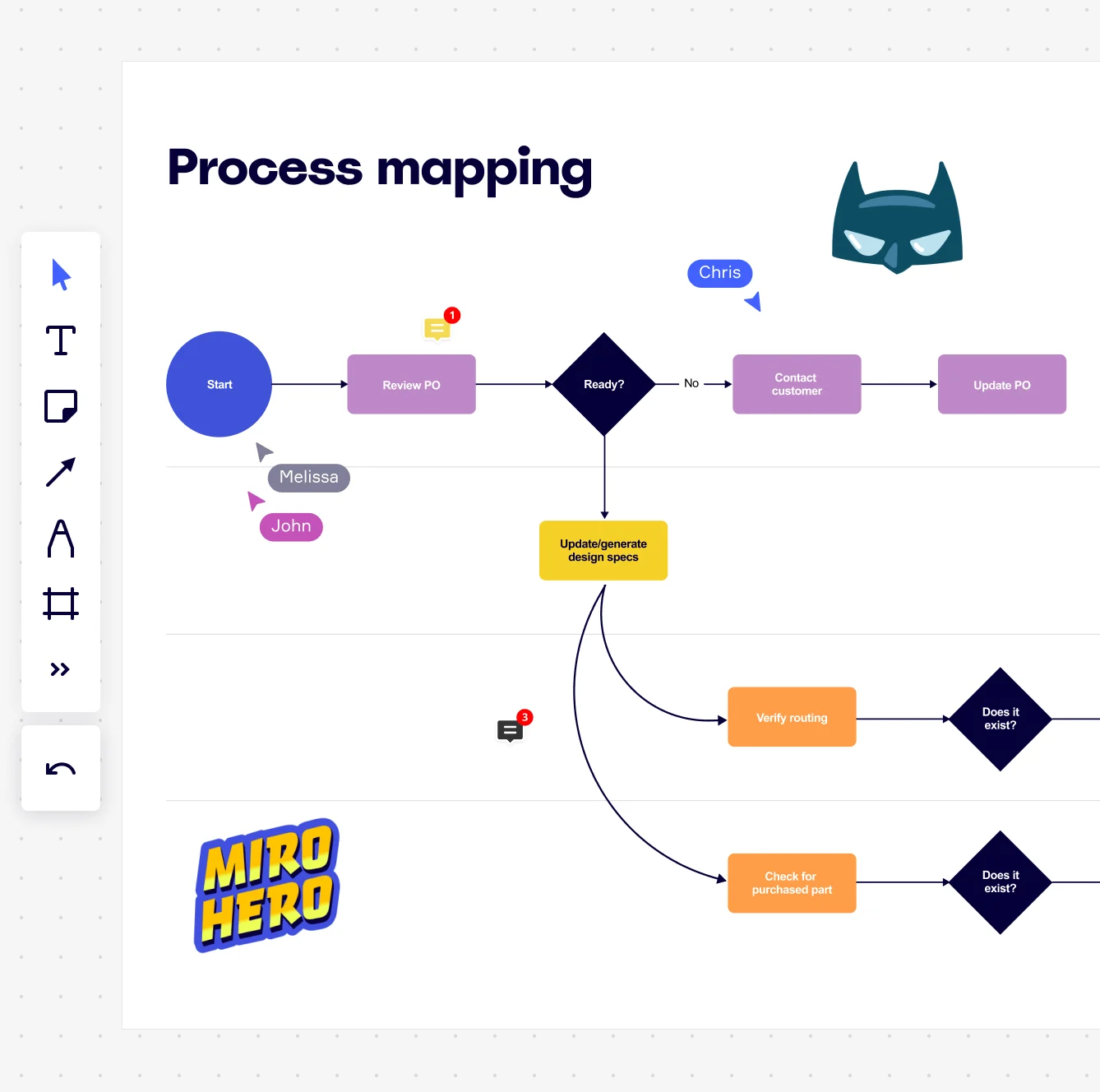
    Miro board displaying a process mapping flowchart with labeled nodes including Start, Review PO, a Ready decision diamond, Contact Customer, Update PO, Update/generate design specs, Verify routing, and Check for purchased part, with collaborative cursors (Chris, Melissa, John), comment badges, and decorative Batman and Miro Hero stickers.
  • Stop rebuilding the culture program process every year

    Every engagement survey, learning sprint, or DEI initiative kicks off with someone digging up last year's planning notes and guessing at the steps. Miro's Process Documentation Blueprint packages your current-state map, exception-handling notes, and improvement board into a reusable Space, so your team resets cleanly each cycle without starting from scratch.

    Miro process mapping board displaying a cross-functional flowchart with circular process nodes (Process 1.0, 1.1, 2.0), decision paths (Yes/No branches leading to 'Accept offer' and 'Decline offer'), and rectangular action steps including 'Send payment', 'Receive Confirmation', 'Receive Decline', and 'Process', connected by solid and dashed arrows.
  • Where compliance documentation meets the people who actually run it

    HR compliance workflows - think I-9 verification, background check sequencing, and leave-of-absence approvals - need to be accurate and actually followed. Embed the finalized process map directly into your Confluence or Notion pages via Miro, so every HR coordinator and hiring manager reads from the same live source instead of a six-month-old PDF attachment.

    Miro board displaying a BPMN process mapping diagram with two swimlanes (Customer and Online Shop), showing decision gateways, message events, and task boxes including 'Send offer', 'Accept offer', 'Decline offer', 'Send Payment', 'Receive Confirmation', 'Receive Payment', and 'Receive Decline', alongside the BPMN diagramming shapes panel on the left.

How HR teams get started with Process Mapping in Miro

  • Map your first onboarding flow

    Open a Swimlane Diagram Template and drop in your new hire journey from offer acceptance to day 90, assigning each lane to the people function that owns it - Recruiting, IT, Payroll, the hiring manager.

  • Surface every handoff gap

    While your HR colleagues build out their lanes simultaneously, use Sticky Notes with color coding to flag the moments where new hires fall through the cracks - the "who's responsible for laptop setup?" no-man's-land that every people team knows too well.

  • Turn pain points into tracked fixes

    Connect each flagged bottleneck to a Jira Card directly from the board so every process gap has an owner and a due date, not just a resigned sticky note that lives forever in a corner.

  • Walk leadership through the case for change

    Use Presentation Mode to run HR leadership frame by frame through the current-state map, then the future-state side by side, and run live Voting to prioritize which process improvements get tackled first.

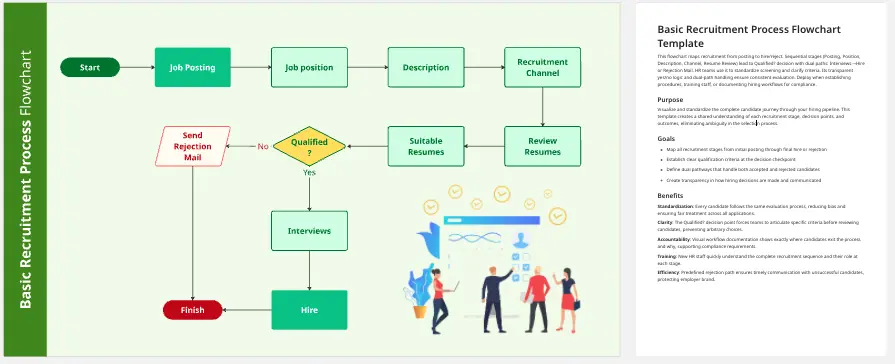
  • When mapping recruitment workflows, create a separate frame per hiring stage - sourcing, screening, interview loops, offer - so people ops can zoom into the details without losing the big picture.

  • For large organizations rolling this out across multiple business units, use Synced Copies to keep a master onboarding process map consistent everywhere while letting regional HR leads adapt sub-process frames to local requirements.

  • Before any validation workshop with HR business partners, run AI Generate Diagram from a plain-text description of the process to give reviewers a concrete draft to react to instead of a blank canvas.

Understand how HR teams transform their work

  • We use Miro for a variety of things, but I've found process mapping, brainstorming, and org charting to be where I have used it most.

    Verified User

    G2
  • Miro allows you to visualise processes effectively and easily for all team members globally.

    Verified User

    G2

Process Mapping essential guide for HR teams

CategoryKey insights
  • Common mistakes to avoid

    The most common trap for HR practitioners is mapping the process as it's supposed to work - not as it actually does. The workarounds your recruiters and HR business partners invented to survive a broken approval flow won't appear in any policy doc, so loop them in from day one. Also, agree on where the process starts and ends before you open a single template. Whether you're a 10-person people ops shop or a global HR org with dozens of sub-processes, scope creep hits everyone the same way.

  • Key integrations for HR teams

    Connect Miro to Confluence to keep your process maps living alongside the SOPs and employee handbooks your HR business partners already reference daily. For HR orgs that track hiring workflows or onboarding milestones in Asana or Smartsheet, those integrations pull your task data directly into the board so the map and the work stay in sync. Already have process diagrams built in Visio or Lucidchart? Import them directly so your people team doesn't start from zero.

  • When to use it

    Reach for process mapping in Miro when your HR org is about to redesign a workflow that touches multiple teams - think a new-hire onboarding flow that spans IT, finance, and the hiring manager, all with different handoff points. It's also the right call when you're documenting current-state processes ahead of an HR system migration or compliance review, and you need everyone aligned on what actually happens before you redesign what should. Use a BPMN template and swimlane layout to assign clear ownership by role, then validate with department heads using Presentation Mode before moving to future-state design.

  • Security & Compliance

    Miro is SOC 2 Type II certified and HIPAA compliant, which matters when HR maps contain sensitive data like performance workflows, leave management processes, or anything touching employee health information. Granular sharing permissions let people team leads control exactly who sees what - useful when a process map includes confidential compensation review steps that shouldn't be visible org-wide. Larger HR organizations with data residency requirements can configure where their data lives, and Private Mode keeps sensitive brainstorm sessions off the record during live collaboration.

Frequently asked questions for hr teams

Last updated: Friday, June 12, 2026