Using a real-time voting app for events
Summary
When it’s time to transform your passive audience into active participants, voting apps for events are a crucial tool for organizers. From keynotes to workshops, live voting makes it easier to gauge reactions, set priorities, and keep the room engaged from start to finish.
In this guide, you’ll learn:
- Why dedicated apps for voting drive better engagement than old-school methods
- How apps for voting help eliminate dead air and make participation easier
- Why instant data visualization matters for event ROI and audience insight
- The best ways to use online voting at events to guide content and discussion
- How to collect feedback that actually improves your next session
Collaborative AI Workflows
Join thousands of teams using Miro to build the right thing, faster.
Making voting a seamless part of your session with Miro Engage
Why a dedicated voting app for events is essential
In modern corporate audiences, there is an expectation that they will be involved in the experience - not just silent witnesses. With a dedicated app for audience voting at events, you can give people an easy opportunity to react, contribute, and ultimately influence the direction of the session in real time.
This makes participation immediately visible for both the participants and organizers, giving everyone in the room a clear barometer on how productive the time is being spent. Instead of simply relying on a show of hands or hoping for a few brave individuals to speak up, facilitators can get fast input from everyone.
Voting apps also make your post-session roundup easier to complete. While more dated methods - like a show of hands - are harder to record and easier to bias, a voting system gives you comprehensive data that you can use to drive decisions later.
Turn any screen into an online voting system for events
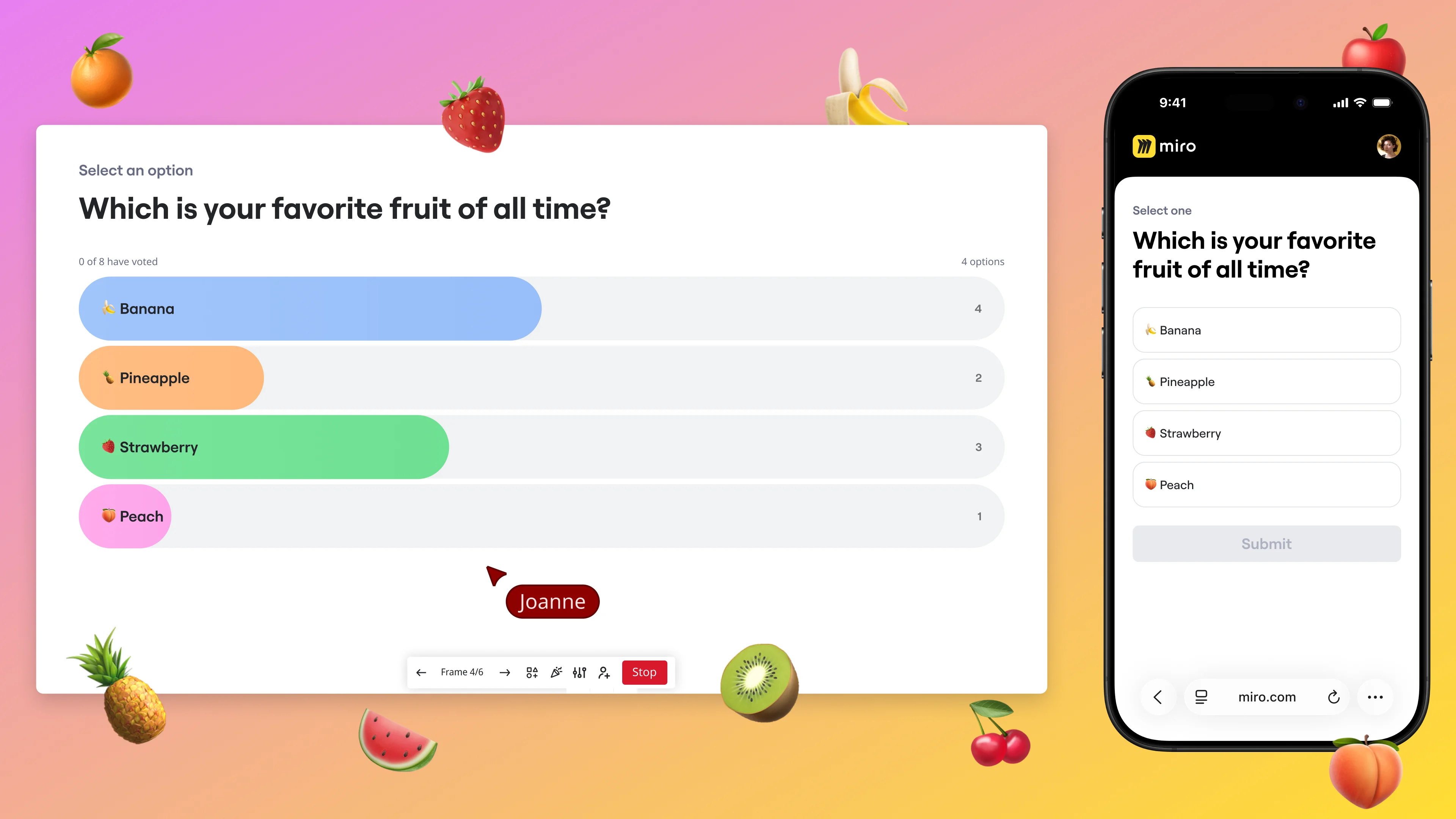
Miro Engage is a tailor-made online voting system for events designed to remove friction at the point of participation. People can join by scanning a QR code or opening a link from any device, with no installs and no account required. It’s a practical, zero-barrier addition for in-person, virtual, and hybrid formats.
Then, because the interaction happens in the same shared workspace, responses stay visible and connected to the session itself. This makes Miro Engage one of the most flexible voting apps available to organizers, as live participation, instant feedback, and a clear record of the audience’s input are kept front and center.
See how our voting tool turns live audience input into instant, visible results you can use both during and after your events.
The best ways to use voting apps for teams and large audiences
1. Live Sentiment Polling
When you need to check the mood of the room, voting apps for teams can be one of the easiest ways to see how everyone is feeling. Try starting with a low-stakes poll so people can get familiar with the interface - something like “what’s your energy level right now?” Once everyone is feeling more situated, you can then move on to the more meaningful and relevant questions for your session.
This is a go-to choice for kicking off keynotes, workshops, and all-hands meetings. It gives the facilitator a quick vibe check on participation levels, while also helping the group prepare to switch from being passive listeners to active participants.
2. Crowdsourcing Q&A Priority
If you’re running your Q&A on a first-come, first-served basis, your results are likely going to skew towards the fastest and loudest people in the session. While it can be reassuring to depend on the most vocal participants, you’re not likely to surface the questions the room cares about most.
Voting apps for teams solve this issue by letting the audience cast their vote for the questions they want answered most. This makes for a more democratic, relevant, and valuable Q&A - instead of guessing which question to take next, organizers can let the whole audience decide.
3. Real-Time Feedback Loops
One of the best ways to use online voting for events is to adapt the content while the session is still happening. This could be to ask the audience which topic they want to explore further, which example they thought was most useful, or which challenge they want prioritized.
This makes the event feel more responsive and improves engagement because people can actively see their input shape the session. It also gives organizers vital insight into what their audience considers to be the most valuable.
4. Competitive Gamification
Voting apps can also make events more memorable by introducing a little friendly competition. Use a quiz or voting-based challenge to test their knowledge, reward attention, or simply create a lighter break in the agenda.
This works particularly well in internal events, training sessions, and large meetings where energy levels can dip after little more than an hour. Adding some competition gives your participants a reason to stay involved and makes the key information more likely to stick in their minds.
Our customer’s story
At Vorwerk, event-style sessions needed to feel interactive - not like a one-way broadcast. Using Miro Engage as a real-time voting layer inside their Miro Slides presentation flow, attendees could join instantly via QR code and vote from any device, helping facilitators capture reactions, prioritize questions, and keep the room actively involved.
The results were clear: 100 attendees with zero drop-off across the full hour, and 50+ poll responses within minutes. This gave organizers a fast, visible audience signal they could use to steer the session live and recap afterward.
“Many times you just use five to 15 minutes getting people to log in. With this QR code, they can directly participate.”
Jacob Sosa, Agile Master at Vorwerk
Read the full Vorwerk case study here.
Collecting data after the applause with Miro
When audience reactions are visible in real time, it’s easier to spot what’s landing, what needs more attention, and where the room wants to go next. That gives event teams something far more useful than applause - it gives a live signal they can use to shape better sessions with more valuable outcomes.
Ready to make your next event more interactive? Use Miro Engage to run live voting with instant results, capture audience input where the work happens, and equip every session with clearer insight, stronger participation, and easier follow-through.
FAQs
Why use a voting app instead of a show of hands?
A voting app makes participation easier, faster, and more inclusive. It also gives organizers a clearer record of audience input than informal methods like a show of hands.
What kinds of events benefit most from live voting?
Live voting works well for keynotes, workshops, all-hands meetings, training sessions, and hybrid events. It is especially useful when organizers want to keep the audience engaged and gather quick input at scale.
How often should you use live voting during an event?
Use it at moments where audience input can improve energy, direction, or discussion. Too many polls can interrupt the flow, so it is best to use voting with a clear purpose rather than at every stage.
Can live voting improve Q&A sessions?
Yes, because it helps surface the questions the audience cares about most. Instead of relying on whoever speaks first, organizers can prioritize based on broader interest.
What should event teams do with voting results afterward?
They should review the responses to identify patterns, priorities, and areas for follow-up. That data can help improve future sessions and make post-event decisions more informed.
Author: Danielle Caldas, Organic Growth @Miro Last updated: May 4, 2026
Read more
Join our 100M+ users today


