Table of contents
Table of contents
By signing up, you agree to Miro's Terms of Service and Privacy Policy.
Your team has 40 AI ideas and zero AI adoption strategy. Here’s the fix.
Benjamin di Lorenzo is an AI Business Catalyst at Datentreiber, where he brings together data, AI, and business strategy for Miro and for Datentreiber's clients. He uses and continually refines Datentreiber's Data & AI Business Design method to help accelerate and facilitate strategy design, development, and deployment. His Miroverse contributions work well on their own, or as part of the full method.
Last published
In this article:
- Why most companies get stuck between "we should use AI" and actually doing it
- How design thinking, not more data science, solves the AI adoption problem
- A walkthrough of the Catalyst, the Miro sidekick I built to turn business context into ranked AI use cases
- An AI use case prioritization framework you can run with your own documents
- Why we built this on a visual, collaborative canvas instead of a plain chatbot
Collaborative AI Workflows
Join thousands of teams using Miro to build the right thing, faster.
The problem isn't a lack of AI ideas, it's a lack of structure
I hear the same thing from almost every client, no matter their size or industry: they don't know what to do with AI. Not because they haven't tried. Most teams have already played with a chatbot, run a pilot, or sat through a workshop where someone filled a whiteboard with ideas. The ideas are there. What's missing is a way to connect those ideas back to the actual business, rank them, and know which one to build first.
This gets worse at scale. At small companies or with technical founders, people experiment constantly and move fast, because there's little friction between an idea and trying it. But at mid-size and large companies, that friction is real. New technology has to clear layers of process, budget, and buy-in before it goes anywhere. So the ideas pile up, nobody owns the decision, and the AI adoption strategy conversation turns into another slide deck that goes nowhere.
I built the Catalyst to fix exactly that: a structured way to go from your actual business documents to a ranked, defensible plan your team can act on, instead of another list of "AI use cases you should try."
My path here started with a saw, not a spreadsheet
I spent more than 10 years as a craftsman, doing woodwork and landscaping, before I ever touched a line of code. That background shaped how I think more than people expect. When you build something physical, you have to picture the finished result, break the work into steps, and know exactly what each step needs before you start the next one. That's applied strategic thinking, whether you call it that or not.
I later studied data science, and while I respect the field, I found it dry. Lots of math, not a lot of room for the human side of a problem. Design thinking gave me that back. I was introduced to it at the Hasso Plattner Institute in Potsdam, Germany's design thinking hub, four years ago, before AI was anywhere near Miro boards. What struck me immediately was the visual side of it: a shared canvas that the whole room could see and shape together, at a pace that a slide deck never allows.
I joined Datentreiber as a working student three years ago, still mid-degree, and never really left the "let's build something useful" mode I found there. Datentreiber is a facilitator and accelerator for bringing business, data, and AI together into one coherent strategy, from the first workshop through actual implementation. We've applied this everywhere from mid-size manufacturers to a pioneering agentic design project with the European Space Agency, where honestly, nobody had a playbook yet. We had to build one as we went.
A canvas sits at the center of how we work. It functions like a map for thinking: it structures the conversation, holds the group's shared memory, and, especially now, carries meaning an AI system can actually read. A sticky note placed inside a business model canvas means something specific. That semantic structure is exactly what let us teach an AI assistant to work inside it.
What an AI adoption strategy actually needs to include
Before I show you the tool, it's worth being clear about what "having an AI adoption strategy" really requires, because most companies get this part wrong.
It's a sequence, not a shopping list of tools: understand your business model well enough to see where value actually gets created, generate AI use cases that connect to real parts of that model instead of generic ones copied from a LinkedIn post, then estimate and compare those use cases so you know which one deserves budget first. Skip any of those steps and you end up with ether a pile of disconnected ideas or one shiny pilot project that never scales.
This is also where most workshops fall apart. A full two-day, end-to-end strategy workshop asks a lot of a team that's never used Miro or worked this way before. We saw it constantly with clients: too many exercises, too much setup, and the energy runs out before the useful part even starts. So instead of trying to compress our entire method into one mega template, we built something narrower on purpose. The Catalyst does one job well: it takes you from business context to prioritized, estimated AI use cases. That's it. That focus is what makes it usable in an afternoon instead of a week.
Meet the Catalyst: an AI use case prioritization framework built into your Miro board
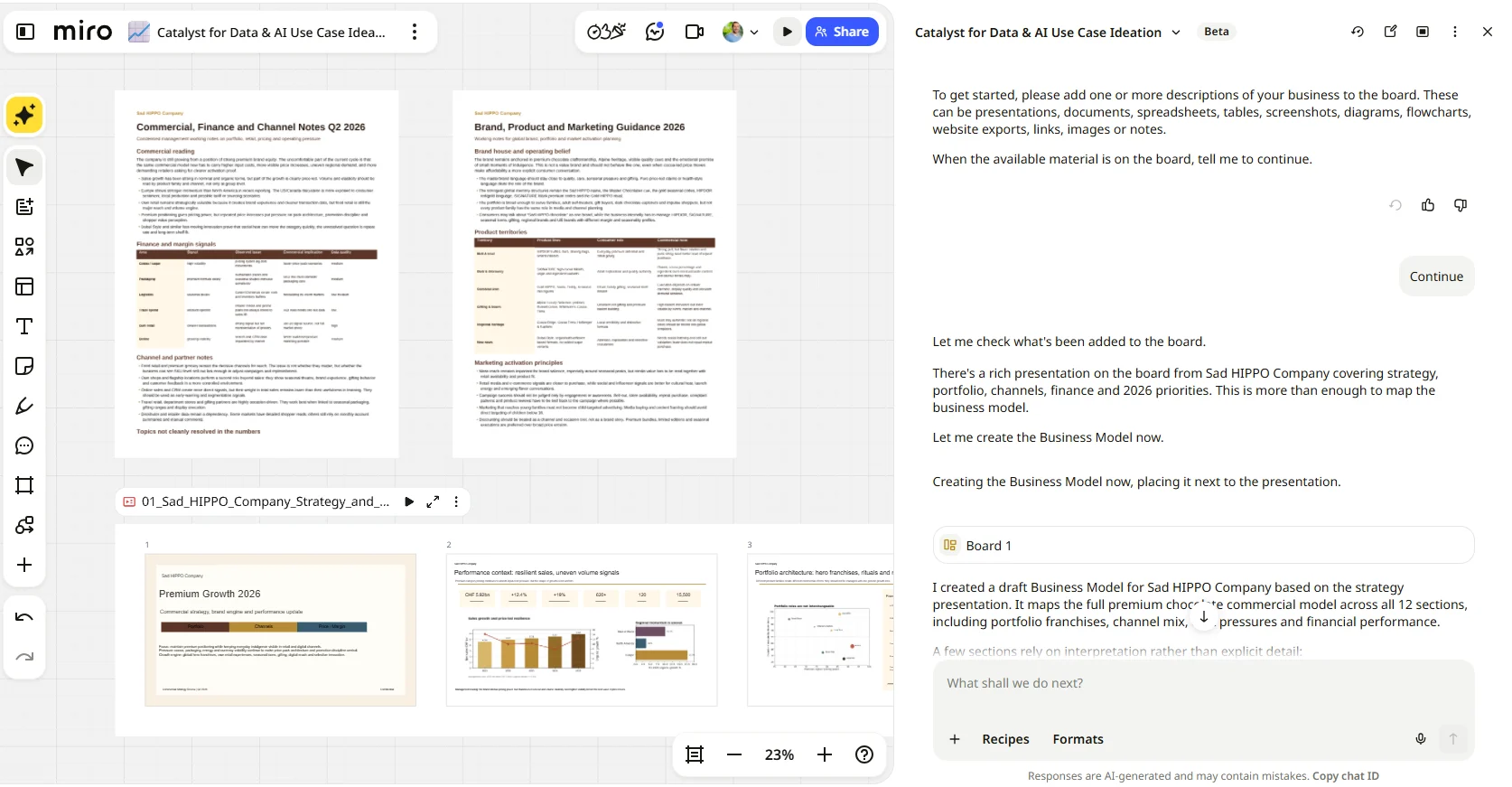
The Catalyst is a Miro sidekick that helps you find data and AI use case ideas and estimate their potential ROI, using whatever business context you already have. You can start with a completely empty board, or point it at a board that already has strategy decks, spreadsheets, notes, or workshop stickies on it. It reads what's there, figures out where you are in the process, and picks up from that point. It works the same way whether you're doing this alone at your desk or running it live with your team.
Under the hood, it follows four connected steps:
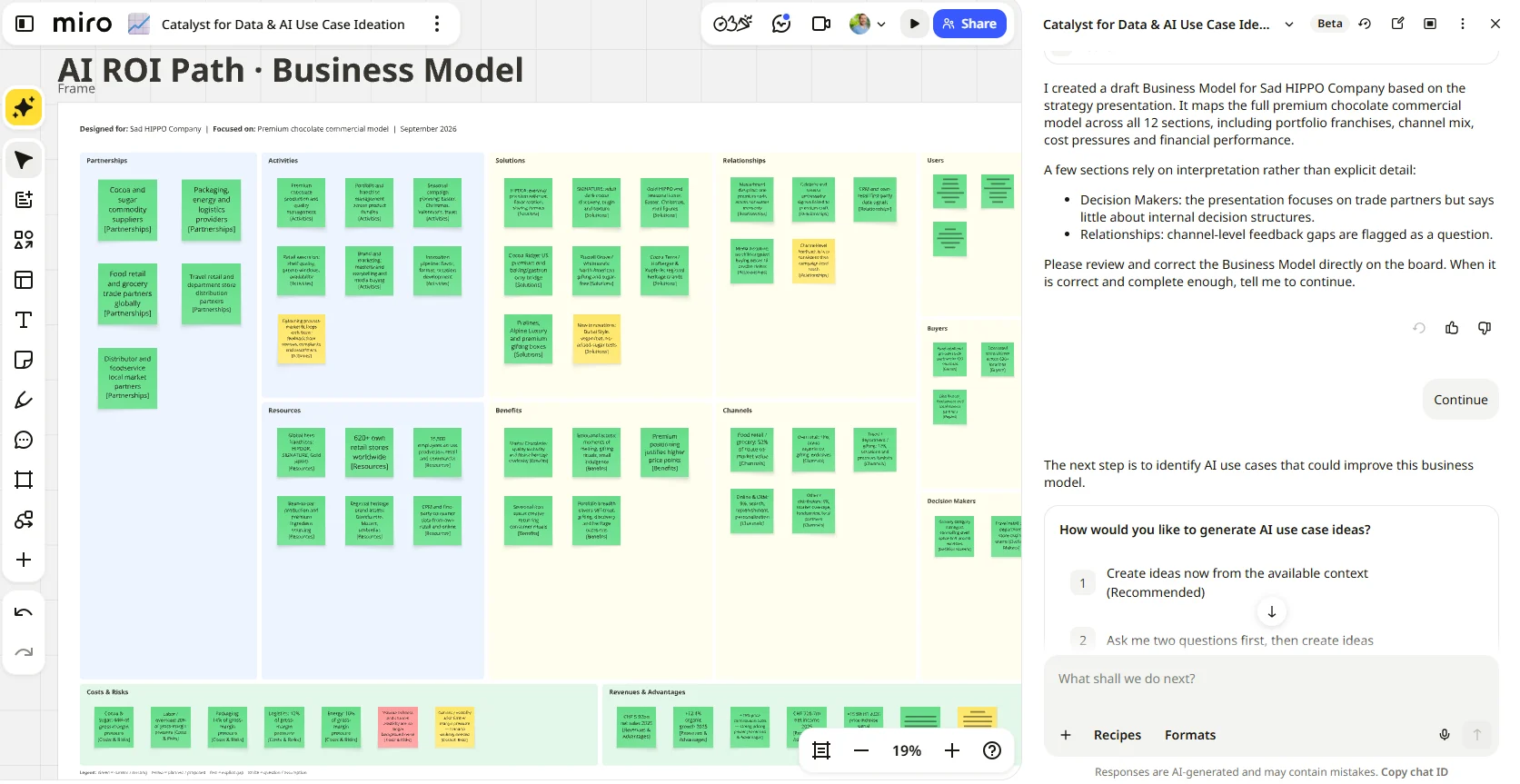
- Map the business: the Catalyst reads your source material, whether that's PDFs, a strategy slide deck, spreadsheets, or even a meeting transcript, and builds a structured business model canvas from it. We use our own version of the classic business model canvas at Datentreiber, with solutions and benefits standing in for the usual value proposition box, and we've taught the Catalyst to build in that same structure.
- Generate use cases: once the business model is in place, the Catalyst proposes AI use cases tied directly to specific parts of that model, framed around the problem, the solution, and the benefit. Every use case traces back to something on your canvas, not a generic idea pulled from nowhere.
- Estimate potential: next, it builds a table ranking each use case, with an ROI estimate, the assumptions behind that estimate, a confidence level, expected business impact, and estimated implementation effort. This is your enterprise ai adoption strategy shortcut: instead of debating ideas in the abstract, you're comparing them on the same terms.
- Create the handoff: finally, it packages everything into a shareable document with an executive summary, scope, the method behind the estimates, a portfolio outlook, key observations, and recommended next steps. From there, you can turn it straight into slides or a kanban board without leaving the canvas.
At every step, your team reviews what the Catalyst produced, edits it, adds sticky notes it missed, or redirects it entirely. It's built to keep humans in the lead. The AI does the heavy lifting of reading documents and drafting structure. Your team makes the calls that actually matter, like which use case is worth the political capital to pursue first.
How to run it, step by step
Here's roughly what a session looks like in practice:
- Open the Catalyst and ask something direct, like "How can I start with the data and AI use case ideation?" It scans your board and tells you exactly what's missing, usually starting with the business model.
- Drop in your source material. This doesn't need to be polished. Strategy decks with more buzzwords than substance work fine, and so do rough notes or spreadsheets. The more context you give it, the more detailed and differentiated your business model ends up.
- Let it build the business model canvas, then actually read it with your team. This is the foundation everything else builds on, so it's worth catching mismatches here rather than downstream.
- Ask it to generate use cases. It'll place them directly onto the business model areas they connect to, so you can see the "why" behind each idea, not just the idea itself.
- Have it build the ranking table and estimate ROI, confidence, and effort for each use case. This is the step that turns a brainstorm into an ai use case prioritization framework you can defend to leadership.
- Generate the handoff document, then branch out into slides or a kanban board if that's what your next meeting needs.
A full walkthrough with a team, done properly and without rushing any step, takes about 50 minutes. That's a fraction of what a traditional strategy workshop demands, and it gets you a document you can actually hand to someone.
Why do this on Miro instead of just using ChatGPT or Claude directly?
I get asked this a lot, and it's a fair question given how good general AI chat tools already are. My honest answer: it's the combination of visual and collaborative that a chat window can't replicate. Everything lives in one place, on a board the whole team can see and touch, not scattered across chat exports and screenshots. You can run the Catalyst solo, working through the documents step by step as your own assistant. Or you can bring the whole team into the same board and work through it together, live, the way you'd run a workshop. A one-on-one chat with an AI model doesn't give you either option. That's the real difference, and it's the reason the whole method was built on a canvas in the first place.
Try it yourself
If your team has more AI ideas than direction, start where the Catalyst starts: with the business, not the buzzwords. Open the Catalyst for Data & AI Use Case Ideation template on Miroverse, drop in whatever strategy documents you already have lying around, and see what a structured business model and a ranked use case list looks like by the end of your next working session.
Read more
Join our 100M+ users today


