
Kanban metrics to guide your Agile workflow
Kanban metrics help teams improve their workflow, optimize efficiency, and deliver better results. By tracking these data points, you can identify bottlenecks, measure productivity, and make informed decisions to keep your projects on track.
This guide will explain what Kanban metrics are, highlight the most important ones, and offer tips to use them effectively in your Agile process.
What are Kanban metrics?
Kanban metrics are measurable data points that track, analyze, and improve the flow of work within a Kanban system. These metrics provide insights into how efficiently tasks move through your workflow, helping teams spot bottlenecks, improve processes, and deliver results faster.
Using metrics for Kanban helps to make sure teams can focus on what’s working, identify areas for improvement, and adapt quickly to changing priorities.
Key Kanban metrics every team should track
Kanban systems rely on a few essential metrics to keep workflows running smoothly. Here are the most important ones:
Lead time
Lead time measures the total time it takes to complete a task, from the moment it’s requested to when it’s delivered. It’s an important metric for understanding how long customers or stakeholders wait for their requests to be fulfilled.
Why it matters: Long lead times often signal delays or inefficiencies in your workflow. Shortening lead time can improve customer satisfaction and team productivity.
Cycle time
Cycle time tracks how long a task spends in the active stages of your workflow. It starts when work begins and ends when the task is completed.
Why it matters: By monitoring cycle time, you can pinpoint where delays happen and figure out ways to streamline your process.
Throughput
Throughput measures how many tasks your team completes in a specific timeframe, like a week or a sprint. It’s a simple way to gauge productivity.
Why it matters: Tracking throughput helps you predict how much work your team can handle and set realistic delivery goals.
Work in progress (WIP)
WIP represents the number of tasks your team is working on at any given time. WIP limits prevent teams from juggling too many tasks, which can lead to burnout or inefficiencies.
Why it matters: Keeping WIP under control ensures your team stays focused, reduces context-switching, and maintains steady progress.
Cumulative flow diagram (CFD)
A CFD is a visual chart that shows how tasks move through each stage of your workflow over time. It highlights bottlenecks, delays, and progress trends.
Why it matters: CFDs give you a big-picture view of your workflow’s health. They’re great for spotting patterns and tracking improvements over time.
Advanced Kanban metrics for deeper insights
For teams ready to dig deeper, advanced metrics provide a more nuanced look at your workflow’s performance.
Flow efficiency
Flow efficiency calculates how much time tasks spend actively progressing versus sitting idle. It’s expressed as a percentage of active work time to total lead time.
Why it matters: Low flow efficiency highlights where tasks are getting stuck. Improving this metric helps your team move work through the system faster.
Blocked time
Blocked time measures how long tasks are stalled due to obstacles like missing information, resource constraints, or dependencies.
Why it matters: Tracking blocked time helps your team quickly address issues and prevent them from happening again.
Aging work in progress
Aging WIP shows how long tasks have been sitting in your workflow. It flags work that’s at risk of falling behind or becoming irrelevant.
Why it matters: This metric helps prioritize older tasks, ensuring nothing gets forgotten or delayed unnecessarily.
How to measure Kanban metrics
Measuring Kanban metrics doesn’t have to be complicated. Here’s how to make it simple and effective:
Set up a clear Kanban board
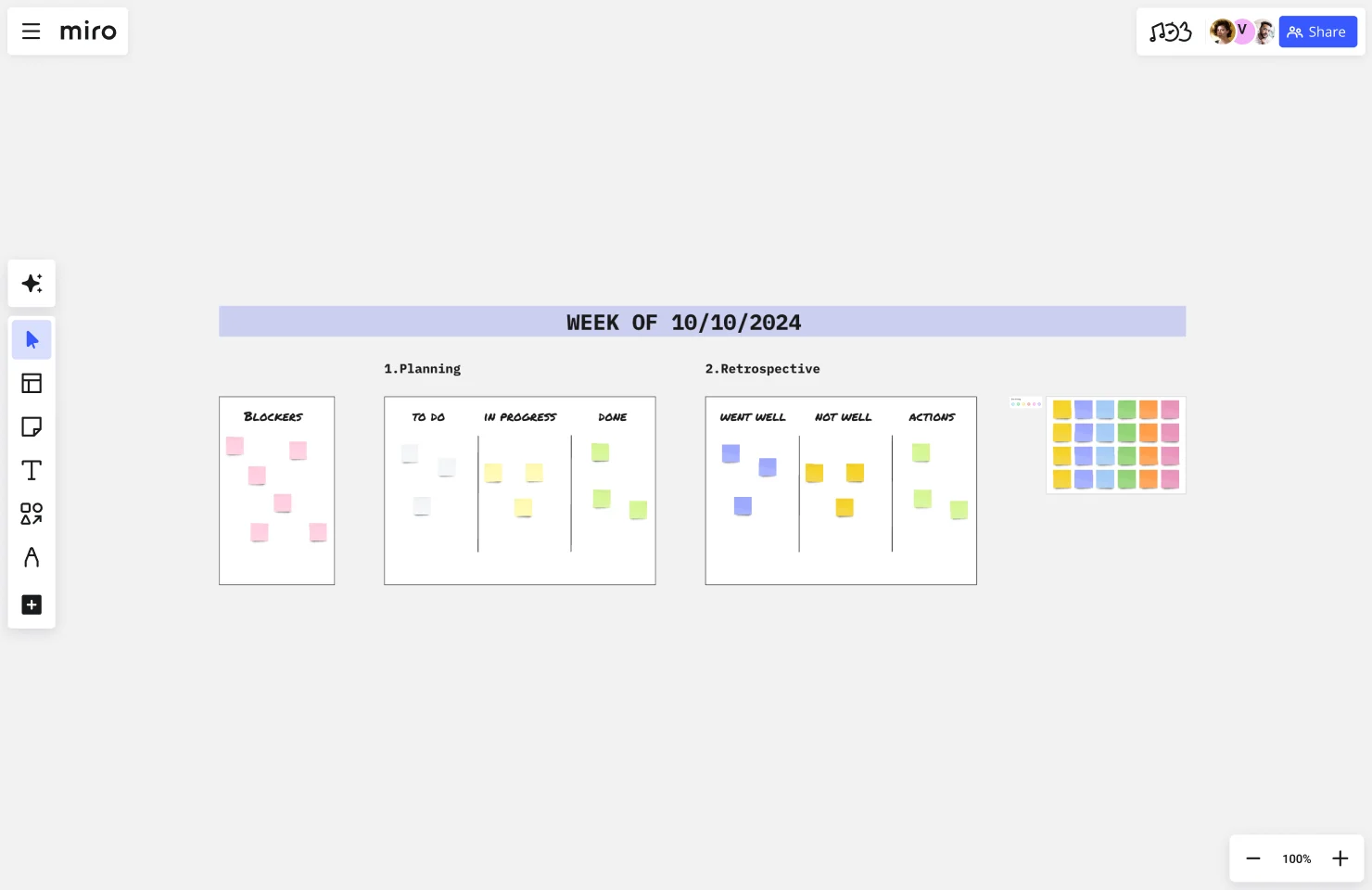
Start with a well-organized Kanban board that breaks work into stages like "To Do," "In Progress," and "Done." This setup makes it easy to track tasks as they move through your workflow.
Automate your data collection
Use tools like Miro or specialized Kanban software to automatically capture data like lead time, cycle time, and throughput. Automation saves time and ensures accuracy.
Review metrics regularly
Check your metrics on a regular schedule, such as weekly or biweekly. Regular reviews make it easier to spot trends and address issues early.
Get your team involved
Involve your team in reviewing metrics. Their input provides valuable context and ensures everyone stays aligned on priorities and goals.
Best practices for analyzing Kanban metrics
Metrics are most useful when you know how to interpret them. Here’s how to make sure they drive meaningful improvements:
Look for patterns over time
Don’t stress over single data points. Instead, focus on trends and patterns that reveal what’s consistently working—or not working—in your workflow.
Collaborate with your team
Metrics aren’t just for managers. Share insights with your team and brainstorm solutions together. Collaboration ensures changes are practical and sustainable.
Focus on solving problems
Use metrics to identify actionable improvements. For example, if blocked time is high, figure out what’s causing the delays and address those issues directly.
Keep it simple
Don’t try to track every possible metric. Stick to the ones that align with your team’s goals and deliver the most value.
Solving common issues with Kanban metrics
Even the best teams can run into challenges with Kanban metrics. Here’s how to tackle them:
Avoid overcomplicating your analysis
Too many metrics can overwhelm your team. Stick to a few core metrics that provide the most insight into your workflow.
Make metrics meaningful
Ensure your metrics reflect what really matters to your team’s success. Irrelevant or unnecessary metrics can distract from your actual goals.
Frame metrics as tools, not judgment
Metrics should guide improvement, not create pressure. Make it clear that the goal is to learn and improve, not assign blame.
Plan your Kanban workflow with Miro
Tracking and analyzing Kanban metrics doesn’t have to be complicated. Miro’s innovation workspace offers an AI-powered visual canvas that helps teams track, visualize, and improve their workflows. With built-in templates and tools tailored for metrics for Kanban, Miro makes it easy to stay efficient and focused.
Sign up for Miro to get started.
Read more
Join our 100M+ users today


