Table of contents
Table of contents
What is design thinking?
Summary
Design thinking puts people at the center of problem-solving. This human-centered approach helps teams create solutions that actually work for real users — not just ideas that look good on paper.
What you'll learn:
- The 5 design thinking stages: Empathize with users, define the problem, ideate solutions, prototype quickly, and test with real people
- How AI enhances design thinking: Speed up research analysis, generate ideas faster, and create prototypes in seconds while keeping human insight at the center
- Real-world examples: See how Airbnb and Bank of America used design thinking to solve critical business challenges
- Common mistakes to avoid: Don't skip empathy research, fall in love with your first idea, prototype too late, or treat the process as linear
- When to use design sprints vs. design thinking: Choose sprints for focused, time-sensitive challenges and design thinking for complex, ambiguous problems
- Measuring success: Track user satisfaction, time to market, business impact, and ROI to demonstrate the value of design thinking
- Practical exercises: Use empathy mapping, "How Might We" questions, Crazy 8s, and paper prototyping to move through each stage effectively
Whether you're building products, improving processes, or tackling complex challenges, this guide walks you through the complete design thinking process and shows you how to implement it with your team using Miro's AI-powered collaboration tools.
Collaborative AI Workflows
Join thousands of teams using Miro to build the right thing, faster.
Design Thinking in action: A quick intro
Design thinking started at Stanford’s d.school and IDEO, but it’s now used everywhere from Fortune 500 companies to startups to nonprofits. The reason? It works.
Traditional problem-solving often starts with solutions. Someone has an idea, builds it, then hopes people will use it. Design thinking flips this approach. You start by deeply understanding the people you’re designing for, then use that understanding to guide every decision.
Here’s what makes design thinking different:
It’s human-centered. Every decision starts with understanding real people’s needs, challenges, and motivations. You’re not designing for abstract “users” — you’re solving problems for actual humans.
It encourages exploration. Instead of jumping to the first solution, design thinking pushes you to generate many ideas, even wild ones. The best solutions often come from combining unexpected approaches.
It’s iterative. You don’t need to get everything perfect the first time. Build quick prototypes, test them with real people, learn what works, and improve. Each cycle makes your solution stronger.
It brings teams together. Design thinking works best when people with different perspectives collaborate. Engineers, designers, business strategists, and domain experts all contribute unique insights.
What is the Design Thinking Process?
The design thinking process is a framework for solving complex problems by understanding human needs and rapidly testing solutions. According to the Interaction Design Foundation, design thinking is a non-linear, iterative process that teams use to understand users, challenge assumptions, redefine problems, and create innovative solutions.
Instead of assuming you know what people want, you spend time observing and empathizing with them. Instead of perfecting one idea, you generate many possibilities and test the most promising ones.
The process isn’t strictly linear. Real projects loop between stages as you learn new information. You might test a prototype and realize you need to better understand your users. Or generating ideas might reveal you’ve been focused on the wrong problem. These loops aren’t setbacks — they’re the process working as intended.
Three principles underpin effective design thinking:
Empathy drives everything. You can’t solve problems for people without understanding their world. This means going beyond surveys and focus groups to observe how people actually behave, listening to what frustrates them, and discovering needs they might not articulate themselves.
Bias toward action. Design thinking favors doing over discussing. Rather than debating which solution might work best, build quick prototypes and test them. You’ll learn more from five user tests than fifty planning meetings.
Embrace ambiguity. Early in the process, you won’t have clear answers. That’s normal. Design thinking creates structure within that ambiguity, helping you explore possibilities without getting paralyzed by uncertainty.
The 5 Design Thinking Stages
Design thinking follows five core stages, each building on insights from the previous one. The Hasso Plattner Institute of Design at Stanford describes these stages as modes rather than steps; you move between them fluidly as you learn.
1. Empathize
Empathy means understanding your users’ experiences, emotions, and motivations. You’re trying to see the world through their eyes, not yours.
What you do: Conduct user interviews, observe people in their natural environment, and immerse yourself in their context. If you’re designing a healthcare solution, spend time in clinics. If you’re improving a software tool, watch people actually use it (not just how they describe using it).
Why it matters: People often can’t articulate their real needs. They’ll describe surface symptoms without recognizing underlying causes. By observing behavior and asking probing questions, you uncover insights that surveys miss. As IDEO explains, empathy is the centerpiece of a human-centered design process.
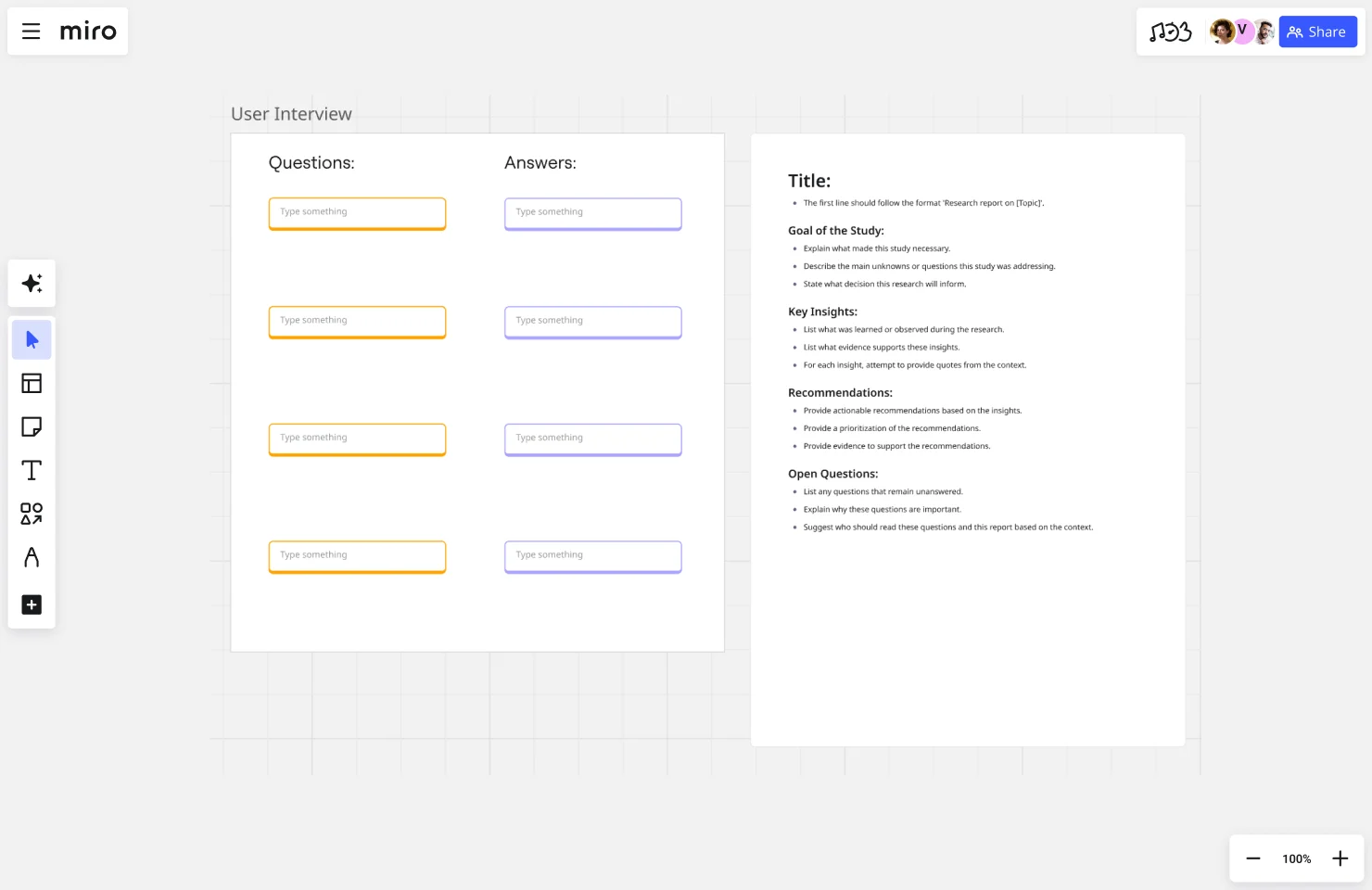
How Miro helps: Use Miro’s User Interview Template to structure conversations and capture insights visually. Map user journeys to understand their complete experience, not just isolated touchpoints.
2. Define
The Define stage synthesizes your research into a clear problem statement. You’re moving from “here’s what we observed” to “here’s the specific problem we need to solve.”
What you do: Analyze your research findings, identify patterns, and craft a focused problem statement. The best problem statements are specific, human-centered, and broad enough to allow creative solutions.
For example, instead of “We need a faster checkout process” (solution-focused), try “Busy parents need quick ways to complete purchases while managing distractions” (problem-focused).
Why it matters: If you solve the wrong problem brilliantly, you’ve still failed. The Define stage ensures your team aligns on what you’re actually trying to accomplish.
How Miro helps: Create affinity diagrams to cluster research findings and spot patterns. Use Miro’s Problem Statement Template to craft and refine your focus.

3. Ideate
Ideation is about generating many possible solutions without judging them. The goal is quantity first, quality later. Wild ideas are welcome; they often spark practical innovations.
What you do: Run brainstorming sessions with diverse team members. Use structured techniques like “How Might We” questions to reframe challenges as opportunities. Build on others’ ideas rather than shooting them down.
Why it matters: The first solution you think of is rarely the best one. It’s usually the most obvious, which means your competitors probably thought of it too. Ideation pushes past obvious answers to find breakthrough approaches.
How Miro helps: Facilitate brainstorming with Miro’s infinite canvas. Everyone can contribute ideas simultaneously. Use frameworks like Crazy 8s to generate many concepts quickly.
4. Prototype
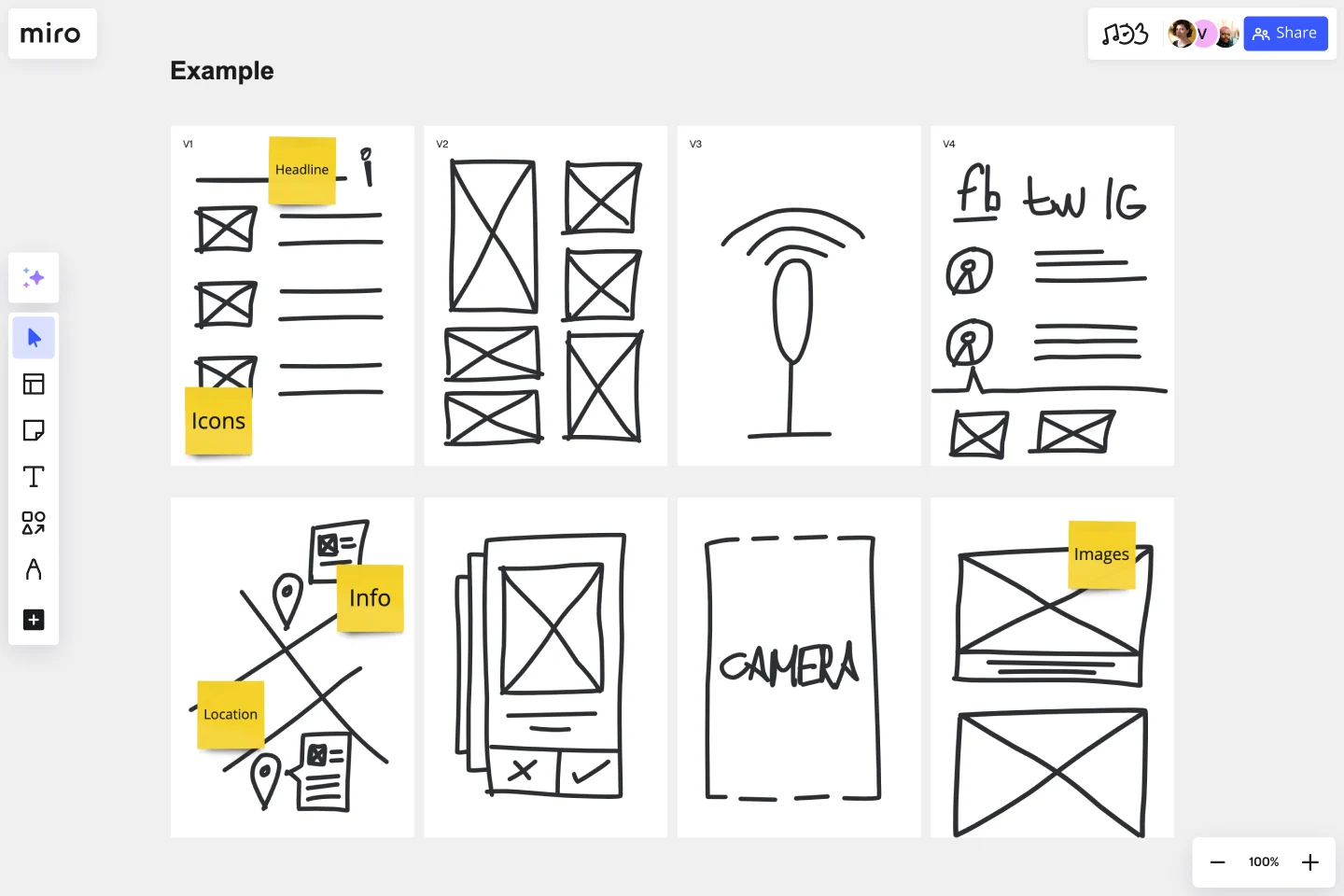
Prototyping means building quick, low-fidelity versions of your ideas to test with real users. You’re not trying to create finished products; you’re learning what works before investing significant resources.
What you do: Create paper sketches, clickable mockups, storyboards, or simple physical models. The prototype should be realistic enough to test your core assumptions but rough enough that people will give honest feedback.
Why it matters: You learn more from showing people a rough prototype than from describing your perfect vision. Prototypes make abstract ideas concrete, revealing flaws you didn’t anticipate and opportunities you hadn’t considered.
How Miro helps: Build wireframes, user flows, and interactive prototypes directly in Miro. Use Create with AI to generate initial concepts quickly, then refine them with your team.
5. Test
Testing means putting your prototypes in front of real users to see what works and what doesn’t. You’re not proving your solution is right; you’re learning how to make it better.
What you do: Watch people interact with your prototype. Note where they struggle, succeed, or behave unexpectedly. Ask follow-up questions to understand their thinking. Resist the urge to explain or defend your design; your job is to learn, not convince.
Why it matters: Teams consistently overestimate how intuitive their solutions are. Testing reveals the gap between how you think something works and how people actually experience it.
How Miro helps: Document test sessions with video recordings and collaborative notes. Map user feedback to specific prototype elements so your team can quickly identify what needs improvement.
Design Thinking meets AI: The future of innovation
AI is fundamentally changing how teams practice design thinking, not by replacing human insight, but by accelerating the parts of the process that consume the most time.
How AI improves each stage
In Empathize: AI helps analyze large volumes of research data quickly. Instead of manually sorting through hundreds of user interview transcripts, AI can identify patterns, flag notable quotes, and surface themes you might miss.
In Define: AI helps synthesize complex information into clear problem statements. By processing your research findings, AI can suggest different ways to frame the problem, helping you avoid confirmation bias.
In Ideate: AI serves as an always-available brainstorming partner. When your team hits creative blocks, AI can generate alternative approaches, combine concepts in unexpected ways, or push thinking in new directions.
In Prototype: AI dramatically speeds up prototype creation. With tools like Miro’s Create with AI, you can generate wireframes, diagrams, and visual concepts in seconds rather than hours. This means testing more ideas faster.
In Test: AI can help analyze user testing sessions, identifying patterns across multiple tests and surfacing insights that might emerge only after watching dozens of users.
The human + AI advantage
The most powerful design thinking happens when humans and AI work together, each doing what they do best:
Humans provide: Genuine empathy, ethical judgment, creative leaps, contextual understanding, and the ability to recognize subtle emotional cues.
AI provides: Speed, pattern recognition across large datasets, tireless idea generation, rapid prototype creation, and analysis of complex information.
The teams seeing the biggest impact from AI aren’t using it to skip steps in the design thinking process. They’re using it to do more of what matters: understanding users more deeply, exploring more possibilities, and testing ideas more rapidly.
Design Thinking for AI-powered development
As teams build AI-powered products and features, design thinking becomes even more critical. AI systems behave differently than traditional software — they’re probabilistic rather than deterministic, meaning they don’t always produce the same output for the same input.
Why AI products need design thinking
Users need to trust AI systems. Trust requires understanding. Design thinking helps you discover what information people need to feel comfortable with AI recommendations and how to communicate when AI is uncertain.
AI capabilities don’t always match user needs. Just because an AI model can do something impressive doesn’t mean people actually need it. Design thinking ensures you’re solving real problems, not just showcasing technical capabilities.
AI systems require new interaction patterns. Conversational interfaces, confidence indicators, explanation features; AI introduces UI patterns that don’t exist in traditional software. Design thinking helps you create interactions that feel natural rather than confusing.
Best practices for AI design thinking
Involve engineers early: Don’t wait until after ideation to check if your ideas are technically possible. Having engineers in the room during Empathize and Ideate stages leads to better solutions.
Design for transparency: Users should understand when they’re interacting with AI and have some sense of how it works. This doesn’t mean explaining neural networks — it means helping people understand what the AI can and can’t do.
Plan for failure: Every AI system will sometimes be wrong. Design thinking should explicitly address failure modes: how users recognize errors, how they correct the AI, and how trust is maintained.
Test with diverse users: AI bias often emerges through testing with users who differ from the developers. Deliberately include diverse perspectives throughout the process.
Design Thinking examples
Real-world examples show how design thinking solves diverse challenges across industries.
Product development: Airbnb’s turnaround
In 2009, Airbnb was failing. According to Y Combinator co-founder Paul Graham, the company had around 40 hosts, revenue was flatlined, and investors had no interest. The founders decided to visit their hosts in New York to understand what was going wrong.
The insight: Photos of listings were terrible — grainy smartphone shots that didn’t showcase spaces well. Guests couldn’t visualize staying in these homes.
The solution: The founders personally visited hosts with a professional camera, taking high-quality photos. Bookings immediately improved. This insight led to Airbnb’s professional photography program, which became a key differentiator.
The lesson: The breakthrough came from direct user observation, not market research or analytics. By empathizing with both hosts and guests, the founders discovered a problem that wasn’t on anyone’s roadmap.
Service design: Bank of America’s Keep the Change
Bank of America used design thinking to help customers save money. IDEO partnered with them to understand why people struggled with saving.
The insight: Through observing and interviewing customers, they discovered that people found it psychologically difficult to transfer money into savings. They wanted to save but needed it to happen automatically without thinking about it.
The solution: Keep the Change rounds up debit card purchases to the nearest dollar and transfers the difference to savings. If you spend $3.50 on coffee, $0.50 goes to savings automatically.
The lesson: The solution came from understanding the psychological barriers to saving, not just the financial mechanics. Design thinking revealed that the problem wasn’t about interest rates or minimum balances; it was about making saving feel effortless.
Effective Design Thinking exercises
These exercises help teams practice design thinking skills and move through the process effectively.
For empathy building
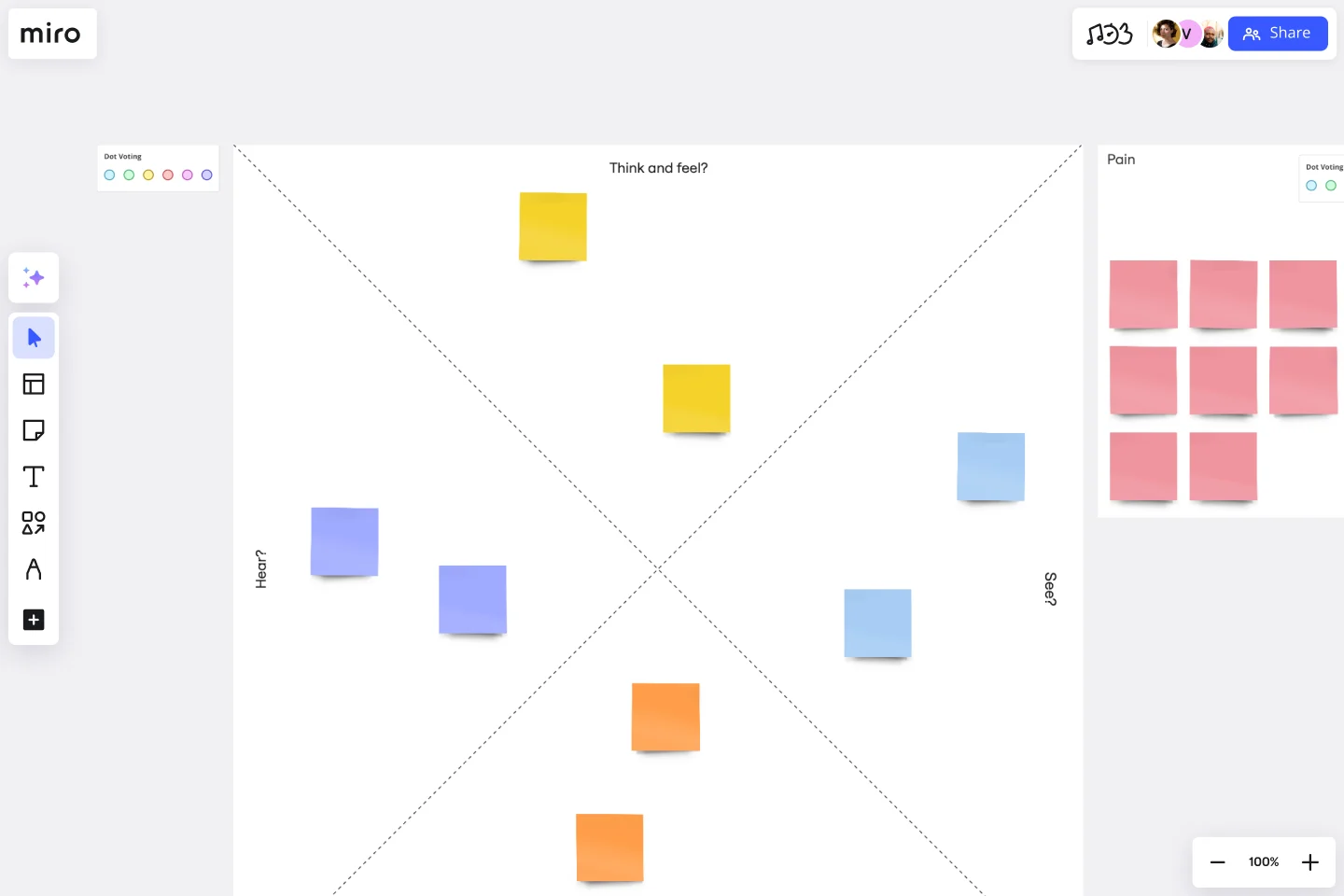
Empathy mapping: Create a four-quadrant map capturing what users say, think, feel, and do. This helps teams see beyond surface behaviors to underlying motivations and emotions. Use Miro’s Empathy Map Template to capture insights together.
Day in the life: Map a typical day for your target user, noting touchpoints with your product or service and emotional highs and lows throughout their journey.
For problem definition
How Might We questions: Reframe problems as opportunities. Instead of “Users can’t find product information” write “How might we make product information more discoverable?” Create boards where team members generate and vote on HMW questions.
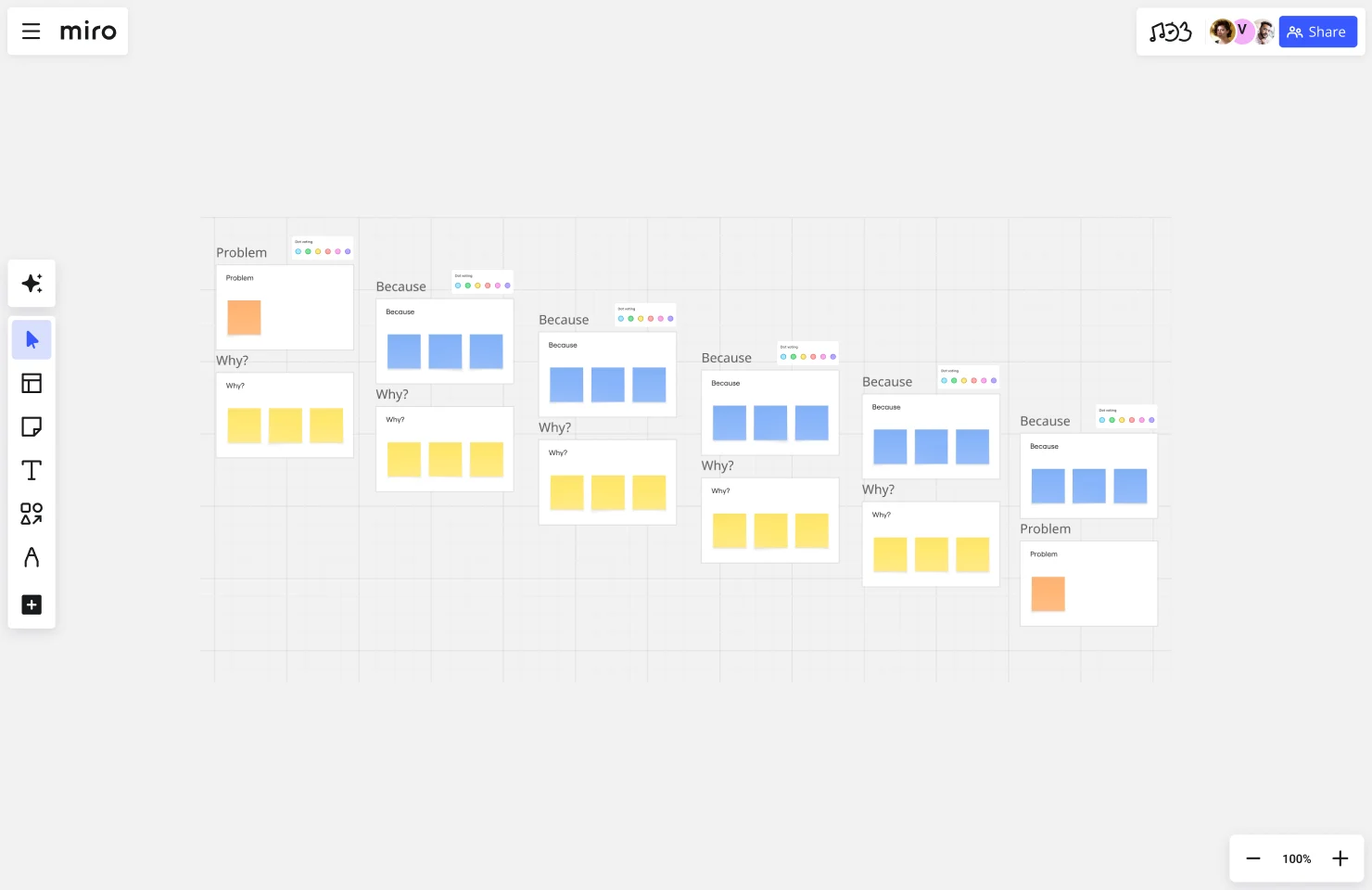
5 Whys: Ask “why?” five times to get past symptoms to root causes. If users abandon checkout, why? Payment form is too long. Why? It asks for unnecessary information. Why? No one reviewed which fields are actually needed.
For ideation
Crazy 8s: Each person creates eight different ideas in eight minutes, one idea per minute. The time constraint prevents overthinking and perfectionism. Use Miro’s Crazy 8s Template to set up individual workspaces, then share concepts as a team.
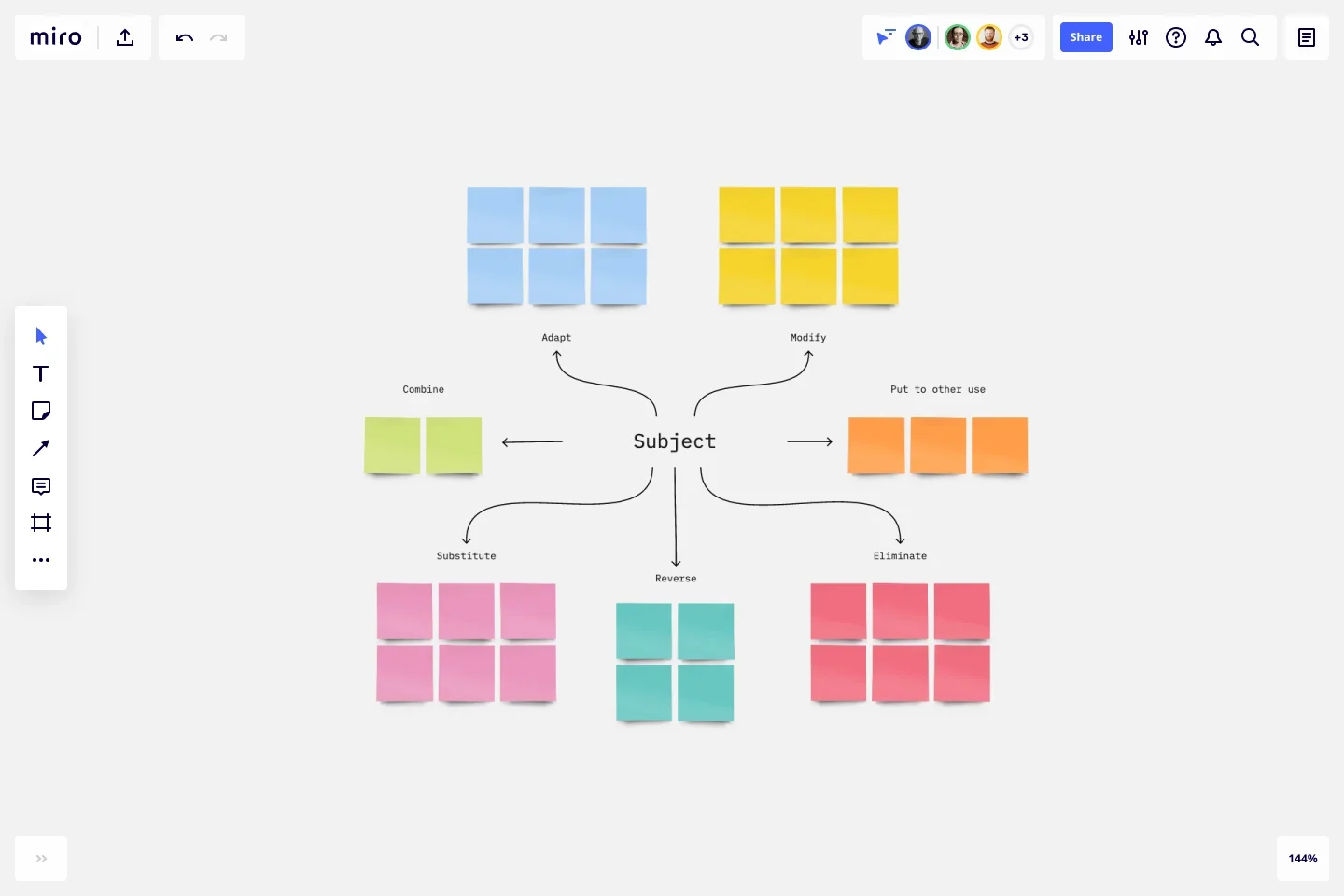
SCAMPER: A structured brainstorming technique using prompts: Substitute, Combine, Adapt, Modify, Put to other uses, Eliminate, Reverse. Apply each prompt to your challenge.
For prototyping and testing
Paper prototyping: Sketch interfaces on paper, then “test” them by having someone play the computer — switching papers as users tap buttons. This reveals usability issues before any code is written.
Think aloud protocol: Ask users to verbalize their thoughts while interacting with your prototype. Don’t guide them; just observe and take notes on their internal monologue.
Common Design Thinking mistakes and how to avoid them
Even experienced teams make these mistakes. Recognizing them helps you avoid common pitfalls.
Mistake 1: Skipping or rushing empathy
What it looks like: Teams spend a few hours on user research, then jump into solution mode. Or they skip research entirely, relying on assumptions about what users need.
The cost: Solutions based on assumptions consistently miss the mark. You end up solving problems users don’t have, or solving real problems in ways that don’t fit users’ lives.
How to avoid it:
- Build research time into project plans upfront, before stakeholders start asking for concepts
- Share compelling research findings with stakeholders — video clips of users struggling make the need for research obvious
- Start with quick guerrilla research if formal studies aren’t possible
- Treat empathy as continuous, not a one-time phase
Mistake 2: Falling in love with your first idea
What it looks like: Teams generate one “perfect” solution during ideation and spend all their energy defending it rather than exploring alternatives.
The cost: You miss better solutions. Your first idea is rarely your best idea; it’s usually the most obvious one. Great solutions often come from combining concepts or exploring approaches that initially seem impractical.
How to avoid it:
- Generate at least 10 ideas before discussing any of them
- Use structured techniques like Crazy 8s that force quantity over quality initially
- Prototype multiple concepts, even if one seems obviously superior
- Separate idea generation from idea evaluation
Mistake 3: Prototyping too late or too polished
What it looks like: Teams spend weeks refining concepts before showing anything to users. Or they build high-fidelity prototypes that users treat as finished products, making them reluctant to criticize.
The cost: Polished prototypes waste time on details that might not matter. Late prototyping means discovering major flaws after significant investment. Users give different feedback on rough prototypes (honest, critical) than polished ones (polite, surface-level).
How to avoid it:
- Create “looks like crap” prototypes intentionally — sketches, paper mockups, rough wireframes
- Prototype within days of starting ideation, not weeks
- Explain to users that rough prototypes mean you’re still exploring
- Test multiple low-fidelity concepts before committing to one polished version
Mistake 4: Treating design thinking as linear
What it looks like: Teams march through Empathize → Define → Ideate → Prototype → Test once, then consider the work done. When testing reveals problems, teams feel like they’ve failed.
The cost: You miss opportunities to learn and improve. First versions are rarely right. Treating the process as linear prevents the iteration that makes solutions great.
How to avoid it:
- Plan for multiple cycles through the process in your project timeline
- Frame testing discoveries as valuable learning, not failure
- After testing, explicitly decide: Do we refine the current concept, explore different approaches, or revisit our problem definition?
- Keep all research, definitions, and concepts visible throughout the project so it’s easy to revisit earlier stages
Design Thinking vs. Design Sprint: When to use each
Design thinking and design sprints are related but distinct. Understanding when to use each helps you choose the right approach.
Key differences
Timeframe: Design thinking is open-ended — projects might take weeks or months. Design sprints, as defined by Google Ventures, are strictly timeboxed to five days.
Scope: Design thinking tackles complex, ambiguous problems where you don’t yet understand the real challenge. Design sprints work best when you understand the problem and need to quickly test potential solutions.
Structure: Design thinking provides a flexible framework you adapt to your situation. Design sprints follow a rigid day-by-day schedule designed to force rapid progress.
When to use design thinking
Choose design thinking when you’re exploring a new problem space, constraints are unclear, you need organizational alignment, or you’re designing complex systems with many interconnected elements.
When to use design sprints
Choose design sprints when you understand the problem, need rapid validation, have a focused challenge, or need stakeholder buy-in through an intensive, structured format.
Combining both approaches
Many teams use design thinking to understand the problem space and identify key challenges, then run sprints to rapidly test solutions for specific aspects of the problem.
Measuring Design Thinking success: Metrics & ROI
Organizations increasingly need to justify design thinking investments. Here’s how to measure impact effectively.
What to measure
Product outcomes: User satisfaction scores, task completion rates, error rates, adoption rates, and retention metrics. Compare these before and after implementing design thinking solutions.
Process outcomes: Time to market, iteration cycles required, rework frequency, team alignment speed, and stakeholder approval time.
Business outcomes: Revenue impact, cost reduction through fewer support tickets or operational improvements, market differentiation, and strategic capability.
Innovation outcomes: Number of ideas generated, frequency of novel solutions, speed of failing fast, and learning velocity.
Calculating ROI
Compare costs (team time, research participant incentives, tools, consultants) against benefits (revenue increase, cost savings, time saved, strategic value).
Example: A product team spent $50,000 on design thinking for a new feature. The feature generated $180,000 in additional revenue, saved $30,000 in support costs, and required 40% less rework ($20,000 savings). Total benefit: $230,000. ROI: 360%.
Reality check: Not all benefits fit neatly into ROI calculations. Strategic insights, improved team culture, and enhanced customer relationships have value that’s hard to quantify but still matters.
Communicating value
Different stakeholders care about different outcomes. Show executives business impact and strategic advantage. Show product leaders speed to market and solution quality. Use user quotes and success stories to illustrate impact to all stakeholders.
Create better solutions with the Design Thinking process
Design thinking is fundamentally about creating solutions that work for real people in real contexts. The five stages, Empathize, Define, Ideate, Prototype, Test, provide a flexible framework that adapts to diverse challenges.
AI is transforming how teams practice design thinking, accelerating research synthesis, expanding creative possibilities, and speeding prototype creation. But AI enhances rather than replaces human insight. The most effective teams use AI to handle time-consuming work, freeing people to focus on empathy, creativity, and judgment.
Success with design thinking requires avoiding common mistakes: rushing past empathy, falling in love with first ideas, prototyping too late or too polished, and treating the process as linear rather than iterative.
Design Thinking frequently asked questions
How long does the design thinking process take?
There's no fixed timeline for design thinking — it depends on your problem's complexity and scope. A simple feature improvement might take 2-3 weeks from initial research to tested prototype. Complex challenges involving multiple user groups or organizational change can take several months. The key is planning for iteration rather than trying to get everything perfect in one pass. If you need a strict timeline, consider a 5-day design sprint for focused challenges where you already understand the core problem.
Can design thinking work for B2B products and services?
Absolutely. Design thinking works exceptionally well for B2B because business users have complex workflows, multiple stakeholders, and specific pain points that surveys often miss. The empathy stage helps you understand not just what features businesses need, but how people actually work, what constraints they face, and what would genuinely make their jobs easier. Many B2B companies find that observing users in their actual work environment reveals insights that would never emerge in a conference room discussion.
Do I need special training to start using design thinking?
You don't need certification to start practicing design thinking. The methodology is accessible — you can begin by running user interviews, mapping their experiences, brainstorming solutions as a team, and building simple prototypes to test. That said, having someone with facilitation experience helps workshops run smoothly, especially for ideation and synthesis sessions. Start small with a low-stakes project, use templates and frameworks from Miro or other sources, and learn by doing. The biggest skill is learning to set aside your assumptions and genuinely listen to users.
How is design thinking different from traditional market research?
Traditional market research typically asks people what they want through surveys, focus groups, and interviews. Design thinking includes observation of actual behavior, which often reveals different insights than what people say they want. It's also more iterative — you're not just gathering requirements and building to spec, you're continuously testing assumptions and refining solutions based on real feedback. Finally, design thinking integrates the entire team (designers, engineers, business stakeholders) throughout the process rather than handing off research findings for others to interpret and implement.
Resources for your design thinking practice
Miro offers comprehensive support for design thinking:
- Templates: Pre-built frameworks for every stage, from empathy mapping to wireframing
- AI features: Create with AI to generate initial concepts quickly, AI Sidekicks for facilitation support
- Collaboration tools: Infinite canvas, real-time and asynchronous editing, video conferencing integration
Take the next step
Ready to start using design thinking with your team?
Explore Miro’s design thinking templates → Browse templates
Try AI-enhanced design thinking → Learn about Create with AI
Start collaborating today → Sign up for free
Start with empathy. Stay focused on real user needs. Explore boldly. Test quickly. Iterate continuously. That’s how breakthrough solutions emerge.
Author: Miro Team
Last update: January 8, 2026