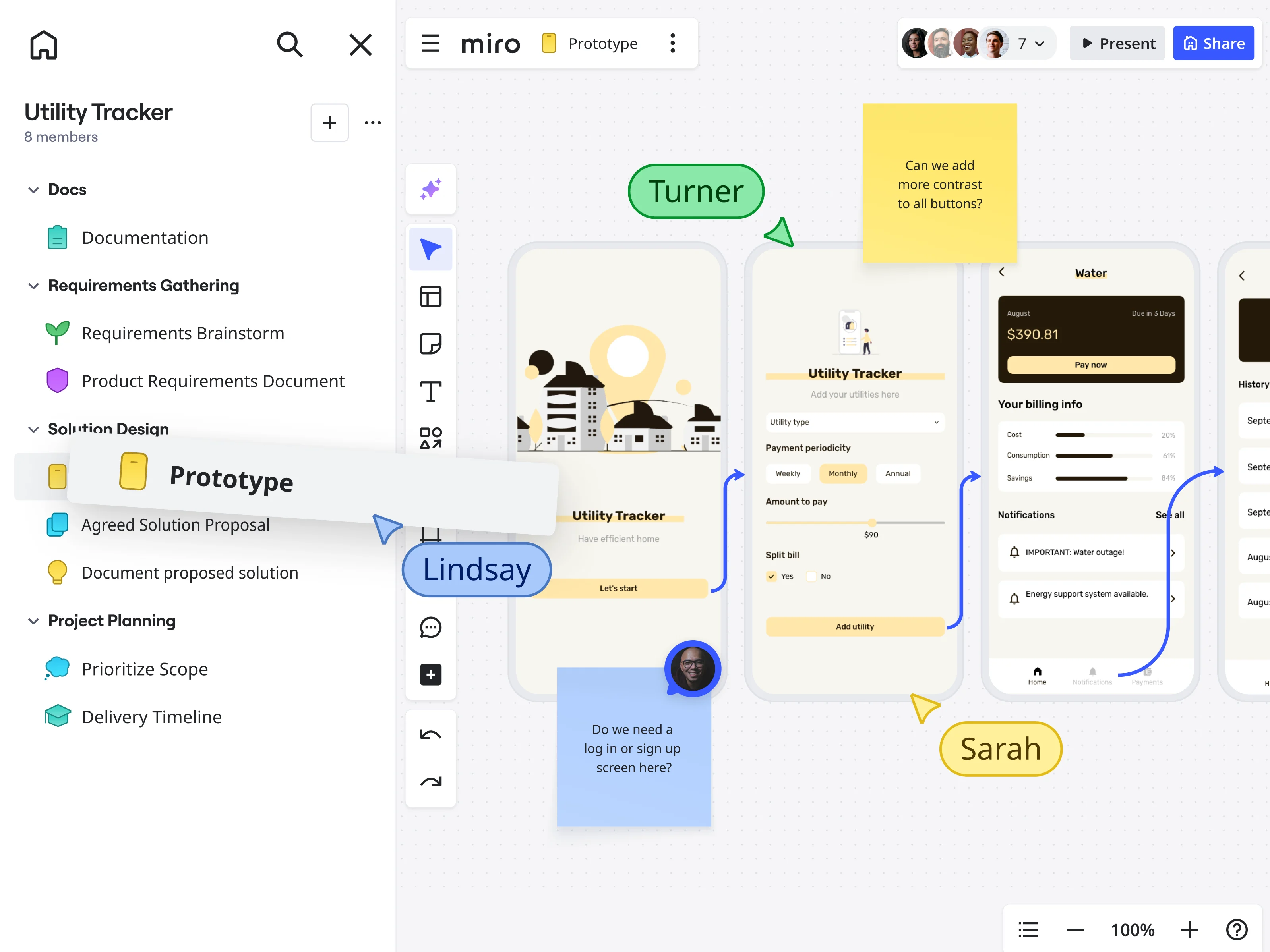
Table of contents
Table of contents
By signing up, you agree to Miro's Terms of Service and Privacy Policy.
What is rapid prototyping?
Summary
In this guide, you will learn:
- Rapid prototyping is a fast, iterative process for building testable product models, without committing significant time or engineering effort upfront.
- The core loop: build, test, gather feedback, and refine, repeated until you’re confident you’re building the right thing.
- UX rapid prototyping focuses on validating user flows, interactions, and overall experience early.
- UI rapid prototyping tests the look, feel, and usability of specific interface elements before they get built.
- AI-powered tools like Miro Flows and Miro Sidekicks now let teams generate prototypes, PRDs, and accessibility reviews in a single connected workflow, in minutes rather than days.
- Structured prompting (using the RISEN framework: Role, Input, Steps, Expectation, Narrowing) consistently produces better first-pass AI outputs.
- The canvas as a shared context layer keeps teams aligned throughout the entire process, from brainstorm to handoff.
Collaborative AI Workflows
Join thousands of teams using Miro to build the right thing, faster.
Want to develop your ideas more efficiently? An introduction to rapid prototyping
Most product ideas don’t fail in development. They fail much earlier, when a team spends weeks or months building something, only to discover it doesn’t work the way users actually need it to.
Rapid prototyping exists to catch those misalignments early, when they’re cheap to fix.
At its core, rapid prototyping is the practice of turning ideas into testable models as quickly as possible, then learning from them. Not to create the perfect product upfront, but to answer specific questions: Does this flow make sense? Will users understand this interaction? Is this the right layout? You build something, put it in front of real people, listen to what they tell you, and iterate.
That loop (build, test, learn, refine) is what makes rapid prototyping genuinely useful. It shortens the distance between an assumption and a validated answer. For engineers, product managers, and designers working under real constraints, that speed matters enormously.
This guide covers how rapid prototyping works, the difference between UX and UI prototyping, how to structure better AI prompts from the start, and how Miro’s innovation workspace supports the entire process, from messy first ideas through to confident design handoff.
Why rapid prototyping works: The core benefits
Adding prototyping to an already busy product cycle might feel like extra work. In practice, it removes work, specifically the expensive, demoralizing kind that comes from discovering problems late.
Here’s what rapid prototyping actually gives you:
Faster time to market. Finding a critical flow problem in an afternoon with a wireframe beats finding it three weeks into engineering. That kind of early catch compresses timelines significantly.
Lower development costs. Rework is expensive. Fixing a design decision after it’s been built costs far more than changing a linked frame in a prototype. Testing prototypes first means fewer expensive surprises.
Products users actually want. When you put early prototypes in front of real users, you learn what they need, not what you assumed they needed. This is the most direct path to product-market fit.
Team alignment without long meetings. A shared prototype is worth more than a ten-page spec. It gives designers, engineers, product managers, and stakeholders a common reference point, cutting down on misinterpretation and back-and-forth.
More room to explore. When iteration is fast and low-stakes, teams experiment more. That’s where the best ideas tend to emerge, not in the first version, but in the third or fourth.
Reduced launch risk. Testing your assumptions before building them into production is simply less risky. By the time you’re ready to launch, you’ve already stress-tested the core experience.
UX rapid prototyping vs. UI rapid prototyping: What’s the difference?
People use “prototyping” to mean a lot of different things. Two of the most common, and most easily confused, are UX rapid prototyping and UI rapid prototyping. They serve different purposes, and understanding the distinction helps you prototype more intentionally.
UX rapid prototyping vs. UI rapid prototyping
UX rapid prototyping | UI rapid prototyping | |
Primary focus | User flows, navigation logic, and information architecture | Visual design, interaction patterns, and interface details |
Core question | Does the experience make sense? | Does the interface work and feel right? |
Typical fidelity | Low to mid: wireframes, linked frames, basic clickable mockups | Mid to high: detailed layouts, real components, full interactivity |
When to use it | Early in the process, before visual design begins | Later, when validating execution and preparing for handoff |
Feedback you're after | Flow, structure, and usability | Visual hierarchy, interaction quality, and polish |
Who's typically involved | Product managers, UX designers, researchers | UI designers, engineers, stakeholders |
Output | Wireframes, user flow diagrams, low-fi clickable prototypes | High-fi mockups, interactive prototypes, design specs |
In practice, both happen in the same prototyping cycle, just at different stages. Start with UX prototyping to validate the structure, then move to UI prototyping to validate the execution. Trying to do both at once often slows you down and muddies the feedback you receive.
The rapid prototyping process: From initial concept to iterative refinement
Rapid prototyping isn’t a single action. It’s a repeating cycle. Here’s how it typically unfolds, and where the most common mistakes happen at each stage.
Step 1: Define what you’re trying to learn
Before you open any tool, get specific about what question this prototype needs to answer. Not “does this look good,” but “will users understand how to move between these two screens?” or “does this navigation pattern reduce friction at checkout?”
Every prototype should have a clear hypothesis. Without one, testing produces opinions rather than insights. The Minimum Viable Product (MVP) principle applies here: prototype only what you need to validate right now.
Step 2: Brainstorm and sketch
Get ideas out of people’s heads and onto a shared workspace. This brainstorming phase should be fast and messy: sticky notes, rough sketches, user flow diagrams. The goal is to explore multiple directions before committing to one.
A shared digital canvas works especially well here because it lets distributed teams contribute simultaneously. On a Miro board, your brainstorm outputs, competitor references, user research, and initial sketches all live in one place, accessible to everyone, ready to become inputs for the next stage.
Step 3: Construct your prototype (choosing the right fidelity)
Now it’s time to give your ideas more structure. The "fidelity" of your prototype refers to its level of detail and interactivity.
- Low-fidelity prototypes use basic shapes, rough layouts, and minimal visual detail. They’re fast to build and easy to change. Use them for early concept validation and flow testing. A low-fi wireframe in Miro takes minutes to create, and feedback tends to be more honest because users aren’t distracted by visual polish. Tip: Create these in Miro using our low-fidelity prototype template, accessing our wireframing library, or by linking shapes.

- Mid-fidelity prototypes add more structure: cleaner layouts, basic interactivity, defined components. These are useful for testing specific interactions or presenting a clearer picture to stakeholders.
- High-fidelity prototypes closely resemble the final product: detailed UI, real content, full interactivity. Use these for final usability testing, stakeholder sign-off, and developer handoff. Miro’s multi-screen prototyping lets you build mobile, tablet, or web application designs that are fully configurable: text, colors, buttons, and screen-to-screen connections can all be edited and previewed in an interactive prototype mode.
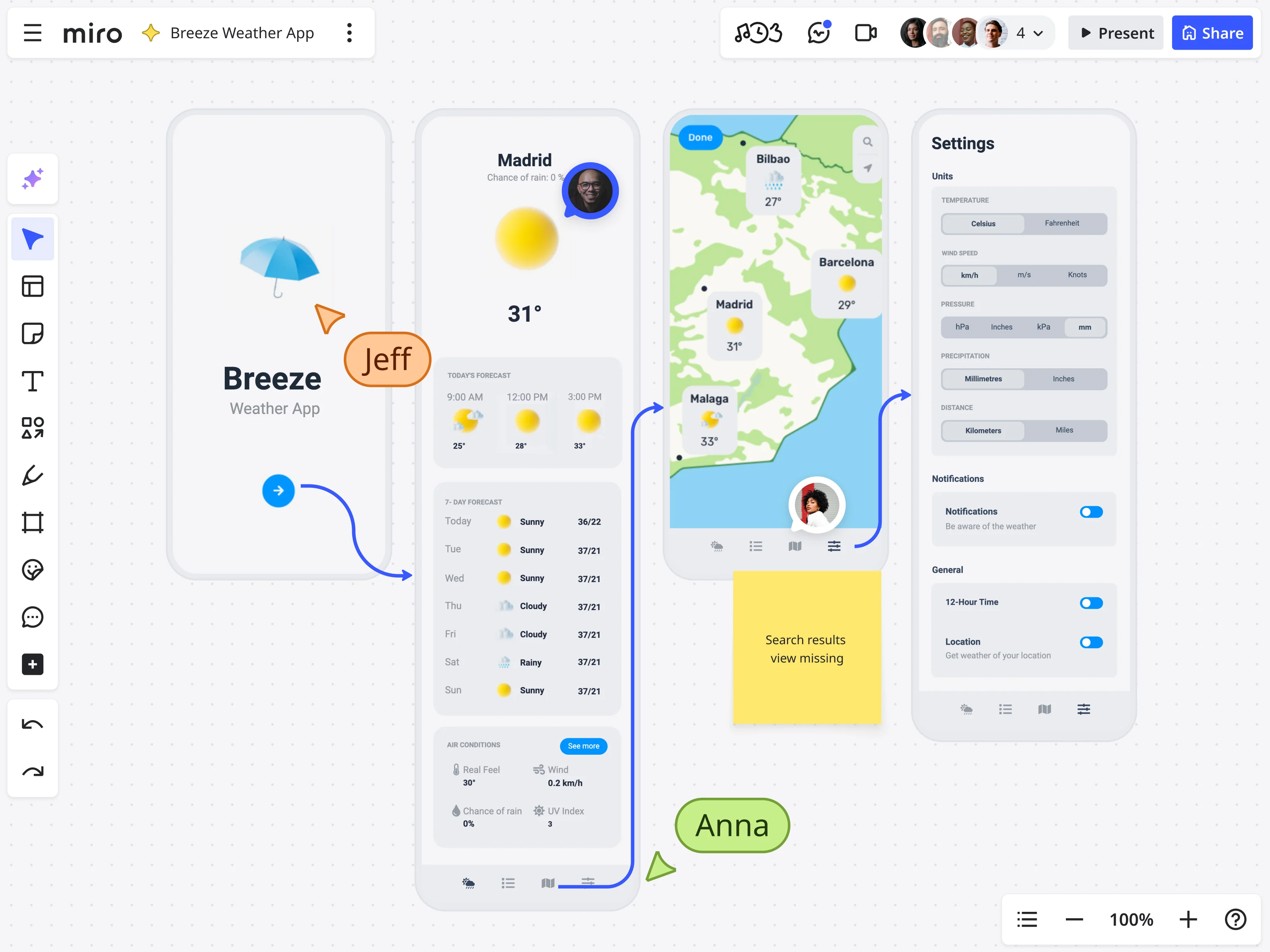
Tip: Begin with low-fidelity wireframes using our Miro's template library and UI components. Then, easily add interactivity by linking frames to simulate user navigation. Save time using Miro AI to generate editable wireframes and even simple prototypes from existing elements on your board, like sticky notes, uploaded sketches, or screenshots. This capability lets you to turn brainstormed ideas into a clickable concept very quickly, which is invaluable for early validation and rapid iteration.
Step 4: Test and gather feedback: Learning from users and stakeholders
This is a critical learning phase. Get your prototype in front of actual users, stakeholders, or your internal team. The key is to observe their interactions and listen carefully to their feedback. Resist the urge to explain or defend your design; focus on understanding their experience.
On Miro, feedback lives directly on the prototype: comments, sticky notes, and reactions in context. This keeps everything in one place and makes async feedback as useful as a live session.
Step 5: Iterate and refine: The core of "rapid"
Take the feedback, identify the patterns, make changes, and test again. That’s it. The value of rapid prototyping comes from repeating this cycle quickly, not from getting it perfect in the first pass.
Most teams stop iterating too early. The second and third rounds of testing almost always reveal something the first round missed.
How Miro Flows and Sidekicks accelerate rapid prototyping with AI
The most time-consuming part of prototyping used to be setup: gathering inputs from different documents and tools, building the first version manually, and realigning the team after each feedback round. AI changes that, but only when it’s built into the team’s shared workflow, not siloed in individual tools.
Miro Flows lets teams build multi-step AI workflows directly on the canvas, connecting your brainstorm outputs, design briefs, accessibility requirements, and technical constraints as inputs, then running them through a connected sequence that generates meaningful artifacts automatically.
Here’s what that looks like in practice. Watch Jesse Greenhouse from Miro walk through exactly how Flows and Sidekicks work together to compress a prototyping cycle that used to take days into under 90 seconds:
As Jesse shows, a single Flow can take your inputs (sticky notes from a brainstorm, a Google Doc with accessibility requirements, a PDF of technical constraints, company branding) and produce a PRD, two prototype variants, an accessibility comparison table, and a recommendation for which prototype to move forward with. In one run.
A few things about Miro Flows that make a practical difference:
You choose the AI model for each step. If you prefer GPT for text generation but want a different model for image generation, you can configure that within the same flow. You’re not locked into one provider for everything.
You can connect to your company knowledge bases. Flows integrates with sources like Amazon Q, Gemini Enterprise, and Microsoft Copilot — so the AI works with your actual organizational context, not generic assumptions. It can also search the web when it needs current information.
Editing mid-flow doesn’t restart everything. This is one of the most practically useful things about Flows. If you want to incorporate a new piece of feedback into the middle of a workflow, you can update that artifact and rerun from that point forward — rather than starting from scratch. When you’re iterating through multiple feedback rounds, that saves significant time.
Sidekicks keep a human in the loop. Miro Sidekicks are no-code AI agents that collaborate with you on the canvas from a specific persona — in this case, a design prototype Sidekick. You select the prototype and the PRD on your board, ask the Sidekick to generate additional feedback, and it reviews only the content you’ve given it access to. No copy-pasting. No context-switching. The feedback document it generates can then be fed back into the flow as an additional input, updating the downstream artifacts without rerunning the full sequence.
The result is a prototyping process where the whole team (designers, PMs, engineers) can work with AI together, on a shared canvas, rather than each person running separate prompts in separate tools and piecing the outputs together afterward.
How TCS Pace cut two follow-up sessions to zero
TCS Pace, Tata Consultancy Services’ innovation platform, used exactly this approach when helping a global imaging technology company scale AI adoption across the enterprise. The challenge was familiar: hundreds of disconnected ideas, competing priorities, and a CIO who needed credible results fast.
The Pace team ran their workshops on Miro, using Sidekicks to challenge assumptions and simulate real-world perspectives in real time. While the client’s leadership explored AI use cases for sales enablement, a Sidekick role-played the responses of a typical salesperson, stress-testing the ideas as they emerged. Low-fidelity prototypes were built and pressure-tested in the same session, with stakeholders in the room.
“We can immediately get the validation that ‘okay, this is what you’re looking for.’ There were at least two sessions we could get rid of. We can now immediately get the validation and make changes right there,” said Subin Pillai, Product Manager and Studio Lead at Pace.
The outcome: what previously required two or three follow-up sessions now completes in a single 90-minute engagement, including idea validation, stakeholder alignment, and working prototypes. Pace has set a target of reducing overall project timelines by 50% without sacrificing quality, and is already hitting that benchmark.
Read the full TCS Pace customer story.
Getting better first-pass results: the RISEN approach to prototype prompting
AI-generated prototypes are only as good as the prompts that produce them. Most teams underinvest in prompt structure, which means a lot of time spent regenerating outputs that were almost right.
A useful framework for structuring prototype prompts is the RISEN approach. It won’t turn a vague idea into a finished design, but it consistently produces more usable first drafts — which means fewer regeneration cycles and faster iteration.
Role — Tell the AI what perspective it should take. “Act as a senior UX designer working on a mobile-first B2B application” gives the AI a context that shapes its decisions about layout, interaction patterns, and information density.
Input — Be explicit about what you’re providing. Reference the specific materials on your board: the brainstorm sticky notes, the accessibility requirements document, the technical constraints. Miro Sidekicks can use the canvas directly as their prompt, but even when they can, naming the inputs makes the output more targeted.
Mathias Davidsen, PM for Miro Prototypes, puts it simply: “You can help Sidekick a lot more in the generation by explaining what we’re looking at.” Instead of selecting a screenshot and saying “make a prototype,” describe the context explicitly: “The selected tablet screen shows [X]. Replace [Y] with [Z]. Keep the existing theme and styling exactly as it is.” That level of specificity gives the AI what it needs to make the right decisions, rather than guessing.
Steps — Define the sequence you want the AI to follow. “First review the problem statement, then generate two layout variants for the main dashboard, then evaluate them against the accessibility criteria” produces more structured output than an open-ended request.
Expectation — Specify the format and scope of the output. A prototype? A PRD? A table comparing two options? How many screens? What level of fidelity? The more specific you are, the less the AI has to guess.
Narrowing — Add constraints. “Keep the design within our existing component library,” “prioritize mobile viewport,” “limit to three user actions per screen.” Narrowing is where the output gets genuinely useful for your specific context, rather than generic.
When you apply this structure to Miro Flows — where you’re setting up prompts that will run as part of a multi-step workflow — the payoff compounds. A well-structured prompt at step one produces better inputs for step two, which produces better inputs for step three. The whole output improves.
Best practices for effective rapid prototyping
A few principles that consistently separate productive prototyping cycles from ones that spin their wheels:
Start with the user problem, not the solution. Every prototype should be answering a question about what users need — not proving that your initial idea was right.
Match fidelity to the question. Low-fidelity for structural questions. Higher fidelity for interface decisions. Using high-fidelity tools for early conceptual exploration wastes time and steers feedback toward aesthetics when you need it on flow.
Don’t prototype alone. The best insights come from diverse perspectives. Involve engineers before handoff to surface technical constraints early. Bring in stakeholders when you have something testable, not just something finished.
Use realistic content when you can. “Lorem ipsum” placeholder text signals to users that this isn’t real, which changes how they engage with it. Even approximate realistic content leads to more useful feedback.
Test with actual target users. Internal feedback is useful for spotting obvious issues. But only your real users can tell you what the actual experience feels like from the outside.
Document what you learn. Each iteration surfaces insights that should inform the next. A Miro board is a natural place to capture these — visible to the whole team, connected to the prototype they came from.
Be willing to discard. A prototype is a learning tool, not an artifact to protect. If the feedback tells you to start over, that’s a success — it means you found the problem before it was built into production.
Common challenges in rapid prototyping — and how to navigate them
Getting too attached to a prototype. It’s natural to feel invested in something you built. But if feedback consistently points in a different direction, the faster you can adapt, the better. Treat prototypes as disposable scaffolding.
Scope creep. Each iteration should address the specific questions from the last round of testing. Adding new features or flows mid-cycle dilutes your learning and slows everything down.
Testing without clear objectives. “What do you think?” is not a test objective. Know what you’re trying to validate before you bring users in.
Feedback without signal. Not all feedback is equal. Some comments reflect genuine usability problems; others reflect personal preference. Learn to distinguish between the two — and weight the former heavily.
Working across too many disconnected tools. Context gets lost when brainstorm notes live in one place, designs in another, and feedback in a third. Keeping the process on a shared canvas — where inputs, prototypes, and feedback all exist in context — significantly reduces the coordination overhead that slows teams down.
Build better products, faster
Rapid prototyping isn’t about moving fast for its own sake. It’s about learning fast — and using those learnings to make better decisions before they get expensive.
The teams that do it well are the ones that treat iteration as the process, not as a sign that something went wrong. They build something testable, get it in front of real users, take the feedback seriously, and go again. With AI-powered tools like Miro Flows and Sidekicks now handling the setup and generation work, the cycle is faster than it’s ever been — and the whole team can participate in it together, rather than waiting on design to produce the next version.
Ready to try it? Start prototyping in Miro for free — and see how quickly a shared canvas can take your ideas from sticky notes to tested, iterable designs.
Sign up free and start prototyping →
Frequently asked questions
What is rapid prototyping in product development? Rapid prototyping is an iterative process for creating testable models of a product or feature early in development. The goal is to answer specific questions about user experience or design before committing engineering resources — by building a prototype, testing it with users, gathering feedback, and refining based on what you learn.
What’s the difference between UX rapid prototyping and UI rapid prototyping? UX rapid prototyping focuses on user flows, information architecture, and overall experience logic — typically using low-fidelity wireframes. UI rapid prototyping tests specific interface elements: visual hierarchy, interaction patterns, and layout decisions. In a typical product cycle, UX prototyping comes first to validate structure, followed by UI prototyping to validate the visual execution.
What are the stages of rapid prototyping? The core stages are: define your learning objective, brainstorm and sketch, build a prototype at the appropriate fidelity, test with real users, and iterate based on feedback. This cycle repeats until the design meets its objectives.
What is the RISEN framework for AI prototype prompting? RISEN is a structured approach to writing AI prompts that produce more useful first-pass outputs. It stands for Role (the perspective the AI should take), Input (the specific materials or context you’re providing), Steps (the sequence you want it to follow), Expectation (the format and scope of the output), and Narrowing (the constraints that make the output relevant to your specific context).
How does Miro support rapid prototyping? Miro’s innovation workspace lets teams brainstorm, wireframe, build interactive prototypes, gather feedback, and iterate — all on a shared canvas. Miro Flows enables teams to run multi-step AI workflows that generate prototypes, PRDs, and accessibility reviews from your existing inputs. Miro Sidekicks are AI agents that review content directly on your canvas and provide design feedback without requiring any copy-pasting or context switching. Miro Prototypes supports multi-screen mobile, tablet, and web designs with full interactive preview mode.
What’s the difference between lo-fi and hi-fi prototypes? Low-fidelity prototypes are simple, rough models — wireframes with basic shapes and minimal visual detail — used to test structure and flow early. High-fidelity prototypes closely resemble the finished product with detailed UI, real content, and full interactivity. They’re used for final usability testing and design handoff. Most teams move from lo-fi to hi-fi as their confidence in the design increases.
How does AI change the rapid prototyping process? AI tools can now generate prototype variants, PRDs, accessibility comparisons, and design recommendations from your existing inputs in a matter of minutes. When AI is embedded in a shared team workflow — as with Miro Flows — it accelerates the whole cycle while keeping the team aligned, rather than speeding up individual work in isolation.
Last updated: April 20, 2026