





Andrey
See collaborative AI in action — straight from the Canvas 26 keynote.
Jeff

Process mapping for operations managers

Map your SOPs, handoffs, and approval flows in one shared canvas. Your whole team edits live - no more stale files.

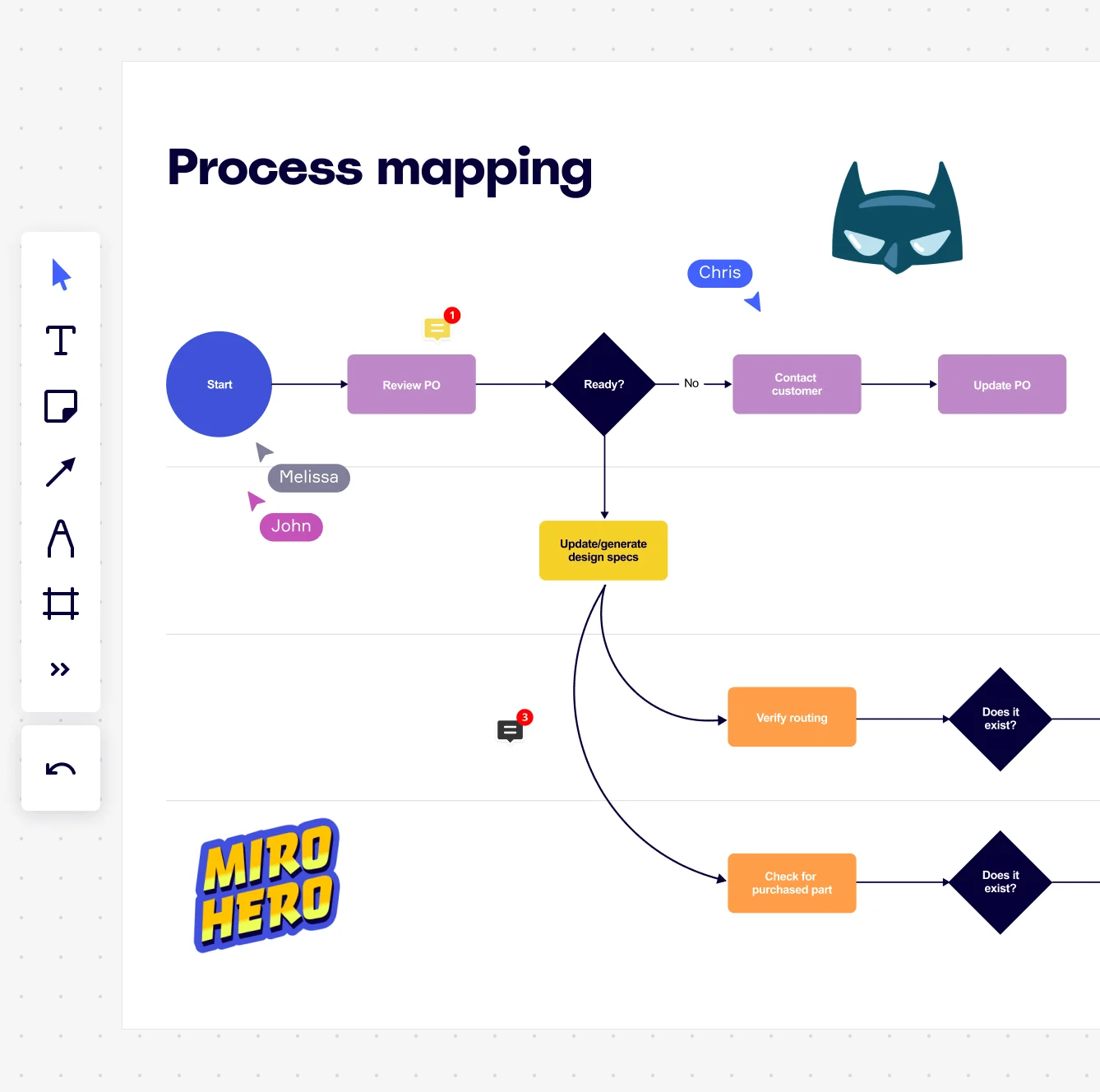
Miro board showing a process mapping flowchart with decision diamonds, process rectangles, and connecting arrows, depicting a purchase order workflow from Start through Review PO, a Ready? decision node branching to Contact Customer/Update PO or Update/generate design specs, then splitting to Verify routing and Check for purchased part steps with Does it exist? decision nodes. The board also shows collaborative features including multiple named cursors (Chris, Melissa, John), comment badges…

What experts say

  • From sales to finance to operations, we use Miro to visualize processes and better understand them from different points of view. The ease of use and features in Miro enable people from many backgrounds to participate and contribute

    AJ Bizub

    Technical Inside Sales Leader · Cytiva

    Miro Customer
  • Process mapping the end-to-end processes of an organisation gives employees visibility of where what they do fits into the overall picture.

    Triaster Content Team

    Process Management Experts · Triaster

    Practitioner

The research on process mapping

  • 70%

    A CPG company eliminated 70% of duplicated decisions and cut reported data points by more than 30% through process improvement

    Source: McKinsey & Company

  • 20-30%

    Tracking process metrics at system, team, and individual levels led to a 20-30% reduction in customer-reported product defects for engineering teams

    Source: McKinsey & Company

See process mapping in action

Related templates for operations managers

We have 88 templates in our library for Process Mapping. Here are seven that ops managers reach for most.

Why operations managers love mapping processes in Miro

  • From your Visio backlog to a live, editable source

    Most ops teams inherit a graveyard of Visio files and Word SOPs that nobody trusts anymore. Import your existing diagrams from Visio, Lucidchart, or Draw.io directly into Miro - shapes, connectors, and layout intact - then open them up for real-time collaborative editing the same day.
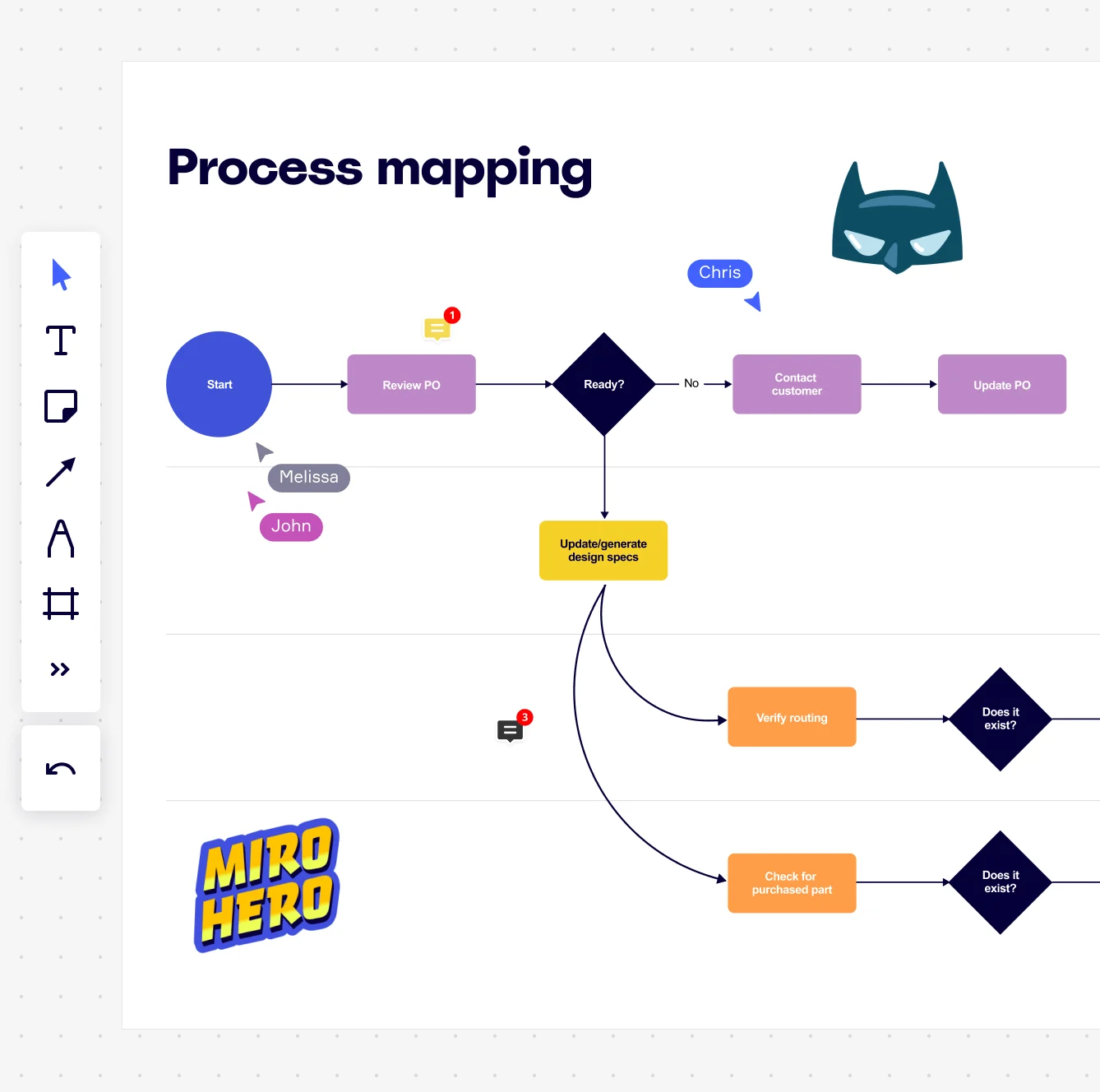
    Miro board displaying a process mapping flowchart with labeled nodes including Start, Review PO, a Ready decision diamond, Contact Customer, Update PO, Update/generate design specs, Verify routing, and Check for purchased part, with collaborative cursors (Chris, Melissa, John), comment badges, and decorative Batman and Miro Hero stickers.
  • Your cross-functional handoffs, finally visible

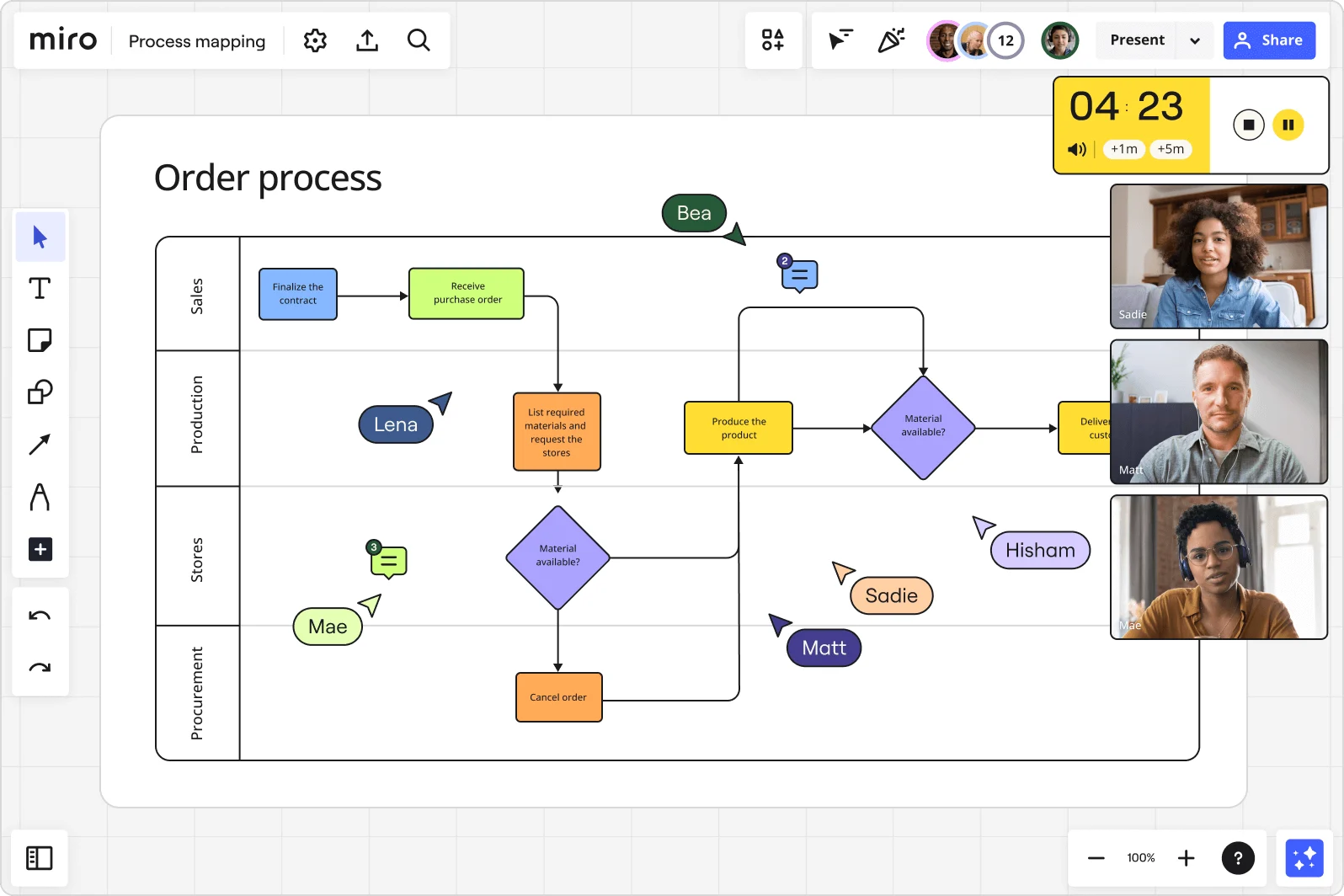
    When procurement, finance, and facilities each own a slice of the same process, the breaks happen in the gaps nobody documents. Swimlane layouts let you assign each step to the team that owns it, making every handoff explicit - whether you're a 10-person ops function or coordinating across 20 departments.

    Miro board displaying an 'Order process' swimlane flowchart with four lanes (Sales, Production, Stores, Procurement) showing decision diamonds, process boxes, and flow arrows, with multiple collaborators' cursors visible, live video call panels for three participants (Sadie, Matt, Mae), a countdown timer showing 4:23, and comment indicators on the board.
  • Cut the audit-prep scramble before it starts

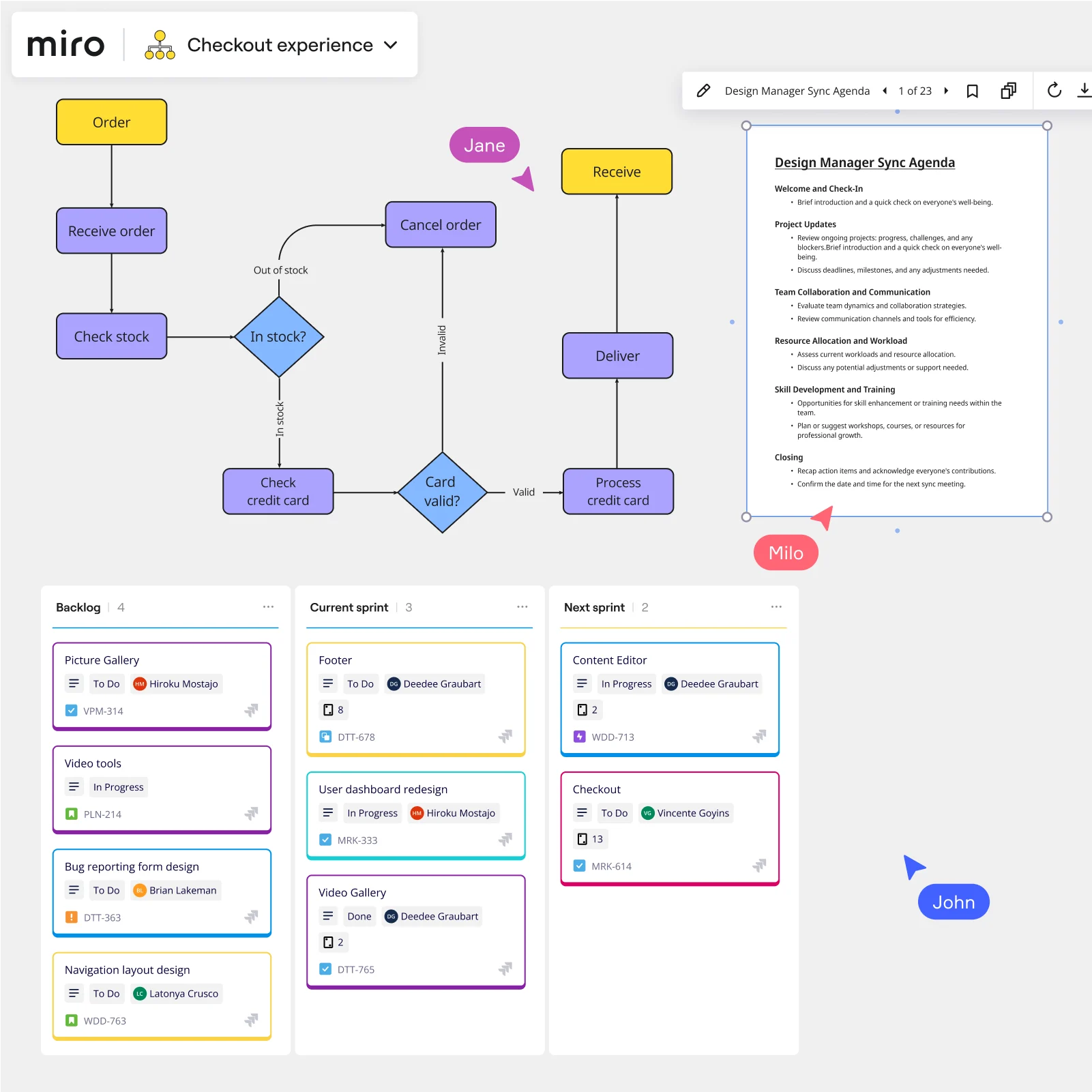
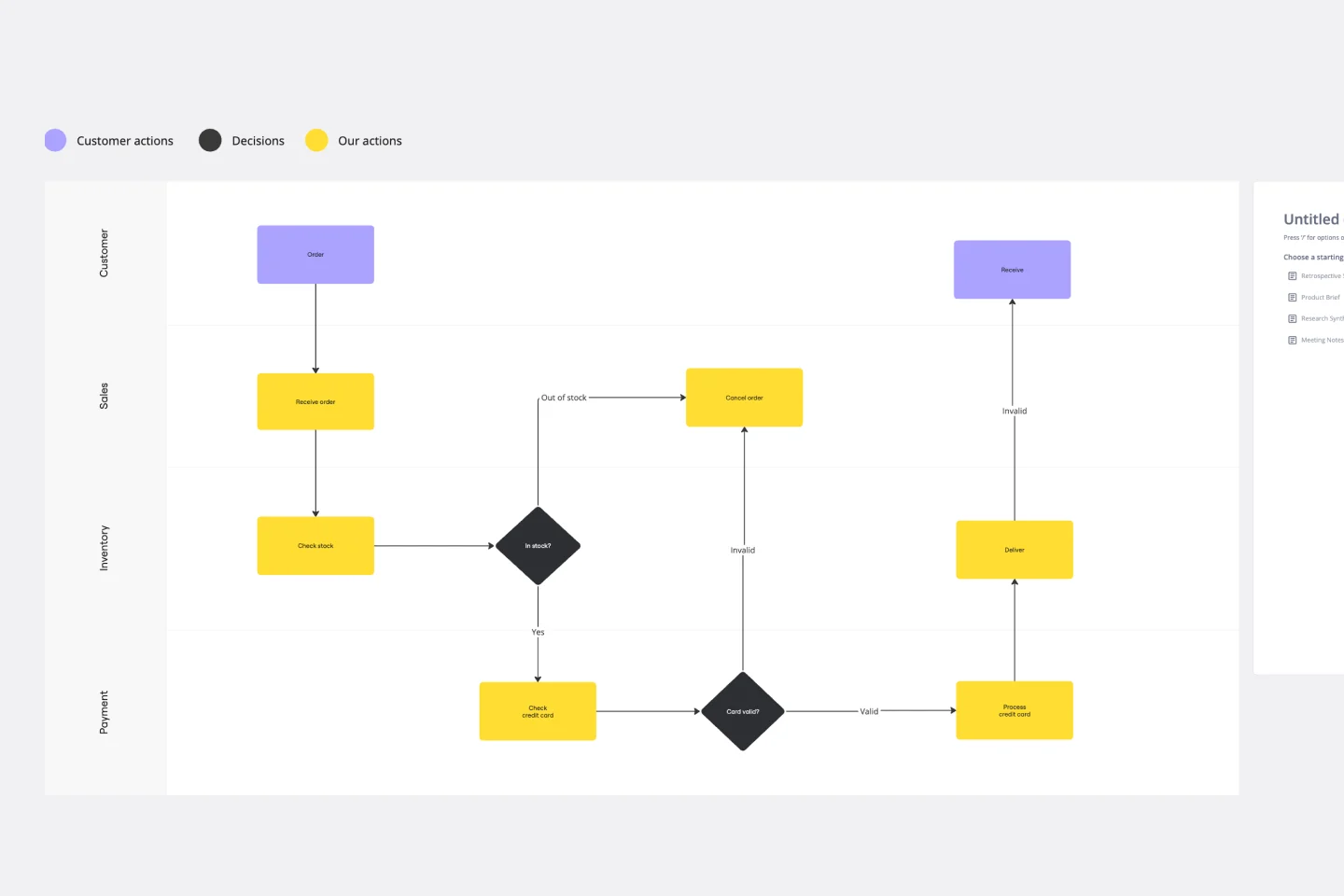
    ISO certification and compliance reviews arrive fast and punish anyone whose SOPs live in a SharePoint folder nobody remembers. Use Miro Docs to keep your SOP runbook alongside the process map itself, export to PDF or Markdown for auditor handoff, and apply Status Labels - Draft, In Review, Published - so reviewers always land on the validated version, not a work-in-progress.

    Miro board displaying a checkout order processing flowchart with decision diamonds (In stock?, Card valid?), a Design Manager Sync Agenda document panel, and a Kanban board with Backlog, Current sprint, and Next sprint columns containing color-coded task cards with assignees — with three collaborator cursors (Jane, Milo, John) visible on the board.
  • Get a first-draft BPMN map in under two minutes

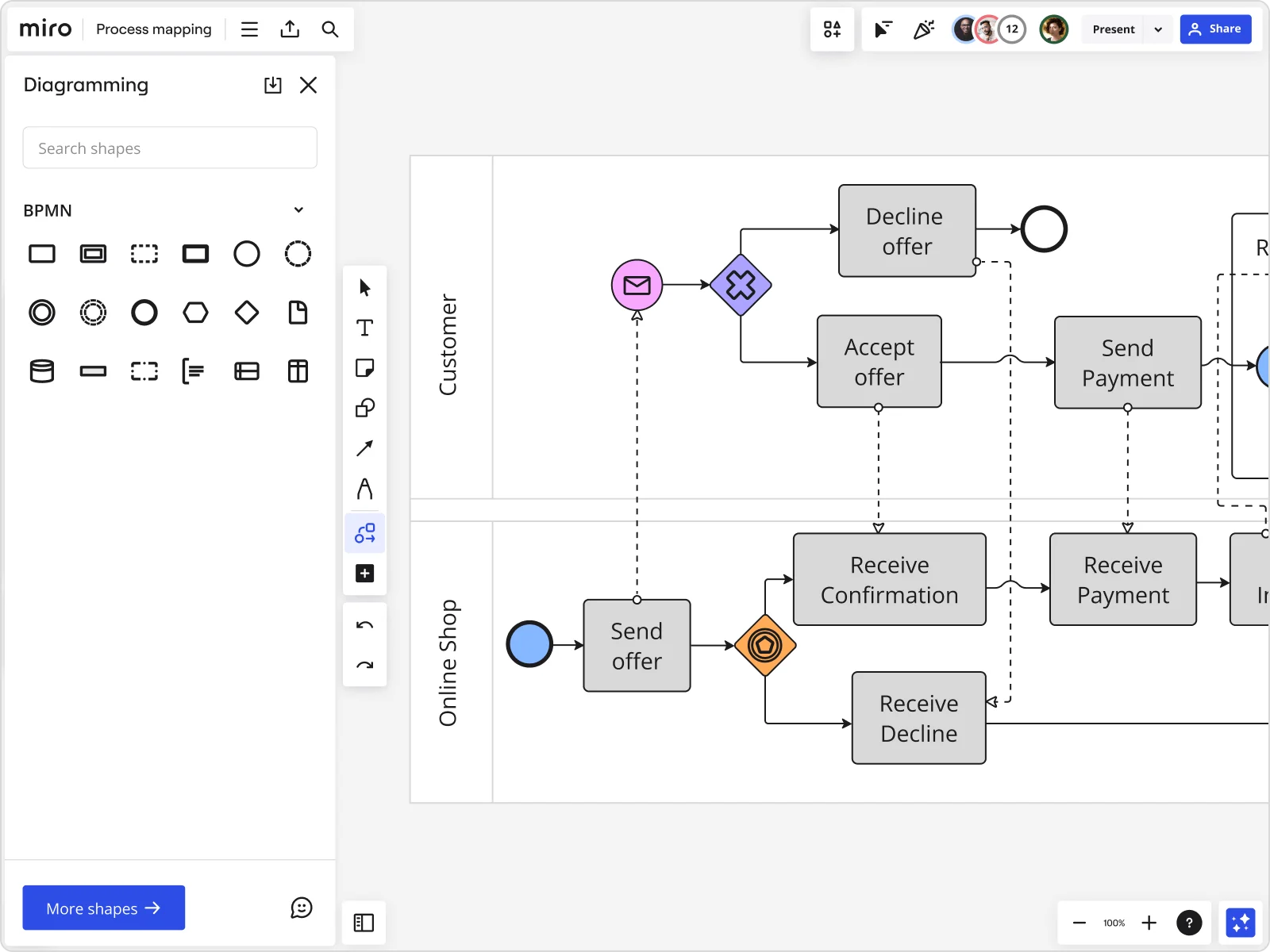
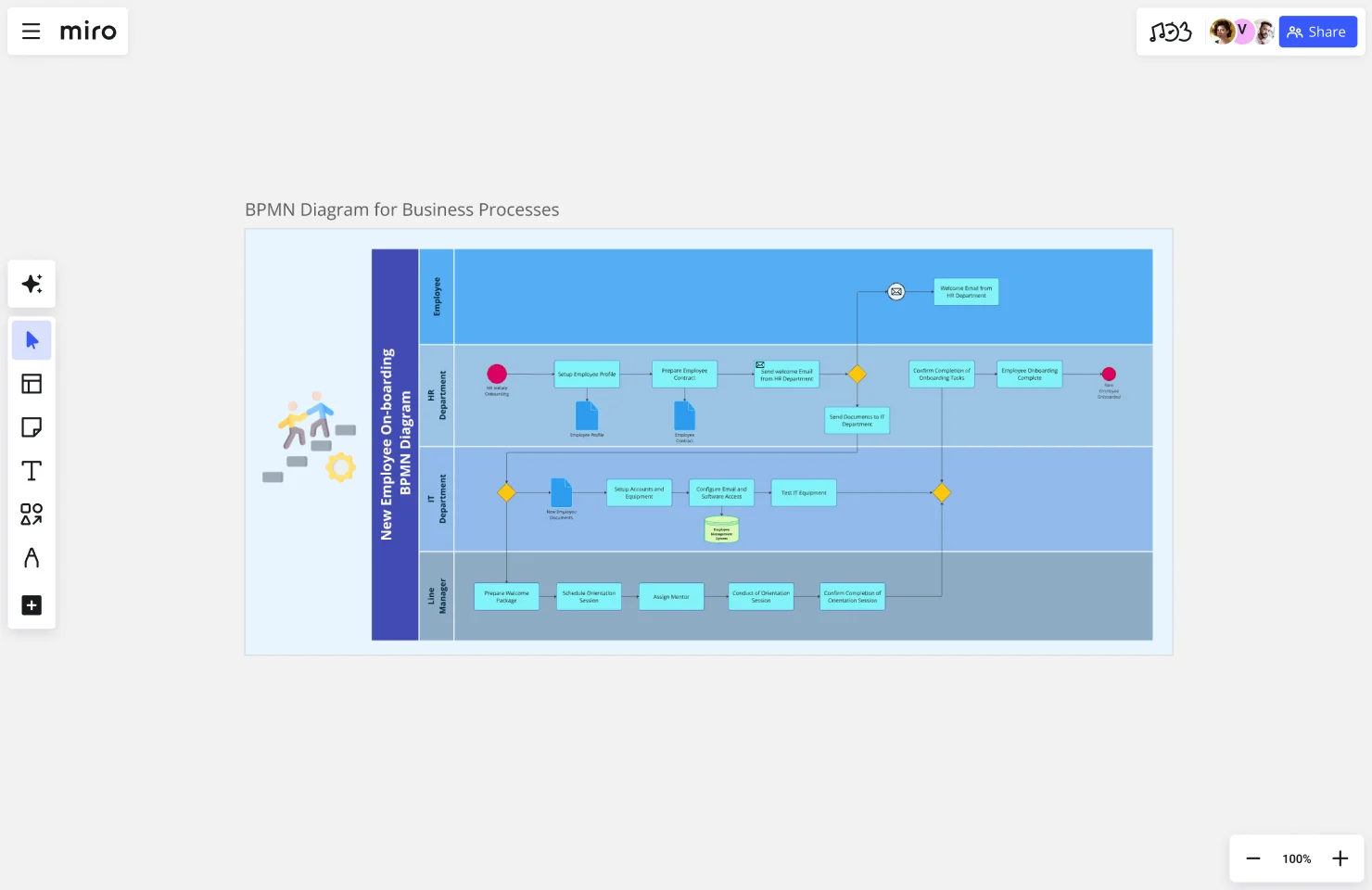
    Starting a new process map from scratch stalls every kickoff. Describe the process in plain language and Miro's AI turns it into a structured BPMN or swimlane diagram immediately - giving your team something concrete to challenge, not a blank canvas to stare at. Small teams skip hours of setup; larger ops groups use it to standardize notation across every department's documentation.

    Miro board displaying a BPMN process mapping diagram with two swimlanes (Customer and Online Shop), showing decision gateways, message events, and task boxes including 'Send offer', 'Accept offer', 'Decline offer', 'Send Payment', 'Receive Confirmation', 'Receive Payment', and 'Receive Decline', alongside the BPMN diagramming shapes panel on the left.
  • Turn bottleneck workshops into decisions, not debates

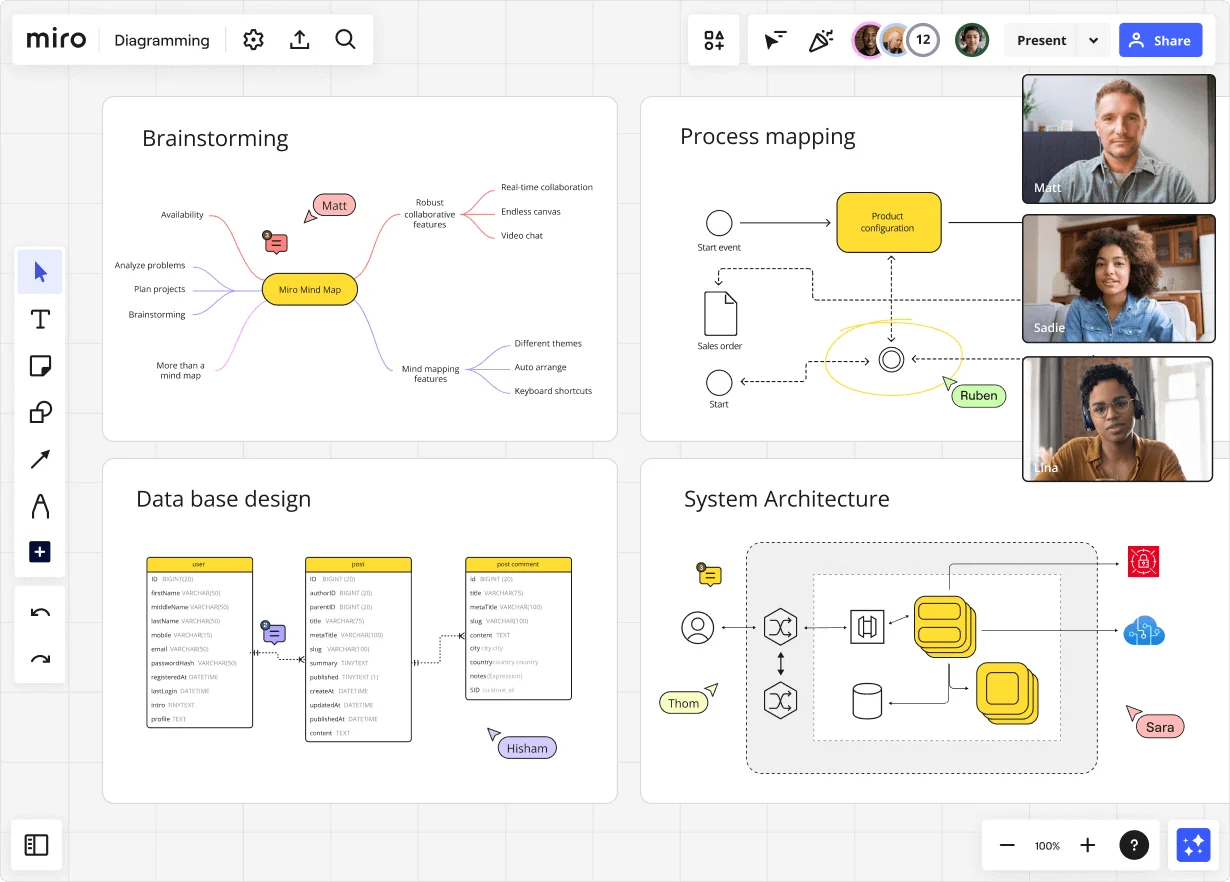
    Front-line staff and remote SMEs join your process review by scanning a QR code - no Miro account needed. Use Miro Engage's Ranking and Scales activities to score pain-point severity at each process step, so you walk out with a prioritized improvement list backed by real consensus, not the loudest voice in the room.

    Miro board displaying a BPMN process mapping diagram with two swimlanes (Customer and Online Shop), showing decision gateways, message events, and task boxes for an order/offer workflow including 'Send offer', 'Accept offer', 'Decline offer', 'Send Payment', 'Receive Confirmation', and 'Receive Decline' steps, with the BPMN shapes panel open on the left.

How operations managers get started with Process Mapping in Miro

  • Draft your first process map in seconds

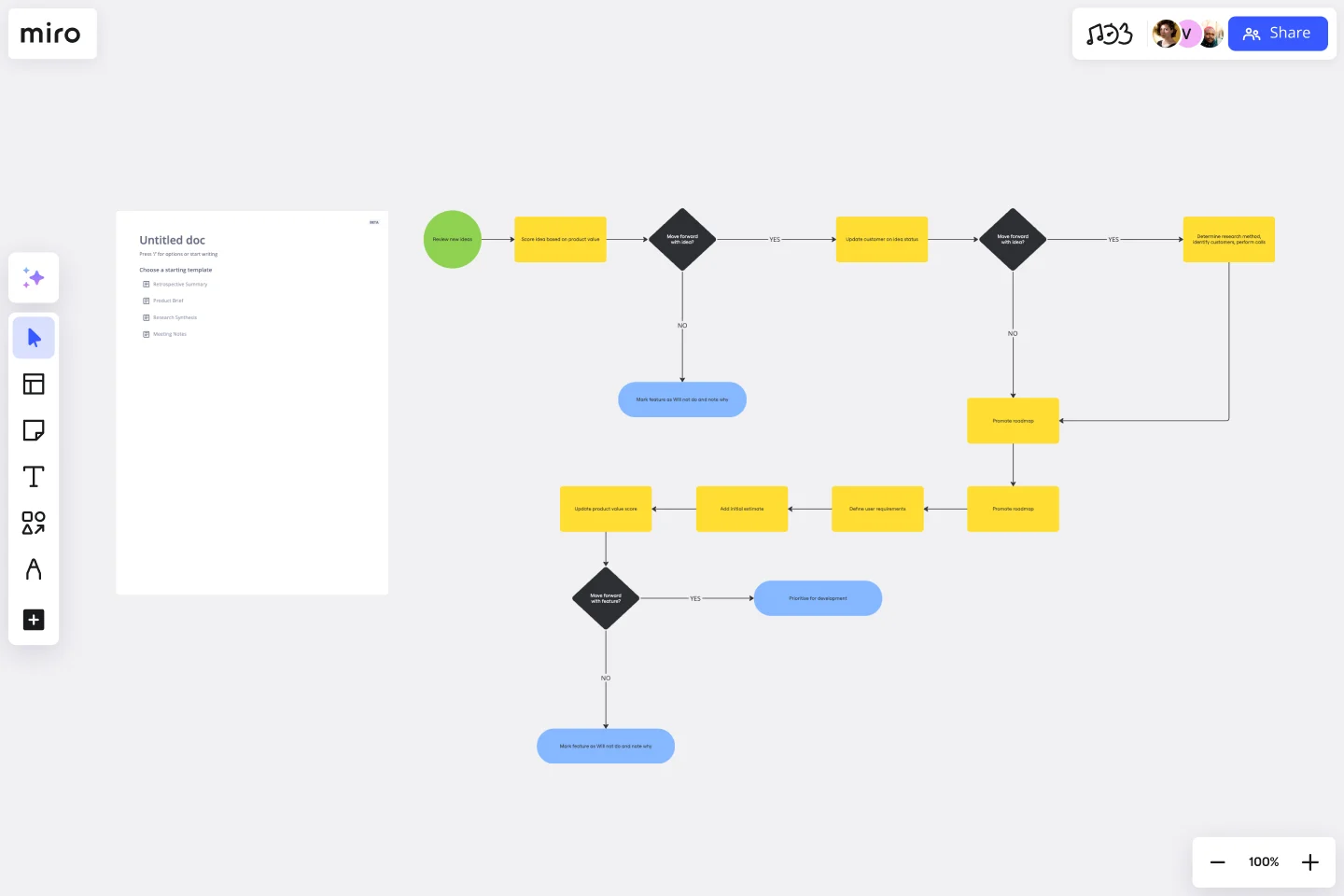
    Type a plain-language description of your workflow (think "purchase order approval from request to payment") into AI Generate Diagram and Miro builds a structured first draft you can react to immediately, no blank canvas required.

  • Assign ownership with swimlanes

    Open Diagramming Mode, pull in the Swimlane Shape Pack, and drag each process step into the lane that owns it so handoffs between procurement, finance, and operations are visible the moment anyone opens the board.

  • Surface bottlenecks before the validation meeting

    Use Sticky Notes to flag delays, workarounds, and exception paths directly on the offending steps, then run a Presentation Mode walkthrough with process owners to confirm accuracy and prioritize fixes before anyone leaves the room.

  • Turn your map into a living SOP

    Create a Miro Doc alongside the diagram, drag in a Synced Copy of the finalized map, and export to Markdown or PDF so the runbook stays connected to the source-of-truth process map instead of drifting in a separate Word file.

Process mapping tips for operations managers

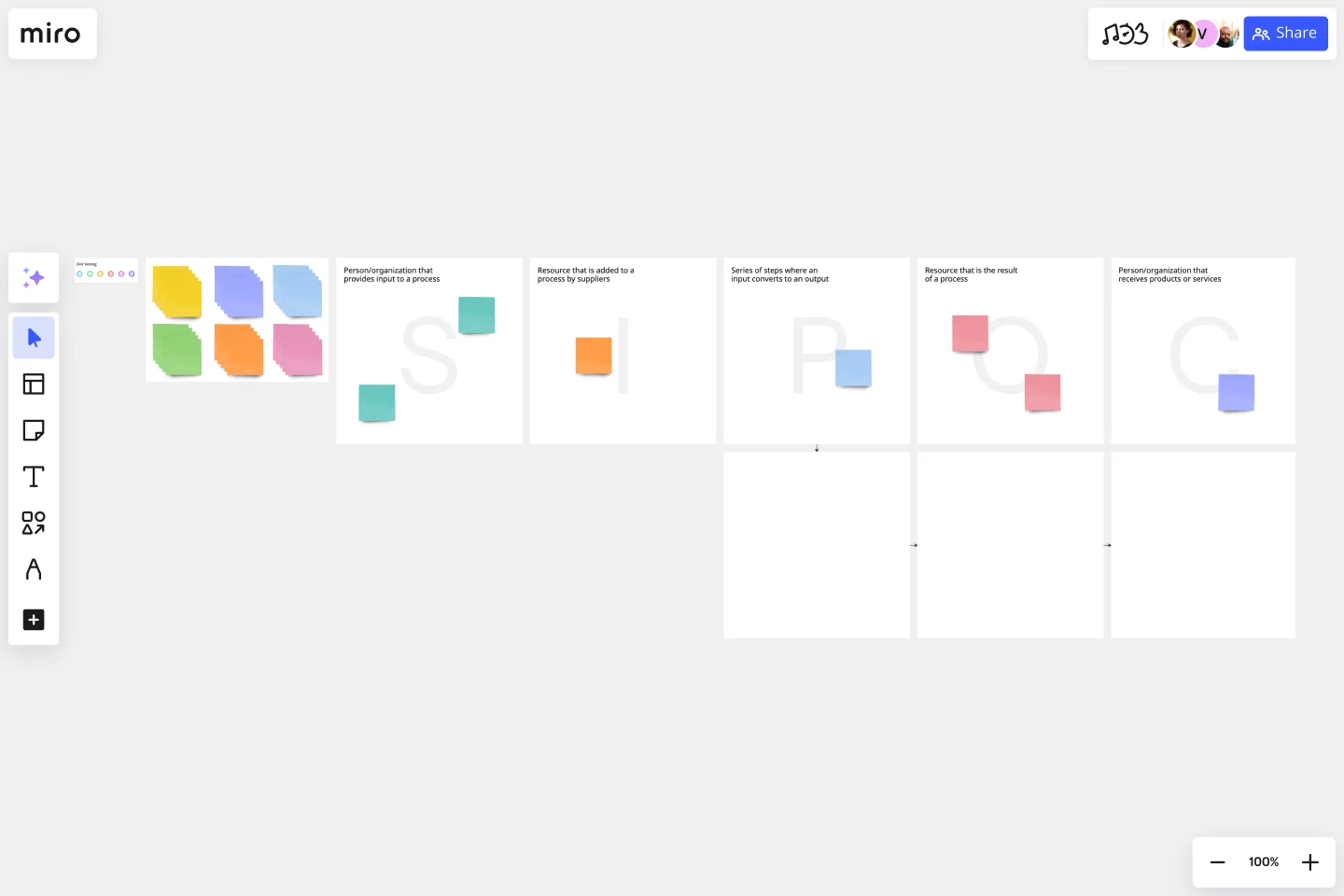
  • Start with a SIPOC Template before you open Diagramming Mode - defining suppliers, inputs, and outputs first keeps process improvement leads from scope-creeping into a 50-step monster on day one.

  • Use Status Labels (Draft / In Review / Published) on the diagram surface so every ops reviewer knows whether they're looking at a validated process or a work-in-progress, cutting the "wait, is this the current version?" back-and-forth.

  • When your process spans multiple departments, keep one master board and push Synced Copies to each sub-process board - edits to the master propagate in roughly 10 seconds, so you're never maintaining five versions of the same approval workflow.

Understand how operations managers transform their work

  • Miro has quickly become an essential tool in my daily workflow over the past three months. I'm amazed by its versatility – I've effortlessly used it for mind mapping, process mapping, and brainstorming sessions, and it's been fantastic for each. What's really surprising is how intuitive and simple it is to use; I jumped right in without any setup or excesive implementation effort.

    Verified User

    G2
  • There are so many ways to engage with the platform - from mindmapping and prototyping, to process working, to collaboration.

    Verified User

    G2

Process Mapping essential guide for operations managers

CategoryKey insights
  • Common mistakes to avoid

    The biggest trap ops managers fall into is mapping the process as it looks in the policy doc, not as it actually runs on the floor. Your workarounds, informal handoffs, and tribal knowledge are where the real inefficiencies live, so get the people who do the work in the room before you draw a single shape. Whether you're a lean team of five or a sprawling multi-site org, also agree on your start and end points upfront. Scope creep is real, and a map that keeps growing is a map no one will trust or use.

  • Key integrations for operations managers

    Connect Miro to Jira or Asana so every improvement you spot in a process map links directly to the ticket where the fix gets built. If your org already runs on Confluence or Smartsheet, those integrations mean your maps live alongside the documentation and data ops leaders already rely on. Already have existing diagrams? Miro imports from Lucidchart, Visio, and Draw.io, so you're not starting from zero.

  • When to use it

    Reach for Process Mapping in Miro when something in your operation is slower or messier than it should be and you need to see why. It's especially valuable before compliance audits, during continuous improvement cycles, or when a cross-functional process has grown so tangled that nobody agrees who owns which handoff. For example, an ops team mapping a patient intake workflow across five departments can use a BPMN template and swimlane layouts to surface exactly where approvals stall, then design a faster future-state process and link every change directly to Jira for tracking.

  • Security & compliance

    Miro is SOC 2 Type II certified and HIPAA compliant, which covers the baseline requirements most ops leaders will be asked about during vendor reviews. For larger organizations operating across regions, data residency controls and granular sharing permissions give IT and legal the guardrails they need before signing off. If your process maps touch sensitive workflows, Private Mode lets your team capture honest input without exposing confidential steps to the broader org.

Frequently asked questions for operations managers

Last updated: Thursday, June 25, 2026