Table of contents
Table of contents
By signing up, you agree to Miro's Terms of Service and Privacy Policy.
How to use customer feedback analysis to make the most of your data
Summary
In this guide, you’ll learn:
- What customer feedback analysis is and how to use it to your competitive advantage
- Why customer feedback analysis matters and how it transforms noise into structured insights
- How to collect meaningful customer feedback through surveys, interviews and NPS
- Techniques and steps to analyze feedback effectively and how to run collaborative frameworks in Miro
- How AI and feedback analysis tools streamline the process and how they help teams understand large datasets and find hidden insights
- How to run customer feedback analysis in Miro and turn insights into clear next steps on a shared canvas
Collaborative AI Workflows
Join thousands of teams using Miro to build the right thing, faster.
Your product and services don’t improve by accident. They improve when teams take the time to use customer feedback to really drive change. Customer feedback is one of the most valuable inputs since it shares exactly what’s working, where there are pain points, and if there are hidden opportunities waiting to be unlocked.
Customer feedback analysis tools are the perfect way of turning all of this noise into clarity and structure. They enable you to identify patterns and create a shared understanding across teams to move from insight to action.
What is customer feedback analysis?
Customer feedback analysis is the process of collecting and reviewing feedback that your customers provide about a product, service or experience. You can receive customer feedback in a range of ways, whether it’s from surveys, online reviews, social media comments, support tickets, and more.
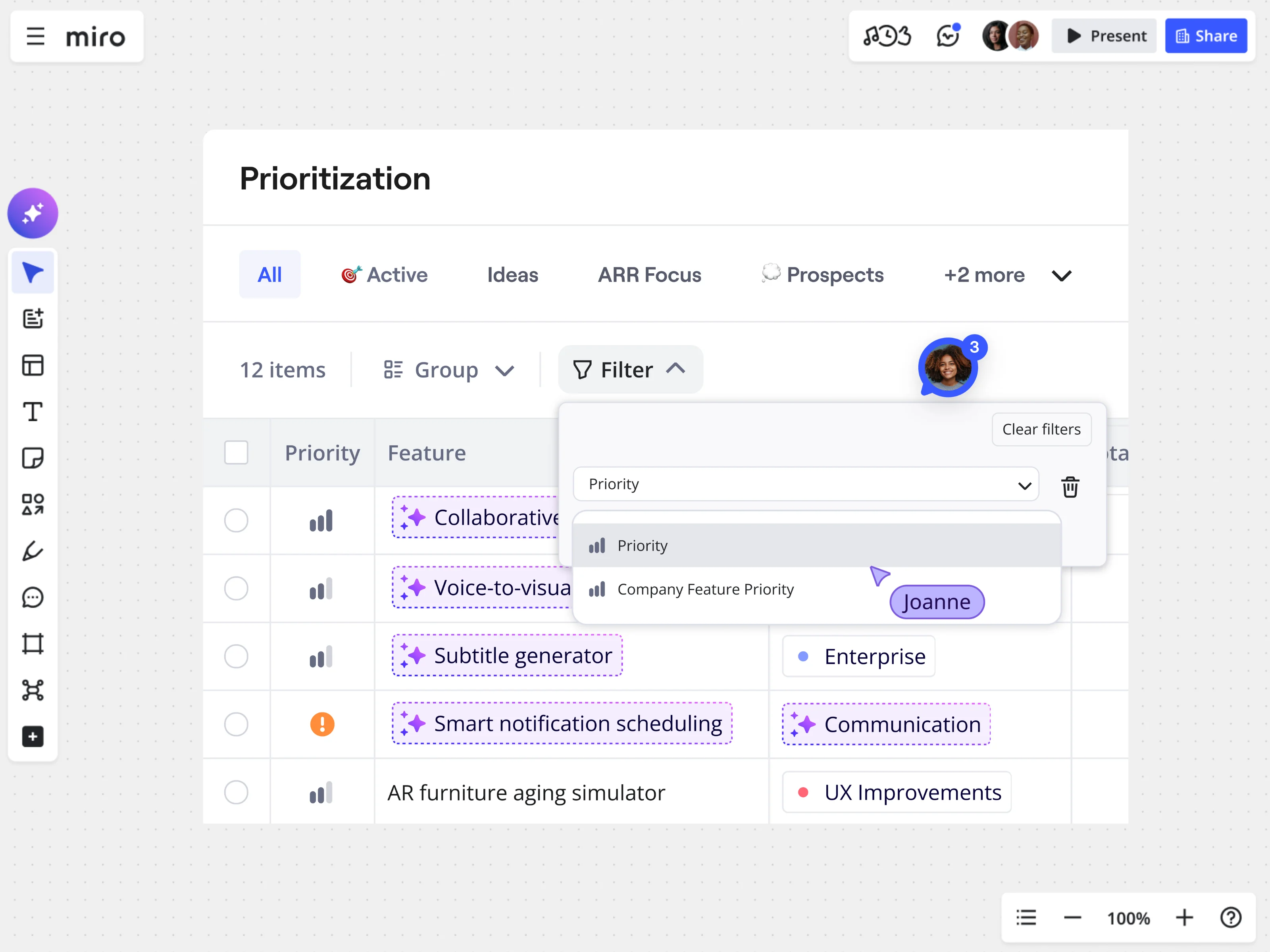
The goal of collecting customer feedback is to then identify common themes, understand the sentiment behind the feedback, and determine priorities for actions. Teams can then make informed decisions to improve their product, service or experience. Watch how Miro Insights helps teams bring feedback, research and product ideas together - using AI to extract insights, prioritize features, and connect them directly into product planning.
This video explains the key concepts in a simple, practical way, breaking down the topic into clear steps and real-world insights.
Why customer feedback analysis matters
Your customers are the driving force behind anything you do, so understanding their feedback is essential in order to keep building a brand that they want to be loyal to.
Collecting and analyzing feedback at key points across the customer journey allows teams to see the full picture of their experience. For example, conducting surveys during onboarding can highlight early pain points whilst post-purchase reviews showcase overall satisfaction. This ongoing approach helps build a cycle of continuous improvement, rather than one-off decisions. We share some of the key benefits to collecting customer feedback:
Prioritize what matters most to your customers: there’s nothing more important than finding out what pain points your customers are facing with your products or service. By identifying patterns or challenges early on, you can ensure key improvements are addressed first.
Improve customer experience and loyalty: When customers see that their feedback is taken on board, it shows that your business cares about them. In turn, satisfaction grows and retention improves, which creates lasting, loyal relationships.
Drive smarter product decisions: Customer insights show what’s working and what’s missing from your products or services. Teams can use these patterns to guide roadmap choices and improve in ways that actually matter to your customers.
Detect issues faster: Continuously analyzing feedback allows teams to spot emerging problems quickly. Early detection helps reduce churn and resolve frustrations quickly.
Make data-driven decisions: Rather than relying on assumptions, teams can discover meaningful trends amongst customer feedback and use it to validate decisions.
How to collect customer feedback
There are many ways of collecting customer feedback but it’s essential to remember that you need to capture feedback in a way that makes analysis possible. This means, gaining feedback in the form of ratings or scores alongside open-ended responses that give you more of an explanation.
Common ways of collecting customer feedback include:
- In-app and email surveys: ask customers directly how they’re feeling or ask them to rate your product/services.
- Online reviews: this is a great place to see whether people are recommending your product or service with an explanation as to why they feel this way.
- Social media conversations: a powerful tool for understanding real-time reactions.
- Support tickets and live chats: these help spot recurring issues and everyday pain points.
- Customer interviews and usability tests: to dig deeper into motivations and frustrations.
To make this feedback actionable, use tools like Miro to centralize it in a single system or shared workspace. Creating one source of truth ensures teams can see patterns across channels.
Tip: Collect both quantitative data (scores and ratings) and qualitative input (comments and conversations). Together, they provide the context and evidence needed for useful analysis.
Customer feedback analysis techniques
There are several practical techniques you can use to make sense of what customers are telling you and turn it into action:
- Tagging/taxonomy: Give feedback clear labels so you can organize it by topic, feature, or type of issue. This technique is best for organizing large amounts of feedback.
- Sentiment check: Identify whether general feedback is positive, negative, or neutral. Helps you quickly gauge the overall customer mood.
- Theme clustering (affinity mapping): group related comments together to quickly spot patterns. Useful for open-ended responses like surveys or interviews.
- Frequency vs. impact: Identify how often one issue comes up and determine how serious it is. This helps you prioritise your actions.
- Segment your customers: Break feedback down by persona, plan, region, or stage in the customer journey. This will help spot specific improvement opportunities.
- Trend analysis over time: Watch how feedback changes over time to stay alert for new issues or identifying emerging risks.
- Dig into root causes: Find out why problems keep happening, in order to fix the real problem.
How to analyse customer feedback
You’ve collected your data. Now what do you do with all the information? Real value comes from analyzing customer feedback in a structured way. Here are the best steps for analyzing and using customer feedback.
1) Consolidate the data
First, you’re going to collate your feedback from all channels, including surveys, reviews, support tickets, social media, interviews, and in-app prompts, into a single place. This will help you spot patterns and prevent insights from getting lost across different teams or platforms.
Using customer analysis tools, like Miro, means you have a central workspace to pull all feedback together. Take advantage of functions like sticky notes, tables, or embedded documents to represent different pieces of feedback, creating a visual workspace that everyone on your team can access and contribute to.
2) Categorise and tag
Now you can begin organizing your feedback so that insights are easier to analyze and act on. Creating a categorization system means teams can easily find relevant feedback, identify trends, and prioritize actions. Here are some ways to tag your feedback:
- Choose primary categories: Group feedback by product type, customer journey stage, or issue type.
- Allow multiple tags: Further tagging ensures nothing gets lost.
- Include sentiment: Mark feedback as positive, neutral, or negative to quickly see overall customer satisfaction.
- Flag high-priority items: Highlight urgent or high-impact feedback that needs immediate attention.
- Allow multiple classifications: Some feedback may fit into more than one category, so make sure your tagging system captures that.
3) Add sentiment and priority signals
We touched on labeling sentiment in the previous step, but let’s expand on why it matters and how to approach it. These indicators interpret customer emotions and urgency that can help your team deliver tailored responses, quickly.
- Sentiment: Tag feedback as positive, neutral, or negative so that your team can spot patterns across customer satisfaction and customer frustrations.
- Priority or urgency: Flag high-risk feedback, blockers, or early-churn signals so that critical issues can be addressed first.
Using these two signals creates a focused strategy. Combining sentiment with urgency helps turn your long list of feedback into priorities, giving your team a clear view of which feedback needs immediate attention.
4) Identify patterns and trends
Look for recurring themes amongst the feedback and track how these patterns shift over time. By categorizing and tagging, as mentioned earlier, you’ll be able to easily discover key themes and trends within customer feedback, helping your teams find immediate pain points as well as emerging opportunities.
5) Turn insights into actions
The next step is transforming the patterns and trends you’ve identified into concrete initiatives: fixes, improvements, or tests. Assign owners to action points and establish success metrics so progress is trackable.
Visual collaboration tools like Miro let you assign tasks to specific team members on a shared board, linking them to outcomes, and tracking progress in real time. This keeps the team aligned and makes the process visible across the organization.
6) Close the loop
Finally, share outcomes both internally and with customers. Internally, this helps keep teams aligned, ensuring everyone is aware of what changes were made. Externally, you’re letting your customers know that their feedback has been taken on board. Making improvements based on their experience helps build trust and loyalty, showing that their voice is valued.
Customer feedback analysis with AI
There’s a balance to using AI. It can help process customer feedback with scale, speed, and consistency through auto-tagging and sentiment detection. It can even flag anomalies and highlight potential churn-risk flags. But AI isn’t a replacement for human engagement. Platforms like Miro help keep it balanced, giving your teams space to quality check, prioritise actions, and implement product strategy. Combining the two means organizations can quickly turn large volumes of feedback into actionable tasks without losing control.
Customer feedback analysis tools
There are different types of customer feedback analysis tools out there that can help you collect and analyze data. These are some tools that will help fill some of the feedback gaps and streamline your processes.
- Voice of the Customer (VoC) platforms: These tools aggregate feedback from multiple sources, like surveys, online reviews and support tickets, to give you an overview of customer sentiment.
- Survey tools: Integrate these tools with your service software to distribute surveys that capture structured feedback. This will help in finding areas for improvement.
- Social listening software: Connect apps that monitor social media platforms and forums to easily track mentions, customer sentiment and emerging trends. Where surveys are conducted at specific customer journey points, social listening is an ongoing process that happens in real-time.
- AI-powered tools: Use machine learning to your advantage and speed up feedback categorization. These softwares can identify urgent issues, flag anomalies and give the teams the power to scale analysis without losing consistency.
- Dashboard visualization tools: Explore Miro’s data visualization tools and transform your feedback into interactive charts, graphs, and dashboards that make insights easy to understand and share.
Using Miro to turn feedback into faster results at Llamasoft
It’s easy enough to collect customer feedback but it’s what you do with the data that will really make an impact. With multiple teams involved and mountains of data to deal with, often, customer feedback analysis can often feel overwhelming. The Learning Experience (LX) team at Llamasoft were juggling multiple tools, teams, and tasks. Gathering insights, aligning on priorities, and turning feedback into action was slow and clumsy, especially during quarterly releases.
Using Miro as a single visual workspace helped the team centralize all their feedback creating a single source of truth. Teams collaborated in real-time and were able to turn scattered input into clear, actionable insights.
Ryan Hicks, Director of Learning Experience, shared: “We were able to set a two-week sprint and ended with a product. To be able to work with that many groups and finish with the momentum that we did — that's Miro all the way.”
With Miro, Llamasoft cut production time by over 50%, reduced unnecessary meetings, and maintained alignment across their global teams. By centralizing customer feedback and insights in one place, their teams could analyze feedback faster, prioritize improvements, and turn their data into decisions that actually drove improvements.
Create and align on feedback insights in Miro
Collecting customer feedback is only the beginning. Turning that data into actionable insights is where your business will start to unlock real value. By systematically gathering, organizing, and analyzing feedback throughout the customer journey, your teams can really begin to understand your customers better.
Tools like Miro make this process easier, providing a single workspace where feedback, ideas, and actions live together. From collaboration tools, data visualization capabilities and feedback analysis templates all in one place, your team can stay aligned, act faster, and actually make decisions driven by data.
FAQs
How do you collect the right feedback for analysis?
Start by collecting feedback at moments where customers naturally interact with your product or service; surveys, interviews, support tickets, or social listening. And try not to get stuck on one thing. Combining quantitative signals and qualitative feedback from multiple touchpoints can help teams understand not just what customers feel, but why.
What are the main ways to analyze customer feedback?
Most teams do this sort of analysis by looking for recurring themes, finding patterns across responses, looking at the numbers, and trying to get a sense of the overall sentiment behind what customers are saying. By looking for trends over time and grouping similar comments together, you can move from individual opinions to clearer insights about what customers actually need or struggle with. By grouping similar comments together and looking for trends over time, moving from individual opinions to clearer insights about what customers actually need or struggle - leading to changes that make an impact and better results.
What are some common mistakes when it comes to analyzing customer feedback?
The high volume of feedback received can trip some teams up during the analysis. It comes from multiple channels, different formats and the overwhelming amount of information can make it hard to decide where to begin. Try to avoid the possibility of team members interpreting feedback in entirely different ways. Bias may creep in and overall insights across teams then become inconsistent. Feedback can also easily become disjointed when it lives across separate tools, so broader trends are harder to identify.
How can I automate customer feedback analysis?
With the help of AI tools that can sort comments, detect sentiment, and identify recurring themes across large datasets. This automation makes it easier for teams to handle high volumes of feedback, quickly spot emerging issues, and uncover patterns that might be difficult to notice through manual review alone. It’s still best to combine AI analysis with human review to ensure insights remain accurate and meaningful.
Author: Danielle Caldas, Organic Growth Manager @ Miro
Last update: April 16, 2026
Read more
Join our 100M+ users today


