By signing up, you agree to Miro's Terms of Service and Privacy Policy.
Inside the Claude Miro integration: What people are actually building
Last published
I'm Charles, and I lead product for Miro's MCP server and developer platform. My job, in short, is to get Miro talking to the AI tools you already use: Claude, ChatGPT, Copilot, Cursor, and whatever comes next. We started this work last summer, right when MCP (that's Model Context Protocol, if you haven't run into the acronym yet) started picking up steam. Since then, it's grown from a handful of engineering teams testing it in beta to over 41,000 weekly active users across product, sales, marketing, and engineering.
I want to tell you what people are actually building with it, because "AI integration" is a phrase that gets thrown around a lot without much substance behind it. So let's skip the hype and get into the real workflows.
Collaborative AI Workflows
Join thousands of teams using Miro to build the right thing, faster.
How Miro MCP started (and why it grew so fast)
We built the first version of MCP for engineers. Makes sense: they were already living inside Claude Code, Cursor, and their terminals, and we knew Miro was a strong fit for visualizing what those tools produced. One of our early enterprise customers, a fintech company, had a team of engineering architects who needed to map their entire codebase into compliance diagrams. Doing that by hand was brutal. With MCP, their agent could read the codebase directly and lay the diagrams out on a Miro board. That one use case pushed us to rethink our whole approach to diagramming.
Then, early this year, we opened things up beyond engineering. We added the ability for an agent to create stickies, organize frames, and read or write board content, and made it available through Claude desktop and web. That's when the growth got a little wild. We went from a thousand new users in a week to 5,000, then 10,000, and at one point we hit 17,000 new users in a single week. Today, MCP usage spans just about every role at Miro's customers: engineers, product managers, salespeople, marketers, all of it.
What people are actually building
When we sat down and looked across dozens of customer interviews, the use cases kept clustering into a few clear buckets.
Running workshops and collaborative sessions is probably still the most common one. Before, setting up a workshop board meant picking a template, then manually pulling in research, notes, and data. Now you can point Claude at your other tools (your research doc, your call notes, your data), and it builds a ready-to-run workshop board in five or ten minutes. Something that used to eat up your whole morning now takes about as long as it takes to get coffee.
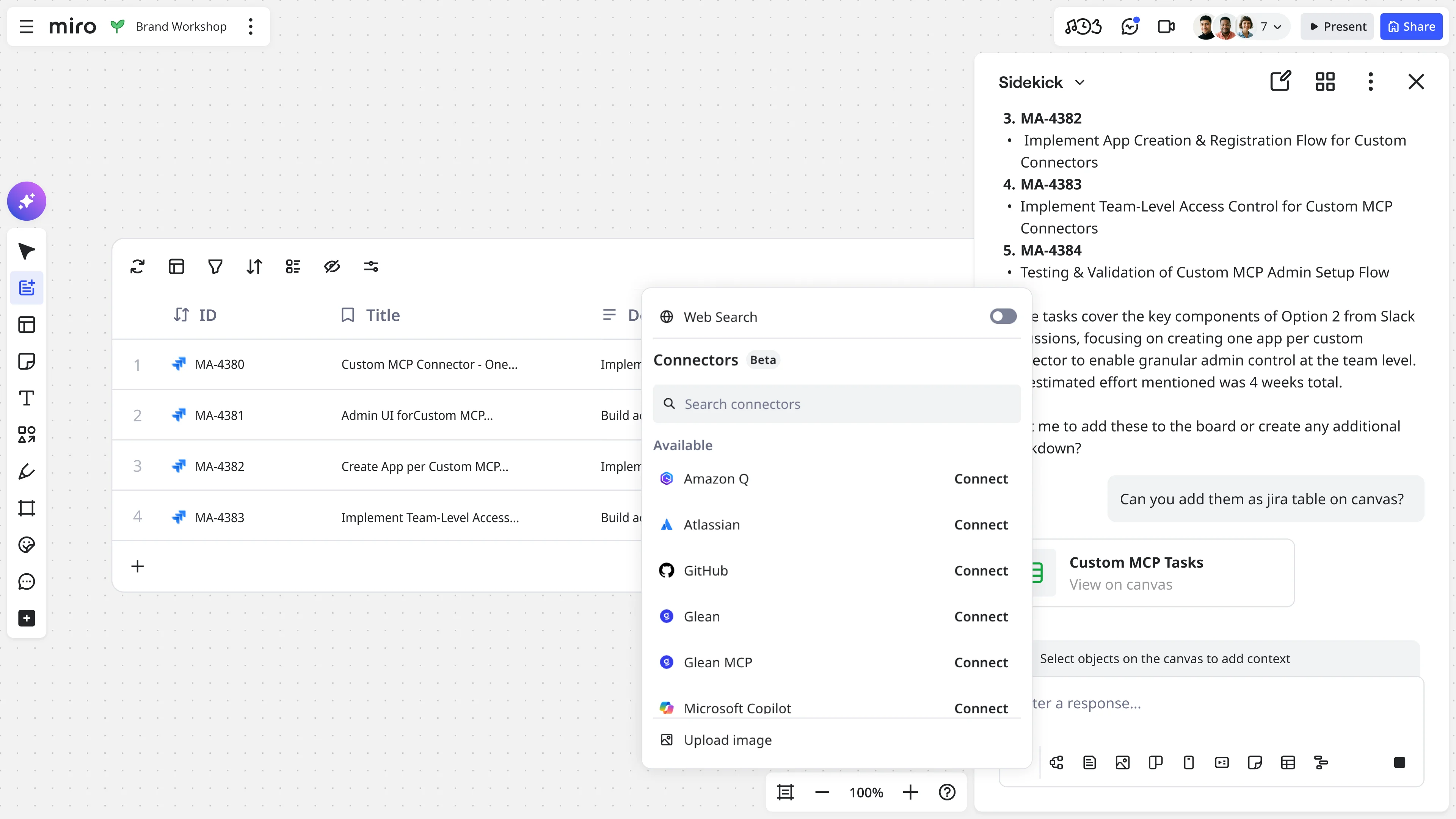
Strategy and planning is another big one: think roadmaps, sprint planning, and prioritization. A common pattern here is pulling tickets straight from Jira into a Miro board, discussing and annotating them as a team, then having Claude push the updated tickets back into Jira, Asana, or Azure DevOps once the meeting wraps.
Then there's turning meetings into tickets, which is personal for me. After a workshop, I used to spend hours manually converting sticky notes and a meeting transcript into epics and tickets. Now I point Claude at the board (it already has the transcript and everything we captured), and it uses a custom skill I built to structure the tickets the way my team actually likes them. Fifteen tickets and a few epics, done in about ten minutes.
And a lot of product managers use it for synthesizing customer and product data: pulling insight out of scattered sources like Gong calls, support tickets, Snowflake queries, and Slack threads. Claude can pull from all of those, then lay the findings out on a Miro board as stickies, a table, or even a slide deck, so your team walks into the prioritization conversation already caught up.
If you want to go looking for more MCP workflow examples, these four cover the vast majority of what we see, but people get creative fast once they realize what's possible. We've had marketers use it to turn campaign briefs into visual timelines, and sales teams use it to map account relationships before a big renewal conversation. Once a team sees Claude read from their tools and lay the result out on a board, they usually start finding their own uses for it within a week.
A day in my life with Claude and Miro
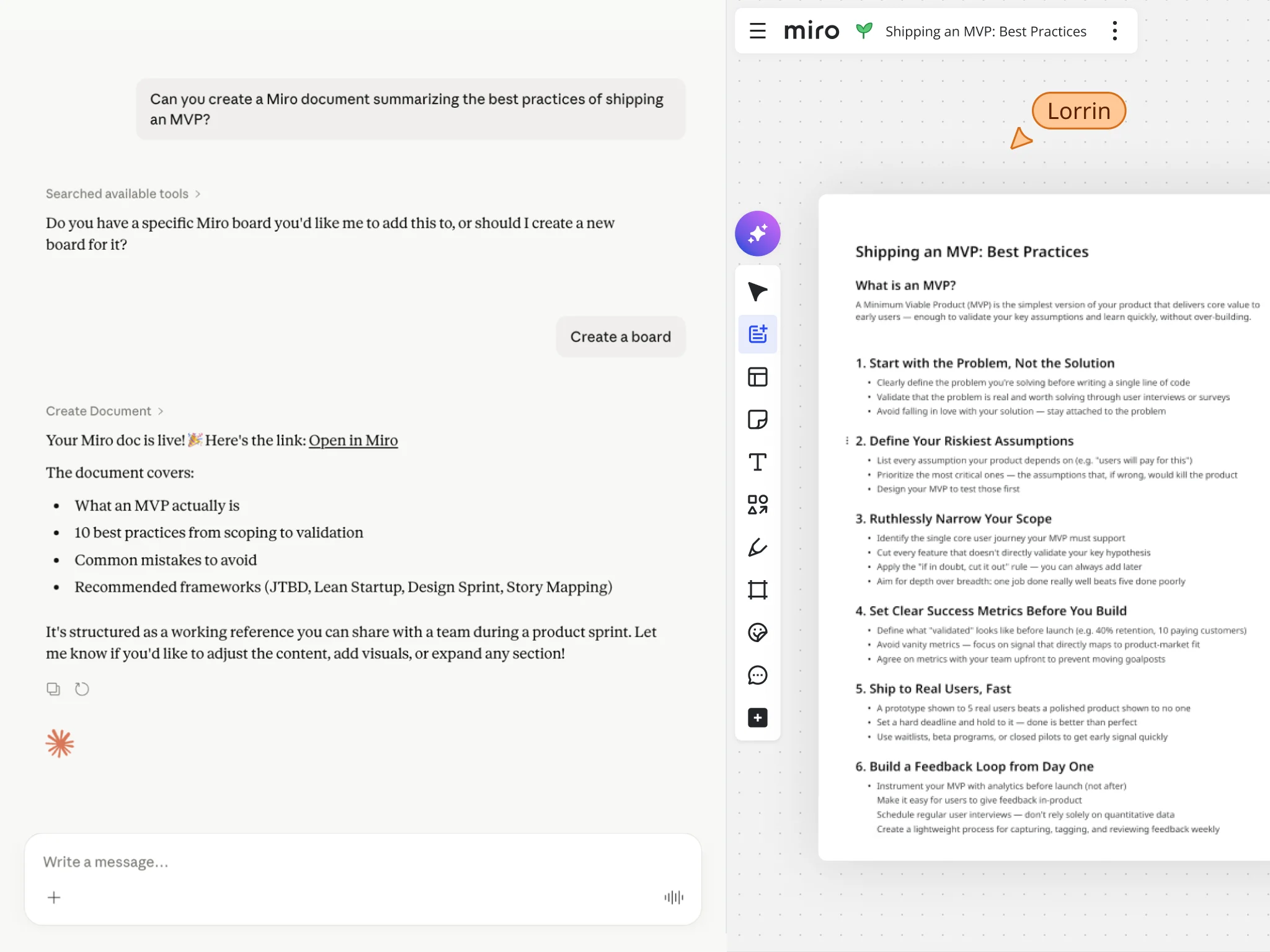
Let me walk you through what this actually looks like, because "AI-generated board" can sound abstract until you see the whole loop.
Say I'm planning our next initiative. I've done customer interviews, I've got support tickets piling up, and I've got usage data sitting across a few different tools. I ask Claude to pull it all together and hand me a summary, usually as a doc, a table, or a quick slide deck in Miro. I bring that to the team, we talk through it, and we figure out what to prioritize together.
Once we've picked a direction, we go deeper: requirements, jobs to be done, all captured live on the board during the meeting. The part that used to kill my afternoons was turning that messy board into structured tickets, which took about three hours every time. Now I point Claude at it instead. It already has the meeting transcript and the board content. I built a skill that knows exactly how our team likes tickets structured, so ten minutes later, I've got a clean set of epics and tickets ready to go.
I'd estimate this saves me about 10 hours a week, and that's not an exaggeration I dressed up for a blog post. Customers tell us similar things: a couple of hours saved per day, or planning cycles that used to take several weeks now wrapping up in one. When you're not burning half your week on setup and teardown, you get to spend that time actually talking through trade-offs with your team, which is the part of the job that matters anyway.
A few prompts I use constantly, in case you want a starting point:
- "Map out our customer onboarding journey from signup to first value using a customer journey map in Miro." Point Claude at your database or codebase, and it'll build this out from real data.
- "Read this Miro board from our workshop and help me create the tickets for it." This is the one I run almost every week.
- "Use our kickoff presentation skill for this project." I built a custom skill so every stakeholder deck follows the same structure, pulling from whatever project context I point it to.
A few things I've learned the hard way
Not everything works perfectly on the first try, so here's what I'd tell you before you dive in.
If you've got a big, busy board and you use a vague prompt like "summarize this board," the agent has to guess what you're actually after, and that burns tokens without giving you much back. Give it a specific board link, or better yet, a link to the exact frame or document you care about. It'll go straight there instead of wandering.
Simple prompts work fine for simple asks. "Build me a brainstorming workshop with three columns" will get you exactly that. But for anything more layered, the more context you give the agent, the better the result. You can always start basic and add detail as you go, since the agent will keep updating what it built as you keep talking to it.
And if you catch yourself doing the same thing over and over (generating the same kind of ticket, building the same kind of deck), turn it into a Claude skill. I built mine by going back and forth with Claude until the output matched what I wanted, then asked it to save that as a reusable skill. Now I just invoke it by name. This is probably the single biggest time-saver I can point you to, and it's one a lot of people don't discover until much later than they should.
Once you've got the day-to-day workflows down, it's worth knowing what's coming next, because this is moving fast.
Where this is headed
A few things are coming soon that I'm genuinely excited about. In the next few weeks, you'll be able to create prototypes and slide presentations directly through MCP, on top of everything you can already build. We're also rolling out more enterprise governance controls, so admins can manage tool access by team, group, or identity provider.
Longer term, we're exploring what it looks like to bring your own Claude agent into Miro as an actual collaborator, not just a tool you prompt and walk away from. Picture tagging your agent on a board and having it make edits alongside you, in real time, based on the context it already has. We've tested early versions of this internally: tag an agent on a presentation, and it goes through and fixes the numbers, checks the colors, tightens things up. It's a little bit science fiction, I'll admit, but it's closer than you'd think.
We're also looking beyond MCP at how Miro connects into third-party agents more broadly, through browsers and SDKs, so an agent can interact with a board in more ways than one.
Our broader goal across all of this is to make Miro the place where teams collaborate around AI, not just where individuals use it solo. Plenty of people are already having one-on-one conversations with Claude or ChatGPT. What we're building toward is a shared space where your team and your agents can work through the same problem together, which is a different and, I think, much more useful thing.
Try it yourself
If you haven't connected Claude and Miro yet, it's worth five minutes to see what it does with your own boards. Start with something you already do every week, a retro, a planning session, a ticket cleanup, and see how much of it Claude can take off your plate.
And if you're an engineer curious about the more technical side of Claude and Miro working together, stick around. We've got a follow-up piece coming that goes deeper into MCP for software development, straight from one of the engineers who helped build it.
Quick answers
What is Miro's MCP integration with Claude?
Miro's MCP server connects Claude to your Miro boards, so Claude can read board content and create things like stickies, frames, diagrams, tables, and slide presentations directly on a board, based on what you ask it to do.
What can you actually build with Claude and Miro together?
The most common workflows are workshop and retro boards built from your existing research, roadmaps and sprint plans pulled from tools like Jira, tickets generated automatically from a workshop board and transcript, and customer research synthesized into a shared board for your team to review.
Is the Claude Miro integration free to use?
You can connect Claude to Miro through the connector at no extra cost beyond your existing Claude and Miro plans. Enterprise customers get additional governance controls for managing which teams and tools can connect.
How do I connect Claude to Miro?
You add the Miro connector inside Claude, sign in with your Miro account, and you're ready to go. Our developer docs walk through the full setup if you want the details.
Read more
Join our 100M+ users today


