Map product decisions, explore different paths, and identify gaps in your logic.
About This Template
What happens when a product feature needs to make multiple decisions?
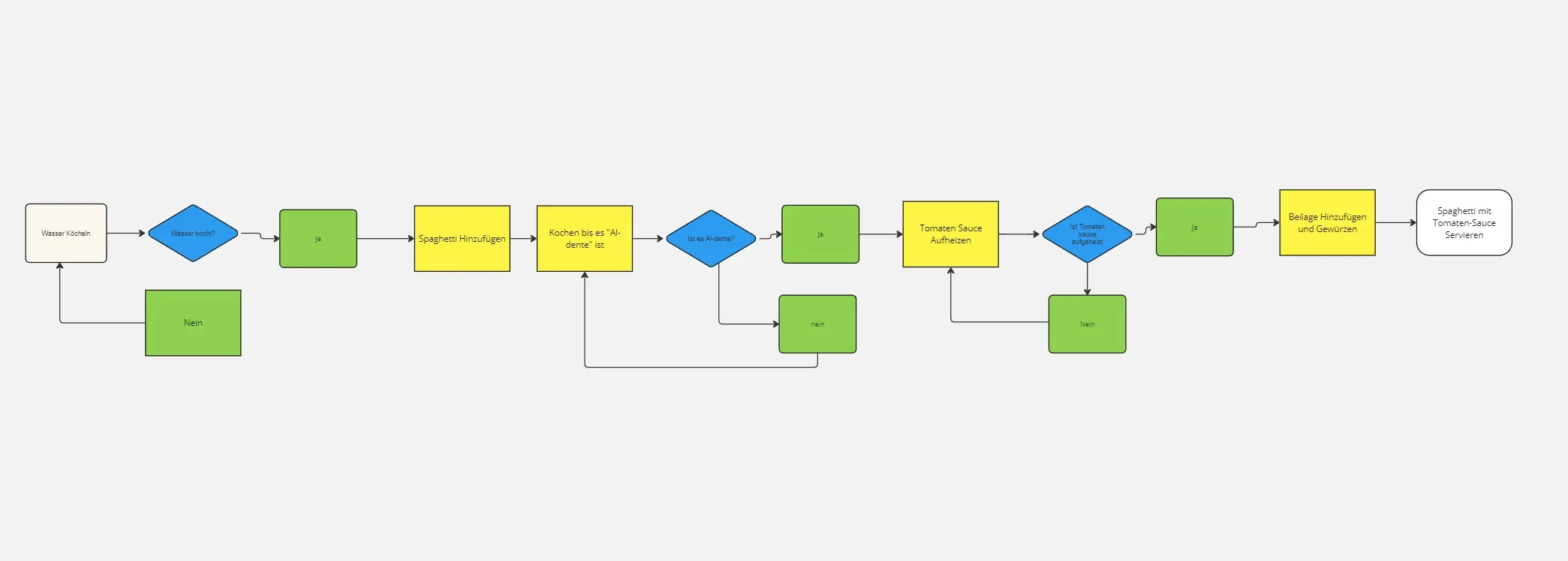
The Decision-Based Algorithm Flowchart Workshop helps teams visualize conditional logic using simple flowchart shapes. By mapping decisions, actions, and outcomes, teams can identify missing paths, clarify requirements, and agree on how a feature should behave.
I designed this template for product managers, designers, developers, QA testers, and startup teams who want to simplify complex product decisions without writing code.
Duration: 25 minutes
Format: Individual or collaborative
Best For: Product planning, feature design, requirements validation, and system logic
How to Use This Template
Step 1: Define Your Starting Point (3 minutes)
Select a product feature and place a rounded Start shape on the board. Describe the event or action that triggers the algorithm.
Step 2: Create Your First Decision (5 minutes)
Add a diamond containing a yes/no question. Connect each branch to its corresponding action or next step.
Step 3: Add a Second Decision (7 minutes)
Introduce another decision on a branch that requires further evaluation. Use rectangles to represent actions and label each outcome clearly.
Step 4: Connect and Validate (10 minutes)
Connect all shapes with directional arrows. Follow every path from Start to End, checking for missing steps, confusing logic, or incomplete outcomes.
AI Tip: Ask AI to review your completed flowchart and identify missing decision paths or possible edge cases.
What You'll Achieve
A completed decision-based algorithm flowchart that visually communicates feature behavior, identifies potential logic gaps, and supports shared understanding across your team.
Frequently Asked Questions
1. How is this different from a basic algorithm flowchart?
This workshop focuses on connected decisions that create multiple paths through a process, rather than a primarily linear sequence of actions.
2. Do I need technical or coding experience?
No. The template uses simple shapes and arrows to communicate logic visually.
3. How many decisions should I include?
Start with two. Add more when the feature requires additional conditions.
4. What if a decision has more than two outcomes?
Add a separate labeled branch for each outcome. Starting with Yes/No questions makes the first exercise easier.
5. Can I use this workshop individually?
Yes. You can map the logic independently and invite your team to review the results afterward.
6. Can AI help me create the flowchart?
Yes. AI can suggest decisions, identify alternative paths, and review logic for gaps. Validate its suggestions against your product requirements.
7. What can I do with the completed flowchart?
Use it for product requirements, design discussions, development planning, and identifying QA test scenarios.
Final Tip
Keep your decision questions short and your branches clearly labeled. A good algorithm flowchart makes it easy for anyone to follow the logic and understand every possible outcome.