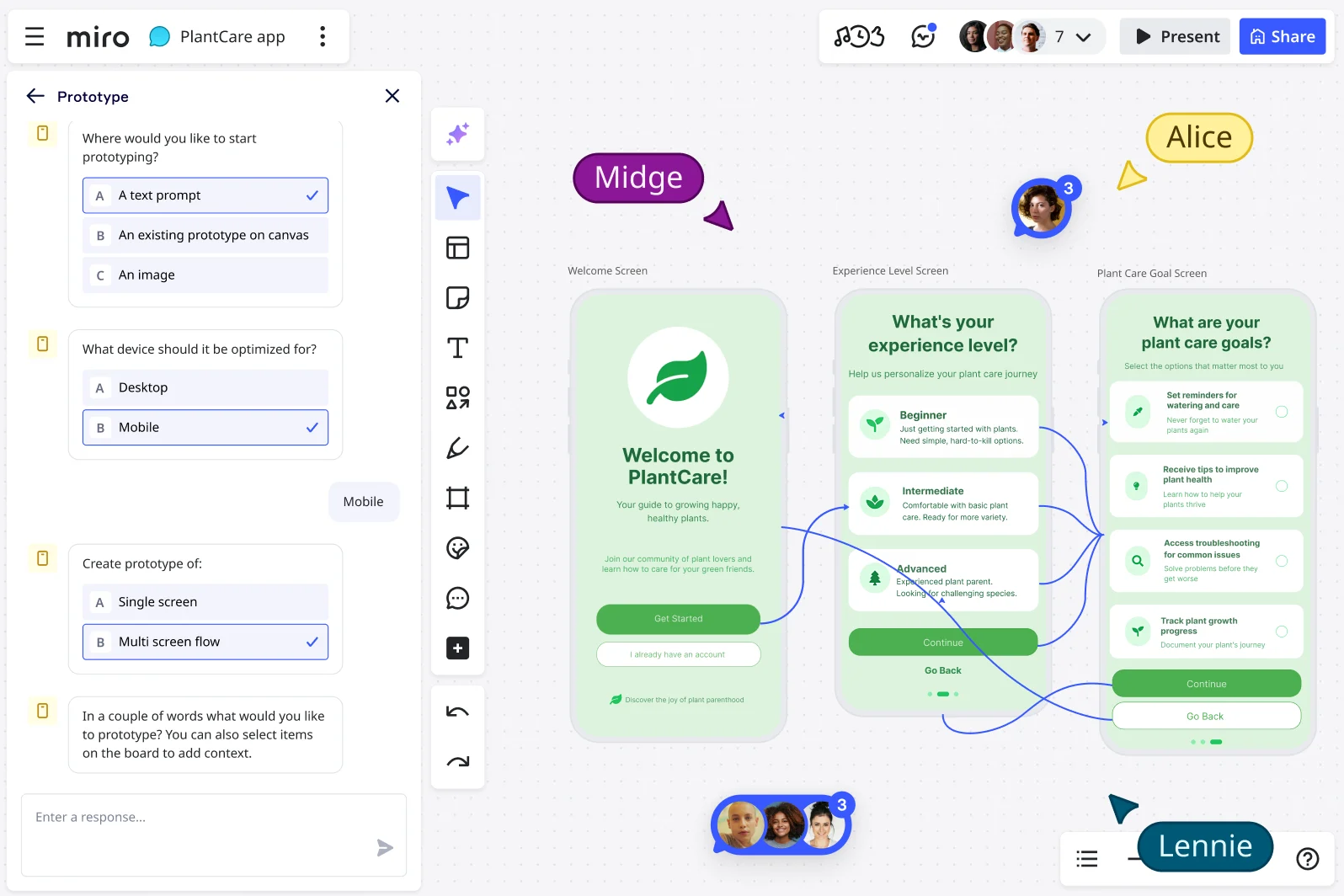
Customize your prototyping experience in Miro
Prototyping is a creative phase. It involves idea sharing, testing, and iterating. The last thing teams need is rigid tools that stunt this creativity.
Instead, a team’s prototypes must reflect its real-world processes. This way, an organization can be sure its prototypes are relevant, engaging, and easy to adopt. Fortunately, Miro enables flexible, aligned, impactful prototyping for organizations in any industry.
Miro supports deep customization, from custom templates and frameworks to a Brand Center, developer platform, and two-way integrations.
Common types of customization in prototypes
Customized prototyping is about simulating realistic product or service experiences. It’s a great way to explore whether an offer solves a problem and will land well with ideal buyers.
Miro makes customization easy through tried-and-tested templates. Teams can apply consistent branding to these via the Brand Center. Branding reinforces company identity in professional deliverables for clients and stakeholders. In addition, they can access layouts and functionalities that allow them to test dashboard widgets, such as lists vs grids.
Miro also enables UI, workflow, onboarding, and content customization.
- UI customization allows teams to build custom component libraries
- Workflow customization allows them to create role-specific user flows
- Onboarding customization allows them to simulate preference-based onboarding
- Content customization allows them to mock up dynamic feeds or tailored dashboards
Why customization drives better prototypes
Every organization has different workflows, a unique culture, and individual goals. Because of this, one-size-fits-all prototyping doesn’t serve anyone. Instead, organizations need tools that allow them to align prototypes with their ways of working.
When selecting a tool, it’s essential to consider the following customization capabilities. Knowing your team will be able to reap these benefits can help decision makers select the best tool for their organization.
Is the tool relevant and easy to adopt?
Teams need to tailor prototype templates to their processes to capture the right details and appeal to the right audience. The tool will also need to integrate with the team’s existing software and systems. They’re unlikely to adopt tools that don’t align with their existing platforms.
Does the tool enable consistency and professionalism?
Teams need standardized templates to reduce confusion and ensure alignment across all collateral. They also need functions to apply organization branding across all collateral. This enables seamless and easy professionalism across all internal and external resources.
Is the tool efficient, and does it encourage faster iteration?
Teams need reusable frameworks to cut down setup time and maximize productivity on the iterative process. This way, they can quickly test, adapt, and refine prototypes to find profitable product and service ideas.
Does the tool improve UX?
Teams need a tool that is easy and intuitive to use, both for them and in the experience it creates for end users. It must be easy to visualize ideas at a glance, collect feedback, and iterate quickly.
Does the tool reduce costs?
Teams need to identify flaws before development so they can develop a final product that doesn’t reveal costly problems later. The tool must make it easy to highlight problems and challenges early on.
Does the tool align with stakeholder values?
Teams need a tool that meets stakeholder expectations. It must make abstract concepts clear so stakeholders can understand the vision. From here, stakeholders are more likely to feel confident before full-scale development begins.
Shaping prototypes around your process
Teams can tailor their prototypes through templates, branding, and workflow extensions. They can shape the process to fit their needs, not the other way around. This makes prototyping faster, clearer, and more aligned.
Here’s how to customize prototypes in Miro:
- Understand your users with research boards
- Define internal rituals/workflows such as agile sprints, UX flows, and design critiques
- Build custom templates or frameworks to standardize these rituals/workflows
- Layer in logos, fonts, and brand colors to ensure polished internal and external use
- Map customization logic using journey maps/flowcharts for clarity
- Involve stakeholders early to align business goals
- Test prototypes with real users to refine features
- Extend capabilities with integrations or apps tailored to team tools
- Encourage iteration, making further customizations as your team’s process evolves
- Turn sticky notes, PRDs, or written prompts into multi-screen prototypes with AI
- Upload screenshots or mockups and layer interactive elements on top to visualise and test changes
- Understand your users with research boards
- Define internal rituals and workflows such as agile sprints, UX flows, and design critiques
- Build custom templates or frameworks to standardise your rituals and keep processes consistent
- Layer in logos, fonts, and brand colours to ensure polished look
- Co-create prototypes live in workshops or sprints
- Make the most of AI by exploring layout or content variations and refine features in real time
- Map logic and user journeys with flowcharts or journey maps
Unlocking prototyping potential with Miro
Miro’s flexibility enables unlimited customization in prototyping. From reusable templates to custom apps and integrations, the possibilities are endless.
Build reusable templates for prototyping workflows
Miro allows teams to save, adjust, and share templates that reflect their workflows. Unless desired, there’s no need to create these from scratch. Instead, teams can adapt templates that other experts have created, tried, tested, and iterated on.
Teams can adapt a proven template to cover their specific steps, processes, and tools. They can also add preconfigured sections and questions to guide users through a process, enabling complete personalization. Before launching the prototype, teams can add brand formatting with one click to ensure a professional finished image.
Teams can also standardize wireframes, feedback boards, and sprint rituals. This way, everyone can follow the same format and process, regardless of the project. And they can share resources across personal, team, or company levels. This means they can share templates only with the individuals who need access.
These reusable templates avoid the need for repetitive setup work. As such, teams can focus on problem-solving instead of formatting. It’s also easier to uphold quality as teams will use a structured, tested process every time they iterate.
However, if you do want to build your own ways of working, Blueprints (BETA) are ready-made Spaces with everything your team needs, including boards, Formats, tools and templates.
Extend with customs apps and integrations
Teams can customize Miro beyond its built-in features and integrate prototypes with other systems. These may include Jira, Figma, or internal databases.
Teams can also use Miro’s developer tools, like the SDK and APIs, to bring customizations to life. Additionally, they can build plugins that import user research data into Miro.
Alternatively, they can create tools that automate prototype updates across different platforms. This gives teams the flexibility to tailor Miro’s functionality to their unique internal workflows.
Make prototyping truly yours
Miro prioritizes customization so teams can craft unique prototypes from proven resources. The result: teams that prototype faster, more consistently, and in a way that reflects their unique culture.
Explore Miro’s templates and developer platform to find out how to develop fully customized prototypes.
FAQs
How do I create and share custom templates in Miro?
You can design a board with your preferred layout, frameworks, or content and save it as a custom template. Once created, you can share templates with your team or across your organization. This ensures everyone works from the same standardized starting point.
What kinds of custom integrations are possible with the SDK?
Miro’s SDK and APIs let developers build bespoke integrations and apps to extend functionality. Examples include:
- Automating workflows
- Connecting Miro to internal business systems
- Creating industry-specific tools that support unique prototyping needs
Are customization features available across all plans?
Customization features are included in the Business and Enterprise plans, but do not come with the Free plan. Business and Enterprise plans include advanced capabilities. These include the Brand Center and developer platform.
Can I adapt templates as team processes evolve?
Absolutely. Custom templates in Miro are flexible, and teams can edit these at any time. As your workflows change, you can update templates to reflect new methods, standards, or best practices. This keeps your team aligned without starting from scratch.
Can I create custom templates for prototypes in Miro?
Yes. You can design and save custom templates to standardize workflows. These could include sprint planning, user journey mapping, or product testing. This ensures consistency and saves setup time across projects.
Do I need technical skills to customize Miro prototypes?
Not at all. Most customization features, like templates, frameworks, and branding, don’t require coding or other technical skills. For advanced customization, such as building custom apps, developers can use the Miro SDK.
Can I reuse customized elements across projects?
Yes. Custom templates and frameworks can be shared and reused across teams. This makes it easy to maintain consistency and scale best practices throughout your organization.
Read more
Join our 100M+ users today


