





Andrey
See collaborative AI in action — straight from the Canvas 26 keynote.
Jeff

Process mapping for healthcare professionals

Document patient workflows, handoff gaps, and care protocols in one shared canvas. Map your next clinical process in minutes, not days.

A clean flowchart diagram showing a patient medical visit process with blue rectangular steps ('Nurse delivers readings to doctor', 'Patient meets with doctor'), a yellow diamond decision node ('Doctor decides on more tests'), and outcome boxes in green ('Patient schedules follow-up appointment') and pink ('Patient takes additional tests') with YES/NO branches.

What experts say

  • Process mapping (PM) has the potential to support QI projects in healthcare by engaging stakeholders to create a shared understanding of the systems they are trying to change.

    Grazia Antonacci

    Researcher · BMC Health Services Research

    Keynote Speaker
  • Process mapping is a method that promotes a better understanding of processes and helps organizations identify areas for improvement

    IBM

    Technology and research organization · IBM

    Keynote Speaker

The research on process mapping

  • 50%

    Process mapping facilitated reducing paperwork by 50%

    Source: Hospital Material Management Quarterly (Savory & Olson)

  • 33%

    SIPOC-scoped value stream mapping reduced healthcare service lead time from 27 minutes to 18 minutes, a 33% improvement through systematic process definition and flow analysis

    Source: POMS (Production and Operations Management Society)

See process mapping in action

Related templates for healthcare professionals

We have 168 templates in our library for Process Mapping.

Why healthcare teams love mapping processes in Miro

  • From scattered SOPs to one defensible clinical workflow

    Your patient intake, discharge planning, and referral coordination each live in a different document - owned by a different department head. Miro's swimlane layouts put clinical, administrative, and billing steps on one infinite canvas, so every handoff is visible and every owner is accountable. Whether you're a 10-person clinic or a 500-bed health system, one shared map replaces the folder full of outdated Word files.
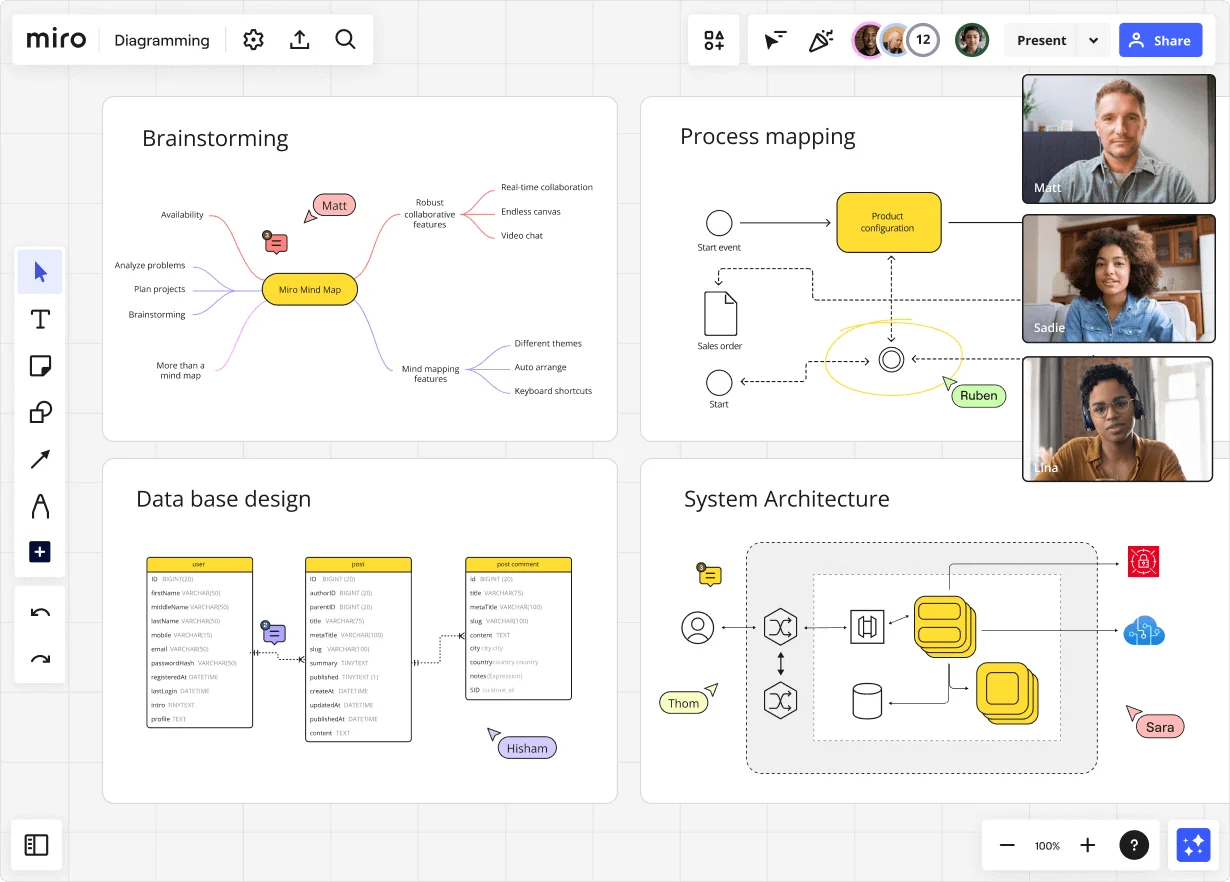
    Miro diagramming board showing four active workspaces: a mind map centered on 'Miro Mind Map' with feature branches, a BPMN-style process mapping flowchart with 'Product configuration' decision node, a database ER diagram with three related tables (user, post, post comment), and a system architecture diagram with interconnected components — all with visible collaborator cursors (Matt, Sadie, Ruben, Lina in video panel, plus Hisham, Thom, Sara as cursor labels).
  • When a compliance audit forces you to rebuild every care protocol

    Joint Commission prep or CMS audit cycles shouldn't mean scrambling to reconstruct documented processes from scratch. Use BPMN 2.0 shape packs to map medication administration, consent workflows, and discharge checklists in recognized notation your compliance officer and clinical leads can both read. Export to PDF for the auditor handoff or embed the live diagram directly in your Confluence runbook - no copy-paste drift.

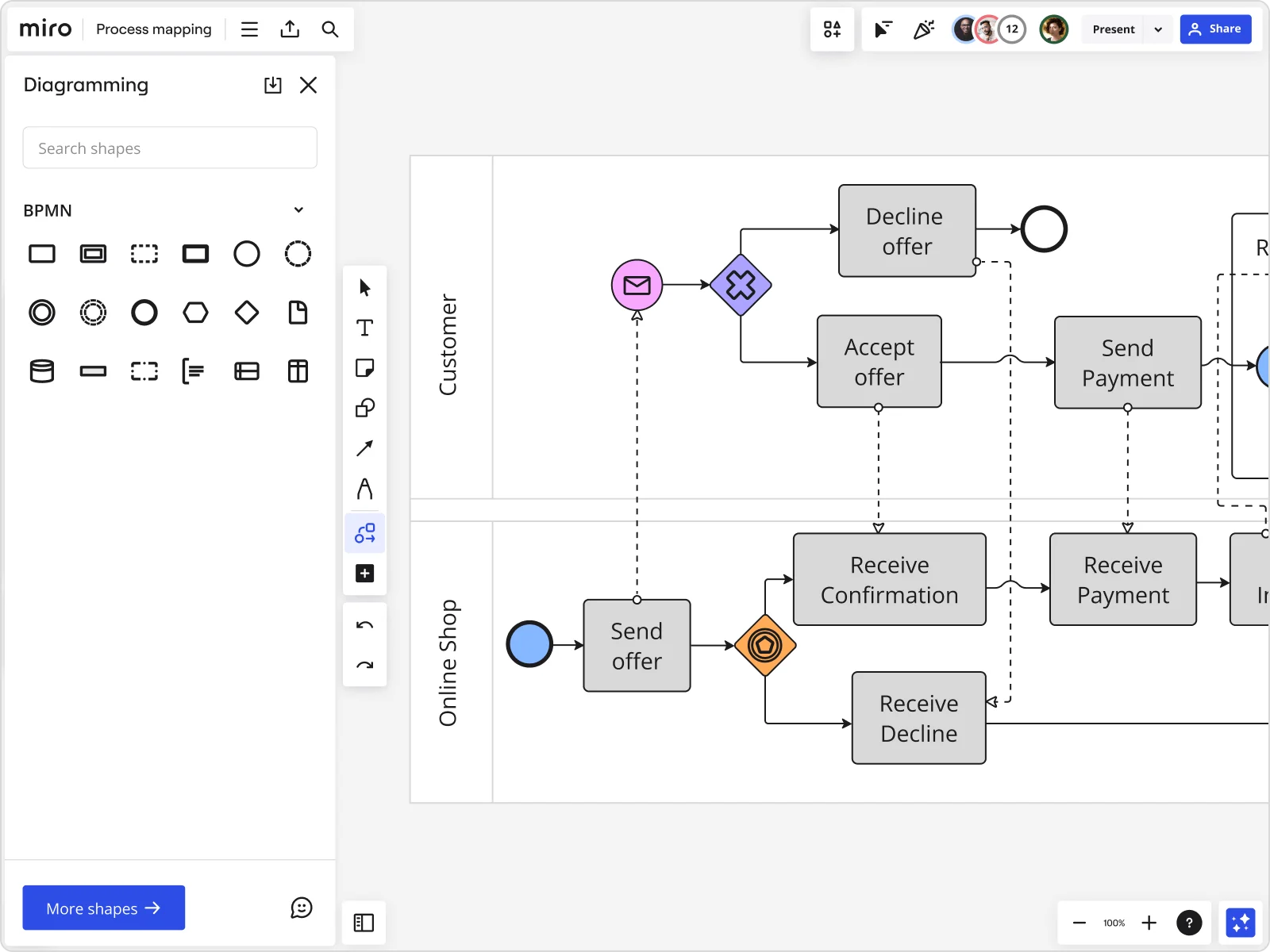
    Miro board displaying a BPMN process mapping diagram with two swimlanes (Customer and Online Shop), showing decision gateways, message events, and task boxes for an order/offer workflow including 'Send offer', 'Accept offer', 'Decline offer', 'Send Payment', 'Receive Confirmation', and 'Receive Decline' steps, with the BPMN shapes panel open on the left.
  • Are your clinical handoffs hiding where patients fall through the cracks?

    Gap reviews between nursing, pharmacy, and attending physicians are the moments where documentation breaks down. Drop all five departments into separate swimlane lanes, then run Miro's AI to flag missing decision branches and undocumented exception paths before your next validation walk-through. Small care teams surface the gaps in one session; large health systems can repeat the same structured Blueprint for every care pathway they document.

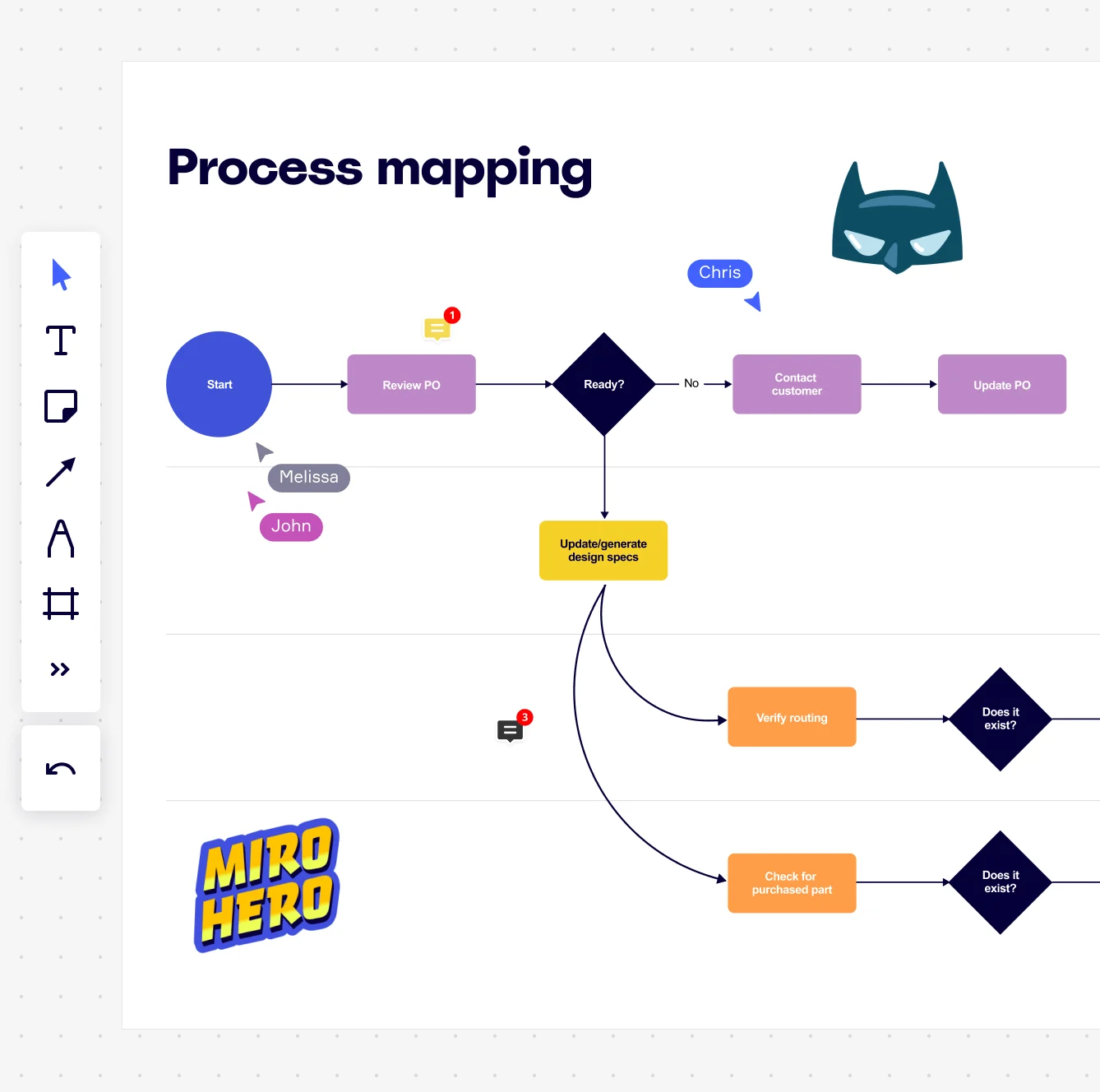
    Miro board displaying a process mapping flowchart with labeled nodes including Start, Review PO, a Ready decision diamond, Contact Customer, Update PO, Update/generate design specs, Verify routing, and Check for purchased part, with collaborative cursors (Chris, Melissa, John), comment badges, and decorative Batman and Miro Hero stickers.
  • Your future-state care protocol, without the six-week back-and-forth

    Designing a new pre-op checklist or ED triage flow typically means round-trip emails between clinical informatics, nursing leadership, and risk management. Duplicate the current-state map, modify it to reflect the improved flow, and run a live validation walk-through in Presentation Mode with Timer and Voting built in - so department heads give sign-off in the room, not over three weeks of reply-all threads.

    Miro process mapping board displaying a cross-functional flowchart with circular process nodes (Process 1.0, 1.1, 2.0), decision paths (Yes/No branches leading to 'Accept offer' and 'Decline offer'), and rectangular action steps including 'Send payment', 'Receive Confirmation', 'Receive Decline', and 'Process', connected by solid and dashed arrows.
  • Bring Visio-era process docs into a room that actually collaborates

    If your infection control or patient safety team owns years of Visio diagrams, you don't have to rebuild them. Miro imports Visio, Lucidchart, and Draw.io files directly - shapes, connectors, and layout intact. Your clinical operations team goes from static file to live collaborative canvas without losing a single documented step.

    Miro board displaying a BPMN process mapping diagram with two swimlanes (Customer and Online Shop), showing decision gateways, message events, and task boxes including 'Send offer', 'Accept offer', 'Decline offer', 'Send Payment', 'Receive Confirmation', 'Receive Payment', and 'Receive Decline', alongside the BPMN diagramming shapes panel on the left.

How healthcare professionals get started with Process Mapping in Miro

  • Map your patient care pathway first

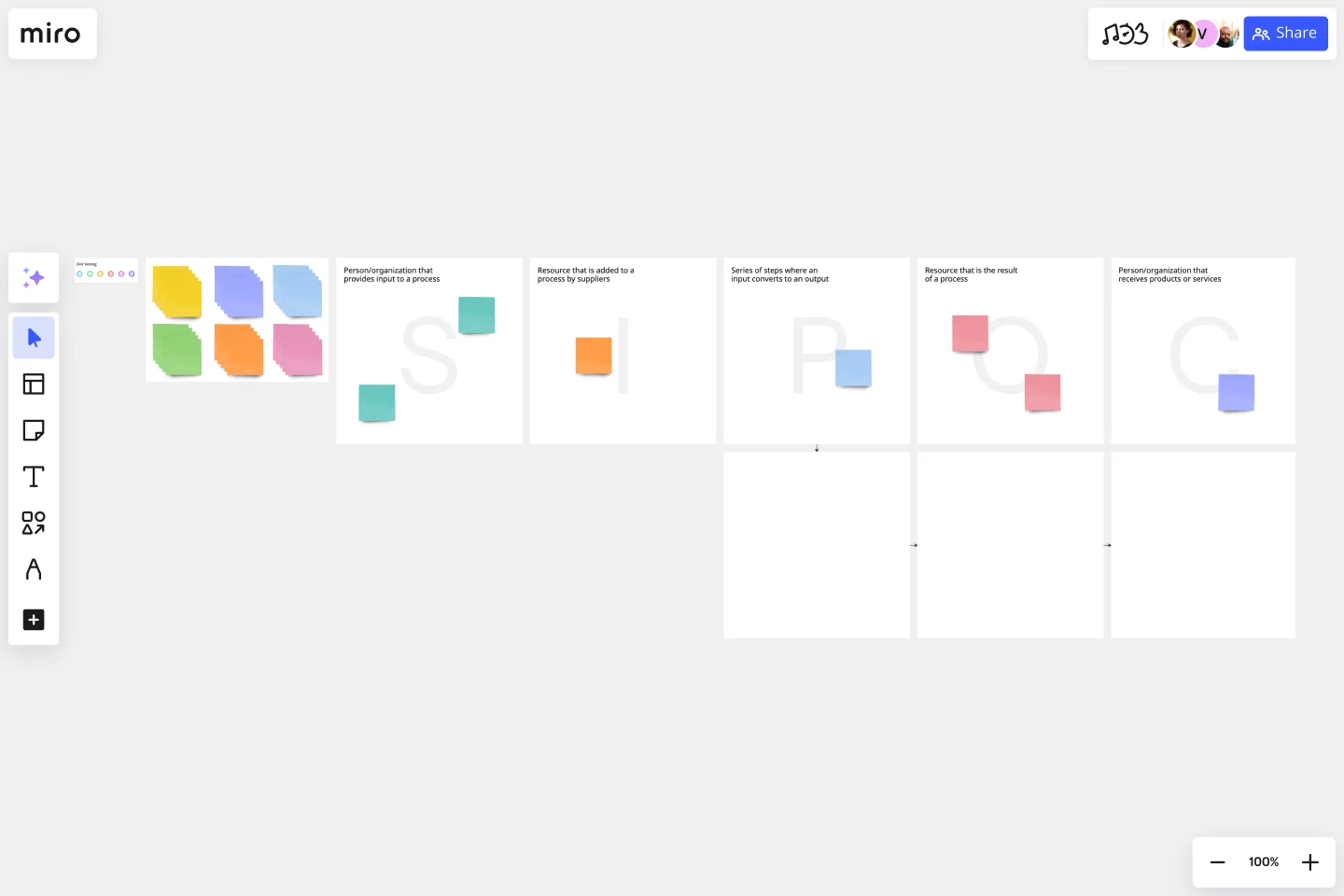
    Open a SIPOC Template from Miro's Template Library and define the boundaries of one clinical workflow - say, patient intake or discharge planning - identifying the departments, roles, and handoff points before a single shape hits the canvas.

  • Build your swimlane map together

    In Diagramming Mode, select the Swimlane Shape Pack and assign a lane to each role (nursing, pharmacy, billing, scheduling) so every handoff between care teams is visually explicit and accountability gaps surface in real time, not during a root cause review.

  • Flag bottlenecks where they live

    Use Comments and Sticky Notes directly on the steps where delays happen - waiting for lab results, prior authorization hold-ups, discharge paperwork - so clinical staff and administrators annotate the map from their own lived experience without needing a separate feedback round.

  • Run your validation walkthrough in the room

    Present the finalized care pathway in Presentation Mode with Voting active, so physicians, charge nurses, and compliance leads can prioritize which process failures to fix first - structured consensus, no post-meeting email threads.

Process Mapping tips for healthcare professionals

  • Start with one care pathway, not the whole hospital: map ED triage OR medication reconciliation OR discharge planning as a standalone scope, then link to sub-process frames as detail grows.

  • Use the BPMN Shape Pack if your process map needs to survive a compliance or accreditation review - standard notation holds up in ways that freehand flowcharts simply don't.

  • Embed your finalized process map into Confluence via Miro's Confluence Integration so the care protocol lives inside the team's existing wiki and updates automatically when the canvas changes - no stale PDF circulating on the shared drive.

Understand how healthcare professionals transform their work

  • Miro--excellent value for process mapping!

    Professional in Manufacturing at Pharmaceuticals

    TrustRadius
  • I’ve been utilizing the AI agent Sidekick, and it’s definitely been helpful for process mapping.

    Verified User

    G2

Process Mapping essential guide for healthcare teams

CategoryKey insights
  • Common mistakes to avoid

    The biggest trap for clinical and administrative teams alike is mapping how care delivery should work according to policy, not how it actually works on the floor. Nurses, coordinators, and intake staff carry workarounds in their heads that never make it into the official SOP, so if you're building the map without them in the room, you're building fiction. The other common misstep, especially in larger health systems, is treating the finished map as a one-time compliance artifact. Processes evolve, protocols update, and a map that's six months out of date is worse than no map at all.

  • Key integrations for healthcare professionals

    Jira keeps every process improvement tied to a trackable ticket, which matters when a department head asks where that billing workflow fix actually landed. Confluence and Smartsheet are where clinical ops teams already store SOPs and project trackers, so Miro's integrations let you map the process without making clinicians learn a new system of record. If your organization already has Visio or Lucidchart files from past accreditation work, Miro's import support means you don't start over from scratch.

  • When to use it

    Reach for process mapping in Miro when a care workflow touches multiple departments and nobody agrees on who owns which handoff. It's the right tool before a compliance audit, before a system migration, or any time a new coordinator joins and asks how patient intake actually works. A clinical ops team, for example, can use a BPMN template to map a patient onboarding workflow across five departments in real time, spot the handoff delays between clinical and administrative staff, and link each fix directly to Jira tickets for implementation, without printing a single flowchart.

  • Security & Compliance

    For healthcare organizations, HIPAA compliance isn't optional, and Miro's platform is HIPAA-ready, which means clinical teams can map patient workflows and care pathways without moving sensitive process details outside your compliance boundary. Granular sharing permissions let you control exactly who sees what, whether you're a small practice keeping PHI-adjacent documentation tight or a large health system managing access across dozens of departments. Enterprise teams also get data residency controls and Private Mode for sessions where only the people in the room should see what's on the board.

Frequently asked questions for healthcare professionals

Last updated: Thursday, June 25, 2026