




Andrey
See collaborative AI in action — straight from the Canvas 26 keynote.
Jeff

Process mapping for nonprofit programs

Turn tangled service delivery workflows into clear, fundable process documentation. Map grant cycles, volunteer onboarding, and program handoffs - all in one place.

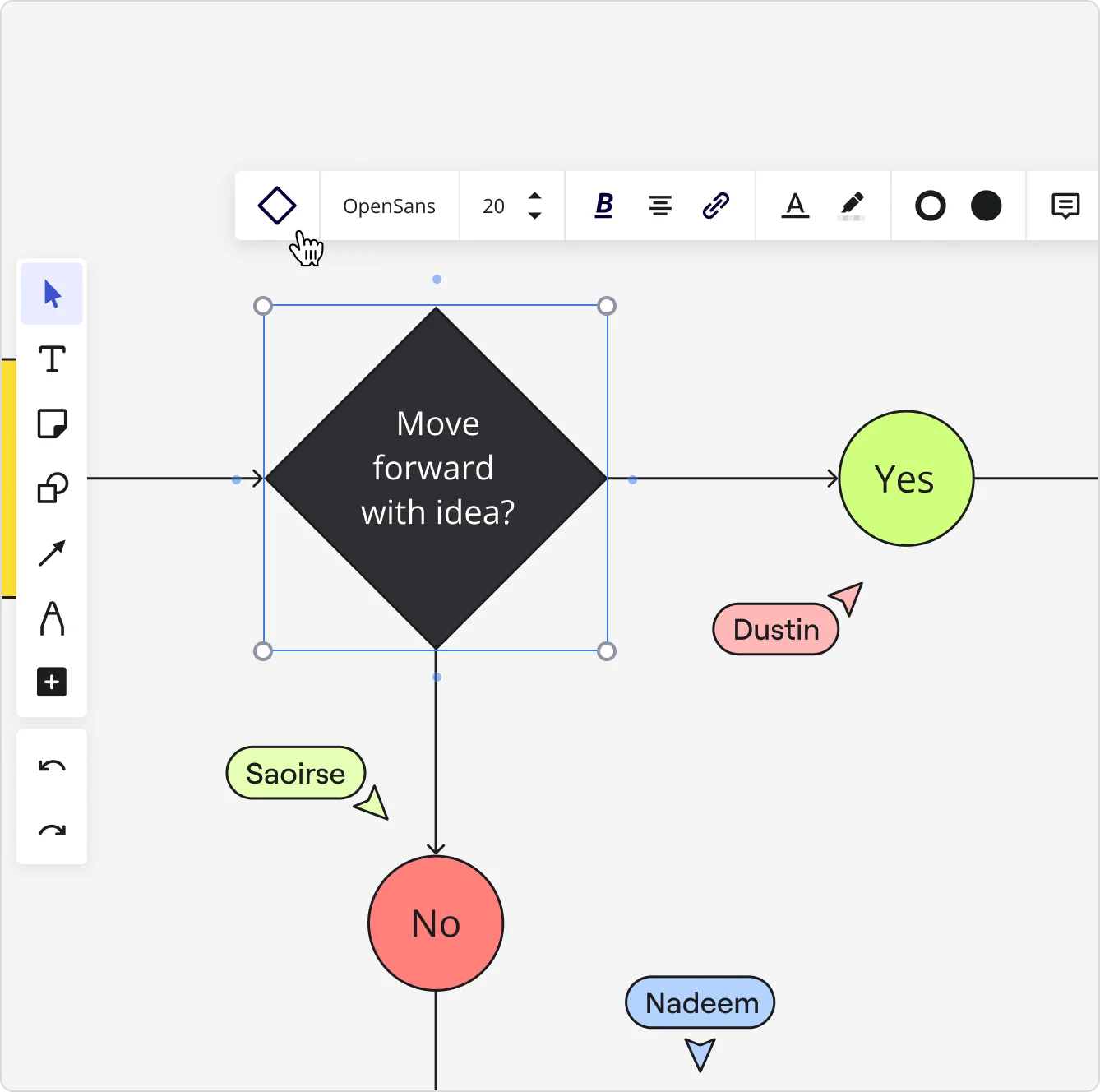
Miro board showing a flowchart decision diamond labeled 'Move forward with idea?' with arrows leading to a green 'Yes' circle and a red 'No' circle, with three visible collaborator cursors (Dustin, Saoirse, Nadeem) and a formatting toolbar active at the top.

What experts say

  • Process mapping provides a comprehensive view of each process, helping identify bottlenecks and inefficiencies.

    VisionEdge Marketing Team

    Marketing Analysts · VisionEdge Marketing

    Keynote Speaker
  • Before you can improve anything, you must first understand what is going on in your process.

    Ken Feldman

    Lean Six Sigma Master Black Belt · iSixSigma

    Industry Expert

The research on process mapping

  • 30%

    Process mapping in Lean Six Sigma yielded 30% reduction in order processing time

    Source: Systems and Teams

  • 30-50%

    Business Process Management (including process mapping) delivers 30-50% productivity gains

    Source: Forrester

See process mapping in action

Related templates for nonprofit program directors

We have 88 templates in our library for Process Mapping.

BPM
Use template
Swimlane diagram
Use template
SIPOC
Use template
Flowchart AI
Use template

Why nonprofit program directors love mapping processes in Miro

  • Stop rebuilding your grant reporting workflow each cycle

    Every funding cycle, program directors re-explain the same intake-to-impact workflow to new program officers, board members, or auditors. Miro's Process Documentation Blueprint packages your SIPOC, current-state, and improvement boards into one reusable Space, so your workflow is ready at the start of each grant period, not rebuilt from a dusty Word doc.
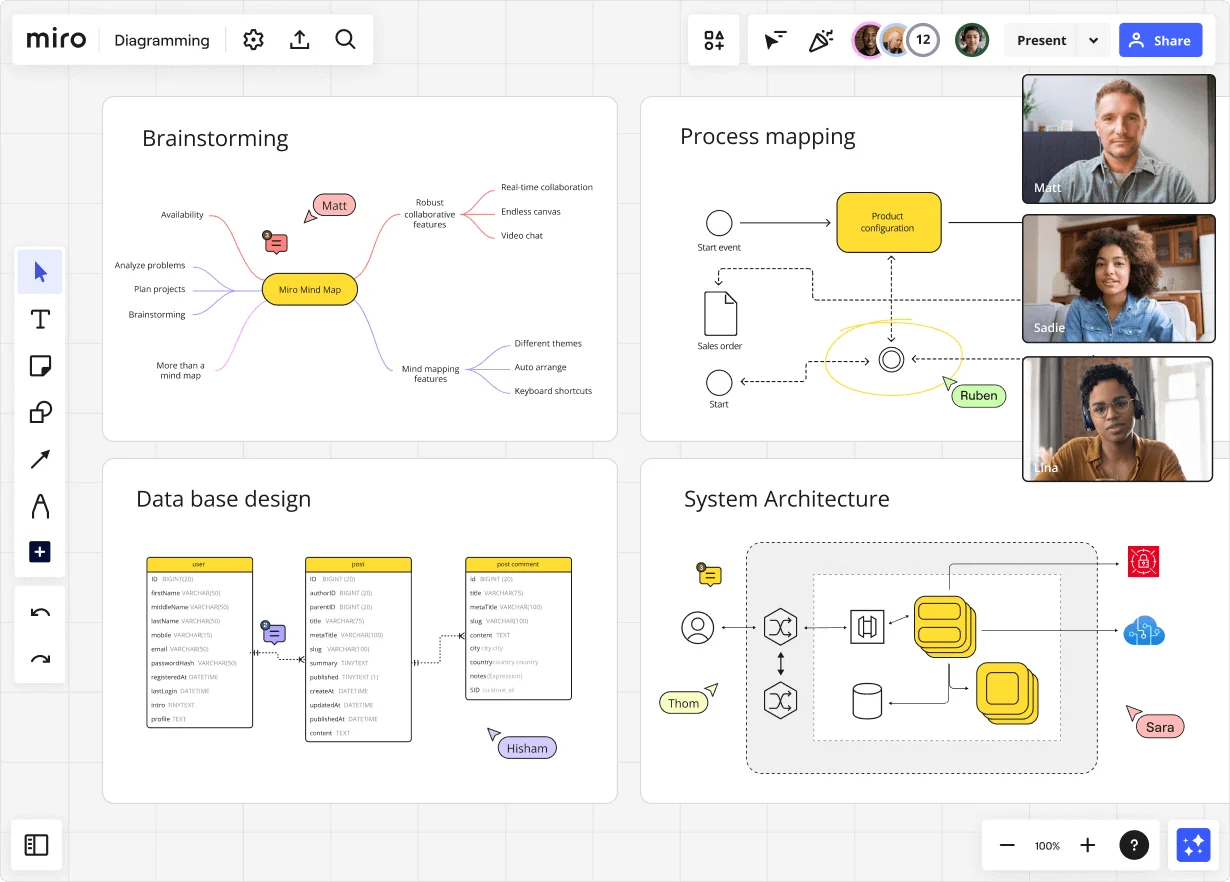
    Miro diagramming board showing four active workspaces: a mind map centered on 'Miro Mind Map' with feature branches, a BPMN-style process mapping flowchart with 'Product configuration' decision node, a database ER diagram with three related tables (user, post, post comment), and a system architecture diagram with interconnected components — all with visible collaborator cursors (Matt, Sadie, Ruben, Lina in video panel, plus Hisham, Thom, Sara as cursor labels).
  • Make handoffs visible across every function

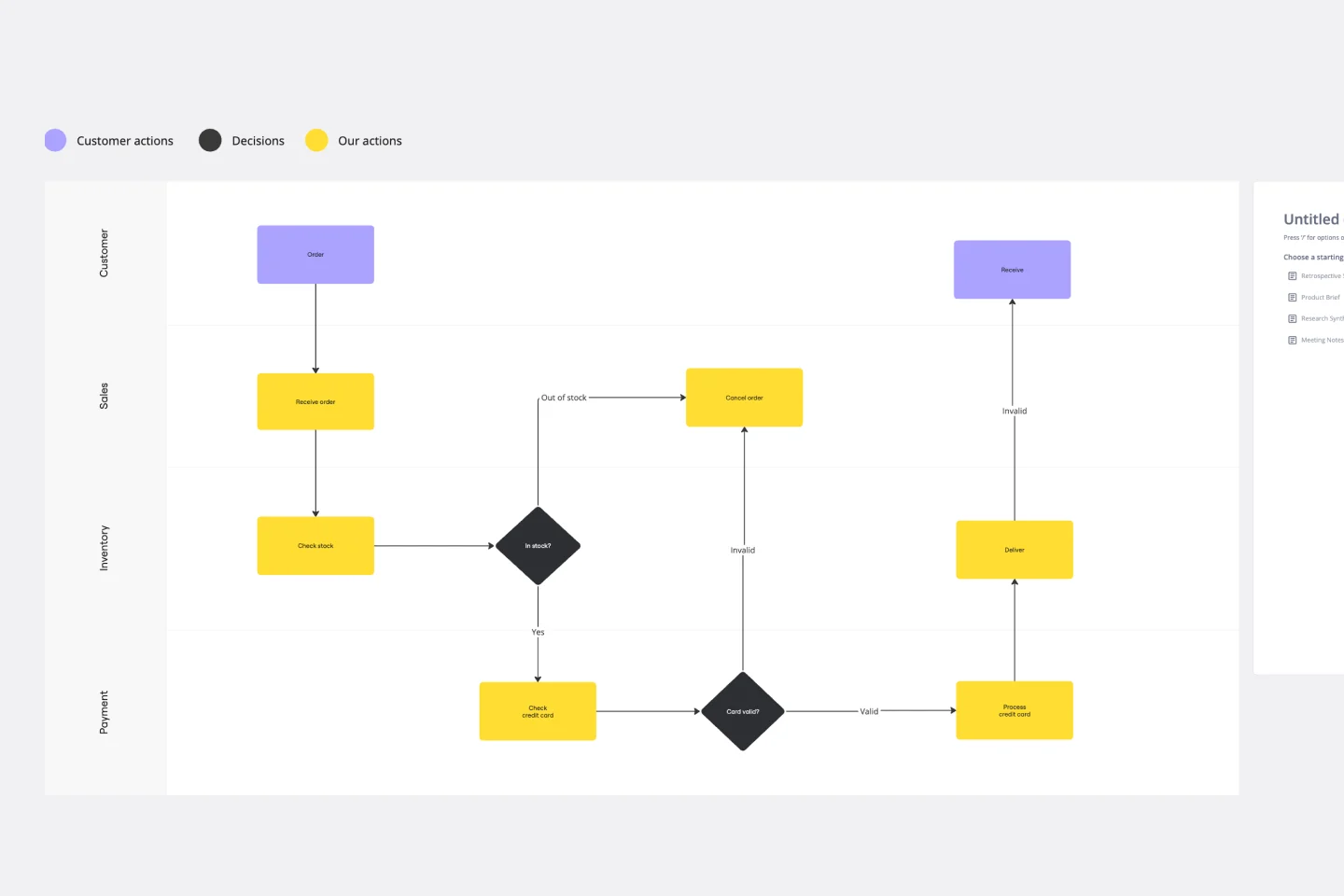
    When intake coordinators, case managers, and volunteer leads each own different steps, things fall through the cracks. Swimlane layouts in Miro's Diagramming Mode show exactly who owns each step, from intake to follow-up, so nothing disappears between functions whether you're a 5-person shop or a 500-person federation.

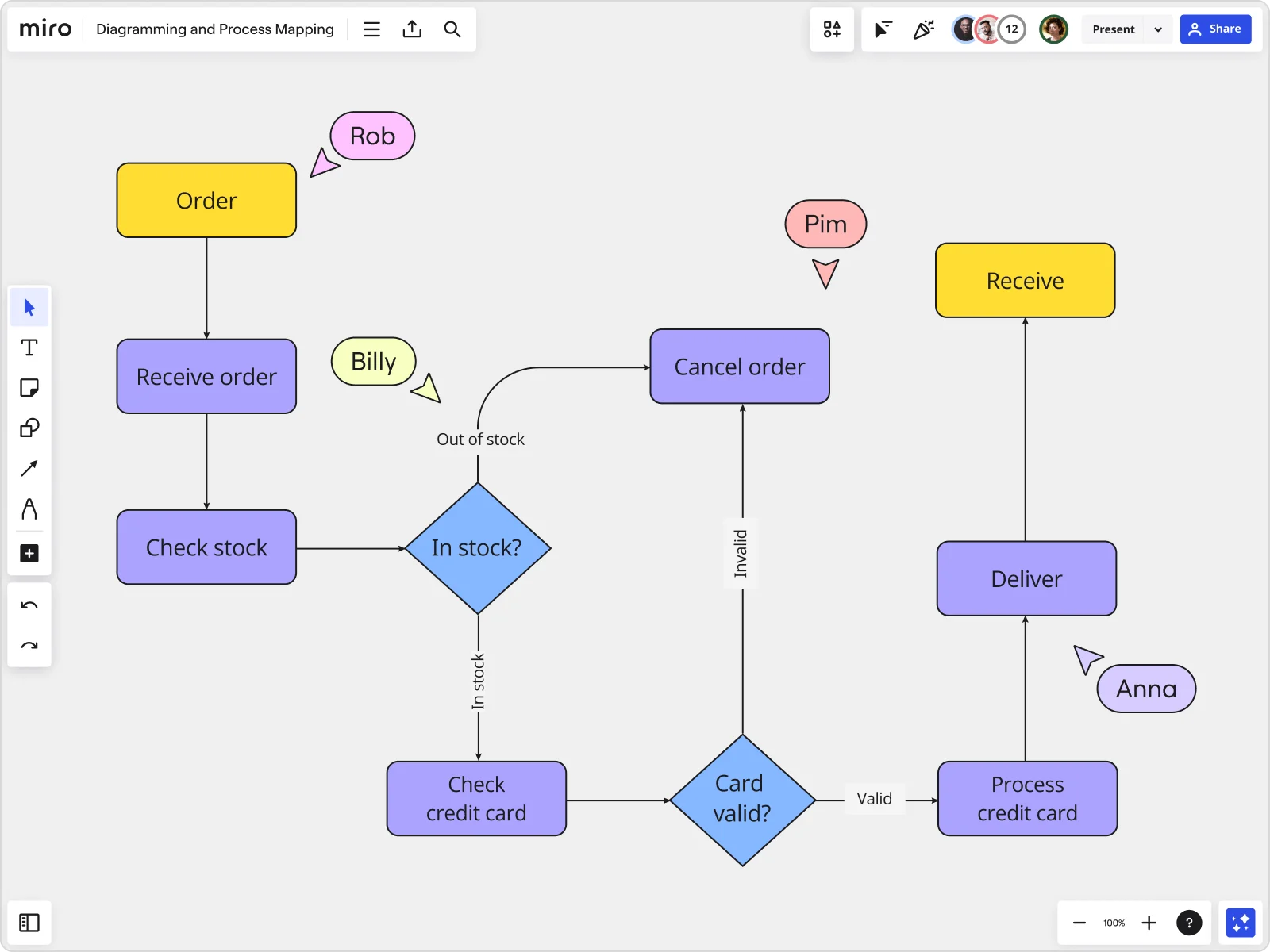
    Miro board displaying a detailed order processing flowchart with colored decision diamonds (blue) for 'In stock?' and 'Card valid?' checks, purple process blocks for steps like 'Receive order', 'Check stock', 'Check credit card', 'Process credit card', 'Deliver', and 'Cancel order', a yellow 'Order' start block and 'Receive' end block, plus named collaborator cursors (Rob, Billy, Pim, Anna) visible on the canvas.
  • One live source for SOPs, diagrams, and auditors

    When your SOP lives in Confluence and the actual flow lives in someone's head, funders notice. Miro Docs let you write the runbook right alongside the live process diagram. Export to PDF for the auditor. Embed via /miro in Confluence so every wiki page stays current, never a stale screenshot.

    Miro board displaying a BPMN process mapping diagram with two swimlanes (Customer and Online Shop), showing decision gateways, message events, and task boxes for an order/offer workflow including 'Send offer', 'Accept offer', 'Decline offer', 'Send Payment', 'Receive Confirmation', and 'Receive Decline' steps, with the BPMN shapes panel open on the left.
  • Capture ground-truth knowledge before it walks out the door

    Front-line case workers carry the real institutional knowledge about how intake, referral, and follow-up cycles actually run. Miro's QR-code join lets them validate the process map from any device, no Miro account required, so a 3-person grassroots team and a 300-person regional network can both contribute.

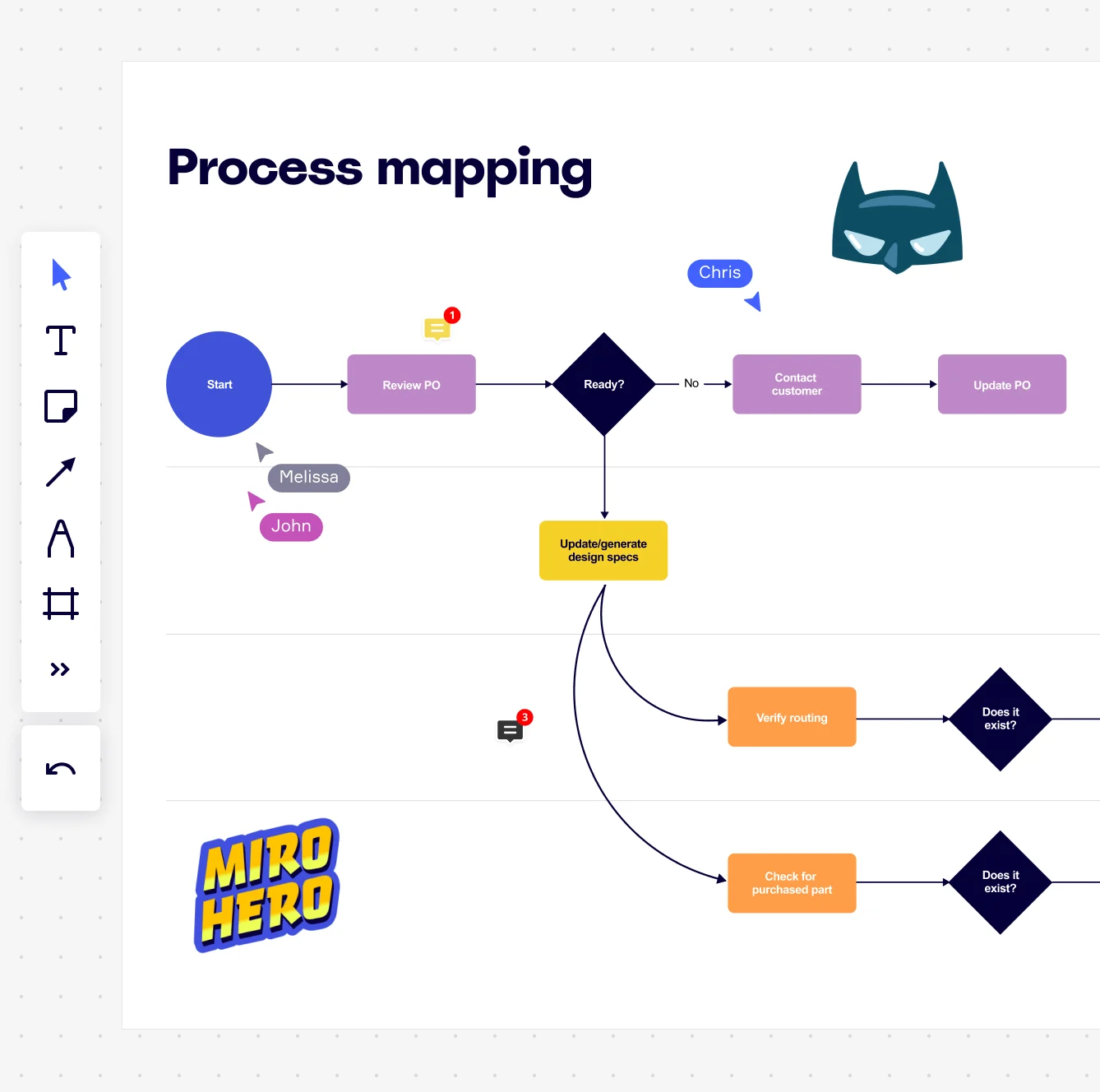
    Miro board displaying a process mapping flowchart with labeled nodes including Start, Review PO, a Ready decision diamond, Contact Customer, Update PO, Update/generate design specs, Verify routing, and Check for purchased part, with collaborative cursors (Chris, Melissa, John), comment badges, and decorative Batman and Miro Hero stickers.
  • Turn bottleneck prioritization into a board decision

    Before the next program review, it's hard to show funders which process breaks down most. Run Miro Engage's Scales activity to score pain and confidence at each program step, then use Ranking to surface consensus on where to focus first. You get a defensible priority order, not a noisy dot-vote scatter.

    Miro process mapping board displaying a cross-functional flowchart with circular process nodes (Process 1.0, 1.1, 2.0), decision paths (Yes/No branches leading to 'Accept offer' and 'Decline offer'), and rectangular action steps including 'Send payment', 'Receive Confirmation', 'Receive Decline', and 'Process', connected by solid and dashed arrows.

How nonprofit program directors get started with Process Mapping in Miro

  • Map your first program workflow from a template

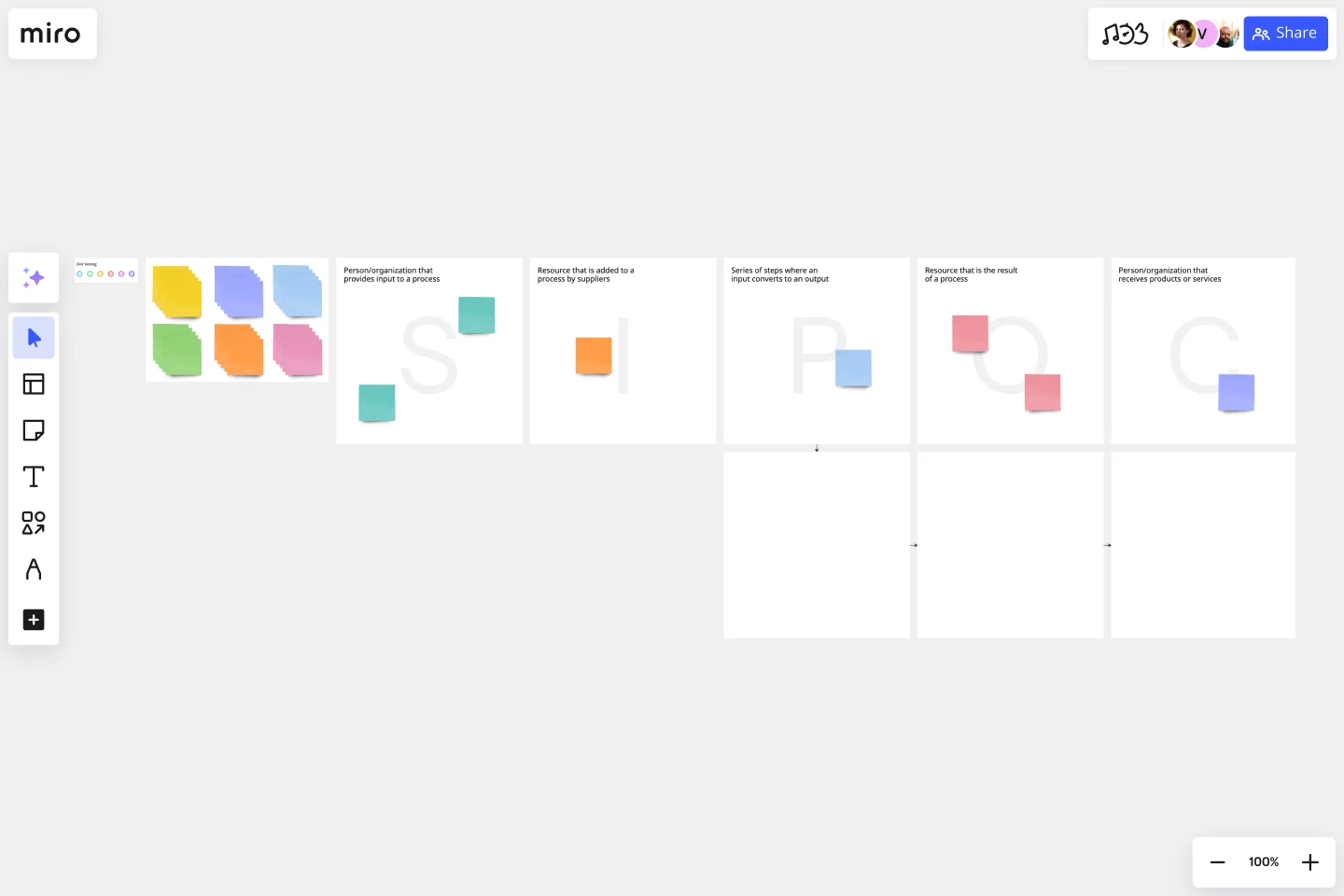
    Open Miro's SIPOC Template to scope your first program process - define who delivers services, what inputs your program needs, and what outcomes you're accountable for, before anyone draws a single shape.

  • Build your process map with your whole team

    In Diagramming Mode, use the Swimlane Shape Pack to assign each step to the staff members, volunteers, or partner organizations who own it, so handoffs between your program delivery team and external funders or referral partners are visible at a glance.

  • Capture gaps and bottlenecks in real time

    During your validation session, use Comments and Sticky Notes to let program staff flag where intake forms stall, where client referrals fall through, or where reporting deadlines create crunch - pinned directly to the steps where the pain actually lives.

  • Turn your map into a living SOP for funders and auditors

    Use Miro Docs to build a runbook alongside your process map, drag your finalized diagram in as a synced copy, and export it as a PDF - so nonprofit program directors have a funder-ready deliverable without ever leaving the board.

Process mapping tips for nonprofit program directors

  • If your nonprofit program directors are mapping a grant-funded program, tag each process step with Sticky Note color codes to distinguish funder-required activities from internal operational steps - it makes compliance reviews dramatically faster.

  • For nonprofit program directors managing multiple programs across sites or regions, use Frames to create a high-level overview map linked to detailed sub-process maps for each program area, so nothing collapses into an unreadable single-canvas tangle.

  • Before your next board or leadership presentation, run Presentation Mode to walk program leadership through the current-state map frame by frame - it's far more convincing than a screenshot in a slide deck, and nonprofit program directors can hand off presenter control mid-walkthrough if a colleague owns a section.

Understand how nonprofit program directors transform their work

  • Miro has quickly become an essential tool in my daily workflow over the past three months. I'm amazed by its versatility – I've effortlessly used it for mind mapping, process mapping, and brainstorming sessions, and it's been fantastic for each. What's really surprising is how intuitive and simple it is to use; I jumped right in without any setup or excesive implementation effort.

    Verified User

    G2
  • In a Miro board, there can be many users at a time. I have used it with 25 people and no problem at all. Everyone can contribute, share, draw and many other cool options. It is great for brainstorming, process mapping, mind maps, kanban, etc.

    Verified User

    G2

Process Mapping essential guide for nonprofit orgs

CategoryKey insights
  • Common mistakes to avoid

    The most common trap nonprofit program directors fall into is mapping the process as it's supposed to work rather than how volunteers and staff actually do it. Those informal workarounds and handoffs between your program coordinators and field teams are exactly where the real bottlenecks live. Whether you're a two-person team or a 200-person organization, agree on your start and end points before you open a single template. Large nonprofits especially tend to let maps balloon into unreadable diagrams that sit in a folder and never get updated. Pick one notation standard, use it consistently, and treat your map as a living document rather than a one-time deliverable.

  • Key integrations for nonprofit program directors

    Nonprofit program directors running grant-funded projects can connect Miro to Asana or Smartsheet to keep process maps tied directly to the tasks and deliverables that funders want to see. If your organization already uses Confluence for documentation or Jira for project tracking, those integrations let nonprofit program directors link each mapped process step to real work items without leaving the board. Already have process maps in Visio, Lucidchart, or Draw.io? Import them directly into Miro so your team doesn't start from scratch.

  • When to use it

    Use this when your program team is struggling to explain a cross-functional process to new staff or board members and a written SOP just isn't cutting it. For example, if your nonprofit's client intake workflow touches case managers, intake coordinators, and compliance reviewers across multiple sites, a swimlane map in Miro gives everyone a shared picture of who owns what and where handoffs break down. It's also the right tool when you're preparing for a grant audit or certification that requires formal documentation of how your programs actually operate.

  • Security & Compliance

    Nonprofit program directors handling sensitive client data or grant-related financials can rely on Miro's SOC 2 Type II certification as a baseline for security conversations with your board or IT team. If your programs touch healthcare services or social work case files, Miro's HIPAA compliance means you're not creating a documentation risk every time you map a client-facing workflow. For larger nonprofits with data governance policies, granular sharing permissions and data residency controls give your administrators the oversight they need without slowing down your program teams.

Frequently asked questions for nonprofit programs

Last updated: Thursday, June 25, 2026