





Andrey
See collaborative AI in action — straight from the Canvas 26 keynote.
Jeff

Process mapping for legal operations teams

Map every contract approval, intake workflow, and matter escalation path in one place. No more chasing handoffs across email threads and shared drives.

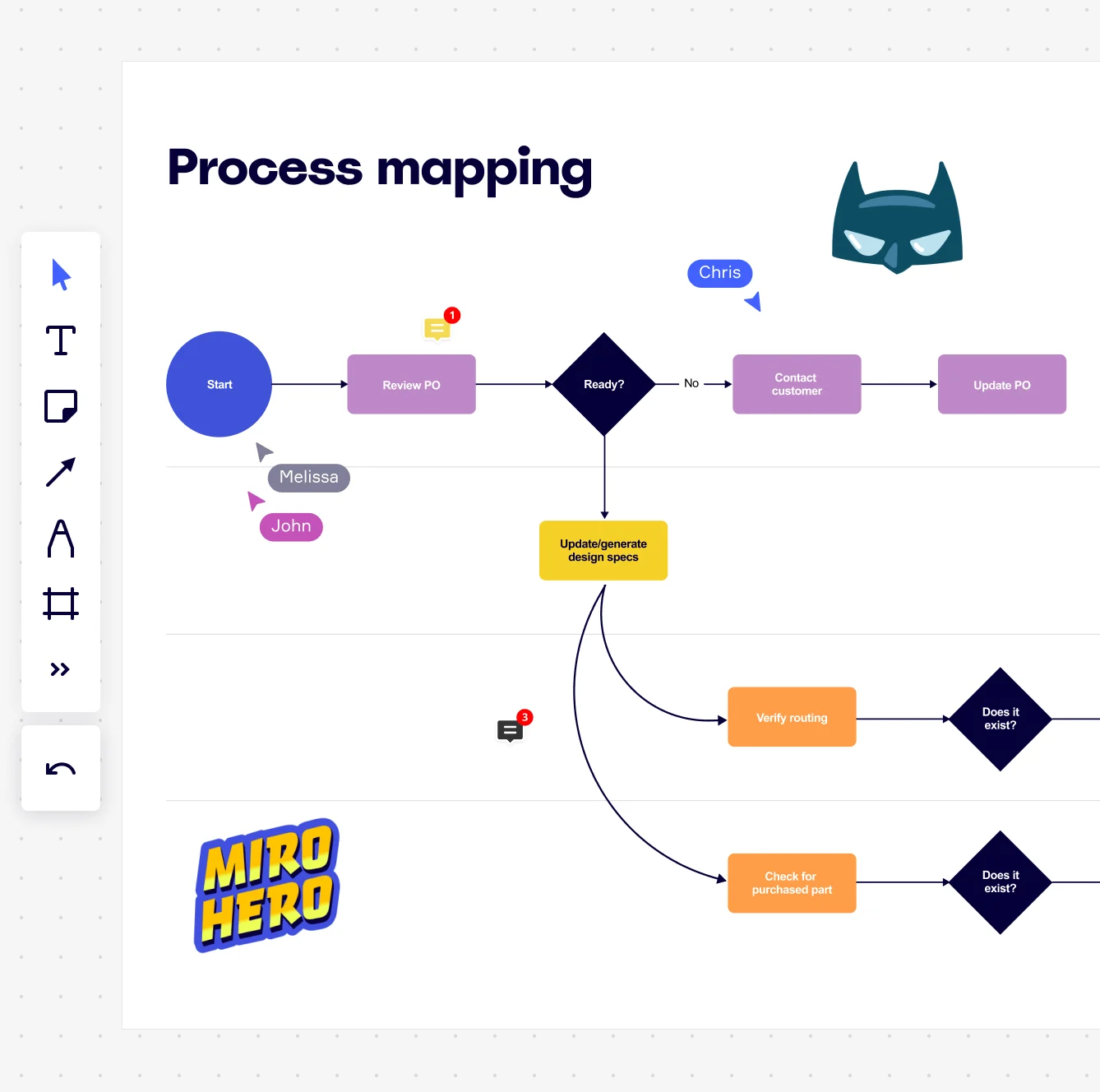
Miro board displaying a process mapping flowchart with labeled nodes including Start, Review PO, a Ready decision diamond, Contact Customer, Update PO, Update/generate design specs, Verify routing, and Check for purchased part, with collaborative cursors (Chris, Melissa, John), comment badges, and decorative Batman and Miro Hero stickers.

What experts say

  • Process mapping encourages collaboration among team members by involving stakeholders in the process documentation and improvement efforts.

    Systems and Teams

    Research source · Systems and Teams

    Industry Expert
  • Process mapping gives organizations a start-to-finish look at their workflows, making it easier to grasp how everything works behind the scenes.

    ABBYY Content Team

    Marketing and Product Specialists · ABBYY

    Practitioner

The research on process mapping

  • 30%

    Process mapping in Lean Six Sigma yielded 30% reduction in order processing time

    Source: Systems and Teams

  • 90%

    Legal service demand has increased 90%, with 30% of new demand from novel issues, making agile practices like process mapping and data analytics essential for legal teams to maintain responsiveness

    Source: Morae Global (Gartner data)

See process mapping in action

Related templates for legal operations teams

We have 168 templates in our library for Process Mapping.

Why legal teams love mapping processes in Miro

  • From scattered intake requests to one accountable workflow

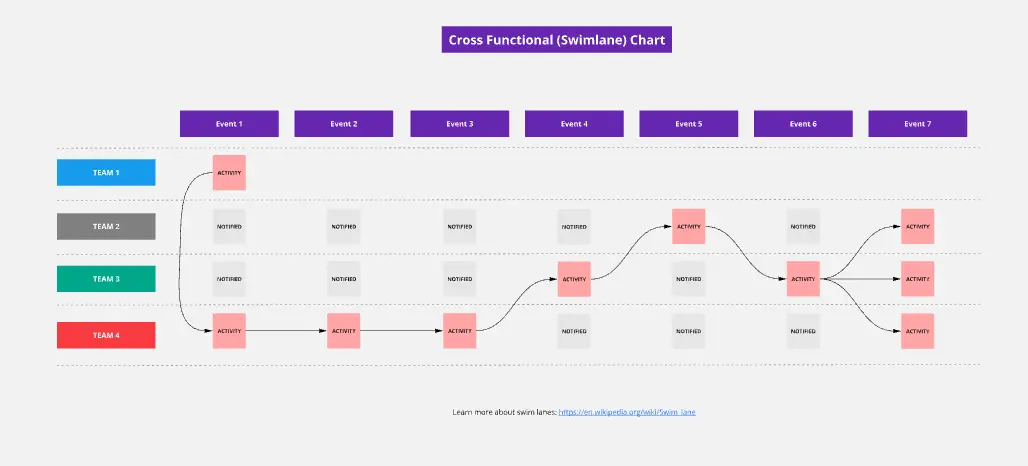
    Legal intake arrives from procurement, HR, finance, and business units — each with their own format and urgency. When requests live in inboxes and spreadsheets, nothing is traceable. Swimlane layouts in Miro map each intake path by department, making handoffs between requestor, counsel, and approver visible and explicit.
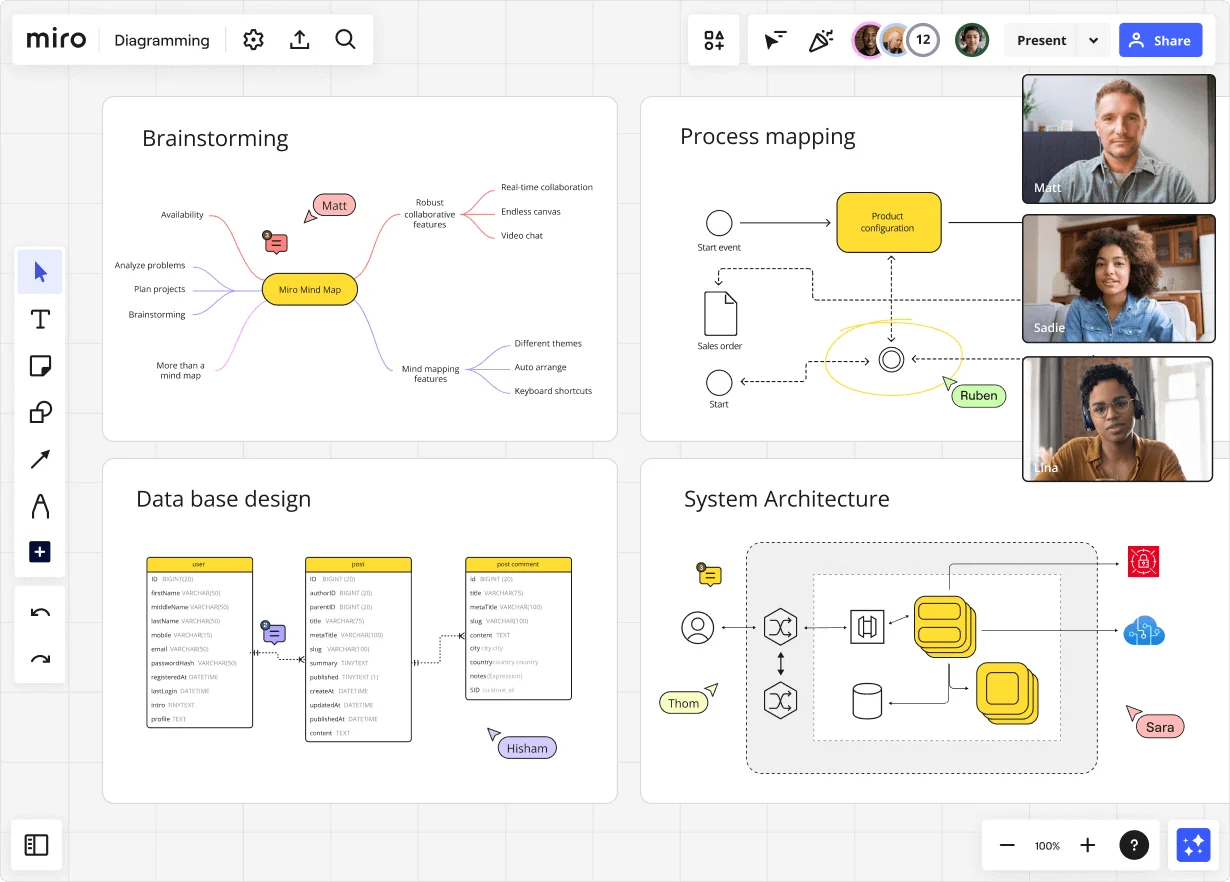
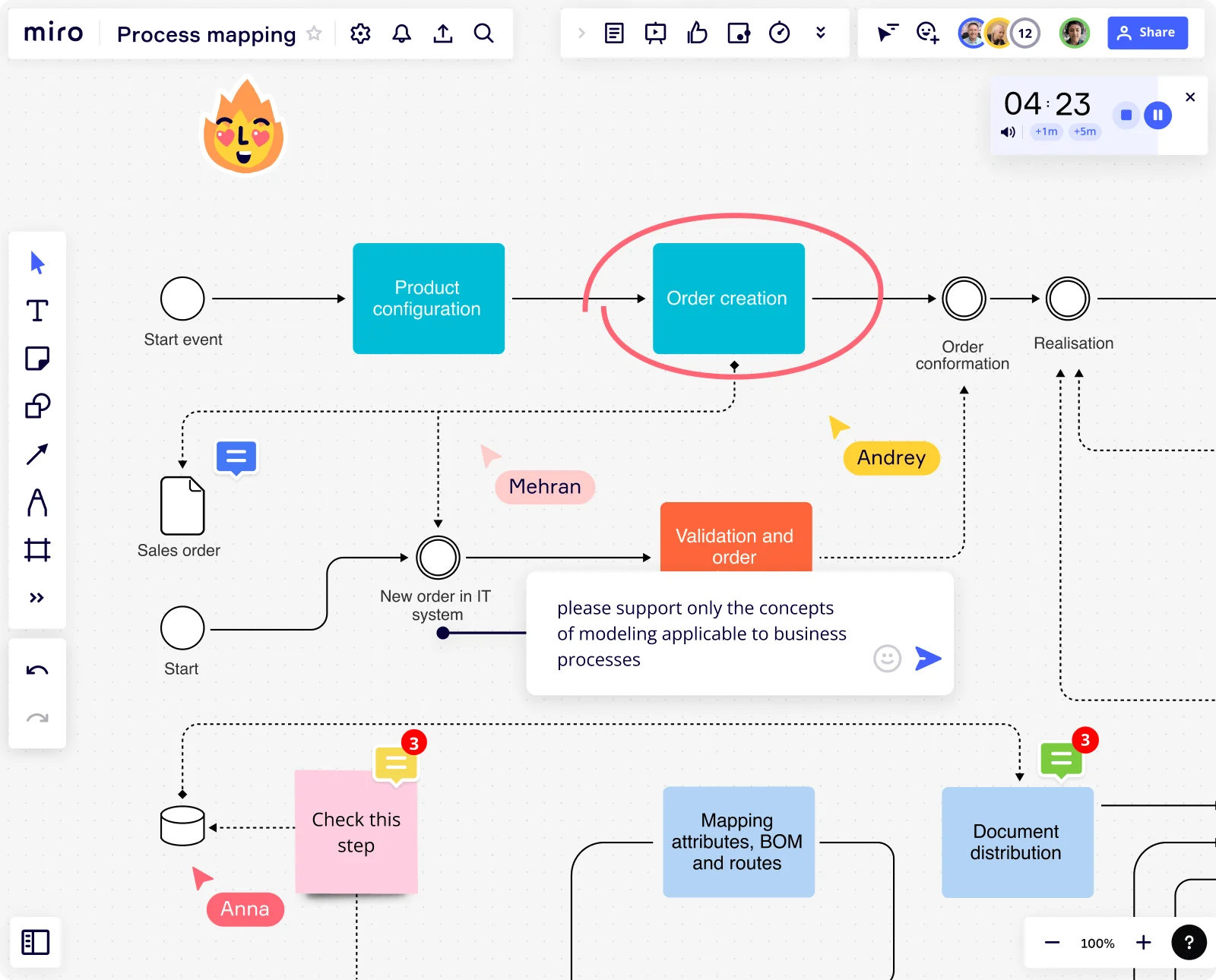
    Miro diagramming board showing four active workspaces: a mind map centered on 'Miro Mind Map' with feature branches, a BPMN-style process mapping flowchart with 'Product configuration' decision node, a database ER diagram with three related tables (user, post, post comment), and a system architecture diagram with interconnected components — all with visible collaborator cursors (Matt, Sadie, Ruben, Lina in video panel, plus Hisham, Thom, Sara as cursor labels).
  • Stop rebuilding your matter escalation map every quarter

    Escalation paths shift as headcount and matter volume change. Miro's Synced Copies mean a single edit to your master map propagates to every sub-process board in seconds. No stale copies. No version confusion.

    Miro board displaying a BPMN process mapping diagram with two swimlanes (Customer and Online Shop), showing decision gateways, message events, and task boxes for an order/offer workflow including 'Send offer', 'Accept offer', 'Decline offer', 'Send Payment', 'Receive Confirmation', and 'Receive Decline' steps, with the BPMN shapes panel open on the left.
  • See exactly where contract reviews stall

    A contract lands for review, gets routed to outside counsel, waits on a business unit sign-off, and misses its deadline. Map the full cycle step by step — request received → legal triage → redline → business approval → executed — then annotate each step with SLA targets so bottlenecks are obvious before they blow up.

    Miro board displaying a process mapping flowchart with labeled nodes including Start, Review PO, a Ready decision diamond, Contact Customer, Update PO, Update/generate design specs, Verify routing, and Check for purchased part, with collaborative cursors (Chris, Melissa, John), comment badges, and decorative Batman and Miro Hero stickers.
  • Audit-ready process documentation, always

    Compliance reviews demand documented, defensible process maps. Export finalized workflows as PDF directly from Miro Docs, where your SOP and your diagram stay in sync. Smaller legal ops functions get a clean audit package fast. Larger orgs embed one canonical source directly into Confluence or their documentation wiki.

    Miro process mapping board displaying a cross-functional flowchart with circular process nodes (Process 1.0, 1.1, 2.0), decision paths (Yes/No branches leading to 'Accept offer' and 'Decline offer'), and rectangular action steps including 'Send payment', 'Receive Confirmation', 'Receive Decline', and 'Process', connected by solid and dashed arrows.
  • Turn mapped bottlenecks into tracked action items

    Mapping a vendor onboarding flow — NDA executed, legal review complete, procurement notified, contract signed — only matters if someone owns each step afterward. Miro's Jira and Confluence integrations let you convert identified bottlenecks directly into tracked tickets, so legal ops professionals leave the session with owners and deadlines, not just a diagram.

    Miro board displaying a BPMN process mapping diagram with two swimlanes (Customer and Online Shop), showing decision gateways, message events, and task boxes including 'Send offer', 'Accept offer', 'Decline offer', 'Send Payment', 'Receive Confirmation', 'Receive Payment', and 'Receive Decline', alongside the BPMN diagramming shapes panel on the left.

How legal ops teams get started with Process Mapping in Miro

  • Map your matter intake trigger to close

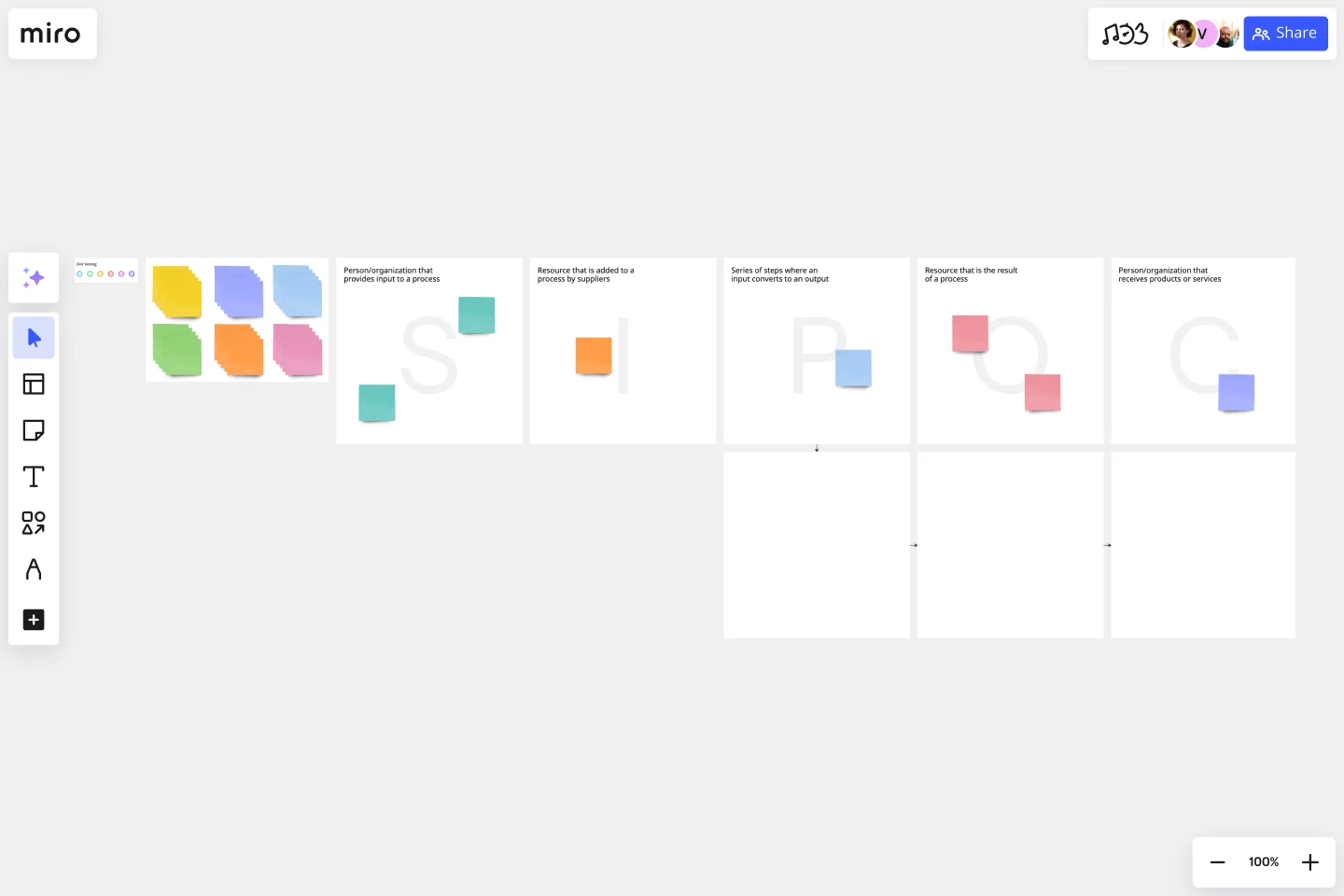
    Open a SIPOC Template to define your matter intake workflow's scope in one sitting - identify the business client request as the trigger, the attorney sign-off or matter close as the end state, and every practice group or system (Ironclad, SimpleLegal, SharePoint) in between before you touch a single connector.

  • Build your routing logic in swimlanes

    In Diagramming Mode, drag triage decision points, approval thresholds, and outside counsel routing rules into Swimlane lanes by role - GC, Deputy GC, billing team, outside counsel - so every handoff, escalation path, and spend-authorization step is visible at a glance instead of living in someone's head.

  • Attach your billing guidelines compliance data

    Use External Embeds to pull your SimpleLegal or TeamConnect cycle-time and spend dashboards live into the board, then annotate each process step with Comments flagging billing guideline exceptions or self-service deflection opportunities so the map doubles as a gap analysis the CFO and procurement lead can actually read.

  • Lock the validated map as your vendor spec

    Run the final walkthrough in Presentation Mode with your legal technology team, use Miro Docs to write the accompanying SOP runbook alongside the diagram, then export to PDF for the auditor handoff or embed directly into Confluence so the process map updates in your playbook the moment you refine it on canvas.

Process Mapping tips for legal operations teams

  • Tag each swimlane lane with a Status Label (Draft / In Review / Published) so your GC and IT stakeholders always know whether they're reviewing a working draft or a signed-off configuration spec before a CLM go-live.

  • If you're migrating an existing Visio or Lucidchart matter workflow diagram, use Diagram Import to bring it in without rebuilding - then layer BPMN Shape Pack notation on top so the map survives a formal legal technology vendor review.

  • For large law departments mapping sub-processes across multiple practice groups, use Synced Copies to push the master intake process map onto each practice group's board - edits to the master propagate in seconds, so billing guidelines changes don't create five quietly diverging versions.

Understand how legal operations teams transform their work

  • Perfect tool to visualize and trace back complex input from multiple stakeholders aiming the objective of enhancing corporate processes.

    Verified User

    G2
  • I’ve been utilizing the AI agent Sidekick, and it’s definitely been helpful for process mapping.

    Verified User

    G2

Process Mapping essential guide for legal teams

CategoryKey insights
  • Common mistakes to avoid

    The most common trap for legal ops professionals is mapping the policy-approved process rather than the actual one. The routing logic that lives in someone's head, the approval workaround that bypasses the official threshold, the billing guideline exception no one documented - those are exactly what your CLM vendor or e-billing platform will fail to handle if your map doesn't capture them. For larger departments rolling out a tool like Ironclad or TeamConnect, also watch out for scope creep: agree on your start and end points before you touch a single shape, or your matter intake map will quietly expand to include the entire procurement-to-payment cycle before anyone notices.

  • Key integrations for legal operations teams

    Confluence and SharePoint are where legal ops playbooks actually live, so embedding your Miro process maps there keeps documentation from going stale the moment the QBR deck is filed away. If your legal technology team requires formal swimlane documentation before they'll configure anything, Miro's Visio and Lucidchart import means you're not starting from scratch with diagrams that already exist. For teams tracking CLM implementation tasks in Jira or Smartsheet, linking process steps directly to those tickets keeps your go-live timeline and your current-state map in sync.

  • When to use it

    Reach for process mapping in Miro when a technology implementation go-live is forcing the question nobody wants to answer: what does the current state actually look like? It's the right tool when your GC needs to show documented operational improvements at a QBR, or when a compliance audit requires formal evidence of controls across your matter intake, triage, and approval workflows. For example, a legal ops team preparing to configure routing logic in a new matter management platform can use Miro's BPMN templates and swimlane layouts to map how requests move from business client to attorney to outside counsel, validate that map with practice group leads in real time, and hand the finished documentation directly to IT as a configuration spec.

  • Security & Compliance

    For legal operations teams, the non-negotiables are SOC 2 Type II certification and granular sharing permissions - you're often working with process maps that contain approval thresholds, billing guidelines, and matter routing logic that shouldn't be visible outside the department. Enterprise legal departments with cross-border operations will want Miro's data residency controls to satisfy IT and procurement requirements before any process documentation goes near a platform configuration spec. Private Mode also earns its place here: it lets legal ops leads run working sessions on sensitive workflow redesigns without surfacing half-formed routing decisions to stakeholders before they're ready to review.

Frequently asked questions for legal operations teams

Last updated: Wednesday, July 01, 2026